1
Canceling copy jobs............................................................................................................17
Contents
Scanning.......................................................................................17
Important safety information.........................................................2
Tips for scanning.................................................................................................................17
About your printer..........................................................................4
Scanning to a local or network computer..........................................................................17
Finding information about the printer.................................................................................4
Scanning to a flash drive or memory card..........................................................................18
Minimizing your printer's environmental impact.................................................................4
Scanning directly to e-mail using the printer software......................................................18
Printer models......................................................................................................................5
Scanning to a PDF...............................................................................................................18
Printer features....................................................................................................................5
Canceling scan jobs.............................................................................................................19
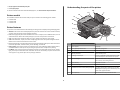
Understanding the parts of the printer................................................................................5
Troubleshooting............................................................................19
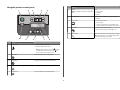
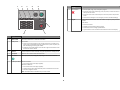
Using the printer control panel............................................................................................7
Notices.........................................................................................23
Using memory cards and flash drives...................................................................................9
Ordering and replacing ink cartridges............................................10
Ordering ink cartridges.......................................................................................................10
Replacing ink cartridges......................................................................................................10
Maintaining ink cartridges..................................................................................................11
Using the printer software............................................................12
Minimum system requirements.........................................................................................12
Installing the printer software............................................................................................12
Using the Windows printer software.................................................................................13
Using the Macintosh printer software...............................................................................14
Printing.........................................................................................15
Printing a document...........................................................................................................15
Printing photos using the printer control panel.................................................................15
Printing documents from a memory card or flash drive (Windows only)..........................15
Canceling print jobs............................................................................................................16
Copying.........................................................................................16
Tips for copying..................................................................................................................16
Making copies.....................................................................................................................16
Copying photos...................................................................................................................17
3