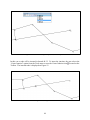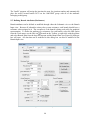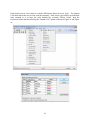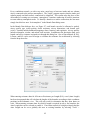
1
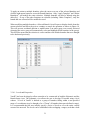
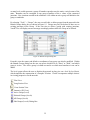
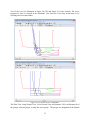
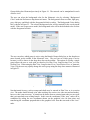
VnetPC Pro
USER'S MANUAL &
TUTORIAL
Mine Ventilation Services, Inc.
1625 Shaw Ave., Suite 103
Clovis, CA 93611
USA
Telephone: 1-559-452-0182
Facsimile: 1-559-452-0184
Email: [email protected]
Website: www.mvsengineering.com
Table of Contents
1.
INTRODUCTION ..............................................................................................................................................7
2.
OVERVIEW OF VNETPC ...............................................................................................................................8
2.1
2.2
2.3
2.4
2.5
2.6
3.
VNETPC: ITS APPLICATIONS AND USES ...........................................................................................................8
BACKGROUND THEORY OF VNETPC ................................................................................................................8
LIST OF MAIN PROGRAM FEATURES ................................................................................................................8
MINIMUM SYSTEM REQUIREMENTS OF VNETPC ..............................................................................................9
SOFTWARE ENCRYPTION ..................................................................................................................................9
SETUP PROCEDURE ........................................................................................................................................ 10
DATA PREPARATION AND INPUT ........................................................................................................... 12
3.1 VENTILATION NETWORK (SCHEMATIC) ......................................................................................................... 13
3.1.1
Closed Circuit .................................................................................................................................... 13
3.1.2
Junction Numbers .............................................................................................................................. 13
3.1.3
Schematic Layout .............................................................................................................................. 13
Note: Scaling and Offset of Coordinates during DXF import ......................................................................................... 13
3.2 DESCRIPTIVE DATA........................................................................................................................................ 14
3.2.1
File Name .......................................................................................................................................... 14
3.2.2
Units and Conversion Utility ............................................................................................................. 15
3.2.3
Power Cost ........................................................................................................................................ 15
3.2.4
Air Density and Regulator Sizing and Shock Loss Calculator .......................................................... 15
3.2.5
Notepad (Comments) ........................................................................................................................ 15
3.3 BRANCH DATA ............................................................................................................................................... 15
3.3.1
Branch Data Formats ......................................................................................................................... 15
3.3.1.1
3.3.1.2
3.3.1.3
3.3.1.4
3.3.1.5
3.3.1.6
3.3.1.7
3.3.1.8
3.3.2
3.3.3
3.3.4
3.3.4.1
3.3.4.2
3.3.4.3
3.3.4.4
3.3.4.5
3.3.4.6
3.3.4.7
3.3.4.8
Resistance Data ............................................................................................................................................. 17
Pressure Drop and Quantity Data .................................................................................................................. 18
Atkinson Friction Factor (k-factor) ............................................................................................................... 18
Resistance per Length Data Format .............................................................................................................. 19
Automatic Length Tool ................................................................................................................................. 20
Auto Calculate Area / Perimeter Tool ........................................................................................................... 22
Shock Loss Calculator .................................................................................................................................. 24
Parallel Branch Tool ..................................................................................................................................... 25
Branch Input View ............................................................................................................................ 25
Schematic View ................................................................................................................................. 26
Branch Selection and Editing ............................................................................................................ 30
Levels and Perspective .................................................................................................................................. 31
Grids and Snap to Grid.................................................................................................................................. 35
Junction Creation .......................................................................................................................................... 36
Importing DXF Files from CAD and Mine Planning Programs .................................................................... 36
Surface State ................................................................................................................................................. 37
Excluding Inactive Branches......................................................................................................................... 38
Branch Colors ............................................................................................................................................... 38
Ventilation Structure Symbols ...................................................................................................................... 39
3.4 FAN DATA ...................................................................................................................................................... 39
3.4.1
Fan Location and Flow Direction ...................................................................................................... 39
3.4.2
Fan Type ............................................................................................................................................ 40
3.4.3
Fan File Manager............................................................................................................................... 43
3.4.3.1
3.4.3.2
3.4.3.3
3.4.3.4
3.5
3.6
3.7
Creating a Fan Curve Data Base ................................................................................................................... 45
Importing a fan curve into a model ............................................................................................................... 46
Saving a fan curve from a model into the Fan Curve Data Base ................................................................... 47
Importing fan curves created in DuctSIM to VnetPC Pro Fan File Manager ................................................ 47
FIXED QUANTITY TOOL ................................................................................................................................. 47
CONTAMINANT DISTRIBUTION ANALYSIS DATA ............................................................................................ 50
BRANCH TEMPLATE ....................................................................................................................................... 51
1
3.8
4.
TRANSIENT TIME CALCULATOR ..................................................................................................................... 53
OPERATING THE PROGRAM .................................................................................................................... 54
4.1 MANAGE NETWORK FILES ............................................................................................................................. 54
4.2 DATA CONVERSION – PREVIOUS VNETPC VERSIONS .................................................................................... 54
4.3 EXECUTE VENTILATION SIMULATION ............................................................................................................ 54
4.4 VIEWING THE RESULTS OF A SIMULATION ..................................................................................................... 55
4.4.1
List Errors .......................................................................................................................................... 55
4.4.1.1
4.4.1.2
4.4.1.3
4.4.1.4
4.4.1.5
4.4.2
4.4.3
4.4.4
4.4.5
4.4.5.1
4.4.5.2
Too Many Fixed Quantities .......................................................................................................................... 56
Branch Omitted in Mesh Selection ............................................................................................................... 56
No Mesh Found for Branch........................................................................................................................... 56
Iteration Limit Exceeded ............................................................................................................................... 56
Locate Error in Schematic Tool .................................................................................................................... 56
Fan Results ........................................................................................................................................ 57
Branch Results ................................................................................................................................... 57
Fixed Quantity Information ............................................................................................................... 58
Displaying Results in the Schematic View ........................................................................................ 58
Preferences Menu.......................................................................................................................................... 58
Zoom Menu................................................................................................................................................... 64
4.4.6
Junction Data ..................................................................................................................................... 64
4.4.7
Printing Output Data ......................................................................................................................... 65
4.4.8
Plotting Output Data .......................................................................................................................... 66
4.4.9
DXF File Generation ......................................................................................................................... 66
4.5 CHANGING THE APPEARANCE OF A TABLE VIEW ........................................................................................... 66
4.6 WINDOW MENU ............................................................................................................................................. 68
5.
TUTORIAL ...................................................................................................................................................... 70
5.1 INTRODUCTION .............................................................................................................................................. 70
5.2 SETTING UP THE MODEL IN AUTOCAD ......................................................................................................... 70
5.2.1
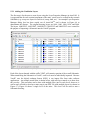
Adding the Ventilation Layers .......................................................................................................... 71
5.2.2
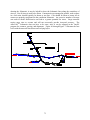
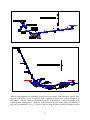
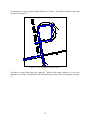
Drawing the Schematic (Line Diagram) ............................................................................................ 72
5.2.3
Exporting the DXF File ..................................................................................................................... 79
5.3 WORKING IN THE VNETPC PROGRAM ............................................................................................................ 80
5.3.1
Setting Up the VnetPC File ............................................................................................................... 80
5.3.2
Schematic View ................................................................................................................................. 82
5.3.2.1
5.3.2.2
5.3.2.3
5.4
5.5
5.6
5.7
5.8
Importing the Schematic ............................................................................................................................... 83
Defining Group Attributes ............................................................................................................................ 85
Viewing and Editing the Schematic in 3D .................................................................................................... 87
ADDING BRANCHES TO THE SCHEMATIC ........................................................................................................ 87
DEFINING BRANCH ATTRIBUTES (RESISTANCES) ........................................................................................... 90
INSERTING FANS AND FIXED QUANTITIES ...................................................................................................... 93
ADDING A CONTAMINANT.............................................................................................................................. 95
PROGRAM EXECUTION ................................................................................................................................... 95
6.
APPENDIX A: TOOLS AND TOOL BUTTONS ......................................................................................... 97
7.
APPENDIX B: QUICK REFERENCE AND GLOSSARY........................................................................ 102
7.1 QUICK REFERENCE....................................................................................................................................... 102
7.1.1
Background Theory ......................................................................................................................... 102
7.1.2
Kirchhoff’s Laws ............................................................................................................................. 103
7.1.3
Units and Conversions ..................................................................................................................... 103
7.1.4
K-Factors ......................................................................................................................................... 104
7.1.5
R/L Factors ...................................................................................................................................... 105
7.1.5.1
7.1.5.2
7.1.5.3
7.1.6
7.1.7
Resistance per Length for Tailgates ............................................................................................................ 105
Resistance per Length for Intake Gate Roads ............................................................................................. 105
Resistance per Length for Longwall Faceline ............................................................................................. 106
Velocity Limitations ........................................................................................................................ 106
Data Preparation for Modeling ........................................................................................................ 107
2
7.1.8
7.1.9
7.1.10
7.1.11
7.1.11.1
7.1.11.2
7.2
8.
Importing from Old VnetPC Files ................................................................................................... 107
General Guidelines for CAD Developed Networks ........................................................................ 108
Printing a Single View .................................................................................................................... 108
Possible Design Criteria .................................................................................................................. 109
Example Design Criteria ............................................................................................................................. 109
Suggested Maximum Airflow Velocity ...................................................................................................... 110
GLOSSARY OF TERMS................................................................................................................................... 111
APPENDIX C: INDEX .................................................................................................................................. 114
3
List of Figures
FIGURE 1: NEW MODEL CREATION ........................................................................................................................... 11
FIGURE 2: UNIT SELECTION DIALOG BOX ................................................................................................................. 11
FIGURE 3: MODEL INFORMATION VIEW .................................................................................................................... 14
FIGURE 4: BRANCH INPUT VIEW................................................................................................................................ 16
FIGURE 5: BRANCH INFORMATION DIALOG BOX ....................................................................................................... 17
FIGURE 6: FRICTION FACTOR DIALOG BOX ............................................................................................................... 19
FIGURE 7: RESISTANCE PER LENGTH VALUES DIALOG BOX...................................................................................... 20
FIGURE 8: AUTOMATIC BRANCH LENGTH DIALOG BOX ............................................................................................ 21
FIGURE 9: RECTANGLE PROFILE TYPE....................................................................................................................... 22
FIGURE 10: CIRCLE PROFILE TYPE ............................................................................................................................ 23
FIGURE 11: ARCHED PROFILE TYPE .......................................................................................................................... 24
FIGURE 12: SHOCK LOSS FACTOR DIALOG BOX ........................................................................................................ 25
FIGURE 13: EXAMPLE AIRWAYS ................................................................................................................................ 26
FIGURE 14: EDIT JUNCTION DIALOG BOX ................................................................................................................. 27
FIGURE 15: CREATE FAN DIALOG BOX ..................................................................................................................... 28
FIGURE 16: BRANCH CONTAMINANTS DIALOG BOX ................................................................................................. 29
FIGURE 17: ADD LABEL DIALOG BOX ....................................................................................................................... 29
FIGURE 18: SELECTED BRANCH LIST......................................................................................................................... 31
FIGURE 19: BRANCH GROUPS DIALOG BOX .............................................................................................................. 32
FIGURE 20: 3D VIEW OF A METAL MINE WITH 3D SPIN TOOL ACTIVE ..................................................................... 33
FIGURE 21: CROSS SECTION VIEW OF A METAL MINE............................................................................................... 33
FIGURE 22: BACKGROUND COLORS DIALOG BOX ..................................................................................................... 34
FIGURE 23: ACTIVE GROUP DROP DOWN MENU ....................................................................................................... 34
FIGURE 24: GRID SPACING DIALOG BOX ................................................................................................................... 36
FIGURE 25: NEW JUNCTION NUMBER DIALOG BOX .................................................................................................. 36
FIGURE 26: DXF IMPORT - LAYER SELECTION .......................................................................................................... 37
FIGURE 27: COLOR RANGE DIALOG BOX .................................................................................................................. 38
FIGURE 28: BRANCH CODES DIALOG BOX ................................................................................................................ 39
FIGURE 29: PERSPECTIVE VIEW ........................................................................... ERROR! BOOKMARK NOT DEFINED.
FIGURE 30: ORTHOGRAPHIC VIEW ...................................................................... ERROR! BOOKMARK NOT DEFINED.
FIGURE 31: FAN DATA DIALOG BOX ......................................................................................................................... 40
FIGURE 32: FAN CURVE DIALOG BOX ....................................................................................................................... 41
FIGURE 33: FAN CURVE GRAPHIC DIALOG BOX ........................................................................................................ 42
FIGURE 34: FAN INPUT VIEW..................................................................................................................................... 42
FIGURE 35: FAN RESULTS VIEW ................................................................................................................................ 43
FIGURE 36: OFF FAN CURVE STATUS WARNING DIALOG BOX .................................................................................. 43
FIGURE 37: NEW FAN CURVE FILE ............................................................................................................................ 44
FIGURE 38: FAN FILE MANAGER ............................................................................................................................... 44
FIGURE 39: VFD FAN ADJUSTMENT.......................................................................................................................... 45
FIGURE 40: FIXED QUANTITIES VIEW ........................................................................................................................ 47
FIGURE 41: ADD FAN OR FIXED QUANTITY DIALOG BOX .......................................................................................... 48
FIGURE 42: FIXED QUANTITY RESISTANCE ............................................................................................................... 49
FIGURE 43: FIXED QUANTITY BOOSTER FAN ............................................................................................................ 49
FIGURE 44: CONTAMINANT DATA VIEW ................................................................................................................... 50
FIGURE 45: BRANCH TEMPLATE VIEW ...................................................................................................................... 51
FIGURE 46: BRANCH TEMPLATE FIELDS SELECTION DIALOG BOX ............................................................................ 52
FIGURE 47: SELECT TEMPLATE DIALOG BOX ............................................................................................................ 52
FIGURE 48: TRANSIENT TIME CALCULATOR DIALOG BOX ........................................................................................ 54
FIGURE 49: VIEW ERRORS DIALOG BOX ................................................................................................................... 55
FIGURE 50: LOCATE IN SCHEMATIC ERROR LIST ....................................................................................................... 57
FIGURE 51: BRANCH RESULTS VIEW ......................................................................................................................... 58
FIGURE 52: PARAMETER QUICK SELECT TOOL BAR .................................................................................................. 59
FIGURE 53: SELECTING DUAL PARAMETERS IN THE SCHEMATIC VIEW ..................................................................... 60
4
FIGURE 54: SELECT DUAL PARAMETERS DIALOG BOX ............................................................................................. 60
FIGURE 55: EXAMPLE OF DUAL PARAMETERS DISPLAYED ON A VENTILATION SCHEMATIC ..................................... 61
FIGURE 56: LINE HIGHLIGHT DIALOG BOX ............................................................................................................... 63
FIGURE 57: EXAMPLE OF LINE HIGHLIGHT ................................................................................................................ 64
FIGURE 58: JUNCTION DATA VIEW ............................................................................................................................ 65
FIGURE 59: DXF SELECT INFORMATION DIALOG BOX .............................................................................................. 66
FIGURE 60: COLUMNS DIALOG BOX FOR BRANCH INPUT VIEW ................................................................................ 67
FIGURE 61: SELECTED BRANCH GROUP BEING DISPLAYED IN BRANCH INPUT VIEW ................................................ 67
FIGURE 62: WINDOW MENU ...................................................................................................................................... 68
FIGURE 63: CASCADE WINDOWS ............................................................................................................................... 69
FIGURE 64: TILE WINDOWS ....................................................................................................................................... 69
FIGURE 65: ARRANGE ICONS ..................................................................................................................................... 70
FIGURE 66: AUTOCADTM LAYER PROPERTIES MANAGER DIALOG BOX - COPIED FROM AUTOCAD 2010TM ........... 71
FIGURE 67: DRAWING OF METAL MINE AIRWAYS (PLAN VIEW WITH MULTIPLE LEVELS ACTIVE) ............................ 72
FIGURE 68: 1400 LEVEL ............................................................................................................................................ 72
FIGURE 69: 1400 LEVEL WITH WIRE FRAME DRAWN ................................................................................................ 73
FIGURE 70: 1600 LEVEL WITH WIRE FRAME DRAWN ................................................................................................ 74
FIGURE 71: 1800 LEVEL WITH WIRE FRAME DRAWN ................................................................................................ 74
FIGURE 72: 1920 LEVEL WITH WIRE FRAME DRAWN ................................................................................................ 75
FIGURE 73: 2000 LEVEL WITH WIRE FRAME DRAWN ................................................................................................ 75
FIGURE 74: CLOSE-UP OF BRANCHES DRAWN IN RAMP ............................................................................................ 76
FIGURE 75: ENSURE ALL BRANCHES ARE CONNECTED.............................................................................................. 77
FIGURE 76: 1400 LEVEL VNETPC PRO SCHEMATIC .................................................................................................. 77
FIGURE 77: 1600 LEVEL VNETPC PRO SCHEMATIC .................................................................................................. 78
FIGURE 78: 1800 LEVEL VNETPC PRO SCHEMATIC .................................................................................................. 78
FIGURE 79: 1920 LEVEL VNETPC PRO SCHEMATIC .................................................................................................. 78
FIGURE 80: 2000 LEVEL VNETPC PRO SCHEMATIC .................................................................................................. 79
FIGURE 81: AUTOCADTM SAVE DRAWING AS DIALOG BOX..................................................................................... 80
FIGURE 82: VNETPC NEW MODEL DIALOG BOX....................................................................................................... 81
FIGURE 83: SELECT UNITS DIALOG BOX ................................................................................................................... 81
FIGURE 84: MODEL INFORMATION VIEW .................................................................................................................. 82
FIGURE 85: IMPORTING THE DXF FILE INTO VNETPC ............................................................................................... 83
FIGURE 86: LAYER SELECTION DIALOG BOX ............................................................................................................ 84
FIGURE 87: PLAN VIEW OF IMPORTED SCHEMATIC ................................................................................................... 84
FIGURE 88: BRANCH GROUPS DIALOG BOX .............................................................................................................. 85
FIGURE 89: COMPLETED CROSS-SECTIONAL VIEW OF SCHEMATIC ........................................................................... 86
FIGURE 90: ROTATED 3D SCHEMATIC ....................................................................................................................... 87
FIGURE 91: DRAWING BRANCHES IN SCHEMATIC CROSS-SECTION ........................................................................... 88
FIGURE 92: ILLUSTRATION OF A SINGLE GROUP (LEVEL) AND GROUP FILTER .......................................................... 89
FIGURE 93: INSERTING A JUNCTION ........................................................................................................................... 89
FIGURE 94: BRANCH DATA DIALOG BOX ................................................................................................................. 90
FIGURE 95: LOCATION OF BRANCH CODE IN DROP DOWN MENU ............................................................................ 91
FIGURE 96: BRANCH CODE DIALOGUE BOX .............................................................................................................. 91
FIGURE 97: BRANCH DATA DIALOGUE BOX ............................................................................................................. 92
FIGURE 98: AUTOMATIC BRANCH LENGTH CALCULATION DIALOG BOX .................................................................. 93
FIGURE 99: FAN OR FIXED QUANTITY DIALOG BOX ................................................................................................. 93
FIGURE 100: FAN DATA DIALOG BOX ....................................................................................................................... 94
FIGURE 101: FAN CURVE DIALOG BOX ..................................................................................................................... 94
FIGURE 102: CONTAMINANT DIALOG BOX ............................................................................................................... 95
List of Equations
5
EQUATION 1:
R=
EQUATION 2:
R=
p
............................................................................................................................... 18
Q2
k ( L + Leq ) Per
cA3
............................................................................................................. 18
6
1. Introduction
Welcome to VnetPC Pro. This latest upgrade of the popular ventilation simulation program
combines the input of ventilation and mining engineers from around the world to provide an
unparalleled engineering tool. This program continues to be designed by practicing ventilation
engineers. Credit for many of the new features goes to the hundreds of users in the mining and
tunneling industries throughout the world.
The applicability of VnetPC Pro to subsurface ventilation system design ranges from the initial
concept through the system operations phase of a project. Given information that describes the
geometry of a ventilation network, airway resistances or dimensions, and the locations and
characteristic curves of fans, the code will produce listings of many ventilation parameters. The
output includes predicted airflows, frictional pressure drops, air power losses in airways,
contaminant flows and concentrations, and fan operating points.
VnetPC Pro has been developed specifically for computers operating under the Windows
environment. The system is supplied on one USB Flash Drive. Data files and fan databases
prepared using the previous version of VnetPC 2007 and VnetPC 2003 can be imported and
converted for use with the latest program.
Prior to installing the software, it is recommended that the user become familiar with this User’s
Manual. This manual provides an overview of the VnetPC Pro package and software encryption
routine that is recommended for both new users, and for users of previous versions. A tutorial
section is included with this manual, which provides a quick-start to developing ventilation
networks. Comprehensive Help menus are included with the program to further assist users in
understanding how the program works. To access the Help menu, click on “Help” above the tool
bar.
If you have any questions or comments regarding VnetPC, please do not hesitate to contact us.
Mine Ventilation Services, Inc. (MVS) maintains a comprehensive web site, which includes upto-date information on VnetPC. We also offer free technical support to all users of the latest
version of the VnetPC program. Thank you for choosing the VnetPC software program, and for
supporting the continued development of the code.
Mine Ventilation Services, Inc.
1625 Shaw Ave., Suite 103
Clovis, California 93611
United States of America
Telephone:
Facsimile:
Email:
Website:
1-559-452-0182
1-559-452-0184
[email protected]
www.mvsengineering.com
7
2. Overview of VnetPC
The VnetPC program is designed to assist the mine ventilation practitioner in the planning and
monitoring of underground ventilation layouts. Given data that describes the geometry of the
mine network, airway resistances or dimensions, and the location and characteristic curves of
fans, the program will provide graphical and tabular representations of various predicted
ventilation parameters.
2.1 VnetPC: Its Applications and Uses
VnetPC can simulate existing ventilation networks such that fan operating points, airflow
quantities, and frictional pressure drops approximate those of the actual system. This is
accomplished using data from ventilation surveys together with information determined from
known airway dimensions and characteristics. Proposed subsurface facilities may also be
designed using VnetPC. Such simulations are conducted by incorporating physical input data
from conceptual plans with documented design parameters used to determine estimated
resistances for airways in the network. The range of fan duties required, airflows, pressure drops,
operating costs, and the location of ventilation controls may be ascertained for the entire life of a
project by conducting time-phase exercises. Options within VnetPC allow for the display of
parameters and manipulation of three-dimensional networks, production of lists from input and
output files, and plots of the schematic, input data, and output data.
2.2 Background Theory of VnetPC
The VnetPC program has been developed with the assumption of incompressible flow and is
based on Kirchhoff's Laws. The code utilizes an accelerated form of the Hardy Cross iterative
technique to converge to a solution.
2.3 List of Main Program Features
•
•
•
•
•
•
•
•
•
•
•
•
•
Full-color, interactive 3D network schematic
Enhanced, expandable coordinate system
Data input and output via the Schematic or tabular views
Color coding of branches for airway type (user defined)
Import DXF files from CAD and mine planning programs
Ability to enter series and parallel arrangements for fans
Imperial and SI units with full data conversion
Automatic allocation of surface branches to close meshes around surface nodes
Notepad to enter detailed description of simulation
Full annotation capabilities in all schematic views - allows angled text
Automatic calculation of branch length from coordinate values
Regulator orifice sizing tool
Default network size limit is 10,000 branches, 4,000 junctions, and 600 fans
8
•
•
•
•
•
•
•
•
•
•
•
•
•
•
•
•
•
•
•
•
•
•
•
•
•
•
Extensive Help Tools and Tutorials
Full online support at www.mvsengineering.com
Direct graphic printing and multi-colored plotting
Export DXF files to CAD and mine planning programs – attribute exported specifically
chosen
Four input data types for branch resistance
Steady state contaminant distribution analyses
Fixed quantity tool
Color coding of branches for range of parameters (airflow, pressure, etc.)
Dual parameters display in schematic view
Cut/copy/paste features for data exchange within Windows
Variable frequency drives – fan curve adjustments for density and frequency (RPM)
Edit branches in multiple views
Fan curve graphics with current operating point displayed
Import fan curves created in DuctSIM
Transient time calculator based on user-selected path
Branch templates
Branch groups (enables user to turn specific groups off/on in display)
Multiple branch selection and editing
Editing single or multiple branch properties with templates
Scroll wheel zooming
Zoom to cursor
Pan with center mouse wheel
Fan stall warnings
Shock loss calculator with reference material
Isometric (3D) editing capabilities
Branch and fan power usage
2.4 Minimum System Requirements of VnetPC
•
•
•
•
•
•
•
IBM Compatible Computer running Windows XP, Vista or Windows 7
Intel Pentium class processor or above
512 MB RAM Memory
100 MB Hard Disk Space for the VnetPC program (additional for Adobe Acrobat ReaderTM)
CD/DVD Drive
USB Slot (HASP Key)
VGA Display
2.5 Software Encryption
The VnetPC program is protected by a software hardlock (HASP). The hardlock device is
installed on a USB port of the computer or server (Net-HASP). After the VnetPC program is
installed, the hardlock device drivers must be installed. If your PC has an active internet
connection, Windows may download and install the necessary drivers automatically. For the
9
single user version of VnetPC Pro, the driver installation routine will be located on the
installation disc, for the multi-user version of the program the driver installation routine will be
located in a separate “Net-HASP License Manager” directory.
If any problems are encountered please contact MVS. MVS can be reached at; phone (559) 4520182, fax (559) 452-0184, or e-mail at MVS at [email protected].
2.6 Setup Procedure
The VnetPC program is shipped as a single installation file on a CD-ROM (VnetPC Pro
Setup.EXE). The following installation instructions will assist you in achieving a trouble-free
installation, regardless of what operation system you are running, or whether or not you already
have a version of VnetPC installed on your machine. Please note that there is an additional setup
file for installing the network version on a server.
1. Insert VnetPC Pro software disk into the CD/DVD Drive and execute the self-installing
utility program from VnetPC Pro Setup.exe.
The default install directory is C:\Program Files\Mine Ventilation Services, Inc.\ or other
as specified by the user. The installation process creates the directory and inserts the
associated program and ancillary files. When the installation is complete, a shortcut for
VnetPC Pro will appear on the desktop.
2. Plug the HASP key tag into a USB port. Windows should automatically install the latest
device drivers for the HASP key if your computer has an active internet connection. If
Windows does not install the HASP device drivers automatically, the device drivers can
be found on the installation disc, or at our website: www.mvsengineering.com
Once the installation of the HASP device drivers is complete, a red light will activate in
the HASP key tag. The red light will remain on as long as the HASP key tag is plugged
into the machine and is functioning properly.
3. Click on the shortcut to start VnetPC Pro.
a. The program should open.
b. Select “File” > “New” > “VnetPC Pro File” sequence to open a new model
illustrated in Figure 1.
10
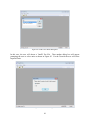
Figure 1: New Model Creation
c. Next a dialog box should appear, as shown in Figure 2, requesting you to select
the system of units for this model. Select units desired for your model and press
“OK”.
Figure 2: Unit Selection Dialog Box
d. If you get an Untitled – Model Information dialog box, the program and the
associated support programs are installed correctly.
Congratulations!! You can now begin using VnetPC Pro ventilation simulation program.
If the program window does not open, but you get a HASP not found (x) error please verify:
HASP not found (0) – that the HASP device is properly attached to the computer (on a USB
HASP the red light in the device should be on).
Now that the program is functioning, check the version number by selecting:
“Help” > “About VnetPC Pro”
Then check for updates and patches via:
www.mvsengineering.com > downloads
If the patch has a higher version alpha-numeric than shows up in the help about information
panel, then you may download the patch.
Simply “Save Target” to your program directory and then extract the replacement *.exe and *.dll
files to overwrite the existing version in the installation directory. Note that if you retain the
current program files as a backup, you will need to make sure that you manually verify any
11
shortcut associations. Windows may retain the shortcuts targeted to the original program files
rather than the installation directory.
If you have any further questions with regard to the installation process, or the operation of this
or other MVS software, please feel free to contact us by telephone: 1-559-452-0182 or email:
[email protected].
3. Data Preparation and Input
VnetPC is structured such that the user moves between views, or windows, where input and
output data are located. A single file is used for the network input, schematic coordinates, and
contaminant data. A separate archive file is used to store multiple fan curves. Creating,
importing, editing, or viewing fan curves are performed within the VnetPC program. The
VnetPC program comprises ten screens for the input and display of program data. The screens
are listed on the Menu Bar under the “Go To” menu. These views are:
•
•
•
•
•
•
•
•
•
•
Model Information
Branch Input
Branch Results
Fixed Quantities
Branch Template
Fan Input
Fan Results
Junction Data
Schematic
Contaminants
This section details the content and form of the input data required for the VnetPC program. The
data requirements are presented in eight categories:
1.
2.
3.
4.
5.
6.
7.
8.
Ventilation Network
Descriptive Data
Branch Data
Fan Data
Fixed Quantity Tool
Contaminant Distribution Data
Branch Template
Transient Time Calculator
(page 13)
(page 14)
(page 15)
(page 39)
(page 47)
(page 50)
(page 51)
(page 53)
12
3.1 Ventilation Network (Schematic)
A ventilation network is a graphical representation of a ventilation system that consists of a set of
junctions and interconnecting lines (branches) which represent air courses in the underground
facility. The following subsections describe the schematic requirements.
3.1.1 Closed Circuit
The network schematic must consist of interconnected branches that form closed circuits. Each
branch should represent a single airway, a group of airways, or leakage paths. VnetPC Pro will
automatically close those branches connected to the surface, as long as the user specifies them as
being "In Atmosphere". The option to select the surface state of the various network branches is
located in both the Schematic and Branch Input views (refer to Section 2.10.4.5).
3.1.2 Junction Numbers
Junction numbers must be assigned to each junction in the schematic. Valid numbers are whole
integers from 1 to 10,000. VnetPC is capable of selective viewing and printing of branches
interconnected to any specified range of junction numbers. VnetPC will automatically allocate
junction numbers for new branches drawn in the Schematic view or for imported data from a
DXF file.
3.1.3 Schematic Layout
Three methods can be used to enter the schematic into VnetPC:
1. Draw the schematic in a CAD or mine planning program (established as a unique layer,
named by the user) and import to VnetPC. This method is typically adopted when the user
wants to overlay the ventilation network on a mine plan (within a CAD program).
2. Directly plot the network on the screen using the VnetPC drawing tools (acceptable for
smaller networks and where precise geometry is not necessary).
3. Numerically enter the coordinate data in tabular form, or copy the coordinate data from a
spreadsheet and paste into the Junction Data view.
Note: Scaling and Offset of Coordinates during DXF import
VnetPC supports real-world coordinates, and will generally import exact coordinates from CAD
programs. The exception is when the program has to apply an offset to the imported data, and/or
scale the network because the coordinate range is too great for the VnetPC views (coordinate
values greater than 1 billion). Any scaling or offset is identified to the user during the importing
process. For importing multiple layers or DXF files into the same network, the initial offset and
scaling information (used for the first layer) will automatically be applied to all subsequently
imported layers.
13
3.2 Descriptive Data
Descriptive data consists of both required and optional information for documentation and
program initiation. This information is modified in the Model Information view. The Model
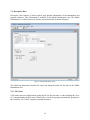
Information view allows data to be directly entered into fields as shown in Figure 3.
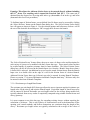
Figure 3: Model Information View
The following subsections describe the input and required format for the data in the Model
Information view.
3.2.1 File Name
A file name must be assigned when saving the file for the first time, or when utilizing the “Save
As” command under the File menu. When a file is saved, the program automatically prompts for
the extension .vdb. VnetPC supports extended file names.
14
3.2.2 Units and Conversion Utility
VnetPC supports both Imperial and SI units. The user must initially specify one type of
engineering unit; however, should the user decide to change units, an automatic conversion
feature is available. This conversion feature is available from the Tools menu in any view except
the Model Information view. In the Model Information view, there is a Units tab that allows the
user to switch between units. This is the equivalent of the “Unit Conversion” feature in the
Tools menu for other views. The conversion utility converts all the input data including the fan
curves. It is important that the user executes the program following unit conversion. In rare cases
during conversion, one or more data values may become out of range, and the program will
truncate the values. However, this will only occur if the original network contains extremely high
input parameters, and the truncated values should still be sufficiently large so that network
accuracy is not impacted.
3.2.3 Power Cost
The user should enter an electrical power cost to determine the operating cost for the system
fans. Power costs are provided in unit/kWh, where the unit may be any currency.
3.2.4 Air Density and Regulator Sizing and Shock Loss Calculator
The user is required to input an average air density for the underground facility. This value is
needed to compute the orifice area for any regulators listed in the Fixed Quantities view. The
average air density parameter is also used to calculate shock losses added to branches.
3.2.5 Notepad (Comments)
There is a large text field available to enter a detailed description of the particular file.
Information may include a title, summary of results, and the specific details associated with that
model. This notepad is seen in the Model Information view. Text may be entered directly in the
reduced window or the comments section may be maximized by pressing the Edit key. Users
need to deactivate a modified field by choosing a new active field before attempting to save the
file. Changes made to an active field will not be retained when the file is saved. Users may also
make changes to the text field by selecting “Tools” > “Comments” in any view.
3.3 Branch Data
3.3.1 Branch Data Formats
Each branch is defined by two junctions and by numerical data that indicate the characteristics of
the airway. Data may be entered in any of four formats. The mouse can be used to copy and
paste ranges of data between branches in the Branch Input view or from other Windows
applications (such as spreadsheets or other ventilation simulators). Once data is entered into the
program, the data will remain until deleted or overwritten by new data of the same format. If the
resistance type is changed to a different data format, original data entered for other formats will
be retained and available though inactive.
15
VnetPC recognizes four branch data formats: Resistance (R), Pressure Loss and Airflow
Quantity (p/Q), Atkinson Friction Factor (k-factor), and Resistance per Branch Length (R/L). A
branch data format is chosen for each branch depending on available airway information. The
format for each branch is independent of the other branches in the model and can be changed at
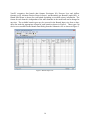
any time. The available branch types may be accessed in the Branch Input view from a dropdown list under the appropriate column for each branch as shown in Figure 4. These types can
also be set or modified in the Branch Data Dialog from the Schematic view as shown in Figure 5.
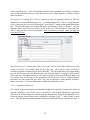
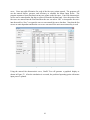
Figure 4: Branch Input View
16
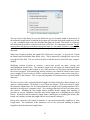
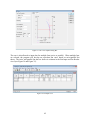
Figure 5: Branch Information Dialog Box
The Branch Data Dialog box can be accessed from the Schematic view using the Edit tool or the
Selection Pointer. The Edit tool is chosen by selecting “Tools” > “Edit” by selecting the Edit
tool icon
located on the Drawing toolbar and left clicking on the desired branch. The
Selection Pointer may also be used. It is available by selecting “Tools” > “Selection Pointer”, by
selecting the Selection Pointer icon
on the Drawing toolbar, or simply pressing the escape
key. Right click the desired branch with the Selection Pointer and choose Branch Data from the
drop down menu. Using any of these methods will call up the Branch Data dialog box,
illustrated in Figure 5. Branch types and other branch data can be changed in this view.
3.3.1.1 Resistance Data
The Resistance data type (R) requires that a resistance value be input for the branch. This data
type is useful for branches with a known or previously computed resistance. A common example
would be adding a stopping or door using an average resistance value calculated from survey
data. Typical resistance values for ventilation controls can have the following ranges (shown in
Practical Units [P.U.]):
Doors: 5-50 P.U.
(Typical = 25 P.U.)
Seals: 1,000-10,000 P.U.
(Typical = 2500 P.U.)
Curtains or Brattices: 1-5 P.U.
(Typical = 2.5 P.U.)
Bulkheads or Stoppings: 50-5,000 P.U.
(Typical = 1,500 P.U.)
17
.
When a new branch is created in either the Branch Input or Schematic views, the default branch
data type is R. Resistance data type (R) may also be entered by using Branch Templates. Please
see section 3.7 for more information on Branch Template data entry.
3.3.1.2 Pressure Drop and Quantity Data
The p/Q data input type requires pressure loss and volume flow values to be input. These values
are typically obtained from a pressure-quantity survey using the gauge and tube method for
pressure loss and vane anemometers for airflow quantity. VnetPC calculates the resistance, R, on
the basis of the Square Law, as given in Equation 1. Directly entering survey data allows the
user to bypass a calculation step when preparing data and helps facilitate correlation between
measured airflow values and those resulting from the model simulation.
Equation 1:
Where:
R=
p
Q2
R = airway resistance (Practical Unit [P.U.] or Ns2/m8)
p = pressure drop (milli inch w.g. or Pa)
Q = flow rate (kcfm [× 1000 cfm] or m3/s)
3.3.1.3 Atkinson Friction Factor (k-factor)
The k-factor resistance data type requires the physical characteristics of the airway to be input,
including: Atkinson Friction Factor (k-factor), length (L), equivalent length of shock loss (Leq, if
desired), perimeter (Per), and cross-sectional area (A). This data type computes branch resistance
using an empirical formula known as Atkinson's equation, expressed below in Equation 2:
Equation 2:
Where:
R =
k =
L =
Leq =
A =
Per =
c =
R=
k ( L + Leq ) Per
cA3
airway resistance (Practical Unit or Ns2/m8)
friction factor (lbf min2/ft4×10-10 or kg/m3)
length of airway (ft or m)
equivalent length of shock loss (ft or m)
area (ft2 or m2)
perimeter of airway (ft or m)
constant (Imperial = 52 and SI = 1)
VnetPC verifies each entry as it is input and, if invalid, requests re-entry. It should be noted
when inputting a value for k-factor in Imperial Units into the Branch Data: the 10-10 factor must
not be included in the entry. Hence, for a typical airway with a k-factor of 65 ×10-10 lbf min2/ft4,
the user would enter only 65. Note that VnetPC uses a constant of 52 not 5.2 in the Atkinson
18
Equation. This allows the Atkinson friction factor to be entered directly without including
the 10-10 factor. The resulting unit is termed the Practical Unit (PU). This same unit is
obtained from the Square Law by using milli inch w.g. (thousandths of an inch w.g.) and kcfm
(thousand cubic feet of air per minute).
To facilitate input of friction factors, a user-defined list of k-factors may be accessed by clicking
the ‘Select K-factor’ button on the Branch Data dialog box. The Select Friction Factor dialog
box will appear as shown in Figure 6. Use the selection pointer and left mouse click on a cell in
the row of the desired k-factor and press ‘OK’ to apply the k-factor to the branch.
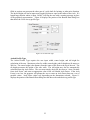
Figure 6: Friction Factor Dialog Box
The ‘Select Friction Factor’ feature allows the user to enter a k-factor value and description for
each variety of airways to be modeled with the k-factor data type. These stored values can then
be recalled rapidly to populate resistance data for future branches. The Select Friction Factor
dialog box can also be accessed in the Branch Input view from the ‘Branch’ drop-down when a
k-factor field is selected. An additional way to access the stored friction factors from the Branch
Input view is to double click on the edge of a cell for the friction factor of a desired branch.
Atkinson Friction Factor data type (k-factor) may also be entered by using Branch Templates.
Please see section 3.7 for more information on Branch Template data entry. K-factors may also
be entered in the form of Branch Templates.
3.3.1.4 Resistance per Length Data Format
The resistance per unit length (R/L) data type allows the user to input an empirical resistance per
length value for the airway and requires branch length. Equivalent length of shock losses may
also be entered if desired. Resistance per unit length values for the airways being modeled are
typically obtained from survey results or empirically computed using suitable friction factors and
airway geometry.
It is most common to use this data type for extending existing airways without requiring the
calculation of k-factors. This is only effective if characteristics such as the dimensions of the
opening, roof control methods, and airflow obstructions are consistent along the length of the
airway. Resistance per length values are typically calculated as the average of the values of
19
several similar airways. This will eliminate anomalies that commonly occur during ventilation
surveys and yield more realistic results than values from a single branch or estimated using a
table of k-factors.
The process for entering R/L values is identical to that for entering k-factors in both the
Schematic view and the Branch Input view. To facilitate input of R/L values, a user-defined list
of R/L values may be accessed by clicking the ‘Select R per L’ button on the Branch Data dialog
box. The Select Resistance per Length dialog box will appear as shown in Figure 7. Use the
selection pointer and left mouse click on a cell in the row of the desired R/L value and press
‘OK’ to apply the R/L value to the branch. Note: Resistance per length values are input per
1,000 units (ft or m).
Figure 7: Resistance per Length Values Dialog Box
The ‘Select R per L’ feature allows the user to enter an R/L value and description for each
variety of airways to be modeled with the R/L data type. These stored values can then be
recalled to populate resistance data for future branches. The Select Resistance per Length dialog
box can also be accessed in the Branch Input view from the ‘Branch’ drop-down when an R/L
field is selected. An additional way to access the stored R/L values from the Branch Input view
is to double click on the edge of the spreadsheet cell for the R/L value of a desired branch.
Resistance per unit length data type (R/L) may also be entered by using Branch Templates.
Please see section 3.7 for more information on Branch Template data entry.
3.3.1.5 Automatic Length Tool
The VnetPC program incorporates an automatic length tool to provide a length value based on
junction coordinates. This feature can be activated for each branch through the appropriate
column in the Branch Input view and through the Branch Data dialog in the Schematic view.
Universal settings for this feature can be adjusted by selecting “Tools” > “Auto Length” in most
views. This displays the Automatic Branch Length Calculation dialog box as shown in Figure 8.
20
Figure 8: Automatic Branch Length Dialog Box
The top section of the dialog box sets the default for any new branches added to the network. If
the automatic length feature is enabled, the program will calculate the branch length based on the
x, y and z coordinate data of the two junctions that define the branch. This feature is commonly
activated when the model is created to scale from a DXF file. It is important to note that VnetPC
assumes that each division (coordinate) in Imperial units is 1 foot and in SI Units is 1 meter. The
units of a source DXF file must be identified correctly when imported as this cannot be adjusted
afterward.
When Auto Length is enabled, the length field will become “read only” or “grayed out” in both
the Branch input and Branch Data dialog views. This is indicated by changing the color of the
text and fill of the field. The user will not be able to edit this inactive field while Auto Length is
enabled.
Modifying junction locations or creating a not-to-scale model can make viewing and
manipulating the model easier. The automatic length tool will update the branch length when
there has been a change in the location of one of the junctions or if the branch junction numbers
have been reassigned. When modifying junction locations, care should be taken to enter correct
airway lengths by hand in order to achieve realistic branch resistance values when using the kfactor and R/L data formats. This is especially important for branches used to represent shafts
and raises.
The lower section of the Automatic Branch Length Calculation dialog box allows changes to be
made to existing branches. The default is set to "Make no changes." If the user selects to enable
the automatic length feature for all existing branches, the length of all existing branches will be
updated to the respective computed values. Any existing length data will be overwritten and is
not retained. Disabling the auto length feature prohibits branch lengths from updating if
junctions are moved. Branches retain their most recent length prior to disabling the auto length
feature. If branches had the automatic length feature enabled prior to disabling the feature, that
branch will continue to retain that length until the user manually changes it.
During unit conversion, the length of branches is converted automatically regardless of Auto
Length status. The coordinates in the Schematic view are also converted, resulting in updated
length data from the automatic length feature.
21
3.3.1.6 Auto Calculate Area / Perimeter Tool
The VnetPC program incorporates an automatic area and perimeter calculator tool based on
airway dimensions. This feature can be activated for each branch by checking the appropriate
box in Branch Data dialog in the Schematic view or the appropriate column in the Branch Input
view. In order to calculate the proper area the user must provide the proper Profile Type
information for the Airways and check the box labeled “Area / Perimeter Auto Calculate”. The
three profile types available in VnetPC are Rectangle, Circle, and Arched. Each profile type
includes a preview window that displays a graphical representation of the airway. If improper or
unrealistic dimensions are entered for the profile type, an error message will appear in place of
the graphical representation. This feature may be deactivated by unchecking the box so that the
user may enter the area and perimeter manually.
When the Auto Calculate Area/Perimeter Tool is enabled, the Area and Perimeter fields will
become “read only” or “grayed out” in both the Branch Input and Branch Data dialog views.
This is indicated by changing the color of the text and fill of the field. The user will not be able
to edit this inactive field while the Auto Area/Perimeter Calculated Tool is enabled.
Rectangle Profile Type
The Rectangle Profile Type requires two user inputs height and width to calculate area and
perimeter. Maximum values for height and width are 60 meters or 200 feet. However, if the
height to width ratio (or width to height ratio) is greater than 10:1, then an error massage will
appear. This is to prevent the user from accidentally entering unrealistic values. Figure 9
displays the portion of the Branch Data dialog box that shows the Rectangle airway profile type.
Figure 9: Rectangle Profile Type
Circle Profile Type
The Circle Profile Type requires only the diameter to calculate an area. Maximum values for
diameter are 60 meters or 200 feet. The Invert Height cell represents the portion of the circular
opening that is typically filled or used for another purpose. For a level or slightly inclined
opening the filled in portion is often times used for a road or other travel way. For a shaft, this
22
filled in portion can represent the other part of a split shaft for hoisting or other mine function.
The Invert Height cell can be input at any length less than or equal to the radius of the circle. If a
length larger that the radius is input, VnetPC will flag the user with a warning message in place
of the graphical representation. Figure 10 displays the portion of the Branch Data dialog box
that shows the Circle airway profile type.
Figure 10: Circle Profile Type
Arched Profile Type
The Arched Profile Type requires the user input width, center height, and rib height for
calculation of the area. Maximum values for width, center height, and rib height are 60 meters or
200 feet. The center height is the distance from the center of the floor to the top of the roof. The
rib height measures the height of the side walls. The rib height may also be automatically
calculated from the Arch Factor. The user must simply check the box next to “Auto Calculate
from Arch Factor” and enter an appropriate value in the cell labeled Arch Factor. If the Arch
Factor is too low, the program will prompt the user to enter an Arch Factor between a set of
possible values. Arch Factor values vary depending on the dimensions selected. Figure 11
displays the portion of the Branch Data dialog box that shows the arched airway profile type.
23
Figure 11: Arched Profile Type
3.3.1.7 Shock Loss Calculator
The VnetPC program incorporates a tool to calculate and apply shock loss resistances to
branches. This feature can be activated for each branch through the Branch Data dialog box in
the Schematic view or the appropriate column in Branch Input.
A shock loss resistance may be added to any branch in the ventilation model. This feature can be
enabled or disabled at any time in the ventilation model and when disabled will retain the shock
resistance value but will not apply it to the system.
To add a shock loss resistance to the model with the Branch Data dialog box the user must check
the box labeled ”Shock Resistance”. Users then may manually add a value to the Shock
Resistance text box or select “Calc Shock Loss” to calculate a shock loss resistance.
In order for VnetPC Pro to calculate the shock loss resistance, users must define three
parameters; airway cross-sectional area, average mine air density, and Shock Loss Factor. The
cross-sectional area is user defined for each branch in the Branch Data dialog box or the Branch
Input view. The area may be either input manually or calculated based on the profile type
dimensions directly above the area cell in the Branch Data dialog box. To calculate the area
from the cross-sectional area dimensions, the user will need to check the box labeled
Area/Perimeter Auto Calculate. If the user changes the cross-sectional area after calculating the
Shock Resistance, the user must select “Calc Shock Loss” again to recalculate the shock loss or
manually override the shock loss as this number will not update with changes to the model.
The average mine air density is user defined on the Model Information view. After the user
selects “Calc Shock Loss” the Shock Loss Factor dialog box will be displayed (see Figure 12).
Shock loss (X) factors may be defined as the number of velocity heads that give the frictional
pressure loss due to turbulence at any bend, variation in cross-sectional area, or any other
configuration that causes a change in the general direction of airflow. Users may select
Reference for additional information for selecting a Shock Loss Factor. After users enter a shock
24
loss factor and press “OK”, the calculated shock loss resistance will appear in the Branch Data
dialog box.
Figure 12: Shock Loss Factor Dialog Box
3.3.1.8 Parallel Branch Tool
A tool is available to allow the user to rapidly adjust the resistance of a branch according to
parallel network theory. This tool is accessible in both the Branch Input view (Parallel Factor
column) and the Schematic view (Branch Data dialog box > Parallel Factor). The user may enter
a number, with the default being 1. If the user selects a 2, then the code will adjust the input
branch resistance to double the number of airways represented by the branch. If the user were to
enter 0.5, then the resistance would be adjusted to give half the number of airways represented in
the branch. If the user enters 1, then the resistance is reset to the original value. During
ventilation surveys, resistances are determined for parallel entries and are input directly to the
model. Although only one branch is modeled it will sometimes actually represent two or more
parallel entries. Care should be taken to identify exactly how many entries are incorporated into
the original resistance value.
In previous versions of VnetPC, shock loss resistances were only added as separate resistances in
the model. Changing the Parallel Factor did not affect the overall shock loss resistance of a set
of branches. For instance, if a single branch had a shock loss of 1.0 P.U. and the user applies a
parallel factor of 2 (creating two parallel branches each with a shock loss of 1.0 P.U. instead of a
single branch), the new overall shock loss resistance of the combined branches would still have
been 1.0. The user would have had to change the shock loss from 1.0 to 0.25 in order to properly
represent the new branches. VnetPC Pro accounts for this change in the model and the user need
not re-enter new shock losses every time parallel factors are changed.
3.3.2 Branch Input View
Branch characteristic data can be entered and modified in a manner typical of Windows-based
spreadsheets in the Branch Input view. A branch can be added, deleted, or inserted by selecting
the respective command under the Branch menu. If a new model is being developed or branches
are being added from this view, the user can select ‘Add Branch’ under the Branch menu. When
the first branch in a network has been entered, additional branches are added automatically by
typing Enter at the end of the last row in the Branch Input view. Additional branches may also be
added by typing Shift-Enter at any point in the Branch Input view.
Once data has been entered in a particular cell the user can press either the Enter key or the Tab
key to progress to the next cell. This section allows the user to enter any and all of the branch
25
parameters and/or descriptions about each branch that are needed for model development. The
columns in all tabular views may be frozen, hidden or shown using tools under the View menu.
Figure 4, shown previously, displays an example of the Branch Input view.
In the Branch Input view, the Find option may be used under the Edit menu or via the Find
Branch icon (binoculars ) on the tool bar. These tools are different. The Find option seeks up
or down a selected column for an input text string. The Find Branch option allows branches to
be located either by entering from and to junction numbers or by finding the next occurrence of a
particular junction number. The Go To Branch tool will locate a branch based on its unique
Branch ID. This is useful because branches may not always be sorted in order of Branch ID.
The Replace option allows the user to make single-column or global changes to the input data.
3.3.3 Schematic View
VnetPC Pro features a reversal function, which signals when airflow in a particular airway has
changed direction from that which was intended. In order for this function to work properly, the
user must define each branch with junctions set up in the proper order (similar to fans and fixed
quantities). Once a simulation is executed, reversed airways will be tagged, as shown in Figure
13. If the user wants the reversed airflow to be the new direction of flow, the reversed airflow
symbol may be removed. To do this, the user selects “Tools” > “Normalize Quantity” and then
selects “Tools” > “Execute Simulation”. This will remove all reversed airflow symbols.
Normal Airway
Reversed Airway
Figure 13: Example Airways
If desired, the ventilation network may be developed entirely within the Schematic view.
Networks are established using functions obtained from the Tools menu or Tools Bar. This menu
allocates different functions to the selection pointer. The following list of functions is available:
Selection Pointer
Create Junction
26
Create Branch
Plot Existing Junction
Create Fan
Create Contaminant
Create Label
Zoom Tool
Eraser Tool
Edit Tool
3D Spin Tool
The Selection Pointer is the default option. This allows the user to highlight branches and by
pressing the right mouse button change the attributes of those branches and access Template
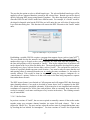
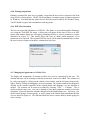
features. The network may also be resized or adjusted by dragging nodes around the screen using
this pointer. selection pointer will be restored when the ‘Esc’ key is pressed. The selection
pointer can be used in all four model views (plan view, cross-section, long-section, and
isometric).
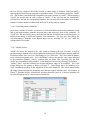
The Create Junction option allows new junctions to split existing branches. The creation of
junctions is normally not necessary, because branches drawn in blank areas of the screen (using
Create Branch) will automatically be assigned From and To nodes/junctions and numbers. These
default numbers can be changed as required. The user cannot create nodes in the 3D view.
Nodes can only be input in the plan and section views. Note that the user can select
“Preferences > “Junction Creation” to change the starting node number (refer to Section
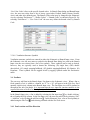
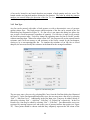
2.10.4.3). The user may also the edit junction data by right clicking on a junction with the
selection pointer and selecting “Junction Data”. The following dialog box will be displayed (see
Figure 14) where the user may change the junction number and edit coordinate data.
Figure 14: Edit Junction Dialog Box
27
The Create Branch tool allows new branches to be drawn. The program automatically allocates
junctions at the start and end of these branches, unless the user clicks on an existing node. If an
existing airway is used for a starting or termination point, then the branch will be divided and a
new node will be added. The divided airway will be represented by two new branches, one
branch that retains the “From” junction, and one that retains the “To” junction from the original
branch. The user-entered pressure loss, fixed resistance, and length values from the old branch
will split between the new branches according to length ratio. User entered data for Shock
Resistance, Fan/Fixed Q, and In Atmosphere will only be retained by the “From” branch. The
user cannot create branches in the 3D view. Branches can only be input in the plan and section
views.
Users experienced with previous versions of VnetPC have indicated that confusion can arise if
two or more branches are entered with identical From and To junction numbers. VnetPC Pro
checks for this condition during data entry and will not allow duplicate branches. However, the
user can effectively connect any two junctions with parallel branches by inserting intermediate
nodes.
The Plot Existing Junction tool allows the user to plot the locations for junctions entered in the
Branch Input view. This tool will not allow new junctions to be added, and only allows existing
junctions to be plotted whether previously defined or not. The user can only plot existing
junctions in plan view.
The Fan or Fixed Q tool allows fans or fixed quantity values to be allocated to existing
branches. If a fan or fixed quantity already exists in the selected branch, then the fan or fixed
quantity attributes for that branch are displayed. The direction of flow is based on the From/To
node input data. By selecting a branch with the Create Fan tool the following dialog box appears
(shown in Figure 15). The user is then allowed to select a fan or fixed quantity for the assigned
branch. The user cannot create fans in the 3D view. Fans can only be input in the plan and
section views.
Figure 15: Create Fan Dialog Box
The Create Contaminant feature is handled in a similar fashion as the fan tool. The create
contaminate tool can only be used immediately after the “Execute Simulation” button is selected
and before anything else in the model is edited. The create contaminant tool may be used to edit
contaminants in consecutive branches after executing the simulation, but the moment another
tool is used to edit the model, the “Execute Simulation” button must be selected again before
another branch contaminant is added or modified. After selecting the create contaminant tool, a
28
dialog box will appear, illustrated in Figure 16, which requires the user to input either a
contaminant volume flow or a concentration. The input concentration represents the
concentration of the emission at that point in the airway. The user should not enter the total
contaminant concentration, which will include any upstream sources. The output contaminant
flow and concentration (evaluated by the program) will integrate all of the sources to determine
actual concentration and volume based on a steady state condition. The user cannot create
contaminants in the 3D view. Contaminants can only be input in the plan and section views.
Figure 16: Branch Contaminants Dialog Box
The Create Label option allows labels to be entered for specific views or groups (see Figure 17).
Attributes for these labels may then be changed using the Selection Pointer and the right mouse
button or the Edit Tool. The orientation of the label can also be rotated through 360°. The user is
allowed to specify a default text font and size (under the Preferences menu/Default Font). All
the common Windows fonts are supported, and the text size may be adjusted over a large range
for individual labels. The user cannot create labels in the 3D view. Labels can only be input in
the plan and section views.
Figure 17: Add Label Dialog Box
The Zoom Tool allows the user to resize the view rapidly. A section of the network may be
expanded by dragging the mouse over the selected area while holding down the left mouse
button. The user can also press the left mouse button to zoom-in, or the right mouse button to
zoom-out. Tool buttons in the Schematic view also enable the user to zoom-in/out
and
29
zoom all . These buttons are typically required to allow zooming when using a different tool
for the mouse (such as Add Branch tool or similar). The zoom –in/out tool is also enabled by
scrolling the center wheel on the mouse. The zoom tool can be used in all four model views
(plan view, cross-section, long-section, and isometric).
The Eraser Tool allows the user to rapidly remove unwanted objects from the schematic. The
tool will work with branches, nodes and text. A detailed Undo/Redo option ensures that erased
data may be recalled in the event of a mistake. Single or multiple objects may also be deleted
when selected by hitting the ‘delete’ button or selecting deleted when right clicking with the
selection tool. A confirmation dialog will appear if multiple objects are selected to prevent
accidental deletions. The eraser tool can be used in all four model views (plan view, crosssection, long-section, and isometric).
The Edit Tool allows the attributes of existing objects to be amended. The user must select the
required node, branch or text to obtain the properties of the object. The edit tool can be used in
all four model views (plan view, cross-section, long-section, and isometric).
The 3D Spin Tool allows the schematic to be rotated in isometric view. To rotate, the user must
click and hold the left mouse button while dragging the cursor across the screen. The user may
left click anywhere in the schematic view to rotate the model. The 3D spin tool can only be used
in isometric view.
3.3.4 Branch Selection and Editing
Previous versions of VnetPC allowed only one branch at a time to be altered in the Schematic
view. A branch could be deleted and the Branch Data Dialog box could be accessed to modify
branch parameters. VnetPC Pro supports editing multiple branches through multiple branch
selections and branch templates. Branch selection is indicated by an increased line width. Line
width and line highlight (selection) settings can be altered by selecting “Preferences” > “Line
Properties” in the Schematic view. Line properties are further discussed in Section 3.4.5.1.
Branches can be selected by placing the cursor over the branch and clicking the left mouse
button. A branch is deselected when the ‘Shift’ key is held down and the branch is clicked on
again. The branch selection is cumulative: selecting new branches will not change the selection
status of branches that have already been selected. The entire selection can be aborted by hitting
the ‘Esc’ key at any time.
Multiple branches can be selected simultaneously using selection boxes. A selection box is
started when the left mouse button is pressed and held while the cursor is dragged across the
screen. The selection box closes and the selection is made when the mouse button is released. A
selection box generated from left to right will select all the branches entirely contained within the
box. Both branch junctions must be included for the branch to be selected. A selection box
made by moving the cursor from right to left will select all branches that have at least one
junction contained by the box. Branches can also be deselected using selection boxes when the
‘Shift’ key is held down.
30
To apply an action to multiple branches, place the cursor over one of the selected branches and
click the right mouse button to access the branch functions. Only “Apply Template” and “Delete
Branch(es)” will modify the entire selection. Multiple branches can also be deleted using the
delete key. If any of the other functions are selected (including “Make Template”), only the
branch that was selected will be modified or used.
When modifying multiple branches, a Selected Branch List will open to display details about the
current selection and allow the user to continue or cancel the operation as shown in Figure 18.
This will prevent accidental deletion or modification if an entire group was recently activated
(changing the active group will automatically select and highlight all the branches in the group).
This will also ensure that the selection is correct and does not include branches that were thought
to be deselected previously.
Figure 18: Selected Branch List
3.3.4.1 Levels and Perspective
VnetPC has been developed to allow networks to be constructed in both the Schematic and the
Branch Input views. The Schematic view allows the user to develop 3D models using a level
scheme. A level in VnetPC is defined as a group of branches falling within a user-specified
range of z coordinates (may be thought of as a "Group" of branches that span a defined z range).
It is recommended that the user initially specify a series of levels to cover the entire vertical
extent of the network. The levels can be established with overlapping z ranges, such that a shaft
31
or ramp level would represent a group of branches spread across the entire vertical extent of the
mine. Branches can be reassigned to any group regardless of the z values of the connected
junctions. New junctions created in the schematic view within an active group will default to the
group z coordinate.
By selecting “Tools” > “Groups”, the user can add, edit, or delete groups from the network in the
Branch Groups dialog box as shown in Figure 19. Groups may only be deleted if there are no
existing junctions in the Group. If the user tries to delete a group with existing junctions,
VnetPC Pro will display an error message accordingly and not allow the Group to be deleted.
Figure 19: Branch Groups Dialog Box
From this view the names and default z-coordinates of any group can also be modified. Within
the Branch Groups dialog box the user can select which levels to "Show" or "Hide," and which
group is Active. The Active group is in bold text and is on which new branches or text can be
added.
The level system allows the user to digitize the network in plan view on a level by level basis,
which simplifies the construction of a complex 3D mine. VnetPC incorporates multiple choices
in viewing perspective for the network.
Plan View
Long Section View
Cross Section View
Isometric (3D View)
Active Group (Level)
Selected Groups (Levels)
All Groups (Levels)
Edit Groups (Levels) Dialog Box
32
Two of the views are illustrated in Figure 20 (3D) and Figure 21 (Cross Section). The active
perspectives may be selected in the Schematic view from the View drop down menu or by
selecting an icon on the toolbar.
Figure 20: 3D View of a Metal Mine with 3D Spin Tool Active
Figure 21: Cross Section View of a Metal Mine
The Plan View, Long Section View, Cross Section View and Isometric (3D) can illustrate all of
the groups, selected groups, or only the active group. The groups are designated in the Branch
33
Groups dialog box illustrated previously in Figure 19. The network can be manipulated in each
of these views.
The user can select the background color for the Schematic view by selecting “Background
Color” under the Preferences drop down tool menu. The background colors are white, light gray,
gray, dark gray, and black with the foreground in black or white. The Background Colors dialog
box is shown in Figure 22. The selected background color will be retained for the saved current
model. If the user creates a new model, the background color will be the defaulted color of white
with the foreground of black.
Figure 22: Background Colors Dialog Box
The user can select which group is active using the Branch Groups dialog box or the drop down
menu located on the toolbar in the Schematic view. The user can see which group is active
because it will be shown in the drop down box on the toolbar. The option of viewing a single
group allows the user to work with just that level in Plan View, Long Section View, or Cross
Section View. When using the Plan View, Long Section View, Cross Section View, or Isometric
View (3D) the user may rapidly change the active group using the drop down menu as illustrated
in Figure 23.
Figure 23: Active Group Drop Down Menu
Non-horizontal airways, such as ramps and shafts may be entered in Plan View or in a section
view. The nodes should already exist when working in a section view (the start and end nodes),
however, this is not necessary. A branch can be drawn from an existing start node to a new node
that is not attached to an existing branch. In this case the coordinates of the “new” node will be
established by taking the two coordinates shown on the graphical view for that point, and
transferring the coordinate perpendicular to the graphical view from the start node to the “new”
node.
34
For example; if a branch is drawn from an existing junction in the cross-section view (Z-X) to a
new node, then the “Z” and “X” coordinates of the new node will be determined by the
placement of the junction, and the “Y” coordinate will be taken from the start node. This only
applies for section views since default Group “z” coordinates will be used for branches created
in Plan View.
Once the junctions have been added, they may be moved across the entire vertical extent
specified for that level by dragging the nodes within the sectional views.
When entering nodes for a level, the “z” value will default to the “z” coordinate that the user
specified in the Branch Groups dialog box (shown in Figure 19). Individual “z” coordinates may
be adjusted in the Schematic view using the Selection Pointer to highlight a junction and the
right mouse button to change attributes or by using the Edit Tool. Another approach is to drag
and drop the node when viewing the network in a section. The “z” coordinate or the group
number may be changed directly in the Junction Data view and the Schematic view will be
automatically updated.
When working in the Isometric View (3D), the tools are limited to Edit Tool, Eraser, Zoom and
the 3D Spin Tool . The Selection Pointer may also be used to select branches or edit data but
the user cannot draw or move branches in the Isometric View. The Zoom tool allows the user to
zoom in and out of the network. The 3D Spin tool is used to interact with the model by
"grabbing" and "pulling" the network in order to rotate it on the screen. The network can be
rotated through 360° in order to find the ideal viewing perspective.
3.3.4.2 Grids and Snap to Grid
VnetPC features gridlines that may be plotted on the x, y, and z axes. To access grid settings in
the Schematic view, the user should select “Preferences” > “Grid Settings” (shown in Figure 24).
This box allows the user to enter the spacing and origin for the gridlines. If the user selects a
spacing that is too dense to display, a message box will appear and the user must input new data.
A tag at the bottom of the dialog box allows a snap feature to be enabled or disabled. If enabled,
then any new or moved nodes will be snapped to the grid.
35
Figure 24: Grid Spacing Dialog Box
3.3.4.3 Junction Creation
When branches are added in the Schematic view, VnetPC will normally add node numbers in an
ascending sequence starting from the lowest available number. By selecting “Preferences” >
“Junction Creation”, the user may disable the feature that uses the lowest available number, and
input a number to commence the node sequence. Figure 25 illustrates where a user may define
the next junction value. The program internally checks node numbers to ensure that a node
number is only used once.
Figure 25: New Junction Number Dialog Box
3.3.4.4 Importing DXF Files from CAD and Mine Planning Programs
VnetPC allows the user to import a network or level from a CAD or mine planning program
using a DXF file to transfer the data. To import data, the user must select “Tools” > “Import
DXF” in the Schematic view. A browser window will be displayed for the user to find the
appropriate DXF file. When the user selects a DXF file, VnetPC will examine the file for
available layers and then prompt the user to select a layer to be used as shown below in Figure
26. The imported layer will create a new Branch Group defaulting to the name the user specified
for the imported layer.
36
The user has the option to select a default branch type. The selected default branch type will be
applied to all new imported branches created for the selected layer. Branch type can be altered
quickly following DXF import using Branch Templates. The units drop down menu is utilized
when the DXF file and VnetPC model have different units. For example, if a VnetPC model is
developed in Imperial units but the DXF files are in SI units, the user will select SI units on the
Layer Selection dialog box. This function will convert the DXF files units to the VnetPC model
units.
Figure 26: DXF Import - Layer Selection
Establishing a suitable DXF file requires a program that supports layers (such as AutoCADTM).
The user should develop the network in the CAD program using only Lines and Polylines. If
another object type is created, such as text or hatching, in a layer with lines and polylines, only
the lines and polylines will be imported to VnetPC. Also layers without lines or polylines will
not be shown in the Layer Selection dialog box. The network should be developed on a unique
(preferably new) layer, with an obvious name, such as VnetPC. The end point for each line or
section of a polyline should represent a node location. Care must be taken to ensure that the end
and starting points of connected branches are at exactly the same coordinate (i.e. the nodes do
actually connect). This would be done in AutoCADTM using the snap-to <endpoint of> or
<intersection of> options. Failure to do this will result in the data being imported as separate
lines rather than a network.
The DXF import feature is not limited to CAD programs and will support DXF data from most
mine planning software. Care needs to be taken to ensure that a level is contained in the DXF
file, which represents the simplified schematic. If the mine plan is not simplified and centerline
coordinates are imported for all the lines and polylines, then an extremely large network will
result (for example, a coal mine could import every crosscut in the mine). The resulting network
may be unworkable.
3.3.4.5 Surface State
In previous versions of VnetPC, the user was required to manually connect all the surface nodes
together using zero resistance dummy branches (to ensure full mesh closure). This is not
required in VnetPC Pro. The user can now select the surface state of a branch during data entry
by checking the box labeled “In Atmosphere”. Previous versions of VnetPC also required that
37
the user always categorize the surface branch as either Intake or Exhaust with From and To
nodes properly located for the program to run without errors. This is not the required for VnetPC
Pro. This feature is not backwards compatible with older versions of VnetPC. When opening a
VnetPC Pro model with an older version of VnetPC, if the user has the “In Atmosphere”
selection box checked for corresponding branches, the user must select the surface state in those
branches as either intake or exhaust with the From/To nodes properly located.
3.3.4.6 Excluding Inactive Branches
In previous versions of VnetPC, for the user to exclude branches from model simulation, he/she
had to put high resistance branches between active and non-active areas of the schematic. In
VnetPC Pro, the user simply has to check the box labeled “Excluded from model simulation” in
Branch Data dialog to deactivate branches from simulation. The user may also change the
activation status of branches in the Branch Input view by selecting “No” or “Yes” under the
column labeled “Excluded”.
3.3.4.7 Branch Colors
VnetPC Pro allows the network to be color coded according to the type of airway, as well as
parameter range. Branch colors can be enabled by selecting the following three options under the
Preferences menu: No Color, Use Color Range, or Use Color Code. ‘No Color’ turns all features
to the selected foreground color. ‘Use Color Range’ refers to the specific color ranges allocated
to the parameters quantity, velocity, pressure drop, air power loss, operating cost, gas flow
results, gas concentration and resistance. Color Ranges be accessed by selecting “Preferences” >
“Define Colors” and then selecting the desired parameter range to be modified. The Color
Range dialog box for quantity is shown in Figure 27. Color Range allows for branches to be
color coordinated according to the magnitude of the value displayed. The values entered under
the range column represent the maximum value that may appear with that color. For example, in
Figure 27, branches will be colored black for values between 0 and 10. Likewise, branches will
be colored bright green for values between 50 and 100.
Figure 27: Color Range Dialog Box
38
‘Use Color Code’ refers to the specific branch codes. In Branch Data dialog and Branch Input
view, the user may select from a list of airway types/codes; Default, Intake, Return, Neutral,
Active and other user defined types. The Branch Code colors may be changed in the Schematic
view by selecting “Preferences” > “Define Colors” > “Branch Codes” as shown in Figure 28. By
selecting “Preferences” > “Use Color Code” the user may define the branch colors by Branch
Code.
Figure 28: Branch Codes Dialog Box
3.3.4.8 Ventilation Structure Symbols
Ventilation structure symbols are entered in either the Schematic or Branch Input views. From
the Schematic view the user enters a symbol in the Branch Data dialog box, and in the Branch
Input view the user selects from a list of six symbols. These symbols can be used as desired,
however, they are typically used to denote the following: (D) single door, (DD) double
door/airlock, (S1) single stopping/bulkhead, (S2) double stopping/bulkhead, (B) Brattice, (R)
Regulator. These symbols can be toggled on/off by tagging Symbols under the Preferences
menu.
3.4 Fan Data
The user may add fans in the Branch Input, Fan Input or the Schematic views. When a fan or
fixed quantity of air is added to a branch, an “F” or a “Q” will appear in the FQi (fan, fixed
quantity, inject/reject) column in the Branch Input view. The Fan Input view will be updated to
incorporate the new fan details. It is important that the user input the junction numbers in the
expected direction of airflow for fixed quantity or fan branches.
In the Branch Input view, a fan is added by selecting the fan input icon
or ‘double clicking’
the cell under the FQi column. In the Fan Input view, the user may add a fan by selecting “Fan”
> “Add Fan” or by clicking the add fan icon . In the Schematic view, a fan or fixed quantity is
added using the Fan Tool , and selecting a branch with the Fan Tool cursor.
3.4.1 Fan Location and Flow Direction
39
A fan can be located in any branch that does not contain a fixed quantity and vice versa. The
branch number and junction numbers dictate the fan location. The order in which the junction
numbers are entered defines the direction of the fan. To view or edit (or add to) the fans in the
model, the user may use the Fan Input view.
3.4.2 Fan Type
Any fan can be entered with either a fixed pressure or with a characteristic curve of pressure
against volume flow. The fixed pressure and description of the fan can be entered in the Fan
Data dialog box illustrated in Figure 31. If a fan curve is not input, this dialog box allows the
user to enter a fixed fan pressure (regardless of quantity). If a fan curve is input it will override
the fixed fan pressure input. Users may change the operating status for fans in VnetPC models
without removing them. When a fan status is turn “Off”, the program will use the entered branch
resistance and it will not assume or add resistance to the airway created by the fan dampers
closing or by a non-operating/idle fan. To simulate the resistance of an idle fan or closed
dampers, the user must modify the resistance in the branch for the arranged conditions.
Figure 29: Fan Data Dialog Box
The user may enter a fan curve by selecting Edit Curve from the Fan Data dialog box illustrated
in Figure 31. In the Fan Input and Fan Results views, the user may enter a fan curve by selecting
“Fan” > “Edit Fan Curve”. Additionally in the Fan Input view, Fans may be added, edited, or
deleted by selecting “Fan” > “Add Fan”, “Edit Fan”, or “Delete Fan” respectively. In the Fan
Results view, fans may be edited by selecting “Fan” > “Edit Fan”. Fan characteristic curves are
registered by entering between two and twenty sets of pressure/airflow data points (see Figure
32). These points should be chosen such that they adequately represent the full extent of the
40
curve. Users may add efficiencies for each of the fan curve points entered. The program will
use the entered airflow, pressure, and efficiency to calculate the Motor Input Power. The
program assumes a linear line between any two points on the fan curve. Fans with characteristic
curves can be entered under fan data or retrieved from the fan data bank. Once the points of the
fan curve are entered into the Fan Data Sheet the user can select “OK” to incorporate the curve
into the model or “Save” to export the curve to an external fan curve data base. Note that the fan
curves are unit-dependent and that the curves are converted if the unit conversion utility is used.
Figure 30: Fan Curve Dialog Box
Using the entered fan characteristic curve, VnetPC Pro will generate a graphical display as
shown in Figure 33. After the simulation is executed, the predicted operating point with motor
input power is plotted.
41
Figure 31: Fan Curve Graphic Dialog Box
The user is also allowed to input data for multiple fans (series or parallel). When multiple fans
are selected, the program will develop an equivalent fan curve based on series/parallel fan
theory. The series and parallel fan data are shown in columns in the Fan Input and Fan Results
views (see Figure 34 and Figure 35).
Figure 32: Fan Input View
42
Figure 33: Fan Results View
After execution of the ventilation model, a warning message dialog box will appear if one or
more fans are operating off their fan curves (see Figure 36). The dialog box is a warning and
does not affect the execution of the simulation.
Figure 34: Off Fan Curve Status Warning Dialog Box
Fixed pressure fans are useful when modeling a known fan at a specific operating pressure or
when modeling natural ventilation pressure (NVP). In the case of a fixed pressure fan, the fan
curve should not be defined in the Fan Curve dialog box, only the fan pressure in the Fan Data
dialog box should be input.
3.4.3 Fan File Manager
VnetPC incorporates a data archival program for the development, manipulation and storage of
fan curves. This feature is called the Fan File Manager. The Fan File Manager allows the user
to generate different fan files, each of which can hold many different curves. Hence, the user
may select to have just one fan file for all mine fans, or have separate fan files for each fan,
perhaps with the different curve settings saved for each individual fan.
The Fan File Manager is accessed directly from VnetPC by selecting File/Open and choosing a
fan file (*.fdb extension). Application of the Fan File Manager is recommended when a large
number of fans must be entered, edited or deleted from the fan database. The user may develop a
new fan file by selecting File/New and choosing VnetPC Pro Fan Curve File as the new file type,
shown in Figure 37.
43
Figure 35: New Fan Curve File
When a new file is opened, a screen will appear which allows the user to input a new curve from
the Curve menu (see Figure 38). Selecting “Add Curve” or “Edit Curve” will bring up a fan
curve dialog box similar to those shown in Figure 32 and Figure 33. The user should then enter
data as described in section 2.11.2. Once the fan points are entered, the file should be saved.
Figure 36: Fan File Manager
For each fan curve entered into the Fan File Manager a reference density for the curve and a
drive frequency need to be entered. When the user brings the fan curve into the ventilation
model, the user can elect to change the reference density of the fan. In this way, a fan curve that
is supplied from the manufacturer at standard atmospheric density can be saved and then brought
into the VnetPC program at a different density. By shifting the fan operating density, the fan
curve will also be shifted according to the ratio of the new density but will retain the original
settings from the Fan File Manager. After the fan curve is imported into the VnetPC model, the
user may modify the frequency and density using the tool shown in Figure 39.
44
Figure 37: VFD Fan Adjustment
With the push toward maximizing the efficiency of ventilation systems, MVS has incorporated a
tool (as shown in Figure 39) to modify the fan curve with respect to changes in fan rotational
speed based upon the supplied frequency (Hz) of a variable frequency drive (VFD). When
inserting a fan curve into the ventilation model, the user can elect to increase the frequency of the
drive or decrease the frequency of the drive – thus changing the rotational speed for the fan and
the fan characteristic curve.
MVS provides a program called DuctSIM, which is designed to assist engineers and planners
with the design and modeling of fan and duct systems. Users can create fan curve files in the
program which can be used in the modeling of the duct systems. VnetPC Pro has been modified
to import and utilize fan curves created in DuctSIM in a VnetPC model. In previous versions, a
user would have been required to reproduce the fan curve file for the same fan in both VnetPC
and DuctSIM. With VnetPC Pro, users may create a curve in DuctSIM and import it to a fan
curve file manager in VnetPC Pro. Fan curves are allowed to be converted from DuctSIM to
VnetPC Pro, but at the current time cannot be converted from VnetPC to DuctSIM.
The user may save and import fan curves directly from the Fan Curve dialog box (within
VnetPC) by clicking the Save and Import buttons. Note that a fan data file must already exist to
allow a curve to be saved to it.
3.4.3.1 Creating a Fan Curve Data Base
a. Under the “File” menu select “New”.
b. Select “VnetPC Pro Fan Curve File”, then select “OK”
45
c. Select units, then press “OK”
d. Under the “Curve” menu select “Add Curve”
e. Fill out the “Fan Curve Dialog Box”, with the Pressure and Quantity curves points
and the Air Density and Frequency for the original curves, then press “OK”
f. Repeat steps a through e to add as many curves as desired
g. Under the “File” menu select “Save As”, then save the file like any Windows
application with .fdb file type
3.4.3.2 Importing a fan curve into a model
a. Insert the fan into the model as described above, select the “Edit Fan Curve”
button on under the fan menu in either the Fan Input or Fan Results views.
b. Select the “Import” button
c. Find the Fan Curve Data Base File in the Windows dialog box
d. Hi-light the desired fan curve and select the “OK” button
e. The fan curve will then be transferred into the Fan Curve dialog box.
f. In the Fan Curve dialog adjust the Air Density and Frequency to actual mine
conditions, then press “OK”
46
3.4.3.3 Saving a fan curve from a model into the Fan Curve Data Base
a. While in the “Fan Data Dialog Box” select the “Save” button
b. Find the Fan Curve Data Base File in the Windows dialog box
c. Select the method to add the fan curve to the data base (replace hi-lighted curve,
or add to bottom) and select the “OK” button
3.4.3.4 Importing fan curves created in DuctSIM to VnetPC Pro Fan File Manager
a.
b.
c.
d.
e.
f.
g.
Under the “File” menu select “New”.
Select “VnetPC Pro Fan Curve File”, and then select “OK”.
Select units, the press “OK”.
Go to the “Tools” drop-down menu and select “Import DuctSIM Curves”.
Find the DuctSIM fan curve file in the Windows dialog box.
Hi-light the desired fan curve file and select “OK”
The DuctSIM fan curve files will then be transferred into VnetPC Pro Fan File
Manager.
h. Under the “File” menu select “Save As”, the save the file like any Windows
application with the .fdb file type to be useable in VnetPC Pro files.
3.5 Fixed Quantity Tool
The user may add a fixed quantity to a branch in the Branch Input, Fixed Quantities or the
Schematic views. In the Branch Input view, the Fixed Quantity tool is enabled by selecting
“Branch” > “Fan or Fixed Q”, or by double clicking in the F/Q/i column. This tool is used to
simulate control of airflow, and will determine the resistance, pressure drop and orifice area for a
regulator or the operating pressure of a booster fan. A fixed quantity can be allocated to any
branch that does not contain a fan. The user adds a fixed quantity in the Fixed Quantities view
(see Figure 40) by selecting “Fixed Q” > “Add Fixed Q”, or by clicking the R\Fan tool
button
. This fixed quantity may then be edited or deleted later by selecting “Fixed Q” >
“Edit Fixed Q” or “Delete Fixed Q” respectively. The Fixed Quantity tool is applied in the
Schematic view by selecting the Fan or Fixed Q icon , or by selecting “Tools” > “Fan or Fixed
Q”. The user must then select Fixed Quantity when prompted as shown in Figure 41.
Figure 38: Fixed Quantities View
47
Figure 39: Add Fan or Fixed Quantity dialog box
The Fixed Quantities view will automatically be updated according to the information entered in
the Branch Input or Schematic views. The input data type (R, p/Q, k factor, R/L) dictates the
resistance of the branch. It should be noted that negative integers cannot be entered and it is
necessary to swap the branch node numbers if airflow is to be reversed. This resistance is
usually the natural resistance of the airway without a regulator or fan. Upon execution, the
program calculates the regulator resistance and orifice area or the pressure of the booster fan
required to achieve the specified airflow. The new resistance or booster pressure is added to the
existing resistance data (whether the input data type is R, p/Q, k factor, R/L). If the fixed
quantity results in increased resistance, the new Total Resistance is the combined resistance of
the branch input data and the calculated resistance of the fixed quantity. If the fixed quantity
results in an added booster fan, the pressure of the booster fan will reflect the pressure needed to
overcome the branch resistance and resistances elsewhere in the model. The fixed quantity
dialog box displays the most recent results of the model execution under the heading labeled Last
Results. Figures 39 and 40 show the Last Results for branches with fixed quantities resulting in
increased resistances and added fan pressures, respectively.
48
Figure 40: Fixed Quantity Resistance
Figure 41: Fixed Quantity Booster Fan
49
Within the Fixed Quantity dialog box there is the option of specifying the branch as an Inject or
Reject branch. This tool is used to add or remove air from selected junctions to account for
compressibility effects, ducts, compressed air lines, or areas of the facility not otherwise
represented in the network. For example, as air passes down a shaft it is compressed due to
autocompression. Since VnetPC assumes incompressible flow, this compression may need to be
modeled separately by removing air (rejecting) from the model at the base or along the length of
the intake shaft. Note that air will probably need to be injected in deep mines to account for the
effects of expansion as the air rises. This tool is only used to assist the user by flagging the
inject/reject status of the fixed quantity and does not change the functionality of VnetPC Pro in
any way.
3.6 Contaminant Distribution Analysis Data
The contaminant distribution utility incorporated in VnetPC utilizes results of the network
exercises to evaluate contaminant concentration and gas flow distributions. The user specifies
locations and magnitudes of contaminant sources in the Contaminants view (refer to Figure 44).
The program uses airflows from the last execution of the ventilation simulation to calculate
contaminant flow assuming steady-state conditions. The program also assumes fully turbulent
flows with complete mixing.
Figure 42: Contaminant Data View
Identifying the branches representing the location of the contaminant emissions lets the user
specify the sources. Under the Contaminants view the branch numbers, junction numbers,
branch quantity, and branch description will appear the same as in the Branch Input view. These
values cannot be changed in the Contaminants view. Contaminant sources are entered as
quantities or concentrations in the various columns. Valid entries for emission rate must be
positive and less than 10.0 kcfm or m3/s. Data can be entered to four decimal places.
Contaminant data is entered in the Schematic view using the Contaminant Tool, and clicking on
the branch where the contaminant will be added. The input concentration represents the
concentration of the emission at that point in the airway. The user should not enter the total
50
contaminant concentration, which will include any upstream sources (this value is computed by
the program).
The contaminant distribution analysis routine requires that branches representing intakes
carrying fresh air directly from the surface be identified. VnetPC uses those branches selected as
Intake from the Branch Input and Schematic views (used for mesh closure as well as
contaminant analyses). The contaminant execution is conducted by selecting “Tools” >
“Execute Contaminant” (in Contaminants or Schematic view), or by pressing the Execute
Contaminant button,
located on the Tool Bar. After executing, columns labeled Contaminant
Flow and Contaminant Concentration will update with the results of the model execution.
3.7 Branch Template
The Branch Template feature equips users with the ability to apply data to individual or multiple
branches. This will likely become the most common way to modify multiple branches at once.
Users define individual branch data properties using a Branch Template (see Figure 45). After a
Branch Template is defined, users may apply this to a single branch or multiple selected
branches. Users can locate the list of templates by selecting “Go To” > “Branch Template”.
Figure 43: Branch Template View
Branch Templates allow users to apply either complete branch data or selected branch data.
Using Template Fields (see Figure 46), users can select which fields of data will be changed
when the template is applied. The Template Fields dialog box can be accessed by choosing
“Template” > “Select Fields” in the Branch Template view. This feature will only modify the
selected fields. For example, a user creates multiple branches with varying resistance data types
but would like to modify the Branch Code of each branch to a single value without altering other
fields. The user will select to apply the Branch Code and ignore the other available fields.
51
Figure 44: Branch Template Fields Selection Dialog Box
New Branch Templates can be added to a ventilation model in the Branch Template view. New
Branch Templates may be created or deleted by selecting “Template” > “Add Template” or
“Delete Template” respectively. Branch Templates based on existing branches can also be
created in the Schematic view and the Branch Input view. To apply a template in the Schematic
view, a user may select a branch or branches using the Selection Pointer tool. Using the
Selection Pointer, right click on a selected branch and choose Apply Template or Make
Template. “Apply Template” allows the user to apply an existing Branch Template to the
selected branch. “Make Template” allows the user to make a Branch Template from the selected
branch. This will create a Branch Template using all possible Template fields of that branch and
will not allow the user to select specific fields. A Select Template dialog box will appear as
shown in Figure 47.
Figure 45: Select Template Dialog Box
The desired template can be selected and applied by clicking on the appropriate row and
selecting ‘OK.’ If multiple branches are selected, a dialog box will appear asking for the
template application to be confirmed. This will prevent accidental modification of large branch
selections.
52
Branch Templates can be used to modify the group assignments of single or multiple branches in
additional to most other branch parameters. Surface state, shock loss, and other unique
properties cannot be altered via Branch Templates. Length values will not be applied unless the
Auto Length field is disabled and the recipient branches already have Auto Length disabled.
Airway Profile must be selected if any corresponding fields are selected such as diameter, height,
width, etc.
The input data types Resistance (R), Atkinson Friction Factor (k-Factor), and Resistance per
Length (R/L) can be used as estimates/predictions of actual or future mine conditions.
Pressure/Quantity (p/Q) data cannot be used in estimating because p/Q data refers to actual
measured data, specific to a particular mine location. For this reason, VnetPC Pro does not allow
application of p/Q data by using Branch Templates. If the user tries to apply or make a Branch
Template by using the p/Q setting, p/Q data will not be applied. New branches will only contain
data from the selected fields. Since neither pressure nor quantity is listed as one of the fields to
be applied in the Template Fields dialog box, they may not be added to branches using Branch
Templates.
3.8 Transient Time Calculator
The transient time calculator is used to calculate how long it will take for a particle to travel
through a defined section of the network. This time is determined using the air velocity (which
was calculated from the airflow quantity), and the length of the branches. The calculator is
accessed by selecting “Tools” > “Transient Time”. In this dialog box, shown in Figure 48, the
user must start by entering a series of junctions to create a path that will be traversed by the
particle. After this is done, the user must enter the average cross-sectional area and length values
of the individual branches in either the Branch Input view or Schematic view if this information
has not already been entered. The program will extract the pertinent airflows, lengths, and areas
from the branch data. Once the user has input the dimensions of the branches, the total time to
traverse the path is computed by pressing the Calculate button on the Air Transient Time
Calculator dialog box. The user can store sequences that will be used more than once by using
the Sequence List button available on the Transient Time dialog box.
53
Figure 46: Transient Time Calculator Dialog Box
4. Operating the Program
4.1 Manage Network Files
VnetPC utilizes conventional Windows protocol for managing files. VnetPC files are searched
for under the designated .vdb file extension and fan files under the .fdb extension. Files may be
accessed from the host computer or through a network system.
4.2 Data Conversion – Previous VnetPC Versions
VnetPC allows import of files from previous versions of VnetPC (VnetPC 2000, VnetPC 2003,
and VnetPC 2007). To convert a file, the user opens it normally, executes the simulation, and
then saves the file in the new VnetPC Pro format. It is important that the file to be converted has
coordinates specified for all the junctions in the network. If the user has not specified
coordinates for all the nodes, then errors will appear when the file is opened.
4.3 Execute Ventilation Simulation
Executing the program is accomplished by selecting “Tools” > “Execute Simulation”. This
should only be done when the branch, fan, and descriptive data for the network have been fully
entered. When the program has finished execution, each view, and any previously accessed
windows will be updated with the current information. Execution may also be initiated by hitting
the Execute Simulation tool button (denoted by a calculator symbol ) on the toolbar in any
view. The contaminant simulation must be executed separately and directly after the airflow
54
simulation has been accomplished. If the user changes the model in any way after executing the
airflow simulation, the user must execute the airflow simulation again before the contaminant
simulation may be executed.
Unlike the previous versions of VnetPC, relative pressure analyses are conducted during every
execution of the code (the user does not have to tag on or off). Relative pressure is the difference
in pressure from each node to the user specified reference junction. The user may specify the
reference junction in Model Information view. This reference is often useful to determine
relative pressure difference between two unconnected junctions. Output of the relative pressure
is viewed on the Schematic, in square brackets, or in the Junction Data view. The user can select
whether to view or hide the relative pressure data on the Schematic by selecting “Preferences” >
“Relative Pressure”.
4.4 Viewing the Results of a Simulation
Once the program has been executed, the results of a simulation may be viewed using the Branch
Results, Fan Results, Fixed Quantities, Schematic, and Contaminants views. The output data can
also be sent from each view to a Plotter or Printer. Any computational errors are automatically
listed in the Error List dialog box immediately following execution. This dialog box may also be
accessed from the Tools menu in any view.
4.4.1 List Errors
VnetPC identifies four basic execution errors. Three of the errors appear below in Figure 49.
Figure 47: View Errors Dialog Box
Once an error has been identified in a branch, the program does not stop the execution, but
continues operation until it converges on a solution. The following errors may occur:
55
4.4.1.1 Too Many Fixed Quantities
This error message arises if the input data file contains an excessive number of fixed quantities
or inject/reject branches. If fixed quantity branches are used excessively in interconnecting
branches, some fixed quantities will be omitted from the mesh selection process. Too many
fixed quantities can mean that the model is over constrained with fixed quantities, or that there
are simply too many fixed quantities for the program to converge to a solution properly. In the
case of this error, the number of fixed quantity or inject/reject branches should be decreased
before the network is re-executed.
4.4.1.2 Branch Omitted in Mesh Selection
The branches that appear under this heading in the error screen were not included in the mesh
formation process. The truncated network is still evaluated, but without the omitted branches.
Junctions connected to only one branch (e.g. dead-end branches) usually cause this error. If this
message appears the network should be scrutinized and amended.
4.4.1.3 No Mesh Found for Branch
This message arises from the basic branch and mesh selection processes. The minimum number
of independent closed meshes required for every network is defined as (number of branches [number of junctions - 1]). If, for any reason, this value is not attained during the basic branch
selection process, or the mesh selection process, this error message will occur. The program is
designed to continue evaluation of the network based on the number of meshes attained.
4.4.1.4 Iteration Limit Exceeded
The number of iterations for the Hardy Cross process used to solve the network is limited to
1000 iterations. If, after 1000 iterations a balance has not been reached, the program terminates
and the values obtained after the 1000th iteration are listed as the results in the output.
This error is most often caused by excessive use of very high resistance branches. The network
data should be checked and the Schematic viewed to identify any erroneous branches. The
iteration limit is set in order that the computer does not spend excessive time performing
iterations trying to resolve an unsolvable network.
4.4.1.5 Locate Error in Schematic Tool
In the event an Error List dialog box appears after execution, the user may highlight the error in
the list and select “Locate in Schematic”. The selected branch in the error list will become
highlighted as shown in Figure 50. The error list will remain on the screen to assist the user with
locating the errors in the ventilation model.
56
Figure 48: Locate in Schematic Error List
4.4.2 Fan Results
The Fan Results view lists the output operating points for the fan(s) in the model (shown in
Figure 35). It gives the operating pressure, airflow, parallel/series configuration, required power,
annual operating cost, curve status, fan status (on/off), and a description of the fan. If the user
supplies a fan curve, then the Fan Results view also lists whether or not the fan is operating on
the curve. The user cannot modify the Fan Results view. The user may modify each fan by
clicking on the Edit Fan or Edit Fan Tool under the Fan menu, or by clicking on the Edit Fan
icon . However, the model must be executed again in order for changes to be updated in the
Fan Results view.
4.4.3 Branch Results
The Branch Results view lists the output in a spreadsheet format (see Figure 51). Data includes
the Branch ID, junction numbers, airway total resistance, airflow, pressure drop, air power,
velocity, branch description, annual operating cost, and a symbol indicating whether the branch
contains a fan, regulator or booster fan (FBR). The output sheet is designed such that it is easy
to read and simple to scroll through. The user cannot modify the data in the Branch Results view.
The total resistance column reports the total of the branch input resistance and the resistance of
57
any regulation resulting from fixed quantities. Open the Fixed Quantities view to see the
individual resistance values.
Figure 49: Branch Results View
4.4.4 Fixed Quantity Information
Fixed quantity input and output data are shown under the Fixed Quantities view (refer to Figure
40). This view lists branch number, junction From/To, whether the branch is designated as
inject/reject (I/R), booster pressure, regulator resistance, regulator orifice area, input branch
resistance, total resistance of the branch (if regulated), and description for the fixed quantity.
4.4.5 Displaying Results in the Schematic View
The on-screen Schematic view is perhaps the most user-friendly way to input and view data.
Ventilation networks can be entirely developed within the Schematic view, and it provides a
rapid means of viewing the network results. In the Schematic view, different parameters may be
plotted onto the network using the Preferences menu.
4.4.5.1 Preferences Menu
The Preferences menu allows the user to select which output parameters are to be shown and
how to show them. The key features from this menu are listed below:
58
Parameter
This command allows the user to identify the desired parameter to be displayed on the
Schematic. The eleven choices are:
•
•
•
•
•
•
•
•
•
•
•
Quantity
Velocity
Pressure Drop
Air Power Loss
Operating Cost
Contaminant Flow Results
Contaminant Concentration
Resistance
Branch Number
Line Plot
Dual Parameters
Each parameter may be plotted separately for legibility or the user may use the Dual Parameters
feature. Dual Parameters allows the user to select two types of parameters to be displayed on the
Schematic and the user may select the text color for the selected parameters being displayed.
The user may rapidly change the parameters being displayed on the Schematic using the quick
select tool bar shown in Figure 52.
Figure 50: Parameter Quick Select Tool Bar
Dual Parameters
The Dual Parameters feature enables users with the ability to display two parameter outputs on
the Schematic simultaneously. Users can access Dual Parameters on the Schematic view by first
selecting “Preferences” > “Parameter” > “Dual Parameters” (see Figure 53). The user may also
access Dual Parameters by selecting the icon on the Parameter Quick Select Tool Bar.
59
Figure 51: Selecting Dual Parameters in the Schematic View
After selecting Dual Parameters from the Preferences drop-down menu, a Select Dual
Parameters dialog box will appear (see Figure 54). With the drop-down menus for parameter
and color, users may select which two parameters will be displayed on the Schematic. The text
colors displayed on the Schematic are user defined. After the user selects the parameters and
colors press OK.
Figure 52: Select Dual Parameters Dialog Box
Figure 55 is an example of Dual Parameters being displayed on the ventilation Schematic in
VnetPC. For this example, Quantity color coded Bright Blue was selected for Parameter 1 and
Pressure Drop color coded Bright Red was selected for Parameter 2.
60
Figure 53: Example of Dual Parameters Displayed on a Ventilation Schematic
Define Colors
This command allows color ranges to be specified for the different parameters. There is a choice
between sixteen different colors, including black and white. For a specified parameter range, the
network branches containing values within that range will appear on the screen and
printed/plotted on paper in the specified color. A legend can be printed detailing parameter
ranges and color assignments. This option is useful to help identify high pressure drops or
excessive operating costs in the branches within the network. If the specified printer does not
have one of the selected colors, then the legend will automatically be omitted from the output.
Junction and relative pressure color may also be changed in the Define Colors menu by selecting
Junctions.
The user may also select to define colors for the Branch Code, as opposed to a parameter range.
This allows colors to be assigned for different types of branches, which can be specified from
certain categories during entry of the input data. The basic branch types available are Default,
Intake, Neutral, Return, Active, and several user defined branch labels. Within the Preferences
menu the user can select whether to use branch colors based on parameter range, branch code, or
whether to disable the color option entirely.
61
Junction Range
This command allows the user to display a selected series of nodes. This is particularly helpful
when sections of the Schematic are no longer in use, and the user wishes to show only relevant
areas. The total junction range is from 1 to 10000.
Letter Size
This command allows the user to adjust the size of text shown in the Schematic view and when
plotted. It is often useful to customize the lettering size so that the labels are easier to read. The
range of font sizes is as follows; screen 4 to 12 point, printer 4 to 14 point, and DXF 1 to 200.
These fonts are actual sizes, and do not vary according to coordinate range.
Plot Labels
This command allows the user to print with either a title block and/or a legend with the
Schematic. The plot labels will only be displayed in Print Preview or when the user decides to
print. The user can place the labels on the top left, top middle, top right, bottom right, bottom
middle, and bottom right locations on the printed document. The user may also opt to turn the
plot labels off by selecting “Off”.
Default Font
This command is similar to other Font tools in common text writing software (such as Microsoft
Office etc…). It enables the user to choose the desired font, font style, size, effects such as
strikeout and underline, color, and script.
Junction Nodes
This command toggles the junction nodes on and off in the Schematic view. This is helpful
when branch values and node numbers become cluttered. Removing the junction nodes may
help to clarify the drawing.
Junction Numbers
This command toggles the junction numbers on and off in the Schematic view. This also is
helpful when branch values and node numbers become cluttered.
Relative Pressure
The relative pressure is given in square brackets next to each junction. This feature is now
available to be toggled on and off in the Schematic view and does not have to be tagged during
execution (as with previous versions of VnetPC).
62
Symbols
This command toggles on and off any symbols the user has specified in the network.
Display Labels
This command toggles on and off the labels created in the Schematic view.
Show Inject/Reject Branches
This command toggles on and off any inject/reject branches that the user has specified in the
network. The branches are still included in the calculation, but are not shown in the Schematic
view.
Line Properties
This command allows the user to change the visual thickness of the branches as displayed in the
Schematic view and printed in terms of pixels as illustrated in Figure 56. The Highlight function
allows users to increase the thickness of branches when selected or otherwise active. This works
by applying a user-defined “Plus” value to the line width defined for the whole model. The
Highlight function can be used based on the Selected Branch, Active Group, or Contaminates.
The default line width is 1 pixel. A line width value of 0 will result in an applied value of 1
pixel. The default highlight value is 2. A highlight plus value of 0 may be entered, but is highly
discouraged as the user will be unable to visually distinguish selected branches. An example of
the Highlight function is shown in Figure 57.
Figure 54: Line Highlight Dialog Box
63
Figure 55: Example of Line Highlight
4.4.5.2 Zoom Menu
With the Zoom command the user can either zoom-in or zoom-out within the Schematic view.
The user can also select a window to zoom by engaging the Zoom Tool under the Tools menu.
Once a window has been zoomed it can be reduced by using the “Previous” or All command on
the Zoom menu. The “Previous” command zooms to the previous level. The All command
resizes the extents of the network to fit on the screen. There is also a Zoom All tool button
present in the Schematic view. Panning from one portion of an enlarged Schematic to another
can be accomplished by utilizing the scroll bars, arrow keys on the keyboard, or pressing down
the center mouse wheel. When panning, the program will redraw the Schematic between each
pan.
4.4.6 Junction Data
In order to display or print the on-screen Schematic, coordinates must be assigned to each
junction. Coordinates are either entered manually or copied (from a spreadsheet) into the
Junction Data view (see Figure 58), imported from a DXF file, or digitized using the system
64
pointer within the Schematic view. In the Junction Data view, the junction numbers appear on
the left column, and X, Y and Z coordinates are shown in the adjacent three columns. The
column marked Branches Attached indicates how many branches are connected to each node.
Within this view the user may also add a junction by selecting “Junction” > “Add Junction”.
Junctions may also be deleted in this view by selecting “Junction” > “Delete Junction”. It should
be noted that only ‘undefined’ junctions may be deleted in Junction Data view. Junctions created
in Junction Data view will have ‘undefined’ default coordinates without branches attached to
them.
Figure 56: Junction Data View
4.4.7 Printing Output Data
The output data (tabular views) and the Schematic can be directly printed by either clicking the
print icon on the tool bar, or by selecting the Print Active View subheading under the File menu.
The user can also specify a print range in the Print Dialog box.
Prior to printing the output, it can be previewed on the screen by selecting “File > “Print
Preview”. The printer can be reconfigured by selecting “File” > “Print Setup”. This can be
particularly helpful when changing the paper orientation from portrait to landscape. Often the
Schematic and Branch Input data are better represented by printing in landscape mode. Different
output devices can be specified using the Print Setup option as long as the device driver has been
loaded within Windows.
65
4.4.8 Plotting Output Data
Plotting is managed the same way as printing, except that the device driver selected in the Print
Setup will be a system plotter. VnetPC allows plotting to a complete range of plotters supported
by Windows. Providing that the plotter device driver has been loaded in the Windows Setup,
VnetPC should recognize and communicate with any plotter.
4.4.9 DXF File Generation
The user can export the Schematic to a DXF file. This feature is accessed through the Schematic
view using the Tools/DXF file menu. A dialog box will appear for the user to Save As in DXF
format, then another dialog box will appear prompting the user to select a parameter to export,
illustrated on Figure 59. This feature allows the users to define which parameter or no
parameters to be exported. The exported DXF file layers will be named (automatically) to allow
the user to easily recognize what data is contained on each layer.
Figure 57: DXF Select Information Dialog Box
4.5 Changing the Appearance of a Table View
The display and arrangement of columns in table views can be customized by the user. The
columns and rows can be rearranged, widened or narrowed, removed or added. The columns can
be easily rearranged by clicking on the column or row header with the left mouse button to hilight it, then by clicking and dragging it to its new position. The column width can be changed by
clicking on the column separators in the column header and dragging it in one direction or
another. The columns can be removed or added by selecting “View” > “Columns”. This is
useful so that the items on a view can be limited to only those parameters actually used in the
simulation. Figure 60 shows the columns dialog box for the Branch Input view. Users may view
all the branch groups, selected groups, or active group in the Branch Input and Branch Results
views as shown in Figure 61. This function allows the user to sort the data by branch groups for
easier viewing.
66
Figure 58: Columns Dialog Box for Branch Input View
Figure 59: Selected Branch Group being Displayed in Branch Input View
67
4.6 Window Menu
The Window menu allows the user to navigate through the program easier when multiple views
are opened. Once the menu is selected, the user has the following options to select: New
Window, Cascade, Tile, Arrange Icons, and ‘the list of currently opened windows’ (see Figure
62). By selecting any of the currently opened windows from this menu, the user will
immediately be redirected to the view. This prevents the user from having to search through the
icons in VnetPC for the desired view. If more than nine windows are opened, an option at the
bottom of the menu will be displayed. This option opens a separate dialog box will appear
showing the full list of available windows.
Figure 60: Window Menu
Selecting “New Window” allows the user to open a second copy of the selected view. This may
allow the user to observe the same ‘viewing window’ in multiple different ways at the same
time. For example, if the user wants to view the Schematic in two different mine locations at the
same time to compare airway profiles, while in the Schematic view they would select “Window”
> “New Window” and adjust the viewing perspectives of both schematics accordingly. If
changes are made in one of the views, they will update in the other view.
If the user selects “Cascade”, all open windows will arrange themselves in cascading format (see
Figure 63).
68
Figure 61: Cascade Windows
By selecting “Tile”, all open windows will arrange themselves in a ‘tile like’ format (see Figure
64).
Figure 62: Tile Windows
69
If the user selects “Arrange Icons”, all minimized windows will arrange themselves in order
across the bottom of the screen (see Figure 65).
Figure 63: Arrange Icons
5. Tutorial
5.1 Introduction
This tutorial describes how to establish a ventilation model in VnetPC using AutoCADTM (or a
DXF file generated by another mine planning or CAD package) to establish a network
Schematic. Additional help about other VnetPC features can be found in the Contents selection
of the Help menu in the VnetPC program. The following sections detail how to establish a
ventilation Schematic in AutoCADTM and create a new VnetPC file from the data. The step by
step process provides the user with an in-depth look at how to get started.
5.2 Setting Up the Model in AutoCAD
Ventilation Schematics for underground mines can be developed by overlaying a branch network
onto the mine plan using AutoCAD, saving as a DXF file, and importing the file into VnetPC.
The following subsections describe this process.
70
5.2.1 Adding the Ventilation Layers
The first step is for the user to create layers using the Layer Properties Manager in AutoCAD. It
is suggested that for each section/component of the mine, a new layer be created for the network
Schematic (e.g. set up new layers for each level, ramp, shaft, etc.). An example Layer Properties
Manager dialog box has been copied out of AutoCADTM and is shown in Figure 66 to
demonstrate this feature. The original drawing layers are 1400, 1600, 1800, 1920, and 2000.
The layers 1400VENT, 1600VENT, 1800VENT, 1920VENT and 2000VENT were created for
the purpose of importing a Schematic into the VnetPC program.
Figure 64: AutoCADTM Layer Properties Manager Dialog Box - copied from AutoCAD 2010TM
Each of the layers denoted with the suffix VENT, will contain a portion of the overall Schematic.
When transferring the Schematic to VnetPC, each level must be individually imported. Because
VnetPC uses the digital exchange format (DXF), it can import files from other software
applications. An example metal mine is shown below with each layer turned on to show how
they overlay. This procedure can be done with multiple files (one for each level); however, it
can be more efficient to develop a mine map in one DXF file with multiple layers (as shown on
Figure 67). Figure 68 shows a single level of the mine. This level will be used to start a
Schematic drawing.
71
Figure 65: Drawing of Metal Mine Airways (Plan View with multiple levels active)
Figure 66: 1400 Level
5.2.2 Drawing the Schematic (Line Diagram)
When drawing the Schematic, it is important to ensure that each branch is connected. Do not
terminate a branch and then begin the next branch without ensuring that the two are
connected. In AutoCADTM, the user should enable the [endpoint] running object snap to
connect the branch endpoints where junctions would occur. The user may develop the network
using Lines, Polylines and Text. The Schematic will be drawn on the VENT layer while
displaying both the VENT layer and the corresponding mine level (basically overlaying the mine
map). The Schematic will be a line diagram, with each line representing an airway. When
72
drawing the Schematic, it may be helpful to draw the Schematic lines along the centerlines of
airways. Not all airways need to be drawn. Common airways arranged in parallel, such as those
in a coal mine, should typically be drawn as one line. Care should be taken to ensure all air
courses are properly represented in the ventilation Schematic. An excessive number of airways
can result in model inefficiencies and lead to a greater potential for errors. Large networks
require more time to execute and will not necessarily provide increased accuracy. The
AutoCADTM Schematic does not have to be exact, since it can be adjusted in the VnetPC
program for evenness, spacing, and alignment. Figure 69 through Figure 73 illustrate the four
levels with the network lines drawn on overlying layers.
Figure 67: 1400 Level with Wire Frame Drawn
73
Figure 68: 1600 Level with Wire Frame Drawn
Figure 69: 1800 Level with Wire Frame Drawn
74
Figure 70: 1920 Level with Wire Frame Drawn
Figure 71: 2000 Level with Wire Frame Drawn
After the line diagrams are established for each level, the ramp is then identified. VnetPC does
not treat each of these layers as a distinct “level”, although in some cases it can be thought of in
this manner. Instead, each layer imported to VnetPC is identified as a Group of branches with
similar general characteristics. When all of the branches have the same general elevation then
they can be considered a ‘Level’. However, since a ramp will have various elevations for each
75
set of branches, it may be easier to think of them as a ‘Group’. The branches drawn for the ramp
are shown on Figure 74.
Figure 72: Close-up of Branches Drawn in Ramp
The ramp is traced using large line segments. Wherever the ramp connects to a level, the
schematic wire frame is connected to the intersection previously drawn as displayed in Figure
75.
76
Figure 73: Ensure all Branches are Connected
Once the wire frame diagrams are drawn they will look like the pictures in Figure 76 through
Figure 80 in plan view.
Figure 74: 1400 Level VnetPC Pro Schematic
77
Figure 75: 1600 Level VnetPC Pro Schematic
Figure 76: 1800 Level VnetPC Pro Schematic
Figure 77: 1920 Level VnetPC Pro Schematic
78
Figure 78: 2000 Level VnetPC Pro Schematic
5.2.3 Exporting the DXF File
Once the line diagrams are completed, a DXF file needs to be generated. This is done in
AutoCADTM by selecting “File” > “Save As”. Be sure to select the DXF option under the File
Type drop down menu. Also, make sure that the DXF file is saved in the proper location. The
Save As dialog box is shown in Figure 81 for the tutorial example.
79
Figure 79: AutoCADTM Save Drawing As Dialog Box
Once a DXF file has been saved, the AutoCADTM program can be closed.
5.3 Working in the VnetPC Program
5.3.1 Setting Up the VnetPC File
The New File view is the first view presented to the user when a model is opened. For a model
to be initiated, the user should select “File” > “New” which brings up a dialog box illustrated in
Figure 82. This dialog box provides the user the choice of generating a fan data base or VnetPC
document.
80
Figure 80: VnetPC New Model Dialog Box
In this case, the user will choose a VnetPC Pro File. Then another dialog box will appear
prompting the user to select units as shown in Figure 83. For the Tutorial the user will select
Imperial Units.
Figure 81: Select Units Dialog Box
81
A blank model will appear with the Model Information view. In the Model Information view,
the user provides general data for the model as shown in Figure 84.
Figure 82: Model Information View
The model title and any particular description can be entered to further identify the purpose of
the simulation. The unit basis is selected as either Imperial or SI and can be changed from this
view. The user can also enter the average power cost and fan efficiency in this view. A
reference junction is also selected. This junction is usually associated with a surface condition.
A relative pressure table will be calculated relative to this point. The average air density is also
entered in this view. This density may be estimated based on average mine conditions but it is
usually most accurate if several measurements are taken at different points in mine to get an
average density. This value is defaulted to the mean air density at Sea Level (0.075 lb/ft3 or
1.20138 kg/m3. This value is needed to compute the orifice area for any regulators listed in the
Fixed Quantities View. This air density is not used anywhere else in the program.
5.3.2 Schematic View
The Schematic view is obtained by selecting Schematic from the Go To menu.
82
5.3.2.1 Importing the Schematic
The screen will be blank as no schematic or model has yet been input. To bring the network into
VnetPC Pro, the user should select “Tools” > “Import DXF” (see Figure 85).
Figure 83: Importing the DXF File into VnetPC
Once the user selects the Import DXF tool, a standard Open file dialog box will appear
prompting the user to identify the DXF file to be imported. The user then selects the DXF file.
The Layer Selection dialog box, shown in Figure 86, will then appear prompting the user to
identify the layer to be imported. In this case, the 1400 Level, 1600 Level, 1800 Level, 1920
Level, and 2000 Level layers will be imported. The layers can only be imported one at a time.
At this point, the user may select the default branch type to be R, P/Q, k Factor, or R/L. The
units drop down menu is utilized when the DXF file and VnetPC model have different units.
83
Figure 84: Layer Selection Dialog Box
As the layers are imported, the schematic (Figure 87) will begin to appear on the screen. If the
schematic does not begin to appear, select “All” from the Zoom menu or the “Zoom All” button
on the Toolbar. This will show the extents of the schematic on the screen. If a junction is
connected to more than one branch, the junction will be illustrated with a circle. If the junction
is connected to a single branch the junction will be represented with a triangle as illustrated in
Figure 87.
Figure 85: Plan View of Imported Schematic
Initially, the schematic may seem complex; however, each node can be moved after the import
process is complete. Furthermore, the layers or groups can be hidden from view to simplify the
84
screen data. Once all of the layers have been successfully imported into the program, their
general group attributes need to be defined. When branches are imported into the program the
junction numbers are automatically defined. This numbering is conducted sequentially and
progresses from right to left across the network in Plan View.
5.3.2.2 Defining Group Attributes
Each layer or group has a set of general attributes, which separate it from the other groups. In
this case, each group represents an individual level having a discrete range of elevations. For
example, a group labeled 3000 Level may have a range of elevations from 2950 to 3050 which
separates it from the others groups. Any changes to a group’s attributes may be made by
clicking on the “Groups” item on the Tools menu (shown on Figure 88).
Figure 86: Branch Groups Dialog Box
The Branch Groups dialog box will appear which allows the user to select the group to be
modified from the list provided. In this case, one may choose to modify the attributes of the
group 2000 Level. To modify this group, select any of the group attributes shown and make any
wanted changes.
In VnetPC, often a “RAMP” group is created to include all branches that identify a mine ramp
connecting multiple levels in the mine. This usually provides the user a little more challenge in
that it is not a level; rather it is a group that spans a wide range of mine levels. For this reason,
the ramp is often created within VnetPC by connecting the different levels with a single line
representing a section of ramp between two points, rather than having to specify elevations for
multiple broken sections of ramp. However, if you choose to create a 3D ramp in AutoCADTM
or other CAD program to be follow the exact path of the ramp, the z-coordinate values will be
automatically imported with the rest of your model.
If the ramp was created in 2D, the elevations for the nodes in the RAMP group can be entered in
either one of two ways. In the sectional views, existing nodes can be moved anywhere in the
vertical or horizontal planes with the mouse, or each node can be selected individually and an
elevation assigned to it. Individual nodes can also be selected and an elevation assigned to them
in the isometric view. The junction is edited using the “Edit” icon located on the Toolbar or
by selecting “Tools” > “Edit”, and then clicking on the junction. Right clicking with the pointer
85
will also allow editing through a drop down menu by selecting Junction Data. The Edit Junction
dialog box will appear allowing the user to change the location of the junction. The users may
also change the elevation in the Junction Data view by editing the “z” coordinates.
If desired, group names can be modified. Initial names are defaulted to the layer names imported
from AutoCADTM. Group 1, entitled “Default” is the initial default level. This level can be
deleted or re-named to suit the user. If this level is renamed, then the z coordinates for this level
should be modified from 0 to the desired level elevation. It is important to note that only the
active group can be modified by the user (the user cannot construct branches in non-active
groups). Furthermore, only one group can be active at any one time, although all or multiple
groups can be displayed.
Figure 89 shows the modification of the elevation of node 32 on the ramp from 1800 Level to
1600 Level. When a group is imported without an elevation defined, then all of the nodes in that
group will be defaulted to the mean elevation value. However, the elevation values can be easily
modified to allow a ramp to extend from the base of the model to the upper levels (as displayed
on Figure 89).
Figure 87: Completed Cross-Sectional View of Schematic
Because this model was developed on a two dimensional plane in AutoCADTM no elevations
were imported into VnetPC. If elevations were used in the AutoCADTM drawing they would
have been imported and the z-coordinates would have been defined. In the AutoCADTM drawing
no branches were given for the intake and exhaust shafts. These can be added directly in VnetPC
(the junctions should already exist on the levels).
86
5.3.2.3 Viewing and Editing the Schematic in 3D
The VnetPC program incorporates a feature that allows the user to view and edit Branch and
Junction data in 3D (isometric). The user can actively rotate the schematic and zoom in/out on
the schematic. To switch to the 3D perspective, the user selects the 3D view
icon from the
tool bar. The schematic can be rotated by using the 3D Spin Tool . The user can “drag and
drop” with the mouse to rotate the schematic. If portions of the schematic rotate off the edges of
the screen, the user can automatically resize the schematic to fit the screen with the Zoom All
icon
located on the tool bar or by scrolling the center mouse wheel. To edit branches the user
can right click using the selection pointer or 3D Spin Tool on the desired branch. Figure 90
shows the schematic rotated to allow the branches to be viewed and edited more clearly.
Figure 88: Rotated 3D Schematic
5.4 Adding Branches to the Schematic
Branches can be added to the ventilation model directly in the Schematic view or in the Branch
Input view. Branches that are added through the Schematic view will automatically show up in
the Branch Input view with resistance values defaulted to zero. The user selects the Create
Branch option located under the Tools menu or the Create Branch icon on the Toolbar. To
add a branch, click on the branch origin (from node), then holding the left mouse button down,
87
move the mouse to the branch termination point (similar in operation to drag and drop features of
other Windows based programs). A segment of the exhaust shaft is being inserted in Figure 91.
If there is an existing node in close proximity to either of the two nodes, (From/To) then the
branch will automatically “snap” to those junctions. From/To nodes may also be changed in
Branch Data dialog by editing the From/To junction entries. If the user chooses to either begin
or terminate a branch by intersecting an existing branch, then the existing branch will be split,
and a junction inserted. Branches can be added, deleted, or split in Plan, Cross Section, or Long
Section views.
Figure 89: Drawing Branches in Schematic Cross-Section
During the initial schematic development in AutoCADTM, a node was inadvertently left out. On
the 1800 level, (top level) the location for the regulator at the intersection of the level and the
exhaust shaft was omitted. This can be corrected by either adding a branch for the regulator, or
by inserting a node in the existing branch. Adding a node would split the existing branch to
allow for the addition of the regulator. To do this, the 1800 level must be displayed on the screen
(see Figure 92). To view the 1800 level, the user selects the level from the list provided by the
drop down dialog box on the Toolbar, and then by pressing the Active Group icon .
88
Figure 90: Illustration of a Single Group (Level) and Group Filter
In this case a node will be inserted in branch 48-32. To insert the junction, the user selects the
“Create Junction” option from the Tools menu or uses the Create Junction icon located on the
Toolbar. The inserted node is displayed on Figure 93.
Figure 91: Inserting a Junction
89
The VnetPC program will assign the junction the next free junction number and automatically
place the newly created branch 50-32 on the 1800VENT group with all of the attributes
belonging to that group.
5.5 Defining Branch Attributes (Resistances)
Branch attributes can be defined or modified through either the Schematic view or the Branch
Input view. Because all subsurface airways have some resistance, each branch should have a
resistance value assigned to it. The exception is if the branch is being used solely for graphical
representation. To define the attributes or resistances for each branch, select the Edit option
from the Tools menu, use the Edit icon located on the Toolbar, or right click with the pointer
and select Branch Data from the drop down menu and the Branch Data (see Figure 94) dialogue
box will open. All data that can be modified in this dialog box can also be modified in the
Branch Input view.
Figure 92: Branch Data Dialog Box
90
Each branch can be color coded to visually differentiate between airway types. The Branch
Code menu allows the user to color code the schematic. Each airway type can have an individual
color assigned to it, or have the color modified by selecting “Define Colors” from the
Preferences menu and then selecting the “Branch Code” option as shown in Figure 95 and Figure
96.
Figure 93: Location of Branch Code in Drop Down Menu
Figure 94: Branch Code Dialogue Box
91
Every ventilation network, as with every mine, must have at least one intake and one exhaust
airway connected to the surface (atmosphere). The VnetPC program requires that the intake and
exhaust portals and shaft surface connections be identified. This system takes the place of the
old method of creating zero resistance “atmospheric” branches connecting all surface junctions
to some arbitrary atmospheric node. To identify a branch as a surface connection, the user must
simply check the box next “In Atmosphere” in the Branch Data dialog menu.
In the Branch Data dialogue box, see Figure 97, each branch can also be allocated a symbol,
airway profile type (cross-section), shock resistance, airway dimensions, and branch code
(color). Symbols include bulkheads/stoppings, doors, brattices, and regulators. Airway profiles
include rectangular, circular, and arched cross-sections. In addition to the descriptive data, each
branch can have a resistance assigned to it through this dialog box. One of four methods, R, P/Q,
k-Factor, and R/L can be used to assign or calculate the resistance for each branch by selecting
from the drop-down list.
Figure 95: Branch Data Dialogue Box
When entering resistance data for k Factor or Resistance per Length (R/L), a tool (Auto Length)
has been incorporated that will calculate the lengths of the branches according to their coordinate
positions in the Schematic view. This will only work for schematics that have been drawn to
scale. When entering resistance data for which a length is required in only a few branches, the
Auto Length box can be selected to enable it. If an entire network is being developed, then the
Auto Length can be set to globally edit new or existing branches by selecting “Tools” >
92
“Auto Length”. A dialog box will appear as shown in Figure 98, the user will need to select a
default for all new branches created or make changes to all existing branches. The length of each
branch will be updated automatically as junctions are moved or added to the schematic.
Figure 96: Automatic Branch Length Calculation Dialog Box
5.6 Inserting Fans and Fixed Quantities
Once the attributes for each branch have been entered, the next step is to add fans or fixed
quantities in the ventilation model. These can be rapidly input to the model in the Schematic
view; however, they may also be added in the Branch Input, Fan Input, or Fixed Quantities
views. To insert a fan, select “Fan or Fixed Q” from the Tools menu, use the Fan or Fixed Q
icon on the Toolbar, or right click with the pointer and select Fan/Fixed Q from the drop down
menu, then click on the branch where the fan will be located. Once the branch is selected, the
Add Fan or Fixed Quantity dialog box will be displayed as shown in Figure 99. In this dialog
box either the fan option or the fixed quantity option can be selected.
Figure 97: Fan or Fixed Quantity Dialog Box
If the fan option is selected the Fan Data dialog box, Figure 100, will be displayed. This dialog
box allows the user to input the fan characteristics to the model. Note that the nodes’ From/To
order will specify the airflow direction for the fixed quantity or fan.
93
Figure 98: Fan Data Dialog Box
Another tool included in VnetPC allows the user to create a single fan and apply it to the model
as a multiple, series or parallel installation. This tool will automatically adjust the fan curves for
multi-fan installations with identical fans. If a fan is already defined in the fan database or if a
fan characteristic curve is going to be added to the model, then the user selects the Edit Curve
icon. This will bring up the Fan Curve dialog box that contains the fan curve data series as
illustrated in Figure 101.
Figure 99: Fan Curve Dialog Box
94
The individual properties of the fan are entered in the Fan Curve dialog box. A maximum of 20
points are allowed to be input for each curve. It is generally a good idea to cluster the greatest
number of points along the operating section of the fan curve. The program will linearly
interpolate between each of these points. Once the fan curve is entered, select “OK”. The
“Save” and “Import” tools refer to the Fan File Manager. By selecting “Save” the fan curve will
be saved to an existing fan database, and can be used in any model in the future by selecting
“Import”. This removes the task of continuously developing the same fan curve for different
models. Once the fan curve is entered in the dialog box, select “OK”. The fan curve will then be
incorporated into the model. It is not necessary to select “Save”.
5.7 Adding a Contaminant
In the VnetPC program, a contaminant can be traced through the network. This contaminant is
added to the network by selecting the
icon on the Toolbar or selecting “Tools” >
“Contaminant”. A contaminant is inserted by selecting the desired branch with the contaminant
curser, the Branch Contaminants dialog box, Figure 102, will be displayed on the screen. In this
dialog box, the emission rate of the contaminant can be identified or the concentration of the
contaminant in that branch can be inserted.
Figure 100: Contaminant Dialog Box
The downstream steady state concentrations and flow rates of the contaminant will be calculated
for all affected branches.
5.8 Program Execution
Once the model is established, the user should execute the simulation. After successfully
simulating the mine ventilation system, the user can export the schematic back into AutoCADTM
through a DXF file to provide an overlay of the projected ventilation values. The user can create
a DXF from the schematic by selecting “Tools” > “DXF File” in Schematic view. Once
selected, the user will be prompted with a save as screen to save the file as a DXF.
95
During the program execution, any simulation errors detected by the program will be listed in a
dialog box on the screen. Information regarding these errors can be found in Section 3.4.1 and
the Help program.
96
6. Appendix A: Tools and Tool Buttons
The following list is a description of the buttons and tools available in VnetPC Pro.
The Schematic view has the following buttons and tools.
Selection Pointer
This button selects branches, and is the
default mode. The user can drag and drop
existing junctions using this tool. It also
has right button mouse features for editing
objects.
Create Junction
This tool creates/inserts a junction.
Create Branch
This tool creates a new branch. This tool
features a drag and drop approach. Select
the initial point, and drag to the second
point (keeping the left mouse button
depressed).
Fan or Fixed Q
This tool creates a fan or fixed quantity
and inserts it in the selected branch.
Contaminant
This branch adds a contaminant to the
selected branch.
Create Label
This tool allows the user to annotate or
add text to the schematic.
Zoom
This tool allows the user to “window” or
zoom in on a specific area in the
schematic. The user may zoom to a
window by dragging a rectangle on the
screen. The user may also zoom in and
out using the left and right mouse buttons
respectively (each click will zoom in or
out one division).
Erase
This tool allows the user to rapidly erase
selected objects.
Edit/Information
This tool allows the user to edit the details
of an object.
97
Plot Junction
This tool will relocate any existing
junction/node to another location selected
by the user. The user may right click on a
junction to edit the x, y, and/or z
coordinates, or the user may left click on a
junction and then select a second junction
to snap the junctions together. This will
eliminate the first junction and attach its
branches to the second junction.
3-D Spin
This tool allows the user to rotate the
schematic. The mouse is used to drag the
schematic around a central axis to clarify
the view of the network.
Plan View
View all groups (layers) in the plan view.
Cross-Section
Change the view to the cross-section.
Long-Section
Change the view to the long-section.
3D View
View the schematic in three dimensions.
The schematic can then be actively
dragged. Branch and junction data can be
edited in three dimensions.
All Groups
View all groups (layers) in the current
view.
Selected Groups
View only the selected groups (layers) in
the current view.
Active Groups
View only the active group (layer)
Edit Groups
Edit the layer attributes.
Group Selection
Menu
Quickly change between groups
New File
Allows users to create a new VnetPC Pro
File or VnetPC Pro Fan Curve File
98
Open File
Allows users to open an existing VnetPC
Pro File or VnetPC Pro Fan Curve File
Save File
Allows the user to save all edits/changes
to the file
Print
Allows the user to print the current view
Undo/Redo
Allows the users to undo and redo
changes in the model. The data will be
restored in each branch by using the redo
button.
Copy
Allows the user to copy the current
selection or view and add it to the clip
board
Execute Simulation
This tool runs the network simulation and
updates appropriate views with the results.
Execute
Contaminant
This tool runs the contaminant simulation
and updates appropriate views with the
results.
Zoom All
This tool zooms the extents of the
schematic to fit the screen.
Zoom In/Out
These two buttons zoom in and out as
referenced from the center of the
schematic shown on the screen. They are
useful to apply when the Zoom Tool is not
active, but the user still wishes to zoom
the network.
About VnetPC
This displays Copyright and version
information regarding VnetPC Pro
Pressure Drop
This setting displays the pressure drop in
each branch calculated from the latest
model execution. (shown in kPa or
in.w.g.)
Airflow Quantity
This setting displays the airflow quantity
in each branch calculated from the latest
model execution. (shown in kcfm or m3/s)
99
Airflow Velocity
This setting displays the airflow velocity
in each branch calculated from the latest
model execution. (shown in ft/min or m/s)
Resistance
This setting displays the resistance in each
branch calculated from the latest model
execution. (shown in P.U. or Ns2/m8)
Air Power Loss
This setting displays the Air Power Loss
in each branch calculated from the latest
model execution. (shown in hp or kW)
Operating Cost
This setting displays the Operating Cost in
each branch calculated from the latest
model execution. (shown in $/yr)
Branch Number
This setting displays the branch number in
each branch
Dual Parameters
This setting allows the user to display two
different branch parameters at the same
time. The user may choose to view any
two of the following parameters
calculated from the latest model
execution: pressure drop, airflow quantity,
airflow velocity, resistance, Air Power
Loss, Operating Cost, Branch Number,
Contaminant Flow, and Contaminant
Concentration.
Airflow
Plot
Direction This setting displays the airflow direction
in each branch calculated from the latest
model execution.
Line Plot
This setting allows the user to view the
schematic without any parameters or
airflow direction arrows displayed.
The Branch Input view contains the following additional icons not contained in the Schematic
view.
Paste
Pastes the copied information into the desired cell(s)
100
Find Branch
Locates a branch by finding both respective junctions or by
finding the next occurrence of one junction
Fan or Fixed Q
Adds a Fan or Fixed Quantity to a branch or edits the
existing Fan or Fixed Quantity in a branch
The Fixed Quantities view contains the following additional icons/tools not contained in
Schematic view and Branch Input view.
Add Fixed Q
Adds a Fixed Quantity by allowing the user to enter the
From and To junctions of the desired branch
Edit Fixed Q
Allows the user to edit the properties of an existing Fixed
Quantity.
The Fan Input view contains the following additional icons/tools not contained in Schematic
view, Branch Input view, and Fixed Quantities View.
Add Fan
Adds a Fan by allowing the user to enter the From and To
junctions of the desired branch
Edit Fan
Allows the user to edit the properties of an existing Fixed
Quantity.
Delete Fan
Deletes the selected Fan
Edit Curve
Allows the user to Edit the Fan Curve for the selected Fan
101
7. Appendix B: Quick Reference and Glossary
The VnetPC Pro program is a self-contained Windows based package of programs which
combines the simplicity of Windows data representation and the reliability of the VnetPC
program. VnetPC Pro is designed to assist mine engineers in the planning of subsurface
ventilation layouts. Given data that describes the geometry of the subsurface network, airway
resistance or dimensions, and the location and characteristic curves of fans, the program will
provide detailed listings and graphical representations of the desired parameters.
The following Quick Reference and Glossary are meant to assist the user in ventilation planning
and design. These references were not intended to be comprehensive guides, but rather clarify
some general ventilation principles and concepts.
7.1 Quick Reference
7.1.1 Background Theory
The VNET program has been developed based on the assumption of incompressible flow and on
Kirchhoff's Laws: (1) - The algebraic sum of the volume flow rates entering and leaving each
junction equals zero. Pseudo - compressible flow can be simulated by fixed quantity injections
or rejections of air at any junction. (2) - The algebraic sum of pressure drops along any closed
circuit equals zero.
The code utilizes an accelerated form of the Hardy Cross iterative technique to converge to a
solution. The procedure is as follows:
1) The code scrutinizes the geometry of the ventilation network and constructs a number of
closed meshes, the minimum number being equivalent to the number of branches minus the
number of junctions plus one. Each branch in the network is represented in at least one mesh
and, in order to minimize computing time, each mesh contains no more than one high resistance
branch.
2) For every mesh, an airflow quantity correction factor is calculated using airway resistances
and fan pressures. The program estimates an initial airflow and the simulation is initiated.
3) The airflow correction factor is applied to the flows of all the branches in the mesh. This is
performed for each mesh in the network.
4) This process is repeated iteratively until Kirchhoff's Second Law holds to a prescribed level
of accuracy for every mesh in the network. The resulting network is then balanced.
102
7.1.2 Kirchhoff’s Laws
- The algebraic sum of the volume flow rates entering and leaving each junction equals zero.
- Pseudo compressible flow can be simulated by fixed quantity injections or rejections of air
at any junction.
Example: 33.1 + 23.5 - 56.6 = 0.0
- The algebraic sum of pressure drops along any closed circuit equals zero.
Example: 10 + 20 + 35 - 65 = 0
7.1.3 Units and Conversions
The following table provides a list of basic conversions between Imperial and SI units for
parameters commonly found in Ventilation analyses.
Imperial System
Value
1.0 (ft)
1.0 (ft^2)
1.0 (ft/s)
1.0 (ft/min)
1.0 (ft^3)
1.0 (ft^3/s)
SI System
Units
feet
square feet
feet per second
feet per minute
cubic feet
cubic feet per second
Value
0.3048 (m)
0.0929 (m^2)
0.3048 (m/s)
0.00508 (m/s)
0.02832 (m^2)
0.02832 (m^3/s)
103
Units
meter
square meter
meter per second
meter per second
cubic meter
cubic meter per second
1.0 (ft^3/min)
1.0 lb (mass)
1.0 (lbf/ft^2) (psf)
1.0 (lbf/in^2) (psi)
1.0 (inch w.g.)
1.0 (inch w.g.)
1.0 (ft. w.g.)
1.0 (mm w.g.)
1.0 (inch Hg)
1.0 (mm Hg)
1.0 (P.U.)
1.0 (lbf min^2/ft^4)
1.0 (lb/ft^3)
1.0 (hp)
cubic feet per minute
pound mass
pound per square foot
pound per square inch
inch water gauge
inch water gauge
feet water gauge
milli-meter water gauge
inch mercury
milli-meter mercury
Resistance
Atkinson's (k-factor)
density
horse power
0.000472 (m^3/s)
0.453592 (kg)
47.880 (N/m^2) (Pa)
6894.76 (N/m^2) (Pa)
249.089 (N/m^2) (Pa)
0.249089 (kPa)
2989.07 (N/m^2) (Pa)
9.807 (N/m^2) (Pa)
3386.39 (N/m^2) (Pa)
133.32 (N/m^2) (Pa)
1.1183 (Ns^2/m^8)
1.8554 x 10^6 (kg/m^3)
16.0185 (kg/m^3)
745.7 (W)
cubic meter per second
kilo-gram
Pascal
Pascal
Pascal
kilo-Pascal
Pascal
Pascal
Pascal
Pascal
Resistance
Atkinson's (k-factor)
density
Watt
7.1.4 K-Factors
The following table lists commonly used friction factors for various types of mine entries. The
list is by far not complete; however, it covers a broad spectrum of the airways likely to be found
in a mine. The friction factors listed are the result of actual measurements taken in mines
throughout the world. It is left to the user's discretion to choose the most appropriate k-Factor to
be incorporated into the model.
Description of Airway
(SI)
(Imperial)
0.00753
40.6
0.00872
47.0
0.01133
61.1
0.01058
57.0
Metal Mines
Single Drift - Average Condition 0.00879
47.4
Single Drift - Poor Condition
Single Ramp
0.01284
0.01158-0.01579
69.2
62.4-93.7
Single Belt Entry
Single Smooth Lined Drift
Bored Raise
Alimak Raise
0.01399-0.01664
0.00440-0.00560
0.00466-0.00698
0.01126-0.01579
75.5-89.7
23.7-30.2
25.1-37.6
60.7-85.1
Coal or Bedded Deposit Mines
Rectangular Entry - Good
Condition
Rectangular Entry - Fair
Condition
Rectangular Entry - Poor
Condition
Rectangular Belt Entry
The SI friction factors are given in kg/m^3, the imperial friction factors are given in
lbf*min^2/ft^4 x 10^10.
104
Note: Mine Ventilation Services, Inc. does not make any representations as to the correctness of the
provided k-Factor data. This data should be used only for initial planning purposes, and every effort
should be made to accurately measure the actual friction factors and resistances encountered at the mine.
7.1.5 R/L Factors
The VnetPC Pro program can utilize standard resistance per length data to calculate airway
resistance throughout the ventilation network. It has been established that when modeling
bedded deposits where entries are kept fairly uniform, resistance per unit length data can be
successfully used. The following charts and figures based upon measured field data help the user
identify the most appropriate friction data.
7.1.5.1 Resistance per Length for Tailgates
This graph shows tailgate resistances measured at several mines, and can be used for initial
ventilation planning. However, no two tailgate entries will deteriorate and act in the same
manner, so these resistances must be field verified when available.
These resistances are based upon two rows of 1.2 m wide cribs placed on 2.4 m centers. In order
to provide an estimate for the average resistance per length for this timber cribbing, a graph has
been plotted of resistance per length against entry height.
7.1.5.2 Resistance per Length for Intake Gate Roads
This chart can be used to determine the resistance per unit length for longwall, or miner section
gate roads. The chart reads the standardized resistance per meter value vs. average entry height
for single airways in SI units. The resistance per unit length value for multiple entry gate roads
can be calculated by dividing the resistance per length value by the square of the number of
entries.
105
This chart was established as the result of field measurements taken at various mines with
different mining heights.
7.1.5.3 Resistance per Length for Longwall Faceline
This chart can be used to determine the resistance per unit length for a longwall faceline. The
chart reads the standardized resistance per meter value vs. average wall height for single airways
in SI units. The resistance per unit length value for multiple entry gate roads can be calculated
by dividing the resistance per length value by the square of the number of entries.
Note: Mine Ventilation Services, Inc. does not make any representations as to the correctness of
the provided resistance data. This data should be used only for initial planning purposes, and
every effort should be made to accurately measure the actual friction factors and resistances
encountered at the mine.
7.1.6 Velocity Limitations
Particular attention should be paid to the velocity of the air as it travels through each airway.
Excess velocities can actually reduce the effectiveness of the ventilation system by liberating
larger quantities dust, and can result in very high operating costs. The following table shows
some recommended maximum velocities for various airways in mines.
106
Airway Description
Working Faces
Conveyor Drifts
Main Haulage Routes
Smooth Lined Main Airways
Hoisting Shafts
Ventilation Shafts
m/s
4.0
5.0
6.0
8.0
10.0
20.0
ft/min
790.0
985.0
1180.0
1575.0
1970.0
3940.0
It should be noted that along with maximum air velocity considerations there are minimum air
velocities dictated by various governing bodies. One such limit is that a minimum air velocity of
0.3 m/s or 60 ft/min be maintained throughout the mine.
7.1.7 Data Preparation for Modeling
When modeling a mine ventilation system. It is always best to start from measured resistance
data. This data can be obtained by conducting either a full or partial ventilation survey. If
current measured resistance data is not available then empirical data obtained from one of many
ventilation texts may be used. The data required to model a ventilation system with the VnetPC
for Windows program includes:
1) A schematic representation of the ventilation system. The schematic consists of junctions
(also referred to as nodes) and delineating branches. The network schematic must represent a
closed circuit of interconnected branches. Each branch should represent a single airway, a group
of airways, or leakage paths that can be combined into a single equivalent path. It is important to
remember to identify all portals and surface connections as in atmosphere by checking the
appropriate box. By identifying them as a surface opening the program will automatically
connect them to a common atmospheric node.
2) Numerical data used to define each branch of the system. Branch resistance data may be
entered in any combination of four forms. Each branch entry requires respective junction
numbers to be entered under "from" and "to" headings.
3) Data defining the location and characteristics of each fan or fixed quantity in the system. The
fan data required consists of a fan location, flow direction, fan type (fixed pressure, or with
characteristic curves) and an initial estimated operating point. A fan may be located in any
branch that does not have a fixed quantity associated with it. The order in which the junction
numbers are entered defines the direction of the fan.
4) Descriptive data for both user preferences and model documentation. It is necessary to
choose either SI or Imperial units, provide an average air density and power cost, and identify the
surface reference node number.
7.1.8 Importing from Old VnetPC Files
VnetPC Pro allows import of old VnetPC files from earlier versions of VnetPC. The user has the
option under the File menu of importing files from the previous version and converting them into
107
VnetPC Pro format. When saving the resulting data, the user will then save the file in the *.vdb
format.
To convert files, chose "Open" under the File menu. When the file type(s) have been chosen, the
user selects the OK button to progress to the file specification dialog box. In this box, the user
can either directly type a source file in each window, or can browse through various directories
and different drives in order to locate files.
When the desired file has been selected, click OK to initiate the file conversion process.
Remember to execute the simulation immediately after the data files have been converted and
saved in the Windows file format. Failure to execute the program will lead to erroneous data
generation and fan results in the output views.
During conversion of the coordinate data file, VnetPC will snap the x/y coordinate values to the
closest tenth of a unit. Version 3.1 did not round coordinate data values, subsequently during
conversion small discrepancies can occur. For example, if two nodes on the same level have y
coordinates of 20.04 and 20.05, the values will be imported as 20.0 and 20.1. Snapping
coordinate values has the advantage of producing a clean schematic, even if it is digitized
directly on the screen using the system mouse.
7.1.9 General Guidelines for CAD Developed Networks
The use of AutoCAD, or other mine planning software to develop the ventilation model is an
important and powerful tool included in the VnetPC Pro program. In order to successfully use
this tool, certain guidelines should be kept in mind.
• All lines drawn in the graphics program need to be joined, meaning that one line begins
where another ends (not just close to it), unless the open end represents a portal, or top of
a shaft.
• When drawing airways in AutoCAD overlaying a mine map, it is important to ensure
that the airways are drawn on their own layer separate of the mine map.
• When using mine planning software the "center-line" layer is often useful for model
generation.
• Try to keep networks simple, and limit the amount of branches in the network to
minimize the possibility for errors and omissions. This may require the use of filters to
reduce the number of line segments, particularly when curved entries are encountered.
The model will not initially be ready for execution. All branches require that a resistance be
assigned to them. Do not forget to identify the in atmosphere surface branches.
7.1.10 Printing a Single View
A single view can be individually printed by selecting the "Print Active View" option from under
the File menu. This will print whichever view is active. Each view can be individually setup for
printing in order to display all of the information desired on the page.
108
Under the Preferences Menu on the Toolbar, the user can control the size and type of font, and
location of plot labels. Orientation of the plot and size of the printable area is done in the Page
Setup dialog box, shown below. This option is found under the File Menu.
7.1.11 Possible Design Criteria
The purpose behind manipulating the ventilation model is to establish the total mine-wide
requirements to meet certain design criteria. The design criteria are usually based upon the
minimum amount of airflow required for the operation of equipment and to provide for
comfortable working conditions for personnel underground. Each piece of equipment operated
underground should be examined to establish exactly how much airflow will be required by law
for that equipment. Every area of possible gas emission should be examined and estimates of the
emission made to establish a minimum safe operating airflow to dilute that gas. Predicted
temperatures and relative humidity should be examined to ensure personnel are working in a safe
environment. Current regulations should be examined to determine these parameters, along with
good engineering judgment.
7.1.11.1 Example Design Criteria
The following is an example of elements which might be included for consideration in design
criteria:
• Dilution of hazardous gases to concentrations below statutory or administrative
concentrations.
• The oxygen content in any airway accessible to personnel should not contain less than
19.5%.
• The carbon dioxide content of the air in any airway accessible to personnel should not
contain more than 0.5%.
109
•
•
The minimum air velocity experienced at any place in the mine should such that turbulent
flow is maintained.
Identify maximum air velocity based on airway types and economic considerations.
7.1.11.2 Suggested Maximum Airflow Velocity
• Provide sufficient air to working faces (and last open cross-cut) to exceed statutory
minimums and to meet actual needs (these are usually greater than the statutory
minimums).
• Underground shops, compressor stations, and battery charging stations should all be
ventilated directly to an exhaust airway.
• For generalized planning where particulate emissions are not of concern diesel equipment
should be ventilated with at least 125 cubic feet per minute of air (standardized) per brake
horsepower.
The actual elements of the design criteria will vary with respect to the mine type, mine layout
and method, types of equipment, and a host of other special considerations. Local laws,
regulations, and practices can also become factors in the design criteria. The following flowchart,
illustrates a typical approach to integrating design and modeling into developing a mine
ventilation plan.
110
7.2 Glossary of Terms
Air Power
The power required to overcome the resistance of an airway, or
series of airways. This does not include any fan or motor efficiency.
-Air Horse Power = cfm x inch w.g. x 52 / 33,000
-Air Power = cubic meters per second x kPa
Airflow
Measurement of air quantity per unit time through an airway. Given
as; Imperial Unit = cubic feet per minute, or SI = cubic meters per
second.
Anemometer
An instrument used to measure air velocity. The instrument
normally uses rotating vanes, hot-wire, or ultrasonic type sensors.
Area
The cross-sectional area is defined as the area of the drift
perpendicular to the direction of airflow.
Atkinson
John Job Atkinson wrote the classic paper "On the Theory of the
Ventilation of mines", presented in 1854, in which he derived what
is now known as the Atkinson's equation p =k*l*per*v^2 /A, and the
Atkinson's friction factor (k).
Balanced network
A ventilation model in which both airflow and pressure distributions
follow both of Kirchhoff’s first and second laws.
Bleeder
This is a term applied to airways specifically designed to ventilate
gob areas or abandoned workings. This type of airway removes the
highly contaminated air and places it directly into the exhaust.
Booster Fan
This type of fan installation acts in conjunction with a main fan
installation. This is used mainly for district ventilation, or expansion
projects.
Bore hole
A small ventilation shaft usually installed with either a drill or raise
bore machine. This type of shaft is usually used for ventilation
purposes only, and is most often too small for equipment usage.
Branch
A single segment of a network model representing an airway or
series of airways.
Brattice
A wall usually constructed of cloth or plastic which is installed to
stop airflow in an airway. Generally more temporary than a
stopping/bulkhead.
Equivalent Length
This is used to add "shock losses" to an airway. The additional
airway length is equal to the resistance of the loss.
111
Exhausting ventilation
This term is generally applied to ventilation systems operating under
an induced negative pressure. This has the effect of pulling air out
of gob areas.
Fan Characteristic Curve
The operation of a fan is defined by the curve plotted by the
pressure/quantity's achieved in operation. This curve can be
modified by either changing the fan rotational speed, blade angle, or
inlet-vane pitch.
Fan efficiency
This term defines the amount of wasted energy used to achieve the
desired airflow exerted by a fan. A fan that is 80% efficient is
applying only 80% of the total work to the air, and wasting the
remaining 20%.
Forced ventilation
This term is generally applied to ventilation systems operating under
an induced positive pressure. This has the effect of pressurizing air
in gob areas.
Junction
A junction is a point where branches meet. The VnetPC Pro
program adheres to Kirchhoff's Laws regarding junctions.
Kcfm
The standard of airflow measure in the imperial basis of units.
(Thousand cubic feet per minute)
K-Factor
The Atkinson friction factor describes the airway roughness. It is a
function of air density, and is computed as the product of the ChezyDarcy coefficient of friction and the air density, divided by a factor
of 2.
Milli-inch
The unit of pressure used to calculate airway resistance in the
VnetPC Pro program. It is not practical to measure differential
pressures below 1 milli-inch water gauge. 1 milli-inch = 0.001 inch
w.g.
Network
The series of branches that make up a ventilation model is referred
to as a network.
NVP
The ventilating pressure induced by the heating or cooling of air as it
circulates through mine workings. This can be a significant factor;
however, it is heavily dependent upon outside atmospheric
conditions.
Operating Cost
The annual cost of running a fan, or ventilating an airway.
112
Perimeter
The distance as measured around the outside edge of an airway
perpendicular to the direction of airflow.
Practical Unit
The practical unit or PU is defined by k*L*P / 52*A^3. It is the
imperial equivalent of the Ns^2/m^8 unit of resistance.
Raise
An internal vertical or inclined airway used to ventilate between
levels.
Shaft
A large vertical or inclined airway used for ventilation, and/or
materials/men haulage.
Shock loss
Losses in kinetic energy of air due to obstructions in an airway.
Stall
A condition encountered by a fan usually associated with a sharp
drop in airflow, increase in pressure, and excessive cavitation at fan
blades that can cause serious vibration and structural damage. This
occurs when a fan is operating above its characteristic curve.
Stopping/Bulkhead
A wall constructed usually of metal or wood to stop airflow in an
airway. Generally more permanent than a brattice.
Ventilation
A key component of a mining system is bringing sufficient air into
the mine, and then distributing it through the workings in an
adequate quantity to support both workers and equipment.
Volumetric Efficiency
A unit of measure to identify the general efficiency of a ventilation
system. It is defined as the sum of all air usefully employed in the
ventilation system divided by the total amount of air provided by the
main fans.
113
8. Appendix C: Index
3D perspective, 34
3D spin tool, 26
add fan, 41
air density, 14
Atkinson friction factor, 17
Atkinson's equation, 17
automatic length tool, 19
branch attributes, 93
branch code, 63
branch data formats, 15
branch input, 11
branch input view, 14, 15,
18, 20, 24, 25, 27, 38,
41, 52, 68, 90
branch results, 11
branch results view, 59
branch template, 53
circuit, 12
color, 63
color code, 37
colors, 38
columns, 68
contaminant distribution,
52
contaminants, 11
conversion, 14
convert, 56
coordinates, 12
create a new VnetPC file,
72
create branch, 26
create fan, 26
create junction, 25
create label, 26
data preparation and
input, 11
data type 1, 16
data type 2, 17
data type 3, 17
data type 4, 18
descriptive information, 13
drawing a schematic, 75
dual parameters, 61, 62
DXF file, 68
DXF import, 12
edit tool, 26
enter the schematic, 12
eraser tool, 26
errors, 57, 99
establish a ventilation
schematic, 72
execute simulation, 56
fan curve, 42, 45
fan file manager, 45
fan input and fan results,
11
fan input view, 41
fan results view, 59
fixed quantities, 11, 96
fixed quantity, 49
fixed quantity view, 60
font sizes, 64
gasflow, 52
getting started, 72
goto menu, 11
gridlines, 34
group, 30
hasp, 8
import, 56
import DXF, 35
inject, 49
input, 11
junction data, 11
junction data view, 66
junction numbers, 12
junction range, 64
114
Kirchhoff's Laws, 7
label, 28
level, 30
model information, 11
model information view,
13
nethasp license manager, 9
orifice area, 14
parallel branches, 27
plot existing junction, 26
plotting, 68
power cost, 14
preferences menu, 60
print active view, 67
print setup, 67
relative pressure, 64
resistance, 14
results, 57
scaling and offset, 12
schematic, 11, 12, 61, 90
schematic view, 20, 30, 60
selection pointer, 25
setup procedure, 9
shock loss tool, 23
software encryption, 8
square law, 17
surface exhaust, 12
surface nodes, 36
symbols, 65
system requirements, 8
theory of VnetPC, 7
transient time, 55
tutorial, 72
units, 14
ventilation network, 12
views, 11
VnetPC, 7
zoom tool, 26