1
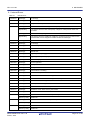
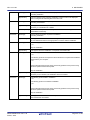
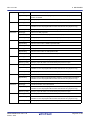
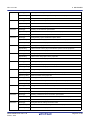
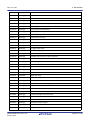
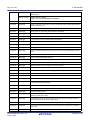
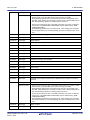
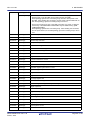
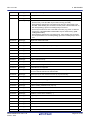
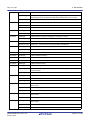
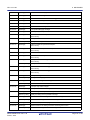
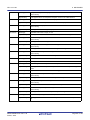
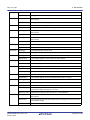
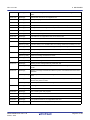
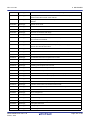
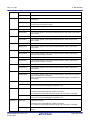
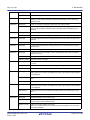
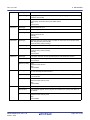
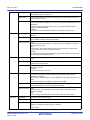
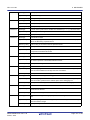
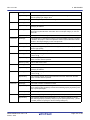
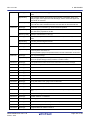
CS+ V3.01.00
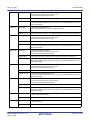
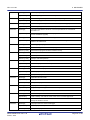
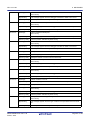
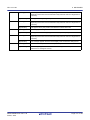
W0603002
W0603003
W0603004
W0603005
W0603006
W0603007
W0603008
W0603009
W0603010
W0603011
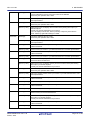
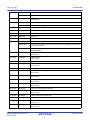
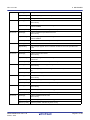
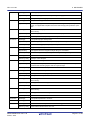
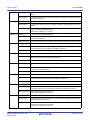
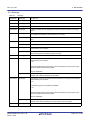
5. MESSAGES
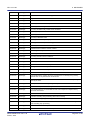
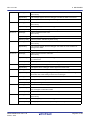
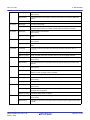
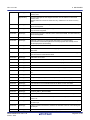
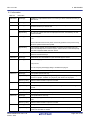
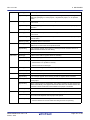
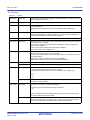
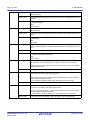
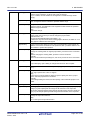
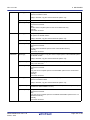
[Message]
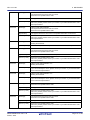
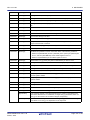
More than xxx characters cannot be specified.
[Explanation]
This message appears when a line in the display source set in the Edit Text dialog
box is longer than the maximum number of characters.
[Action by User]
Shorten the line that is greater than the maximum length so that it is within the
maximum number of characters.
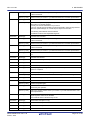
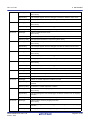
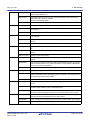
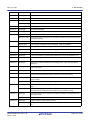
[Message]
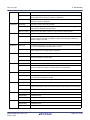
More than xxx lines cannot be specified.
[Explanation]
This message appears when the display source set in the Text Edit dialog box is
longer than the maximum number of lines.
[Action by User]
Make sure that the number of lines is no more than the maximum limit.
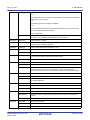
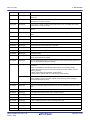
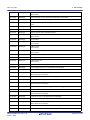
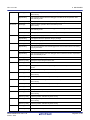
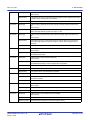
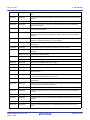
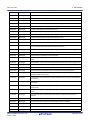
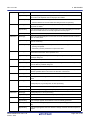
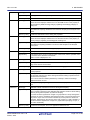
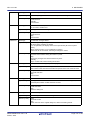
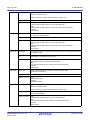
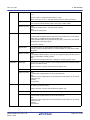
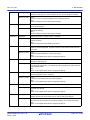
[Message]
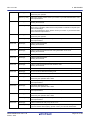
Specify xxx digits in hexadecimal.
[Explanation]
This message appears when a string containing characters that cannot be used to
represent a base-16 number is entered in a base-16 number field, or when the
number of digits is not valid.
[Action by User]
Specify a hexadecimal number with <valid number of digits>.
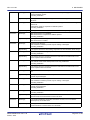
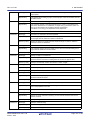
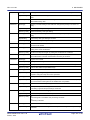
[Message]
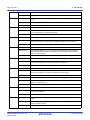
This address expression is invalid. Check if the expression is correct or if the spelling of the symbols used in the expression is correct.
[Explanation]
This message appears when the start address or end address in the Memory Initialize dialog box is an invalid address expression.
[Message]
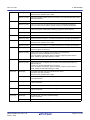
Specify a numerical value.
[Explanation]
This message appears when a string containing characters that are invalid as numbers was entered in a numeric field.
[Action by User]
Specify a string that represents a valid number.
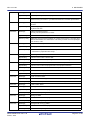
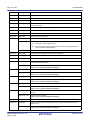
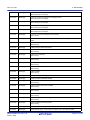
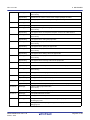
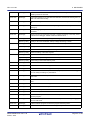
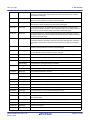
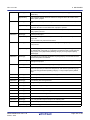
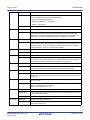
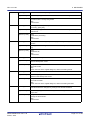
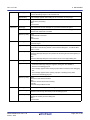
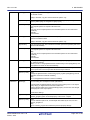
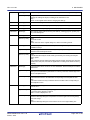
[Message]
Specify in decimal.
[Explanation]
This message appears when a string containing characters that are invalid as a
decimal number was entered in a decimal (base-10) numeric field.
[Action by User]
Specify a string that represents a valid number in decimal notation.
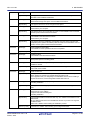
[Message]
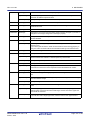
Fewer than xxx or more than yyy values cannot be specified.
[Explanation]
This message appears when an out-of-bounds value is entered into a numeric
input area in the properties or the like.
[Action by User]
Specify a value between xxx and yyy.
[Message]
Only ASCII character sets can be entered.
[Explanation]
This message appears when a string containing other than ASCII or numeric characters was entered in a field where only numbers or ASCII strings can be specified.
[Action by User]
Specify a string that is a valid number or a valid ASCII string.
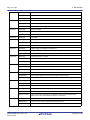
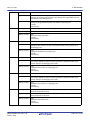
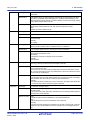
[Message]
Specify a character string.
[Explanation]
The field is empty.
[Action by User]
Specify a valid string.
[Message]
Specify a path.
[Explanation]
The field is empty.
[Action by User]
Specify a valid path.
R20UT3286EJ0100 Rev.1.00
Feb 01, 2015
Page 147 of 156