1
Occupancy Sensor – Wall Mounted • Installation Guide
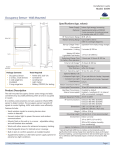
Functional Description
Long Range Coverage
If occupation is detected by the permanently active PIR sensor,
a radio telegram indicating the occupied status will transmit
immediately. A motion transmission interval timer starts to run
with a variable timer length varying between 60 and 300 seconds, depending on the light level. No radio telegrams will be
sent out until the timer expires.
After the timer has expired, the unit will transmit again if occupancy was detected during the timer interval period. If occupancy was not detected, the unit will transmit a heartbeat signal
- sending the unoccupied heartbeat status message every 2 - 11
minutes (depending on the light level).
Planning
Take a moment to plan for the sensor’s successful operation and
optimal communication with other system components.
Remove the sensor from its packaging and place it under a
bright light to provide the required startup charge. Optionally,
to ensure the sensor energy storage is fully charged, insert a
CR2032 battery for 5 minutes while in a well-lit location.
▪ Ensure the location provides consistent and adequate light
▪ Install with the appropriate lens for the required coverage
▪ Locate the sensor between 6 and 8 ft (1.8 to 2.4 m) high with
an unobstructed view of the space
77°
16 ft
8 ft
Top View
21.5°
14°
6.5°
27°
center line
0
8 ft
16 ft
Side View
6.8 ft
(2.1 m)
3 ft
(1 m)
7 ft
10 ft
(2.2 m) (3 m)
35 ft
(10.7 m)
Installing
60 ft
(18.3 m)
100 ft
(30.5 m)
estimated time: 20 minutes
The mounting plate can be installed flush to the wall or angled
in a corner.
NOTE: It is often easier to link the sensor before it is mounted
on the wall. Refer to the Linking section.
1. Remove the mounting plate from the sensor assembly by
pressing the release tab located on the top of the sensor.
2. Decide which of the two installation options is appropriate:
A. Flush to the Wall
i.
▪ For wide angle coverage, locate the sensor where traffic
moves across the detection pattern, not in and out
▪ Consider the area’s traffic patterns and principal use, for
example, walking, lounging or sleeping
Orient the mounting plate
using the pencil marks.
Mark the two mounting
screw drill points.
▪ Provide a minimum clearance of 4 ft. (1.2 m) away from heat
ii. Drill two holes with a 3/16”
bit and insert wall anchors.
▪ Consider the construction materials (such as metal) in the
iii. Insert the first screw
loosely and level the mounting plate.
sources, light bulbs, forced air, or ventilation systems
space and obstacles that may interfere with RF signals
Sensor Range
A single occupancy sensor provides sufficient coverage for most
applications. For some applications, multiple sensors may be
required to provide complete coverage.
iv. Insert the 2nd screw then hand-tighten the 1st screw.
B. Angled in a Corner
i.
Orient the mounting plate
using the pencil marks.
ii. Carefully drill through two of
the four blind holes on the
angled sides of the mounting
plate (one on each side).
Wide Angle Coverage
33 ft (10 m)
Top View
iii. Mark the two mounting screw
drill points and drill two pilot holes with a 3/16”
drill bit and insert the wall anchors.
16 ft (5 m)
iv. Insert the two screws and hand-tighten them.
0
3. Fit the sensor into the groove at the bottom of the mounting
p
p
plate
and close the top.
16 ft (5 m)
33 ft (10 m)
Side View
6.8 ft
(2.1 m)
6 ft
15 ft
25 ft
50 ft
© 2013 Hubbell Building Automation
|
www.hubbell-automation.com
Page 2