1
dCS Vivaldi Transport User Manual
Software Issue 1.2x
April 2015
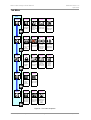
CONFIGURATION Menu
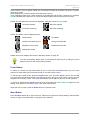
Settings Lock
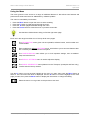
When set to Locked, this icon is displayed and the following settings cannot be changed:
•
•
•
•
•
PCM Enable
Upsample Mode
Save Configuration is disabled
Restore Configuration is disabled
Factory Reset is disabled
Set to Unlocked if you need to change these settings.
Save Configuration
Once the unit is set up the way you want it, select Save to store the settings in memory.
If you deliberately change the setup later and want to keep it, select Save again to store
the changes.
Restore Configuration
If the unit settings are accidentally changed, select Restore to reload the settings you
saved earlier.
Factory Reset
Resets the unit to standard settings. These are:
•
•
•
•
•
PCM Enable to On
Upsample Mode to DSD.
Brightness to maximum.
Display to On.
RS232 Mode to Binary.
DISPLAY SETTINGS Menu
Brightness
Set the display Brightness to a comfortable level using the ◄ or ► buttons. Press the
Menu button to exit.
Display On/Off
This page is usually set to On.
When set to Off and the menu closes, the display will turn off after a few seconds. The
display will turn on briefly when a control setting is changed. The display will stay on if
the CD tray is open or the menu is open.
Vivaldi Transport Manual v1_2x
Page 23
English version