1
How to run the DTA CCD Camera with LabVIEW (7.1 version)
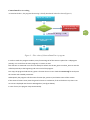
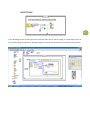
The following notes explain the way to run a DTA CCD camera by means of LabVIEW program (7.1 version) using Windows 95/98/2000/ME/XP/7/8 Operating Systems. The DTA program is only an example to be increased subsequently by the IMAQ library functions able to display the acquired images. Select and setup your camera
5
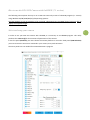
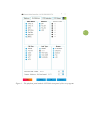
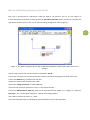
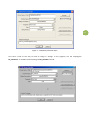
In order to use your DTA CCD camera with LabVIEW, it is necessary to run dcs.exe program. This utility produces the camera.cfg file that contains all parameters of the camera. In the first panel (Platform) you must choose the camera platform in use and in third panel (CCD Selection) you must choose the CCD sensor mounted in your camera, then push OK button. The other panels are not needed for CameraDemoTest.vi program.