1
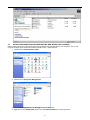
completed, the status will change to “Healthy” and the name and drive letter will be updated. Once the disk reports
Healthy, it appears to the computer and ready to use.
Repeat the above procedure if there are any other partitions. Close the Data Management window by clicking on the
small boxed “X” in the top right corner of the window. Click on the “My Computer” icon on the Desktop. The new
drives will be display and properly named. The new disks are now available for use.
16