1
PL-600 IPPBX User Manual
1. Forward
PROOLIN shall not be liable for any direct, indirect, consequential or incidental
damages about the use of this equipment, manual or any related materials.
The information in this technical manual is advisory in nature and is subject to change.
PROOLIN may make improvements and changes in the products described in this
manual without notice. Changes will be periodically made to the information in the new
editions. Efforts have been made to ensure that the contents of this manual are correct.
Should you find any error, PROOLIN welcomes your comments to improve our
communications. Please contact PROOLIN on www.PROOLIN.com
Contents of this manual are subject to change without prior notice at the discretion of
PROOLIN. Ltd.
This document has been prepared for the use of employees and customers of
PROOLIN co., Ltd and may not be reproduced without prior written approval of
PROOLIN co.,Ltd.
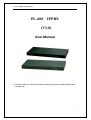
PL-600 IP PBX(Hereinafter referred to IP PBX) is based on Asterisk system, supplying
1-8 FXO/FXS or 1-8 ports GSM, or any combination of FXS/FXO. Here introducing
basic of operation based on 1 FXS/ 1FXO version.
This article is the user manual for the PL-600 series products. It also includes the application
notes for how to use PROOLIN products to build a telephony system for small office.
Through this article, we hope that users can build the IP telephony system via PL-600 series
products.
The PL-600 series PBXs include 1-8 FXS/FXO model
2.
Ready for Installation
Before configuration and operation, the administrator of PBX needs to check and
confirm the follow items in advance.
2.1.
Confirm IP address of IP PBX to be static or DHCP (strongly suggest as static one);
for static, both IP address for WAN port and LAN port need to be assigned.
Meanwhile message of gateway and DNS server should be collected
2.2.
Define number length of extension line; extension number group and which
extension line connected to analog phone.
2.3.
How many PSTN lines to connect to PBX and how extensions to dialing out (like
directly or with pre-digit number, 9, 0 or other)
2.4.
Which ports supporting lifelive function, that is, in case of power fail, these ports will
3