1
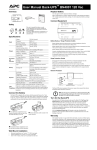
UPS troubleshooting: NOTE: Troubleshooting procedures may differ depending on UPS model. Back-UPS PRO troubleshooting Problem: Solution: UPS will not turn on On/off/test button not pushed. Press the on/off/test button to power the UPS and the loads. Reduce the load on the UPS by unplugging equipment and reset the circuit breaker by pressing the plunger back in. UPS input circuit breaker tripped. UPS will not turn on or off Disconnect the computer interface. If the UPS now works normally, check the interface cable and troubleshoot the attached computer. Computer interface problem. UPS operates on-battery even though line voltage is thought to exist Reduce the load on the UPS by unplugging equipment and reset the circuit breaker by pushing the plunger back in. UPS’s input circuit breaker tripped. UPS beeps occasionally None. The UPS is protecting the load. Normal UPS operation. UPS does not provide expected back up time The UPS’s battery is weak due to recent outage or it is near the end of its service life. The UPS was shutdown by PowerChute® plus software. Charge the battery. The UPS’s batteries require recharging after an extended outage. Batteries age faster when put into service often and when operated at elevated temperatures. If the battery is near the end of its service life, consider replacing the battery even if the replace battery indicator is not yet lit. On-line and overload indicators are flashing alternately None. The UPS will restart automatically when utility power returns. All indicators are flashing OR only the On-line and on-battery indicators are flashing Do not attempt to use the UPS. Turn the UPS off and have it serviced immediately. Internal UPS fault. The UPS operates normally, but the site wiring fault indicator is lit Building wiring error such as missing ground, hot and neutral polarity reversal, or overloaded neutral wiring. The UPS is shutdown and the battery is discharged from an extended power outage. A qualified electrician should be summoned to correct the building wiring. The UPS will not provide rated noise and surge suppression with incorrect building wiring. All indicators are off and the UPS is not operating None. The UPS will return to normal operation when the power is restored and the battery has a sufficient charge. The replace battery light is illuminated Weak batteries. Batteries Disconnect or internal battery lugs not connected properly. The UPS is overloaded. Allow the batteries to recharge for at least 4 hours. If the problem persists after recharging, replace the batteries. Confirm the battery connections and battery Disconnect are firmly installed. The overload light is illuminated or flashing Reduce the load on the UPS by unplugging equipment. For the complete User Manual or comprehensive troubleshooting, please visit the following websites: APC: http://www.apc.com or CBM: http://www.buyupsonline.com CBM_OTQG_BU3_20110809V02 Page 4