1
EDR Software Development Kit
Acquiring analogue data
4.9 Streaming to disk
Streaming to disk is done by setting the transfer mode to EDR_STREAM
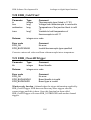
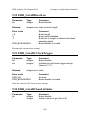
and calling EDR_StreamToDiskBackground (9.58) or
EDR_StreamToDiskCircularBuffer (9.59). Once streaming has started you
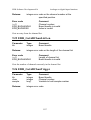
can call EDR_BackgroundADInStatus to check on its progress. This
function will return an error if any buffers overflow. You must call
EDR_StopBackgroundADIn once streaming has completed.
Windows 95 32 bits only: You must call EDR_BackgroundADInStatus at
regular intervals to ensure data is written to disk and the buffers do not
overflow. When doing high speed streaming in interval of 10 ms is OK. The
easiest way to do this is to set up a Windows timer to do the calls.
4.9.1 How the Windows streamer works
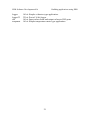
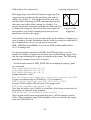
Streaming to disk under Windows uses two buffers as shown in figure 3.
The first small buffer is filled by the DMA controller and emptied into the
second larger buffer by a routine in the VxD or kernel mode device driver.
Data is dumped from the second buffer to the disk file by the DLL. The
second buffer has to be big so that it does not overflow when Windows is
busy and no data can be dumped to disk. This also overcomes the problem
posed by lazy writing disk caches.
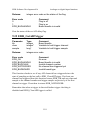
The size and memory for second buffer can be set using
EDR_SetStreamBuffer. If you do not specify a buffer the driver will allocate
a 256 KB buffer and free it when sampling is stopped. You will generally
need at least a 1024 KB buffer for high speed streaming.
The streamer writes data from the second buffer to disk in blocks. The size
of these blocks can be set using EDR_SetStreamBlockSize (9.53) and
should be a multiple of the cluster size of the destination disk for high speed
streaming. When doing circular buffer streaming to disk the size of the
buffer must be a multiple of the block size.
The streamer always waits until a full block of data has been collected
before writing it out. If you are doing slow speed streaming you may want
to use a small block size. This will reduce the number of extra samples that
42