1
Chapter 3 Installation
3-2
Firmware Setup
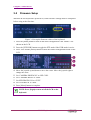
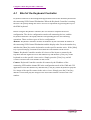
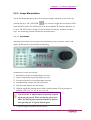
When the K-200 keyboard is powered on, some firmware settings must be completed
before using at the first time.
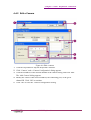
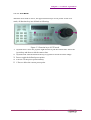
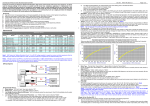
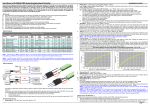
Figure 3-2 Set up the firmware values of the keyboard
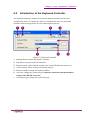
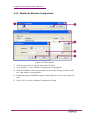
1. Press the [Menu] button to turn off the menu configuration if the ‘MENU’ was
shown on the LCD.
2. Press the [PTZ/NVR] button to toggle the PTZ mode if the NVR mode is active.
3. Press ‘999’ and the [Menu] button to show the camera configuration menu on the
LCD.
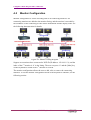
4. Move the joystick up and down to move the cursor. Move the joystick right to
change the value.
5. Set ‘CAMERA PROTOCOL’ to ‘PELCOD’.
6. Set ‘CAMERA BAUD’ to ‘9600’.
7. Set NVR PROTOCOL to “GVD”.
8. Set ‘NVR BAUD’ to ‘9600’.
9. Press [Menu] button to complete.
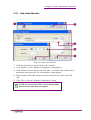
NOTE: Press [Light] to turn on/off the LCD on the
keyboard.
3-2
K-200 Keyboard