1
TANK-800 Embedded System
o
o
o
o
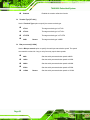
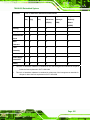
Vcc3S
Vcc5V
VSB3V
VBAT
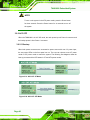
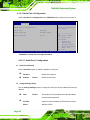
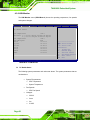
4.3.7 Serial Port Console Redirection
The Serial Port Console Redirection menu (BIOS Menu 10) allows the console
redirection options to be configured. Console redirection allows users to maintain a
system remotely by re-directing keyboard input and text output through the serial port.
Aptio Setup Utility – Copyright (C) 2011 American Megatrends, Inc.
Advanced
COM1
Console Redirection
> Console Redirection Settings
[Disabled]
COM2
Console Redirection
> Console Redirection Settings
[Disabled]
COM3
Console Redirection
> Console Redirection Settings
[Disabled]
COM4
Console Redirection
> Console Redirection Settings
[Disabled]
COM5
Console Redirection
> Console Redirection Settings
[Disabled]
COM6
Console Redirection
> Console Redirection Settings
[Disabled]
Console Redirection
Enable or Disable
--------------------ÅÆ: Select Screen
↑ ↓: Select Item
Enter Select
+/-: Change Opt.
F1
General Help
F2
Previous Values
F3
Optimized Defaults
F4
Save & Exit
ESC Exit
Version 2.11.1210. Copyright (C) 2011 American Megatrends, Inc.
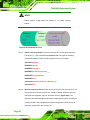
BIOS Menu 10: Serial Port Console Redirection
Î
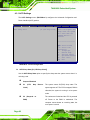
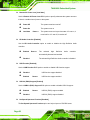
Console Redirection [Disabled]
Use Console Redirection option to enable or disable the console redirection function.
Î
Disabled
DEFAULT
Disabled the console redirection function
Page 61