1
B-Web User Manual
Types of possible connections
"On-line" without local database (default option)
If you work in on-line mode without the local database, this means that no personal data has been
saved on your PC. Therefore, all data is found, exclusively, on the Bank's server.
This solution is advisable when you are connected on a PC where no information must be saved.
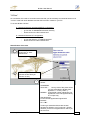
To access "on-line" to B-Web without local database:
− go to your bank's website
− connect to B-Web
or
− directly type in the website
address: https://banking.belgolaise.com/bweb/bwebv2.htm
"On-line" with local database
In this case, a local database will be created on your PC.
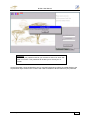
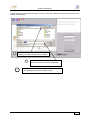
During the first "on-line" connection, B-Web will ask you to pick a directory name for creating the
database.
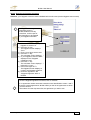
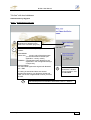
To work "on-line" with a local database, you have to indicate this each time you connect by un-ticking
the box: "Disable synchronization" appearing on the first B-Web connection screen.
To access B-Web "on-line": with a local database,
− go to your bank's website
− connect to B-Web
or
− directly type in the website
address: https://banking.belgolaise.com/bweb/bwebv2.htm
"Off-line"
You work with your local database saved on your PC which enables you to greatly reduce the
connection time and avoid internet communication interruptions.
You must however be connected at least "on-line" with local database before working in this way.
In fact, the data relating to your agreement must be sent back onto your PC.
We draw your attention to the fact that an "on-line" connection with local database is required
to re-update your personal data as well for signing your messages (payments, B-Mail, etc).
Connecting to B-Web: 15.12.03
2 of23