1
B-Web User Manual
To access B-Web "off-line":
In a standard Windows 95/98/2000/ME/XP configuration:
− launch the Windows operator
− go into the "C:\WINDOWS\JAVA\lib" directory
− double click on the file "bwebv2.html"
In a standard Windows NT configuration:
− launch the Windows explorer
− go into the directory "C:\WINNT\JAVA\lib"
− double click on the file "bwebv2.html"
Controlling access to B-Web
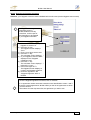
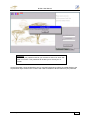
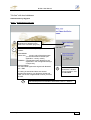
When you connect to B-Web, you will be asked to identify yourself.
To do this, there are three methods depending on the type of connection and the method of access
control you have chosen:
- by "digipass" or by "e-Token" if you work "on-line" on B-Web (with or without local database)
- by simple password if you work "off-line".
Access to B-Web in "on-line" mode
For security reasons, the "on-line" connection to B-web is only authorised with the use of the Digipass
or the e-Token.
¾
¾
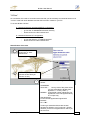
The "digipass" which looks like a small calculator, enables you to generate an electronic
signature from a specific algorithm which will only be valid for a few seconds.
The Digipass is protected by a password which is personal to you.
The "e-Token", a sort of small key to be put into the USB port of your PC, contains a certificate
and a system of asymmetrical keys which guarantees an absolute level of security for
B-Web
The e-Token is protected by a password which is personal to you.
Access to B-Web by password
When you work "off-line", the constraints in terms of security are not the same. This is why the bank
authorises access to B-Web via a password.
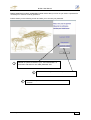
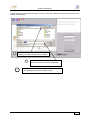
When you connect to B-Web "off-line" for the first time, you will be asked to enter:
- your "user identification" sent by courier and viewed on screen during your first connect with local
database
- a password
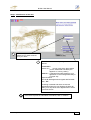
Password you have to enter the first time you connect on-line
Connecting to B-Web: 15.12.03
3 of23