1
DIAL-UP DATA ----------------------------------------------------------------------------------------------------------------DIALING A CALL
5
Dialing a Call
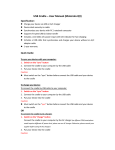
To place a Dial-Up Data call, you must open the Dial-Up Networking window and select the dialup connection you created for your Motorola phone.
1. Connect the computer and phone as described in Section 4.
2. Orient the phone’s antenna with a clear view of the sky.
3. If your computer is turned off, turn it on and wait for it to boot up.
4. Turn on your Iridium phone and wait for it to register with the satellite network.
5. Depending on your Windows operating system, choose one of the following to open the DialUp Networking window:
•
•
•
•
•
Start > Programs > Accessories > Dial-Up Networking
Start > Programs > Accessories > Communications > Dial-Up Networking
Start > Programs > Accessories > Communications > Network and Dial-up Connections
Start > Programs > Accessories > Communications > Network Connections
Start > All Programs > Accessories > Communications > Network Connections
6. A window similar to the following will appear. Double-click the dial-up connection you created
for your Motorola Satellite Series phone. In this example, you would double click “Iridium
Saturn”.
7. Find your operating system below and follow the appropriate instructions.
Iridium Satellite LLC
62
Rev. 4; February 1, 2002