1
Stanard CMOS Setup
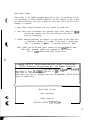
Standard CMOS Setup records such information as date, time, hard
drive types and etc. As you enter the Standard CMOS Setup screen. A
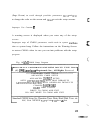
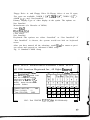
small “Help Window” is displayed, showing a description of the current field and the acceptabl efi eld entries. the calendar and memory size
disp;ayed on the right side of screen are automatic.
The first twr lines in this screen records the date and time. Enter them
according to the format suggested in the, Help Window.
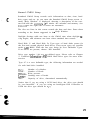
Daylight Savings--adds one hour to the CMOS time when daylight saving begins, and subtracts one hour when standard time returns.
Hard Disk C: and Hard Disk D: Type--type of hard disks prsent for
the first and second physical hard drives. Forty-seven types are possible
under AM1 BIOS. With the last type being an User Definable Types.
If no drives are present, choose “Not Installed”.
Drive type number 1-46 are pre-defined types. Please refer to Chapter
5: Technical Information--AM1 BIOS Hard Drive types for more information
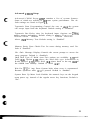
Type 47 is a user definable type, the following information are needed
for each hard drive installed:
Clyn-Head-WPcom-Lzone-Size--
Number of cylinders.
Number of heads.
Write precom.
Landing zone of heads.
Capacity of drive, datermined automatically.
Notice that if yor are using a SCSI hard drive, the drive type should
be “not Installed”. If you are using an Intelligent IDE Controller or
ESDI the drive type should be “1”.
29