1
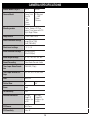
SWITCH SETTINGS [MODE, SETTINGS & DELAY] CONT.
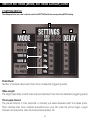
2. SETTING SWITCH
The sliding switches are color coded to match the SETTINGS with the corresponding MODE setting.
2
3
1
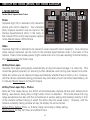
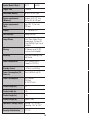
Photo Burst
Number of pictures taken each time motion is detected (triggering event)
Video Length
The length (seconds) of each video clip recorded each time motion is detected (triggering event)
Time Lapse Interval
The pre-set amount of time (seconds or minutes) you desire between each time lapse photo.
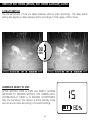
Short intervals offer more constant surveillance but your AVI video file will be larger. Longer
intervals will reduce the video file size and save battery life.
5