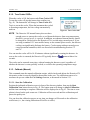
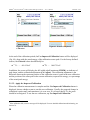
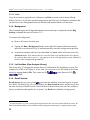
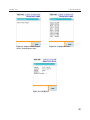
1
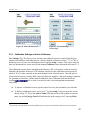
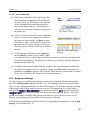
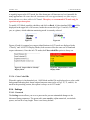
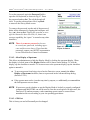
ORTEC
®
Detective-EX/DX ®-100T
Portable Neutron and Gamma Nuclide Identifier
User’s Manual
Printed in U.S.A.
ORTEC Part No. 931040
Manual Revision P
1014
Advanced Measurement Technology, Inc.
(“AMT”)
WARRANTY
AMT warrants that the items will be delivered free from defects in material or workmanship. AMT makes no other warranties,
express or implied, and specifically NO WARRANTY OF MERCHANTABILITY OR FITNESS FOR A PARTICULAR
PURPOSE.
AMT’s exclusive liability is limited to repairing or replacing at AMT’s option, items found by AMT to be defective in
workmanship or materials within one year from the date of delivery. AMT’s liability on any claim of any kind, including
negligence, loss, or damages arising out of, connected with, or from the performance or breach thereof, or from the
manufacture, sale, delivery, resale, repair, or use of any item or services covered by this agreement or purchase order, shall in
no case exceed the price allocable to the item or service furnished or any part thereof that gives rise to the claim. In the event
AMT fails to manufacture or deliver items called for in this agreement or purchase order, AMT’s exclusive liability and buyer’s
exclusive remedy shall be release of the buyer from the obligation to pay the purchase price. In no event shall AMT be liable
for special or consequential damages.
Quality Control
Before being approved for shipment, each AMT instrument must pass a stringent set of quality control tests designed to expose
any flaws in materials or workmanship. Permanent records of these tests are maintained for use in warranty repair and as a
source of statistical information for design improvements.
Repair Service
If it becomes necessary to return this instrument for repair, it is essential that Customer Services be contacted in advance of
its return so that a Return Authorization Number can be assigned to the unit. Also, AMT must be informed, either in writing,
by telephone [(865) 482-4411] or by facsimile transmission [(865) 483-2133], of the nature of the fault of the instrument being
returned and of the model, serial, and revision (“Rev” on rear panel) numbers. Failure to do so may cause unnecessary delays
in getting the unit repaired. The AMT standard procedure requires that instruments returned for repair pass the same quality
control tests that are used for new-production instruments. Instruments that are returned should be packed so that they will
withstand normal transit handling and must be shipped PREPAID via Air Parcel Post or United Parcel Service to the designated
AMT repair center. The address label and the package should include the Return Authorization Number assigned. Instruments
being returned that are damaged in transit due to inadequate packing will be repaired at the sender’s expense, and it will be the
sender’s responsibility to make claim with the shipper. Instruments not in warranty should follow the same procedure and AMT
will provide a quotation.
Damage in Transit
Shipments should be examined immediately upon receipt for evidence of external or concealed damage. The carrier making
delivery should be notified immediately of any such damage, since the carrier is normally liable for damage in shipment.
Packing materials, waybills, and other such documentation should be preserved in order to establish claims. After such
notification to the carrier, please notify AMT of the circumstances so that assistance can be provided in making damage claims
and in providing replacement equipment, if necessary.
Copyright © 2014, Advanced Measurement Technology, Inc. All rights reserved.
ORTEC® is a registered trademark of Advanced Measurement Technology, Inc. All other trademarks used herein are the property of their
respective owners.
NOTICE OF PROPRIETARY PROPERTY — This document and the information contained in it are the proprietary property of
AMETEK Inc. It may not be copied or used in any manner nor may any of the information in or upon it be used for any purpose without the
express written consent of an authorized agent of AMETEK Inc.
ADDITIONAL WARRANTY STATEMENT
Please note that the computer that controls the Detective-EX/DX-100T is
intended exclusively for the tasks detailed in this manual. Using this
computer for any other purpose could void your warranty.
In addition, the Detective-EX/DX-100T contains no user-serviceable
parts. Except for the battery hatch on the left side panel, which can be
opened when the battery requires replacement, breaking the seal on the
case voids your warranty. The Detective-EX/DX-100T should be opened
only by ORTEC-authorized service personnel.
If you have any questions about the use or maintenance of this instrument,
please contact your ORTEC representative or our Global Service Center
first.
IMPORTANT
The Detective-EX/DX-100T is designed to function with the Regional
Settings in Microsoft® Windows® Mobile™ set to the English (United
States) region and all of its default settings, as discussed in Section 7.12.
Using other than the factory default settings can cause operational
problems.
iii
[Intentionally blank]
iv
TABLE OF CONTENTS
WARRANTY . . . . . . . . . . . . . . . . . . . . . . . . . . . . . . . . . . . . . . . . . . . . . . . . . . . . . . . . . . . . . . . . ii
ADDITIONAL WARRANTY STATEMENT . . . . . . . . . . . . . . . . . . . . . . . . . . . . . . . . . . . . . . iii
Safety Instructions and Symbols . . . . . . . . . . . . . . . . . . . . . . . . . . . . . . . . . . . . . . . . . . . . . . . . . . ix
Cleaning Instructions . . . . . . . . . . . . . . . . . . . . . . . . . . . . . . . . . . . . . . . . . . . . . . . . . . . . . . . . . . . ix
1. INTRODUCTION . . . . . . . . . . . . . . . . . . . . . . . . . . . . . . . . . . . . . . . . . . . . . . . . . . . . . . . . . .
1.1. Monitoring Modes . . . . . . . . . . . . . . . . . . . . . . . . . . . . . . . . . . . . . . . . . . . . . . . . . . . . . .
1.2. Hardware Features . . . . . . . . . . . . . . . . . . . . . . . . . . . . . . . . . . . . . . . . . . . . . . . . . . . . . .
1.3. How This Manual Is Organized . . . . . . . . . . . . . . . . . . . . . . . . . . . . . . . . . . . . . . . . . . . .
1.4. Spectrum and Search File Storage, Transfer, and Viewing . . . . . . . . . . . . . . . . . . . . . .
1.4.1. Saving Spectra and Searches . . . . . . . . . . . . . . . . . . . . . . . . . . . . . . . . . . . . . . . .
1.4.2. File Formats and Filenaming Conventions . . . . . . . . . . . . . . . . . . . . . . . . . . . . .
1.4.2.1. Identification Mode Spectra . . . . . . . . . . . . . . . . . . . . . . . . . . . . . . . . .
1.4.2.2. Search Mode “Strip Charts” . . . . . . . . . . . . . . . . . . . . . . . . . . . . . . . . .
1.4.2.3. The Background File . . . . . . . . . . . . . . . . . . . . . . . . . . . . . . . . . . . . . . .
1.5. A Note About the DX and DX-100 User Interface . . . . . . . . . . . . . . . . . . . . . . . . . . . . .
1.6. The “Launcher” Interface for Multiple Identifier Applications . . . . . . . . . . . . . . . . . . .
1
1
3
4
5
6
6
6
7
7
7
8
2. THE DETECTIVE-EX/DX-100T . . . . . . . . . . . . . . . . . . . . . . . . . . . . . . . . . . . . . . . . . . . . . . 9
2.1. Unpacking and Setup . . . . . . . . . . . . . . . . . . . . . . . . . . . . . . . . . . . . . . . . . . . . . . . . . . . . 9
2.2. The Detective-EX/DX-100T . . . . . . . . . . . . . . . . . . . . . . . . . . . . . . . . . . . . . . . . . . . . . 10
2.2.1. Front Panel . . . . . . . . . . . . . . . . . . . . . . . . . . . . . . . . . . . . . . . . . . . . . . . . . . . . . 10
2.2.2. Rear-Panel Connectors . . . . . . . . . . . . . . . . . . . . . . . . . . . . . . . . . . . . . . . . . . . . 12
2.2.3. The Touchscreen . . . . . . . . . . . . . . . . . . . . . . . . . . . . . . . . . . . . . . . . . . . . . . . . 12
2.2.4. Attaching the Carrying Strap . . . . . . . . . . . . . . . . . . . . . . . . . . . . . . . . . . . . . . . 13
2.3. The Docking Station . . . . . . . . . . . . . . . . . . . . . . . . . . . . . . . . . . . . . . . . . . . . . . . . . . . 14
2.3.1. Connectors and Indicators . . . . . . . . . . . . . . . . . . . . . . . . . . . . . . . . . . . . . . . . . 14
2.3.2. Strapping the Detective-EX to the Docking Station . . . . . . . . . . . . . . . . . . . . . 15
2.4. The PAC-II Charger . . . . . . . . . . . . . . . . . . . . . . . . . . . . . . . . . . . . . . . . . . . . . . . . . . . . 15
2.5. The Automobile Accessory Adapter . . . . . . . . . . . . . . . . . . . . . . . . . . . . . . . . . . . . . . . 16
2.6. Internal and External Power . . . . . . . . . . . . . . . . . . . . . . . . . . . . . . . . . . . . . . . . . . . . . 16
2.6.1. A Note on Internal vs External Battery Power . . . . . . . . . . . . . . . . . . . . . . . . . 17
2.6.2. Replacing the Internal Battery . . . . . . . . . . . . . . . . . . . . . . . . . . . . . . . . . . . . . . 18
2.7. Operating Cautions and Notes . . . . . . . . . . . . . . . . . . . . . . . . . . . . . . . . . . . . . . . . . . . . 18
2.8. Startup and Cooldown . . . . . . . . . . . . . . . . . . . . . . . . . . . . . . . . . . . . . . . . . . . . . . . . . . 19
2.8.1. Connecting the Detective-EX to the Charger Base and Powering It On . . . . . . 20
2.8.2. Turning On the Mechanical Cooler . . . . . . . . . . . . . . . . . . . . . . . . . . . . . . . . . . 21
v
ORTEC ® Detective-EX/DX ®-100T Portable HPGe Spectrometer — User’s Manual
931040P / 1014
2.9. The User Interface . . . . . . . . . . . . . . . . . . . . . . . . . . . . . . . . . . . . . . . . . . . . . . . . . . . . .
2.9.1. Instrument Status Indicators . . . . . . . . . . . . . . . . . . . . . . . . . . . . . . . . . . . . . . . .
2.9.2. Moving Through the Menus . . . . . . . . . . . . . . . . . . . . . . . . . . . . . . . . . . . . . . . .
2.10. Selecting the Data Storage Location and File Formats . . . . . . . . . . . . . . . . . . . . . . . .
2.11. Checking the Calibration . . . . . . . . . . . . . . . . . . . . . . . . . . . . . . . . . . . . . . . . . . . . . . .
2.12. Running A New Background After Calibration . . . . . . . . . . . . . . . . . . . . . . . . . . . . .
2.13. Optional: Restricting Access to the Advanced Settings . . . . . . . . . . . . . . . . . . . . . . .
22
22
22
23
23
25
27
3. RADIATION MONITORING . . . . . . . . . . . . . . . . . . . . . . . . . . . . . . . . . . . . . . . . . . . . . . . .
3.1. Survey (Count-Rate/Dose-Rate) Mode . . . . . . . . . . . . . . . . . . . . . . . . . . . . . . . . . . . . .
3.2. Identification Mode . . . . . . . . . . . . . . . . . . . . . . . . . . . . . . . . . . . . . . . . . . . . . . . . . . . .
3.2.1. Start the Identification . . . . . . . . . . . . . . . . . . . . . . . . . . . . . . . . . . . . . . . . . . . .
3.2.2. Extending the Count-to-Preset . . . . . . . . . . . . . . . . . . . . . . . . . . . . . . . . . . . . . .
3.2.3. Save . . . . . . . . . . . . . . . . . . . . . . . . . . . . . . . . . . . . . . . . . . . . . . . . . . . . . . . . . . .
3.2.4. View Found Nuclides List for Classify ID Display Mode . . . . . . . . . . . . . . . .
3.2.5. Intense (View Highest-Intensity Spectrum Lines) . . . . . . . . . . . . . . . . . . . . . . .
3.2.6. Display Spectrum . . . . . . . . . . . . . . . . . . . . . . . . . . . . . . . . . . . . . . . . . . . . . . . .
3.2.6.1. Display Controls . . . . . . . . . . . . . . . . . . . . . . . . . . . . . . . . . . . . . . . . .
3.3. Search Mode . . . . . . . . . . . . . . . . . . . . . . . . . . . . . . . . . . . . . . . . . . . . . . . . . . . . . . . . . .
3.4. Monitor Mode . . . . . . . . . . . . . . . . . . . . . . . . . . . . . . . . . . . . . . . . . . . . . . . . . . . . . . . .
3.5. SNM Search Mode . . . . . . . . . . . . . . . . . . . . . . . . . . . . . . . . . . . . . . . . . . . . . . . . . . . . .
29
29
31
32
33
33
33
34
35
35
36
37
38
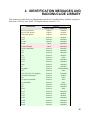
4. IDENTIFICATION MESSAGES AND RADIONUCLIDE LIBRARY . . . . . . . . . . . . . . . . 41
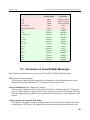
4.1. Comments on Classify Mode Messages . . . . . . . . . . . . . . . . . . . . . . . . . . . . . . . . . . . . 45
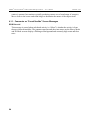
4.1.1. Comments on “Found Nuclide” Screen Messages . . . . . . . . . . . . . . . . . . . . . . 46
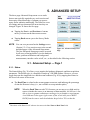
5. ADVANCED SETUP . . . . . . . . . . . . . . . . . . . . . . . . . . . . . . . . . . . . . . . . . . . . . . . . . . . . . . .
5.1. Advanced Setup — Page 1 . . . . . . . . . . . . . . . . . . . . . . . . . . . . . . . . . . . . . . . . . . . . . .
5.1.1. Status . . . . . . . . . . . . . . . . . . . . . . . . . . . . . . . . . . . . . . . . . . . . . . . . . . . . . . . . .
5.1.2. Turn Cooler Off/On . . . . . . . . . . . . . . . . . . . . . . . . . . . . . . . . . . . . . . . . . . . . . .
5.1.3. Calibrate (Manual) . . . . . . . . . . . . . . . . . . . . . . . . . . . . . . . . . . . . . . . . . . . . . . .
5.1.3.1. Start the Calibration . . . . . . . . . . . . . . . . . . . . . . . . . . . . . . . . . . . . . . .
5.1.3.2. Apply the Improved Calibration . . . . . . . . . . . . . . . . . . . . . . . . . . . . .
5.1.3.3. Perform a Background Measurement . . . . . . . . . . . . . . . . . . . . . . . . .
5.1.3.4. Restore Default . . . . . . . . . . . . . . . . . . . . . . . . . . . . . . . . . . . . . . . . . .
5.1.3.5. Back . . . . . . . . . . . . . . . . . . . . . . . . . . . . . . . . . . . . . . . . . . . . . . . . . . .
5.1.4. Background . . . . . . . . . . . . . . . . . . . . . . . . . . . . . . . . . . . . . . . . . . . . . . . . . . . . .
5.1.5. List Nuclides (View Analysis Library) . . . . . . . . . . . . . . . . . . . . . . . . . . . . . . .
5.1.6. Recall Spectra . . . . . . . . . . . . . . . . . . . . . . . . . . . . . . . . . . . . . . . . . . . . . . . . . . .
5.1.6.1. Viewing Stored Spectra . . . . . . . . . . . . . . . . . . . . . . . . . . . . . . . . . . . .
5.1.6.2. Viewing Stored Spectrum Reports . . . . . . . . . . . . . . . . . . . . . . . . . . .
vi
47
47
47
49
49
49
50
51
51
52
52
52
52
53
53
931040P / 1014
TABLE OF CONTENTS
5.1.7. About . . . . . . . . . . . . . . . . . . . . . . . . . . . . . . . . . . . . . . . . . . . . . . . . . . . . . . . . .
5.2. Advanced Setup — Page 2 . . . . . . . . . . . . . . . . . . . . . . . . . . . . . . . . . . . . . . . . . . . . . .
5.2.1. Calibration Settings and Auto-Calibration . . . . . . . . . . . . . . . . . . . . . . . . . . . .
5.2.1.1. Setup Requirements for Successful Auto-Calibration . . . . . . . . . . . .
5.2.1.2. Auto-Calibration . . . . . . . . . . . . . . . . . . . . . . . . . . . . . . . . . . . . . . . . .
5.2.2. Background Settings . . . . . . . . . . . . . . . . . . . . . . . . . . . . . . . . . . . . . . . . . . . . .
5.2.3. Identify (Identification Mode) Settings . . . . . . . . . . . . . . . . . . . . . . . . . . . . . . .
5.2.3.1. Real Time Preset . . . . . . . . . . . . . . . . . . . . . . . . . . . . . . . . . . . . . . . . .
5.2.3.2. ID Display Mode . . . . . . . . . . . . . . . . . . . . . . . . . . . . . . . . . . . . . . . . .
5.2.3.3. LCX (Low-Confidence Expert) ID Mode . . . . . . . . . . . . . . . . . . . . . .
5.2.3.4. Color Coded IDs . . . . . . . . . . . . . . . . . . . . . . . . . . . . . . . . . . . . . . . . .
5.2.4. Settings . . . . . . . . . . . . . . . . . . . . . . . . . . . . . . . . . . . . . . . . . . . . . . . . . . . . . . . .
5.2.4.1. Password . . . . . . . . . . . . . . . . . . . . . . . . . . . . . . . . . . . . . . . . . . . . . . .
5.2.4.2. Allow Display of Spectrum . . . . . . . . . . . . . . . . . . . . . . . . . . . . . . . . .
5.2.4.3. GPS Port . . . . . . . . . . . . . . . . . . . . . . . . . . . . . . . . . . . . . . . . . . . . . . . .
5.2.5. Search Mode Settings . . . . . . . . . . . . . . . . . . . . . . . . . . . . . . . . . . . . . . . . . . . . .
5.2.6. SNM Mode Settings . . . . . . . . . . . . . . . . . . . . . . . . . . . . . . . . . . . . . . . . . . . . . .
5.2.7. Dose-Rate Units and Alarms . . . . . . . . . . . . . . . . . . . . . . . . . . . . . . . . . . . . . . .
5.2.8. Audio Settings . . . . . . . . . . . . . . . . . . . . . . . . . . . . . . . . . . . . . . . . . . . . . . . . . .
5.3. Advanced Setup — Page 3 . . . . . . . . . . . . . . . . . . . . . . . . . . . . . . . . . . . . . . . . . . . . . .
5.3.1. Remote . . . . . . . . . . . . . . . . . . . . . . . . . . . . . . . . . . . . . . . . . . . . . . . . . . . . . . . .
5.3.2. Exit . . . . . . . . . . . . . . . . . . . . . . . . . . . . . . . . . . . . . . . . . . . . . . . . . . . . . . . . . . .
5.3.3. Spectra . . . . . . . . . . . . . . . . . . . . . . . . . . . . . . . . . . . . . . . . . . . . . . . . . . . . . . . .
5.3.3.1. Ask for Sample Description . . . . . . . . . . . . . . . . . . . . . . . . . . . . . . . .
5.3.3.2. Default Description . . . . . . . . . . . . . . . . . . . . . . . . . . . . . . . . . . . . . . .
5.3.3.3. Data Location . . . . . . . . . . . . . . . . . . . . . . . . . . . . . . . . . . . . . . . . . . . .
5.3.3.4. File Save Format . . . . . . . . . . . . . . . . . . . . . . . . . . . . . . . . . . . . . . . . .
5.3.3.5. Delete Stored Spectra . . . . . . . . . . . . . . . . . . . . . . . . . . . . . . . . . . . . .
56
56
57
58
59
59
60
60
60
60
61
61
61
62
62
63
63
64
65
66
66
66
66
66
67
67
67
67
6. FILE TRANSFER TO COMPUTER . . . . . . . . . . . . . . . . . . . . . . . . . . . . . . . . . . . . . . . . . . .
6.1. Windows 8 and 7 . . . . . . . . . . . . . . . . . . . . . . . . . . . . . . . . . . . . . . . . . . . . . . . . . . . . . .
6.2. Windows XP . . . . . . . . . . . . . . . . . . . . . . . . . . . . . . . . . . . . . . . . . . . . . . . . . . . . . . . . .
6.3. When File Transfer Is Complete . . . . . . . . . . . . . . . . . . . . . . . . . . . . . . . . . . . . . . . . . .
69
69
71
73
7. TROUBLESHOOTING . . . . . . . . . . . . . . . . . . . . . . . . . . . . . . . . . . . . . . . . . . . . . . . . . . . . .
7.1. “Error Saving .SPC File” Message . . . . . . . . . . . . . . . . . . . . . . . . . . . . . . . . . . . . . . . .
7.2. If the DetectiveEX Program Stops . . . . . . . . . . . . . . . . . . . . . . . . . . . . . . . . . . . . . . . . .
7.3. If You Drop the Detective-EX . . . . . . . . . . . . . . . . . . . . . . . . . . . . . . . . . . . . . . . . . . . .
7.4. If the Detective-EX Will Not Turn On . . . . . . . . . . . . . . . . . . . . . . . . . . . . . . . . . . . . .
7.5. If the Docking Station Spontaneously Shuts Down and Restarts . . . . . . . . . . . . . . . . .
7.6. If the Display is Lost or Posts a “Display Disabled” Message . . . . . . . . . . . . . . . . . . .
75
75
75
75
76
76
76
vii
ORTEC ® Detective-EX/DX ®-100T Portable HPGe Spectrometer — User’s Manual
931040P / 1014
7.7. If You Forgot the Password . . . . . . . . . . . . . . . . . . . . . . . . . . . . . . . . . . . . . . . . . . . . . .
7.8. Calibration Issues . . . . . . . . . . . . . . . . . . . . . . . . . . . . . . . . . . . . . . . . . . . . . . . . . . . . . .
7.8.1. Calibration Takes Very Long to Complete or Does Not Finish at All . . . . . . .
7.8.2. The Centroid, FWHM, or Calibration Adjustment Value Has Changed
Dramatically Since the Last Calibration . . . . . . . . . . . . . . . . . . . . . . . . . . . . . .
7.9. GPS Issues . . . . . . . . . . . . . . . . . . . . . . . . . . . . . . . . . . . . . . . . . . . . . . . . . . . . . . . . . . .
7.9.1. Delayed Display of Location Coordinates . . . . . . . . . . . . . . . . . . . . . . . . . . . . .
7.9.2. “GPS Not Communicating” . . . . . . . . . . . . . . . . . . . . . . . . . . . . . . . . . . . . . . . .
7.10. Windows Connectivity Problems . . . . . . . . . . . . . . . . . . . . . . . . . . . . . . . . . . . . . . . .
7.11. Troubleshooting MAESTRO-Related Problems . . . . . . . . . . . . . . . . . . . . . . . . . . . . .
7.11.1. MAESTRO Does Not Connect with the Detective-EX . . . . . . . . . . . . . . . . . .
7.12. Other Problems with the Detective-EX . . . . . . . . . . . . . . . . . . . . . . . . . . . . . . . . . . . .
77
77
77
77
78
78
78
78
79
79
79
8. USING THE DETECTIVE-EX WITH ORTEC SPECTRUM ANALYSIS PROGRAMS .
8.1. Connecting the Detective-EX to a Computer . . . . . . . . . . . . . . . . . . . . . . . . . . . . . . . .
8.2. Quantitative Analysis of Detective-EX Spectra in GammaVision and ISOTOPIC . . .
8.3. Detective-EX MCB Properties in MAESTRO . . . . . . . . . . . . . . . . . . . . . . . . . . . . . . .
8.3.1. Amplifier . . . . . . . . . . . . . . . . . . . . . . . . . . . . . . . . . . . . . . . . . . . . . . . . . . . . . . .
8.3.2. Amplifier 2 . . . . . . . . . . . . . . . . . . . . . . . . . . . . . . . . . . . . . . . . . . . . . . . . . . . . .
8.3.3. Amplifier PRO . . . . . . . . . . . . . . . . . . . . . . . . . . . . . . . . . . . . . . . . . . . . . . . . . .
8.3.4. ADC . . . . . . . . . . . . . . . . . . . . . . . . . . . . . . . . . . . . . . . . . . . . . . . . . . . . . . . . . .
8.3.5. High Voltage . . . . . . . . . . . . . . . . . . . . . . . . . . . . . . . . . . . . . . . . . . . . . . . . . . .
8.3.6. Reports . . . . . . . . . . . . . . . . . . . . . . . . . . . . . . . . . . . . . . . . . . . . . . . . . . . . . . . .
8.3.7. About . . . . . . . . . . . . . . . . . . . . . . . . . . . . . . . . . . . . . . . . . . . . . . . . . . . . . . . . .
8.3.8. Status . . . . . . . . . . . . . . . . . . . . . . . . . . . . . . . . . . . . . . . . . . . . . . . . . . . . . . . . .
8.3.9. Presets . . . . . . . . . . . . . . . . . . . . . . . . . . . . . . . . . . . . . . . . . . . . . . . . . . . . . . . . .
81
81
82
83
84
85
85
86
86
87
87
88
89
9. SPECIFICATIONS . . . . . . . . . . . . . . . . . . . . . . . . . . . . . . . . . . . . . . . . . . . . . . . . . . . . . . . . .
9.1. Electrical and Mechanical . . . . . . . . . . . . . . . . . . . . . . . . . . . . . . . . . . . . . . . . . . . . . . .
9.2. Connectors . . . . . . . . . . . . . . . . . . . . . . . . . . . . . . . . . . . . . . . . . . . . . . . . . . . . . . . . . . .
9.3. Docking Station . . . . . . . . . . . . . . . . . . . . . . . . . . . . . . . . . . . . . . . . . . . . . . . . . . . . . . .
9.4. PAC-II Power Adapter/Charger . . . . . . . . . . . . . . . . . . . . . . . . . . . . . . . . . . . . . . . . . . .
9.5. Computer Prerequisites . . . . . . . . . . . . . . . . . . . . . . . . . . . . . . . . . . . . . . . . . . . . . . . . .
9.6. Shipping the Detective-EX . . . . . . . . . . . . . . . . . . . . . . . . . . . . . . . . . . . . . . . . . . . . . .
9.7. Long-Term Shutdown/Storage . . . . . . . . . . . . . . . . . . . . . . . . . . . . . . . . . . . . . . . . . . .
91
94
95
95
96
96
96
96
10. CHANGING THE INTERNAL BATTERY . . . . . . . . . . . . . . . . . . . . . . . . . . . . . . . . . . . . 99
11. CALIBRATION SOURCE STATEMENT . . . . . . . . . . . . . . . . . . . . . . . . . . . . . . . . . . . . 101
INDEX . . . . . . . . . . . . . . . . . . . . . . . . . . . . . . . . . . . . . . . . . . . . . . . . . . . . . . . . . . . . . . . . . . . . 103
viii
Safety Instructions and Symbols
This manual contains up to three levels of safety instructions that must be observed in order to avoid
personal injury and/or damage to equipment or other property. These are:
DANGER
Indicates a hazard that could result in death or serious bodily harm if the safety instruction
is not observed.
WARNING
Indicates a hazard that could result in bodily harm if the safety instruction is not observed.
CAUTION
Indicates a hazard that could result in property damage if the safety instruction is not
observed.
In addition, the following symbols may appear on the product:
DANGER – Hazardous voltage
ATTENTION – Consult the manual in all cases where this symbol is
marked in order to determine the nature of the potential hazards and any
actions that must be taken to avoid them
Protective earth (ground) terminal
Please read all safety instructions carefully and make sure you understand them fully before attempting to
use this product.
Cleaning Instructions
To clean the instrument exterior:
! Disconnect the instrument from the power source.
! Remove loose dust on the outside of the instrument with a lint-free cloth.
! Remove remaining dirt with a lint-free cloth dampened in a general-purpose detergent and water
solution. Do not use abrasive cleaners.
CAUTION
To prevent moisture inside of the instrument during external cleaning, use only
enough liquid to dampen the cloth or applicator.
! Allow the instrument to dry completely before reconnecting it to the power source.
ix
x
1. INTRODUCTION
The ORTEC Detective-EX®-100T portable nuclide identifier uses both a high-purity germanium
(HPGe) detector for identification using gamma-ray emissions and a moderated neutron detector
for detection of the neutron emissions. The Detective-DX-100T is identical to the -EX-100T but
has no neutron detector.1 The HPGe detector is cooled by a miniature, high-reliability mechanical cooler — no liquid nitrogen is required. The user interface is a high-resolution color touchscreen. The result is a lightweight and rugged instrument that delivers unmatched identification
and detection for the needs of nuclear security.
The Detective-EX identifies and classifies radionuclides according to the requirements of ANSI
N42.34 and other standards. The radionuclide library for this release of the Detective-EX is
detailed in Chapter 4.2
The Detective-EX can make an accurate and fast determination without the need for expert
human intervention. Nuclide identifications are based on the gamma-ray peaks in the spectrum
and on other aspects of the total spectrum.
1.1. Monitoring Modes
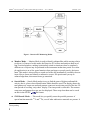
The Detective-EX has five radioactivity-monitoring modes; see also the diagram in Fig. 1.
! Survey Mode — In this “home screen” mode, the Detective-EX displays gamma countrate, gamma dose-rate meter (and neutron dose-rate meter, where applicable), a batterylife indicator, and an icon indicating the current power source (e.g., internal battery,
power adapter/charger), detector dead (busy) time, and available disk storage.
! Identification Mode — This mode is used to identify radionuclides from a stationary
object of interest. Data can be collected for an arbitrarily long period to ensure very low
false-positive rates. You can optionally view the spectrum and the 10 most intense
gamma-ray lines in real-time. The data used for the analysis and the identification results
can be quickly saved in the
and/or ORTEC
file formats, providing backup for
the displayed result and later analysis.3
1
In this manual, the term Detective-EX refers to all members of this instrument family, exceptions noted. See also
Section 1.5.
2
Other lists of nuclides can be supplied on special order.
3
Measurements with a portable identifiers cannot take into account the counting geometry and source shielding,
so the Detective-EX-100T does not determine the quantity of the detected nuclides.
1
ORTEC ® Detective-EX/DX ®-100T Portable HPGe Spectrometer — User’s Manual
931040P / 1014
Figure 1. Detective-EX Monitoring Modes.
! Monitor Mode — Monitor Mode is used to identify radionuclides while moving relative
to object(s) of interest. In this mode, the Detective-EX collects and analyzes data in rolling 8-second windows, making it particularly suited to situations where a completely
different set of objects may be presented to the instrument in that time period. An example application is an ad hoc portal monitor where packages or people pass by the instrument. This mode is also useful as a search tool where the instrument is carried by the user
in an effort to locate and identify a radioactive source. IDs persist until you tap to
acknowledge them; this ensures none go unnoticed.
! Search Mode — Search Mode makes it easy to find the areas of highest radionuclide
activity, that is, places where Identification Mode should be used. The display shows the
total gamma-ray count rate and total neutron count rate in each time period of the last 221
time periods in a rolling “strip chart” display. The time period is selectable. The neutron
count rates and gamma dose rate are also displayed. These strip-chart data can be saved
on disk in the ORTEC
file format.
! SNM Search Mode4 — This mode lets you quickly sense the possible presence of
special nuclear materials 235U and 239Pu, even if other radioactive materials are present. It
4
Patent pending.
2
931040P / 1014
1. INTRODUCTION
is designed for rapid area searches as well as fast scanning of containers or vehicles. Use
it to locate possible SNM, then test more rigorously using Identification Mode. SNM
Search Mode also takes advantage of the fact that the comparatively innocuous 133Ba can
be used as a plutonium surrogate. Advanced users can choose to enable a “search for
133
Ba” feature within SNM Search Mode both for training purposes and for developing a
site’s concept of operations.
Before using SNM Search Mode in the field, you must develop your concept of operations for most effective use. The Detective-EX allows you to adjust the length of the
SNM data sampling (“dwell”) time. ORTEC specialists are available to help you optimize
the instrument settings; contact your ORTEC representative or our Global Service
Center.
In all modes, when the gamma dose rate exceeds 10,000 μSv/hr (1 rem/hr) or the neutron count
rate exceeds 500 cps, both audible and visual alarms warn you immediately of the high radiation
field. You can optionally set the alarm threshold(s) to lower settings.
Search and identification data can be viewed on the display for further analysis. For work in
sensitive areas, the spectrum display can be disabled.
1.2. Hardware Features
! The Detective-EX’s integrated Computer runs under Microsoft® Windows® Mobile™,
with the Detective-EX software as the only program running. The operation of the software is controlled by soft buttons in much the same way as any other Windows program.
A soft keyboard is automatically displayed when any alphanumeric input is needed. The
color touchscreen has large soft keys for easy use with bulky gloves, and an audible
gamma count-rate signal with adjustable volume. Instrument setup can be viewed and
changed to ensure correct operation. Access to all the setup parameters is password protected as set in the Advanced Setup dialog, accessed by tapping the Advanced button.
! The unit comes with either a docking station or the more compact PAC-II power adapter/
charger (collectively referred to as charger bases). Both types of charger base contain the
charger for the internal battery. The docking station’s fans both cool the charger unit and
dissipate heat from the Detective-EX when the unit is docked. The docking station can
also hold a weak (~37 kBq) 137Cs source used to verify the energy calibration.
The Detective-EX can operate for about 3 hours on its internal lithium-ion battery. The
car accessory connector (included) allows you to use 12-V power from an automobile
battery. In addition, ORTEC offers optional battery belts to extend the remote operation
time.
3
ORTEC ® Detective-EX/DX ®-100T Portable HPGe Spectrometer — User’s Manual
931040P / 1014
! Checking the Detective-EX’s calibration is easy, whether you have a docking station
with its built-in 137Cs source; a PAC-II charger, which does not include a calibration
source; or are working in the field under battery power. The Detective-EX allows you to
choose the calibration source that best suits your needs — even the 40K naturally present
in concrete or low-sodium salt substitute.
! The Detective-EX includes global positioning (GPS) hardware, and where GPS signals
can be detected, the upper right corner of the screen includes the current latitude and
longitude, as shown in Fig. 14 on page 22. The GPS coordinates are captured and stored
at the start of each identification acquisition, saved as part of
or
spectrum files,
and available as one of reports discussed in Section 5.1.6.2.
! The Detective-EX is equipped with IEEE 802.11b wireless connectivity. Third-party
software can be used to implement wireless communication. See the Detective-EX
Wireless Remote Operation note, P/N 932735).
Before using the Detective-EX, it must be set up and cooled; and the calibration should be
checked according to the instructions in Chapter 2.8. The instrument is shipped fully calibrated
and is likely to still be correctly calibrated, but checking the calibration is considered good
practice.
1.3. How This Manual Is Organized
This release of the Detective-EX combines the “operator” and “administrator” functions into one
manual. Chapters 2 and 3 cover topics germane to everyday radiation monitoring tasks. The
remaining chapters are aimed more at administrator-level users and expert spectroscopists.
“Operator-oriented” chapters:
! Chapter 1 — System features, spectrum storage, file formats, and filename conventions.
! Chapter 2 — Unpacking, startup, operating limits, initial configuration, and userinterface overview.
! Chapter 3 — Using the Detective-EX to monitor and identify radiation sources.
! Chapter 4 — Radionuclide library.
“Administrator-oriented” chapters:
!
!
!
!
4
Chapter 5 — Administrator-level setup features.
Chapter 6 — Transferring survey files to a computer.
Chapter 7 — Troubleshooting and error messages.
Chapter 8 — Using the Detective-EX with a computer and ORTEC spectroscopy
software.
931040P / 1014
1. INTRODUCTION
! Chapter 9 — Specifications.
! Chapter 10 — Changing the internal battery.
! Chapter 11 — Calibration source statement.
1.4. Spectrum and Search File Storage, Transfer, and Viewing
The Detective-EX can store a nearly unlimited number of Identification Mode spectra in the
ORTEC
file format, ANSI N42.42 format, or both. Search Mode count-rate “strip charts”
can be saved in the ORTEC
format. The background file is in the
format. See
Section 1.4.2 for more information on file types and filenaming conventions. For details on
saving and viewing Identification Mode spectra and the associated reports, see Section 5.1.6.
The files can be stored on user-supplied, removable Secure-Digital (SD) memory cards,5 or in
the computer’s
folder. The number of spectra stored on an SD card depends on
the card’s capacity. For SD cards, the
program automatically creates a
folder
in which spectrum and search files will be stored. If the card fills to capacity, the Detective will
automatically begin storing spectra in its computer’s
folder.
file is stored on the computer in the
folder. If
The
it is moved or deleted, you must perform a new background measurement before using the
instrument for radionuclide identification.
If you store the spectrum files on SD cards, they can be transferred directly to your computer
with an SD card reader and Windows Explorer. Alternatively, files stored on SD card or in the
computer’s
folder can be downloaded via the USB port to any computer running
under Windows 8 or 7 via the Windows Mobile Device Center, or Windows XP Professional
SP3 via Active-Sync®. See Chapter 6 for detailed instructions.
IMPORTANT
Before connecting the Detective-EX to a computer for the first time, install
ActiveSync or Windows Mobile Device Center first. Otherwise, the Detective-EX may not be able to communicate properly with the computer. Be sure
to read Chapter 6.
The accompanying MAESTRO® MCA Emulator Software (A65-BW) can be used to view the
search and identification spectrum files from the Detective-EX. MAESTRO can also be used to
operate the Detective-EX as a standard multichannel buffer (MCB) and store the resulting spectra to disk as ORTEC spectrum files. For more information on these operations, see Chapter 8.
5
Note that the computer also has a CF type II CompactFlash slot. However, the dust cover — which must be in
place to prevent contaminating the card slots — blocks full insertion of the CF card.
5
ORTEC ® Detective-EX/DX ®-100T Portable HPGe Spectrometer — User’s Manual
931040P / 1014
1.4.1. Saving Spectra and Searches
The current Identification Mode spectrum or Search Mode “strip chart” is stored in the unit’s
spectrum memory. If you do not save this spectrum or search, it will be lost when you begin the
next data acquisition.
To save the current gamma-ray spectrum or search strip chart in stored-spectrum memory, tap
the Save button.
The Spectra dialog allows you to select the sample description options, and file formats and
storage location; and view the contents of the stored-spectrum memory. See also Section 5.3.3.
1.4.2. File Formats and Filenaming Conventions
1.4.2.1. Identification Mode Spectra
These can be saved on the ID Mode and (spectrum) Display screens. You can choose to store
them in either the ORTEC
file format; in ANSI N42.42 format, which is compatible with
the ANSI N42.42-2006 standard; or both.
The
file contains three parameters in addition to the contents specified in the ORTEC
Software File Structure Manual for DOS and Windows Systems (Part No. 753800; hereinafter
called the File Structure Manual):
! Total neutron counts for each acquisition (zero for Detective-DX/DX-100®).
! The neutron count rate at the time the spectrum file is saved (zero for DetectiveDX/DX-100).
! A “normal” or “100" entry that indicates whether the spectrum was collected using a
standard Detective-EX/DX or a Detective-EX/DX-100.
The ANSI
file is formatted for an InstrumentType of RadionuclideIdentifier. It includes
the spectrum, calibration, sample description, and identification results; neutron count rate (if the
unit is so equipped); and GPS location log (if so equipped).
The filename format of the identification spectrum is:
6
931040P / 1014
1. INTRODUCTION
1.4.2.2. Search Mode “Strip Charts”
Search Mode data are “strip charts” of count rate vs. elapsed time. These can be stored in the
format; or in ANSI N42.42 format, formatted for an InstrumentType of
ORTEC
PersonalRadiationDetector.
The
format is simpler than the
format, and is described in the File Structure Manual.
file includes the sample description and a count rate log for the gamma strip chart; the
The
count rate log for the neutron strip chart (if the unit is so equipped); and GPS location log (if so
equipped).
The format filename of the search files is:
When saving in the ORTEC
format, two files are saved for each search, one for the gamma
count and one for the neutron count; type is either G for the gamma-ray chart or N for the
neutron chart.
When saving in ANSI
format, only one file is generated; type is B indicating that it
contains both the gamma-ray chart and (for units so equipped) the neutron chart.
1.4.2.3. The Background File
The background file is saved in the Computer’s
, and is overwritten each time the background is updated.
folder as
1.5. A Note About the DX and DX-100 User Interface
The illustrations and text in this manual reflect the user interface for the Detective-EX and
EX-100T models, which have neutron detectors. Note that because the DX/DX-100 do not have
neutron detectors, the user interface does not display neutron count-rate meters, dose alarm
controls, search controls, property pages, etc.
7
ORTEC ® Detective-EX/DX ®-100T Portable HPGe Spectrometer — User’s Manual
931040P / 1014
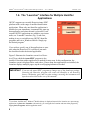
1.6. The “Launcher” Interface for Multiple Identifier
Applications
ORTEC supports our versatile Detective/trans-SPEC
platform with a wide range of nuclide identification
applications. When only one identifier application is
installed on your instrument, it automatically starts up
that application each time the unit is rebooted. If subsequent ORTEC applications are added to your instrument, our “Launcher” interface (Fig. 2) runs first,
making it easy to switch between ORTEC identifier
programs and exit to Windows Mobile. Simply tap
the desired program.6
If you wish to specify one of the applications to autostart when the Detective-EX is rebooted, just mark
the checkbox beside the desired application.
Figure 2. The Launcher Screen.
Figure 2 illustrates the Launcher screen for a Detective-EX on which the trans-SPEC program is also
installed. Note that neither application is marked for auto-start. In this configuration, the
Launcher screen is displayed after each reboot. If more than four applications are installed, the
Launcher displays multiple pages; tap the scroll/paging indicator as needed.
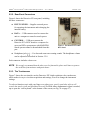
IMPORTANT If you use the trans-SPEC program to change any of the hardware settings,
restarting the Detective program will return the identifier to all Detective
factory calibration, gain, and rise-time settings, ensuring the instrument will
operate as described in the rest of this manual.
6
If, on reboot, the Microsoft® Windows® Mobile desktop is displayed instead of the Launcher or a spectroscopy
application, tap Start then Launcher. Alternatively, you can bypass the Launcher and start either program by
tapping Start, Programs, and the application name.
8
2. THE DETECTIVE-EX/DX-100T
This chapter covers the steps you will need to prepare the Detective-EX for use:
!
!
!
!
!
Unpacking, setup, and hardware overview (Sections 2.1 through 2.6)
Operating cautions (Section 2.7)
Startup and cooldown (Section 2.8)
User-interface basics (Section 2.9)
Choosing the spectrum file format(s) and file storage location (see Sections 5.3.3.3 and
5.3.3.4 on page 67)
! Initial calibration check (Section 2.11) and background measurement (Section 2.12)
Note also that where the spectrum should not be viewed by the operator, the spectrum display
can be disabled (see Section 5.2.4.2).
2.1. Unpacking and Setup
When you receive the Detective-EX/DX-100T, the shipping box contains the following:7
!
!
!
!
!
!
The Detective-EX/DX-100T portable identifier and USB cable
The User’s Manual (P/N 931040)
Padded carrying strap
Docking station or ac power adapter/charger with optional built-in 137Cs source8
Disposable plastic instrument covers (P/N 932725)
An automobile accessory adapter to power the docking station or PAC-II charger from a
12 V battery
! An automobile accessory adapter to power the trans-SPEC-DX-100 directly from a 12 V
battery
NOTE If your Detective-EX was shipped in a foam-lined box, instead of a high-impact
plastic case, be sure to keep the box and foam and use it for shipping the identifier.
Any options will be packaged separately, and will include instructions for that option.
7
Subject to change without notice.
8
The identifier is factory pre-calibrated using a multi-nuclide source. The calibration can be updated using a only
small 137Cs source. The instrument is usually supplied with an exempt-quantity 137Cs source, with a nominal
activity of 1.0 μCi (37 kBq), built into the docking station source tower. If your unit was not supplied with a 137Cs
source, you can use naturally occurring 40K or else define other calibration sources, as described in Section 5.2.1.
9
ORTEC ® Detective-EX/DX ®-100T Portable HPGe Spectrometer — User’s Manual
931040P / 1014
2.2. The Detective-EX/DX-100T
Figure 3 shows the Detective-EX/DX-100T’s features.
Figure 3. Detective-EX/DX-100T Features.
2.2.1. Front Panel
! ON/OFF Button Located below the touchscreen, on the base of the bezel. To reboot the
computer, press the power button. The computer will restart, then automatically launch
the unit’s software application (the cooler will stay on throughout).
! SD Card Slot This is located on the front panel under the protective dust cover. To
release the cover, press and rotate by a quarter turn the two captured, bayonet-mount
screws. The SD slot is keyed so the memory card can only be inserted in one orientation.
Insert the card and close the protective cover.
10
931040P / 1014
NOTE
2. THE DETECTIVE-EX/DX-100
We strongly recommend that the dust cover be fastened in place at all times to protect
the card slots from moisture and particulates.
Figures 4 and 5 show the PAC-II charger, and the docking station, respectively. The hardware
specifications are in Chapter 9. Place the Detective-EX on the docking station or beside the
PAC-II.
Figure 4. PAC-II Charger, Front and Rear
Panels.
Figure 5. Docking Station.
11
ORTEC ® Detective-EX/DX ®-100T Portable HPGe Spectrometer — User’s Manual
931040P / 1014
2.2.2. Rear-Panel Connectors
Figure 6 shows the Detective-EX rear-panel, including
the three connectors:
! INPUT POWER — Supplies external power
for operating the instrument and recharging the
internal battery.
! DATA — USB connector used to connect the
unit to a computer to transfer stored spectra.
! CONTROL — USB port connects the
Detective-EX’s MCA board to a computer for
use as an HPGe spectrometer with MAESTRO.
Stored spectra cannot be downloaded from this
port.
Figure 6. The Detective-EX-100T
Rear Panel.
! Headphone jack ( ) — For dose and count rate warning sounds. The headphone volume
can be adjusted as described in Section 5.2.8.
Each connector includes a dust cover.
NOTE We strongly recommend that the dust cover be fastened in place at all times to protect
the card slots from moisture and particulates.
2.2.3. The Touchscreen
Figure 7 shows the user interface on the Detective-EX’s high-resolution color touchscreen,
which makes it easy to view data acquisition and settings, as well as change the instrument
settings.
To select a function, tap it with your finger or a stylus (pens, pencils, and other objects will
scratch the touch-screen and should not be used). In fields where alphanumeric input is needed,
tap to open the “soft keyboard” at the bottom of the screen (see Fig. 56 on page 57).
12
931040P / 1014
2. THE DETECTIVE-EX/DX-100
Figure 7. The User Interface.
2.2.4. Attaching the Carrying Strap
The carrying strap (Fig. 8) should be installed on the top-diagonal corners of the Detective-EX;
that is, looking down on the display panel, the strap should be anchored to the left-front and
right-rear corners or vice versa. If you wish to change the factory orientation, use a 5/32-in. hex
wrench to exchange positions of the strap-hanger studs and the regular hex-head screws. Thread
the strap-hanger stud through the hanger bracket, followed by the two spacers, then insert the
stud into the Detective-EX and tighten until the hanger bracket resists rotation but still turns (do
not overtighten).
Figure 8. Carrying Strap Attachment.
13
ORTEC ® Detective-EX/DX ®-100T Portable HPGe Spectrometer — User’s Manual
931040P / 1014
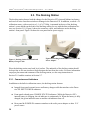
2.3. The Docking Station
The docking station houses both the charger for the Detective-EX’s internal lithium-ion battery,
and two low-noise fans that assist heat exchange in the Detective-EX. In addition, a sealed 137Cs
calibration source, with an activity of ~1 μCi (37 kBq), is mounted in the top of the docking
station’s source holder on the front of the docking station, for use with the auto-calibration feature (see Section 2.11). Figure 9 shows the connector, cable, and indicators on the docking
station’s front panel. Figure 10 shows the rear panel and ac power supply.
Figure 9. Docking Station Front Panel and
Battery Charger Cable.
Figure 10. Docking Station Rear Panel and AC/DC
Power Adapter.
Place the docking station on a hard, level surface. The underside of the docking station should
be kept clear so air can circulate to help dissipate the heat from the cooler. For more information
on proper placement and treatment of the docking station, see the setup instructions in
Section 2.8.1 and the cautions in Section 2.7.
2.3.1. Connectors and Indicators
In addition to the built-in calibration source, the docking station features:
! Integral front-panel external power and battery charger cable that attaches to the Detective-EX INPUT POWER connector.
! Front-panel red and green CHARGE STATUS indicators. While the Detective-EX’s
internal battery is charging, the red indicator is continuously lit. When the battery is fully
charged, the green indicator turns on and the red indicator turns off.
! Rear-panel dc POWER IN connector attaches to the ac/dc power adapter or other 12 V
power source.
14
931040P / 1014
2. THE DETECTIVE-EX/DX-100
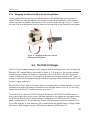
2.3.2. Strapping the Detective-EX to the Docking Station
Use the supplied black nylon strap to hold the Detective-EX and docking station together, if
desired. Thread the strap through the silver brackets on the left and right sides of the docking
station, and under the handle of the Detective-EX, as shown on the left side of Fig. 11. Thread
the end of the strap through the buckle as shown on the right side of the illustration, and tighten.
Figure 11. Strapping the Detective-EX and
Docking Station Together.
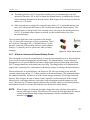
2.4. The PAC-II Charger
The PAC-II power adapter/charger is more compact than the docking station, and can charge the
Detective-EX’s internal battery using either ac mains or 12 V dc power. The circuitry automatically determines whether the charger is connected to an ac or dc source. The PAC-II does not
contain a calibration source nor is it designed to dissipate heat from the Detective-EX. Figure 4
on page 11 shows the front-panel charging indicators and output cable; and the rear-panel ac and
dc power supply connectors.
Place the PAC-II on a hard, level surface where air can adequately circulate around it. For more
information on proper placement and treatment of the docking station or PAC-II, see the setup
instructions in Section 2.8.1 and the cautions in Section 2.7.
To use the PAC-II, attach its OUTPUT cable to the Detective-EX INPUT POWER connector,
then connect either the ac or dc power cord (both supplied) to the appropriate rear-panel connector. While the Detective-EX’s internal battery is charging, the red LED on the PAC-II front
panel is continuously lit. The red indicator flashes if you disconnect the Detector before its battery is fully charged, or if the Detective-EX is connected but the internal battery is faulty. When
the battery is fully charged, the green LED turns on and the red LED turns off.
15
ORTEC ® Detective-EX/DX ®-100T Portable HPGe Spectrometer — User’s Manual
931040P / 1014
2.5. The Automobile Accessory Adapter
The Detective-EX is supplied with two automobile accessory adapters for use with a 12 V battery. One attaches to the POWER IN connector on either the docking station or the PAC-II, both
operating the Detective-EX and charging its internal battery. The other attaches to the Detective-EX’s rear-panel INPUT POWER connector and operates the Detective-EX but does not
charge the internal battery.
NOTE If the detector is warm, the power required to cool the detector can significantly
discharge a standard automobile battery.
To use an adapter cable:
! Plug the adapter end into a 12-V auto-mobile accessory socket.
! Connect the cable to the appropriate connector. If using the adapter cable that connects to
the docking station or PAC-II, plug it into the charger base’s POWER IN connector. The
internal battery will begin charging; if completely discharged, it will typically reach full
charge in 3–4 hours.
If using the adapter cable that connects directly to the Detective-EX, unscrew the dust
cap from the INPUT POWER connector on the rear panel; slide the coupling ring on the
male (cable-end) connector fully open; align the 5 keys on the male connector with the
slots on the rear-panel female connector; press to fully seat the male connector, then hold
it in place; and rotate the coupling ring approximately 1/8th of a turn clockwise until it
seats securely.
2.6. Internal and External Power
The Detective-EX uses power in these ways:
! The internal battery provides approximately 3 hours of operation. The internal battery
cannot be used to start the cooler or cool the detector from room-temperature; external
power is required. The transition from internal to external power is automatic and does
not interfere with data collection. Cooler startup without external power cause operational anomalies; these are discussed in troubleshooting Sections 7.5 and 7.6. An
exhausted internal battery should be charged for 2 hours before the Detective-EX is
cooled using external power.
16
931040P / 1014
2. THE DETECTIVE-EX/DX-100
! The docking station or PAC-II provides external power to simultaneously start and
operate the Detective-EX, as well as charge the internal battery. In addition, the docking
station fans help dissipate heat from the cooler. Both charger bases can be powered from
mains or a 12 V source.
! Other external power (supplied by external battery belt or 12 V automobile battery) can
start, cool, and operate the Detective-EX, but does not charge the internal battery. The
internal battery is charged only if the external source also powers the docking station or
PAC-II. If extended remote operate is needed, use the external battery first, then
the internal battery.
The icon on the right side of the screen above the buttons
(Fig. 12) shows the current type of power connection. These
are, clockwise from upper left: (1) internal battery, (2) unit
properly connected to the docking station or power adapter/
charger, (3) external power to operate unit, and (4) battery
charging.
Figure 12. Power Source Icons.
2.6.1. A Note on Internal vs External Battery Power
The recharging circuit for the internal battery is separate from external power so the external batteries are not consumed charging the internal battery. The internal battery is only recharged
through the use of a special lithium-ion battery charger unit built into the docking station and
PAC-II using connections in the multi-pin power plug. The charging base will simultaneously
supply both “external power” and connect to the battery charger to recharge the internal battery.
When connected to an external battery, the Detective-EX relies on external power until the
external voltage drops below 9 V. It then switches to the internal battery. The instrument makes
the transition smoothly, and there is no effect on the energy resolution. If you begin with both
batteries fully charged, the sum of the two battery capacities will be achieved. If the external
battery has its own charge indicator, this can be used to determine when the changeover will
occur. The Detective-EX battery monitor indicates the available capacity in the internal battery,
and when the switch over occurs, this indicator runs down in the usual manner.
NOTE
When all power is exhausted, the high voltage and cooler will shut down and the
detector will begin to warm. The Detective-EX cannot be used again until the unit has
cooled enough that the high voltage automatically switches on and the Status
indicator says
.
17
ORTEC ® Detective-EX/DX ®-100T Portable HPGe Spectrometer — User’s Manual
931040P / 1014
2.6.2. Replacing the Internal Battery
The internal battery typically lasts 3–5 years. See Chapter 10 for instructions on replacing it.
Note that the battery hatch is the only part of the Detective-EX case that can be opened without
voiding the warranty.
2.7. Operating Cautions and Notes
! Remember that there are no user-serviceable parts inside the Detective-EX. Opening the
housing (except the battery hatch to replace the internal battery) voids the warranty.
! The cooler and detector are shock-sensitive, with a maximum tolerance of 20 g, so be
careful not to drop the Detective-EX. A shock in excess of this value will void the
warranty.
! The Detective-EX is splash-resistant, but not watertight. To avoid equipment failure, protect it from prolonged or heavy rainfall and from immersion. Heat is dissipated from the
cooler via the Detective-EX baseplate; therefore, do not place the instrument in mud,
loose soil or sand, standing water, dense grass; or on thick carpet. Wrap or cover the unit
to keep it clean and dry. Where possible, avoid placing it on warm surfaces, such as sunheated pavement, for extended periods. The front-panel memory card slots and rear panel
connectors include dust caps; keep the card slots and all unused connectors capped.
! The docking station and PAC-II contain a portion of the battery-recharging system and
should not be exposed to water. When using the docking station, be sure to keep the
underside clear of obstructions so the fans can function properly. Both charger bases
should ideally be placed on a dry, flat, level, and dust-free surface. When not in use, the
charger base can be disconnected from the ac power supply, then covered to protect it
from moisture and dirt. Any covering must be completely removed before reconnecting
the docking station to either charger base to the input power source. Make sure the
recharging connector on both the Detective-EX and charger base are clean and dry before
connecting to an the input power supply.
! The Detective-EX is designed for use at temperatures between 0 and +40°C and at a
relative humidity of <90% at 35°C, non-condensing.
! The HPGe detector assembly is designed to be continuously cooled. If the instrument is
turned off and allowed to warm between uses, it must be cooled and brought to operational status (
) for at least 48 hours every month. Failure to do this may
result in degraded performance or cooling system failure. Read Section 9.7.
18
931040P / 1014
2. THE DETECTIVE-EX/DX-100
! To avoid damaging the cooler (and, where applicable, to comply with transportation
regulations), be sure to turn the cooler off before shipping the Detective-EX (see
Section 2.8.2). The unit can be shipped as soon as the cooler is turned off; there is no
need to wait until the detector warms up.
! For best results, we recommend that you not allow the instrument’s internal battery to
become exhausted, and that you read Section 2.6 on the Detective-EX’s internal and
external power sources.
! When monitoring very high-activity sources (whether the source is an innocent or threat
nuclide), if the detector Dead Time exceeds 70%, the detector cannot process gamma
radiation and generate IDs according to its performance specifications. A red indicator
in the upper right corner of the screen tells you to MOVE BACK from the source until the
dead time drops below 70% so the instrument can perform as specified. See Fig. 15
(page 22) and its associated discussion.
! When the most recent background reading is no longer valid, the
message is displayed on the Survey Mode screen. The Identify and Monitor buttons
become inactive and the system will not post radionuclide IDs until a new background is
accepted (see Section 2.12). However, the gamma and neutron count-rate meters on the
Survey, Search, and SNM Mode screens continue to function normally, so the unit is still
passively monitors.
2.8. Startup and Cooldown
Before using the Detective-EX, you must:
! Connect it to the power adapter/charger or other external power source. This will boot up
the computer, start the cooler, and start the
software application at the
Survey Mode screen.
! Wait for the detector to cool down to operating temperature. Typically, this takes
<12 hours for the Detective-EX.
! Depending on your power source options, charge the internal battery for 3–4 hours.
! Check the detector calibration.
! Set the data storage location.
19
ORTEC ® Detective-EX/DX ®-100T Portable HPGe Spectrometer — User’s Manual
931040P / 1014
This section will help you prepare the Detective-EX for use as quickly as possible. Therefore,
some of the steps are not explained in detail; however, references to additional information are
provided.
2.8.1. Connecting the Detective-EX to the Charger Base and Powering It On
The first startup step is to connect the Detective-EX to its docking station or power adapter/
charger to power the cooler and begin charging the internal lithium-ion battery.
! Place the charger base on a hard, level surface. If using the docking station, its underside
must be kept clear so air can circulate to help dissipate heat from the cooler. See the
cautions in Section 2.7 (page 18).
! AC — Connect the charger base’s output cable to the front-panel POWER IN connector,
then connect the mains power adapter cord to mains power.
or
DC — Connect the dc power cord to the front-panel POWER IN connector, then to a
suitable dc power source.
! Place the Detective-EX on the docking station or beside the PAC-II, and attach the
charger base’s output cable to the Detective-EX INPUT POWER connector. To attach
the cable to the Detective-EX, unscrew the dust cap from the INPUT POWER connector
on the Detective-EX’s rear panel; slide the coupling ring on the male (cable-end)
connector fully open; align the 5 keys on the male connector with the slots on the rearpanel female connector; press to fully seat the male connector, then hold it in place; and
rotate the coupling ring approximately 1/8th of a turn clockwise until it seats securely.
The internal battery will begin charging and will typically reach full charge in 3–4 hours
(well before the detector has cooled to operating temperature range).
! As soon as power is applied, the computer will automatically begin its boot-up sequence,
and within 20–40 seconds the cooler will start running. After the computer initializes, the
software application will start up in Survey Mode. As noted above, the
internal battery will not charge until the detector is cooled to operating temperature. After
that, the battery will typically reach full charge in 3–4 hours. If the cooler does not start
by itself, see the next section.
! Note the Status indicator on the display. On startup (Fig. 13), it will read:
20
931040P / 1014
2. THE DETECTIVE-EX/DX-100
! When the battery is fully charged, the battery
monitor will change to show the battery time
remaining.
2.8.2. Turning On the Mechanical Cooler
The mechanical cooler should automatically turn on
when the power is applied to the unit. You may be
able to hear it and/or feel its vibration. If not:
! Tap the Advanced button to display the first
Advanced Setup menu page (see Fig. 38,
page 47).
! If the cooler is on, the upper-right menu
button will be labeled Turn Cooler OFF. If
it is labeled Turn Cooler ON, tap it to power
up the cooler.
Figure 13. The Display at Startup.
! Tap Back to return to the Survey Mode.
The Detective-EX’s internal battery does not have enough power to cool down the detector
from room temperature, so external power is required for cooldown. If you are using a standard
automobile battery as the external power source, note that detector cooling can significantly
discharge the battery.
A warm Detective-EX typically requires approximately 12 hours to cool to operating
temperature.
When the detector reaches operating temperature, the Detective-EX bias voltage will automatically turn on. To see if the bias voltage status is On or Off, tap on Advanced, then Status. Until
the detector has cooled and the HV has automatically turned on, Detector Temp, Cold Tip
Temp, and HV Volt should read
, then switch to . At this point, the status indicator on
the Survey Mode screen will show
.
NOTE
You can turn the cooler off for a brief period (e.g., 10 to 20 minutes) without significantly warming the detector. As soon as the cooler is restarted, the Detective-EX
typically shows a
status within a few seconds. In addition, the cooler can be
restarted at any time, without harming the detector crystal, regardless of whether the
detector is warm, partially cooled, or cooled to the operating temperature range.
21
ORTEC ® Detective-EX/DX ®-100T Portable HPGe Spectrometer — User’s Manual
931040P / 1014
2.9. The User Interface
2.9.1. Instrument Status Indicators
! Date/Time, GPS Location, Dead Time, Battery Status, and Storage Space — The top
line in the upper right corner alternates between the date/time, latitude/longitude, and
detector dead time. The lower line switches between from the battery status (charging vs.
time to full discharge) and the number of spectra that can be stored in the currently
selected storage location. See Fig. 14.
! When close to “hot” gamma-ray sources, the HPGe detector can become so busy processing radiation pulses that its analysis algorithm does not function as designed and specified. To avoid this problem, when the detector dead (busy) time >70%, a red warning
message is displayed in the upper right corner of the screen (Fig. 15), and persists until
you move away from the hot source.
Figure 14. Alternating Status Indicator Displays.
Figure 15. Too Close
to High-Activity
Source.
! Instrument Status Area — The center of the Survey Mode screen provides brief indicator’s of the unit’s readiness for data acquisition. The Status is either
(Fig. 23) or
. In addition, warnings such as the high gamma dose rate message are
posted in this part of the screen.
! Power Source Indicator — The four power source
icons are shown in Fig. 16. Clockwise from upper left:
(1) operating on internal battery, (2) unit properly connected to the power adapter/charger, (3) operating on
external power, and (4) battery charging.
Figure 16. Power Source
Icons.
2.9.2. Moving Through the Menus
To move through the dialogs, tap the soft buttons shown on the display. The functions available
are shown on the buttons. If a function you want is not shown, it is not available from this
dialog. In some cases the function has been disabled in the Advanced Setup.
! To select a function on a dialog, tap on the button.
22
931040P / 1014
2. THE DETECTIVE-EX/DX-100
! To return to the preceding dialog, tap Back. For example, tapping Back from the
Advanced Setup dialog (Fig. 17 on page 24) returns you to the Survey Mode screen
(Fig. 23).
! On any entry, if you just tap Back without tapping any other keys, the current value will
be used; that is, no change will be made. Therefore, if you open a dialog by mistake, you
can just tap Back to return to the previous screen without changing any values.
! If a text or number entry is needed, a soft keyboard will be displayed at the bottom of the
screen. Tap on the letters or numbers desired and then tap OK.
! The Identification, Search, and Display screens have a Save button. In Identification
Mode, this saves the current energy histogram (spectrum) in memory and identification
results. In Search Mode, a histogram of counts vs time is saved. The storage location is
selected on the Spectra screen (Section 5.3.3.3). The Spectra screen also includes an Ask
for Sample Description option that allows you to enter a description of this data
acquisition.
2.10. Selecting the Data Storage Location and File Formats
This is discussed in Sections 5.3.3.3 and 5.3.3.4 (page 67).
2.11. Checking the Calibration
Once the Detective-EX is
, the next setup step is to check the calibration. This procedure
checks and adjusts the Detective-EX’s electronics so that it correctly identifies the nuclides in
the area. For an application as important as interdiction of illicit nuclear materials trafficking, it
is important to know that the nuclide identification is correct. Routine use of the recalibration
feature is a solid means of quality assurance, which can be used to support legal proceedings.
The Detective-EX is shipped pre-calibrated, but we strongly recommend the calibration be
checked before first use, then rechecked periodically. The digital electronics are extremely
stable, and in most situations are unlikely to need recalibration except at long intervals: days or
weeks. However, if wide ranges of ambient temperature variation are experienced (say, a change
of 20EC), we recommend checking the calibration more often.
NOTE Before using the Calibrate feature, the calibration source must be selected on the Cal.
Settings dialog under the Advanced Settings. The Detective-EX allows you to select
from two predefined calibration sources, 137Cs or 40K; or define two of your own
sources. See Sections 5.2.1 and 5.1.3.
23
ORTEC ® Detective-EX/DX ®-100T Portable HPGe Spectrometer — User’s Manual
931040P / 1014
If the docking station is not available or if you are using the PAC-II, a small calibration source
can be used in conjunction with the manual calibration check to ensure the unit remains in
calibration.
To perform the manual calibration check:
! On the Survey Mode screen, tap on Advanced (see Fig. 17), then Calibrate.
! Position the indicated source (in this case, 60Co) in front of the detector window, then tap
the Start Calibration Now (Fig. 18) button.
! While calibration is in progress (Fig. 19), the unit will show the Time remaining. This
interval will depend on the strength of your calibration source.
! At the end of the calibration period, the Use Improved Calibration button will be
displayed, along with the calibration and peak-shape indicators for the new measurement
(Fig. 20).
Figure 17. On the Advanced
Menu, Tap the Calibrate Button.
Figure 18. Tap the “Start Calibration Now” Button.
The choice is yours whether to use this new calibration or not. To accept it, tap Use
Improved Calibration. Usually, the proposed change in calibration is of the order of the
one shown in Fig. 20. If it is larger than 0.3%, the cause should be investigated (see
Section 7.8).
24
931040P / 1014
2. THE DETECTIVE-EX/DX-100
Figure 19. Status of Manual
Calibration.
Figure 20. Apply New Calibration
Selection.
! The final step is to take a representative background measurement. Figure 21 shows the final
calibration screen. Remove the calibration source,
tap the Run a Background button, then refer to
Section 2.12 below.
NOTE
A new background measurement is
required after calibration. If you tap
Back without accepting the new background, only the gamma and neutron
count-rate meters will function;
Identify and Monitor Modes will be
disabled until another you run and
accept a new background.
For more information on calibration, see Sections 5.2.1
and 5.1.3.
Figure 21. Run a New
Background.
2.12. Running A New Background After Calibration
The manual calibration routine deletes the current
of manual calibration is to run a new background.
file. Therefore, the final step
25
ORTEC ® Detective-EX/DX ®-100T Portable HPGe Spectrometer — User’s Manual
NOTE
931040P / 1014
This section discusses only the mandatory background measurement required to
complete the manual calibration. For the full discussion of Detective-EX background
measurements, see Section 5.2.2. As noted elsewhere, until you complete the
background measurement, the Identify and Monitor Modes will be disabled.
The minimum acceptable data collection time for the background meas is set on the Bkg
Settings screen (see Fig. 61 on page 60). Note that, for optimum counting statistics, we
recommend a minimum 30-minute background acquisition. However, the background settings
screen also allows minimum intervals of 1, 5, or 15 minutes.
! All sources should be removed from the area before you tap the Run a Background button at the end of the manual calibration routine. If you leave the source in place, a “high
count rate” message will remind you to remove the source and restart the calibration.
! Tapping the Run a Background button opens the screen shown in Fig. 22 and automatically starts the background acquisition.
! Acquisition continues until you tap either Save
or Cancel, which returns you to the Advanced
menu. If the measurement is canceled before
that minimum time has elapsed, the software
does not accept (i.e., save and use) the new background spectrum.
! If necessary, you can obtain a valid background
later. See the instructions in Section 5.2.2.
Figure 22. Collect Background for
At Least the Specified Minimum
Time.
26
931040P / 1014
2. THE DETECTIVE-EX/DX-100
2.13. Optional: Restricting Access to the Advanced Settings
A password can be set to restrict access to the second and third pages of the Advanced Setup
menu; see Section 5.2.4.1 for instructions.
NOTE
Passwords are case-sensitive and can include “space” characters. Note that there is no
master password so be sure to record it. If you lose the password, you must contact
your ORTEC representative or our Global Service Center for assistance.
*** The Detective-EX is now ready to use ***
27
ORTEC ® Detective-EX/DX ®-100T Portable HPGe Spectrometer — User’s Manual
[Intentionally blank]
28
931040P / 1014
3. RADIATION MONITORING
Once the Detective-EX displays the
status, the calibration has been checked, and the
background has been measured, the instrument is ready for use. This chapter tells you how to
use the Survey, Identification, Search, Monitor, and SNM Modes.
Some users will find enough information in this chapter to begin using the
Detective-EX right away — operation is very straightforward.
However, we also recommend the following reading:
! Chapter 4 lists the messages the Detective-EX displays when it identifies radionuclides.
! Chapter 5 discusses the functions on the Advanced menu. These administrator-level
commands allow you to set up and adjust a number of detector functions, such as turning
on the mechanical cooler, selecting the location where spectrum files will be stored,
choosing the dose-rate units to be displayed, determining the frequency of auto-calibration, configuring the SNM search dwell time and quality factor, customizing the dose
alarm sensitivity, and adjusting the “scroll rate” for the Search Mode strip-chart
emulation.
IMPORTANT
You can set a password to limit access to the second and third pages of
the Advanced menu; see Section 5.2.4.1 for instructions.
! Chapter 6 provides instructions on downloading spectrum files to a computer.
! Chapter 8 gives detailed information on connecting the Detective-EX to a computer and
using it as a high-performance benchtop multichannel buffer with MAESTRO or other
ORTEC spectroscopy applications.
3.1. Survey (Count-Rate/Dose-Rate) Mode
In Survey Mode (Fig. 23), the Detective-EX behaves as a passive monitor, showing the current
gamma count and dose rate; neutron count rate (for units so equipped); instrument status;
detector dead time, available disk storage space and battery charge; time and date; and GPS
coordinates.
The three rate indicators show the count rate or dose as both a value and a bar graph. The
color of the bar changes with increasing rate. The lowest rate is green, then yellow, then red.
The γ (gamma) Count Rate bar changes to yellow at~6300 counts per second (cps), and red
at ~13300 cps. At ~20,000 cps, the red bar begins flashing. These various states are illustrated in
29
ORTEC ® Detective-EX/DX ®-100T Portable HPGe Spectrometer — User’s Manual
931040P / 1014
Fig. 24. The factory-set alarm limits are 10000 μSv/h for the Gamma Dose Rate and 500 cps for
the Neutron Count Rate bar. To set lower limits, see Section 5.2.7.
Figure 24. The Gamma CountRate Meter As Count Rate
Increases.
Figure 23. The Survey Mode
Screen.
When the gamma dose rate goes above the limit, the
message is displayed in the Instrument Status Area and an alarm sounds. You can optionally
choose to set lower gamma dose rate and neutron count rate alarms using the Dose Alarm setup
feature under the Advanced Settings screen (Section 5.2.7).
!
!
!
!
!
NOTE
30
Tap Identify to start the Identification Mode Section 3.2).
Tap Monitor to start the Monitor Mode (Section 3.4).
Tap Search to start the Search Mode (Section 3.3).
Tap SNM to use the SNM Mode (Section 3.5).
Tap Advanced to display the Advanced Setup dialog (Chapter 5).
If a blue simulated LED ( ) is displayed in the upper left, beside the screen title, the
instrument is in the LCX radiation detection mode, which we strongly recommend for
use only by experienced gamma spectroscopists. Be sure to read Section 5.2.3.3 and/or
refer to your organization’s operating procedures before using LCX Mode.
931040P / 1014
3. RADIATION MONITORING
3.2. Identification Mode
The Identification Mode lists the radionuclides present; and displays them in one of two ways,
according to the ID Display Mode selected on the Identify setup screen (Section 5.2.3.2).9
There are two ID Display Modes:
! “ANSI” Mode — This is the default mode. Radionuclide IDs are listed on a background
color-coded according to their status as innocent (green), suspect (yellow; LCX Mode
only), or threat (red). The color background can be suppressed (Section 5.2.3.4).
! “Classify” Mode — In this mode, the list of detected radionuclides are listed according
to category instead of radionuclide name, e.g., Medical, Industrial, Nuclear Plutonium,
Other.
Chapter 4 lists all nuclide IDs along with “ANSI” their threat/suspect/innocent status and
“Classify” category.
Figures 25 and 26 compare the same four IDs as displayed in the “ANSI” and “Classify” modes,
respectively. In each figure, the Detective-EX has found one industrial nuclide (unshielded
241
Am; innocent), and two uranium isotopes (235U and 238U; threats).
In addition, this screen allows you to:
! Pause/Continue the current identification measurement. This button has additional
functions if you are counting to a real-time preset (see Section 3.2.2).
! Save the current spectrum and IDs (Section 3.2.3).
! On the “Classify” display, tap to display found-nuclide reports (Section 3.2.3).
! Tap Intense to display a continuously updating list of the 10 highest-confidence peaks
currently being detected (Section 3.2.5).
! Display the real-time spectrum for the current data acquisition (Section 3.2.6). Note that
if the spectrum view has been disabled on the Settings dialog (Section 5.2.4.2), the
Display button is gray (inactive).
9
The expert LCX Mode (Section 5.2.3.3) also displays suspected IDs, i.e., nuclides that have been tentatively
identified at too low a confidence level to list them as definitively “found.”
31
ORTEC ® Detective-EX/DX ®-100T Portable HPGe Spectrometer — User’s Manual
931040P / 1014
! Switch to Search mode (Section 3.3). If you do not Save the current spectrum and
identifi-cation results data before going to Search Mode, these data will be lost.
Figure 25. Identification Mode
Screen in “ANSI” ID Display
Mode.
Figure 26. Identification Mode
Screen in “Classify” ID Display
Mode.
3.2.1. Start the Identification
To start an identification, tap the Identify button on any screen that displays it.
NOTE
When you start an identification or switch to Search Mode, the contents of the livespectrum memory are erased before the new data are collected. If you wish to save the
data from the most recent identification or search session, you must do so before
starting the new identification session (tap Save).
During data acquisition, a simulated green LED flashes at the top left of the screen. On units
with GPS capability, the top right of the screen alternates between the elapsed acquisition time
for the current spectrum and the GPS coordinates.10 In addition, the neutron count rate and the
gamma dose rate continually update.
10
If your GPS has not received signals from GPS satellites for >30 days (e.g., if it has not been in use or has been
used continuously indoors), it may take 10–15 minutes for the unit to update and begin displaying location
information.
32
931040P / 1014
3. RADIATION MONITORING
At any time you can Pause the count and either Save the spectrum, return to the Survey Mode
screen, or Continue counting.
If counting to a Real Time Preset, the elapsed time readout counts
from zero to the preset (Fig. 27). Once the preset time has elapsed,
the Pause button changes to Continue. At this point, you can either
Save the spectrum or extend the count to add more data to the
spectrum, as described in the next section.
Figure 27.
3.2.2. Extending the Count-to-Preset
To extend the count after the first preset count interval has lapsed — that is, to collect more data
for this measurement — just tap the Continue button. The extended count will start, and the
Continue button label will change back to Pause. Acquisition will resume, and will continue
until you stop it by tapping Back (or by pausing again). The Elapsed Time readout at the top
right of the screen will track the total count time.
NOTE Tapping Pause or Continue does not clear the spectrum. Pausing simply suspends data
collection. When you continue, subsequent data are added to the existing spectrum
until you tap Back. to return to the Survey Mode screen. The spectrum is retained in
memory until you start the next identification or search acquisition. If you have not
already viewed and/or saved the spectrum, you can do so from the Survey Mode screen.
3.2.3. Save
Tap Save to write the current identification spectrum and results in the selected data storage
location and file formats (Sections 5.3.3.3 and 5.3.3.4, respectively). You may save as many
times as you wish, during acquisition or pauses, and after acquisition.
The results are saved in the spectrum file(s) and can be viewed both on the Detective-EX
(Section 5.1.6) and with ORTEC spectroscopy applications such as MAESTRO. An identifying
text description can also be entered if the Ask for Sample Description feature is enabled on the
Spectra dialog (Fig. 74, page 66).
To end without creating a spectrum file, tap Back. This immediately returns you to the Survey
Mode. The current spectrum data is retained in memory until the next identification or search.
You can decide whether or not to save it from the Survey Mode screen.
3.2.4. View Found Nuclides List for Classify ID Display Mode
Because the Classify ID Display Mode lists categories instead of specific radioisotope names,
the Detective-EX provides a screen that lists the Found Nuclides (and Suspect Nuclides in
33
ORTEC ® Detective-EX/DX ®-100T Portable HPGe Spectrometer — User’s Manual
931040P / 1014
LCX Mode). To view the found nuclides, simply tap on any of the ID messages on the ID Mode
screen. The first tap will open the Found Nuclides report (see Fig. 28). Each ID will have a red,
yellow, or green background corresponding to its threat level as described in Chapter 4. To
access the Suspect Nuclides report in LCX Mode, tap an ID message on the Found screen. The
report screens let you Save the current spectrum and identification results to disk and Display
the current spectrum. Tap Back to return to the main Identification Mode screen.
3.2.5. Intense (View Highest-Intensity Spectrum Lines)
Tap Intense to view the list of most intense gamma-ray lines in the spectrum. The most intense
lines list is a continuously updating list of the 10 best peaks currently detected (Fig. 29).
Figure 28. View Found Nuclides
List.
Figure 29. View Top Lines.
The energies are based on the internal nuclide library. The rank is based on the confidence value
for the peak. When a detected energy matches an entry in the library, its tentative identity is
posted on this screen, by peak energy, in column 1; and ID confidence factor (also called the Q
value), in column 2. The higher the confidence value, the more likely that the peak is a real
gamma ray peak and not background noise. It should be understood, however, that a peak could
be seen in the top lines list but the corresponding nuclide not reported as found. This is because
there are many other tests applied before an identity or tentative identity is chosen. In general,
any Confidence value over 25 indicates a good peak.
To return to the Identification Mode tap Back.
34
931040P / 1014
3. RADIATION MONITORING
Tap Save to save the current spectrum and identification results in the selected data storage
location and file format(s). Tap Display to view the current spectrum (see Section 3.2.6).
3.2.6. Display Spectrum
The Display screen (Fig. 30) plots the gamma-ray
energy spectrum currently in memory. This feature
gives the expert spectroscopist more information
about the nuclides present. The expert can then
make more informed decisions about the material
under investigation.
To enter Display Mode, tap the Display button. See
the Display Controls discussion below.
Tap Save to save this spectrum and identification
results to the selected data storage location and file
formats. Tap Back to return to the previous dialog.
Because the spectrum display area is limited, a modiFigure 30. Spectrum Display
fied version of scientific notation is used when labelMode.
ing the Y axes for numbers greater than or equal
to 10,000: The number of trailing zeros in the number
is replaced by “E” followed by the number of zeros. Some examples: 10,000 becomes 1E4;
12,000 becomes 12E3.
The spectrum display has a vertical marker line. Just below the spectrum is shown the position
of the marker in the spectrum (in keV) and the counts in the marker channel. To move the
marker line to a different location, tap the desired position. The marker will jump to that location
and the values will update correspondingly. You can also press on the display area and drag the
marker left or right to the new location.
3.2.6.1. Display Controls
The spectrum display control buttons are just below the display. You can use them to show the
spectrum in different ways for better interpretation of the spectrum.
! Full/Zoom — In the expanded view, the Full button restores the display to 8000 channels. In the full view, the Full button changes to Zoom and zooms the display to the last
horizontal expansion before Full. In this way, you can easily look at the peaks in the
spectrum in detail (Zoom in) and move quickly from energy to energy in Full mode.
35
ORTEC ® Detective-EX/DX ®-100T Portable HPGe Spectrometer — User’s Manual
931040P / 1014
! Zoom In <> — The <> button expands the display by halving the number of channels, so
the peaks appear wider. The center channel of the new display will be the marker
position.
! Zoom Out >< — The > < button contracts the display by doubling the number of channels, so the peaks appear narrower. The center channel of the new display will be the
marker position or channel 0 is the leftmost corner of the display or channel 8192 is the
rightmost corner of the display.
! Lin/Log — The Lin button changes the vertical display to linear mode and automatic
vertical limits. The Lin button changes to Log in the linear mode. Tap Log to change the
vertical scale to log mode.
! Pause/Continue — If the Detective-EX is acquiring data, you can pause the data
collection and resume it later. Tap Pause to stop collection. The button will change to
Continue in the pause mode. Tap Continue to resume the data collection.
3.3. Search Mode
The Search Mode screen is a “strip-chart” emulation
that displays total count rate (gamma and neutron) vs
time (see Fig. 31). The gamma-ray data are presented
in blue and the neutron data are shown in red.
Because the spectrum display area is limited, a modified
version of scientific notation is used when labeling the
Y axes for numbers greater than or equal to 10,000: The
number of trailing zeros in the number is replaced by
“E” followed by the number of zeros. Some examples:
10,000 becomes 1E4; 12,000 becomes 12E3.0 cps and
the neutron data are scaled from 0 to 500 cps.
The Y-axes can be autoscaled (Scaled Y) so the current
maximum Y value for both counts is near the top of the
graph, as shown in Fig. 31; or fixed (Fixed Y) such that
the gamma-ray data are scaled from 0 to 1000.
Figure 31. “Strip Chart”
Emulation With Autoscaled YAxes.
! To start a search session, tap Search in the Survey Mode or any other dialog with the
Search button. If you wish to save the spectral data from the preceding identification or
search session, you must do so before starting the new search (tap Display, then Save).
36
931040P / 1014
3. RADIATION MONITORING
The search will continue until you stop it, but only the most current count rate values
(the newest 221) are displayed and can be saved.
! To save the displayed search results, tap Save. If the Ask for Sample Description option
is enabled on the Spectra setup screen (see Fig. 74, page 66), a soft keyboard will open so
you can enter a description for this data acquisition; tap Set to complete the save. If saving in ORTEC
format, two count-rate “strip chart” files are saved for each search,
one for the gamma count (labeled with a suffix) and one for the neutron count (with an
suffix). For ANSI
files, one file with both gamma and neutron count rate (with a
suffix) is created. The filenames are automatically generated (Section 1.4.2) and saved
according to the spectrum settings (Section 5.3.3).
! To pause a search acquisition, tap Pause. The
Pause button will change to Continue, as shown
in Fig. 32. Tap Continue to resume the search.
The display will be continuous, that is, it will not
show a gap that spans the paused time.
Figure 32. The Search Mode,
Paused.
! To go directly to the Identification Mode, tap
Identify. If you have not already saved the current Search data, they will be lost when
you change modes.
! To end this search and return to the Survey Mode (Fig. 23), tap Back. The current search
data will be retained until the next identification or search. (You can display the most
recently acquired search or identification spectrum from the Survey Mode screen.)
3.4. Monitor Mode
Use the Monitor Mode (Fig. 33) to identify radio-nuclides while moving relative to object(s) of
interest. An example application is an ad hoc portal monitor where packages or people pass by
the instrument. This mode is also useful as a search tool where the instrument is carried by the
user in an effort to locate and identify a radioactive source.
The Detective collects one spectrum per second, and analyzes a rolling window of the eight
most recent 1-second spectra for radioisotope IDs. This makes it particularly suited to situations
where a completely different set of objects may be presented to the instru-ment in that time
interval.
Each ID’s background is color-coded according to its threat status (see the ID table in
Chapter 4): red for threat nuclides; green for innocent; and, in LCX Mode only, yellow for
suspects.
37
ORTEC ® Detective-EX/DX ®-100T Portable HPGe Spectrometer — User’s Manual
931040P / 1014
Each ID persists until you tap to acknowledge it —
this ensures that no ID goes unnoticed. Once
acknowledged, the ID then persists until the source
that triggered it is no longer being detected.
3.5. SNM Search Mode
The SNM Search Mode screen (Fig. 34) displays bar
graphs showing how closely identifications of 239Pu,
235
U, and neutron flux approach user-selected detection
thresholds. The thresholds are set on the SNM Search
Mode setup dialog under Advanced Settings (Section 5.2.6). Because 133Ba can be used as a plutonium
surrogate, advanced users can enable a 133Ba search
for training purposes and for developing a site’s concept of operations. If the 133Ba search is disabled, its
bar graph is not displayed on the SNM search screen.
Figure 33. Monitor Mode.
SNM searches cannot be saved; to collect data that can be saved and reviewed later, tap
Identify.
Figures 34 through 37 depict a search in which 133Ba is detected. At the start of the search, the
status message says Continue to search (Fig. 34). This message is displayed until the detection
threshold for any one of the radionuclides or neutrons is crossed. As a 133Ba source is
approached, the confidence bar associated with it begins to lengthen and approach the threshold
(Fig. 35).
As the Detective-EX comes close to the 133Ba source, the identification for the radionuclide
exceeds the threshold. The confidence bar enters the shaded part of its box, and the shading
turns red to indicate the radionuclide has been found (Fig. 36). Figure 37 shows a high-probability hit. To verify the presence of SNM, tap Identify to switch to Identification Mode.
38
931040P / 1014
3. RADIATION MONITORING
Figure 34. SNM Search Under
Way.
Figure 36.
Detected.
133
Ba Tentatively
Figure 35.
Exceeded.
133
Ba Threshold Almost
Figure 37. High Confidence That
133
Ba Has Been Detected. Use
Identification Mode to Verify.
39
ORTEC ® Detective-EX/DX ®-100T Portable HPGe Spectrometer — User’s Manual
[Intentionally blank]
40
931040P / 1014
4. IDENTIFICATION MESSAGES AND
RADIONUCLIDE LIBRARY
This chapter provides the list of identifications for the v8.6 nuclide library, and their categorization in the “Classify” and “ANSI” ID Display Modes (Section 5.2.3).
Identification
186 keV peak present
2614 keV peak present
375/414 peak present
Ac-225
Ac-227
Ag-110m
Am-241
Am-241 (shielded)
Am-241 (unshielded)
Ar-41
As-72
As-74
At-211
Au-198
Ba-133
Ba-140
Be-7
Beta emitter
Bi-207
Bi-212 (Th-232/U-232 daughter)
Bi-214 (Ra-226 daughter)
Br-76
Br-76 (heavily shielded)
Br-76 (shielded)
Br-77
Ca-47
Cd-109
Cd-115
Ce-139
Ce-141
Ce-144
Cm-242
Cm-243
Cm-244
Category
Classify Mode
ANSI Mode
Suspect
Uranium
Suspect
Uranium
Suspect
Plutonium
Innocent
Medical
Innocent
Industrial
Innocent
Industrial
Threat
Industrial
Threat
Plutonium
Innocent
Industrial
Innocent
Industrial
Innocent
Industrial
Innocent
Medical
Innocent
Other
Innocent
Industrial
Innocent
Industrial
Innocent
Industrial
Innocent
Industrial
Innocent
Bremsstrahlung
Innocent
Other
Innocent
Industrial
Innocent
NORM
Innocent
Other
Innocent
Other
Innocent
Other
Innocent
Industrial
Innocent
Industrial
Innocent
Other
Innocent
Industrial
Innocent
Medical
Innocent
Medical
Innocent
Industrial
Innocent
Industrial
Innocent
Industrial
Innocent
Industrial
41
ORTEC ® Detective-EX/DX ®-100T Portable HPGe Spectrometer — User’s Manual
Identification
Co-55
Co-56
Co-56 (shielded)
Co-57
Co-57 (shielded)
Co-58
Co-60
Cr-51
Cs-131
Cs-134
Cs-137
Cu-64
Cu-67/Ga-67
Enriched Uranium
Eu-152
Eu-154
Eu-155
Eu-156
Fe-59
Ga-64
Ga-64 (shielded)
Ga-67
Ga-67 (shielded)
Gd-153
Gd-159
Ge-68/Ga-68
HEU
Hf-181
Hg-203
Ho-166
Ho-166m
Ho-166m (shielded)
I-123
I-123 (shielded)
I-124
I-125
I-126
I-126 (shielded)
I-131
42
Category
Classify Mode
ANSI Mode
Innocent
Industrial
Innocent
Other
Innocent
Other
Innocent
Industrial
Innocent
Industrial
Innocent
Medical
Innocent
Industrial
Innocent
Other
Innocent
Medical
Innocent
Industrial
Innocent
Industrial
Innocent
Other
Innocent
Medical
Threat
Uranium
Innocent
Other
Innocent
Other
Innocent
Other
Innocent
Other
Innocent
Other
Innocent
Other
Innocent
Other
Innocent
Medical
Innocent
Medical
Innocent
Other
Innocent
Other
Innocent
Medical
Threat
Uranium
Innocent
Industrial
Innocent
Industrial
Innocent
Other
Innocent
Industrial
Innocent
Industrial
Innocent
Medical
Innocent
Medical
Innocent
Medical
Innocent
Medical
Innocent
Industrial
Innocent
Industrial
Innocent
Medical
931040P / 1014
931040P / 1014
4. IDENTIFICATION MESSAGES AND RADIONUCLIDE LIBRARY
Identification
I-131 (shielded)
I-132
I-133
I-134
I-135
In-111
Ir-192
Ir-192 (shielded)
Ir-194 (shielded)
K-40
Kr-87
Kr-88
Kr-88 (shielded)
La-138
La-140
Lu-172
Lu-176
Lu-177
Lu-177m
Mn-52
Mn-54
Mn-56
Mo-99
Na-22
Na-24
Nb-92m
Nb-94
Nb-95
Nb-96
Nb-96 (shielded)
Nd-147
Neutrons
Neutrons CR
Neutrons on Fe
Neutrons on Hydrogen
Np-237
Os-194/Ir-194
Pa-231
Pb-203
Category
Classify Mode
ANSI Mode
Innocent
Medical
Innocent
Industrial
Innocent
Industrial
Innocent
Industrial
Innocent
Industrial
Innocent
Medical
Innocent
Industrial
Innocent
Industrial
Innocent
Other
Innocent
NORM
Innocent
Industrial
Innocent
Industrial
Innocent
Industrial
Innocent
NORM
Innocent
Other
Innocent
Medical
Innocent
NORM
Innocent
Medical
Innocent
Medical
Innocent
Industrial
Innocent
Other
Innocent
Industrial
Innocent
Medical
Innocent
Other
Innocent
Medical
Innocent
Industrial
Innocent
Industrial
Innocent
Industrial
Innocent
Industrial
Innocent
Industrial
Innocent
Industrial
Threat
Other
Threat
Neutron
Threat
Other
Threat
Other
Threat
Nuclear Neptunium
Innocent
Other
Innocent
Industrial
Innocent
Industrial
43
ORTEC ® Detective-EX/DX ®-100T Portable HPGe Spectrometer — User’s Manual
Identification
Pd-103
Po-210
Pr-144
Pu-238
Pu-239
Ra-223
Ra-226
Rb-83
Rb-86
Rh-105
Ru-103
Ru-106/Rh-106
Ru-97
Sb-124
Sb-124 (shielded)
Sb-125
Sb-127
Sc-46
Se-75
Sm-153
Sm-153 (shielded)
Sn-113
Sr-82/Rb-82
Sr-85/Kr-85
Sr-89
Ta-182
Tc-96
Tc-99m
Te-132
Th-229
Th-230
Th-232
Tl-200
Tl-201
Tl-202
Tl-204
Tm-170
Tm-171
U-232
44
Category
Classify Mode
ANSI Mode
Innocent
Medical
Innocent
Other
Innocent
Industrial
Threat
Nuclear Plutonium
Threat
Nuclear Plutonium
Innocent
Industrial
Innocent
NORM
Innocent
Medical
Innocent
Medical
Innocent
Industrial
Innocent
Industrial
Innocent
Medical
Innocent
Industrial
Innocent
Industrial
Innocent
Industrial
Innocent
Industrial
Innocent
Industrial
Innocent
Medical
Innocent
Medical
Innocent
Medical
Innocent
Medical
Innocent
Other
Innocent
Medical
Innocent
Industrial
Innocent
Medical
Innocent
Other
Innocent
Industrial
Innocent
Medical
Innocent
Industrial
Innocent
NORM-Th
Innocent
NORM-Th
Innocent
NORM-Th
Innocent
Other
Innocent
Medical
Innocent
Other
Innocent
Medical
Innocent
Medical
Innocent
Industrial
Threat
Nuclear Uranium
931040P / 1014
931040P / 1014
4. IDENTIFICATION MESSAGES AND RADIONUCLIDE LIBRARY
Identification
U-233
U-235
U-238
Unknown Peak
Unknown/Beta emitter
V-48
W-187
W-188/Re-188
Xe-127
Xe-131m
Xe-133
Xe-133m
Xe-135
Y-88
Y-91
Yb-169
Zn-62
Zn-65
Zr-95
Category
Classify Mode
ANSI Mode
Threat
Nuclear Uranium
Threat
Nuclear Uranium
Threat
Nuclear Uranium
Threat
Other
Threat
Other
Innocent
Medical
Innocent
Industrial
Innocent
Industrial
Innocent
Industrial
Innocent
Other
Innocent
Medical
Innocent
Medical
Innocent
Other
Innocent
Other
Innocent
Industrial
Innocent
Medical
Innocent
Medical
Innocent
Medical
Innocent
Medical
4.1. Comments on Classify Mode Messages
The following explains the criteria for selected Classify ID Display Mode messages.
HEU (highly enriched uranium)
This message is displayed if the major lines of uranium are detected, and the ratios of the
intensities of the lines indicates the 235U content to be above about 70%.
Am241 (unshielded) in the “Industrial” category
This message is displayed if the 59 keV peak is located. It could mean that an 241Am source
such as a smoke detector is present. Move closer to the source and/or count longer. This will
allow the higher-energy gamma rays to accumulate in the spectrum, in case plutonium is also
present.
Unknown peak and Unknown/Beta emitter
This indicates the gamma count rate is higher than can be accounted for based on the peaks
in the Detective-EX library. The implication is that either an unexpected nuclide or a beta
45
ORTEC ® Detective-EX/DX ®-100T Portable HPGe Spectrometer — User’s Manual
931040P / 1014
emitter is present (beta emitters typically producing counts over a broad range of energies).
Move closer to the source and count longer to determine the nature of the suspect item.
4.1.1. Comments on “Found Nuclide” Screen Messages
RDD Detected
This message is posted when calculated activity is >100 mCi, whether the activity is from
threat or innocent nuclides. The gamma count-rate and dose-rate meters on the Survey Mode
and ID Mode screens display a flashing red background and extremely high count and dose
rates.
46
5. ADVANCED SETUP
The three-page Advanced Setup menu covers tasks
that are not typically required every work session and
that require some knowledge of gamma-ray spectrometry and/or radiation monitoring. The Detective saves
all settings and uses them until the next time they are
changed. Figure 38 shows the first page.
! Tapping the Next>> and Previous<< buttons
moves you between the three menu screens.
! Tapping Back returns you to the Survey Mode
screen.
NOTE
You can set a password on the Settings screen
(Section 5.2.4.1) to restrict access to the second
Figure 38. Advanced Setup, First
and third pages of the Advanced Setup menu.
Page.
The first Advanced Setup page can be accessed
by all users, allowing them to view the hardware
status, perform calibrations and background
measurements, turn the cooler on/off, etc., as described in the following section.
5.1. Advanced Setup — Page 1
5.1.1. Status
The Status dialog (Fig. 39) allows you to monitor the hardware diagnostic and data acquisition
parameters. The default view is a simplified “heads-up” OK/ERR readout. However, you can
toggle between the simplified view and the actual readouts (Fig. 40) by tapping three times in
the lower-left corner of the screen.
! The Dead Time is related to the current gamma count rate, and indicates the percentage
of time the Detector is busy (i.e., not available to accept another pulse).11
NOTE
When the Dead Time exceeds 70% because you are near a very high-activity
source (whether the source is an innocent or threat nuclide), the detector is not
able to process gamma radiation according to its performance requirements.
A red indicator in the upper right corner of the screen tells you to MOVE
BACK from the source until the dead time drops below 70% so that the
11
This release of the Detective-EX software does not use the Live Time and Real Time fields.
47
ORTEC ® Detective-EX/DX ®-100T Portable HPGe Spectrometer — User’s Manual
931040P / 1014
instrument can perform as specified. See Fig. 15 (page 22) and its associated
text.
Figure 39. Status Dialog.
Figure 40. Detailed Status Dialog.
! The remaining indicators are live (i.e., they continuously update to reflect current hardware conditions). For the first few seconds after you open this screen, the nine live indicators typically read
, after which they acquire their actual current values or status
messages (e.g., ,
,
,
).
On startup and until the detector has cooled and the HV has automatically turned on,
. Once cooldown is comDetector Temp, Cold Tip Temp, and Bias Voltage read
plete and the HV automatically turns on, these indicators change to . When the cooler
.
is switched off, the Cold Tip Temp and Cooler Drive indicators read
indicator means the parameter is within the allowed limits. The
indicator
The
means the parameter is outside the limits and must be corrected before the Detective-EX
can be used. If the
indicator persists beyond a few seconds or if you receive an
reading for any of these parameters after the nominal cooldown time has elapsed,
contact your ORTEC representative or our Global Service Center.
When all parameters are within allowed limits, the Survey Mode screen displays the
status message.
48
931040P / 1014
5. ADVANCED SETUP
5.1.2. Turn Cooler Off/On
When the cooler is ON, the button reads Turn Cooler OFF.
To turn the cooler off, tap this button, then confirm (see
Fig. 41). The button title will change to Turn Cooler ON.
Tap it to restart the cooler. When the instrument has cooled
to operating temperature, the bias voltage automatically
turns on.
Figure 41. Turn Cooler Off?
NOTE The Detective-EX internal battery does not have
enough power to start up the cooler or cool down the detector from room temperature,
therefore, external power is required. In addition, an exhausted internal battery should
be charged for 2 hours before the Detective-EX is cooled using external power. If you
are using a standard 12 V auto-mobile battery as the external power source, the detector
cooling can significantly discharge the battery. Cooler startup without external power
cause operational anomalies; these are discussed in troubleshooting Sections 7.5
and 7.6.
You can turn the cooler off for 10–20 minutes without significantly warming the detector. As
soon as the cooler is restarted, the Detective-EX typically shows a
status within a few
seconds.
The cooler can be restarted at any time, without harming the detector crystal, regardless of
whether the detector is warm, partially cooled, or cooled to the operating temperature range.
5.1.3. Calibrate (Manual)
This command starts the manual calibration routine, which checks and adjusts the Detective-EX
electronics so that it correctly identifies the nuclides in the area. The calibration source to be
used must be pre-set within the Cal. Settings function, as discussed in Section 5.2.1.
5.1.3.1. Start the Calibration
Position the indicated calibration source in front of the detector window, then tap the Start
Calibration Now button shown in Fig. 42. The button name will change to Abort Calibration
and the time remaining to complete calibration will be displayed as in Fig. 43. The time to completion is based on the peak count rate. Calibration will not succeed until the calibration peak
passes the quality test.
You can abort the calibration process at any time; no changes will be made to the calibration
coefficients (i.e., the existing calibration will still be in effect).
49
ORTEC ® Detective-EX/DX ®-100T Portable HPGe Spectrometer — User’s Manual
Figure 42. Start Manual
Calibration.
931040P / 1014
Figure 43. Wait for Completion.
At the end of the calibration period, the Use Improved Calibration button will be displayed
(Fig. 44), along with the actual energy of the calibration source peak. For the factory-defined
sources, the Centroid values should ideally be:
!
137
Cs — 661.62 keV
! 40K — 1460.75 keV
In addition, the screen will display the full width at half-maximum (FWHM), an indicator of
peak shape; and the calibration adjustment (Cal. Adjust). The calibration adjustment is the
difference between the spectrum position of the calibration source’s peak in the new calibration
and the position of the same peak in the current calibration, expressed in energy, as a percentage
of the actual peak energy.
5.1.3.2. Apply the Improved Calibration
When the calibration measurement is complete and the Use Improved Calibration button is
displayed, choose whether or not to use this new calibration. Usually, the proposed change in
calibration is quite small, and sometimes it is even zero. If it is larger than 0.3%, the cause
should be investigated. To use the new calibration, tap Use Improved Calibration.12
12
If the calibration fails, an error message will be displayed. For more detailed calibration troubleshooting, see
Section 7.8.
50
931040P / 1014
5. ADVANCED SETUP
5.1.3.3. Perform a Background Measurement
If you accept the improved calibration, the manual calibration routine deletes the existing background file. Therefore, the final step of the calibration process is to re-measure the background,
as indicated in Fig. 45. Remove the calibration source, tap the Run a Background button, then
refer to the instructions in Section 5.1.4.
NOTE When the previous background is no longer valid, the
message is
displayed on the Survey Mode screen. The Identify and Monitor buttons become inactive and the system will not post radionuclide IDs. However, the gamma and neutron
count rate meters on the Survey, Search, and SNM Mode screens continue to function
normally.
Tap Back to return to the Advanced Setup dialog.
Figure 44. Apply The Calibration.
Figure 45. Run A New
Background.
5.1.3.4. Restore Default
If you have changed the calibration now or at any time in the past, you can restore the factory
calibration settings by tapping on the Restore Default button. The factory values are always
available. Note that this feature is typically used for troubleshooting purposes. The current background file is destroyed, so you must run a new background before the Identify and Monitor
Modes will function..
51
ORTEC ® Detective-EX/DX ®-100T Portable HPGe Spectrometer — User’s Manual
931040P / 1014
5.1.3.5. Back
If you do not want to apply the new calibration, tap Back to return to the Advanced Setup
dialog. (However, if you have run this background as the final step of calibration, remember that
you must run a new background before the Identify and Monitor Modes will function.)
5.1.4. Background
This command begins the background radiation measurement pre-configured with the Bkg
Settings command discussed in Section 5.2.2.
To measure the background:
! Remove all sources from the area.
! Tapping the Run a Background button, at the end of the manual calibration routine,
opens the screen shown in Fig. 46 and automatically starts the background acquisition.
! Acquisition continues until you tap either Save or Cancel, which will return you to the
Advanced menu. If the measurement is canceled before the minimum time has elapsed,
the software does not accept (i.e., save and use) the new background spectrum. Instead, it
reverts to the existing back-ground file.13
5.1.5. List Nuclides (View Analysis Library)
This screen (Fig. 47) displays the current library of radionuclide IDs and library version. The
complete list of IDs is in Chapter 4. If you wish, you can create a text file listing of the library
entries by tapping Save to File. This creates the file
in the Detective-EX’s
folder.
5.1.6. Recall Spectra
Recall Spectra lets you view stored
spectrum files and their associated reports. It opens
the Choose File dialog (Fig. 48), which displays the Data Location listbox and the list of spectra in the currently selected location. Select the desired data location, then use the scrollbar to
browse up and down through the list of spectra. Tap Back when finished viewing spectra.
13
As noted elsewhere, if you are running this background as the last step of the manual calibration routine, the
Identify and Monitor Modes will be disabled until the background measurement is completed and accepted.
52
931040P / 1014
Figure 46. Collect Background for
At Least the Specified Minimum
Time.
5. ADVANCED SETUP
Figure 47. View the Radionuclide
Library.
5.1.6.1. Viewing Stored Spectra
To display a particular spectrum file, tap the filename, then tap Choose. The histogram will be
displayed along with the filename, as shown in Fig. 49. The spectrum display controls are
discussed on page 35. To view the associated reports, see the next section.
5.1.6.2. Viewing Stored Spectrum Reports
Identification Mode spectrum files include both the spectrum and information on the radionuclides found during the identification session. When you display a stored spectrum, you can
view this information by tapping the ID button below the spectrum display. This will open the
ID Report screen (Fig. 50). Tap the listbox at the top of the screen to access the list of Found
Nuclides (Fig. 51), Suspect Nuclides (for LCX Mode spectra only; Fig. 52), Top Lines
(Fig. 53), and GPS (Fig. 54); some of the reports may contain no entries. Tap Back to return to
Advanced Setup.
53
ORTEC ® Detective-EX/DX ®-100T Portable HPGe Spectrometer — User’s Manual
54
Figure 48. Spectrum Directory.
Figure 49. View Spectrum; Tap
ID to View Reports.
Figure 50. ID Report.
Figure 51. Found Nuclides
Report.
931040P / 1014
931040P / 1014
5. ADVANCED SETUP
Figure 52. Suspect Nuclide Report
(for LCX Mode spectra only).
Figure 53. Top Spectral Lines.
Figure 54. GPS Report.
55
ORTEC ® Detective-EX/DX ®-100T Portable HPGe Spectrometer — User’s Manual
931040P / 1014
5.1.7. About
This dialog (Fig. 55) shows the instrument type,
presence or absence of neutron detector, firmware
and application software version numbers, instrument serial number, and nuclide library version.
Tap Back to return to the Advanced Setup menu.
Figure 55. The About Dialog.
5.2. Advanced Setup — Page 2
If a password has been set, the screen shown in Fig. 56 will be displayed. Tap in the password
text box to open the soft keyboard. Enter the password and tap OK. If you entered the correct
password (which is case-sensitive and treats spaces as characters), the second Advanced Setup
page will be displayed (Fig. 57). For more information on the Password screen, see
Section 5.2.4.1.
If the password was incorrect, the
message will be displayed. You may try to
enter the password again or tap Back to return to the previous menu page. If no password was
set, the Detective-EX will go directly to the second Advanced Setup menu screen.
56
931040P / 1014
Figure 56. Enter the Password.
5. ADVANCED SETUP
Figure 57. Advanced Setup,
Second Page.
5.2.1. Calibration Settings and Auto-Calibration
Cal. Settings (Fig. 58) allows you to turn the auto-calibration check on and off, decide how
often to auto-calibrate, and either choose a factory-defined calibration source (137Cs or 40K) or
define up to two of your own calibration sources with the Setup... feature. The source selected
here also determines the source used for the manual Calibrate feature discussed in Section 5.1.3.
The calibration routine checks and adjusts the Detective-EX’s electronics so that it correctly
identifies the nuclides in the area. This function searches for the calibration source peak in a
window 30 keV wide, centered on the peak channel for the selected source. Once the peak is
located and its net area reaches 4000 counts, the detector amplifier’s fine gain setting is adjusted
for optimum performance. Unlike manual calibration, auto-calibration does not delete the
existing
file so there is no need to take a new background measurement
afterwards.
! To choose a calibration source, tap the source list at top left and make your selection.
! To define a calibration source (up to two),14 tap the Setup... button to open the screen
shown in Fig. 59. Tap in the Source Name field and use the soft keyboard to enter the
name, tap in the Energy Peak field and enter the peak energy in keV, then tap Back
14
If you wish, you may delete the factory-defined sources; they can be restored to the source list at any time.
57
ORTEC ® Detective-EX/DX ®-100T Portable HPGe Spectrometer — User’s Manual
931040P / 1014
to return to the calibration settings screen. The new entry will be available on the source
list.
Figure 58. Set Up the AutoCalibration Feature.
Figure 59. Enter the Peak Energy
for a Calibration Source.
! To use the auto-calibration feature, mark the Enable box by tapping it. To disable autocalibration, simply unmark the box.
Set the auto-calibration interval by tapping the Schedule lists and selecting the desired
time of day as well as one of the following intervals:
— Daily.
— Weekly; choose the Day of the week.
— Monthly; tap in the Day of the month field and use the soft keyboard to enter the day.
5.2.1.1. Setup Requirements for Successful Auto-Calibration
For Auto Calibration to run successfully:
!
!
!
!
!
58
The Auto Calibration checkbox must be marked (enabled).
The Detective must be in Survey Mode (not in another monitoring mode).
.
The detector status must be
The unit must be properly connected to external power.
The appropriate source must be in position.
931040P / 1014
5. ADVANCED SETUP
5.2.1.2. Auto-Calibration
! During auto-calibration, the screen displays the
time remaining to completion of the calibration,
as shown in Fig. 60. This number is the real time
for the calibration spectrum acquisition and is
based on the peak count rate. Auto-calibration
will not succeed until the calibration peak passes
the quality test.
! If the unit does not detect the correct calibration
source, it waits for approximately for 2 minutes,
then posts an error message. Tap Back to return
to the Survey Mode. You can either use the existing calibration or perform a manual calibration.
The unit will auto-calibrate at the next scheduled
interval.
Figure 60. Auto-Calibration in
Progress.
! To interrupt auto-calibration, tap the Abort button, then Back to return to Survey Mode. When
you return the Detective-EX to the auto-calibration function, calibration will immediately
restart from the beginning. The unit will continue trying to calibrate until the calibration
peak passes the quality test.
! If you disconnect the instrument from the external power source during auto-calibration,
the routine will attempt to run to completion. Tap on the Abort button to interrupt autocalibration, then Back to return to Survey Mode. When the unit is reconnected to external
power, auto-calibration will start at the next scheduled interval.
5.2.2. Background Settings
Use this screen to pre-configure the minimum accept-able background radiation measurement
time for the Background command (Section 5.1.4). The instrument requires periodic measurement of a site’s background radiation to reduce false alarms on 40K and other naturally occurring
radioisotopes from building materials such as concrete. The background file is saved on the
computer in
. It is stored as an ORTEC
spectrum file named
, and is overwritten each time the background is updated. Ideally, a new background measurement should be made whenever the Detective-EX is moved to a new site. In
addition, a new background is required as the final step of calibration.
The minimum acceptable data collection time for the background measurement is set on the Bkg
Settings screen, shown in Fig. 61.
59
ORTEC ® Detective-EX/DX ®-100T Portable HPGe Spectrometer — User’s Manual
NOTE
931040P / 1014
For optimum counting statistics, we strongly
recommend a minimum 30-minute background acquisition (the longer, the better).
However, the background settings screen also
allows you to set a minimum interval of 1, 5,
or 15 minutes.
5.2.3. Identify (Identification Mode) Settings
This dialog (Fig. 62) lets you set a counting preset;
choose to display radionuclides by category (e.g.,
Industrial, NORM, Medical, etc.) or by radioisotope
name; enable/disable the expert LCX identification
mode, and turn color-coded IDs on/off.
5.2.3.1. Real Time Preset
To set a preset acquisition time for Identification Mode,
tap in the field to open the soft key-board, enter a count
time from 1 second to 9999999 seconds, and tap Set.
Figure 61. Set the Minimum
Background Acquisition Time.
In preset mode, the Pause/Continue button allows you to extend the count. For more information and an example, see Section 3.2.2.
5.2.3.2. ID Display Mode
Choose whether to display identifications by radioisotope name (ANSI); or by category (Classify), for
instance Industrial, Medical, NORM-Th. Figures 25
and 26 on page 32 compare how the same detected
radionuclides are displayed in ANSI mode and
Classify mode.
See also Chapter 4, which lists all Identification
Mode messages, their threat/suspect/innocent status,
and Classify mode category.
5.2.3.3. LCX (Low-Confidence Expert) ID Mode
The LCX identification mode displays suspected threat
alarms and identifications at an approximately 30% lower
confidence level than the normal mode. This results in
more hits on suspected threat nuclides. Although detection
60
Figure 62. Identification Mode
Setup.
931040P / 1014
5. ADVANCED SETUP
is arguably improved in LCX mode, the false alarm rate will increase to a level unusable for
many applications. Be aware that the instrument will issue approximately two false suspect
threat alarms every hour while in LCX mode. Therefore, we recommend LCX mode only for
experienced spectroscopists.
To enable LCX Mode, mark the checkbox and click on Back. A blue simulated LED ( ) will be
displayed in the upper left of all screens, beside the screen title (Figs. 63 and 64). This shows
you, at a glance, which radiation monitoring mode is currently selected.
Figure 63.
Figure 64.
Figures 65 and 66 compare how suspect identifications in LCX mode are displayed in the
“Classify” and “ANSI” ID Display Modes (both screens reflect the same set of found and
suspect substances). Note that in LCX mode, the Color coded IDs option is always on.
Figure 65. Suspect IDs in “Classify”
Display Mode.
Figure 66. Suspect IDs in “ANSI”
Display Mode.
5.2.3.4. Color Coded IDs
When this option is checkmarked (on), ANSI Mode nuclide IDs are displayed on a color-coded
background indicating their threat/suspect/innocent status (refer to Figs. 25, 33, and 66). As
noted in the preceding section, this option is always on in LCX mode.
5.2.4. Settings
5.2.4.1. Password
The Settings screen allows you to set a password to prevent unintended changes to the
Advanced Setup parameters. The password is case sensitive, alpha-numerical, can include
spaces, and can be of any length. There is no factory default.
61
ORTEC ® Detective-EX/DX ®-100T Portable HPGe Spectrometer — User’s Manual
931040P / 1014
To set the password, tap in the Password field to
open the soft keyboard, as shown in Fig. 67. Enter
the password and tap Set. The soft keyboard will
close. To put the password into effect, tap Back
to return to the Survey Mode screen.
To remove the password, tap the end of the password,
delete all the characters by tapping the backspace soft
key ( μ ), then tap Set. Tapping the spacebar to overtype the characters does not work (i.e., there is no
overtype capability, the “space” is treated as any other
character).
NOTE There is no master password so be sure
to record your password, including uppercase and lowercase letters. If you lose this
password, contact your ORTEC representative
or our Global Service Center for assistance.
Figure 67. Enter a Password and
Tap the Set Button.
5.2.4.2. Allow Display of Spectrum
This allows an administrator to hide the Display Mode by locking the spectrum display. When
the display is locked, none of the Display buttons will be shown on the dialogs. To lock the
display, tap the checkbox to mark it. To restore access to the spectrum display, tap the checkbox
again to unmark it.
! To prevent spectra from being viewed on the Detective screen, unmark the Allow
Display of Spectrum checkbox, then set a password in the Advanced Setup dialog
(Section 5.2.4.1).
! If the spectra must not be viewed at any time by anyone, we additionally recommend that
the field operator not save them.
NOTE If spectra are saved (whether or not the Display Mode is locked), a properly configured
computer and MAESTRO can still be used to view the saved spectra. In such cases, the
Detective-EX (and any memory cards containing spectra) must be secured from
unauthorized access according to your site operating procedures.
5.2.4.3. GPS Port
This is factory-set and will normally not be changed.
62
931040P / 1014
5. ADVANCED SETUP
5.2.5. Search Mode Settings
This dialog (Fig. 68) allows you to set the data Collec
tion Time for Search Mode. Search Mode tracks the
total counts vs a specified period of time and presents
the results in a “strip chart” emulation. The total counts
in each time period are represented on the vertical scale,
and the time period always occupies one pixel width
on the display (that is, changing the dwell time does
not change the width of the lines on the strip chart).
Tap to select a dwell setting. As soon as you choose a
new setting, it will go into effect.
5.2.6. SNM Mode Settings
Use this dialog (Fig. 69) to set the search acquisition
Dwell Time for the SNM Search Mode (Section 3.5);
Figure 68. Search Time per
and the detection threshold for Pu-239, U-235, and
Horizontal Unit Selection.
Neutron radiation. Advanced users can also choose
to enable and configure a detection threshold for the
plutonium surrogate Ba-133 for training and site setup purposes (see the discussion in
Section 3.5). If the Ba-133 search is enabled, four bar graphs will appear on the SNM Search
Mode screen instead of just three (see Fig. 34 on page 39). The Dwell Time setting is the same
for all SNM radioisotopes.
To set the Q Alarm Threshold for each gamma emitter, tap the radioisotope name, tap in the
threshold field to open the soft keyboard, enter the desired value, and tap Set. Figure 69 shows
the setup dialog for Pu-239.
To set up the Neutron count rate (for units so equipped), in counts per second, tap the Neutron
tab, tap in the threshold field to open the soft keyboard, enter the desired value, and tap Set.
To enable the Ba-133 search (Fig. 70), mark the Include in Search checkbox and enter the
desired alarm threshold value, then tap Set. When this feature is disabled, the Ba-133 bar graph
is not displayed on the SNM Search Mode screen.
Tap Back to return to the Survey Mode screen.
63
ORTEC ® Detective-EX/DX ®-100T Portable HPGe Spectrometer — User’s Manual
Figure 69. Configure the SNM
Search.
931040P / 1014
Figure 70. Enable the Ba-133
Search and Alarm Threshold.
5.2.7. Dose-Rate Units and Alarms
In all modes, the Detective-EX alarms audibly and visually at a gamma dose rate of
10,000 μSv/hr (1 rem/hr) and/or the neutron count rate >500 cps. Above these limits, the ID
Mode’s Found Nuclide screen reports the message
. The Dose Alarms dialog
(Fig. 72) lets you optionally set lower thresholds for one or both types of radiation.
To set either Threshold, tap in the field to display the soft keyboard. Enter the desired value and
tap Set.
You can choose display the gamma dose rate in microSieverts per hour (μSv/hr) or millirem per
hour (mrem/hr). The Dose Units status message updates immediately to reflect the new doserate unit. To change units, tap either the μSv/h or mrem/h radio button to mark it.
64
931040P / 1014
Figure 71. Advanced Setup,
Second Page.
5. ADVANCED SETUP
Figure 72. Set the Dose Rate Units
and Alarm Thresholds.
5.2.8. Audio Settings
The Detective-EX has an audible clicker signal that
registers the current the gamma count rate, and can
be heard through headphones, the speaker in the
Detective-EX case, or both. The neutron sensitivity
is lower than the gamma sensitivity because the
neutron count rate is lower.
To adjust the clicker volume, tap Audio (Fig. 73),
then set the Headphone Volume or the Speaker
Volume.
The two Sensitivity sliders let you choose the number of counts per click; the default is 1000 counts
per click. To change clicker sensitivity, tap Audio,
then set the gamma and neutron sensitivity to the
desired level.
Figure 73. Change the Clicker
Volume Settings.
When finished, tap Back.
65
ORTEC ® Detective-EX/DX ®-100T Portable HPGe Spectrometer — User’s Manual
931040P / 1014
5.3. Advanced Setup — Page 3
5.3.1. Remote
This screen is used by other ORTEC applications, such as the Detective-Mobile® system.
5.3.2. Exit
software application and go to the computer
The Exit button is used to close the
operating system. This is not normally used, but could be needed from time to time. A confirmation dialog is displayed before the program exits. To return to the
program without
exiting, tap Cancel. To restart the Detective application, tap Start, then locate and tap on the
program shortcut. (The application executable file is located in the
folder.)
5.3.3. Spectra
The Spectra command opens the screen shown in
Fig. 74, which lets you choose sample description
options, the file storage location, and the file save
formats. In addition, you can delete spectrum files.
The top right of the screen shows the number of
spectra that can be stored (i.e., the remaining
storage capacity) in the current storage location
(refer to Fig. 14). Filenaming conventions are
given in Section 1.4.2.
To view stored
spectra and their associated
reports, use the Recall Spectra command discussed
in Section 5.1.6.
Stored spectra can be downloaded to a computer
according to the instructions in Chapter 6.
Figure 74. Spectrum Description
and Location Settings.
5.3.3.1. Ask for Sample Description
Each spectrum has an identifier stored with it. You can set a description for each spectrum or
they can all have the same description. If you want to enter a new description for each spectrum,
tap the checkbox. If there is a checkmark in the box, each time you save a spectrum, you can
enter the description in the dialog.
66
931040P / 1014
5. ADVANCED SETUP
5.3.3.2. Default Description
The default description will be stored with every spectrum unless you change it. You can change
it here, or you can change it when the spectrum is stored if you have marked the Ask for Sample
Description checkbox. Tap in the dialog to display the soft keyboard and tap Set to save your
entry.
When the Ask dialog is shown, the default description is in the dialog. You can add to it or
change it completely. This is a good way to enter the main portion of the description ahead of
time, then add a unique identifier, such as a sequence number, to each spectrum as it is acquired.
5.3.3.3. Data Location
This field (Fig. 75) allows you to choose the storage device or location for the spectrum storage.
The location you choose becomes the default location on the spectrum display dialog. Tap the
down arrow to open a list of valid locations, which for the Detective-EX are the computer’s
folder and the SD card, which will be indicated as
. If the SD
card is not present in its slot, it will not be on the list. Tap the location you want. Keep in mind
that if the storage card fills up, the Detective will automatically begin saving spectra in its
computer’s
folder.
5.3.3.4. File Save Format
The
application generates two basic types of files:
! Identification Mode gamma-ray spectra.
! Search Mode “strip chart” histograms of gamma (and optional neutron) count rate vs.
time.
The File Save Format feature (Fig. 76) lets you choose to generate these files as ORTEC file
formats, ANSI N42.42 format files (compatible with ANSI N42.42-2006), or both.
For more detailed information on file formats, see Section 1.4.2.
5.3.3.5. Delete Stored Spectra
To delete a stored spectrum file, tap Delete. This opens the Choose File dialog (Fig. 77), displaying the Data Location listbox and the list of spectra in the current location. Select the
desired data location, then scroll up and down through the list of spectra. Files in
format
are listed first, in descending alphabetical order, followed by
files in descending alphabetical order, as shown in the figure. To delete a spectrum, tap the name and then tap Choose.
You will be asked to either confirm or cancel the deletion. Tap Back when finished deleting
spectra.
67
ORTEC ® Detective-EX/DX ®-100T Portable HPGe Spectrometer — User’s Manual
IMPORTANT
There is no “undo” for this deletion!
Figure 75. Select the Data
Location.
Figure 76. Select the Data
Format(s).
Figure 77. Delete Spectrum Files.
68
931040P / 1014
6. FILE TRANSFER TO COMPUTER
The Detective-EX stores Identification Mode spectra in the ORTEC
file format, and Search
Mode spectra in the simpler
format. Once you have downloaded the spectrum files, you
can view and analyze them with ORTEC spectroscopy programs such as MAESTRO, GammaVision, and ISOTOPIC. The file transfer method depends on your computer operating system
and where your spectrum files are stored on the Detective-EX.
folder — The simplest method is to move the card
! Spectra stored in the SD card’s
to a computer with a memory card reader and Windows Explorer. Otherwise, transfer
files using the Windows Mobile Device Center or ActiveSync as described below.
! Spectra stored in the Detective-EX’s
folder:
— Windows 8/7: You must download and install Windows Mobile Device Center, as
described in Section 6.1, then copy files via Windows Explorer.
— Windows XP: You must download and install Microsoft ActiveSync driver, as
described in Section 6.2, then copy files via Windows Explorer.
IMPORTANT Before connecting the Detective-EX to a computer for the first time, install
Windows Mobile Device Center or ActiveSync first. Otherwise, the unit may not
be able to communicate properly with the computer. Contact our Global Service
Center if you need assistance.
6.1. Windows 8 and 7
1) Download and install the free Windows Mobile Device Center from the Microsoft Download
Center. Follow the wizard prompts, restart the computer, then start the Windows Mobile
Device Center program.
2) Connect the Detective-EX’s DATA port to the computer. If this is the first time the Detective-EX has been connected to this computer, Windows 8 and 7 will indicate that the hardware driver has been installed. Windows Mobile Device Center will then take several
seconds to communicate with the Detective-EX and indicate the its computer is Connected
(Fig. 78). If Windows Mobile Device Center cannot connect to the trans-SPEC, see the
troubleshooting steps in Section 7.10.
3) Click Connect without setting up your device. This will prevent the host computer and
Detective-EX from automatically synchronizing (i.e., exchanging files). Do not modify the
Program and Services, transfer graphics or music to the trans-SPEC computer, or change
the Mobile Device Settings.
69
ORTEC ® Detective-EX/DX ®-100T Portable HPGe Spectrometer — User’s Manual
IMPORTANT
931040P / 1014
Remember that the Detective-EX is not to be used for purposes beyond the
monitoring tasks described in the user manual, and no changes should be
made to the operating system settings.
4) Hover over File Management to expand its topics, and click Browse the contents of your
device (Fig. 79).
Figure 78. The trans-SPEC is Connected to the
Computer.
Figure 79. Choose the File Management Browse
Option.
5) Windows Explorer will open and the Detective-EX’s computer will be listed as shown in
Fig. 80. Stored search and identification files will be located in the SD card’s
folder or
in the
folder, depending on the location set on the Spectra dialog (see
Section ?).
and open the
folder. If
6) If your files are stored on the SD card, select the
your files are in the
folder, select the
item on the left sidebar.
Identification Mode spectra in the
format have a “spectrum” icon with a green background. Search Mode files in the
format have a “spectrum” icon with a gray background. Text files have the default file icon.
70
931040P / 1014
6. FILE TRANSFER TO COMPUTER
Figure 80. The trans-SPEC Computer’s Top-Level File Structure.
6.2. Windows XP
1) Download the free ActiveSync v4.5 or higher from the Microsoft Download Center. When
download is complete, select Run. This will automatically start installation. Follow the
wizard prompts and restart the computer.
2) Connect the Detective-EX’s DATA port to the computer. If this is the first time the unit has
been connected to this computer, Windows XP will display a series of “Found New Hardware” messages indicating a mobile device (e.g., the Detective-EX computer) has been
detected. The Synchronization Setup Wizard will start. Follow the wizard prompts for a
standard partnership according to step (3).
3) On the Synchronization Options screen, unmark ALL checkboxes, scrolling down as
needed to ensure all items have been deselected (Fig. 81). This will prevent the host computer and trans-SPEC from automatically exchanging files.
71
ORTEC ® Detective-EX/DX ®-100T Portable HPGe Spectrometer — User’s Manual
IMPORTANT
931040P / 1014
Remember that the Detective-EX is not to be used for purposes beyond the
monitoring tasks described in the user manual, and no changes should be
made to the operating system settings. Doing so could void your warranty.
4) Continue with installation as directed. At the end of the wizard, the ActiveSync dialog will
indicate the Detective-EX computer is Connected (Fig. 82). If ActiveSync cannot connect to
the Detective-EX, see the troubleshooting steps in Section 7.10.
Figure 82. Connection Established.
Figure 81. Unmark All Synchronization Options.
5) You can now click the Explore toolbar button in the ActiveSync dialog to open Windows
Explorer and view the new connection and its menu tree.
From the host computer, the Detective-EX is displayed as
in the
folder under
(Fig. 83). Stored search and identification
files will be located in the SD card’s
folder or the
folder or, depending
on the location set on the Spectra dialog (see Section ?). These locations are indicated by
arrows in Fig. 83.
Identification Mode spectra in the
format have a “spectrum” icon with a green background. Search Mode files in the
format have a “spectrum” icon with a gray background. Text files have the default file icon.
72
931040P / 1014
6. FILE TRANSFER TO COMPUTER
Figure 83. Exploring the Detective-EX Computer’s Files from
the ActiveSync Window.
6.3. When File Transfer Is Complete
To return the Detective-EX to standalone service, simply disconnect it from the USB cable and
navigate back to the home screen.
73
ORTEC ® Detective-EX/DX ®-100T Portable HPGe Spectrometer — User’s Manual
[Intentionally blank]
74
931040P / 1014
7. TROUBLESHOOTING
7.1. “Error Saving .SPC File” Message
This message is generated if you are saving spectrum and search files to SD card, and (1) the
card is removed during a Save operation; or the storage medium is defective. If you removed the
card, reinsert it and tap Save again. If the card is defective, replace it and tap Save. If you do not
have a replacement card, you must stop the current identification session without saving (in
which case, the spectrum will be discarded), go to the Spectra dialog (Section 5.3.3.3), and
select a valid location.
If this error occurs when saving files to the computer’s
ORTEC representative or our Global Service Center.
folder, contact your
7.2. If the DetectiveEX Program Stops
The Detective-EX incorporates a computer running the Windows Mobile operating system.
Occasionally, the operating system will stop responding to external commands. The power
button is located below the display on the lower-right corner of the computer’s bezel. Press and
hold the power button for several seconds until the computer shuts down and restarts (the
mechanical cooler will continue running). This will reset the operating system and automatically
relaunch the
application.
7.3. If You Drop the Detective-EX
The Detective-EX has been designed to be a rugged instrument, and should survive reasonable
levels of mechanical abuse. It has been drop-tested to destruction in development and is known
to have a high degree of survivability to “normal” shock and vibration (to a maximum tolerance
of 20 g; a shock in excess of this value will void the warranty).
If the instrument is dropped:
! Turn off the MCA electronics (not the cooler) by removing all USB cables and any
power cables, then pressing the on/off switch under the protective cover on the top of the
display unit. Wait 5 seconds, then turn the unit back on. This should reset any mechanical
relays that might have been deactivated by the drop.
! Inspect the exterior for evidence of mechanical damage or distortion.
! Listen to the cooler: If you hear any unusual noises (rattling or pinging) emanating from
the cooler, contact your ORTEC representative or our Global Service Center.
75
ORTEC ® Detective-EX/DX ®-100T Portable HPGe Spectrometer — User’s Manual
931040P / 1014
! Monitor the unit for the next few hours to ensure that it remains
(indicating that
the cooler and bias voltage are functioning properly), calibrates successfully, and correctly identifies the specified calibration source. If, on recalibration, a large adjustment is
proposed (>0.3% or more), this could indicate a problem.
If the unit fails in one or more of these respects or if one or more hardware diagnostic settings
(Section 5.1.1) indicate a hardware failure, contact your ORTEC representative or our Global
Service Center for further assistance. Remember that there are no user-serviceable parts inside
the Detective-EX, and opening the case will void the warranty.
7.4. If the Detective-EX Will Not Turn On
! Connect the Detective-EX to an external power source and attempt to turn the unit on as
described in Section 2.8.1. The Detective-EX must be connected to an external power
source to start the cooler, and the internal batteries cannot cool a warm detector.
! If the battery does not hold a charge, ensure that it is properly installed. If properly
installed, the battery must be replaced according to the instructions in Chapter 10.
! If the cooler does not automatically restart, go to the Advanced Setup menu and tap Turn
Cooler On.
If the problem persists, contact your ORTEC representative or our Global Service Center for
assistance.
7.5. If the Docking Station Spontaneously Shuts Down
and Restarts
If you attempt to cool the Detective-EX when its internal battery is completely discharged, the
high current draw could cause the docking station to shut down and restart approximately once
every minute or two. The Detective-EX will not be damaged by this “cycling,” but the unit could
take an excessive amount of time to cool and charge. To avoid this, allow the battery to charge
for 2 hours before turning on the cooler.
7.6. If the Display is Lost or Posts a “Display
Disabled” Message
! Press and hold the on/off button, located on the base of the display, until the shutdown
warning screen counts down and the display goes dark. Wait 15–20 seconds, then press
76
931040P / 1014
7. TROUBLESHOOTING
the on/off button to restart the computer. When restart is completed, the
program will automatically start and the unit will be ready for use.
For further assistance, contact your ORTEC representative or our Global Service Center.
7.7. If You Forgot the Password
There is no master password. Contact your ORTEC representative or our Global Service Center
for assistance.
7.8. Calibration Issues
7.8.1. Calibration Takes Very Long to Complete or Does Not Finish at All
! Make sure your calibration source corresponds to the source selected on the Calibration
screen; see step 1 in Fig. 42.
! If the amount of time remaining (see Fig. 43) is lengthy, use a higher-activity calibration
source or position the source on the detector endcap.
! If the calibration routine does not complete (continues running beyond one minute), tap
STOP to abort it, correct the situation, and restart the calibration.
7.8.2. The Centroid, FWHM, or Calibration Adjustment Value Has Changed
Dramatically Since the Last Calibration
This is a highly unlikely occurrence. The instrument is an advanced digital design and highly
stable when operating correctly.
! If the energy calibration appears highly variable, contact our Global Service Center or
your ORTEC representative. Routine changes of the order of 0.05% are to be expected.
This might simply be due to counting statistics in the spectrum. A change much larger
than this, say 0.5%, bears investigation. Apparent changes in the reported FWHM calibration are most likely to be statistical variations. If the (gain) calibration adjustment
value is stable, the unit is functioning properly.
! If large changes in the calibration continue to occur, contact our Global Service Center or
your ORTEC representative.
77
ORTEC ® Detective-EX/DX ®-100T Portable HPGe Spectrometer — User’s Manual
931040P / 1014
7.9. GPS Issues
7.9.1. Delayed Display of Location Coordinates
If your GPS has not received signals from GPS satellites for >30 days (e.g., if it has not been in
use or has been used continuously indoors), it may take 10–15 minutes for the unit to update and
begin displaying location information.
7.9.2. “GPS Not Communicating”
This message (see Fig. 31, page 48) is displayed if the
software loses contact with
the GPS unit. Go to the GPS Port list on the Settings screen (Section 5.2.4.3) and make sure the
COM2 port is selected. If the “not communicating” message continues to be displayed after you
close the Settings screen, contact your ORTEC representative or our Global Service Center.
7.10. Windows Connectivity Problems
Typically, if ActiveSync or Windows Mobile Device Center cannot find the Detective-EX, it is
because the Windows connectivity software was not installed first, before the unit was connected to the computer. If the Windows connectivity software has not been installed, when you
attach the Detective-EX to the computer for the first time, the “new hardware” bubbles in the
lower right corner of the screen will indicate that device driver installation failed.
! Confirm the USB cable is good. If connecting via a USB hub, ensure that it is correctly
connected and functioning. Finally, make sure you are connecting to the computer via the
DATA port. If this does not resolve the issue, go to the next step.
! In Control Panel, open the Device Manager and check for an Unknown Device entry that
disappears when you disconnect the Detective-EX from the computer. If such an entry
exists, reconnect the Detective-EX, right-click on the Unknown Device, select Uninstall,
and confirm that you wish to uninstall the instrument. Disconnect the Detective-EX from
the computer.
! Download and install (or uninstall and reinstall) the ActiveSync or Windows Mobile
Device Center software, making sure you have downloaded the correct version; restart
the computer; and start the connectivity program.
! Restart the Detective-EX by pressing and holding the On/Off button for 5 seconds, until
the screen goes dark and the instrument reboots. When the
program has fully
reinitialized, reconnect to the computer. You should see one or more “new hardware”
bubble messages indicating the Detective-EX was successfully detected.
78
931040P / 1014
7. TROUBLESHOOTING
! If these steps do not resolve the issue, contact your ORTEC representative or our Global
Service Center. In the meantime, if your spectrum files are stored in the instrument’s
folder, you may wish to exit the
program, use the computer’s
Windows Explorer program to copy the spectra to an SD card, then mount the SD card in
the computer and transfer the files that way.
7.11. Troubleshooting MAESTRO-Related Problems
7.11.1. MAESTRO Does Not Connect with the Detective-EX
If properly installed and functioning MAESTRO software (or other CONNECTIONS programs)
cannot find and communicate with the Detective-EX when it is connected via the CONTROL
port:
! Make sure the Detective-EX is turned on and connected to the computer via the
CONTROL port.
! Check to see if the Detective-EX display is locked.
! Make sure the USB cable is properly connected to the computer.
! Make sure USB hubs are correctly connected and functioning.
! Check the Master Instrument List on the computer to ensure that the Detective-EX is on
the list. If it is not listed, manually run the MCB Configuration program from the Windows Start menu. See the MAESTRO User’s Manual for detailed instructions on this
operation.
7.12. Other Problems with the Detective-EX
Should the Detective-EX exhibit other unusual behavior, confirm that the Regional Settings in
the Windows Mobile operating system are set correctly, and restore them if necessary. The
Detective-EX is designed to function with Windows Mobile set to the English (United States)
region and its default values for decimal symbol, digit grouping symbol, and time and date
formats, as described below. Using other than the factory default settings can cause operational
problems.
79
ORTEC ® Detective-EX/DX ®-100T Portable HPGe Spectrometer — User’s Manual
931040P / 1014
To check these settings:
! On the third screen of the Advanced menu (Section 5.3.2), tap Exit, then confirm that
you wish to end the Detective-EX program.
! On the Windows desktop, tap the Start square in the upper left corner of the screen, then
tap Settings.
! In the Settings dialog, tap the System tab, then select Regional Settings.
! On the Region tab, select English (United States) from the listbox.
! On the Number tab, choose the period ( . ) for the Decimal symbol and the comma ( , )
for the Digit grouping symbol.
! On the Time tab, select h:mm:ss tt as the Time style and the full colon ( : ) as the Time
separator.
! On the Date tab, use M/d/yy as the Short date, the forward slash ( / ) as the Date
separator, and the Long date format dddd, MMMM dd, yyyy.
! Tap the upper right OK circle, then the upper right X circle to return to the Windows
desktop.
! Restart the Detective-EX as described in Section 2.8.2.
For further assistance, contact your ORTEC representative or our Global Service Center.
80
8. USING THE DETECTIVE-EX WITH ORTEC
SPECTRUM ANALYSIS PROGRAMS
The Detective-EX is intended for completely independent operation, with no computer required.
However, when you connect the Detective-EX CONTROL port to a computer running ORTEC
spectroscopy applications such MAESTRO or GammaVision, you can use it as a high-performance HPGe spectrometer/digital MCB.
Be sure to install the accompanying versions of CONNECTIONS Driver Update Kit (P/N 797230)
and MAESTRO. These contain the most up-to-date drivers for the Detective-EX/DX-100T and
other ORTEC hardware. If you have any questions about software/hardware compatibility, contact your ORTEC representative or our Global Service Center. The MAESTRO User’s Manual
contains complete instructions on software installation and configuration of the MCBs attached
to your computer. When installing CONNECTIONS, choose the USB-Based Instruments selection
to install the correct driver for the Detective-EX/DX-100T.
IMPORTANT
When both the Detective and trans-SPEC applications are installed on your identifier, the unit’s
operation depends on the application running when it is connected to the analysis computer.
If running the Detective application, the allowable changes to hardware settings within
MAESTRO are restricted. This includes the gain, rise time, calibration, and other settings that
will affect the location of gamma peaks (see Section for the allowable hardware settings). When
you disconnect the identifier’s CONTROL port from the computer, the unit automatically restores
all factory settings for the standalone Detective.
If the unit is running the trans-SPEC application, almost all hardware settings are adjustable (see
the trans-SPEC manual for complete details on the allowable hardware settings). Any changes
made in MAESTRO remain in effect when you disconnect from the computer and return to
standalone trans-SPEC operation.
8.1. Connecting the Detective-EX to a Computer
To enter MCA Mode, simply connect the Detective-EX to the computer via the rear-panel
CONTROL port. Within a few seconds the Detective-EX screen will change to the display
shown in Fig. 84 and all touchscreen features will be disabled. The unit can then be used as a
high-performance MCB in MAESTRO, etc.
The first time this Detective-EX is connected to a particular for use as an MCB, follow the
installation instructions in Chapter 6 for the host computer’s operating system.
81
ORTEC ® Detective-EX/DX ®-100T Portable HPGe Spectrometer — User’s Manual
931040P / 1014
The final step is to run the MCB Configuration program according to the instructions in the MAESTRO
User’s Manual to build Master Instrument List of all
ORTEC MCBs accessible to the computer.
To monitor the battery time remaining from within
MAESTRO, go to the Status tab under Acquire/MCB
Properties....
To return the Detective-EX to standalone operation,
simply disconnect from the computer. In a few seconds,
the touchscreen will become active in the normal standalone mode. If, after unplugging the USB cable, the
instrument does not return to the Detective-EX interface, reconnect the cable, wait 12–15 seconds, and disconnect. Repeat as needed until the display unlocks.
NOTE
Figure 84. Connected to Computer Via CONTROL Port.
MAESTRO and other ORTEC spectroscopy
applications have a Lock/Unlock Detector command to prevent unauthorized users
from changing detector settings, starting and stopping data acquisition, and clearing
the detector memory. This locking command functions separately from the Detective-EX password. If the Detective-EX is password-locked within MAESTRO, you
can still use it in the field without knowing the password; however, you cannot reconnect it to a computer and erase its memory. In addition, the next time you use it in
MCA Mode with MAESTRO, it will still be locked. Also note that if the DetectiveEX’s display is locked, it cannot communicate with a computer (Section ?).
8.2. Quantitative Analysis of Detective-EX Spectra in
GammaVision and ISOTOPIC
The Detective-EX can be used to collect data for quantitative analysis, either as a standalone
field instrument or a benchtop MCB connected to a computer. In both usage modes, the data are
stored as
-format spectrum files. The
files can then be quantitatively analyzed on a
computer using GammaVision or ISOTOPIC.
Note, however, that the Detective-EX is not designed to store efficiency information in the
files it creates. Therefore, for quantitative determinations, special attention is needed to prepare
the calibration (
) file so that GammaVision or ISOTOPIC will add the efficiency information during processing.
82
931040P / 1014
8. USING THE DETECTIVE-EX WITH ORTEC SPECTRUM ANALYSIS PROGRAMS
To prepare this calibration file, load a Detective-EX calibration spectrum into GammaVision or
ISOTOPIC. Use the software application’s Calibration Wizard to obtain the additional
efficiency calibration, keeping the existing energy calibration. After the efficiency calibration is
computed, save the complete set of calibrations as a
file.
To add the efficiency information to an existing
Detective-EX):
! Transfer the
! Recall the
file (typically from a standalone
file from the Detective-EX to the computer (see Chapter 6).
file in GammaVision or ISOTOPIC.
file containing the proper efficiency information. This can be done either
! Load the
file as the
with the application’s Recall Calibration command; or by specifying the
calibration override in the GammaVision analysis options (
) file or the ISOTOPIC
configuration.
! Save the
NOTE
file with or without further analysis.
If the
file is specified in the GammaVision
file or ISOTOPIC
configuration, the
file generated during analysis will contain the proper
calibration information but the original
file (without the efficiency
information) will not change.
To load the efficiency information before acquiring a new spectrum (with the Detective-EX
attached to a computer):
! Load the
file either with the Recall Calibration command; or by specifying the
file as the calibration override in the GammaVision
file or ISOTOPIC
configuration.
! Acquire a new spectrum and save it in
format.
8.3. Detective-EX MCB Properties in MAESTRO
This section discusses the hardware setup dialogs you will see within MAESTRO when you use
the MCB Properties... command on the Acquire menu. The MCB Properties dialog contains all
of the instrument controls including acquisition presets, high voltage, hardware status indicators,
and amplifier settings. As noted in the introduction, except for the presets, the Detective-EX
acquisition parameters are factory-set and cannot be adjusted. To view the hardware parameters,
83
ORTEC ® Detective-EX/DX ®-100T Portable HPGe Spectrometer — User’s Manual
931040P / 1014
and Identification Mode messages for spectra downloaded from the Detective-EX, move from
tab to tab. Click on Close when finished.
Note that as you enter characters in the data-entry fields, the characters will be underlined until
you move to another field or until 5 seconds have lapsed since a character was last entered.
During the time the entry is underlined, no other program or computer on the network can
modify this value. The changes you make on most property tabs take place immediately. There is
no cancel or undo for the dialog.
NOTE In MAESTRO, the Download Spectra and View ZDT Corrected commands on the
Acquire menu and the Smooth and Strip commands on the Calculate menu are
disabled for this instrument.
8.3.1. Amplifier
Figure 85 shows the Amplifier tab. This
tab displays the settings for the Coarse
and Fine Gain, which are factory preset
and cannot be changed. The fine gain
changes when the unit is recalibrated.
Figure 85. Detective-EX Amplifier Tab.
84
931040P / 1014
8. USING THE DETECTIVE-EX WITH ORTEC SPECTRUM ANALYSIS PROGRAMS
8.3.2. Amplifier 2
Figure 86 shows the Amplifier 2 tab,
which displays the fixed Rise Time
and Flattop Width settings. You can
also use the InSight Virtual Oscilloscope™ mode to view the digital signal
processor’s actual sampled waveform
on a reference graticule; however, the
shaping settings cannot be adjusted.
Figure 86. Detective-EX Amplifier 2 Tab.
8.3.3. Amplifier PRO
This tab (Fig. 87) displays the control
for the Low Frequency Rejector (LFR)15
feature, a digital filter that corrects the
pulse output signal for cooler-induced
microphonics). It cannot be disabled.
Figure 87. Detective-EX Amplifier PRO Tab.
15
Patent pending.
85
ORTEC ® Detective-EX/DX ®-100T Portable HPGe Spectrometer — User’s Manual
931040P / 1014
8.3.4. ADC
This tab (Fig. 88) allows you to
monitor the current Real Time, Live
Time, and Count Rate. In addition,
you can view the fixed Conversion
Gain and the Lower and Upper
Level Discriminator settings.
Figure 88. Detective-EX ADC Tab.
8.3.5. High Voltage
Figure 89 shows the High Voltage
tab, which allows you to monitor
the Actual bias. You cannot adjust
the bias voltage or turn it on and off;
these functions are factory set.
The Shutdown is fixed as SMART16
and cannot be changed.
Figure 89. Detective-EX High Voltage Tab.
16
A reference to our SMART-1™ detector technology. For more information on SMART-1, see the ORTEC
catalog or visit www.ortec-online.com.
86
931040P / 1014
8. USING THE DETECTIVE-EX WITH ORTEC SPECTRUM ANALYSIS PROGRAMS
8.3.6. Reports
This tab (Fig. 90) displays the
reports available for the current live
spectrum or spectrum file, including
the ID, Found Nuclides, Suspect
Nuclides, Top Lines, and (for instruments so equipped) GPS reports. You
must be running MAESTRO or other
ORTEC spectroscopy applications.
When using the Detective-EX as an
MCA controlled by the host computer,
be sure to click the Refresh button for
each report to ensure you are seeing
the most current data.
Figure 90. Detective-EX Reports Tab.
For more information on the contents
of these reports, see Section 5.1.6.
8.3.7. About
This tab (Fig. 91) displays hardware
and firmware information about the
Detective-EX as well as the data
Acquisition Start Time (Sample
description is not used). In addition,
the Access field shows whether the
MCB is currently locked with a password by MAESTRO. Read/Write
indicates that the MCB is unlocked
and Read Only means it is locked.
See the note concerning passwords on
page 82, at the end of Section 8.1.
Use the Firmware Revision field to
Figure 91. Detective-EX About Tab.
determine both the type of DetectiveEX (regular or -100 model, with or without neutron detector) and firmware version. This parameter is formatted
, where is for the regular Detective-EX, for the DetectiveEX-100, for the regular Detective-DX, and for the Detective-DX-100; and
is the
firmware version. In the accompanying illustration,
indicates a regular Detective-DX
87
ORTEC ® Detective-EX/DX ®-100T Portable HPGe Spectrometer — User’s Manual
931040P / 1014
running firmware V3.04. You can also use the About tab to view this information for
format spectra downloaded from the Detective-EX.
8.3.8. Status
Figure 92 shows the Status tab. Ten
parameters are continuously monitored
in real time. Satisfactory status is reported as
or as a numerical value.
A failure is reported as
or a
descriptive message. Use the listboxes
to select any six parameters to be displayed simultaneously on the Status
tab. You can change the selected parameters at any time.
The monitored parameters are:
! Detector State of Health —
reported as
or
.
Figure 92. Detective-EX Status Tab.
! Gamma Dose Rate — reported in μSv/h, and indicating whether this reading was made
with the detector ( for low dose rates) or the Geiger-Müller tube (
for high dose
rates). See Gamma Dose-Rate Determination, page 92, for further discussion of the two
dose-rate meters.
! Detector Temperature — reported as
or
.
! Battery Voltage — reported in volts.
! Battery Time Remaining — in minutes.
! Cooler Body Temperature —
! Cooler Drive Voltage —
! Cold-Tip Temperature —
or
or
or
.
.
.
! HV Bias — in volts.
! ID Table Version — the identification table version and release date.
88
931040P / 1014
8. USING THE DETECTIVE-EX WITH ORTEC SPECTRUM ANALYSIS PROGRAMS
To resolve status problems, refer to the troubleshooting list in Chapter 7. For further assistance,
contact your ORTEC representative or our Global Service Center.
8.3.9. Presets
Figure 93 shows the Presets tab. The
presets can only be set when the
Detective-EX is not acquiring data
(during acquisition the preset field
backgrounds are gray indicating that
they are inactive). You can use any
or all of the presets at one time. To
disable a preset, enter a value of zero.
If you disable all of the presets, data
acquisition will continue until manually stopped.
NOTE The presets on this tab do not
affect the Detective-EX when
Figure 93. Detective-EX Presets Tab.
the instrument is operating in
standalone configuration
(disconnected from the computer). When operating as a standalone identifier all presets
are cleared. When the Identify button is pressed, the Detective-EX will always
continue to take data until the Stop button is pressed.
When more than one preset is enabled (set to a non-zero value), the first condition met during
the acquisition causes the MCB to stop. This can be useful when you are analyzing samples of
widely varying activity and do not know the general activity before counting. For example, the
Live Time preset can be set so that sufficient counts can be obtained for proper calculation of
the activity in the sample with the least activity. But if the sample contains a large amount of this
or another nuclide, the dead time could be high, resulting in a long counting time for the sample.
If you set the ROI Peak preset in addition to the Live Time preset, the low-level samples will
be counted to the desired fixed live time while the very active samples will be counted for the
ROI peak count. In this circumstance, the ROI Peak preset can be viewed as a “safety valve.”
The values of all presets for the currently selected MCB are shown on the Status Sidebar. These
values do not change as new values are entered on the Presets tab; the changes take place only
when you Close the Properties dialog.
Enter the Real Time and Live Time presets in units of seconds and fractions of a second. These
values are stored internally with a resolution of 20 milliseconds (ms) since the MCB clock
increments by 20 ms. Real time means elapsed time or clock time. Live time refers to the amount
89
ORTEC ® Detective-EX/DX ®-100T Portable HPGe Spectrometer — User’s Manual
931040P / 1014
of time that the MCB is available to accept another pulse (i.e., is not busy), and is equal to the
real time minus the dead time (the time the MCB is not available).
Enter the ROI Peak count preset value in counts. With this preset condition, the MCB stops
counting when any ROI channel reaches this value unless there are no ROIs marked in the MCB,
in which case that MCB continues counting until the count is manually stopped.
Enter the ROI Integral preset value in counts. With this preset condition, the MCB stops counting when the sum of all counts in all channels for this MCB marked with an ROI reaches this
value. This has no function if no ROIs are marked in the MCB.
Marking the Overflow checkbox terminates acquisition when data in any channel exceeds 231!1
(over 2×10⁹) counts.
90
9. SPECIFICATIONS17
System Conversion Gain The Detective-EX/DX operates at a conversion gain of 8192
channels.
Shaping-Time Constants
! Rise time: 3.4 μs, fixed.
! Flattop: 0.8 μs width, fixed.
Dead-Time Correction Extended live-time correction according to Gedcke-Hale method.18
Accuracy: area of reference peak changes <±3% from 0 to 50000 cps.
Linearity
! Integral Nonlinearity: <±0.025% over top 99.5% of spectrum, measured with a mixed
source (55Fe at 5.9 keV to 88Y at 1836 keV).
! Differential Nonlinearity: <±1% (measured with a BNC pulser and ramp generator).
Overload Recovery At maximum gain, recovers to within 2% of rated output from ×1000
overload in 2.5 non-overloaded pulse widths (measured using our InSight™ Virtual
Oscilloscope).
Pulse Pileup Rejector Automatically set threshold. Pulse-pair resolution typically 500 ns.
Stored-Spectrum Memory An unlimited number of spectra can be stored on removable
SecureDigital or CompactFlash memory cards. The number of spectra stored on an individual
card depends on the capacity of the card.
Low Frequency Rejector (LFR) Filter19 The digital signal processor incorporates ORTEC’s
exclusive LFR filter, designed to reduce microphonic and low-frequency periodic noise (if
present) from germanium detector output signals, thereby producing significant improvement in
spectral resolution. The LFR is specifically beneficial in systems cooled by mechanical coolers,
which are known to often contribute microphonic noise to the spectrum (thereby degrading
spectral resolution). The LFR is also capable of reducing any periodic noise signal resulting
from surrounding electronics and equipment or ground loops.
17
Subject to change without notice.
18
Ron Jenkins, R. W. Gould, and Dale Gedcke, Quantitative X-Ray Spectrometry (New York: Marcel Dekker,
Inc.), 1981, pp. 266–267.
19
Patent pending.
91
ORTEC ® Detective-EX/DX ®-100T Portable HPGe Spectrometer — User’s Manual
931040P / 1014
Cooler High-reliability, low-power Stirling cooler. Dual-piston design, 1 W nominal lift at
100K. The cooler is designed for continuous operation and cooler life is expected to exceed
50000 hours. Initial cooldown time depends on ambient temperature, but is typically <12 hours
at 25°C.
Gamma-Ray Detector Internal, coaxial HPGe detector. P-type high-purity germanium.
Detective-EX: 50 mm diameter × 30 mm deep (nominal). Detective-EX-100: 65 mm diameter ×
50 mm deep (nominal).
Neutron Detector Internal, 4 each, 3He tubes, 1.3 cm × 10 cm active length, 20 atm, stainless
steel body, RS-P4-0404-214, inside 2.5 cm × 18 cm × 14 cm moderator.
Internal Compensated Geiger-Müller Tube LND 71322 Geiger Müller tube. GM tube
specifications are available on request.
Gamma Dose-Rate Determination
Visual overrange indication and continuous audible alarm at dose rates >10000 μSv/h.
The Detective-EX uses two detectors to determine the gamma dose rate over a wide range from
<0.05 μSv/h to >10000 μSv/h, a dose-rate range of around six decades. For low dose rates,
below ~20 μSv/h, the dose rate is determined from the Ge detector spectrum. For dose rates
above this value, the internal compensated GM tube is used. The Detective-EX switches
between the two automatically.
For radiation fields from extended sources (e.g., from a container full of NORM) or far-field
point sources (>1 ft [0.3 m] from the instrument), the precise location of the detector in use is
not important. When point sources are close to the instrument, the detector readings might not be
in agreement because they are in different places within the instrument, and the dose rate is
varying rapidly with position. It will be different at these two detector locations.
NOTE The dose rate function in the Detective-EX should not be considered as adequate for
accurate dosimetry purposes. Its primary purpose is to protect the user of the DetectiveEX from high radiation fields.
If you must test the dose-rate measurement capability with a point source, especially at close
range, it is important to know the reference points of the instrument detectors, since test procedures such as ANSI or IAEA prescribe use of point sources at specified distances from the
reference point of the instrument. For the Ge detector, the reference point is the geometric center
of the Ge detector endcap disk (see Fig. 94). For the GM and neutron detectors, the reference
point is shown in Fig. 94 and is marked on the case of the instrument.
92
931040P / 1014
9. SPECIFICATIONS
Figure 94. Reference Points for the HPGe and Neutron Detectors and the Geiger-Müller Tube (all
measurements in inches).
GPS Internal NMEA-compliant, WAAS-capable.
Wireless Communication Optional integrated IEEE 802.11b wireless hardware; third-party
software can be used to implement this option. See the ORTEC technical note Wireless Remote
Operation With SOTI’s Pocket Controller Software (P/N 932735).
Presets Multiple presets can be set within MAESTRO for any or all of the following:
! Real Time Stops data collection when the real time reaches this value (in increments
of 1 s).
! Live Time Stops data collection when the live time reaches this value (in increments
of 1 s).
! ROI Integral Integral count stops data collection when the sum of all ROI channels
reaches this value.
93
ORTEC ® Detective-EX/DX ®-100T Portable HPGe Spectrometer — User’s Manual
931040P / 1014
! ROI Peak Peak count stops data acquisition when any ROI channel reaches this value
(maximum value of 232!1 counts [4 ×10⁹]).
! Data Overflow Terminates acquisition when data in any channel exceeds 231!1
(2 ×10⁹) counts.
9.1. Electrical and Mechanical
Dimensions Maximum overall dimensions including handle, Ge detector endcap, neutron
detector and shock absorbers.
Detective-EX-100T: 39.4 cm L × 18.3 cm W × 34.9 cm H (15.5 in. × 7.2 in. × 13.1 in.)
Detective-DX-100T: 39.4 cm L × 16.3 cm W × 34.9 cm H (15.5 in. × 6.55 in. × 13.75 in.)
!Weight
Detective-EX-100T: 12 kg (26.3 lb).
Detective-DX-100T: 11.3 kg (24.4 lb).
Maximum Shock Tolerance 20 g. An accelerometer inside the instrument tracks the maximum
shock to which the Detective-EX has been subjected, and a shock in excess of 20 g will void the
warranty.
Ambient Operating Environment 0 to +40°C, at a relative humidity <90% at 35°C, noncondensing.
Input Power 10 V to 17 V dc 30 W or from auto-sensing ac-powered battery charger.
External Power DC input and battery charge input, MS3112E12-10-S or Bendix PT02E12-10S connector.
Internal Battery Rechargeable, nominal 14.4-V lithium-ion battery pack. Contact ORTEC for
the appropriate replacement kit. Charging circuitry and battery management circuitry internal to
the docking station or PAC-II. Battery lifetime 3–5 years. Access door in right side panel of
case. The compartment is semi-sealed and protects against penetration of dirt and moisture. See
Chapter 10 for instructions on replacing the battery.
Battery Life >3 hours at 25°C when HPGe detector is cold. Battery life can be extended indefinitely by the use of optional, external battery belt. The unit is expected to be kept running once
cold.
94
931040P / 1014
9. SPECIFICATIONS
Note that the internal battery charge is not sufficient to start the Detective-EX cooler or cool a
warm detector; external power is required. In addition, an exhausted internal battery should be
charged for 2 hours before the Detective-EX is cooled using external power. Cooler startup
without external power and/or with an exhausted internal battery can cause operational anomalies. For other startup issues, see Sections 7.5 and 7.6. Also note that using an automobile
battery to cool the detector could significantly discharge the auto battery.
CE Conforms to CE standards for radiated and conducted emissions, susceptibility, and lowvoltage power directives.
9.2. Connectors
DATA Rear-panel USB connector, with dust cover, for computer communications.
CONTROL Rear-panel USB connector, with dust cover, for MCA communications.
INPUT POWER Rear-panel external power input, with dust cover, 12–17 V dc, 60 W, or from
battery or auto-sensing ac-powered battery charger.
Headphones ( ) Rear-panel female connector, with dust cover, accepts standard male headphone jack. Headphone volume controllable from the Detective-EX button pad. Note that the
audible high-dose-rate alarm sounds whether or not headphones are connected to the DetectiveEX. This alarm is not routed through the headphones and its volume is independent of the headphone volume setting.
9.3. Docking Station
Calibration Source (if present) Solid, sealed, ~0.25-μCi (9250-Bq) 137Cs calibration source
housed in the source holder on the front of the docking station. This source is exempt under U.S.
and European regulations and is only supplied pre-installed by ORTEC (not separately). We do
not recommend that it be removed, nor will ORTEC accept any responsibility whatsoever for its
removal.
POWER IN Keyed, front-panel connector attaches to the mains-powered dc power supply.
Detective-EX Power Supply Cable Integral rear-panel cable terminating in MS3112E12-10-S
or Bendix PT02E-12-10S connector, center contact positive, attaches to the Detective-EX
INPUT POWER connector to supply external power and charge the Detective-EX internal
battery.
95
ORTEC ® Detective-EX/DX ®-100T Portable HPGe Spectrometer — User’s Manual
931040P / 1014
9.4. PAC-II Power Adapter/Charger
POWER IN Keyed, rear-panel connector attaches to a +12–15 V dc power supply, 9 A
maximum.
AC Input Rear-panel connector, 115–230 V ac, 50–60 Hz, 250 VA maximum.
OUTPUT Integral front-panel cable terminating in MS3112E12-10-S or Bendix PT02E-1210S connector, center contact positive, attaches to the Detective-EX INPUT POWER connector
to supply external power and charge the Detective-EX internal battery.
Charger Status LEDs Front-panel red and green LEDs. When the Detective-EX’s internal
battery is charging, the red indicator is continuously lit. The red indicator flashes if you disconnect the unit before its battery is fully charged, or if it is connected but the internal battery is
faulty. When the battery is fully charged, the green indicator turns on and the red indicator turns
off.
9.5. Computer Prerequisites
In addition to completely independent, standalone operation, the Detective-EX can also be operated as a benchtop MCB, in conjunction with ORTEC spectroscopy applications such as
MAESTRO, by connecting it to any computer running Windows 8, 7, or XP Professional SP3.
9.6. Shipping the Detective-EX
To avoid damaging the cooler and, where applicable, to comply with transportation regulations,
be certain to turn the cooler off before shipping the Detective-EX. To do this, tap Advanced in
the Survey Mode dialog, then Turn Cooler Off. The unit can be shipped as soon as the cooler is
turned off. There is no need to wait until the detector warms up.
9.7. Long-Term Shutdown/Storage
CAUTION
This instrument should be cooled and brought to operational status for at least 48 hours every
month. Failure to do this may result in degraded performance or cooling system failure.
This instrument uses a Sterling cycle refrigerator and all-metal-sealed cryostat designed for long
operational life. The vacuum integrity inside the cryostat is maintained by “getters” which
scavenge traces of residual material when cold, and by an ion pump which operates when the
96
931040P / 1014
9. SPECIFICATIONS
instrument is powered up. These two techniques maintain the system vacuum in peak condition
during normal use. A good vacuum yields rapid cooldown, and ensures operation at the high end
of the instrument’s operating temperature range.
Over time, in any cryostat system, residual contaminants can be released from the materials
inside the evacuated cryostat by a process called outgassing.20 It has become apparent that, in
extended storage, the vacuum in our mechanically cooled identifiers may degrade to the point
that, on trying to restart, the gas load inside the cryostat is too high and the unit fails to cool. The
remedy is reasonably straightforward, if inconvenient: a “pump and bake” of the instrument is
required at an ORTEC service center. Fortunately, you can easily avoid this problem:
We strongly recommend that instruments used only occasionally be turned on once a month,
fully cooled to Ready status, and allowed to run for at least 48 hours. Doing this starts the ion
pump and activates the internal getters, ensuring that the vacuum is maintained in good
condition.
As well as maintaining the vacuum, this procedure keeps the system battery “topped up” and
also provides peace of mind that the system will cool when required.
20
This is not to be confused with a vacuum leak, although both result in a degradation of the vacuum.
97
ORTEC ® Detective-EX/DX ®-100T Portable HPGe Spectrometer — User’s Manual
[Intentionally blank]
98
931040P / 1014
10. CHANGING THE INTERNAL BATTERY
The typical service life of the Detective-EX internal battery is 3–5 years. When the internal
battery no longer retains a charge, it must be replaced with ORTEC Part No. 798780. This is a
straight-forward operation that takes just a few minutes, so the detector does not significantly
warm up during the procedure. When connected to external power such as the docking station,
the new battery will typically reach full charge within 2–4 hours.
For more information, contact your ORTEC representative or our Global Service Center.
To change the battery:
1)
Turn off the cooler and the Detective-EX electronics by reversing the instructions in
Section 2.8.2.
2)
Figure 96 shows the battery hatch on the side panel. Remove the five (5) Phillips or Torx®
T10 screws from the hatch (there is no sixth screw under the black rubber “foot”). Gently
pry up one end of the hatch, then slip it from behind the rubber foot and expose the battery.
Figure 96. Battery Hatch Fastened
With Five Screws.
99
ORTEC ® Detective-EX/DX ®-100T Portable HPGe Spectrometer — User’s Manual
3)
Open the tie that holds the battery in place.
Note the orientation of the battery and connector
as you disconnect and remove the old battery.
The connecting wire for the new battery (Fig. 97)
should feed from the front of the battery compartment, across the top edge of the battery pack
(the edge closest to the top of the instrument),
then toward the back of the compartment. Close
the tie around the new battery.
4)
Reverse Steps 2 and 3 to replace the hatch.
5)
Connect the Detective-EX to external power.
(Remember that the cooler cannot be restarted
from the internal battery.)
6)
Restart the Detective-EX, turn on the cooler, and
wait for the instrument status to change to
.
7)
Return the old battery to ORTEC for recycling.
100
931040P / 1014
Figure 97. Internal Battery Pack
and Connector.
11. CALIBRATION SOURCE STATEMENT
The quantity of radioactive material contained in this product is extremely small and presents no
known radiation hazard. However, it is always good practice to minimize exposure by following
the basic radiation principles of time, distance, and shielding. The solid sealed source in this
instrument requires no special handling.
Exempt quantity licensed products containing radioactive material should be used only as
intended by the manufacturer and in accordance with the instructions provided. All radioactive
materials should be securely stored when not in use.
This product may be disposed of in regular waste without regard to the radioactive content providing the customer is not a specific licensee and all radiation symbols have been removed or
defaced. If the customer receiving the exempt quantity is a specific licensee, then the customer is
subject to the requirements of 10 CFR Part 20 in areas where 10 CFR 30.18 is silent (e.g., waste
disposal).
This product conforms to the conditions and limitations specified in 49 CFR 173.424 for
radioactive material, excepted package-instruments or articles, UN2911.
101
ORTEC ® Detective-EX/DX ®-100T Portable HPGe Spectrometer — User’s Manual
[Intentionally blank]
102
931040P / 1014
INDEX
Administrator Mode
advanced setup . . . . . . . . . . . . . . . . . . . . . . 47
hiding the spectrum display . . . . . . . . . . . . . 62
password . . . . . . . . . . . . . . . . . . . . . . . . . . . 61
Alarms
dose-rate and count-rate . . . . . . . . . . . . . . . . 64
MOVE BACK . . . . . . . . . . . . . . . . . . . . . . . 22
RDD . . . . . . . . . . . . . . . . . . . . . . . . . . . 46, 64
Audio settings (clicker) . . . . . . . . . . . . . . . . . . . 65
Background measurements . . . . . . . . . . . . . . . . 59
final (mandatory) step in calibration . . . . . . . 25
ID and Monitor Modes disabled . . . . . . . . . . 19
invalid background . . . . . . . . . . . . . . . . . . . 19
minimum data collection time . . . . . . . . 52, 59
performing the background measurement . . . 52
required after manual calibration . . . . . . . . . 51
Battery . . . . . . . . . . . . . . . . . . . . . . . . . . . . 16, 17
cannot cool detector . . . . . . . . . . . . . . . . 21, 49
charge status . . . . . . . . . . . . . . . . . . . . . 14, 15
power source indicator . . . . . . . . . . . . . . 17, 22
replacing . . . . . . . . . . . . . . . . . . . . . . . . 18, 99
Calibration check . . . . . . . . . . . . . . . . . . . . 23, 49
auto-calibration . . . . . . . . . . . . . . . . . . . . . . 57
manual . . . . . . . . . . . . . . . . . . . . . . . . . . . . . 49
new background required . . . . . . . . . . . . 25, 51
source . . . . . . . . . . . . . . . . . . . . . . . . . . . . . 14
troubleshooting . . . . . . . . . . . . . . . . . . . . . . 77
user-defined sources . . . . . . . . . . . . . . . . . . 57
Calibration source . . . . . . . . . . . . . . . . . . . . 14, 24
user-defined . . . . . . . . . . . . . . . . . . . . . . . . . 57
Cautions . . . . . . . . . . . . . . . . . . . . . . . . . . . . . . 18
Charger bases
cautions . . . . . . . . . . . . . . . . . . . . . . . . . . . . 18
docking station . . . . . . . . . . . . . . . . . . . . . . . 14
power adapter/charger . . . . . . . . . . . . . . . . . 15
Clicker
audio settings . . . . . . . . . . . . . . . . . . . . . . . . 65
Connecting to a PC . . . . . . . . . . . . . . . . . . . . . . 81
using MAESTRO . . . . . . . . . . . . . . . . . . . . 83
Connections
auto battery adapter cables . . . . . . . . . . . . . . 16
Detective-EX . . . . . . . . . . . . . . . . . . . . . . . . 12
docking station . . . . . . . . . . . . . . . . . . . . . . . 14
power adapter/charger . . . . . . . . . . . . . . . . . 15
setup and power-up . . . . . . . . . . . . . . . . . . . 20
Cooler
cautions . . . . . . . . . . . . . . . . . . . . . . . . . . . . 18
detector warmup . . . . . . . . . . . . . . . . . . . . . 96
power sources . . . . . . . . . . . . . . . . . . . . . . . 16
power-up . . . . . . . . . . . . . . . . . . . . . . . . . . . 21
restarting . . . . . . . . . . . . . . . . . . . . . . . . . . . 21
shipping . . . . . . . . . . . . . . . . . . . . . . . . . . . . 96
shipping preparations . . . . . . . . . . . . . . . . . . 19
shock tolerance . . . . . . . . . . . . . . . . . . . . . . 18
shutdown for brief periods . . . . . . . . . . . . . . 49
shutdown for long periods/storage . . . . . 18, 96
startup . . . . . . . . . . . . . . . . . . . . . . . . . . . . . 49
Detective-EX
ADC setup . . . . . . . . . . . . . . . . . . . . . . . . . . 86
amplifier settings . . . . . . . . . . . . . . . . . . 84, 85
carrying strap . . . . . . . . . . . . . . . . . . . . . . . . 13
docking station . . . . . . . . . . . . . . . . . . . . . . . 95
features, illustrated . . . . . . . . . . . . . . . . . . . . 10
GPS . . . . . . . . . . . . . . . . . . . . . . . . . . . . . . . 62
high-voltage setup . . . . . . . . . . . . . . . . . . . . 86
operating cautions . . . . . . . . . . . . . . . . . . . . 18
power adapter/charger . . . . . . . . . . . . . . . . . 96
power-up . . . . . . . . . . . . . . . . . . . . . . . . . . . 76
presets . . . . . . . . . . . . . . . . . . . . . . . . . . . . . 89
setup . . . . . . . . . . . . . . . . . . . . . . . . . . . . . . 20
shock tolerance . . . . . . . . . . . . . . . . . . . . . . 18
software and firmware versions . . . . . . . . . . 56
status screen . . . . . . . . . . . . . . . . . . . . . . . . . 48
temperature and humidity specifications . . . . 18
use as conventional MCA . . . . . . . . . . . . . . 79
Display Mode . . . . . . . . . . . . . . . . . . . . . . . . . . 35
hiding the spectrum display . . . . . . . . . . . . . 62
Docking station
cautions . . . . . . . . . . . . . . . . . . . . . . . . . . . . 18
connectors . . . . . . . . . . . . . . . . . . . . . . . . . . 14
features . . . . . . . . . . . . . . . . . . . . . . . . . 14, 15
indicators . . . . . . . . . . . . . . . . . . . . . . . . 14, 15
placement . . . . . . . . . . . . . . . . . . . . . . . . 14, 15
power . . . . . . . . . . . . . . . . . . . . . . . . . . . 14, 16
setup . . . . . . . . . . . . . . . . . . . . . . . . . . . . . . 20
Dose- and count-rate limits . . . . . . . . . . . . . 30, 64
103
ORTEC ® Detective-EX/DX ®-100T Portable HPGe Spectrometer — User’s Manual
Dose-rate detector
reference points . . . . . . . . . . . . . . . . . . . . . . 93
Exit . . . . . . . . . . . . . . . . . . . . . . . . . . . . . . . . . . 66
File transfer to PC . . . . . . . . . . . . . . . . . . . . . . . 69
Gamma count rate meter . . . . . . . . . . . . . . . . . . 29
Gamma dose rate . . . . . . . . . . . . . . . . . . . . . . . 30
dose-rate units . . . . . . . . . . . . . . . . . . . . . . . 64
rate meter display . . . . . . . . . . . . . . . . . . . . . 29
setup and defaults . . . . . . . . . . . . . . . . . . . . 64
GPS (global positioning) . . . . . . . . . . . . . . . . . . . 4
GPS report . . . . . . . . . . . . . . . . . . . . . . . . . . 55
latitude/longitude indicator . . . . . . . . . . . . . . 29
troubleshooting . . . . . . . . . . . . . . . . . . . . . . 78
Hardware status . . . . . . . . . . . . . . . . . . . . . . . . 47
Identification Mode
identification (.SPC and .N42) files . . . . . 6, 33
monitoring for radionuclides . . . . . . . . . . . . 31
Launcher program . . . . . . . . . . . . . . . . . . . . . . . . 8
LCX (low-confidence expert) Mode . . . . . . . . . 60
MAESTRO . . . . . . . . . . . . . . . . . . . . . . . . . . 5, 69
MCB Properties setup . . . . . . . . . . . . . . . . . 83
Monitor detector state of health . . . . . . . . . . 88
Monitor hardware status . . . . . . . . . . . . . . . 88
troubleshooting . . . . . . . . . . . . . . . . . . . . . . 79
Menus
navigation . . . . . . . . . . . . . . . . . . . . . . . . . . 22
Monitor Mode
portal monitoring . . . . . . . . . . . . . . . . . . . . . 37
rapid surveys . . . . . . . . . . . . . . . . . . . . . . . . 37
Neutron count rate . . . . . . . . . . . . . . . . . . . . . . 64
Operating cautions . . . . . . . . . . . . . . . . . . . . . . 18
Password . . . . . . . . . . . . . . . . . . . . . . . . . . . . . . 61
forgetting . . . . . . . . . . . . . . . . . . . . . . . . . . . 77
Power
auto battery adapter cables . . . . . . . . . . . . . . 16
internal vs. external . . . . . . . . . . . . . . . . . . . 16
power source indicator . . . . . . . . . . . . . . 17, 22
Power adapter/charger
cautions . . . . . . . . . . . . . . . . . . . . . . . . . . . . 18
features . . . . . . . . . . . . . . . . . . . . . . . . . . . . 15
features, illustrated . . . . . . . . . . . . . . . . . . . . 11
indicators . . . . . . . . . . . . . . . . . . . . . . . . . . . 15
placement . . . . . . . . . . . . . . . . . . . . . . . . . . 15
setup . . . . . . . . . . . . . . . . . . . . . . . . . . . . . . 15
104
931040P / 1014
Quantitative analysis . . . . . . . . . . . . . . . . . . . . . 82
RDD Detected message . . . . . . . . . . . . . . . . . . . 46
Reference point . . . . . . . . . . . . . . . . . . . . . . . . . 93
Remote screen . . . . . . . . . . . . . . . . . . . . . . . . . . 66
Reports
found nuclides . . . . . . . . . . . . . . . . . . . . 33, 54
GPS location data . . . . . . . . . . . . . . . . . . . . 55
ID report . . . . . . . . . . . . . . . . . . . . . . . . . . . 54
suspect nuclides . . . . . . . . . . . . . . . . . . . 33, 55
top lines (most intense) . . . . . . . . . . . . . 34, 55
viewing in MAESTRO . . . . . . . . . . . . . . . . 87
viewing stored spectra and reports . . . . . 52, 53
Restricting access to settings . . . . . . . . . . . . 27, 61
Search Mode . . . . . . . . . . . . . . . . . . . . . . . . . . . . 2
“strip chart” (.CHN and .N42) files . . . . . . . . 7
dwell time per channel . . . . . . . . . . . . . . . . . 63
monitoring count rate . . . . . . . . . . . . . . . . . . 36
Shipping . . . . . . . . . . . . . . . . . . . . . . . . . . . 19, 96
Shutdown for long periods/storage . . . . . . . 18, 96
SNM Search Mode . . . . . . . . . . . . . . . . . . . . 2, 38
setup . . . . . . . . . . . . . . . . . . . . . . . . . . . . . . 63
Spectrum
Display Mode . . . . . . . . . . . . . . . . . . . . . . . 35
enter a description . . . . . . . . . . . . . . . . . . . . 66
file storage location . . . . . . . . . . . . . . . . . . . 67
file transfer to PC . . . . . . . . . . . . . . . . . . . . . 69
filename formats . . . . . . . . . . . . . . . . . . . . . 67
hiding the spectrum display . . . . . . . . . . . . . 62
identification (.SPC and .N42) files . . . . . 6, 33
quantitative analysis . . . . . . . . . . . . . . . . . . . 82
search (.CHN) files . . . . . . . . . . . . . . . . . . . 37
stored (saved) spectra . . . . . . . . . . . . . . . . . . . 5
viewing stored spectra and reports . . . . . . . . 52
zoom, marker, scaling . . . . . . . . . . . . . . . . . 35
Survey Mode . . . . . . . . . . . . . . . . . . . . . . . . . . . 1
passive monitoring . . . . . . . . . . . . . . . . . . . . 29
Troubleshooting . . . . . . . . . . . . . . . . . . . . . . . . . 75
Windows connectivity
troubleshooting . . . . . . . . . . . . . . . . . . . . . . 78
Windows 8, 7 (Mobile Device Center) . . . . . 69
XP (ActiveSync) . . . . . . . . . . . . . . . . . . . . . 71
Wireless communication (IEEE 802.11) . . . . . . 93