1
Installing the Hardware
Equipment Connections
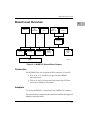
Some connection diagrams are in the Single Board Computer
Programmer's Reference Guide.
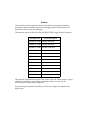
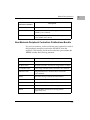
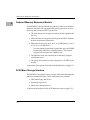
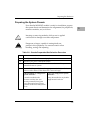
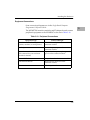
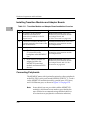
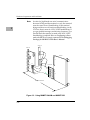
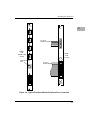
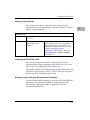
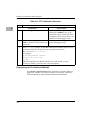
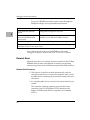
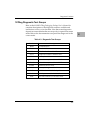
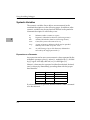
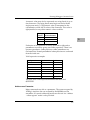
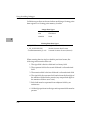
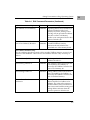
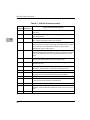
The MVME712X transition modules and P2 adapter boards connect
peripheral equipment to the MVME187 as shown in Table 3-10.
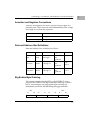
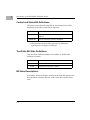
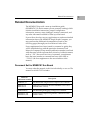
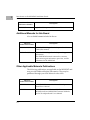
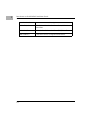
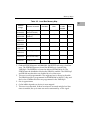
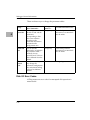
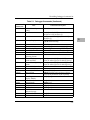
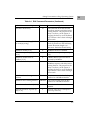
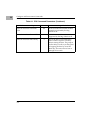
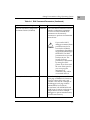
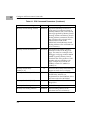
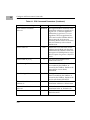
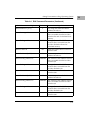
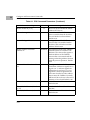
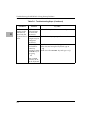
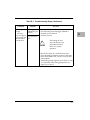
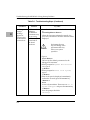
Table 3-10. Peripheral Connections
Equipment Type
Connect Through...
Console terminals, host computer
systems, modems, or serial printers
EIA-232-D serial ports on the
transition module
Parallel printers
Centronics printer port on the
transition module
Optional internal modems (see the
userÕs manual for your transition
module for details)
Optional modem port, replacing serial
port 2 on the transition module
Internal SCSI drives
Adapter board and transition module
External SCSI drives
SCSI interface connector on the
transition module
Ethernet connections
Ethernet port on the transition module
3-19
3