1
Voice Control Alarm Clock
KEI 2010
Voice Commands
4. Conversation samples by scene
User
Voice of Kei 2010(navigation voice)
【4-1. Calling of the present time 】
HELLO ! KEI.
WELCOME ! WHAT S YOUR ORDER ?
TIME
THE TIME IS 2:27 PM.
Kei 2010 returns to the waiting mode in a few minutes after the command completes.
Kei 2010 also returns to the waiting mode when time passes without sensing voice even during conversation.
This state is similarly seen in any following scene.
【4-2. Calling of the date】
HELLO ! KEI.
WELCOME ! WHAT S YOUR ORDER ?
TODAY'S DATE
TODAY'S DATE IS MONDAY, 15 MARCH, 2010.
【4-3. Calling of the set alarm time and alarm on】
HELLO ! KEI.
Alarm can be set by the
WELCOME ! WHAT S YOUR ORDER ?
manual mode.
ALARM
screen by double tapping
THE ALARM SETTING IS 6:30 AM.
(see. page 09)
Please set from setting
on the screen
THE ALARM SOUND IS ALARM 1.
*The set alarm sound sample is ringing.
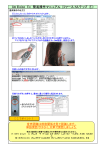
KEI 2010 changes the whole screen color to green when sound is caught.
Your voice does not reach in such case as the back screen is not bright green in spite of your talking.
Please talk close to KEI 2010 ,or in loud voice.
06