1
Preface
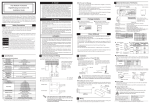
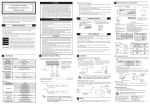
The PSS-CD01 (CD-ROM Drive Unit) is designed for use with Pro-face's Compact Panel Computer PS-3701A(EdenTM ESP6000 - 667MHz Model), hereafter
referred to as the "PS-A" and for use with PL-X920 Series units, hereafter
referred to as the "PL". While the PSS-CD01 provides a convenient way to
install software into PS-A/PL unit hard disks, it is not designed to be used outside of the development environment.
Corresponding Products: PS-3701A (EdenTM ESP6000 - 667MHz Model) unit /
PL-X920 Series unit
Pro-face is a trademark of Digital Electronics Corporation, registered in Japan and
other countries. All other trademarks/registered trademarks are the properties of their
respective owners.
!
Warning - Safety Precautions
• Be sure to check that the PS-A/PL unit’s power cord is disconnected before
installing this unit. Failure to do so may cause an electric shock.
• Do not attempt to modify or open the PSS-CD01. This may cause a fire or an
electric shock.
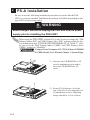
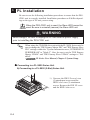
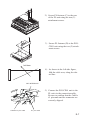
• Be sure to read the “2. PS-A Installation” or “3. PL Installation” section completely to ensure that the PSS-CD01 is correctly installed.
To Prevent Accidents
• Since the PSS-CD01 is a precision instrument, be sure it is neither hit by nor
pressed strongly against another object.
• Be sure water, liquids or metal particles are not allowed to enter the PSS-CD01
unit's connector. Any of these may cause either a breakdown or an electric
shock.
• Do not store or operate this unit in a location where there is direct sunlight,
excessive heat, dust or vibration.
• Do not store or operate the PSS-CD01 near chemicals, or where there are
chemical fumes.
• Do not use the PSS-CD01 in locations where corrosive gases are present.
• To prevent damage to file data, be sure to shut down the PS-A/PL unit's OS
before turning OFF the main power.
E-1