1
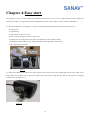
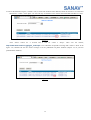
Figure 4.2.2
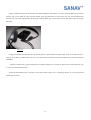
Prepare a full-subscript SIM card with pin code disabled. As the figure 4.3, press the eject button, take out the SIM card
slot and place the SIM card on the slot and slide it back with care.
Figure 4.3
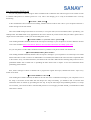
Move the WebTrac-4S to an opened space and view the clear sky. Switch the power on. First, the red LED is blinking.
When it becomes still, it means WebTrac-4S has hooked up the GSM network. About one minute later, the blue LED lights on
and it means the WebTrac-4S has GPS fixed up, as seen in the figure 4.4.
Figure 4.4
12