1
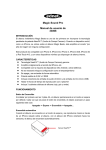
Magic Sound Pro User’s Manual 33008 INTRODUCTION The Magic Beats wireless speaker is among the firsts to use the patent pending NearFA™ (Near Field Audio) technology. When a mobile device such as an iPhone is placed on top of the Magic Beats speaker, it ‘magically’ amplifies the sound without any configuration. This product is compatible with iPhone 5, iPhone 4S, iPhone 4, iPhone 3GS, iPhone 3G and iPod Touch 4/5, and other mobile devices with an internal speaker. FEATURES Genuine NearFA™ (Near Field Audio) Technology Magically amplifies the sound from iPhone etc Supported by most iOS devices, Android and other phones No configuration such as paring is needed Automatically turns on and off Powerful output of 2.5W x 2 RMS Includes Audio in (3.5mm) and DC in (Micro USB) sockets Up to 15 hours of play time for AA batteries x 3 Accessory with 3 Pcs of classic silicon covers (Red, Grey and Green) OPERATION Power Button When 3 AA batteries are first inserted, the speaker will stay in its default Standby mode. Every-time the Power Button is pressed, the power status advances one step in a cycle as follows: Off -> Standby - > On -> Off … Auto On When the speaker is in Standby mode, if music is played while the iPhone is placed on top of the speaker with the speaker of the iPhone facing the sensors, the speaker will turn on automatically. The speaker will return to Standby mode 1 minute after the music has stopped. When using Alkaline batteries, the speaker can stay in Standby mode for over 6-months. When the speaker is in Power On mode, it will switch automatically to Power Off 10 minutes after the music has stopped. Status Blue LED Power On Lights up Power Off Off Standby Flashes once every 3 seconds (approx.) Music Playing Synchronized with the music Audio in Operation The 3.5mm jack is for optional wired audio input. Please adjust the volume of your mobile device for the right level. External DC 5V in The micro USB socket is for external power of DC 5V. When the external power is plugged in, the internal battery will be not be used. USER INTERFACE Location Description 3 Blue LED 4 Power Button 5 Micro USB DC in 6 Audio in