1
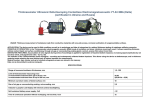
Technical description and instructions for exploitation. Getona SC-1007 The fine scale („A”) of the regulating mechanism is graduated with small and large scales. Large scales are labeled from 10 to 90 through 10, every large scale responds at 0.10 mm. Every small scale responds at 0.020 mm. The value of the rough scale („B”) is shown in a special window and it can be from 0 to 14, every value responds at the cutting depth in millimeters. A turnover from the fine scale changes the value of the rough scale with 1mm. During turning the propeller („C”) the mechanism for regulating the cutting depth clockwise increases the cutting depth, turning back-clockwise the cutting depth decreases. After regulating the cutting depth always stop the mechanism for regulating the cutting depth with the help of the stopper(„D”). Warning: After cutting always leave a part of the cut material under the mechanism or make the cutting depth 0.00 mm and fix the regulatory mechanism. If this is not done the next time the machine is switched the cutting knife can be broken or the cutting mat can be cut. Work order for cutting depth regulation: The regulation of the cutting depth is performed when the machine is switched on. Check the air pressure of the cutting tool; Take two pieces of the same type of carton you are going to use and place them one on top the other under the cutting tool; Press the Choose Depress the two cartons with your hand and press the button to open the Tool Setup Dialogue ; side of 15 mm. Alternatively, press the button to cut a square with a button to cut a circle with diameter of 10 mm.; Check the cutting. The upper carton should be fully cut while the lower carton should not be marked. If this is not so, use the regulating knob to adjust the cutting depth and check the setting again in the same manner. Press to close the dialogue. Warning: If the setting of the cutting depth is not done right you risk to damage the cutting coverage, mounted on the working table or to break the knife. Work order for creasing depth regulation: The regulation of the creasing depth is performed when the machine is switched on and after the regulation of the cutting depth: Check the air pressure of the cutting tool; Take a sheet of the carton to be used and place it under the toolhead; Switch on the vacuum to hold the carton in place; Press the Choose Press the button to open the Tool Setup Dialogue ; button to crease a square with a side of 35 mm; Check the creasing. The creasing is considered a good one if the depth of the crease is about one half of the thickness of the carton. If this is not so, adjust the creasing depth with the regulation knob; Repeat the regulation until a satisfactory result; Press MG Solutions Ltd. to close the dialogue. Page 18 of 21