1
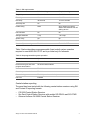
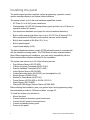
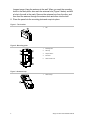
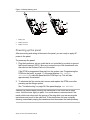
Figure 7: Backup battery pack
1.
Battery pack
2.
Battery pack lead
3.
Battery connector
Powering up the panel
After connecting and wiring all devices to the panel, you are ready to apply AC
power to the panel.
To power up the panel:
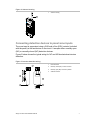
1. Plug the transformer into an outlet that is not controlled by a switch or ground
fault circuit interrupt (GFCI). Be sure to screw the top of the transformer onto
the outlet so that it doesn’t fall out of the outlet.
If the DTIM is programmed (learned) into the system (see “Programming the
DTIM into the panel” on page 11), the panel displays TEL MODULE
INITIALIZING while the panel and the DTIM sync up. This will take
approximately five minutes.
2. To eliminate the five minute wait, remove and replace the DTIM cover after
powering up the Allegro system.
See “Troubleshooting” on page 38 if the panel displays LOW BATTERY.
Caution: Be careful when securing the transformer to an outlet with a metal
cover. Hold the cover tightly in place. You could receive a serious shock if the
metal outlet cover drops onto the prongs of the plug while you are securing the
transformer and cover to the outlet box. If the panel does not have a display
showing, immediately unplug the transformer and disconnect the backup battery.
Allegro Control Panel Installation Manual
9