1
Chapter 20 Extended File System
20
EXTENDED FILE SYSTEM
Before you begin, please download a sample I-TRiLOGI program that will be referred to throughout this
manual from our website:
http://www.tri-plc.com/trilogi/ExtendedFileSystem.zip
20.1 Introduction
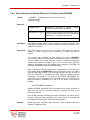
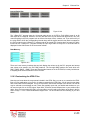
A Fx1616-BA PLC supports up to 1,740K bytes of file space that can be used for storing up to 435 web
page control files!
More importantly, a Fx1616-BA PLC can open local data files in this file space and write/append data to it.
The PLC can therefore log a large amount of data into one or more data files, which can be retrieved for
analysis anytime.
There are two ways to retrieve the stored data files from the PLC:
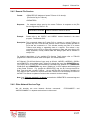
1. Download the file from the PLC’s built-in web server: The file created by the PLC can be
downloaded from the PLC’s built-in web server using any web browser. This allows the user to
access the data file at any time of the day.
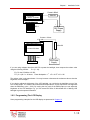
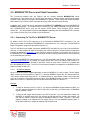
2. Automatic FTP upload from the PLC to an external web-server: You can program the Fx1616-BA
to make an FTP client connection to any web server on the local network or on the Internet/Cloud
and upload the data file it has created to the web-server using any filename.
Imagine what the Fx1616-BA can do with this new uploading capability! The ability to log data locally and
automatically upload the data to a web server transforms the PLC into a potent data-logger! The PLC
can be programmed to capture daily, weekly or monthly data and then periodically upload the data file to
an Internet web server with a unique, time-stamped filename (E.g. “temperaturelog2012-01-01.xls”).
This allows the PLC to log data completely unattended.
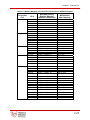
The data uploaded by the PLC to the external web server can therefore be viewed or downloaded into a
PC using any web browser, anywhere in the world. This allows you to carry out analysis of past logged
data file for performance or diagnostic analysis at any time without having to physically access the PLC to
retrieve the logged data.
20-2