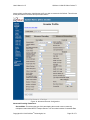
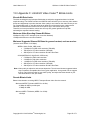
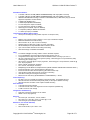
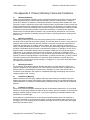
1
QVidium® TECHNOLOGIES, INC. QVidium H.264 HD Video Codecs™ For Broadcast and Professional Video Applications Model: #QVENC Encoder Model: #QVDEC Decoder Model: #QVPRO Codec User’s Manual v.15 September 12, 2014 Application Firmware Version 261 2011-2014 QVidium Technologies, Inc. 12989 Chaparral Ridge Road, San Diego, CA 92130 Phone 858.792.6407 • Fax 858.792.9131 ® ® User’s Manual v.15 QVidium H.264 HD Video Codecs™ Table of Contents 1 Introduction .......................................................................................................................... 4 1.1 Overview........................................................................................................................ 4 1.2 Network Setup ............................................................................................................... 4 1.3 Resetting Network Settings to Factory Defaults ............................................................ 7 1.4 Ping ............................................................................................................................... 8 1.5 Passwords and Security ................................................................................................ 9 1.6 Updating ........................................................................................................................ 9 1.7 System View – QVPRO ............................................................................................... 11 1.8 System View – QVENC ............................................................................................... 13 1.9 System View – QVDEC ............................................................................................... 15 2 Simplified Encoder Configuration .................................................................................... 17 3 Complete Encoder Configuration ..................................................................................... 18 3.1 Configuring the Encoder - Overview ............................................................................ 18 3.2 Encoder Configuration ................................................................................................. 18 3.3 Basic Encoding Configuration ..................................................................................... 19 3.4 Configuring Encoder Format and Bitrates ................................................................... 22 3.5 Configuring Packet Transport & Error Correction ........................................................ 22 3.6 Configuring Advanced Video Encoding Profiles .......................................................... 24 4 Encoder Operation ............................................................................................................. 30 4.1 Starting and Stopping the Encoder ............................................................................. 30 4.2 Dynamically Changing the Video Encoding Bitrate .................................................... 30 4.3 Configuring the Encoder for RTSP and Server Mode ................................................. 32 5 Decoder Configuration and Operation ............................................................................. 33 5.1 Decoding Configuration and Web Interface ................................................................ 33 5.2 Decoding Profile Settings ............................................................................................ 33 5.2.1 Video Tab .................................................................................................................... 33 5.2.2 Network Tab ................................................................................................................ 37 5.2.3 ARQ Tab ..................................................................................................................... 39 5.2.4 Server Tab................................................................................................................... 39 5.3 Starting the Decoder ................................................................................................... 39 5.4 Stopping and Reconfiguring the Decoder ................................................................... 40 5.5 Configuring Packet Transport & Error Correction ....................................................... 40 6 Transcoding ........................................................................................................................ 42 7 Importing, Exporting, & Resetting Profiles ...................................................................... 43 8 System Management ......................................................................................................... 44 8.1 Access Configuration .................................................................................................. 44 8.2 SNMP Trap Configuration ........................................................................................... 45 9 Codec Manager & System Resets..................................................................................... 46 9.1 Codec Manager ........................................................................................................... 46 9.2 Resetting the Network Parameters ............................................................................. 46 9.3 Resetting the Password .............................................................................................. 46 9.4 Re-installing the Application Software ........................................................................ 47 10 Encoding & Decoding to/from Files ................................................................................. 48 10.1 Web Interface .............................................................................................................. 48 10.2 Command-Line Interface............................................................................................. 50 11 Known Problems ................................................................................................................ 52 12 Troubleshooting & Support............................................................................................... 53 12.1 Troubleshooting – Common Problems ........................................................................ 53 12.2 Support ........................................................................................................................ 57 13 Appendices ......................................................................................................................... 58 13.1 Appendix A: Encoder Configuration Parameters ......................................................... 58 13.2 Appendix B: Decoder Configuration Parameters ......................................................... 61 ® Copyright 2011-2014 QVidium Technologies, Inc. Page 2 of 71 ® User’s Manual v.15 13.3 13.4 13.5 13.6 13.7 QVidium H.264 HD Video Codecs™ Appendix C: H.264 HD Video Codec™ Bitrate Limits ................................................. 65 Appendix D: Hints for Minimizing Bitrates.................................................................... 66 Appendix E: Technical Specifications .......................................................................... 67 Appendix F: Product Warranty Terms and Conditions ................................................ 70 Appendix G: FCC Notice ............................................................................................ 71 Note: This manual describes the combined features and capabilities of QVidium’s entire line of H.264/MPEG2 HD broadcast video networking products, models: QVPRO, QVENC, and QVDEC. Certain features may pertain to only certain products and/or options. Whereas the QVPRO combines encoding and decoding into a single product, the QVENC and QVDEC implement only the encoding and decoding functions, respectively. Thus, for sections that pertain to only a subset of these products, we note the pertinent products (QVENC or QVDEC) for which the section applies. As of the current firmware release (V.261), licenses are required to enable HD encoding on the QVENC and QVPRO. The QVENC also requires a license to enable its SDI interface. However, the QVDEC provides SDI/HD-SDI output for SD and HD video without requiring any additional licenses, dual encoding, and bi-directional operation. These licenses may be purchased separately at a later date. If you would like a demo license or to purchase license to enable any particular optional feature, please contact QVidium Technologies, Inc. Throughout this manual, unless otherwise noted, any mention of QVPRO by itself can equally apply to the QVENC and QVDEC. You can therefore substitute QVENC or QVDEC, as appropriate, for QVPRO. In addition, QVidium has partnered with EVOstream (www.evostream.com) to provide optional Web Streaming services and capabilities, including, RTMP (Flash Media), HLS, and RTSP support. Please contact EVOstream directly for more information or to purchase license keys to enable these features. ® Copyright 2011-2014 QVidium Technologies, Inc. Page 3 of 71 ® User’s Manual v.15 1 QVidium H.264 HD Video Codecs™ Introduction ® Congratulations on purchasing your new QVidium broadcast video networking product. ® QVidium H.264 HD video networking products – Front View, Clockwise from upper left: QVENC encoder, QVDEC decoder, and QVPRO codec 1.1 Overview QVidium’s collection of broadcast video network products includes the QVENC HD H.264 video encoder and its corresponding QVDEC decoder. These products are derived from QVidium’s original QVPRO HD Video Codec™ (currently available only by special order). The QVENC and QVDEC use the same video processor and same firmware as the QVPRO H.264 HD Video Codec™. The QVPRO can encode, decode, or transcode standard or high definition video using either MPEG2 (main profile) or MPEG4-AVC (Part 10, H.264 High Profile, Level 4.1) compression, and to interface a video feed from a wide range of video standards and connections for transport over nearly any IP network. The QVENC includes the encoding and transcoding capabilities of the QVPRO. However while the QVPRO has SDI and HDMI inputs, the QVENC keeps the SDI/HD-SDI/3G-SDI interface, but replaces the HDMI input with Composite and S-Video inputs. It also adds two pairs or analog audio inputs and an S/PDIF input for AC3 Dolby Digital audio. The QVDEC implements the decoding functionality of the QVPRO. However, in addition to the SDI/HD-SDI/3G-SDI and HDMI outputs, it also adds a Composite video output, 2 pairs of stereo analog audio outputs, and an S/PDIF output for AC3 audio. All of these QVidium video networking products include QVidium’s patented, advanced ARQ Error Correction and clock synchronization. In addition, they also include the option of using industry standard ProMPEG FEC, or SMPTE-2022, for compatibility with third-party products. With these advanced Quality of Service (QoS) features, the H.264 HD Video Codec™ can send video over nearly any network and across the world, including wireless connections and the public Internet, with unsurpassed video transport quality and state-of-the-art video compression for minimizing bandwidth. 1.2 Network Setup The QVPRO includes two gigabit Ethernet ports, labeled LAN1 and LAN2. The QVENC and ® Copyright 2011-2014 QVidium Technologies, Inc. Page 4 of 71 ® User’s Manual v.15 QVidium H.264 HD Video Codecs™ QVDEC only have one gigabit Ethernet port, LAN1. Although on the QVDEC and QVENC, you can add a second Ethernet interface by attaching an Apple USB Ethernet Adapter Part Number: MC704ZM/A.The factory preset IP address for LAN1 is 192.168.1.23 and for LAN2 is 192.168.10.23. Both ports have a Netmask of 255.255.255.0. By default, only LAN1 can send or receive multicast packets, but you can change this in the Network/Multicast menu. You can download and run our CodecManager application to determine or change the IP settings, even when the IP address has been reset to an unknown address. Please refer to Section 9 of this manual for configuration using the CodecManager application. WARNING: If you change the IP addresses of LAN1 or LAN2, you must make certain that they remain on different subnets. Failure to keep the IP addresses of LAN1 and LAN2 on separate subnets will confuse the operating system routing, and result in sporadic access or possibly complete loss of network connectivity. The QVENC, QVDEC, and QVPRO can also be reconfigured through a web browser when you know the IP address. For a new unit or one having the factory default IP settings, follow the steps below to reconfigure the network settings through a web browser on a computer connected to the same subnet as the Codec. 1) Point your web browser to http://192.168.1.23 NOTE: The H.264 HD Video Codec™ requires user authentication to enter the web interface. Starting with application firmware version 261, the factory preset username is “admin” and the password is preset to the serial number of your unit (found on the barcode label on the back of the unit). Please enter these settings when prompted to access the system. NOTE: Versions of the application software earlier than 261 allow you to log in with the username "root" with a password of "root". THIS HAS CHANGED STARTING WITH ALL NEW UNITS SHIPPED WITH VERSION 261. Starting with version 261 of the application software, you can NO LONGER LOG IN AS USER "root". Instead, you must log in as user "admin". If you updated to version 261 from an earlier version, the password for user "admin" is still the previously set password for the admin user, The default password for user "admin" was "admin". 2) Click on “Configure” under the “Network” menu on the left. You should see a web page similar to the following network configuration web page: ® Copyright 2011-2014 QVidium Technologies, Inc. Page 5 of 71 ® User’s Manual v.15 QVidium H.264 HD Video Codecs™ 3) Change settings as desired and click “Apply”. 4) If you change the IP address, you will need to change the URL in the web browser to point to the new address after clicking on “Apply”. The Network Configure panel allows you to modify the static IP address parameters and DNS server settings, or to have these settings automatically configured through DHCP. A Hostname panel allows you to specify the host name for use in conjunction with a DNS server to assign a predetermined IP address. ® Copyright 2011-2014 QVidium Technologies, Inc. Page 6 of 71 ® User’s Manual v.15 QVidium H.264 HD Video Codecs™ 1.3 Resetting Network Settings to Factory Defaults In case you are not able to connect to the QVENC, QVDEC, or QVPRO through the network port(s), we have provided 3 different mechanisms for resetting the IP addresses and network settings: through CodecManager, via a USB flash memory stick with the reset “autorun” script on it, and through the RS232 console serial port. Any one of these 3 methods we describe in this section will allow you to recover in case the IP address was changed or set to DHCP and you do not know its current value. CodecManager: If you have a Windows PC or a Mac running a PC emulator, you can download and run the QVidium application, CodecManager, to change or set the IP address for LAN1 (or whatever port is configured as the multicast port). You can download CodecManager from the Support page at http://www.qvidium.com. If you have more than one network adapter on your PC, you may need to select the proper Network Interface from the pull-down control in the lower left corner of the CodecManager application. Also, because CodecManager relies on low-level Ethernet-level multicasts, we recommend having both the QVPRO and your PC connected through a switch, and not via a direct Ethernet cable. If you do not see the QVPRO on CodecManager, even after clicking on the Discover button, then you should try connecting to the other LAN port on the QVPRO. If you still do not see the QVPRO, then we suggest either resetting the network interface using the USB stick method, below, or via the RS232 serial port. USB Flash Memory Stick: Using a USB memory stick, you can reset all of the network settings on the QVPRO to their factory default values. Go to http://www.qvidium.com/reset, copy the “autorun” file on a USB flash, and plug flash into QVPRO. About 30 seconds after plugging the USB stick into one of the two USB ports on the QVPRO, the QVPRO should be reset to all of its factory default IP network settings. (Please make certain that you save the autorun file as, simply, autorun. Do not add any suffixes. For example, saving the file as “autorun.txt” or “autorun.exe” will not work. Most new USB flash sticks are preformatted as FAT or FAT32. This is fine and should work. However, if your USB stick has multiple partitions or was reformatted to some other file system, we would recommend reformatting the USB stick as FAT or FAT32. The autorun file must be on the top level of the memory device, in cannot be located within a folder. RS232 Console Port: Alternatively, you can connect the Console serial port to log into the Linux shell and change the IP address or other settings. To reset the IP settings to their factory defaults, connect a PC running a terminal emulator, such we Hyperterm or TeraTerm. The serial port settings should be set to 115,200 Baud (8-N-1, no flow control). Upon power-on, you should see a stream of characters as the system is booting, ending with the console prompt “/ #”. From this prompt, type resetnetwork followed by hitting the Enter key (carriage return). If you do not see any characters during boot-up, try inserting a Null-Modem adapter between the R232 cable and the Console port. If you have experience with network monitoring software, such as Wireshark (www.wireshark.org) or Ethereal, please note that upon power-up, the Codec will emit a gratuitous ARP packet from which you can determine its IP address by looking for the ARP packets that the QVPRO generates and analyzing its contents. ® Copyright 2011-2014 QVidium Technologies, Inc. Page 7 of 71 ® User’s Manual v.15 QVidium H.264 HD Video Codecs™ 1.4 Ping and Traceroute Selecting Ping allows you to test network connectivity by sending ping packets to an address or hostname you specify. However, to use a hostname in place of an IP address, you must have configured at least one DNS server. Likewise, you can use Traceroute to ping every router along the route from the QVPRO to the IP or DNS address you specify. Traceroute is very helpful in locating instances where an ISP might employ dynamic load balancing and other routing problems that can affect the quality of the video transport. Dynamic Load Balancing occurs where an ISP might specify an alternate route to send packets to balance the load across its network. This is fine for web pages that use TCP and can ® Copyright 2011-2014 QVidium Technologies, Inc. Page 8 of 71 ® User’s Manual v.15 QVidium H.264 HD Video Codecs™ tolerate random delays. However, this can cause video streams to become mis-ordered, jumbling the video content. Using the Jitter Buffer in the QVidium decoder or ARQ software can often restore correct packet order and stream integrity, at the cost of additional delay. You can also avoid Dynamic Load Balancing by requesting MPLS (Multi-Protocol Labeled Switching) service from your ISP. 1.5 Passwords and Security The QVidium H.264 HD Video Codec™ requires a username and password to protect access to its configuration settings. This includes both Web access and Telnet or SSH access. Starting with version 261, for greater Internet security, the default user name is now “admin” and the default password is now set to the serial number for new units. Starting with version 261, root login is no longer allowed. NOTE: For older units updated to version 261, the admin password is the kept to be the same value as was previously set by the user, or the default of "admin," if the admin password was not set. You can change the password by selecting the Password menu item under the System Menu at the upper left of the Web page. (For older versions of the software, the username is "root" and the default password is "roor".) Note on Resetting Password: If you lose the password and need to reset it, you can go to http://www.qvidium.com/reset, click on Reset Password, copy the “autorun” file onto a USB flash, and plug flash into QVPRO. (File must be saved as “autorun” and not “autorun.txt”.). This will reset the admin password back to the serial number of the unit You must have physical access to the USB ports on the QVPRO to use this procedure. 1.6 Updating QVidium provides firmware updates from time to time to add new features, overcome limitations, or to fix bugs. You can find these new update packages on the QVidium Web Site under Support or by going to: http://www.qvidium.com/qvpro. QVidium provides these update as a .pkg file that you can upload into the Codec via the web browser interface. To perform an upgrade, you must perform the following steps: 1) Stop the Encoder, Decoder, and Transcoder if any of these functions are running. You can click on System/Processes to see if any of these functions are running. 2) Power cycle the system to clear memory. 3) Copy the upgrade .pkg file into a convenient location on your PC. Please follow the instructions on the Update web site to determine which of the .pkg files you need to download and use for updating. 4) Point your web browser to the Codec and click on “Upgrade” in the “System” menu. 5) Click on the “Browse” button and locate the upgrade file. 6) Click on “Upgrade” and wait for the upgrade to finish. DO NOT DISCONNECT FROM POWER OR INTERRUPT THIS OPERATION UNTIL IT COMPLETES. 7) Click on “Reboot” from the system menu to reboot the Codec. ® Copyright 2011-2014 QVidium Technologies, Inc. Page 9 of 71 ® User’s Manual v.15 QVidium H.264 HD Video Codecs™ As part of this update, the update will be stopping and restarting the HTTP Daemon in the codec. Note: Sometimes, a web browser will not be able to continue to reconnect to the new HTTP Daemon after it restarts, causing you to no longer see the update progress. If this happens, please wait 2 minutes, after which it would be safe to power-cycle the codec so that it can boot from the new update. You can then check under System/Version to confirm that you have the new firmware. ® Copyright 2011-2014 QVidium Technologies, Inc. Page 10 of 71 ® User’s Manual v.15 QVidium H.264 HD Video Codecs™ 1.7 System View – QVPRO Front View – Computer Interface ports and Indicators (All indicator lights either glow green or are off.) Ref Indicator/Switch Description 1 SDI Glows green with active SD-SDI or HD-SDI input. 2 HDMI Glows green when video input is a valid HDMI signal. 3 Power Glows green when the power is connected and unit is on. 4 Reset Various reset functions. See description in manual. Ref Port 5 USB 2 USB 2.0 Ports (external storage or LCD console). 6 Console RS-232 Console Interface via DB-9 Connector. 7 LAN LAN1 & LAN2, 10/100/1000-Base-TX Gigabit Ethernet Ports. Description ® Copyright 2011-2014 QVidium Technologies, Inc. Page 11 of 71 ® User’s Manual v.15 QVidium H.264 HD Video Codecs™ Rear View – Power, Video/Audio I/O Connectors, & RS-232 Port 1 2 2 Ref Component 3 4 5 6 7 8 9 Description 1 AC Power Auto-sense AC power input (100-240 VAC, 250-150 mA, 50/60 Hz). 2 RS-232 DB-9 RS-232 connector for future expansion. 3 DC Power 7 VDC to 20 VDC (1 to 3 Amps) alternative DC power input. 4 Error Glows red for bit or format errors in SDI input stream. 5 3G / HD / ASI Glows green to indicate 3Gbps or HD-SDI or ASI signal on SDI input. 6 SDI/ASI Input SD-SDI, HD-SDI, 3G-SDI, & DVB-ASI input with embedded audio. 7 HDMI IN HDMI HD Input. 8 SDI/ASI Output SD-SDI, HD-SDI, 3G-SDI, & DVB-ASI output with embedded audio. 9 HDMI OUT HDMI HD Output. Note: Serial number (not shown) is located above DC power connector. Important Safety Information: For PLUGGABLE EQUIPMENT, the socket-outlet shall be installed near the equipment and shall be easily accessible. CAUTION: The QVPRO Codec contains an internal 3V. Lithium battery. RISK OF EXPLOSION IF BATTERY IS REPLACED BY AN INCORRECT TYPE. USE ONLY PANASONIC CR2032 20MM COIN-TYPE BATTERY OR EQUIVALENT. DISPOSE OF USED BATTERIES ACCORDING TO THE INSTRUCTIONS. ® Copyright 2011-2014 QVidium Technologies, Inc. Page 12 of 71 ® User’s Manual v.15 QVidium H.264 HD Video Codecs™ 1.8 System View – QVENC Front View – Computer Interface ports and Indicators (All indicator lights either glow green or are off.) Ref Indicator/Switch Description 1 SDI Glows green with active SD-SDI or HD-SDI input. 2 CVBS* Glows green with a valid composite or S-Video input signal. 3 Power Glows green when the power is connected and unit is on. 4 Reset Various reset functions. See description in manual. *Note: Whether this indicates Composite (CVBS) or S-Video (Y/C) depends upon video input selection from last time encoder was started. Defaults to CVBS indicator at power-on. Ref Port Description 5 USB 2 USB 2.0 Ports (external storage or LCD console or LAN2). 6 Console RS-232 Console Interface via DB-9 Connector. 7 LAN LAN1 autosensing 10/100/1000-Base-TX Gigabit Ethernet Ports. 8 DC Power* Alternate DC power input (7 – 20 Vdc). *Note: DC Power input can be used simultaneously with AC input as an emergency backup, or by itself. ® Copyright 2011-2014 QVidium Technologies, Inc. Page 13 of 71 ® User’s Manual v.15 QVidium H.264 HD Video Codecs™ Rear View – Power, Video/Audio I/O Connectors, & RS-232 Port 1 2 2 Ref Component 3 2 4 5 6 7 9 8 10 Description 1 AC Power Auto-sense AC power input (100-240 VAC, 250-150 mA, 50/60 Hz). 2 ASI Input Optional: ASI Input with indicator LEDs for ASI daughtercard. 3 ASI Output Optional: ASI Output for ASI daughtercard. 4 Y/C (S-Video) S-Video analog video input (NTSC and PAL). 5 CVBS (Composite) Composite analog video input (NTSC and PAL). 6 Audio Inputs 3.5 mm analog audio inputs for channel ½ and ¾ stereo input pairs. 7 S/PDIF Optical digital audio input fo AC3 (Dolby Digital) audio. 8 SDI Input SDI video input, auto-detects SD-SDI, HD-SDI, and 3G-SDI input. 9 3G / HD / SD Glows green to indicate 3Gbps, HD-SDI, or SD signal on SDI input. 10 Error Glows red for bit or format errors in SDI input stream. Note: Serial number (not shown) is located above Y/C and CVBS connectors. Important Safety Information: For PLUGGABLE EQUIPMENT, the socket-outlet shall be installed near the equipment and shall be easily accessible. CAUTION: The QVENC Codec contains an internal 3V. Lithium battery. RISK OF EXPLOSION IF BATTERY IS REPLACED BY AN INCORRECT TYPE. USE ONLY PANASONIC CR2032 20MM COIN-TYPE BATTERY OR EQUIVALENT. DISPOSE OF USED BATTERIES ACCORDING TO THE INSTRUCTIONS. ® Copyright 2011-2014 QVidium Technologies, Inc. Page 14 of 71 ® User’s Manual v.15 QVidium H.264 HD Video Codecs™ 1.9 System View – QVDEC Front View – Computer Interface ports and Indicators (All indicator lights either glow green or are off.) Ref Indicator/Switch Description 1 Power Glows green when the power is connected and unit is on. 2 Reset Various reset functions. See description in manual. Ref Port 3 USB 2 USB 2.0 Ports (external storage or LCD console or LAN2). 4 Console RS-232 Console Interface via DB-9 Connector. 5 LAN LAN1 autosensing 10/100/1000-Base-TX Gigabit Ethernet Port. 6 DC Power* Alternate DC power input (7 – 20 Vdc). Description *Note: DC Power input can be used simultaneously with AC input as an emergency backup, or by itself. ® Copyright 2011-2014 QVidium Technologies, Inc. Page 15 of 71 ® User’s Manual v.15 QVidium H.264 HD Video Codecs™ Rear View – Power, Video/Audio I/O Connectors, & RS-232 Port 2 1 Ref Component 3 4 5 6 Description 1 AC Power Auto-sense AC power input (100-240 VAC, 250-150 mA, 50/60 Hz). 2 S/PDIF Output Digital audio output for AC3 (Dolby Digital) 5.1 Surround Sound 3 Analod Audio 3.5 mm stereo mini-phono output jacks for channel ½ and ¾ audio. 4 CVBS Output Composite SD analog video output (PAL or NTSC). 5 SDI Output SD-SDI, HD-SDI, and 3G-SDI output with embedded audio. 6 HDMI OUT HDMI HD Output. Note: Serial number (not shown) is located above S/PDIF optical connector. Important Safety Information: For PLUGGABLE EQUIPMENT, the socket-outlet shall be installed near the equipment and shall be easily accessible. CAUTION: The QVDEC Codec contains an internal 3V. Lithium battery. RISK OF EXPLOSION IF BATTERY IS REPLACED BY AN INCORRECT TYPE. USE ONLY PANASONIC CR2032 20MM COIN-TYPE BATTERY OR EQUIVALENT. DISPOSE OF USED BATTERIES ACCORDING TO THE INSTRUCTIONS. ® Copyright 2011-2014 QVidium Technologies, Inc. Page 16 of 71 ® User’s Manual v.15 2 QVidium H.264 HD Video Codecs™ Simplified Encoder Configuration (QVENC and QVPRO Only) The encoder is configured and operated from a web browser. These settings are stored in nonvolatile flash memory, allowing the QVPRO to recover after a power failure. This section serves as a simplified Quick-Start guide for fast and easy configuration of the encoder. For mode complete control of the encoder and access to the full range of encoder functionality, please see Section 3: Complete Encoder Configuration. 1. Enter http://<IPAddress>/encode where <IPAddress> is the IP address of the QVidium QVPRO that you want to configure. For example: http://192.168.1.23/encode if using the default address. Use username encode, and the password for the admin user (default: admin). (You can change this password from the main System/Password menu.) 2. Select the Video Input (SDI or HDMI for QVPRO, SDI, Composite, or S-Video for QVENC). Enter the desired Stream Bit Rate. (We recommend 4000000 for SD and 8000000 for HD video.) Enter the IP address of the decoder for the Destination IP address. Enter the UDP port. (We recommend 10000.) 3. Confirm that the input is active and connected and that the appropriate Link Light is lit on the front and then click on Start. For troubleshooting or verifying that the encoder has started properly, please log in to the main codec control menu using the instructions in the next section. From that main codec control menu, you can click on Encoder/Status to check the outgoing bitrate. If you suspect a problem, then please click on Encoder/Show Log. ® Copyright 2011-2014 QVidium Technologies, Inc. Page 17 of 71 ® User’s Manual v.15 3 QVidium H.264 HD Video Codecs™ Complete Encoder Configuration (QVENC and QVPRO Only) NOTE: Although the basic encoding functionality of the QVPRO and QVENC are the same, the QVENC includes some additional capabilities and improvements not available in the QVPRO. Screenshots in this chapter are taken from the QVENC, and may include some settings not found on the QVPRO. You can configure and operate the encoder from a web browser. All settings are stored in nonvolatile flash memory, allowing the encoder to recover after a power failure. This section explains how to configure the QVENC and QVPRO encoding parameters with full access to the capabilities of the encoder. 3.1 Configuring the Encoder - Overview 1. Enter http://<IPAddress> where <IPAddress> is the IP address of the QVidium QVPRO H.264 HD Video Codec™ that you want to configure. (The default address is http://192.168.1.23.) 2. Click on “Profile” under “Encoder” from the menu on the left. Then, either double-click on an existing encoder profile you wish to edit, or click on New to create a new encoder profile. The “Encoder Profile” interface should then display in the main area to the right of the menu system, as shown in Figure 1a. 3. Enter the Destination IP address and UDP port number for the decoder, media server, or network equipment that will be receiving the stream. Enter the desired Video Bit Rate (in bps), and modify the other audio and video parameters, such as Video Input, and Audio Bit Rate (in bps), to suit your needs, as shown in Figure 1a, and explained below. To enable error correction, set the IP Transport to ARQ (default). Note: For ARQ and RTP IP Transport, you may enter up to 3 different destination IP addresses, separated by commas (‘,’). The QVPRO will then send an individual copy of the video stream to each of the IP addresses that you list. 4. Press the “Save” button to save your changes. None of your changes will be saved nor have any effect unless you first save them. If you have any doubt about the parameters selected when running the encoder, you should click on Profile after saving the parameters or starting the coder to see the current operational encoder settings. These changes are stored in permanent memory and will persist even after a power failure. 3.2 Encoder Configuration As shown in Figure 1a, you can select the video input source, and set the video and audio encoding format and bitrates. For the QVPRO codec, the Video Input can be either SDI or HDMI. However, The HDMI input only works for unencrypted HD video. For the QVENC, the Video Input can be one of SDI, Composite (CVBS), or S-Video (Y/C). An HD video input will automatically be scale to SD if you do not have a license installed for the HD encoding option. The QVPRO/QVENC codec will automatically detect and adjust for the input video resolution and format (PAL vs. NTSC, ® Copyright 2011-2014 QVidium Technologies, Inc. Page 18 of 71 ® User’s Manual v.15 QVidium H.264 HD Video Codecs™ and HD vs. SD). You can also use the advanced encoding parameters (Section 3.6) to scale the video resolution and frame-rate. The QVPRO/QVENC can output the encoded video stream either as a Constant Bit Rate (CBR) IP stream, a Capped Variable Bit Rate (Capped VBR) IP stream, or a Low-Delay Variable Bit Rate (Low Delay VBR) IP stream. The default is to output a CBR stream to maintain the highest level of interoperability with third-party decoders, but you can change this under the Advanced Encoding profile. In all cases, you need to enter a desired Stream Bit Rate in the Basic Encoding profile. For CBR mode, the output stream will include about a 3% overhead of NULL packets to pad the stream in order to keep the output bit rate constant and at the selected value. For Capped VBR and Low Delay VBR, the Stream Bit Rate sets the maximum output bit rate, and the encoder only uses the amount of bandwidth that it needs to encode the video content. For either any of these three Stream Modes, the QVPRO and QVENC will automatically set an internal Video Bit Rate by subtracting from this value the Audio Bit Rate you select, and about 10% for IP packetization overhead (if IP output is selected). A VBR stream has the advantage of optimizing IP network efficiency by eliminating unnecessary null packets from the media stream. In general, the video rate may be less than this rate, depending upon video content. Thus, a VBR stream can have large variations in bit rate, but will produce a much lower average bit rate than CBR. QVidium has implemented a precision packet output control and metering mechanism, called Pacing (under the Advanced Networking encoder profile), that regulates the output timing of the IP packets to maintain a constant inter-packet spacing, thereby minimizing packet jitter to under 25ms. This helps to reduce packet loss on Internet links that limit packet bursts. It also helps with interoperability with older decoders that have very limited input buffers. This feature is on by default, but it can add ¾ second of latency or more to the stream. If low latency is required, then you can select the Low Delay VBR for the Stream Mode, which uses a different mechanism to minimize packet jitter. Note: Be aware that the user interface will not warn you if you try to enter a bit rate beyond the operating limits of the codec. For more details on the range of MPEG encoding bit rates, please see Appendix C (Section 13.3). For more information on the various video parameters (Frame Rate, Encoding, Format, Resolution, etc.) please see Appendix A (Section 13.1). For HD or SD video, you can select either MPEG2 or MPEG4-AVC (H.264) Video Encoding. Warning: By default, the SDI or HDMI video input expects to see embedded audio for the encoder to start. To encode a stream without embedded audio, please check Video Only for the Audio/Video parameter in the Advanced tab. You can also encode only audio by setting this parameter to Audio Only. For the QVENC, you also have the option of using the analog external audio inputs for the audio source to embed into the output stream. 3.3 Basic Encoding Configuration All the basic parameters you normally would need to set when creating a new encoding profile are grouped together under the Basic tab of the Encoder Profile, as shown in Figure 1a. We strongly recommend not changing any of the advanced encoder parameters unless you have carefully read this manual and you are confident of what you are doing. If you have problems with the encoder, we suggest reverting to the default advanced encoding parameters (by highlighting the profile you are using and clicking Default from the Profile panel). ® Copyright 2011-2014 QVidium Technologies, Inc. Page 19 of 71 ® User’s Manual v.15 QVidium H.264 HD Video Codecs™ Figure 1a: Basic Encoder Configuration. Below is a list of the basic encoding parameters and a short description for each setting: Output Device: The QVPRO/QVENC allows you to send the encoder’s output stream to one of several devices: a Network Ethernet port for MPEG Transport Stream (TS) over IP output; an ASI port for DVB-ASI compatible output (on QVENC with optional ASI daughter card); to a File on a USB or Network-Accessible Storage (NAS) device to record the video stream as an MPEG Transport Stream (File TS); or have the encoder simultaneously save to a file and output over IP/Ethernet by selecting File + Network. The encoder ignores the Network parameters when you select ASI or File TS as the output port for the encoder. ® Copyright 2011-2014 QVidium Technologies, Inc. Page 20 of 71 ® User’s Manual v.15 QVidium H.264 HD Video Codecs™ To record a single contiguous file larger than 4 Gigabytes, you must use an NTFS, Ext3, or networked file system. Also, if you set a Maximum File Size under the Advanced Encoding tab to a value other than Unlimited, then when a video clip exceeds this size, the encoder will automatically close the current file and start a new file. Video Input: The QVPRO has two video inputs: HDMI and SDI. The QVENC has three video inputs: SDI, Composite (CVBS), and S-Video (Y/C). The SDI input detects and automatically switches among SD-SDI, HD-SDI, and 3G-SDI signals on the same BNC input port. However, please note that at present, the HDMI input only works for HD video (1080i or 720p). For SD video (480i NTSC or 576i PAL) or 1080p (50 or 60 frames per second), you must use the SDI input. On the QVENC, the Composite and S-Video inputs only accept SD video. Stream Bit Rate: This sets the total output stream bit rate. The QVPRO/QVENC sets an internal video bit rate by subtracting the audio bit rate from the Stream Bit Rate and setting an additional margin for IP packetization. For all stream modes, the output bit rate should not exceed this value. However, there may be a variation in output bit rate of up to about 5% over the value you set. If the bit rate is too low for the video content you have, then you can expect to see pixelization and blurring of the image for scenes with high motion. Normally with the HD encoding license, the encoder will use this Stream Bit Rate regardless of whether the input is SD or HD resolution. However, under the Advanced Encoding parameters, you can set a bit rate for SD video that will automatically be used when you switch the input to an SD feed. For HD feeds, the encoder would otherwise use the basic Stream Bit Rate. In this way, the encoder can automatically switch between HD and SD video encoding, with appropriate bit rates to match, by simply changing the SDI input signal. Video Encoding: You can select primarily between H.264 encoding (selectable profile and level, High Profile by default) and MPEG2 (Main profile). H.264 requires about ½ to 1/3 of the bit rate for comparable video quality versus MPEG2. Audio Bit Rate: This sets the total bit rate for the combination of the 2 audio channels (left and right channels of a single audio pair). (The default of 160Kbps actually produces the same TS Stream Bit Rate as setting the audio bit rate to 128Kbps because of size constraints for audio packet sizes that must fit within a fixed TS packet size.) Audio Encoding: You can select among MPEG1/Layer2 and MPEG2 AAC audio encoding formats on the QVPRO and QVENC, and also AC3 Pass-though on SDI and AC3 Passthrough on Optical for the QVENC. For speech and verbal content, and to maintain the rd highest level of 3 party compatibility, we recommend the default of MPEG1/Layer 2. For high fidelity audio, such as music or concerts, we recommend MPEG2 AAC. In addition, the QVENC and QVDEC support Dolby® Digital (also known as AC3) pass-through operation selectable via either an external S/PDIF connector or embedded SDI audio. AC3 provides Surround Sound 5.1 audio (5 channels plus one subwoofer channel), also known as Dolby Digital. Audio Sampling Rate: The default is a 48KHz audio sampling rate. For SDI I/O, 48KHz is required as part of the SMPTE 259M standard. We recommend keeping this default value when using the SDI video input. Higher sampling rates preserve higher audio frequencies. IP Transport: The QVPRO/QVENC offers 3 choices: ARQ, RTP, and UDP. ARQ and RTP all output UDP/IP packets with RTP headers. UDP transport encapsulates the MPEG Transport Stream as the UDP/IP packet payload without the RTP data header. With the Evostream Media Server (EMS) license, the QVENC supports RTSP, RTMP (Flash Media), and HLS transport formats. Enabling ProMPEG FEC (SMPTE-2022) adds a ProMPEG option. ® Copyright 2011-2014 QVidium Technologies, Inc. Page 21 of 71 ® User’s Manual v.15 QVidium H.264 HD Video Codecs™ Destination IP or Multicast Address: By default, this field is left blank. In order to create a valid encoder profile, you must supply at least one valid IP address. This can either be a unicast or a multicast IP address. In ARQ mode for IP Transport, you can also supply up to 4 IP addresses, separated only by commas (‘,’), no spaces. UDP Port: Enter the UDP port for the output audio/video transport stream. The default is 10000. If the decoder is behind a firewall, you must open the firewall to port-forward packets on this port to the internal IP address of the decoder. ARQ Port: The default is 10000. If you are using ARQ, we recommend keeping this value the same as the UDP port. This is the port that the ARQ error correction uses for sending upstream (from the decoder to the encoder) missing-packet re-send requests to the encoder. By using the same port as the outgoing UDP port, it allows you to not have to worry about configuring port forwarding for any firewalls on the encoder-side of the network. Note: Please remember to always hit the SAVE button after making any changes or your changes will be lost. You must also restart the encoder with the updated profile for these changes to take effect. 3.4 Configuring Encoder Format and Bitrates The QVidium H.264 HD Video Codec™ includes a video scalar on the input and can encode all standard broadcast resolutions as either MPEG4-AVC (H.264) or MPEG2. It can scale a high definition (HD) video input to standard definition (SD), or can encode HD video up to 1080p60 (1920x1080 resolution at 60 frames per second, Level A and Level B). You can change the encoded output video resolution and frame rate using the corresponding parameters under the Advanced Encoding tab. Without an HD encoding license, it will automatically scale am HD video input to SD. To produce the highest quality video with the least amount of bandwidth, storage space, and lowest delay, you may choose to select H.264 encoding format, and select Capped VBR streaming mode under the Advanced Encoding profile. However, since VBR mode can cause problems with certain decoders, the encoder defaults to CBR mode. Note: If you require an accurate Stream Bit Rate, please check the bit rate in the Status page and adjust the Stream Bit Rate as necessary, since the actual output bit rate may exceed the specified value by several percent. 3.5 Configuring Packet Transport & Error Correction The QVidium H.264 HD Video Codec™ features some of the most powerful and advanced error correction capabilities found in any video over IP product. The QVidium H.264 HD Video Codec™ implements QVidium’s patented ARQ error correction and clock synchronization (US Patents #7,551,647 and #7,522,528) for the most robust video transmission with the lowest delay. QVidium’s ARQ (Automatic Retransmission Request) is a dynamically responsive feedback error correction mechanism designed specifically to enable the highest quality video transport over wireless networks and the Internet. ARQ senses packet loss at the receiver and requests replacement packets from the server. ARQ can provide nearly flawless reproduction of a video stream even through extremely lossy or congested networks. The QVENC H.264 HD Video encoder and QVPRO H.264 HD Video codec minimize network bandwidth and loading due to the high efficiency of H.264 encoding and ARQ video transport. The HD Video Codec™ implements MPEG4-AVC (H.264) High Profile (up through Level 4.1) video encoding, providing advanced coding techniques in hardware, such as CABAC processing, not ® Copyright 2011-2014 QVidium Technologies, Inc. Page 22 of 71 ® User’s Manual v.15 QVidium H.264 HD Video Codecs™ normally found in other MPEG4 codecs. In addition to Constant Bit Rate mode of operation, the QVENC and QVPRO encoder also features variable bit rate (VBR) transport, which strips out unnecessary null packets from the video transport stream to minimize network loading. The QVENC/QVPRO supports QVidium’s patented ARQ error correction. ARQ is a robust feedback-based error correction that can successfully recover nearly all packet loss, even in harsh network environments. However because of support for CBR, the QVENC/QVPRO also implements SMPTE-2022 (ProMPEG) Forward Error Correction (FEC). Because the ProMPEG FEC specification does not support VBR streams, you must use CBR mode when using ProMPEG FEC. However, as FEC cannot anticipate varying network conditions nor correct many common forms of packet loss, for the most effective error correction, we suggest using ARQ wherever possible. (SMPTE-2022 is available upon request from QVidium as an unsupported option. There is no extra charge for a QVPRO or a QVENC having a permanent QOS (ARQ) license.) In contrast with FEC, QVidium’s ARQ is a feedback mechanism that detects packet loss at the receiver and requests the retransmission of only those lost packets from a video source. A userconfigurable buffer at the receiver (decoder) delays the video stream just long enough to allow the system to replace any missing packets and re-insert them in their proper order without disturbing play out of the video stream. Because ARQ senses actual packet loss, rather than attempt to predict packet loss, it can precisely and completely restore all lost packets without disturbing timing of the video play out. In contrast to FEC, ARQ can successfully recover lost packets regardless of the magnitude or pattern of the packet losses, provided that the network connection has enough capacity to send both the original video stream and the replacement packets. ARQ shares similarities with robust packet transport protocols, such as TCP/IP in that both use feedback to create robust network packet transport. However TCP/IP uses a sliding window that limits the number of packets that a source can have in transit and requires a positive acknowledgement for each window of packets. This limits TCP’s throughput, especially over links with long latencies. Furthermore, under heavy loss conditions, TCP/IP scales back the data transmission rates and provides no concise deadlines or constraints on packet delivery times. For real-time video, this limits the usefulness of TCP/IP, making it unacceptable for low-latency uses. In contrast with TCP/IP, QVidium designed its patented ARQ error correction specifically for live, interactive, real-time video and audio signals to automatically recover nearly all lost packets with minimal latency and over nearly any link loss conditions. It adds a small configurable amount of delay to the network transport in exchange for significantly improving the robustness and reliability of video transport. This section explains how to configure the video transport capabilities of the QVPRO H.264 HD Video Codec™ and how to enable ARQ error correction. 3.5.1 Configuring Video over IP Network Parameters To configure the IP network parameters, within the Network Parameters section of the encoder profile, select among ARQ, RTP, ProMPEG FEC, or UDP packet transport. Also, specify the destination IP address and UDP port number. The destination IP address may be a multicast or a unicast IP address. Note: For ARQ IP transport, you may specify up to 4 comma-separated destination IP addresses for sending copies of the output to multiple destinations. For more than 4 output copies of a stream, either use a multicast address (and UDP or RTP transport) or contact QVidium for a QVARQ-TxRep QoS Proxy server. The encoder encapsulates the video and audio signals as UDP packets in all cases, regardless of the type of packet transport you select. Specifying UDP eliminates the RTP header and encapsulates the encoder’s multiplexed MPEG-2 transport stream directly as the payload of the ® Copyright 2011-2014 QVidium Technologies, Inc. Page 23 of 71 ® User’s Manual v.15 QVidium H.264 HD Video Codecs™ UDP packet. All the other transport selections add an RTP header to the UDP packet stream. The RTP header adds a timestamp and packet sequence number before inserting the MPEG-2 transport stream packets into the RTP/UDP/IP packet payload. All of these transport types insert an integral number of 188-byte MPEG-2 transport stream packets into the packet payload as specified by the TS packets per IP packet parameter. The IP encapsulation adheres to the IETF/RFC 2733 standard for video over IP that specifies that the packet payload must comprise an integral number of whole MPEG-2 transport stream packets within an RTP header, so all transport types, aside from UDP-only, are compatible with the ProMPEG Forum’s standard, SMPTE-2022, and the IETF/RFC 2733 standard. 3.5.2 Error Correction - ARQ: Automatic Retransmission Request To enable Automatic Retransmission Request (ARQ), you must first select ARQ transport from the Profile dialog. ARQ transport must also be enabled at the decoder. With ARQ selected and the encoder started, the encoder will begin to save outgoing packets for later retransmission, when necessary. Normally, the ARQ port should be set to the same value as the outgoing UDP port for the video stream, with a default value of 10000. This will allow the upstream ARQ retransmissionrequest packets to travel back through most encoder-side firewalls without requiring any special configuration at the encoder-side firewall. If you use a different ARQ port than video UDP port, then you must also be certain to configure any encoder-side firewalls to allow the upstream ARQ retransmission request packets through to the encoder. You may change the value of the ARQ port, but the ARQ and UDP port settings must match on both the encoder and decoder. At the receiver, the ARQ error correction mechanism first buffers incoming packets in a synchronized network de-jitter buffer that maintains a constant, configurable delay for incoming packets. The de-jitter buffer processes RTP sequence numbers and reorders packets as necessary to restore proper packet sequence and to buffer against erratic network delays. Its goal is to output a smooth, consistent flow of packets with increasing sequence numbers. This output feeds the ARQ error correction mechanism. The ARQ unit at the receiver watches for gaps in RTP sequence number from the de-jitter buffer output, and immediately sends out retransmission requests when necessary. Incoming retransmitted ARQ packets bypass the de-jitter queue and find their correct place in the ARQ buffer, so that by the time packet are output by the ARQ buffer, the ARQ error correction mechanism should no longer contain any missing packets. When the encoder and decoder are both started, the decoder automatically measures the roundtrip delay and packet jitter to the encoder and automatically configures ARQ for optimal operation according to a few basic user-specified parameters, as described in Section 3.5.2. Note: For testing ARQ error correction, select ARQ transport at both the encoder and decoder and use the default ARQ parameters at the decoder (receiver). 3.6 Configuring Advanced Video Encoding Profiles The encoder has a set of advanced configuration settings, configurable from the Advanced Encoder Profile tab, as shown below in Figure 1b, and from the Advanced Network Profile tab as shown in Figure 1c. The Advanced Encoding tab divides these parameters into 4 sections: Audio/Video Encoding parameters, Control parameters, Output parameters, and File parameters. All advanced IP/Ethernet network settings are located under the Advanced Network tab. Warning: Some combinations of parameters can cause the encoder to malfunction. QVidium does not test, nor can it support, all possible combinations of parameters. Instead, we allow users the flexibility of setting these parameters to suit their needs, and make the decision for themselves as to whether the resulting operation meets the needs of an application. To get the system into a ® Copyright 2011-2014 QVidium Technologies, Inc. Page 24 of 71 ® User’s Manual v.15 QVidium H.264 HD Video Codecs™ known reliable configuration, highlight the profile you wish to reset and click Default. This will reset all the parameters to a known set of pre-tested values. Figure 1b: Advanced Encoder Configuration. Advanced Encoding Parameters: Stream Mode: This selects the type of bit-rate shaping the encoder uses to create the multiplexed audio/video MPEG Transport Stream. You can select between Constant Bit Rate ® Copyright 2011-2014 QVidium Technologies, Inc. Page 25 of 71 ® User’s Manual v.15 QVidium H.264 HD Video Codecs™ (CBR), which is now the default, Capped Variable Bit Rate (Capped VBR), and Low Delay VBR. MPEG compressed video normally arrives in bursts. CBR inserts extraneous null data to fill the gaps and maintain a constant bit rate for the output stream. This helps maintain interoperability with legacy video decoders. In Capped and Low Delay VBR, the Stream Bit Rate only sets a peak value for the output, and the encoder does not add any padding to the stream, making it more bandwidth efficient. Closed Caption (CC): This allows you to select whether Closed Captions are passed-through into the output stream, and the type of Closed Captioning, You can select among Line 21, CEA-608 and CEA-708. For CEA-608 or CEA-708, the QVENC will add Closed Caption data from the Vertical Ancillary Data (VANC) in the SDI input. (CEA-608 and CEA-708 are not available on the QVPRO.) DTS delay from PCR: The DTS (Decode Time Stamp) delay from PCR (Presentation Time Stamp) sets the delay (in milliseconds) from after the PCR until the decoder outputs a frame. This is only important in Low Delay mode, and allows you to further reduce the end-to-end latency. However, this delay also serves to buffer video to help the decoder handle complex video. So, too low a value will cause the jerky video. Audio/Video: Normally for outputting a stream containing both audio and video, leave this at “Both”. For encoding a video input without embedded audio, set this to Video Only. You can also discard the video stream and only transmit audio by setting this to Audio Only. Analog audio 6dB attenuate input (QVENC): Setting this to Yes adds 6dB of attenuation to the analog audio signal. (The default is No.) Analog audio for SDI input (QVENC): Setting this to Yes will embed the audio from the analog input instead of trying to use audio embedded in the SDI signal. Note: For SDI input without embedded audio, the encoder will not start with Audio/Video set to Both. This must be set to Video Only for the encoder to start, or alternatively on the QVENC, you can set Analog audio for SDI input to Yes. SD-SDI Bit Rate: When set to a non-zero value, the encoder will use this bit rate when the SDI input is standard definition (SD-SDI). However, for an HD-SDI input, the encoder will encode using the Stream Bit Rate from the Basic Profile. This makes the encoder automatically switch bit rates when the input is switched between SD and HD, without user intervention. When set to zero (the default), this parameter is ignored and the encoder will use the Stream Bit Rate specified in the Basic profile, regardless of the input signal resolution. Audio Channels: By default, the encoder encodes a single stereo pair, 2 audio channels. However, setting this to 4 will cause the encoder to encode 2 stereo pairs, 4 audio channels. Fixed Audio PES: Setting this to Yes can reduce the bit rate overhead. Because this feature has not yet been thoroughly tested, we recommend using the default value of No unless you must minimize the encoder's the output bit rate. Video Filtering: Enabling this pre-filter to the video input may improve encoding efficiency. For the most accurate color rendition, we recommend disabling this filter. (The default is On.) Video Sharpness: Allows you to adjust the encoded video sharpness. Video Frame Rate and Resolution: Normally, the encoder automatically detects the frame rate and resolution of the video input signal. Setting these values allows you to override the original input signal to reduce the frame rate and/or resolution, enabling very low output encoding bitrates, such as for broadband wireless connections. D1/Half/CIF/QCIF Progressive Output: Setting this to Yes will cause the output stream to progressive scan, even if the input was interlaced. This may improve the video quality for lower-resolution video. Video Aspect Ratio: This sets a bit in the video stream to tell the display device what output aspect ratio to display. ® Copyright 2011-2014 QVidium Technologies, Inc. Page 26 of 71 ® User’s Manual v.15 QVidium H.264 HD Video Codecs™ Number P Frames: This sets the number or Predictive frames in the Group-of-Pictures (GOP). Unless you need a specific GOP, you should set this to Auto. Number B Frames: This sets the number of Bi-Directional frames in the GOP. Unless you need a specific GOP, you should set this to Auto. The GOP can be calculated by the formula: GOP = (P+1)*(B+1). Thus, for all I-Frames (GOP=1), you would set P=0 and B=0. For Baseline Profile, the B parameter is ignored (internally set to 0). MPEG4 Profile and Level: This sets the H.264 profile and level. Auto uses the best possible encoding for the given parameters. Use this for backward compatibility with decoders that cannot handle the more advanced encoding features. If you see jerky video on a decoder and there is no packet loss and the CPU is not overloaded, then you may want to try lower values for these settings. Control Parameters: Error Handling (IP output only): Enable this feature when high reliability is required. When set to Reboot or Restart, this feature starts a supervisory monitoring process that will reboot or restart the encoder when the encoder halts for any reason. Restarting the encoder is very fast (less than a second), but may not recover from all types of errors. Restarting can take up to 23 seconds, but will recover from nearly any error. Resync SDI and Resync HDMI: Forces the encoder to restart when detecting lose of lock on the specified input signal. Enable if encoder loses sync when the input is interrupted. This feature is no longer necessary for the QVPRO and can be set to No. Dynamic Bitrate: This is an experimental that causes the operating system to limit the peak output bit rate of the Ethernet port(s) to a value 20% higher than the Stream Bit Rate. By default, the OS limits the output peak bit rate to 40 Mbps. For most networks, there is no need to further limit the output using this parameter, and enabling this feature can cause use of the web interface and other functions to interfere with the video output. Output Parameters: Program, PMT, Video, Audio, and PCR PID: Changing these values changes the values for the respective PIDs. Service Name and Service Provider: Filling in either or both of these values will cause a Service Description Table (SDT) to be inserted in the transport stream with the specified values. File Output Parameters: File Name and File Size Max (Bytes): These parameters only apply when writing the output stream to a file (File TS and Network+File). When writing an unlimited, continuous video stream, the File Size Max parameter invokes a stream segmentation mechanism that breaks the output files into series of files, each limited to the size specified by this setting. This can be useful for indexing the video stream. It also helps when writing to a FAT32 (MSDOS) file system, which has a 4 Gigabyte limit on the maximum file size. In addition, the current version of the firmware does not support MP4 files larger than 4 Gigabytes. Setting this to “Unlimited” disables this mechanism, resulting in a single large output file. Overwrite: By default, the encoder adds a timestamp to the file name when recording the output to a file. This insures that restarting the encoder will not over-write the file. Setting this to No will not add the timestamp and will cause the output file to be over written when restarted. ® Copyright 2011-2014 QVidium Technologies, Inc. Page 27 of 71 ® User’s Manual v.15 QVidium H.264 HD Video Codecs™ Network Parameters: TS packets per IP packet: This sets the number of 188-byte MPEG-2 transport stream packets per UDP/IP output packet payload. The default of 7 sets the payload to 1316 bytes, minimizing the IP packetization overhead. A lower value results in a higher output packet rate. Use Bandwidth Ceiling: This is an experimental parameter that causes the operating system (OS) to limit the total outbound Ethernet traffic to 20% over the Stream Bit Rate. (By default, this feature is disabled and set to No.) Because the Bandwidth Ceiling limits the total aggregate traffic that the Ethernet port transmits, then accessing the web interface with this feature enabled can impair the output video stream. Even with this feature disabled, the OS limits the output bit rate to 40 Mbps, which is sufficient to limit output bursts to a level that most networks can handle without affecting the video stream, so enabling this lower limit is generally not necessary.. TOS (Type-of-Service): This sets the TOS byte of the IP packet header. The default is 0. Send SAP Announcement and SAP Session Name: Session Announcement Protocol or SAP sends a broadcast packet so that SAP-enabled decoders and viewers (such as Elecard Player from www.elecard.com) can maintain a list of currently playing video feeds, to allow you to more easily manage and choose among multiple program feeds. You can supply a short description of the video feed as the SAP Session Name. This only works for multicast RTP streams. Insert Metadata and Metadata UDP Port: Metadata is user-generated data that you can supply and insert into the MPEG2 Transport Stream. When enabled, the QVPRO will listen for UDP packets on the specified metadata UDP port and insert the payload of these packets into the MPEG2 Transport Stream. Sequence 0xFFFF work around: This is a work-around to overcome a bug in some satellite systems that might otherwise drop packets with a certain data pattern. If you see unexplained packet loss at regular interals, then enabling this feature might eliminate that problem. Optionally output … as a UDP stream: This feature allows you to send a copy of the ARQ output stream as a local UDP stream. This allows for local monitoring of the encoder’s output, including as a UDP multicast. You can specify both an independent UDP/IP destination address and an independent port number for this copy of the output stream. WARNING: DO NOT ENTER THE SAME IP ADDRESS AS THE “DESTINATION IP ADDRESS”. Doing so will send two conflicting streams to the decoder. PLEASE LEAVE THIS IP ADDRESS FIELD BLANK UNLESS YOU INTEND TO USE THIS FEATURE. ProMPEG FEC (optional): For legacy compatibility, the QVPRO can add ProMPEG Forward Error Correction (Release 3.2, Annex B), part of the SMPTE-2022 standard, to the output stream as an alternative to ARQ. These settings allow for setting of the FEC parameters. Because ARQ is feed-back based, it is significantly more effective than FEC. ® Copyright 2011-2014 QVidium Technologies, Inc. Page 28 of 71 ® User’s Manual v.15 QVidium H.264 HD Video Codecs™ Figure 1c: Advanced Encoder Network Configuration. ® Copyright 2011-2014 QVidium Technologies, Inc. Page 29 of 71 ® User’s Manual v.15 4 QVidium H.264 HD Video Codecs™ Encoder Operation (QVENC and QVPRO Only) This section explains how to operate the Codec as a video encoder. Once the encoder has started, you can also change the audio attenuation and gain settings and dynamically change the video encoding bit rate. 4.1 Starting and Stopping the Encoder Enter http://IPAddress where IPAddress is the IP address of the encoder. 1. Select the Encoder menu on the left side of the web page. 2. Click the Start menu option underneath the Encoder menu. With only a single profile, the encoder should now start. If you have more than one profile, then double-click on the desired profile to start the encoder. 3. To confirm that the encoder has started, click on Status and confirm that the Bit Rate is non-zero. If you have trouble starting the encoder, please check that the appropriate link light for the input you are using is on at the front of the codec. If not, then check your source. For SDI, please check that the red error LED at the back of the codec is off. For HD-SDI, 3GSDI, and ASI inputs, please check that the appropriate green LED at the back of the codec is lit. 4. If these indicators look ok, then click on Show Log to check the log file. Near the end of that page you should see the line, “Start encoding OK”. If the video source is absent or invalid, the last line of the log may read: “Video NOT locked: waiting for valid input”. Note: To comply with copyright laws, the codec will not encode HDMI input with encryption. Also, the HDMI input cannot currently handle SD video, only HD resolutions. 5. Likewise, click on Stop to stop the encoder. If the encoder is running, you can edit the parameters and click on Start to restart the encoder with the new parameters. There is no need to first stop the encoder since the Start command first performs a Stop operation. Note: If you wish to reconfigure the encoder, remember to first Save any configuration changes before restarting the encoder. 4.2 Dynamically Changing the Video Encoding Bit Rate Once encoding has begun, you can instantaneously vary the video encoding bit rate for VBR streams. This can be useful when connecting to wireless modems and other network connections with limited, but unpredictable, time-varying throughput characteristics. As described in this section, we provide several mechanisms for dynamically adjusting the video encoding bit rate. In particular, this can allow a modem to feed back link throughput constraints directly to the encoder to dynamically optimize video quality over such bandwidth-constrained networking links. Note: At present, this feature is only supported for VBR (variable bit rate) streams. ® Copyright 2011-2014 QVidium Technologies, Inc. Page 30 of 71 ® User’s Manual v.15 QVidium H.264 HD Video Codecs™ 4.2.1 URL Control There are 2 URLs, one to get the current video bitrate and a second url to set the video bitrate. These URLs return plain text (no HTML) to simplify parsing. The "Encoder->Bitrate" link in the web UI allows you to set the video bitrate with a browser. /cgi-bin/encoder_bitrate2.cgi: Gets the current video bitrate. Returns VIDEO_BITRATE=xxxxxxx, where xxxxxxx is the current bitrate. /cgi-bin/encoder_bitrate2.cgi?VIDEO_BITRATE=xxxxxxx: Sets the video bitrate where xxxxxxx is the desired bitrate. Returns VIDEO_BITRATE=xxxxxxx where xxxxxxx is the bitrate that was set. The maximum video bitrate is 25000000. Examples of using the wget command. The initial bitrate was 23Mbps. $ wget -q -O - http://root:[email protected]/cgi-bin/encoder_bitrate2.cgi VIDEO_BITRATE=23000000 $ wget -q -O - http://root:[email protected]/cgi-bin/encoder_bitrate2.cgi?VIDEO_BITRATE=9000000 VIDEO_BITRATE=9000000 $ wget -q -O - http://root:[email protected]/cgi-bin/encoder_bitrate2.cgi VIDEO_BITRATE=9000000 $ wget -q -O - http://root:[email protected]/cgi-bin/encoder_bitrate2.cgi?VIDEO_BITRATE=500000000 VIDEO_BITRATE=25000000 4.2.2 Command-line Control The program, /qvidium/qvctrl, allows you to communicate with the encoder via a command-line interface, such as telnet, ssh, or the RS-232 Console port. This allows you to dynamically and seamlessly change the encoding bitrate and format, while the encoder is running. The first argument is always /dev/qvencode1, The second argument is "get_videobitrate" or "set_videobitrate BITRATE", or “set_outputformat FORMAT”. Here BITRATE is the desired new bitrate, in bits per second. The maximum bitrate is 30000000 (30 Mbps, UDP only). FORMAT is one of: 1080i59.94|1080i50|720p59.94|720p50|480i59.94|576i50|240p30. The set_videobitrate command always returns VIDEO_BITRATE=xxxxxxx where xxxxxx is the current bitrate. The set_outputformat command always returns OUTPUT_FORMAT=YYYxZZZ, where YYYxZZZ is the new video format. Here are some examples: [QVPRO.qvidium.com]$ /qvidium/qvctrl /dev/qvencode1 "get_videobitrate" VIDEO_BITRATE=4000000 [QVPRO.qvidium.com]$ /qvidium/qvctrl /dev/qvencode1 "set_videobitrate 2000000" VIDEO_BITRATE=2000000 [QVPRO.qvidium.com]$ /qvidium/qvctrl /dev/qvencode1 "set_videobitrate 8000000" VIDEO_BITRATE=8000000 [QVPRO.qvidium.com]$ /qvidium/qvctrl /dev/qvencode1 'set_outputformat 480i59.94' OUTPUT_FORMAT=720x480i30 [QVPRO.qvidium.com]$ /qvidium/qvctrl /dev/qvencode1 'set_outputformat 1080i59.94' OUTPUT_FORMAT=1920x1080i30 [QVPRO.qvidium.com]$ /qvidium/qvctrl /dev/qvencode1 'set_outputformat 240p30' OUTPUT_FORMAT=352x240p30 ® Copyright 2011-2014 QVidium Technologies, Inc. Page 31 of 71 ® User’s Manual v.15 QVidium H.264 HD Video Codecs™ 4.3 Configuring the Encoder for RTSP and Server Mode Note: These functions have been disabled in the current release, but may be re-instated by special request. Please contact QVidium support at [email protected] if you require either of these modes of operation. For RTSP operation, we recommend contacting EVOstream (www.evostream.com) and purchasing an optional license for their package of RTMP, HLS, and RTSP protocols. For Server Mode, we recommend deploying an external PC running our QVidium Media Server software, since the QVPRO/QVENC can only support outputting a limited number of streams as a server. After clicking on Start under the Encoder menu, the configuration we had described in section 2.1 will immediately begin to send out a continuous video stream of UDP/IP packets, optionally encapsulated with RTP headers, to the destination address. However, the QVPRO also has two alternate modes of operation that allows a remote Decoder, such as another QVPRO code, an Amino Set-top box configured with QVidium software, or the QVidium StreamViewer application, to initiate the video stream. These modes are: RTSP and Server Mode. 4.3.1 RTSP Mode Real-Time Streaming Protocol, or RTSP, is a common and widely used protocol for controlling a video stream. The free, unsupported version of RTSP is only known to work with VLC. For a supported version of RTSP that works with a much wider variety of decoders, please contact www.evostream.com for the EVOstream add-on to the QVENC and QVPRO. To set up the QVPRO or QVENC codec for the unsupported version of RTSP operation to a computer running VLC, for example, you can use the following procedure: 1. On Encoder Profile select RTSP IP Transport on the Basic tab. 2. Click Save and then click Start. 3. From VLC (www.videolan.org) : a) Select ‘Open Network Stream...’ from the 'Media' menu. An 'Open Media' dialog should display. b) On the dialog, select 'RTSP' from the 'Protocol' drop down list. c) Enter "192.168.1.23/vox.mpg&xcode=0&input=0" in the 'Address' field. (Substitute 192.168.1.23 for the actual IP address of your codec.) d) Click on the 'Play' button in VLC. A green screen from VLC usually means the decoder is not receiving IP packets. On the decoder menu you can click 'Status'. That will tell you if you are receiving bits. Also on the Encoder you can click on 'Status' from the Encoder menu to see if the encoder is sending bits. On both systems there is a 'Show Log' menu option that may help debug the setup if it is not working. 4.3.2 Server Mode QVidium also has its own Server Mode that allows a QVidium decoder device or application to remotely start a QVidium encoder and initiate a video stream. On the QVPRO, simply leave the Destination IP Address blank and Start the encoder. This will cause the encoder to listen for a start packet from the decoder. On a QVPRO Decoder, click ‘Enable’ under the Decoder’s Server tab and enter the IP address of the QVidium encoder. When you click Start on the Decoder, the decoder will send an IP packet to the encoder to initiate a video session. Note: In server mode, you must use ARQ for the IP Transport and use a different port for the ARQ port than for the UDP port. ® Copyright 2011-2014 QVidium Technologies, Inc. Page 32 of 71 5 Decoder Configuration and Operation (QVDEC and QVPRO Only) As with the encoder, the decoder can be configured and operated from a web browser. This section describes how to configure and operate the decoder. 5.1 Decoding Configuration and Web Interface To configure the decooder, you must use the web interface to edit the decoding profile. Enter http://IPAddress where IPAddress is the IP address of the decoder. For example, http://192.168.1.23. 1. (QVPRO Only) Unless you have the BiDirectional feature installed, make certain that the encoder is stopped (as explained in Section 4.1) before starting the decoder. 2. Select the Profile menu option underneath the Decoder menu. For a new decoder, or if you have not saved any decoder profiles yet, click on New or Import to create a new decoder profile. 3. Highlight the desired decoder profile, and either double-click it or click Edit to modify it. To reset a profile to factory defaults, click on Default. A Decoder Profile interface should display in the main area to the right of the menu system as shown in Figure 3a through 3c, below and in Appendix B. 4. Edit the decoder profile. Three tabbed forms together comprise the complete decoder profile. These 3 forms, shown in Figures 3a through 3d, allow configuration of: video parameters, network configuration, ARQ error correction setup, and configuration of a remote QVidium video server, respectively. Please refer to Appendix B for a detailed description of each of these parameters. 5. Press the Save button to save your changes. If you don’t click Save, then your changes will be ignored. 5.2 Decoding Profile Settings The decoder profile allows you to select an input port, and configure settings on 4 tabbed pages related to: the Video stream, the Network interface, the ARQ error correction, and when receiving a video stream from a video Server. For the QVPRO only: The Input parameter configures the decoder to either receive a video stream from an IP/Ethernet port in Network mode (default), or from the DVB-ASI input port when in ASI mode. (In ASI mode, the Network, ARQ, and Server parameters are all ignored.) 5.2.1 Video Tab Program: For an MPTS feed, the Program setting allows you to select a particular program from within the stream. By default, the decoder selects the first program in the stream. The PMT table in the transport stream lists all the programs in the stream in a particular order. The Program setting lets you chose another program according to its order in the Transport Stream, which also is its order as listed in the PMT. Please note that the value you specify is not the Program Number of the stream, but just the order in which the program appears in the stream. Unless you are receiving a Multi-Program Transport Stream (MPTS), that is, a video stream containing multiple programs, you should leave this at the default of Auto (0). ® User’s Manual v.15 QVidium H.264 HD Video Codecs™ Figure 3a: Decoder profile: “Video Tab” Output Resolution and Format (default: 1080i59.94): The QVPRO/QVDEC includes a powerful video scalar that can scale the decoded video to a wide range of standard video resolutions and frame rates, including up-scaling an SD format to HD or converting NTSC to PAL. Set the frame rate and resolution using the Output Resolution and Format pull-down menu. The format is in the form of XXXX<i or p>YYYY, where XXXX is the horizontal resolution (eg., “1080”, corresponding to 1920x1080 resolution, or “720”, corresponding to 1280x720 resolution, etc.). The letter, “i” or “p”, signifies either Interlaced or Progressive format. YYYY is the field rate (eg., 59.94 fields per second for the standard NTSC 29.97 frames per second, or 50 fields/sec for PALs 25 fps). Please note that the frame rate is one-half of the field rate for interlaced video, so that a field rate of 59.94 for interlaced video corresponds to a frame rate of 29.97 frames/second. ® Copyright 2011-2014 QVidium Technologies, Inc. Page 34 of 71 ® User’s Manual v.15 QVidium H.264 HD Video Codecs™ Low Delay (default: No): The QVPRO/QVDEC now includes a Low Delay mode that minimizes the “glass-to-glass” latency from the encoder input to the decoder output, when Low Delay is selected on both a QVidium QVENC, QVPRO, or QVSD encoder and a QVDEC or QVPRO decoder. Low Delay mode on the encoder violates some of the usual MPEG buffering rules on the encoder in order to minimize video latency. Therefore it may not work with third-party decoders, but requires another QVidium decoder to properly decode the video stream. Minimum end-to-end latencies have been measured at under 300 milliseconds. To achieve a consistent and minimum latency, please always start the decoder before starting the encoder. If the video looks jerky in Low Delay mode, then you must increase the DTS delay from PCR parameter on the encoder. NOTE: In most cases, it is sufficient to only select Low Delay mode on the encoder and leaving Low Delay set to "No" on the decoder. In fact, we strongly recommend leaving this set to No on the decoder, even when a low total latency is desired. Enabling Low Delay mode on the decoder may slightly reduce the end-to-end delay, but can often product a jerky output. Video buffer size (ms): This parameter sets the size of an internal decoder buffer, specified in milliseconds, to help improve the robustness of the decoder in handling network jitter and interruptions. We generally recommend setting the Video buffer size to between 200 (default) and 500 ms. For low-latency applications, you can try setting it as low as 50 ms. For maximum robustness, you can increase this parameter to 1000 ms. Audio sync offset (default: 0): As a system, the QVENC encoder, coupled to the QVDEC decoder does a good job of keeping the audio signal synchronized to the video timing. However in some systems, the audio entering the encoder may have been preprocessed and delayed, such as with a Dolby© AC3 encoder, prior to entering the encoder. This Audio sync offset control allows you to adjust the audio timing relative to the video to compensate for possible lip-synchronization problems by a maximum of ±500 ms. Note: The second stereo pair of audio channels, channels 3 and 4, may have a small offset relative to the first stereo pair (channels 1 and 2) from the encoding on the QVENC. This control cannot help with that offset, and at present, there is no way to correct for this small offset between the first and second stereo audio pairs. Audio output (default: 2 channels): The QVDEC, like the QVENC, is capable of handling up to 4 individual audio channels or a Dolby© AC3 stream. However, you must use this control to select whether to decode 2 or 4 audio channels or to treat the audio stream as a Dolby AC3 stream and pass-through the audio to the output without any processing. Audio PID (default: 0): Normally, the QVDEC will select and decoder the first audio stream it sees in the input stream. However, for streams with multiple audio channels, you can use this control to select a different audio stream to decode by specifying the PID (Program Identifier) for the audio stream you with to output. Closed Captions (default: None): Setting this to Line 21 will allow CEA-608 closed caption data to be passed into line 21 of the composite and SDI outputs. SDI Captions (default: None): Setting this to 608 Anc Data will allow CEA-608 closed caption data to be passed into the vertical ancillary data of the SDI output. HD SDI Captions (default: None): Setting this to 608 Anc Data will allow CEA-608 closed caption data to be passed into the vertical ancillary data of the HD-SDI output. Setting this to 708 Anc Data will allow CEA-708 closed caption data to be passed into the vertical ancillary data of the HDSDI output. Please note that when the video stream contains HD CEA-708 closed caption data, then it usually also includes CEA-608 SD close caption data as well. ® Copyright 2011-2014 QVidium Technologies, Inc. Page 35 of 71 ® User’s Manual v.15 QVidium H.264 HD Video Codecs™ ANC Data Line (default: line 9): This setting allows you to choose which video line within the ancillary data of the SDI output the decoder will use to output the close caption data. Genlock: By default, the decoder includes an IP clock synchronization and tracking mechanism we call “genlock” to keep the decoder’s internal clock adjusted to track the frequency of the clock from the incoming video stream. This clock tracking prevents the decoder buffer from overflowing or underflowing, producing a smooth, fluid video signal. Genlock is enabled when the Genlock parameter is set to either Loose, Normal (the default setting), or Strict. You can disable this mechanism by setting it to Off. The Strict setting limits the maximum swings in frequency that the adjustments can take with within the SMPTE ±30 ppm specification, but as a tradeoff, it can take much longer to settle to the correct final frequency. The Normal setting is faster to settle than Strict, but the frequency can change by as much as ±100 ppm. Excessive packet loss can disrupt the ability of the Genlock mechanism to track the clock. In rare circumstances, such excessive packet loss can cause the genlock mechanism to incorrectly estimate the video clock frequency and result in the decoder losing color sync. Disabling Genlock (by setting it to Off) forces the decoder to just rely in the internal, free-running crystal oscillator within the decoder, and disables it from tracking the clock in the input video stream. Although this crystal oscillator is very accurate, even small frequency differences between the clock of the input stream and the crystal oscillator in the decoder can build up over time. After a period of time, usually between 6 and 24 hours, the accumulated phase difference due to this small frequency difference can cause the buffers in the decoder to overflow or underflow, thereby causing occasional frame loss. Error Handling (default: restart): Severe packet loss and mal-formed MPEG data may cause the decoder to pause or stall. A software watchdog timer guards against these decoder error conditions, and to Restart or Reboot the decoder, depending upon the Error Handling setting, to insure 24/7 operation. Check Audio Buffer (default: Yes): This setting enables or disables a failsafe mechanism that responds to the the audio buffer going empty. Excessive unrecovered packet loss or jitter from the network, or glitches in the SDI input of the encoder, can cause the audio buffer to run dry, causing interruptions in the ® Copyright 2011-2014 QVidium Technologies, Inc. Page 36 of 71 ® User’s Manual v.15 QVidium H.264 HD Video Codecs™ Figure 3b: Decoder profile: “Network Tab” 5.2.2 Network Tab On the Network tab, shown above in Figure 3b, enter the desired IP Transport type (ARQ, RTP, or UDP). Select ARQ to enable error correction. (ProMPEG Forward Error Correction for decoding is available as an unsupported feature upon request.) ARQ uses RTP over UDP transport. RTP adds statistics to the UDP header to help keep track of packet loss in the Status display. UDP is most compatible with third-party video encoders. Enter the UDP Port on which to receive IP video packets. Enter a Multicast Address if receiving multicast Ethernet or IGMP v3 packets, otherwise, leave this field blank. You can restrict the receipt of a multicast stream to a specific source IP address by entering a Multicast Source IP Address. Enter an input Jitter buffer, specified in milliseconds, to smooth variations in packet delay and fix packet ordering problems. The decoder is designed to recover from brief interruptions in the input. However, if you require that the decoder recover from dynamic changes in the format, encoding or resolution of the input, we suggest that you enable the Detect video break feature for IP/Ethernet input. You can set the ® Copyright 2011-2014 QVidium Technologies, Inc. Page 37 of 71 ® User’s Manual v.15 QVidium H.264 HD Video Codecs™ Detect video break limit to 10000 ms (10 seconds) to minimize interruptions in the decoder. We also recommend enabling Detect video break and setting the Detect video break limit to 5000 to 10000 ms (5 to 10 seconds). When the decoder detects a pause or interruption in the flow of incoming packets of this value or higher, the Detect video break feature will automatically restart the decoder to help prevent it from getting into a bad state, especially when the encoder is restarted with a different encoding type or resolution. This can also help if you are experiencing color loss or other decoder problems due to excessive packet loss. If you are experiencing excessive restarts of the decoder, such as from network interruptions, we recommend increasing this limit to 10000 ms (10 seconds) and change the Error Handling to Reboot. NOTE: Selecting UDP transport eliminates all IP packet buffering, including the Jitter Buffer, the ARQ buffer, and the Out-of-Order buffer. I can be useful for minimizing latency over a local-area network (LAN), but can be a problem when receiving a stream over the Internet. Please see Section 31.2 Appendix B for a detailed explanation of the other parameters. Figure 3c: Decoder profile: “ARQ Tab” ® Copyright 2011-2014 QVidium Technologies, Inc. Page 38 of 71 ® User’s Manual v.15 QVidium H.264 HD Video Codecs™ 5.2.3 ARQ Tab The ARQ tab, shown in Figure 3c above, configures the parameters for Automatic Retransmission Request (ARQ) Error Correction. These parameters are explained in Appendix B. Figure 3d: Decoder profile: “Server Tab” 5.2.4 Server Tab The QVPRO can pull in a stream from a QVidium video server. This is configured through the Server tab, shown in Figure 3d above. For more details on these features, please consult Appendix B. You should set the Server Type to None (the default) when not using a QVidium server or connecting to an RSTP or RTMP stream (with Evostream software), and in general when receiving a stream from an encoder. 5.3 Starting the Decoder Enter http://IPAddress where IPAddress is the IP address of the decoder. 1. Select the Decoder menu on the left side of the web page. 2. Click on the Start button. If you only have a single decoder profile, the decoder should now start. If you have multiple decoder profiles, then double-click on the profile you wish to start. ® Copyright 2011-2014 QVidium Technologies, Inc. Page 39 of 71 ® User’s Manual v.15 QVidium H.264 HD Video Codecs™ 3. When a valid video over IP stream is being received and decoded, the Video Status page will show bitrate and other statistics related to the incoming video stream. You can also click on Show Log to see what type of audio and video data the decoder has detected. 5.4 Stopping and Reconfiguring the Decoder Enter http://IPAddress where IPAddress is the IP address of the decoder. 1. If the Decoder menu is not shown, select Decoder on the left side of the web page. 2. Select the Stop menu option underneath the Decoder menu. You should see the following message at the top of the web page main area: “Decoder is Stopped.” 5.5 Configuring Packet Transport & Error Correction This section explains how to configure the video transport and error correction capabilities of the QVidium H.264 HD Video Codec™ and how to configure its decoder for proper operation of these error correction mechanisms. Section 5.5.1 describes the configuration of the decoder’s network transport and Section 5.5.2 describes the ARQ error correction mechanisms of the QVidium H.264 HD Video Codec™. 5.5.1 Configuring the Decoder’s Network Transport Within the Network Parameters section of the decoder profile, select among ARQ, RTP, or UDP packet transport. Also, specify the UDP port number. The Multicast Address specifies the IP multicast address, if any, to listen to for the Video/IP stream. If expecting a unicast video/IP stream, leave this field blank. The decoder interprets the video and audio signals as UDP/IP packets in all cases, regardless of the type of packet transport you select. Specifying UDP treats the packet payload as raw MPEG-2 Transport Stream data. All the other transport types will assume that the incoming packets have an RTP header at the start of the payload, as per IETF/RFC 2733 and related standards. The network interface to the decoder includes QVidium’s patented synchronized network de-jitter buffering mechanism. In the decode interface, you may specify a delay for this de-jitter buffer in milliseconds. When using ARQ or RTP network transport mode, the de-jitter buffer holds the specified number of milliseconds of packets to give the decoder ample time to account for random delays and to allow the decoder to correct packet ordering. The decoder uses RTP sequence numbers of incoming packets to insert incoming packets into their proper place in the de-jitter buffer before releasing those packets into the MPEG decoder. The de-jitter buffer also uses the RTP timestamp to synchronize the decoder’s network clock with the video source to adjust the dejitter buffer hold time. In addition to the de-jitter packet buffer, you can specify the size (in milliseconds) of the decoder’s low-level video data buffer. In contrast to the de-jitter buffer, this video input buffer always exists, even when error correction is disabled. It buffers out variations due to both network-induced jitter and operating-system jitter, to insure that the decoder never runs out of video or audio data, despite variations in CPU processing and packet arrival times. ® Copyright 2011-2014 QVidium Technologies, Inc. Page 40 of 71 ® User’s Manual v.15 QVidium H.264 HD Video Codecs™ 5.5.2 ARQ: Automatic Retransmission Request Automatic Retransmission Request (ARQ) tries to recover any packets lost during transport to the decoder by adding a small amount of delay at the decoder during which time the decoder would have time to detect and request any missing packets. The size of this delay should also include adequate time for the missing packet to be received and inserted into the play out queue so that the video stream can continue to flow smoothly and unimpeded to the MPEG decoder. To enable ARQ, you must first select ARQ transport from the Profile dialog. Also, ARQ transport must be enabled at the encoder. With ARQ selected and the decoder started, the decoder will watch for gaps in the RTP sequence numbers from the output of the jitter buffer. When it detects missing packets, it sends retransmission requests to the encoder so that the encoder can quickly resend any missing packets. Incoming retransmitted ARQ packets bypass the network de-jitter queue and find their correct place in the ARQ buffer, so that by the time packet are output by the ARQ buffer, the output of the ARQ buffer should no longer contain any missing packets. ARQ has three parameters that can be configured in manual mode: Round-Trip Time, Number Retries, and Burst-Drop time. In automatic mode, the system automatically measures and calculates the Round Trip Time and Number Retries. Automatic mode only uses three parameters: Target Latency and Burst-Drop time and Robust mode. In most cases automatic mode and the default parameters should be adequate. Of the required parameters, the first parameter, Target Latency, specifies the total delay, in milliseconds, allotted for the request, retransmission, and recovery process. The ARQ mechanism will attempt as many retries as possible within this target latency time. Thus, larger target latency times increase the delay before video is output, but allows for more chances of requesting and recovering any missing packets. However, automatic mode also sets an internal maximum limit based on its measurements that may be less than the target latency time. The Burst Drop delay can be specified to delay any retransmission requests for a time equal to the maximum expected packet loss time, such as from dynamic router changes of other sources of burst loss. Robust Mode can also be selected for Auto mode of operation. When selected (checked), a minimum of two tries will be attempted for recovering any missing packets. When not selected (unchecked), ARQ will always try at least once to recover any missing packets. To help with firewall configuration and to handle potential port conflicts, the user can change the default port that ARQ uses to send upstream retransmission requests, ARQ Port. However, you must make certain that the same ARQ port number is set in both the encoder as in the decoder. Although the automatic measurement of the round-trip time uses multiple measurements to take into account random network delays, for some networks you might wish to specify a larger roundtrip value, or to specify a larger number of retries in case the upstream link loses some of the retransmission request messages. In automatic robust-mode of ARQ operation, the system automatically measures the round-trip time and divides that number into your specified Target Latency to determine the number of retries to use. However in Manual Mode, you can force ARQ to always use a specified number or retransmission requests. Note: For testing ARQ error correction, select ARQ transport at both the encoder and decoder and use the default ARQ parameters at the decoder (receiver). Please also be certain that ARQ has also been selected at the encoder. ® Copyright 2011-2014 QVidium Technologies, Inc. Page 41 of 71 ® User’s Manual v.15 6 QVidium H.264 HD Video Codecs™ Transcoding Available upon request. Please contact QVidium. ® Copyright 2011-2014 QVidium Technologies, Inc. Page 42 of 71 ® User’s Manual v.15 7 QVidium H.264 HD Video Codecs™ Importing, Exporting, & Resetting Profiles Under the Profiles menu of the Encoder, Decoder, and Transcoder sections, you will find an Import menu item, an Export menu item, and a Default menu item. These operations provide a quick and easy means for transferring the configuration of one QVidium H.264 HD Video Codec™ to another H.264 HD Video Codec™ or for resetting the configuration settings to a known state. To export a profile, from the Web browser interface, highlight the desired profile using a single click, then click on Export to open a panel that allows you to specify the name of a file to store configuration information. To configure another codec with the same parameters, just point the browser to the second Codec that you want to configure. You can then click on Import to automatically create a new profile that configures that second codec, specifying the file you had just used to save the configuration of the first codec. Default will reset the configuration settings for the selected profile in the Encoder, Decoder, or Transcoder, depending upon which Profile menu you select, to their factory default settings. This will allow you to reset the configuration settings to a known good state. Clicking on Default will bring up a confirmation dialog box to prevent accidental resetting of the configuration. Default can be helpful if you have trouble getting the encoder to work properly or cannot remember the correct settings, you can click on Default to restore the encoder configuration with the factory default profile. You may find it useful to use a USB flash memory stick to store these configuration profiles. All configurations a stored as Unix text files. If you have a text editor such as Notepad++, which has a Unix editing mode, you have the option of editing an encoder configuration profile manually. All parameters are stored in the form of multiple lines of Paramer=Value<LF>. ® Copyright 2011-2014 QVidium Technologies, Inc. Page 43 of 71 ® User’s Manual v.15 8 QVidium H.264 HD Video Codecs™ System Management 8.1 Access Configuration The H.264 HD Video Codec™ includes a number of features to aid in system security and logging. A Management Configuration page, shown below, allows you to specify the HTTP port for web access and whether to enable or disable Telnet or SSH access. By default, Telnet and SSH access is enabled and allows you to log in as root using the password root. Figure 5: Management Configuration web page. ® Copyright 2011-2014 QVidium Technologies, Inc. Page 44 of 71 ® User’s Manual v.15 QVidium H.264 HD Video Codecs™ 8.2 SNMP Trap Configuration The H.264 HD Video Codec™ implements SNMP v1 and SNMP v2c traps to alert a network management system (NMS) of certain problems that might arise. To enable SNMP traps, you must enter the IP address of the NMS server where the SNMP trap messages should be sent and check Yes under Send Traps. Below is the SNMP Trap Configuration page that shows all the current trap configuration settings. Figure 6: SNMP Trap Configuration. For the encoder with traps enabled, an SNMP trap notification will be sent when the video input loses or has no signal. It will also send a trap when the video input has been restored. For the decoder with traps enabled, an SNMP trap notification will be send under any of the following events: The decoder detects that the incoming video packet stream has lost a packet The network input has been disconnected or has no signal The network input connection has been restored A packet has not been recovered by the ARQ error correction (when ARQ is enabled) For mode details, please see the MIB files. ® Copyright 2011-2014 QVidium Technologies, Inc. Page 45 of 71 ® User’s Manual v.15 9 QVidium H.264 HD Video Codecs™ Codec Manager & System Resets 9.1 Codec Manager QVidium supplies an application we call CodecManager™ as a free download for its customers under the Downloads section of the QVidium web site at http://www.qvidium.com. CodecManager will detect any QVidium® Video Codecs, Encoders, and Decoders connected through Layer-2 switches over the local-area network. At launch, CodecManager sends a Layer-2 MAC broadcast to which the QVidium products respond with their MAC address, IP Address, and name. From this application, you can double-click on a Codec to launch a browser window to that Codec. In addition, CodecManager makes it simple to change the IP Address, launch a Telnet window, or edit other settings of any Codec it detects directly from the CodecManager application, even if several codecs are mis-configured with the same IP address. You can also instantly stop all codecs by the simple click of a button. We encourage you to download and use the CodecManager application to manage your QVidium products, since it is easier, more convenient, and less intrusive than resetting the Codec through the console. Note: CodesManager may not work when the Ethernet cable is connected directly between the PC and the QVidium product, as it requires connection through a switch to multicast the identification packets. Also, you may need to disable network adapters other than the Ethernet network adapter, such as any WiFi adapters. 9.2 Resetting the Network Parameters If you cannot determine the IP address using CodecManager, you have two other alternative methods of resetting the IP address: either through the Console RS-232 port or with a USB flash memory stick. Console Port Method: You can connect the Console serial port to log into the Linux shell and change the IP address or other settings. To reset the IP settings, connect a PC running a terminal emulator, such we Hyperterm or TeraTerm at 115,200 Baud (8-N-1, no flow control) and type “ifconfig eth0 <IP address>,” where <IP address> is replaced by the desired IP address, for example, “ifconfig eth0 192.168.1.23”. USB Flash Stick Method: Go to http://www.qvidium.com/reset, copy the “autorun” file on a USB flash, and plug flash into QVPRO. This will reset all IP network settings. (File must be “autorun” and not “autorun.txt”.) 9.3 Resetting the Password If you lose the root password and cannot gain access to your codec, there are two procedures for resetting the password. The simplest is to go to the QVidium web site at http://www.qvidium.com/reset, click on Reset Password, same the resulting “autorun” file to a USB flash stick, and simply insert that USB flash stick into the QVPRO codec. The autorun program will automatically run, resetting the password to the default: root. Alternatively, and to change the password for web access, you must first connect via the Console RS-232 serial port to a serial terminal or a PC running a serial terminal emulator, such as TeraTerm or Hyperterm. Use 115,200 Baud, and 8-bit data, No Parity, 1 Stop-bit (8-N-1) and no flow control. You may need to use a Null modem cable since the QVPRO codec, like a PC, is a ® Copyright 2011-2014 QVidium Technologies, Inc. Page 46 of 71 ® User’s Manual v.15 QVidium H.264 HD Video Codecs™ DCE (Data Communications Equipment). There is no login prompt. Once connected, you connect directly to a Borne shell. Now that you have access the console, type “passwd” and follow the prompts to temporarily change the password. Next, please type “rm /flash/qvidium/httpd.conf” to remove the password from the web server configuration. You can then type “/etc/init.d/rc.httpd restart” to restart the web server with this new password. 9.4 Re-installing the Application Software If for some reason the QVPRO codec becomes completely unresponsive, or you suspect that as a result of a failed update procedure the application memory had somehow become corrupted, you can completely reinstall the application software with the following procedure. The Linux Kernel is loaded into a separate area of memory and is unlikely to become corrupted, so if the system does not respond to this procedure, you may have a hardware problem and you should consult a QVidium technical expert. Application Memory Reload Procedure: i. Go to http://www.qvidium.com/qvpro and download and save the QVPRO-XX.pkg file to a USB flash stick. This file is about 9 Mbytes. (XX is the version number of the application software.) ii. Go to http://www.qvidium.com/reset, click on Reset Software, and download and save the resulting “autorun” file to the same USB flash stick. iii. Insert the flash stick and wait about one minute. Then power cycle the codec. ® Copyright 2011-2014 QVidium Technologies, Inc. Page 47 of 71 ® User’s Manual v.15 10 QVidium H.264 HD Video Codecs™ Encoding & Decoding to/from Files The QVPRO, QVENC, and QVDEC each have two USB interfaces that allow you to connect a USB Flash stick or an external disk drive. You can encode a video stream directly to a file on this storage device with the QVPRO or QVENC, and you can also play back a saved file from this external storage device with a QVPRO or QVDEC. You can access external storage via either the web interface or a command-line interface. You can access external storage via the command-line interface in one of 3 ways: 1) through the RS-232 Console port (115.2 KBaud, 8-N-1, No Flow Control, Null Modem cable), 2) Telnet (port 23), or 3) SSH (port 22). For telnet or ssh, log in using username root. The initial password is root, but you can change this from the web GUI using the System/Password menu. 10.1 Web Interface 10.1.1 Recording: Encoding to a File You can configure an encoder profile to record to a mounted USB external storage device, such as a USB Flash stick or disk drive. However, this attached storage must be formatted with a Microsoft-compatible format, such as FAT, FAT32, or NTFS. (You must use the command-line interface, described below, for Linux-compatible memory formats.) Simply plugging in the memory device will cause it to be automatically mounted. To be certain that the USB device is properly mounted and to see how much capacity is available for recording, just click on Usage in the USB menu (see below). You should wait a few seconds after plugging in the USB device before clicking on Status or starting the encoder to record a file in order to give the system time to mount the device. As we describe in Section 2.2, your choices for output device are Network, ASI, File TS, or File MP4. Selecting File TS or File MP4 will record the encoder output to a file on a mounted USB storage device. File TS will save the encoded stream as an MPEG Transport Stream (typically given a “.ts” file suffix). File MP4 will save the encoded stream in Apple QuickTime format. Broadcasters typically store their video content in Transport Stream format. Alternatively, MP4, or QuickTime file format (typically given an “.mp4” file suffix), is used be Apple for iTunes video content. However for MP4, the encoder can only encode as Baseline MPEG4-AVC format. Starting the encoder will cause the output to continuously stream into the storage device until you either manually stop the encoder, or the device fill to capacity. However, we would caution you against allowing the external device to fill to capacity, as this could cause problems with the recorded content. You can calculate how much recording time (in seconds) your storage device contains by multiplying the number of available bytes of storage your device contains by 8 to convert to bits of storage capacity, and dividing the resulting product by the total bitrate, calculated as the sum of the video bitrate and the audio bitrate times 1.02 to account for a 2% TS stream overhead. Dividing this number by 3,600 give you the number of hours you can record. 10.1.2 Playback: The File Menu Interface Once you have content recorded on a mounted memory device, playing out video clips is simple, and accomplished through the File menu interface. Available commands are: File, to list, and optionally delete, the files in the memory; Usage, to show how much of the memory has been used and how much is still available; Play, to bring up the interface to play a video clip, Status, to show the current status of the play-back (this is the same as Decoder Status); Show Log, to show the log file in case of problems; and Stop Play, to stop play back of a video clip. Figure 7, below, shows and example of the Files, Usage, and Play menus. The Files menu lists all the files on the ® Copyright 2011-2014 QVidium Technologies, Inc. Page 48 of 71 ® User’s Manual v.15 QVidium H.264 HD Video Codecs™ drive, including files that do not contain video content. You can also delete files to make room for new ones. While recording, the Usage menu can help you determine how much space remains. To play a video clip, simply click on File/Play, then select the file you want to play by clicking once on it. Next select the output resolution you desire, and click the Play button above the list of files. MPEG files must have a “.ts” suffix. If the file has another suffix, but contains valid a MPEG TS content, then you will need to change the suffix to end in “.ts”. ® Copyright 2011-2014 QVidium Technologies, Inc. Page 49 of 71 ® User’s Manual v.15 QVidium H.264 HD Video Codecs™ Figure 7: Screen shots from Files, Usage, and Play menus. 10.2 Command-Line Interface 10.2.1 Mounting and Un-mounting an External Storage Device When you connect a NTFS or FAT formatted external storage device to the USB interface, the embedded Linux 2.6 Operating System will automatically mount the file system. (If you wish to connect a Linux formatted Filesystem, such as ext2 or ext3, you will have to manually mount the file system.) The initial mount point is /media/sda1. From the command-line interface, first type “cd /media/sda1” then use “ls” for a listing of the files on the storage device. However, if you wish to remove a mounted storage device, you must first unmount it. To unmount the disk or storage device, you must first stop any programs that are accessing the device, then you must cd away from the mounted directory, such as “cd /”. You can then issue the unmount command: “umount /media/sda1”. After this command successfully completes, you can safely remove the external storage device and, if desired, insert another storage device. As long as you first unmount the old storage device, the next storage device will be mounted as /media/sda1. If you do not unmount the storage device, or mount a second storage device, the second device will mount at location /media/sdb1. Currently, there us a limit of only 2 different mount points, sda1 and sdb1. Additional partitions on a given storage device will auto-mount as /media/sdaX or /media/sdbY, where X and Y are partition numbers starting with 2, and incrementing up to the number of partitions on that storage device. 10.2.2 Encoding to a File You will be using the application “qvplayer” located in the /qvidium directory to operate the codec from the command-line interface. To get the full set of options to qvplayer, run it as follows: /qvidium/qvplayer –h We suggest that you first cd to the mount external storage directory and then run qvplayer. To encode to a file, run the following command: /qvidium/qvplayer –I <input source> -O file –o <output file name> ® Copyright 2011-2014 QVidium Technologies, Inc. Page 50 of 71 ® User’s Manual v.15 QVidium H.264 HD Video Codecs™ The input source can be SDI/HD-SDI/3G-SDI or HDMI”. The encoder automatically detects the input video resolution, whether it is PAL, or NTSC and whether the input is High-Definition (HD) or Standard Definition (SD) video. For example, to encode an SDI input to an MPEG2-TS output file called “test.ts” type: /qvidium/qvplayer -I sdi -O file -o test.ts The output video can be saved either as an MPEG Transport Stream (TS), which is the default, or as an MP4 (Apple Quicktime®) output format. For MP4 format, add an ‘–m mp4’ option to the example above. Simply leaving off the –m parameter will use the default MPEG TS format. This command example uses the default parameters of 8Mb/s for the H264 video bitrate and 128Mb/sec for the audio bitrate, encoding the audio using MPEG4 AAC with a 48KHz audio sampling rate. To encode using a different video bitrate or to set other encoding parameters, use the –h option as described above to first find the options you are interested in, and then add them to the command line using the above command line as an example to start with. By default, starting qvplayer from the command line runs it in the foreground. From this foreground mode, you can interactively set certain parameters, such as changing the video encoding bitrate. Typing help gives you a list of the interactive commands. Type quit to stop the encoding. 10.2.3 Playing Video From a File To decode and play out a stored file, cd to the external media directory (such as cd /media/sda1) and type: /qvidium/qvplayer –I file –O video –f <filename> Where <filename> is the file name referenced to the current directory. For example, if the file on a USB Flash stick is called test.mp4, then use test.mp4 as the filename: /qvidium/qvplayer –I file –O video –f test.ts The decoder knows to automatically set the format type, the resolution, the bitrate, and all other relevant encoding parameters. ® Copyright 2011-2014 QVidium Technologies, Inc. Page 51 of 71 ® User’s Manual v.15 11 QVidium H.264 HD Video Codecs™ Known Problems The following problems are currently known to exist: Encoder: Scaling from 1080i input to Half-D1 or CIF resolutions on the encoder in MPEG2 encoding is not supported. Glitches in the SDI input (seen when SDI Error light blinks) can cause problems during decoding unless ResyncSDI is enabled. With ResyncSDI enabled, a glitch in the SDI input will cause a brief disruption in the stream. Decoder: Genlock may initially cause the output frequency to drift away from the actual frequency until the Genlock mechanism acquires a lock on the signal, possibly causing some video artifacts during startup. A work-around is to set the Genlock setting to Strict or Off. Transcoding: 1. Is no longer supported, but is available upon request. 2. For QVENC: ASI to IP & IP to ASI only with the optional ASI daughter card. 3. For QVDEC: ASI input is not supported for decoding, must use QVPRO. 4. Support for IP to IP on the QVENC upon request. ® Copyright 2011-2014 QVidium Technologies, Inc. Page 52 of 71 ® User’s Manual v.15 12 QVidium H.264 HD Video Codecs™ Troubleshooting & Support The H.264 HD Video Codec™ includes a number of features to aid in system security and logging. 12.1 Troubleshooting – Common Problems In general, if you are having trouble getting video from the encoder to the decoder, follow the following procedure: 1. Check the Encoder/Status page for a valid bit rate to make certain that the encoder is running - if not please check the video input, or for SDI input check the Diagnostics page, or click on Show Log and e-mail the log output to us at [email protected] along with your phone number or Skype ID so that we can contact you. 2. Delete your current profiles and start with the Default settings on the encoder and decoder and avoid changing any Advanced Settings. 3. Restart the encoder using the default settings (only changing the bit rate, video input, and destination IP address. If still no input, then please check the Encoder/Show Msg page for errors. Remember, if using SDI without embedded audio, you must change the Audio/Video setting under the Advanced Encoding page to Video Only. 4. Try sending a copy of the encoder stream to a local PC running VLC (on a local area network, not over the Internet). 5. If you can receive the stream over your LAN using VLC, but the Decoder/Status page shows No Data, then you likely have a firewall before the decoder blocking the traffic. You must add a Port Forwarding rule on the decoder-side firewall to allow UDP traffic on port 10000 (or whatever UDP port you had set on the encoder). If this does not help, or for other problems, please see below: No response from web browser or cannot ping system 1. Make certain that device is powered on and connected to your network. 2. Check that green LAN light in front is lit and link light at RJ-45 port is on. 3. Make certain that device is on the same subnet as the computer you plan to connect to. (Either use a cross-over Ethernet cable to connect directly to the computer or connect through the same switch as your computer.) 4. Use QVidium’s CodecManager application to find IP address of system and to confirm that Codec is online. You can download CodecManager from QVidium’s Download page (http://www.qvidium.com/), click on Downloads, and scroll down to the QVidium Codec Management Software section. Download and install the file: QVidiumCodecManagerX.msi (X is the current version number). If that fails to locate your Codec, then try the other LAN port. If still not seeing the code, then continue to step 5. NOTE: CodecManager requires that any intermediate switches or other network equipment between your PC and the QVPRO Codec must pass Ethernet Broadcast packets. (If not, then you can try using a cross-over Ethernet cable and connecting the QVPRO codec directly to the PC. If CodecManager still does not appear to find the ® Copyright 2011-2014 QVidium Technologies, Inc. Page 53 of 71 ® User’s Manual v.15 QVidium H.264 HD Video Codecs™ QVPRO-Codec, even after selecting the correct Network Interface (if not grayed out) and clicking on the Discover button, and you are certain that the switch passes Ethernet broadcast packets, then try the other LAN port. By default, the QVPRO codec will output broadcast Ethernet packets back to CodecManager on LAN1. However, these multicast discover packets may go out on LAN2 if selected as the multicast interface. 5. Open a shell window (On Windows™ select “Start/Run…” and type “cmd”). 6. Clear the ARP cache by typing “arp –d” and hit Enter. 7. Try pinging the system by typing “ping 192.168.1.23”. 8. If all else fails, you can reset the network settings by going to: http://www.qvidium.com/reset. Then copy the file “autorun” to a USB flash stick, and plugging it into your codec. The autorun file must be saved directly, not first converted to a text file. It should not be saved as “autorun.txt”. On Internet Explorer, use the Save Target As… command and select All Files for the File Type. Then, plug the flash stick into the QVPRO. It will then reset all the network settings back to the defaults (192.168.1.23). Cannot Receive Encoded IP Packet Stream at Decoder 1. On the encoder, check that is is powered-on, and check the Encoder/Status page to make certain that the encoder bitrate is non-zero. It the bitrate is zero, then go to the next step to get a valid output packet stream. 2. Make certain that decoder is powered on and connected to your network. 3. Check that the LAN link-light and activity lights for the RJ-45 Ethernet port on both encoder, decoder, and switch(s) are lit. 4. Make certain that you have entered the correct IP address for the destination (under Encoder/Profile) and the correct gateway (under Network/Configure) if the receiver is on another subnet. 5. Try pinging the destination IP address for the decoder from the encoder clicking on Network/Ping and entering the IP address for the decoder device. 6. If you cannot ping the decoder from the encoder, then your stream may be blocked by a firewall at the decoder side. If necessary, add a Network Address Translation (NAT) rule to the decoder-side firewall to port-forward incoming packets from the UDP port you set on the encoder to be forwarded to the decoder. Encoder does not start or is not outputting any packets 1. Check that a valid video signal is connected to the video Input you have configured. Use the Encoder/Profile page to select the video input that you have connected and wish to use. The SDI input will auto-sense and select among SD-SDI, HD-SDI, and 3G-SDI signals. If using HDMI input (QVPRO-only), make certain that the video source is HD and is not encrypted. Make certain that you Saved the profile and afterwards hit the Start menu item. 2. If the bitrate is zero, then check for a valid video input. 3. If you have a valid video input, then check Encoder/Show Log to see whether there are any errors. 4. If the log says “Video not LOCKED: waiting for valid input”, then check whether there is embedded audio on the SDI or HDMI feed. At present, the codec requires an embedded audio signal to lock onto before it can start encoding. 5. If you are trying to SDI video input, please check under License/SDI to see that you have a license key for that feature ® Copyright 2011-2014 QVidium Technologies, Inc. Page 54 of 71 ® User’s Manual v.15 QVidium H.264 HD Video Codecs™ 6. If you have an HD input on HDMI (QVPRO-only), please make certain that your content is not encrypted with HDCP content protection. We are required to disable encoding over IP of HDCP-protected content. In this case, you should consider using the analog component outputs and getting a converter to convert the analog HD video to HD-SDI (SMPTE 292M). 7. If you are getting error messages in the log such as Command Timed Out and you are using SDI input, then check whether you have a valid embedded audio signal on the SDI input. If not, then under the Advanced Encoding tab on the encoder profile, you MUST either set the Audio/Video encoding mode to Video Only, or set the Analog audio for SDI input to Yes. Encoding with SDI or HDMI input loses sync when video input is switched or interrupted The encoder only synchronizes to the first few frames when encoding is started. It does not monitor for changes in the video signal. To detect changes in the video input and force the encoder to resync automatically, please enable either Resync HDMI or Resync SDI under the Advanced encoder profile tab. Cannot get decoder to display video 1. Use network monitor software on look for blinking link lights to be certain that the encoder is sending packets to your decoder. If not, follow the steps for “Cannot get encoder to send IP packets”. . 2. Make certain that device is powered on and connected to your network. 3. Check that green LAN light in front is lit and link light at RJ-45 port is on. 4. Try pinging the encoder by entering the IP address for the source device. For a H.264 HD Video Codec™, try clicking on “Network/Ping”. 5. Make certain that both encoder and decoder are set to the same transport type (ARQ, RTP, or UDP). For a Set-Top Box, such as an Amino, make certain that the encoder is set to Transport & UDP. 6. Make certain that the encoder is not sending CIF or SIF resolution. The decoder can only decode “FULL” or HD resolutions. The decoder cannot scale the incoming video resolution. Color loss on decoded video a. Network losses or other interruptions that can cause breaks in the input video stream may cause the decoder to lose sync and get into a state where it cannot decode color, resulting in a complete loss of color on the decoded video output. b. To help increase the tolerance of the decoder to these issues, try increasing the Video Buffer Size to a minimum of 500 ms, or increasing it up to 1000 ms. c. Enable “Detect Video Break” so that the decoder will restart when it detects a break in the packet stream to help prevent the decoder from getting into a bad state. Audio pauses, clicks, or gaps or video freezes during decoding Excessive network jitter, such as on satellite, long-distance Internet, or 3G wireless links, can result in pauses or short gaps or clicks in the audio output. To fix this, increase the size of the decoder’s Video Input Buffer Size to buffer out any excessive jitter on the video input stream. Audio distortion ® Copyright 2011-2014 QVidium Technologies, Inc. Page 55 of 71 ® User’s Manual v.15 QVidium H.264 HD Video Codecs™ A tinny or metallic quality to the audio or a distortion that seems to appear only during periods of relatively louder audio passages can be the result of clipping of the input audio signal. This occurs when the input audio signal level exceeds the voltage level limits of the audio input circuitry. To fix this problem, increase the audio attenuation in the Volume control on the Encoder when the encoder is running, until the distortion is gone. Other problems with encoding and decoding video 1. First eliminate any network problems by connecting the encoder and decoder to the same Ethernet switch. Use CodecManager, running on a PC also connected to that switch, to verify that the IP and MAC addresses are all different. 2. Click on Defaults on the Encode and Decode sides to reset all your profile settings to their factory default values. 3. Verify that the Destination IP address and port specified on the encoder match their configured values on the decoder. For unicast, leave the “multicast address” blank on the decoder. For Multicast, make certain that you have specified the same multicast address on the decoder as well as on the encoder. If multicasting through a router, make certain that the router supports IGMP v3 and that it is enabled. ® Copyright 2011-2014 QVidium Technologies, Inc. Page 56 of 71 ® User’s Manual v.15 QVidium H.264 HD Video Codecs™ 12.2 Support We have set up a special support page for our QVPRO line of products at: http://www.qvidium.com/qvpro. Please take advantage of this web page for the latest firmware and application software updates, the latest Changes document that describes any changes and new features, and for other tips and pointers for optimal use of your new codec. For specific technical help, we kindly ask that you first contact the reseller or distributor from whom you purchased your QVidium product. If you still require further assistance, or you purchased your product directly from QVidium, please contact QVidium Technologies, Inc. by either phone or email at: Phone: (858) 792-6407 Phone Support Hours: Monday - Friday 9:00 am to 5:00 pm PST E-mail: [email protected] E-mail response time: within 24-hours Technical support is limited to the basic functionality found in the Web user interface and to standard network applications. For example, we cannot provide detailed command-line support unless the user has sufficient experience and knowledge of Unix or the Linux operating system. For Broadband Wireless 3G networking applications, because of the inherent low bitrate constraints, bit rate and link variability, and complexities of found in Broadband Wireless 3G networks, we cannot directly provide support for applications over Broadband Wireless 3G Networks. In these cases, we would be glad to refer you to one of our vertical marketing and system integration partners for help with your specific application. ® Copyright 2011-2014 QVidium Technologies, Inc. Page 57 of 71 ® User’s Manual v.15 13 QVidium H.264 HD Video Codecs™ Appendices 13.1 Appendix A: Encoder Configuration Parameters This section explains the parameters related to the analog input signals and encoding settings and how they relate to the operation of the encoder and error correction and network transport setup. Video Encoding Bit Rate: Total peak stream bit rate for Variable Bit Rate (VBR) video encoding. The resulting transport stream bit rate is the sum of the bit rates of the video program, audio program and program stream information. The video bit rate is specified in bits per second and can range from 128 Kbps for CIF resolution to 19 Mbps for 720x480 (NTSC) or 720x576 (PAL) standard definition resolutions, or can range from 4 Mbps to 19 Mbps for high definition video resolutions. The higher the bit rate, the better the video quality. Audio Bit Rate (compressed): The audio bit rate determines encoding audio quality and allows you to trade off audio throughput for quality. The audio bit rate can be set to one of 64,000, 128,000, 192,000, 256,000 or 384,000 bits per second. Increasing the audio bitrate, up to a maximum value of 384 Kbps increases the audio fidelity. Regardless of the audio signal level on either channel, selecting an audio bitrate of 64 Kbps or higher will always force the encoder to send 2 channels of audio (stereo audio). Each audio channel uses one-half of the selected audio bitrate. The H.264 HD Video Codec™ encodes audio using either MPEG-1 Layer II encoding, MPEG2 AAC, or MPEG4 AAC audio encoding. For minimizing the audio bitrate, we provide the option of setting the number of audio channels to 1 and the audio bitrate to 16 Kbps or 32 Kbps. Do not use an audio bitrate less than 64 Kbps unless you set the number of audio channels to 1. Even then, setting the number of audio channels to 1 has the potential to cause unexpected halting of the encoder. So, please be aware that this option may impact the reliability of the encoder. Audio Sampling Rate (Hz): The audio sampling rate specifies the clock rate for capturing and digitizing the incoming analog audio signal. Because of anti-aliasing filtering, the maximum audio frequency that can be digitized is limited to a frequency of about 1/3 to 1/2 of the audio sampling rate. Internal anti-aliasing filters severely attenuate audio signals above a frequency of about 1/3 of the sampling rate. Thus, for a standard music CD rate of 44.1 KHz, the maximum audio frequency that the encoder can pass is about 14.7 KHz. The valid selectable audio sampling clock rates are 32 KHz, 44.1 KHz, and 48 KHz. SDI formatting requires that the audio sampling rate be fixed at 48 KHz, so the current user interface disables setting this value. (SD Only) Video Frame Rate (Full Frame Rate and fractions thereof): Select Full Frame Rate for normal video. This will encode the video signal at 29.97 frames per second for NTSC and 25 fps for PAL video format. If you need to produce lower video bitrates, and reducing the resolution is not sufficient or undesired, you can use this feature to sacrifice frame rate for lower bitrates. Video Encoding: The H.264 HD Video Codec™ converts a digital SDI or HDMI video input signal according to the ITU-R.BT-656 standard, performs a 4:2:2 to 4:2:0 conversion and compresses the digitized video using either the MPEG-2 video encoding standard (MP@ML, ISO/IEC-13818-2) or MPEG4-AVC (H.264) high profile compression, depending upon your selection. We suggest that you select H.264 compression. The QVPRO codec incorporates High Profile, Level 4.0 to 4.1 MPEG4-AVC (part 10) video encoding. This nearly always produces better video ® Copyright 2011-2014 QVidium Technologies, Inc. Page 58 of 71 ® User’s Manual v.15 QVidium H.264 HD Video Codecs™ than MPEG-2 video encoding. However, we provide the option to select MPEG-2 video encoding for backward compatibility with other devices. Video Format: The QVPRO Codec automatically senses and selects the correct video input format (NTSC or PAL along with the correct resolution). NTSC captures interlaced video at 29.97 frames per second, while PAL captures interlaced video at 25 frames per second. Thus, Video Format is not listed in the user interface. (SD Only) Video Resolution (NTSC and PAL): The video resolution for Standard Definition video (D-1 resolution) is 720x480 pixels for NTSC resolution (480i) and 720x576 pixels for PAL video format (576i). This is the resolution commonly used for DVDs and Standard Definition broadcasting. When you need to encode the video at lower bitrates, the H.264 HD Video Codec™ allows you to select lower CIF resolution (352x240 for NTSC and 352x288 for PAL). Video Aspect Ratio (4:3 or 16:9): Standard Definition NTSC video has a 4:3 aspect ratio. This is the default setting. However, many new HD Camcorders and video mixing equipment can output a 16:9 SD video feed by squeezing the image to a 4:3 aspect ratio before outputting. Setting the Aspect Ratio to 16:9 in the encoder sets bits in the MPEG elementary stream that tell an MPEG decoder to stretch the incoming video stream back to a 16:9 aspect ratio. This option does not actually change the encoding resolution. Rather, it only tells the decoder to stretch the output video to match the original 16:9 aspect ratio. Video Input: This allows you to select between SDI and HDMI video inputs. The QVPRO H.264 HD Video Codec™ requires embedded digital audio from the SDI and HDMI inputs when you select the SDI or HDMI video input. Closed Captioning / TeleText: This switch enables the encoder to capture and pass through VBI Close Captioning or TeleText (depending upon whether it senses NTSC or PAL video input, respectively). This feature is not yet supported, but planned for a future firmware release. Low Delay: This mode minimizes internal buffering to reduce the end-to-end delay (encoder to decoder) to less than 300 ms. (To be supported in a future firmware release.) Video Filtering: You can select this feature to add a special filter to the input video that helps reduce noise and thereby improve compression efficiency as well as clean up the picture. Network Parameters The fields below relate to Ethernet/IP video transport settings. IP Transport: This selects the type of video IP packet encapsulation and error correction used by the codec in generating a Video/IP stream. All packetized video transport mechanisms encapsulate a multiplexed variable bit rate MPEG-2 transport stream. ARQ uses QVidium’s patented error correction mechanism based on a time-constrained selective packet retransmission algorithm, in place of FEC. It also encapsulates the video as per COP3.2 (without the FEC) and RFC 2733. However it relies upon an upstream channel on UDP port 7020. RTP disables all error correction mechanisms, but still encapsulates the MPEG-2 multiplexed data according to RFC2733. UDP is similar to the RTP transport above, but does not add the RTP header to the UDP packets. Instead it simply encapsulates the MPEG-2 transport stream data directly into the UDP/IP packet payload. ® Copyright 2011-2014 QVidium Technologies, Inc. Page 59 of 71 ® User’s Manual v.15 QVidium H.264 HD Video Codecs™ Destination IP Address or Hostname: This specifies the IP address or Hostname for the Video/IP stream. UDP Port: This specifies the UDP port number (P), base 10, for the Video/IP stream. TS packets per IP packet: This field allows specification of the number of 188-byte MPEG-2 Transport Stream packets per IP packet. The standard MTU for Ethernet packets permits a maximum of 7 TS packets per IP packets, which is the default. ARQ The parameters below ONLY pertain to ARQ error correction. They will be ignored when ARQ IP Transport is not selected. ARQ Port: By default, ARQ normally sends upstream retransmission request packets on UDP port 7020. You can change this ARQ Port setting to any valid and non-conflicting UDP port. However, you must make certain that you specify the same port number at both the encoder and the decoder. ® Copyright 2011-2014 QVidium Technologies, Inc. Page 60 of 71 ® User’s Manual v.15 QVidium H.264 HD Video Codecs™ 13.2 Appendix B: Decoder Configuration Parameters This section explains the parameters related to the setup and operation of the MPEG Decoder, the error correction algorithms, and network transport configuration. Input & Output Parameters Input: On the QVPRO and QVPRO-LITE, you can choose either “Network” or “ASI” as the input source. Network selects the Ethernet port as the decoder input. ASI listens for an DVB-ASI stream on the SDI BNC connector. Warning: Detect Video Break only works for Network input. If you use ASI input, then the decoder may get into a bad state if there is an interruption in the input stream. Network Parameters The fields below relate to Ethernet/IP video transport settings. IP Transport: This selects the type of video IP packet decapsulation and error correction expected by the codec in receiving a Video/IP stream. All packetized video transport mechanisms expect to receive a multiplexed constant or variable bit rate MPEG-2 transport stream to decapsulate and decode. ARQ uses QVidium’s patented error correction mechanism for lost packet recovery. ARQ encapsulates the video stream as a standard MPEG-2 Transport Stream as the payload of UDP packets with an RTP packet header as per RFC2733. It relies upon an upstream channel on UDP port 7020. RTP mode decapsulates the MPEG-2 multiplexed data according to RFC2733. It will process the data through the de-jitter buffer (if set to a non-zero value) and the reorder buffer (also if set to a non-zero value), but will not send out ARQ retransmission requests. Because RTP headers include a timestamp and sequence numbing, RTP protocol has the advantage of providing lost packet and other network statistics. UDP mode disables all error correction. It expects raw UDP packets without an RTP header, and expects to receive an MPEG-2 transport stream directly from the UDP payload. Use this setting for interoperability with some Set-Top Boxes. Multicast Address: This specifies the IP multicast address, if any, to listen to for the Video/IP stream. For receiving a unicast video/IP stream, leave this field blank. UDP Port: This specifies which UDP port number (P), base 10, to listen on for the Video/IP stream. Be certain to open also your firewall to port P+2 and P+4 for ProMPEG FEC. (P+2 for column parity and P+4 for row parity packets.) Jitter Buffer: The IP packets of incoming video streams may lose their ordering or suffer variable delays during transport through an IP network. If the value of the Jitter Buffer is non-zero, the QVidium QVPRO H.264IP Codec will process all incoming video/IP packets through a time-based buffer that removes variations in packet arrival times, also known as packet jitter, and reorders RTP encapsulated packets by their RTP sequence number. The Jitter Buffer parameter specifies the size of this incoming packet buffer in milliseconds of delay, and holds incoming packets for this amount of time before releasing them. You can specify zero (0) here to disable this additional buffering when latency needs to be minimized. This buffer can only exist in ARQ and RTP modes. Video Buffer Size: This value, specified in milliseconds, adjusts a buffer in the video decoder that helps prevent the decoder from running out of data and losing sync due to jitter or variability in the delivery of data to the decoder. If you notice audio clicks or pauses, or if the decoded video occasionally freezes or loses lip-sync, especially over long network distances, increasing this value ® Copyright 2011-2014 QVidium Technologies, Inc. Page 61 of 71 ® User’s Manual v.15 QVidium H.264 HD Video Codecs™ may help. The default value should be 300ms, but for operation over a WAN, we would suggest increasing this value to 500ms or larger. Increasing this value will increase overall latency, so you should minimize this value to minimize latency. Out-of-Order buffer: When in ARQ mode, the decoder includes an optional additional buffer, in addition to the Jitter Buffer, that reorders incoming packets in case the network is causing some of the packets in the incoming video stream to arrive out of order. This buffer will re-order any packets within it to be output in the order of the RTP sequence number. To enable this feature, you must specify a buffer size in terms of the number of packets this buffer must hold until any packets are output to the decoder. This feature is most useful if you choose to use Network Bonding on the decoder which causes the outgoing video stream to be interleaved between the two Ethernet ports. In this case, varying network delays may cause packets to arrive out of sequence, which this feature helps to fix. Detect video break: This feature only works for Network input. It monitors the PCR timestamps in the incoming MPEG2 Transport Stream for discontinuities and unexpected values and then automatically restarts the decoder when it detects a problem. Detect video break limit: This parameter lets you set the minimum discontinuity time-out of between 100ms and 2000ms (2 seconds). If the decoder detects a break in the incoming IP stream larger than this value, then it will restart the decoder to prevent the decoder from getting into a bad state. ARQ Parameters The parameters below ONLY pertain to QVidium ARQ error correction. They will be ignored unless ARQ is selected for IP Transport. Mode: Auto or Manual. In “Auto” mode, immediately after clicking on Start, the decoder sends out a series of packets upstream to the encoder to measure the round-trip time and automatically set the number of retries and round-trip time parameters based on the Target Latency parameter. The results of these measurements can be seen in the decoder’s log file by clicking on Show Log and scrolling towards the bottom of the log file. Clicking on Status will show the resulting value of these parameter based on the measurements seen in the log file. In “Manual” mode, the codec uses the Number Retries and Round Trip Time parameters to create an ARQ buffer with the ARQ delay = Number Retries * Round Trip Time. In Manual mode, the decoder’s ARQ mechanism ignores the Target Latency parameter and does not take any upstream link measurements. Target Latency: QVidium’s ARQ error correction operates through the addition of a small additional buffering delay to provide enough time to request and receive replacement for each lost packet. Target Latency gives the ARQ mechanism a target value for determining the necessary ARQ delay. The ARQ divides the Target Latency, specified in milliseconds, by the round-trip time to the video encoding source to determine the number of request attempts. Unless Robust Mode is enabled, it sets a minimum ARQ latency of one round-trip time. A larger Target Latency allows the system to increase the number or repeat requests, although the system will limit the maximum number of retries to a maximum of 5, even if the Target Latency value would have otherwise allowed more retries. Thus depending upon the Round-Trip time, the maximum delay may end up being less than the specified Target Latency value. Max Burst Drop: Burst packet losses are common occurrences in many IP networks and the Internet. IP networks may dynamically change paths in response to load balancing, link failure avoidance, and for other reasons. During a re-route, a sequence of queued packets on a discontinued path may be dropped. A burst of packets may be dropped when higher priority packets stall a lower priority buffer. ARQ will notice a burst packet loss when the first packet after ® Copyright 2011-2014 QVidium Technologies, Inc. Page 62 of 71 ® User’s Manual v.15 QVidium H.264 HD Video Codecs™ the loss arrives at the codec. Setting the Max Burst Drop Delay (in milliseconds) will delay the ARQ repeat request by this amount to handle packet burst losses. Robust Mode: Normally, the ARQ will only require that a minimum of one repeat request is sent to the video encoding source device, regardless of the Target Latency. However, enabling Robust Mode will increase the minimum number of repeat requests to a minimum of two retries. ARQ Port: By default, ARQ normally sends upstream retransmission request packets on UDP port 7020. You can change this ARQ Port setting to any valid and non-conflicting UDP port. However, you must make certain that you specify the same port number at both the encoder and the decoder. ® Copyright 2011-2014 QVidium Technologies, Inc. Page 63 of 71 Server Parameters Note: This section only describes connection to a QVidium Proxy Server. For a connection to an RTMP stream or RTSP video device, you will need to purchase the Evostream™ add-on. Application notes on the Support page at www.qvidium.com provide further details. You must set the Server Type to None (default) when not connecting to a QoS Proxy Server, nor connecting to an RTMP (FlashMedia stream) or RTSP web camera. This feature allows the decoder to initiate and receive a unicast stream from a QoS Proxy Server. You must provide the IP address and control port for the QoS Proxy Server. The decoder then sends a control packet upstream to the server when you start the decoder. Server Type: Select type of server: None (default), QVidium, HTTP (for pulling in streams from uTube, for example), or with Evostream™ add-on, RTMP or RTSP. IP Address or Hostname: Enter the IP address of the QoS Proxy Server to which the decoder will send a start-stream message. Echo Port: Normally, this should be left to the default UDP port 7. This port number must match the value at the QoS Proxy Server. In addition, you may need to configure a firewall at the server to allow ingress for packets on this port. ® User’s Manual v.15 QVidium H.264 HD Video Codecs™ 13.3 Appendix C: H.264 HD Video Codec™ Bitrate Limits Encode Bit Rate Limits: The video encoding bit rate limits specified below are subjective suggestions based on limited empirical testing. The QVENC encoder and QVPRO codec will allow you to enter any video stream bit rate and will attempt to produce the best video quality it can, based on the video bit rate you set. For Capped VBR mode, it uses this value as an upper limit on the peak bit rate. Unless noted otherwise, all bitrates below assume full NTSC (29.97 fps) or PAL frame rates (25 fps). Therefore, we have provided the values here are only as a general guideline to help with estimating the expected network loading: Maximum Video Encoding Stream Bit Rates: 30 Mbps for UDP or RTP transport (error correction disabled) 15 Mbps with ARQ error correction enabled Minimum Suggested Stream Bit Rates for general content, such as movies: (assumes audio bitrate of 160 Kbps) MPEG-2 (Main Profile, CBR mode): 3.0 Mbps for Full SD video resolution (720x480) 750 Kbps for CIF video resolution (352x240) 450 Kbps for CIF video resolution at Half Frame Rate H.264 (MPEG4-AVC High Profile, CBR mode): 5.0 Mbps for 1080i video resolution 3.0 Mbps for 720p video resolution 1.4 Mbps for Full SD video resolution (720x480) 450 Kbps for CIF video resolution (352x240) 300 Kbps for CIF video resolution at Half Frame Rate Note: Video quality is subjective and content dependent. The minimum bitrates suggested above may not produce acceptable video for any given application. As a general rule we suggest that you use H.264 encoding for best video quality, and adjust the bitrate based on your own observations to suit your needs. Decode Bitrate Limits Bitrate limits related to receiving MPEG Transport Stream video from the network: Maximum MPEG TS bitrates (MPEG-2 or H.264): 30 Mbps for UDP input transport 15 Mbps for ARQ Minimum MPEG TS bitrates (MPEG-2 or H.264): 128 Kbps ® Copyright 2011-2014 QVidium Technologies, Inc. Page 65 of 71 ® User’s Manual v.15 QVidium H.264 HD Video Codecs™ 13.4 Appendix D: Hints for Minimizing Bitrates Audio Notes To minimize wasted audio overhead and minimize audio bitrates, you should set one of the following: 1. Set the Audio Bitrate to 56 Kbps and the Sample Rate to 48 KHz. Encoding MUST be AAC (results in 63 Kbps); or 2. Set the Audio Bitrate to 64 Kbps and the Sample Rate to 32 KHz. Any audio encoding (results in 84 Kbps) At low bitrates, we have found that MPEG1/Layer2 Audio Encoding sounds best. (Note: setting MPEG1/Layer2 to 56 Kbps results in a total of 126 Kbps audio overhead.) Low-Bitrate Encoder Settings On the Encoder menu: 1. Click on "Default" to reset the Encoder Profile. 2. Then set the following: On basic tab: Video Bit Rate: 200000 Video Encoding: H264 Audio Bit Rate: 64000 Audio Encoding: MPEG1/Layer2 Audio Sampling Rate: 48000 ® Copyright 2011-2014 QVidium Technologies, Inc. On Advanced Encoding tab: Stream Mode: Capped VBR Video Filtering: On Video Frame Rate: Half Video Resolution: CIF Page 66 of 71 ® User’s Manual v.15 QVidium H.264 HD Video Codecs™ 13.5 Appendix E: Technical Specifications Below is a summary of the specifications common to the QVENC, QVDEC, and QVPRO, meant as a general guide only. For the must up-to-date and more complete specs, please see the datasheet for the relevant model QVidium product at http://www.qvidium.com. For video input and encoding, the specs are only relevant to the QVPRO and QVENC. For video output and decoding, the specs are only relevant to the QVPRO and QVDEC. Specifications Network Interface: IEEE 802.3 1000/100/10 Base-TX Gigabit Ethernet (RJ-45) (1 port QVENC/QVDEC, 2 ports QVPRO) IP Network Stream Conditioning & Error Correction (EC): QVidium patented ARQ error correction SMPTE 2022 ProMPEG Forward Error Correction, Release 3.2, Annex B QVidium packet pacing Network Protocols: IP Encapsulation: RTP/UDP/IP and UDP/IP IETF DiffServ and IEEE TOS compliance IGMP v.3 Multicast, SNMP v.2 traps RTSP, RTMP, and HLS with EVOstream option on QVENC, QVPRO, and QVSD DHCP client ® Copyright 2011-2014 QVidium Technologies, Inc. Page 67 of 71 ® User’s Manual v.15 QVidium H.264 HD Video Codecs™ Audio/Video Interfaces: 1 SD-SDI / HD-SDI / 3G-SDI (SMPTE 259M/292M/425M) video input (BNC connector) 1 SD-SDI / HD-SDI / 3G-SDI (SMPTE 259M/292M/425M) video output (BNC connector) SMPTE 272M-ABC SDI including 2 channels of embedded audio (1 AES stereo pair), (4-channel support is expected in a future release) 1 HDMI Input (QVPRO only) 1 HDMI Output (QVPRO and QVDEC) 2 3.5mm mini-phono inputs on QVENC, 2 3.5mm mini-phono outputs on QVDEC S/PDIF (input on QVENC, output on QVDEC) 1 Composite (CVBS) on QVENC and QVDEC 1 S-Video input (Y/C) on QVENC Transport Stream Bitrate (Audio & Video): 160 Kbps to 30.0 Mbps (encoding UDP/IP output for IP Transport mode) Audio: Video: MPEG-1 Layer-II audio encoding, ISO/IEC-11172-3 Layer 2 standards compliant MPEG2 and MPEG4 AAC audio encoding Stereo bit rates: 56, 64, 128, 192, 256 & 384 Kbps Sampling rates (non SDI input): 32 KHz, 44.1 KHz, and 48 KHz SDI and HDMI (HD or SD) embedded audio at 48 KHz, 20-bit Up to 4 mono-audio channels for encoding or decoding AC3 Pass-through on QVENC and QVDEC. 4:2:0 MPEG-2 MP@ML encoding: ISO/IEC-13818-2 standards compliant 4:2:0 H.264/MPEG-4 AVC High Profile (Advanced Video Coding, Part 10) Configurable between High Profile, Main Profile and Baseline Profile, encoding up to Level 4.1 HD Input: 1920x1080 @ 60 or 50 fps progressive (1080p), 1920x1080 @ 30 or 25 fps interlaced (1080i), 1280x720 @ 60 or 50 fps (720p) HD encoding: 1920x1080 @ 50 or 60 fps progressive, 1920x1080 @ 25 or 30 fps interlaced, 1280x720 @ 25 or 30 fps progressive NTSC: 720x480, 352x240 (SIF resolution) PAL: 720x576, 352x288 (CIF resolution) Multiplexing Format: MPEG-2 Transport Stream, (RTMP and MP4 available with Evostream add-on.) Encode and Decode Line 21 Closed Captioning (EIA 608 only) Encode and Decode VANC Closed Captioning (CEA-608 and CEA-708) Video Up/Down Scaling and Frame-rate conversion for decoding Video Down Scaling for encoding and transcoding Minimum End-to-end latency (QVPRO/QVENC to QVPRO/QVDEC): < 300 ms, Closed Captioning: EIA-608 on Line 21 for QVENC and QVDEC (Composite and SDI), and QVPRO (SDI only) CEA-608 and CEA-708 Vertical Ancillary Data (VANC) on SDI input for QVENC encoding CEA-608 and CEA-708 VANC on SDI output for QVDEC decoding Serial Interfaces: 1 DB-9 RS-232 Console Interface 1 DB-9 RS-232 with VISCA PTZ support and for future expansion (QVPRO only) 2 USB 2.0 Ports for video storage Configuration and Monitoring: Web setup & monitoring interface over IP network SNMP v1 & v2c traps (optional) Electrical: AC Power Input: 100-240VAC, 150 mA, 50/60Hz DC Power Input: 7 VDC @ 3 A max, to 20 VDC @ 1 A max Auto sensing AC power adapter included Mechanical: (see relevant datasheet) Unit Weight: 4 lbs Rack mount bracket, up to 2 units in 1 RU ® Copyright 2011-2014 QVidium Technologies, Inc. Page 68 of 71 ® User’s Manual v.15 QVidium H.264 HD Video Codecs™ Environmental: Operating temperature: 0 to 55o C Operating humidity: 0 to 90% R.H., non-condensing Non-operating temperature: -20 to 70o C Non-operating humidity: 0 to 95% R.H., non-condensing Regulatory: RoHS, CE, and FCC compliant Warranty: Parts and labor: 1-year ® Copyright 2011-2014 QVidium Technologies, Inc. Page 69 of 71 ® User’s Manual v.15 QVidium H.264 HD Video Codecs™ 13.6 Appendix F: Product Warranty Terms and Conditions 1) Warranty Statement Thank you for purchasing a QVidium product. All QVidium products come with a one-year limited warranty against defects in material and workmanship during the warranty period. If a product proves to be defective in material or workmanship during the warranty period, QVidium will, at its sole option, repair or replace the product with a similar product. Replacement Product or parts may include remanufactured or refurbished parts or components. The replacement unit will be covered by the balance of the time remaining on the customer's original limited warranty. QVidium provides no warranty for the third-party software included with the product or installed by the customer. QVidium does not warrant that the operation of any product will be interrupted or error free and QVidium is not responsible for damage arising from failure to following instructions relating to the product’s use. 2) Warranty Conditions The warranty is valid only for the first consumer purchaser and is not transferable. Proof of purchase will be required for any limited warranty. The warranty does not cover: 1) any product on which the serial number has been defaced, modified or removed or 2) Damage, deterioration or malfunction resulting from: a) Accident, misuse, neglect, fire, water, lightning, or other acts of nature, unauthorized product modification, or failure to follow instructions supplied with the product; b) Repair or attempted repair by anyone not authorized by QVidium; c) Damage to or loss of any programs, data or removable storage media; d) Software or data loss occurring during repair or replacement; e) Any damage of the product due to shipment; f) Removal or installation of the product; g) Causes external to the product, such as electric power fluctuations or failure; h) Use of supplies or parts not meeting QVidium’s specifications; i) Normal wear and tear; j) Failure of owner to perform periodic product maintenance; k) which has been subjected to unusual physical or electrical stress, misuse, abuse, power shortage, or negligence or; l) Any other cause which does not relate to a product defect. 3) Warranty Procedure For the duration of the warranty period, QVidium will replace or repair defective products. If a product is suspected of being defective, the owner should contact the reseller or distributor that sold the product. A representative will authorize the exchange or repair of the defective item. Products must be shipped in the original or comparable packaging with shipping and insurance charges prepaid in U.S. currency. 4) Limitation of Warranty Neither QVidium nor its third party suppliers make any other warranty or condition of any kind whether expressed or implied, with respect to the QVidium products, and specifically disclaim the implied warranties or conditions of merchantability, satisfactory quality, and fitness for a particular purpose. 5) Limitation of Liability Except for the limited obligations specifically set forth in this warranty statement, in no event shall QVidium or its third party suppliers be liable for direct, indirect, special, incidental, or consequential damages, whether based on contract, tort, or any other legal theory and whether advised of the possibilities of such damages. Some states do not allow limitations on how long an implied warranty lasts or the exclusion or limitation of incidental or consequential damages, so the above limitations and/or exclusions may not apply to you. This warranty gives you specific legal rights and you may also have other rights which vary from state to state. ® Copyright 2011-2014 QVidium Technologies, Inc. Page 70 of 71 ® User’s Manual v.15 QVidium H.264 HD Video Codecs™ 13.7 Appendix G: FCC Notice NOTE: This equipment has been tested and found to comply with the limits for a Class A digital device, pursuant to part 15 of the FCC Rules. These limits are designed to provide reasonable protection against harmful interference when the equipment is operated in a commercial environment. This equipment generates, uses, and can radiate radio frequency energy and, if not installed and used in accordance with the instruction manual, may cause harmful interference to radio communications. Operation of this equipment in a residential area is likely to cause harmful interference in which case the user will be required to correct the interference at his own expense. ® Copyright 2011-2014 QVidium Technologies, Inc. Page 71 of 71