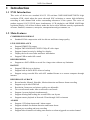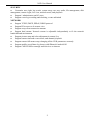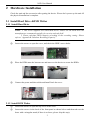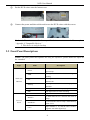
1
NVR User Manual
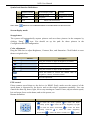
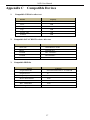
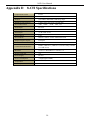
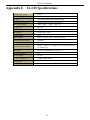
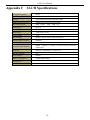
Type
Name
Description
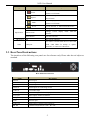
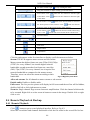
1. Record manually
Focus
2. FOCUS function
enables at PTZ mode.
1. Rewind key 2. SPEED function enables
Speed
at PTZ mode
1. Enter play interface
IRIS
1. Fast forward 2. Enter PTZ mode in live
P.T.Z
Direction button
Input button
IR receiver
2. IRIS function
enables at PTZ mode
Change direction to select items.
Change
Multi-screen
screen
display
mode
like1/4/8
channel.
Enter button
Confirm selection.
IR
For remote controller
To connect external USB devices like USB
USB
USB port
flash, USB HDD for backup or update
firmware; or connect to USB mouse.
2.3 Rear Panel Instructions
The interfaces of the following rear panels are for reference only. Please take the real object as
standard.
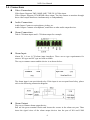
Rear Panel for 8/16/32-ch
Name
Description
DC12V
GND
Alarm Out
Power input
Grounding
Relay Output. Connect to external alarm.
Alarm in
Alarm Inputs for connecting sensors
Audio in
1 CH audio input
HDMI port
Connect to high-definition display device
VGA port
VGA output, connect to monitor
USB port
Connect to external USB devices like USB flash, USB mouse, etc
LAN
Network port
Audio out
Audio output, connect to the sound box
RS 485
Connect to keyboard, A is TX+, B is TX-
5