1
SkyTracker
Question: I would like to upgrade my tracker with the latest firmware. Can you help me?
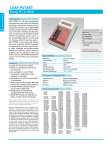
Answer: Build a simple PIC-Programmer. The CDROM contains the schematic of a simple serial
programmer which I have been using for a while. You can make it easy for yourself and get one here.
Alternatively I can re-program your PIC, or send you a new programmed PIC micro-controller. Send me a
mail to discuss practicalities.
Question: I've upgraded my tracker's firmware, but it doesn't seem to work. The config utility doesn't see
the tracker. What could be wrong?
Answer: Use the version of the config utility that matches the version of your tracker firmware. If you use
an old config utility with a new tracker firmware version, then this may not work (depending on version
jump).
The config utility of v0.7 (the floppy) only works with aprstracker firmware v0.7.
The config utility of v0.8 and/or v0.9 only work with aprstracker firmware v0.7, v0.8 en v0.9.
The config utility of v0.10 works with aprstracker firmware v0.10 and all previous releases.
The config utility of v0.11 only works with aprstracker firmware v0.11.
Question: The status beacons have something like {AT0B2} in the text. What is the meaning of this?
Answer: This depicts the software name and version number. AT stands for AprsTracker, 0B for the
version number (0B = 0.11) and 2 for the build target (2=PIC16F628, 3=PIC16F636, 4=PIC16F648).
8
Information
On the Internet you can find lots and lots of information about APRS. These are a few links.
http://sharon.esrac.ele.tue.nl/~pe1icq/projects/aprstracker.shtml
http://www.ezkits.eu (cheap PIC programmer kit)
http://info.aprs.net
http://www.veron.nl/tech/aprs/
http://sharon.esrac.ele.tue.nl/users/pd0sbh/
http://www.qsl.net/on6bvk/aprs.htm
Configuration manual
© Arno Verhoeven PE1ICQ, 2006
Page 8(8)