1
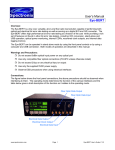
The Eye-BERT Micro has three modes of operation: Bit Error Rate Test mode, Repeater mode, and
Frequency Generator mode. In repeater mode the input signal is simply looped through the SFP and
retransmitted; this is the power up default. In bit error rate test mode the Eye-BERT Micro generates
the specified pattern / bit rate while the detector attempts to synchronize to the pattern and count the
bit errors. Note: the Eye-BERT Micro pattern detector will only synchronize with its own pattern
generator. In frequency generator mode a 50/50% square wave is generated at the specified
frequency. The frequency generator makes use of the programmable pattern generator to create 5
different frequencies at ratios of /40, /20, /10, /4, /2. In this mode the pattern detector can be used to
test at an effectively lower bit rate but the detector will over sample the received signal at the full rate.
The table below describes the status indicators:
Indicator
Description
Connection
Green indicates that the application is communicating with the EyeBERT Micro on the indicated COM port.
Log
Green indicates logging is in process with the number of samples /
seconds shown.
Signal
Sync
Green: No loss of signal is reported by the SFP
Red: A loss of signal condition is reported by the SFP
Green: The BERT pattern detector is synchronized with the selected
pattern
Red: The correct pattern was not detected
Error
History
Frequency Error
Green: No errors were detected during the last reading
Red: At least one error was detected during the last reading
Green: No errors since the last reset
Red: At least one error has been detected since the last reset
Indicates that the device cannot generate the specified bit rate /
frequency. This error should only occur at some custom rates. When
this error is active the measurements should be discarded as they
may not be accurate.
The table below describes the measurement fields:
Measurement
Description
BER
Bit Error Rate = number of bits errors / total bit count
Errors
Total number of bit errors since the last reset
Count
Total number of bits tested since the last reset
Time
Actual test time since the last rest = bit count / bit rate
Receive Power
Received optical power (dBm) as reported by the transceiver,
compensated with the SFP calibration values (supports internal and
external calibration).
Transmit Power
Received optical power (dBm) as reported by the transceiver,
compensated with the SFP calibration values (supports internal and
external calibration).
www.spectronixinc.com
Page 3
Eye-BERT Micro User’s Guide V 1.20