1
Hardware Installation Steps
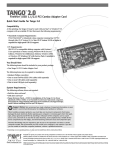
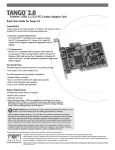
This guide contains general instructions for installing the Tango FireWire/USB
combo card into most PCI-based computers. (For our example, we have used an
Apple Power Macintosh desktop model.) For more detailed installation instructions, refer to your computer’s user guide.
1. Shut down your computer.
2. Disconnect all the cables connected to the computer except for the power
cord, then touch a port access cover on the back of your computer to discharge any static.
Figure 1
Support Note: To avoid generating a static charge in your body, do not
walk around the room until after you finish installing the Tango card and
close the computer.
3. Disconnect the power cord from your computer.
expansion card cover
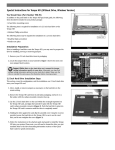
4. Remove the case cover from the computer (Figure 1).
5. Access the expansion card area of the the computer (Figure 2).
Figure 2
6. Locate an available PCI slot inside your computer and remove its port access
cover, if present, from the rear of the computer. (Figure 3). If you removed a
screw, set it aside for later use.
port access cover
7. Remove the Tango from its anti-static package, making sure to handle the
board by its edges.
Figure 3
8. Install the Tango into the PCI slot; make sure the card is firmly seated and
secured (Figure 4).
Tango card
PCI slot
Figure 4
screw
9. If you removed a screw earlier, secure the Tango with it. (Figure 5).
10. Close up the computer and carefully replace its case cover.
Tango card
11. Reconnect all the cables to the computer.
Figure 5
2