1
Communication Server 1000M
and Meridian 1
Large System Installation and Commissioning
Avaya Communication Server 1000
Release 7.6
Document Status: Standard
Document Version: 06.01
Document Number: NN43021-310
Date: March 2013
© 2013 Avaya Inc. All Rights Reserved.
Notice
While reasonable efforts have been made to ensure that the
information in this document is complete and accurate at the time
of printing, Avaya assumes no liability for any errors. Avaya
reserves the right to make changes and corrections to the
information in this document without the obligation to notify any
person or organization of such changes.
Documentation disclaimer
“Documentation” means information published by Avaya in varying
mediums which may include product information, operating
instructions and performance specifications that Avaya generally
makes available to users of its products. Documentation does not
include marketing materials. Avaya shall not be responsible for any
modifications, additions, or deletions to the original published
version of documentation unless such modifications, additions, or
deletions were performed by Avaya. End User agrees to indemnify
and hold harmless Avaya, Avaya's agents, servants and
employees against all claims,
lawsuits, demands and judgments arising out of, or in connection
with, subsequent modifications, additions or deletions to this
documentation, to the extent made by End User.
Link disclaimer
Avaya is not responsible for the contents or reliability of any linked
websites referenced within this site or documentation provided by
Avaya. Avaya is not responsible for the accuracy of any
information, statement or content provided on these sites and does
not necessarily endorse the products, services, or information
described or offered within them. Avaya does not guarantee that
these links will work all the time and has no control over the
availability of the linked pages.
Warranty
Avaya provides a limited warranty on its hardware and Software
(“Product(s)”). Refer to your sales agreement to establish the terms
of the limited warranty. In addition, Avaya’s standard warranty
language, as well as information regarding support for this Product
while under warranty is available to Avaya customers and other
parties through the Avaya Support website:
http://support.avaya.com
Please note that if you acquired the Product(s) from an authorized
Avaya reseller outside of the United States and Canada, the
warranty is provided to you by said Avaya reseller and not by
Avaya. “Software” means computer programs in object code,
provided by Avaya or an Avaya Channel Partner, whether as standalone products or pre-installed on hardware products, and any
upgrades, updates, bug fixes, or modified versions thereto.
Licenses
THE SOFTWARE LICENSE TERMS AVAILABLE ON THE AVAYA
WEBSITE, HTTP://SUPPORT.AVAYA.COM/LICENSEINFO ARE
APPLICABLE TO ANYONE WHO DOWNLOADS, USES AND/OR
INSTALLS AVAYA SOFTWARE, PURCHASED FROM AVAYA
INC., ANY AVAYA AFFILIATE, OR AN AUTHORIZED AVAYA
RESELLER (AS APPLICABLE) UNDER A COMMERCIAL
AGREEMENT WITH AVAYA OR AN AUTHORIZED AVAYA
RESELLER. UNLESS OTHERWISE AGREED TO BY AVAYA IN
WRITING, AVAYA DOES NOT EXTEND THIS LICENSE IF THE
SOFTWARE WAS OBTAINED FROM ANYONE OTHER THAN
AVAYA, AN AVAYA AFFILIATE OR AN AVAYA AUTHORIZED
RESELLER; AVAYA RESERVES THE RIGHT TO TAKE LEGAL
ACTION AGAINST YOU AND ANYONE ELSE USING OR
SELLING THE SOFTWARE WITHOUT A LICENSE. BY
INSTALLING, DOWNLOADING OR USING THE SOFTWARE, OR
AUTHORIZING OTHERS TO DO SO, YOU, ON BEHALF OF
YOURSELF AND THE ENTITY FOR WHOM YOU ARE
INSTALLING, DOWNLOADING OR USING THE SOFTWARE
(HEREINAFTER REFERRED TO INTERCHANGEABLY AS “YOU”
AND “END USER”), AGREE TO THESE TERMS AND
CONDITIONS AND CREATE A BINDING CONTRACT BETWEEN
YOU AND AVAYA INC. OR THE APPLICABLE AVAYA AFFILIATE (
“AVAYA”).
Heritage Nortel Software
“Heritage Nortel Software” means the software that was acquired
by Avaya as part of its purchase of the Nortel Enterprise Solutions
Business in December 2009. The Heritage Nortel Software
currently available for license from Avaya is the software contained
within the list of Heritage Nortel Products located at http://
support.avaya.com/licenseinfo under the link “Heritage Nortel
Products”. For Heritage Nortel Software, Avaya grants Customer a
license to use Heritage Nortel Software provided hereunder solely
to the extent of the authorized activation or authorized usage level,
solely for the purpose specified in the Documentation, and solely as
embedded in, for execution on, or (in the event the applicable
Documentation permits installation on non-Avaya equipment) for
communication with Avaya equipment. Charges for Heritage Nortel
Software may be based on extent of activation or use authorized as
specified in an order or invoice.
Copyright
Except where expressly stated otherwise, no use should be made
of materials on this site, the Documentation, Software, or hardware
provided by Avaya. All content on this site, the documentation and
the Product provided by Avaya including the selection,
arrangement and design of the content is owned either by Avaya or
its licensors and is protected by copyright and other intellectual
property laws including the sui generis rights relating to the
protection of databases. You may not modify, copy, reproduce,
republish, upload, post, transmit or distribute in any way any
content, in whole or in part, including any code and software unless
expressly authorized by Avaya. Unauthorized reproduction,
transmission, dissemination, storage, and or use without the
express written consent of Avaya can be a criminal, as well as a
civil offense under the applicable law.
Third-party components
“Third Party Components” mean certain software programs or
portions thereof included in the Software that may contain software
(including open source software) distributed under third party
agreements (“Third Party Components”), which contain terms
regarding the rights to use certain portions of the Software (“Third
Party Terms”). Information regarding distributed Linux OS source
code (for those Products that have distributed Linux OS source
code) and identifying the copyright holders of the Third Party
Components and the Third Party Terms that apply is available in
the Documentation or on Avaya’s website at: http://
support.avaya.com/Copyright. You agree to the Third Party Terms
for any such Third Party Components.
Note to Service Provider
The Product may use Third Party Components that have Third
Party Terms that do not allow hosting and may need to be
independently licensed for such purpose.
Preventing Toll Fraud
“Toll Fraud” is the unauthorized use of your telecommunications
system by an unauthorized party (for example, a person who is not
a corporate employee, agent, subcontractor, or is not working on
your company's behalf). Be aware that there can be a risk of Toll
Fraud associated with your system and that, if Toll Fraud occurs, it
can result in substantial additional charges for your
telecommunications services.
Avaya Toll Fraud intervention
If you suspect that you are being victimized by Toll Fraud and you
need technical assistance or support, call Technical Service Center
Toll Fraud Intervention Hotline at +1-800-643-2353 for the United
States and Canada. For additional support telephone numbers, see
the Avaya Support website: http://support.avaya.com.Suspected
security vulnerabilities with Avaya products should be reported to
Avaya by sending mail to: [email protected].
Trademarks
The trademarks, logos and service marks (“Marks”) displayed in
this site, the Documentation and Product(s) provided by Avaya are
the registered or unregistered Marks of Avaya, its affiliates, or other
third parties. Users are not permitted to use such Marks without
prior written consent from Avaya or such third party which may own
the Mark. Nothing contained in this site, the Documentation and
Product(s) should be construed as granting, by implication,
estoppel, or otherwise, any license or right in and to the Marks
without the express written permission of Avaya or the applicable
third party.
Avaya is a registered trademark of Avaya Inc.
All non-Avaya trademarks are the property of their respective
owners, and “Linux” is a registered trademark of Linus Torvalds.
Downloading documents
For the most current versions of documentation, see the Avaya
Support website:
http://support.avaya.com
Contact Avaya Support
See the Avaya Support website: http://support.avaya.com for
product notices and articles, or to report a problem with your Avaya
product.
For a list of support telephone numbers and contact addresses, go
to the Avaya Support website: http://support.avaya.com, scroll to
the bottom of the page, and select Contact Avaya Support.
Page 4 of 436
NN43021-310
Standard 06.01
March 2013
12
Page 5 of 436
Contents
Contents . . . . . . . . . . . . . . . . . . . . . . . . . . . . . . . . . .
5
New in this release . . . . . . . . . . . . . . . . . . . . . . . . .
13
Features . . . . . . . . . . . . . . . . . . . . . . . . . . . . . . . . . . . . . . . . . . . . . . . . .
13
Other . . . . . . . . . . . . . . . . . . . . . . . . . . . . . . . . . . . . . . . . . . . . . . . . . . .
13
List of Procedures . . . . . . . . . . . . . . . . . . . . . . . . . .
17
Customer service . . . . . . . . . . . . . . . . . . . . . . . . . .
25
System information . . . . . . . . . . . . . . . . . . . . . . . . .
27
Subject .. . . . . . . . . . . . . . . . . . . . . . . . . . . . . . . . . . . . . . . . . . . . . . . . .
27
Applicable systems . . . . . . . . . . . . . . . . . . . . . . . . . . . . . . . . . . . . . . . .
28
Intended audience . . . . . . . . . . . . . . . . . . . . . . . . . . . . . . . . . . . . . . . . .
29
Conventions .. . . . . . . . . . . . . . . . . . . . . . . . . . . . . . . . . . . . . . . . . . . . .
30
Related information .. . . . . . . . . . . . . . . . . . . . . . . . . . . . . . . . . . . . . . .
31
Introduction . . . . . . . . . . . . . . . . . . . . . . . . . . . . . . .
33
Contents .. . . . . . . . . . . . . . . . . . . . . . . . . . . . . . . . . . . . . . . . . . . . . . . .
33
Overview . . . . . . . . . . . . . . . . . . . . . . . . . . . . . . . . . . . . . . . . . . . . . . . .
33
Upgrade and New Install Wizards . . . . . . . . . . . . . . . . . . . . . . . . . . . .
34
Avaya Communication Server 1000 task flow . . . . . . . . . . . . . . . . . . .
34
Summary of procedures . . . . . . . . . . . . . . . . . . . . . . . . . . . . . . . . . . . .
37
Large System Installation and Commissioning
Page 6 of 436
NN43021-310
Contents
Preparing for installation . . . . . . . . . . . . . . . . . . . .
41
Contents . . . . . . . . . . . . . . . . . . . . . . . . . . . . . . . . . . . . . . . . . . . . . . . .
41
Requirements . . . . . . . . . . . . . . . . . . . . . . . . . . . . . . . . . . . . . . . . . . . .
41
System equipment – UEMs . . . . . . . . . . . . . . . . . . . . . . . . . . . . . . . . .
42
System options . . . . . . . . . . . . . . . . . . . . . . . . . . . . . . . . . . . . . . . . . . .
49
Cable routing guidelines . . . . . . . . . . . . . . . . . . . . . . . . . . . . . . . . . . . .
58
Equipment handling precautions . . . . . . . . . . . . . . . . . . . . . . . . . . . . .
62
Preparing the equipment for installation .. . . . . . . . . . . . . . . . . . . . . . .
66
Placing the fourth module on a column . . . . . . . .
69
Contents . . . . . . . . . . . . . . . . . . . . . . . . . . . . . . . . . . . . . . . . . . . . . . . .
69
Overview .. . . . . . . . . . . . . . . . . . . . . . . . . . . . . . . . . . . . . . . . . . . . . . .
69
Placing the fourth module on a column . . . . . . . . . . . . . . . . . . . . . . . .
69
Positioning and leveling equipment . . . . . . . . . . .
75
Contents . . . . . . . . . . . . . . . . . . . . . . . . . . . . . . . . . . . . . . . . . . . . . . . .
75
Positioning and leveling the equipment . . . . . . . . . . . . . . . . . . . . . . . .
75
Installing overhead cable tray kits . . . . . . . . . . . .
81
Contents . . . . . . . . . . . . . . . . . . . . . . . . . . . . . . . . . . . . . . . . . . . . . . . .
81
Installing overhead cable tray kits . . . . . . . . . . . . . . . . . . . . . . . . . . . .
81
Installing AC power . . . . . . . . . . . . . . . . . . . . . . . .
85
Contents . . . . . . . . . . . . . . . . . . . . . . . . . . . . . . . . . . . . . . . . . . . . . . . .
85
AC-powered systems . . . . . . . . . . . . . . . . . . . . . . . . . . . . . . . . . . . . . .
85
Safety ground/protective earth and logic return wiring . . . . . . . . . . . .
86
Installing safety ground/protective earth and logic return wiring .. . . .
90
Installing UPS ground cabling . . . . . . . . . . . . . . . . . . . . . . . . . . . . . . .
93
Installing DC power . . . . . . . . . . . . . . . . . . . . . . . .
97
Contents . . . . . . . . . . . . . . . . . . . . . . . . . . . . . . . . . . . . . . . . . . . . . . . .
97
DC-powered systems . . . . . . . . . . . . . . . . . . . . . . . . . . . . . . . . . . . . . .
97
Standard 06.01
March 2013
Contents
Page 7 of 436
Candeo DC power systems . . . . . . . . . . . . . . . . . . . . . . . . . . . . . . . . . .
98
Planning and designating a
Main Distribution Frame . . . . . . . . . . . . . . . . . . . . . 137
Contents .. . . . . . . . . . . . . . . . . . . . . . . . . . . . . . . . . . . . . . . . . . . . . . . .
137
About terminations . . . . . . . . . . . . . . . . . . . . . . . . . . . . . . . . . . . . . . . .
137
Installation and designation .. . . . . . . . . . . . . . . . . . . . . . . . . . . . . . . . .
137
Terminal block requirements . . . . . . . . . . . . . . . . . . . . . . . . . . . . . . . .
138
Installing the BIX cross-connect terminal .. . . . . . . . . . . . . . . . . . . . . .
138
Installing the Krone cross-connect system (UK) . . . . . . . . . . . . . . . . .
142
Installing Power Failure Transfer Units . . . . . . . . . 149
Contents .. . . . . . . . . . . . . . . . . . . . . . . . . . . . . . . . . . . . . . . . . . . . . . . .
149
PFTU configurations . . . . . . . . . . . . . . . . . . . . . . . . . . . . . . . . . . . . . . .
149
Installing a PFTU . . . . . . . . . . . . . . . . . . . . . . . . . . . . . . . . . . . . . . . . .
152
Connecting trunks and telephones .. . . . . . . . . . . . . . . . . . . . . . . . . . . .
153
Installing QUA6 PFTUs . . . . . . . . . . . . . . . . . . . . . . . . . . . . . . . . . . . .
154
Configuring the system monitor . . . . . . . . . . . . . . 155
Contents .. . . . . . . . . . . . . . . . . . . . . . . . . . . . . . . . . . . . . . . . . . . . . . . .
155
System monitor cabling .. . . . . . . . . . . . . . . . . . . . . . . . . . . . . . . . . . . .
155
Configuring the System Monitor .. . . . . . . . . . . . . . . . . . . . . . . . . . . . .
157
Cabling the System Monitor . . . . . . . . . . . . . . . . . . . . . . . . . . . . . . . . .
161
Alarm interfacing to Candeo . . . . . . . . . . . . . . . . . . . . . . . . . . . . . . . . .
169
Configuring the alarm ports . . . . . . . . . . . . . . . . . . . . . . . . . . . . . . . . .
172
Customizing alarms .. . . . . . . . . . . . . . . . . . . . . . . . . . . . . . . . . . . . . . .
173
Connecting a system terminal or modem . . . . . . . 175
Contents .. . . . . . . . . . . . . . . . . . . . . . . . . . . . . . . . . . . . . . . . . . . . . . . .
175
About the system terminal .. . . . . . . . . . . . . . . . . . . . . . . . . . . . . . . . . .
175
Connecting a terminal . . . . . . . . . . . . . . . . . . . . . . . . . . . . . . . . . . . . . .
177
Connecting a terminal to a COM port .. . . . . . . . . . . . . . . . . . . . . . . . .
178
Large System Installation and Commissioning
Page 8 of 436
Contents
Connecting a switch box and terminal to
COM1 and COM2 ports . . . . . . . . . . . . . . . . . . . . . . . . . . . . . . . . . . . .
179
Connecting a switch box and terminal to
SDI and COM1 ports . . . . . . . . . . . . . . . . . . . . . . . . . . . . . . . . . . . . . .
181
Connecting a modem . . . . . . . . . . . . . . . . . . . . . . . . . . . . . . . . . . . . . .
182
Configuring a modem . . . . . . . . . . . . . . . . . . . . . . . . . . . . . . . . . . . . . .
184
Connecting a modem to an SDI port . . . . . . . . . . . . . . . . . . . . . . . . . .
185
Connecting a modem to switch box, COM2 ports, SDI ports . . . . . . .
187
Cabling Common Equipment in a
Single Group system . . . . . . . . . . . . . . . . . . . . . . . 191
Contents . . . . . . . . . . . . . . . . . . . . . . . . . . . . . . . . . . . . . . . . . . . . . . . .
191
Cabling guidelines . . . . . . . . . . . . . . . . . . . . . . . . . . . . . . . . . . . . . . . .
191
Core/Net module .. . . . . . . . . . . . . . . . . . . . . . . . . . . . . . . . . . . . . . . . .
193
Cabling the Core side . . . . . . . . . . . . . . . . . . . . . . . . . . . . . . . . . . . . . .
197
Cabling the I/O panel . . . . . . . . . . . . . . . . . . . . . . . . . . . . . . . . . . . . . .
199
Cabling the Network side . . . . . . . . . . . . . . . . . . . . . . . . . . . . . . . . . . .
201
Configuring and cabling the Clock Controllers . . . . . . . . . . . . . . . . . .
202
Network Group 0: Shelf 0 to Shelf 1 . . . . . . . . . . . . . . . . . . . . . . . . . .
203
Connecting the 3PE faceplates in the Core/Net modules . . . . . . . . . . .
203
Inspecting CNI to 3PE factory installed cables . . . . . . . . . . . . . . . . . .
204
Connecting the Core/Net backplanes . . . . . . . . . . . . . . . . . . . . . . . . . .
206
Optioning the System Utility Card . . . . . . . . . . . . . . . . . . . . . . . . . . . .
207
Connecting Core modules to a LAN .. . . . . . . . . . . . . . . . . . . . . . . . . .
208
Cabling Common Equipment in a
Multi Group system . . . . . . . . . . . . . . . . . . . . . . . . 211
NN43021-310
Contents . . . . . . . . . . . . . . . . . . . . . . . . . . . . . . . . . . . . . . . . . . . . . . . .
211
Cabling guidelines . . . . . . . . . . . . . . . . . . . . . . . . . . . . . . . . . . . . . . . .
211
Core/Net module .. . . . . . . . . . . . . . . . . . . . . . . . . . . . . . . . . . . . . . . . .
213
Cabling the Core/Net module backplane . . . . . . . . . . . . . . . . . . . . . . .
216
Disconnecting cables from the Core/Net module backplane . . . . . . . .
217
Standard 06.01
March 2013
Contents
Page 9 of 436
Optioning the System Utility Card . . . . . . . . . . . . . . . . . . . . . . . . . . . .
219
Core shelf cabling . . . . . . . . . . . . . . . . . . . . . . . . . . . . . . . . . . . . . . . . .
220
Installing the CP PIV to I/O panel cables . . . . . . . . . . . . . . . . . . . . . . .
224
Connecting the Core module to a LAN .. . . . . . . . . . . . . . . . . . . . . . . .
227
Cabling a Dual Ring Fiber Network . . . . . . . . . . . . . . . . . . . . . . . . . . .
228
FIJI card cabling . . . . . . . . . . . . . . . . . . . . . . . . . . . . . . . . . . . . . . . . . .
232
Installing the Shelf 0 fiber optic ring (ascending) .. . . . . . . . . . . . . . . .
236
Installing the Shelf 1 fiber optic ring (descending) .. . . . . . . . . . . . . . .
237
FIJI to FIJI cabling . . . . . . . . . . . . . . . . . . . . . . . . . . . . . . . . . . . . . . . .
239
Connecting the Clock Controller cables . . . . . . . . . . . . . . . . . . . . . . . .
240
Cabling lines and trunks . . . . . . . . . . . . . . . . . . . . . 245
Contents .. . . . . . . . . . . . . . . . . . . . . . . . . . . . . . . . . . . . . . . . . . . . . . . .
245
Overview . . . . . . . . . . . . . . . . . . . . . . . . . . . . . . . . . . . . . . . . . . . . . . . .
245
Cabling an IPE Module or Media Gateway . . . . . . . . . . . . . . . . . . . . .
247
Connecting lines and trunks . . . . . . . . . . . . . . . . . . . . . . . . . . . . . . . . .
250
Powering up the system and initial loading . . . . . 283
Contents .. . . . . . . . . . . . . . . . . . . . . . . . . . . . . . . . . . . . . . . . . . . . . . . .
283
Overview . . . . . . . . . . . . . . . . . . . . . . . . . . . . . . . . . . . . . . . . . . . . . . . .
283
Installing the Security Device . . . . . . . . . . . . . . . . . . . . . . . . . . . . . . . .
283
Preparing to power up – AC . . . . . . . . . . . . . . . . . . . . . . . . . . . . . . . . .
286
Connecting the AC power source . . . . . . . . . . . . . . . . . . . . . . . . . . . . .
286
Turning AC power ON . . . . . . . . . . . . . . . . . . . . . . . . . . . . . . . . . . . . .
287
Resetting the main circuit breakers (AC power) .. . . . . . . . . . . . . . . . .
288
Preparing to power up – DC . . . . . . . . . . . . . . . . . . . . . . . . . . . . . . . . .
290
Turning DC power ON . . . . . . . . . . . . . . . . . . . . . . . . . . . . . . . . . . . . .
290
Installing software . . . . . . . . . . . . . . . . . . . . . . . . . . . . . . . . . . . . . . . . .
292
Testing Core/Net 1 and Core/Net 0 .. . . . . . . . . . . . . . . . . . . . . . . . . . .
314
Large System Installation and Commissioning
Page 10 of 436
Contents
Performing acceptance tests . . . . . . . . . . . . . . . . 319
Contents . . . . . . . . . . . . . . . . . . . . . . . . . . . . . . . . . . . . . . . . . . . . . . . .
319
Acceptance tests . . . . . . . . . . . . . . . . . . . . . . . . . . . . . . . . . . . . . . . . . .
319
Testing the module power supply . . . . . . . . . . . . . . . . . . . . . . . . . . . . .
320
Testing the blower unit and thermal sensor . . . . . . . . . . . . . . . . . . . . .
321
Testing the sysload . . . . . . . . . . . . . . . . . . . . . . . . . . . . . . . . . . . . . . . .
323
Testing the system terminal and system monitor . . . . . . . . . . . . . . . . .
324
Testing the PFTU . . . . . . . . . . . . . . . . . . . . . . . . . . . . . . . . . . . . . . . . .
325
Installing earthquake bracing . . . . . . . . . . . . . . . . 327
Contents . . . . . . . . . . . . . . . . . . . . . . . . . . . . . . . . . . . . . . . . . . . . . . . .
327
Seismic-approved applications . . . . . . . . . . . . . . . . . . . . . . . . . . . . . . .
327
Installing seismic bracing . . . . . . . . . . . . . . . . . . . . . . . . . . . . . . . . . . .
328
Drilling concrete floors . . . . . . . . . . . . . . . . . . . . . . . . . . . . . . . . . . . . .
331
Installing Kit A and Kit B anchor plates .. . . . . . . . . . . . . . . . . . . . . . .
333
Installing earthquake rods . . . . . . . . . . . . . . . . . . . . . . . . . . . . . . . . . . .
335
Positioning and leveling the system . . . . . . . . . . . . . . . . . . . . . . . . . . .
341
Installing non-seismic bracing . . . . . . . . . . . . . . . . . . . . . . . . . . . . . . .
342
Installing a non-seismic anchor kit . . . . . . . . . . . . . . . . . . . . . . . . . . . .
343
Adding a module to a column . . . . . . . . . . . . . . . . 347
Contents . . . . . . . . . . . . . . . . . . . . . . . . . . . . . . . . . . . . . . . . . . . . . . . .
347
Overview .. . . . . . . . . . . . . . . . . . . . . . . . . . . . . . . . . . . . . . . . . . . . . . .
347
Adding a module to the base of a column . . . . . . . . . . . . . . . . . . . . . .
348
Adding a module between two other modules . . . . . . . . . . . . . . . . . . .
354
Adding a module to the top of a column . . . . . . . . . . . . . . . . . . . . . . .
358
Cabling network modules and loops . . . . . . . . . . 367
NN43021-310
Contents . . . . . . . . . . . . . . . . . . . . . . . . . . . . . . . . . . . . . . . . . . . . . . . .
367
Network-to-network cabling .. . . . . . . . . . . . . . . . . . . . . . . . . . . . . . . .
367
Network module connections . . . . . . . . . . . . . . . . . . . . . . . . . . . . . . . .
368
Standard 06.01
March 2013
Contents
Page 11 of 436
Network Group 0: Shelf 0 to Shelf 1 .. . . . . . . . . . . . . . . . . . . . . . . . . .
368
Connecting the 3PE faceplates in the Core/Net modules . . . . . . . . . . .
368
Connecting the Core/Net backplanes . . . . . . . . . . . . . . . . . . . . . . . . . .
369
Connecting Groups 1 through 7: Shelf 0 to Shelf 1 . . . . . . . . . . . . . . .
370
Connecting the Network modules to the Core/Net modules .. . . . . . . .
373
Connecting the 3PE cables to the 3PE fanout panels . . . . . . . . . . . . . .
378
Cabling a Superloop Network Card – single column . . . . . . . . . . . . . .
380
Cabling a Superloop Network Card – multiple columns . . . . . . . . . . .
384
lnstalling a Signaling Server . . . . . . . . . . . . . . . . . 389
Contents .. . . . . . . . . . . . . . . . . . . . . . . . . . . . . . . . . . . . . . . . . . . . . . . .
389
Introduction . . . . . . . . . . . . . . . . . . . . . . . . . . . . . . . . . . . . . . . . . . . . . .
389
Signaling Server task flow . . . . . . . . . . . . . . . . . . . . . . . . . . . . . . . . . .
390
Readiness checklist . . . . . . . . . . . . . . . . . . . . . . . . . . . . . . . . . . . . . . . .
392
Server card hardware installation . . . . . . . . . . . . . . . . . . . . . . . . . . . . .
394
Connections .. . . . . . . . . . . . . . . . . . . . . . . . . . . . . . . . . . . . . . . . . . . . .
408
Upgrading and reconfiguring the software . . . . . . . . . . . . . . . . . . . . . .
416
Index . . . . . . . . . . . . . . . . . . . . . . . . . . . . . . . . . . . . . 429
Large System Installation and Commissioning
Page 12 of 436
NN43021-310
Contents
Standard 06.01
March 2013
16
Page 13 of 436
New in this release
This chapter contains information about Avaya Communication Server 1000
Release 7.6 new features.
Features
There are no updates to the feature descriptions in this document.
Other
See the following sections for information about changes that are not feature
related.
Revision history
March 2013
April 2012
March 2012
Standard 06.01. This document is up-issued to support Communication
Server 1000 Release 7.6. It includes updated task flows for CS 1000M and
Signaling Server upgrades.
Standard 05.05. This document is up-issued to include information about the
surge-suppression cable for certain COT and DDI trunk cards.
Standard 05.04. This document is up-issued to include updates to the
Installing a Signaling Server chapter.
Large System Installation and Commissioning
Page 14 of 436
New in this release
November 2011
May 2011
Standard 05.02. This document is up-issued to include updates to the Cabling
lines and trunks chapter.
November 2010
June 2010
Standard 04.01. This document is issued for Avaya Communication Server
1000 Release 7.0.
June 2009
Standard 03.03. This document is upissued to update the CP PM BIOS
upgrade procedure.
May 2009
Standard 03.02. This document is upissued to include task flow graphics for
Communication Server 1000 Release 6.0
May 2009
Standard 03.01. This document is issued for Communication Server 1000
Release 6.0
December 2007
NN43021-310
Standard 05.01. This document is issued to support Avaya Communication
Server 1000 Release 7.5.
Standard 04.02. This document is upissued to update the Avaya CS 1000M
task flow graphic and to include CP PM version 2 content.
June 2010
July 2007
Standard 05.03. This document is up-issued to remove legacy feature and
hardware content that is no longer applicable to or supported by
Communication Server 1000 systems.
Standard 02.01. This document is issued for Communication Server 1000
Release 5.5.
Standard 01.03. This document is up-issued for Communication Server 1000
Release 5.0.
Standard 06.01
March 2013
New in this release
July 2007
May 2007
April 2006
August 2005
September 2004
October 2003
Page 15 of 436
Standard 01.02. This document is up-issued for Communication Server 1000
Release 5.0.
Standard 01.01. This document is up-issued for Communication Server 1000
Release 5.0. This document contains information previously contained in the
following legacy document, now retired: Avaya Communication Server
1000M and Meridian 1: Large System Installation and Configuration
(553-3021-210).
Standard 4.00. This document is up-issued with corrections from CR
Q01311083. The corrections appear in the “Configuring the System Monitor'
section (page 157 to page 161).
Standard 3.00. This document is up-issued to support Communication
Server 1000 Release 4.5.
Standard 2.00. This document is up-issued to support Communication
Server 1000 Release 4.0.
Standard 1.00. This is a new document for Succession 3.0. It was created to
support a restructuring of the Documentation Library, which resulted in the
merging of multiple legacy documents. This new document consolidates
information previously contained in the following legacy documents, now
retired:
•
Cabling Guide (553-3001-109)
•
System Installation Procedures (553-3001-210)
Large System Installation and Commissioning
Page 16 of 436
NN43021-310
New in this release
Standard 06.01
March 2013
24
Page 17 of 436
List of Procedures
Procedure 1
Preparing the equipment for installation . . . . . . . . . . . 66
Procedure 2
Placing the fourth module on a column . . . . . . . . . . . . 70
Procedure 3
Positioning and leveling the equipment . . . . . . . . . . . . 75
Procedure 4
Installing the overhead cable tray kits . . . . . . . . . . . . . 82
Procedure 5
Installing safety ground/protective earth and logic return
wiring . . . . . . . . . . . . . . . . . . . . . . . . . . . . . . . . . . . . . . . . 90
Procedure 6
Installing the UPS ground cabling . . . . . . . . . . . . . . . . 94
Procedure 7
Installing and connecting the power plant frame ground
leads . . . . . . . . . . . . . . . . . . . . . . . . . . . . . . . . . . . . . . . . . 117
Procedure 8
Installing safety ground/protective earth wiring . . . . . 127
Procedure 9
Connecting power from the power plant to the PDU
(NT4N49AA) . . . . . . . . . . . . . . . . . . . . . . . . . . . . . . . . . . . 129
Large System Installation and Commissioning
Page 18 of 436
List of Procedures
Procedure 10
Connecting UK power to the Four-Feed PDU . . . . . . . . 133
Procedure 11
Installing the BIX cross-connect terminal . . . . . . . . . . 139
Procedure 12
Installing the Krone Test Jack Frame (UK) . . . . . . . . . . 142
Procedure 13
Installing a PFTU . . . . . . . . . . . . . . . . . . . . . . . . . . . . . . . 152
Procedure 14
Connecting trunks and telephones . . . . . . . . . . . . . . . . 153
Procedure 15
Configuring the System Monitor (NT8D22) . . . . . . . . . . 157
Procedure 16
Cabling the System Monitor (NT8D22) . . . . . . . . . . . . . 162
Procedure 17
Configuring the alarm ports . . . . . . . . . . . . . . . . . . . . . . 173
Procedure 18
Connecting a terminal to a COM port . . . . . . . . . . . . . . 178
Procedure 19
Connecting a switch box and terminal to COM1 and COM2
ports . . . . . . . . . . . . . . . . . . . . . . . . . . . . . . . . . . . . . . . . . 179
Procedure 20
Connecting a switch box and terminal to the SDI and COM1
ports . . . . . . . . . . . . . . . . . . . . . . . . . . . . . . . . . . . . . . . . . 181
Procedure 21
Configuring a modem . . . . . . . . . . . . . . . . . . . . . . . . . . . 184
Procedure 22
Connecting a modem to an SDI port . . . . . . . . . . . . . . . 185
NN43021-310
Standard 06.01
March 2013
List of Procedures
Page 19 of 436
Procedure 23
Connecting a modem to a switch box, COM2 and SDI ports
187
Procedure 24
Installing the CP PIV to I/O panel cables . . . . . . . . . . . . 200
Procedure 25
Connecting the Clock Controller cables . . . . . . . . . . . . 203
Procedure 26
Connecting the 3PE faceplates in the Core/Net modules
204
Procedure 27
Inspecting NT4N29AA factory installed cables . . . . . . 204
Procedure 28
Connecting the Core/Net backplanes . . . . . . . . . . . . . . 206
Procedure 29
Connecting the Core module to a LAN . . . . . . . . . . . . . 209
Procedure 30
Cabling the Core/Net module backplane . . . . . . . . . . . 217
Procedure 31
Disconnecting cable connectors from the backplane . 218
Procedure 32
Installing the CP PIV to I/O panel cables . . . . . . . . . . . . 225
Procedure 33
Connecting the Core module to a LAN . . . . . . . . . . . . . 227
Procedure 34
Installing the Shelf 0 fiber optic ring (ascending) . . . . 236
Procedure 35
Installing the Shelf 1 fiber optic ring . . . . . . . . . . . . . . . 237
Large System Installation and Commissioning
Page 20 of 436
List of Procedures
Procedure 36
Connecting the FIJI to FIJI cables . . . . . . . . . . . . . . . . . 239
Procedure 37
Connecting the Clock Controller cables . . . . . . . . . . . . 241
Procedure 38
Cabling an IPE Module (NT8D37) or Media Gateway . . 248
Procedure 39
Connecting lines and trunks . . . . . . . . . . . . . . . . . . . . . 250
Procedure 40
Installing the Security Device . . . . . . . . . . . . . . . . . . . . 284
Procedure 41
Preparing to power up – AC . . . . . . . . . . . . . . . . . . . . . . 286
Procedure 42
Option 1: Using the installed power plug (recommended)
286
Procedure 43
Option 2: Hard-wiring the power connections (optional)
287
Procedure 44
Turning AC power on . . . . . . . . . . . . . . . . . . . . . . . . . . . 287
Procedure 45
Resetting the main circuit breakers (AC power) . . . . . 288
Procedure 46
Preparing to power up – DC . . . . . . . . . . . . . . . . . . . . . . 290
Procedure 47
Turning DC power ON . . . . . . . . . . . . . . . . . . . . . . . . . . . 291
Procedure 48
Installing the software . . . . . . . . . . . . . . . . . . . . . . . . . . 293
NN43021-310
Standard 06.01
March 2013
List of Procedures
Page 21 of 436
Procedure 49
Testing Core/Net 1 . . . . . . . . . . . . . . . . . . . . . . . . . . . . . . 314
Procedure 50
Switching call processing . . . . . . . . . . . . . . . . . . . . . . . 316
Procedure 51
Testing Core/Net 0 . . . . . . . . . . . . . . . . . . . . . . . . . . . . . . 317
Procedure 52
Testing module power supply . . . . . . . . . . . . . . . . . . . . 320
Procedure 53
Testing blower unit and thermal sensor . . . . . . . . . . . . 321
Procedure 54
Sysload test . . . . . . . . . . . . . . . . . . . . . . . . . . . . . . . . . . . 323
Procedure 55
Testing system terminal and system monitor . . . . . . . 324
Procedure 56
Testing the PFTU and its interface . . . . . . . . . . . . . . . . 325
Procedure 57
Drilling concrete floors . . . . . . . . . . . . . . . . . . . . . . . . . . 332
Procedure 58
Installing Kit A . . . . . . . . . . . . . . . . . . . . . . . . . . . . . . . . . 333
Procedure 59
Installing Kit B . . . . . . . . . . . . . . . . . . . . . . . . . . . . . . . . . 335
Procedure 60
Installing earthquake rods . . . . . . . . . . . . . . . . . . . . . . . 336
Procedure 61
Leveling the system . . . . . . . . . . . . . . . . . . . . . . . . . . . . 341
Procedure 62
Installing a Floor Mounting Kit (NT8D64BF) . . . . . . . . . 343
Large System Installation and Commissioning
Page 22 of 436
List of Procedures
Procedure 63
Adding a module to the base of a column . . . . . . . . . . 349
Procedure 64
Adding a module between two other modules . . . . . . . 354
Procedure 65
Adding a module to the top of the column . . . . . . . . . . 358
Procedure 66
Connecting the 3PE faceplates in the Core/Net modules
368
Procedure 67
Connecting the Core/Net backplanes . . . . . . . . . . . . . . 369
Procedure 68
Connecting Groups 1 through 7: Shelf 0 to Shelf 1 . . . 371
Procedure 69
Connecting the Network Shelf 0 3PE cards to Core/Net 0
379
Procedure 70
Connecting the Network Shelf 1 3PE cards to Core/Net 1
379
Procedure 71
Basic cabling for single-row network connections . . . 380
Procedure 72
Basic cabling for multiple-row network connections . 384
Procedure 73
Installing ELAN and TLAN Ethernet ports on the back of a
Communication Server 1000M UEM . . . . . . . . . . . . . . . 396
Procedure 74
Connecting a Server Card to the ELAN and TLAN subnets
of a Communication Server 1000M system . . . . . . . . . 409
NN43021-310
Standard 06.01
March 2013
List of Procedures
Page 23 of 436
Procedure 75
Connecting an IBM COTS server . . . . . . . . . . . . . . . . . . 412
Procedure 76
Connecting an HP COTS server . . . . . . . . . . . . . . . . . . . 413
Procedure 77
Connecting a Dell COTS server . . . . . . . . . . . . . . . . . . . 415
Procedure 78
Verifying the presence of an NRS . . . . . . . . . . . . . . . . . 419
Procedure 79
Upgrading the CP PM BIOS with the CS 1000 Linux Base
installer . . . . . . . . . . . . . . . . . . . . . . . . . . . . . . . . . . . . . . . 422
Large System Installation and Commissioning
Page 24 of 436
NN43021-310
List of Procedures
Standard 06.01
March 2013
26
Page 25 of 436
Customer service
Visit the Avaya Web site to access the complete range of services and
support that Avaya provides. Go to www.avaya.com or go to one of
the pages listed in the following sections.
Navigation
•
•
•
•
“Getting technical documentation” on page 25
“Getting product training” on page 25
“Getting help from a distributor or reseller” on page 26
“Getting technical support from the Avaya Web site” on page 26
Getting technical documentation
To download and print selected technical publications and release notes directly
from the Internet, go to www.avaya.com/support.
Getting product training
Ongoing product training is available. For more information or to register, you
can access the Web site at www.avaya.com/support. From this Web site, you can
locate the Training contacts link on the left-hand navigation pane.
Large System Installation and Commissioning
Page 26 of 436
Customer service
Getting help from a distributor or reseller
If you purchased a service contract for your Avaya product from a distributor or
authorized reseller, contact the technical support staff for that distributor or
reseller for assistance.
Getting technical support from the Avaya Web site
The easiest and most effective way to get technical support for Avaya products is
from the Avaya Technical Support Web site at www.avaya.com/support.
NN43021-310
Standard 06.01
March 2013
32
Page 27 of 436
System information
This document is a global document. Contact your system supplier or your
Avaya representative to verify that the hardware and software described are
supported in your area.
Subject
WARNING
Before a Large System can be installed, a network
assessment must be performed and the network must be
VoIP-ready.
If the minimum VoIP network requirements are not met,
the system will not operate properly.
For information about the minimum VoIP network
requirements and converging a data network with VoIP,
refer to Converging the Data Network with VoIP
(NN43001-260).
This document provides installation and acceptance testing procedures for
Meridian 1 Large Systems and Avaya Communication Server 1000M Large
Systems.
Large System Installation and Commissioning
Page 28 of 436
System information
Communication Server 1000 Release 7.6 supports only the Call Processor
Pentium IV (CP PIV) in the CS 1000M SG, Meridian 1 Option 61C,
CS 1000M MG, and Meridian 1 Option 81C. For older system installations,
see the CS 1000 Release 7.0 version of this document, available on the web
at:
www.avaya.com/support
To access the document from the Technical Support page, go to the content
listing page for Avaya Communication Server 1000M:
1
Select the Browse product support tab on the main page.
2
Select Product Families from the drop-down menu, and then
Enterprise Communication Servers in the first window.
3
Select Communication Server 1000M Cabinet/Chassis from the
second window.
4
Select Documentation from the third window and click the Go button
on the right.
5
Use the filter provided under the Documentation tab to search for
Communication Server 1000M .
Note on legacy products and releases
This document contains information about systems, components, and features
that are compatible with Avaya Communication Server 1000 software. For
more information about legacy products and releases, click the
Documentation link under Support on the Avaya home page:
www.avaya.com
Applicable systems
This document applies to the following systems:
NN43021-310
•
Communication Server 1000M Single Group (CS 1000M SG)
•
Communication Server 1000M Multi Group (CS 1000M MG)
Standard 06.01
March 2013
System information
•
Meridian 1 Option 61C
•
Meridian 1 Option 81C
Page 29 of 436
Note: When upgrading software, memory upgrades may be required on
the Signaling Server, the Call Server, or both.
System migration
When particular Meridian 1 systems are upgraded to run Communication
Server 1000 software and configured to include a Signaling Server, they
become CS 1000M systems. Table 1 lists each Meridian 1 system that
supports an upgrade path to a CS 1000M system.
Table 1
Meridian 1 systems to Avaya CS 1000M systems
This Meridian 1 system...
Maps to this CS 1000M system
Meridian 1 Option 61C
CS 1000M Single Group
Meridian 1 Option 81C
CS 1000M Multi Group
For more information, see Communication Server 1000M and Meridian 1
Large System Upgrade NTPs (NN43021-458 to 474).
Intended audience
This document is intended for individuals responsible for installing and
configuring Large Systems. To use this document, you should have a basic
knowledge of Large System equipment and operation. Contact Avaya for
information about installation courses. You should also read and fully
understand the Communication Server 1000M and Meridian 1: Large System
Overview (NN43021-110) before you install a system.
Large System Installation and Commissioning
Page 30 of 436
System information
Conventions
Terminology
The following systems are referred to generically as Large System:
•
Communication Server 1000M Single Group (CS 1000M SG)
•
Communication Server 1000M Multi Group (CS 1000M MG)
•
Meridian 1 Option 61C
•
Meridian 1 Option 81C
In this document, the following hardware platforms are referred to
generically as Server.
•
Call Processor Pentium IV (CP PIV)
•
Common Processor Pentium Mobile (CP PM)
•
Common Processor Dual Core (CP DC)
•
Commercial off-the-shelf (COTS) servers
— IBM x306m server (COTS1)
— HP DL320 G4 server (COTS1)
— IBM x3350 server (COTS2)
— Dell R300 server (COTS2)
In this document, the generic term COTS refers to all COTS servers. The term
COTS1 or COTS2 refers to the specific servers in the preceding list.
NN43021-310
Standard 06.01
March 2013
System information
Page 31 of 436
Related information
This section lists information sources that relate to this document.
Documents
The following documents are referenced in this document:
•
Circuit Card Reference (NN43001-311)
•
Linux Platform Base and Applications Installation and Commissioning
(NN43001-315)
•
System Security Management (NN43001-602)
•
Software Input/Output: Administration (NN43001-611)
•
Telephones and Consoles: Description, Installation, and Operation
(NN43001-567)
•
Software Input/Output: System Messages (NN43001-712)
•
Communication Server 1000M and Meridian 1: Large System Overview
(NN43021-110)
•
Communication Server 1000M and Meridian 1 Large System Planning
and Engineering (NN43021-220)
•
CS 1000M and Meridian 1 Large System Upgrades Overview
(NN43021-458)
•
CS 1000M and Meridian 1 51C to CS 1000M SG CP PIV Upgrade
(NN43021-459)
•
CS 1000M and Meridian 1 61C to CS 1000M SG CP PIV Upgrade
(NN43021-461)
•
CS 1000M and Meridian 1 61C CP PII to CS 1000M SG CP PIV
Upgrade (NN43021-462)
•
CS 1000M and Meridian 1 61C to CS 1000M MG CP PIV FNF Upgrade
(NN43021-463)
•
CS 1000M and Meridian 1 61C CP PII to CS 1000M MG CP PIV FNF
Upgrade (NN43021-465)
•
CS 1000M and Meridian 1 CS1000M SG CP PIV to CS 1000M MG CP
PIV FNF Upgrade (NN43021-466)
Large System Installation and Commissioning
Page 32 of 436
System information
•
CS 1000M and Meridian 1 71 to CS 1000M MG CP PIV FNF Upgrade
(NN43021-467)
•
CS 1000M and Meridian 1 81C IGS to CS 1000M MG CP PIV FNF
Upgrade (NN43021-471)
•
CS 1000M and Meridian 1 CS 1000M MG CP PII IGS to CS 1000M MG
CP PIV FNF Upgrade (NN43021-473)
•
CS 1000M and Meridian 1 CS 1000M MG CP PII FNF to CS 1000M MG
CP PIV FNF Upgrade (NN43021-474)
Other documentation
The following documentation is referenced in this document:
•
Candeo Power System User Guide (P0914425)
•
Candeo Power System Installation Guide (P0914426)
•
Candeo SP 48300 Power System AP6C55AA User Manual (P7000154)
•
Candeo SP 48300 Power System AP6C55AA Installation Manual
(P7000289)
Online
To access Avaya documentation online, click the Documentation link under
Support on the Avaya home page:
www.avaya.com
NN43021-310
Standard 06.01
March 2013
40
Page 33 of 436
Introduction
Contents
This chapter contains information about the following topics:
Overview . . . . . . . . . . . . . . . . . . . . . . . . . . . . . . . . . . . . . . . . . . . . . . . .
33
Avaya Communication Server 1000 task flow . . . . . . . . . . . . . . . . . . .
34
Summary of procedures . . . . . . . . . . . . . . . . . . . . . . . . . . . . . . . . . . . .
37
Overview
WARNING
Before a Large System can be installed, a network
assessment must be performed and the network must be
VoIP-ready.
If the minimum VoIP network requirements are not met,
the system will not operate properly.
For information about the minimum VoIP network
requirements and converging a data network with VoIP,
see Converging the Data Network with VoIP
(NN43001-260).
This document describes the procedures used to install and configure a
Large System. For proper installation, perform the steps in the sequence
stated in “Summary of procedures.” The summary will refer you to other
sections within this document. After completing the steps listed in those
sections, return to the summary and continue on to the next step.
Large System Installation and Commissioning
Page 34 of 436
Introduction
Whenever possible, install external power equipment before the system
installation. If reserve power equipment is used, install it according to the
manufacturer’s instructions.
To install telephones and attendant consoles, see Telephones and Consoles:
Description, Installation, and Operation (NN43001-567).
System installation must be performed by qualified personnel only.
Upgrade and New Install Wizards
The Upgrade and New Install Wizards, components of the Health Check
Tool, are introduced in Communication Server Release 7.6 to provide
guidance through the major steps of the upgrade and new installation
processes. The Health Check tool is a PC based GUI application available for
download from the Avaya Support portal.
The upgrade wizard does not change the installation programs of the various
system elements. It simply guides the user through each process by
identifying the required tasks and recommending best practices, such as
capturing critical pre-upgrade information.
The actual installation/upgrade tasks are performed manually under the
direction of the appropriate Wizard.
The Wizard provides the user with an estimated completion time for each task
and references to proper documentation and/or a best practices checklists.
For more information on the Upgrade and New Install Wizards, see
18-xxxxxxx Upgrades Guide.
Avaya Communication Server 1000 task flow
This section provides a high-level task flow for the installation or upgrade of
an Avaya CS 1000 system. The task flow indicates the recommended
sequence of events to follow when configuring a system and provides the
document number that contains the detailed procedures required for the task.
NN43021-310
Standard 06.01
March 2013
Introduction
Page 35 of 436
For more information refer to the following documents, which are referenced
in Figure 1 on page 36:
•
Linux Platform Base and Applications Installation and Commissioning
(NN43001-315)
•
Communication Server 1000M and Meridian 1 Large System
Installation and Commissioning (NN43021-310)
•
CS 1000M and Meridian 1 Large System Upgrades Overview
(NN43021-458)
Large System Installation and Commissioning
Page 36 of 436
Introduction
Figure 1
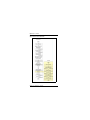
Avaya Communication Server 1000M task flow
NN43021-310
Standard 06.01
March 2013
Introduction
Page 37 of 436
Summary of procedures
1
Prepare equipment for installation; go to “Preparing the equipment for
installation” on page 66.
2
Place the fourth module on a column (if required); go to “Placing the
fourth module on a column” on page 69.
3
Position and level equipment; go to “Positioning and leveling
equipment” on page 75.
Note: If earthquake bracing is required, go to “Installing earthquake
bracing” on page 327. The section will provide procedures for installing
column and floor bracing and positioning and levelling equipment.
When those procedures are complete, return to Step 4 or Step 5 (as
applicable) in this summary.
4
Install overhead cable tray kits (if required); go to “Installing overhead
cable tray kits” on page 81.
5
Install power supplies in all modules:
a
Make sure the system is disconnected from any power source.
b
Set switches and breakers on all module power supplies or module
power distribution units (MPDU) to OFF.
c
Insert each power supply into the appropriate card cage and hook the
locking devices.
6
Install a NT4N39AA CP PIV Processor Pack and blank faceplate
(N0026096) to cover MMDU slot
7
Install power equipment and ground wiring:
— For AC-powered systems, go to “Installing AC power” on page 85.
— For DC-powered systems, go to “Installing DC power” on page 97.
8
Plan and designate the main distribution frame (MDF); go to “Planning
and designating a Main Distribution Frame” on page 137.
9
Install Power Failure Transfer Units (PFTU) (if required); go to
“Installing Power Failure Transfer Units” on page 149.
10 Configure the system monitor; go to “Configuring the system monitor”
on page 155.
Large System Installation and Commissioning
Page 38 of 436
Introduction
11 Connect a system terminal (or modem); go to “Connecting a system
terminal or modem” on page 175.
12 Install cabling:
— To cable Common Equipment, go to “Cabling Common Equipment
in a Single Group system” on page 191.
— To cable network loops, go to “Cabling network modules and loops”
on page 367.
— To cable IPE Modules to the MDF and to connect lines and trunks,
go to “Cabling lines and trunks” on page 245.
13 Power up the system and load the system software; go to “Powering up
the system and initial loading” on page 283.
Note: If you upgrade your current system, do not install new software.
Instead, return to the upgrade procedures in Communication
Server 1000M and Meridian 1 Large System Upgrade NTPs
(NN43021-458 to 474).
14 Perform acceptance tests; go to “Performing acceptance tests” on
page 319.
15 To test circuit cards, see “Acceptance tests” in Circuit Card Reference
(NN43001-311). To test telephones and attendant consoles, see
Telephones and Consoles: Description, Installation, and Operation
(NN43001-567).
16 Replace all covers and grills on the front and rear of the system.
NN43021-310
Standard 06.01
March 2013
Introduction
Page 39 of 436
Table 2
List of tasks in subsections
Task
Go to page
Preparing for installation
41
Placing the fourth module on a column
69
Positioning and leveling equipment
75
Installing overhead cable tray kits
81
Installing AC power
85
Installing DC power
97
Planning and designating a Main Distribution Frame
137
Installing Power Failure Transfer Units
149
Configuring the system monitor
155
Connecting a system terminal or modem
175
Cabling Common Equipment in a Single
Group system
191
Cabling Common Equipment in a Multi Group system
211
Cabling network modules and loops
367
Cabling lines and trunks
245
Powering up the system and initial loading
283
Performing acceptance tests
319
Installing earthquake bracing
327
Adding a module to a column
347
Large System Installation and Commissioning
Page 40 of 436
NN43021-310
Introduction
Standard 06.01
March 2013
68
Page 41 of 436
Preparing for installation
Contents
This chapter contains information about the following topics:
Requirements. . . . . . . . . . . . . . . . . . . . . . . . . . . . . . . . . . . . . . . . . . . . .
41
System equipment – UEMs. . . . . . . . . . . . . . . . . . . . . . . . . . . . . . . . . .
42
System options . . . . . . . . . . . . . . . . . . . . . . . . . . . . . . . . . . . . . . . . . . .
49
Cable routing guidelines . . . . . . . . . . . . . . . . . . . . . . . . . . . . . . . . . . . .
58
Equipment handling precautions. . . . . . . . . . . . . . . . . . . . . . . . . . . . . .
62
Preparing the equipment for installation . . . . . . . . . . . . . . . . . . . . . . . .
66
Requirements
WARNING
Before a Large System can be installed, a network
assessment must be performed and the network must be
VoIP-ready.
If the minimum VoIP network requirements are not met,
the system will not operate properly.
For information about the minimum VoIP network
requirements and converging a data network with VoIP,
see Converging the Data Network with VoIP
(NN43001-260).
Large System Installation and Commissioning
Page 42 of 436
Preparing for installation
Before system equipment is delivered to the installation site, you must
consider these requirements:
•
Fire protection and safety requirements
•
Equipment room requirements
•
Grounding and power requirements
•
Cable requirements
Specifications for these requirements and for developing the equipment room
floor plan are in Communication Server 1000M and Meridian 1
Large System Planning and Engineering (NN43021-220).
System equipment – UEMs
Universal Equipment Modules (UEM) are the building blocks of the
communication system. UEMs are generic metal frames equipped with
covers. Each UEM is a self-contained unit with power, a card cage, I/O
panels, and cable routing channels. Each UEM houses sets of equipment used
in system operations (see Figure 2 on page 43).
UEMs are stacked in columns
UEMs are stacked in columns, up to four modules high. Within a column, the
levels are referred to as tiers. The UEMs are numbered 0 to 3 from the bottom
up (see Figure 2 on page 43). Cables connect cards in the same module,
between two modules, and between cards and the I/O panel in the same
module.
Column components
Each column contains a pedestal base, a top cap, and up to four modules.
Pedestals
Each column sits on a pedestal. The pedestal contains power, cooling, and
system monitoring equipment.
•
NN43021-310
A Power Distribution Unit (PDU) in the back of the pedestal supplies
either AC or DC power to the column.
Standard 06.01
March 2013
Preparing for installation
Page 43 of 436
•
A System Monitor checks the column’s cooling and power systems.
•
A blower unit (accessible from the front of the pedestal) forces air up
through the modules to cool the circuit cards.
Figure 2
Universal Equipment Modules
Top caps
A top cap is mounted on the top module of each column. It contains:
•
Air exhaust grills in the cap that release air from the blowers in the
pedestal.
•
A heat sensor that monitors the temperature of the column.
Large System Installation and Commissioning
Page 44 of 436
Preparing for installation
•
A red LED in the front of the cap’s exhaust grill that lights if the system
overheats or if a power outage occurs.
•
Ladder racks for routing cables can also be fitted to the top caps.
Modules
Up to four modules can be included in a column. The modules can include
• NT4N41 CompactPCI® (cCPI) Core/Network Module – required for all
Large Systems
•
NT8D35 Network Module – required for Meridian 1 Option 81C and
CS 1000M MG
•
NT8D37 Intelligent Peripheral Equipment (IPE) Module – required for
all Large Systems
In addition, modules that house application-specific equipment can be
included in a column.
Columns are grouped in rows
A system can have one column, or multiple columns attached in rows.
Column 0 is always the column containing the “Core/Net 0” module.
Column 1 is placed to the left of Column 0 and must contain the “Core/Net 1”
module.
Column 0 and Column 1 are placed at the far left of the row (front view).
Column numbering then continues to the right of Core 0 (see Figure 3 on
page 45).
Additional rows are configured with the lowest numbered column on the far
left and the highest numbered column on the far right (front view).
For compliance with electromagnetic interference/radio frequency
interference (EMI/RFI) standards, spacer kits are provided to interconnect the
columns in a multiple-column system.
NN43021-310
Standard 06.01
March 2013
Preparing for installation
Page 45 of 436
Figure 3
Example of Large System column row
UEMs are identified by function
Each UEM contains a specialized set of equipment to digitalize, process, and
route phone calls and voice messages (see Figure 4 on page 46).
Large System Installation and Commissioning
Page 46 of 436
Preparing for installation
Figure 4
UEMs identified by function
Card cage
Inside each UEM is a metal card cage. This card cage holds the circuit cards,
power card, and related equipment for that module. UEMs are named for the
function of that card cage.
Card cages are bolted inside the UEM case. Card cages can be removed and
replaced for repairs or upgrades.
NN43021-310
Standard 06.01
March 2013
Preparing for installation
Page 47 of 436
Core/Net module
Large Systems feature the NT4N41 Core/Net module. The Core/Net module
provides a unified hardware platform for single group and multi-group
configurations. The Core/Net module supports:
•
An integrated cPCI shelf.
•
A NT4N48 System Utility card that incorporates the functionality of the
System Utility Transition card, LCD display, and the security device
holder.
•
A fanout panel (see Figure 5 on page 48) to provide connectivity to the
network shelf.
•
Upgrades from single group to multi-group configurations (requiring a
new keycode file and any additional hardware necessary for a
multi-group system).
Large System Installation and Commissioning
Page 48 of 436
Preparing for installation
Figure 5
NT4N41 Core/Net shelf fanout panel (backplane)
Group 7
Group 6
Group 5
Group 4
Group 3
Group 2
Group 1
j3
slot 12
port 1
j3
slot 12
port 0
j3
slot 11
port 1
j3
slot 11
port 0
j3
slot 10
port 1
j3
slot 10
port 0
j3
slot 9
port 1
j4
slot 12
port 1
j4
slot 12
port 0
j4
slot 11
port 1
j4
slot 11
port 0
j4
slot 10
port 1
j4
slot 10
port 0
j4
slot 9
port 1
j3 slot 9 port 0
Group 0
NN43021-310
Standard 06.01
March 2013
j4 slot 9 port 0
Preparing for installation
Page 49 of 436
System options
The procedures in this document apply to the following system options
•
Meridian 1 Option 61C: dual CPU, full network group
•
Meridian 1 Option 81C: dual CPU, multiple network groups
•
CS 1000M SG: a Meridian 1 Option 61C system upgraded to include a
Signaling Server
•
CS 1000M MG: a Meridian 1 Option 81C system upgraded to include a
Signaling Server
For information about Signaling Server installation and configuration, see
Linux Platform Base and Applications Installation and Commissioning
(NN43001-315).
All system options are available in both AC- and DC-powered versions.
System architecture and module types are described in Communication
Server 1000M and Meridian 1: Large System Overview (NN43021-110).
The components of AC-powered systems, DC-powered systems, and reserve
power options for both are described in this document.
Meridian 1 Option 61C and CS 1000M SG
These systems feature a dual Pentium Processor with standby processing
capability, fully redundant memory, and a full network group. Two Core/Net
modules and one IPE module are the minimum installation requirements.
Additional IPE modules and application modules can be used. The modules
are stacked (see Figure 6 on page 50) or installed side-by-side (see Figure 7
on page 50).
Large System Installation and Commissioning
Page 50 of 436
Preparing for installation
Figure 6
Meridian 1 Option 61C stacked configuration
IPE
IPE
Core/Net 1
Core/Net 0
Main column
553-5960
Figure 7
Meridian 1 Option 61C side-by-side configuration
NN43021-310
Standard 06.01
March 2013
Preparing for installation
Page 51 of 436
Meridian 1 Option 81C and CS 1000M MG
These systems feature a dual Pentium Processor with standby processing
capability, two Core/Net modules installed side-by-side, and two or more
network groups. The Core/Net modules provide the first network group, and
network module pairs provide additional network groups.
These systems support up to eight network groups, as shown in Figure 4 on
page 46. Fiber Network Fabric provides complete non-blocking
communication between the network groups, eliminating busy signals for
network-blocked calls between groups.
Figure 8 on page 51 shows a multi-group system with four network modules.
If the ceiling height is too low for the four-tier column, a three-tier column
can be used, as shown in Figure 9 on page 52.
Figure 8
Four-tier multi-group system
IPE
IPE
NET
NET
UEM
NET
NET
IPE
Core 1
Core 0
IPE
553-AAA1242
Large System Installation and Commissioning
Page 52 of 436
Preparing for installation
Figure 9
Three-tier multi-group system
NET
NET
IPE
UEM
NET
NET
IPE
IPE
Core 1
Core 0
IPE
IPE
553-AAA1243
CP PIV
The Call Processor Pentium IV (CP PIV) Large System processor contains
the following features:
NN43021-310
•
a PCI-based design that is compatible with current architecture
•
an Intel Pentium 4 processor
•
two Compact Flash (CF) sockets (one on-board and one hot-swappable
on the faceplate). The on-board CF is referred to as the Fixed Media Disk
(FMD), and the faceplate CF is referred to as the Removable Media Disk
(RMD). See Figure 10 on page 54 and Figure 11 on page 55.
•
512 MBytes of DRAM memory
Standard 06.01
March 2013
Preparing for installation
Page 53 of 436
New system types
There are two new system types for CP PIV:
•
3521 (Meridian 1 Option 61C and CS 1000M SG)
•
3621 (Meridian 1 Option 81C and CS 1000M MG, Avaya CS 1000E)
New hardware
CP PIV features the following new hardware:
•
A CP PIV processor board. See Figure 10 on page 54 (side view) and
Figure 11 on page 55 (front view).
•
A blank panel to fill the gap and ensure proper air flow direction.
Note: The front panel USB port on the CP PIV card is reserved for
future applications.
Large System Installation and Commissioning
Page 54 of 436
Preparing for installation
Figure 10
CP PIV call processor card (side)
512 MBytes DDR memory
Rear
Fixed
Media
CPU
Drive (FMD)
Removable Media Drive (RMD)
NN43021-310
Standard 06.01
March 2013
Front
Preparing for installation
Page 55 of 436
Figure 11
CP PIV call processor card (front)
Removable Media Drive (RMD)
Lan 1
Lan 2
USB Port
COM 1
COM 2
INIT
RESET
Large System Installation and Commissioning
Page 56 of 436
Preparing for installation
Signaling Server
CS 1000M systems use a Signaling Server. The Signaling Server provides a
central processor to drive the signaling for IP Phones and IP Peer
Networking. The Signaling Server is a Common Processor Pentium Mobile
(CP PM) circuit card or a Commercial off-the-shelf (COTS) server that
provides signaling interfaces to the IP network, using software components
that operate on the Linux Base operating system.
You can install the Signaling Server in a load-sharing redundant
configuration for high scalability and reliability. The following software
components can operate on the Signaling Server.
•
IP Line Terminal Proxy Server (LTPS)
•
SIP/H.323 Gateway Signaling software
•
Network Routing Service (NRS) (optionally redundant)
•
SIP Line Gateway software (stand-alone only)
•
Element Manager Web server
•
Application Server for Personal Directory, Redial List, and Callers List
for UNIStim IP Phones
The Signaling Server is an application server that can host various co-resident
Signaling Server applications. SIP Line Gateway software cannot co-reside
with any other signaling software. A server configured with a SIP Line
Gateway can be referred to as a SIP Line Server.
The CP PM Signaling Server is housed in the system chassis. The COTS
Signaling Server is mounted on an external rack (see Figure 12).
NN43021-310
Standard 06.01
March 2013
Preparing for installation
Page 57 of 436
Figure 12
CS 1000M Large System
Business Policy
Switch
Signaling
Server
553-AAA0561
Engineering rules
Each system is defined using the following assumptions and general
engineering rules.
1
A system may be upgraded to the next larger system type as defined in
Communication Server 1000M and Meridian 1 Large System Upgrade
NTPs (NN43021-458 to 474).
2
When expanding to the next system type, the changes to the physical
configuration should be kept as simple as possible to reduce downtime
and installation costs.
3
A module column should be built up to the maximum of four modules
before moving to the next new column. In installations where the ceiling
does not allow four-high columns, the alternate configuration of
three-high tiers can be used.
4
Vertical routing of the internal signal cables should be done only on the
right side of a module.
5
The CPU modules must be on the bottom of a column or one level up for
proper cooling and reliability.
Large System Installation and Commissioning
Page 58 of 436
Preparing for installation
6
Sending and receiving cables must be of equal lengths and as short as
possible.
7
In order to optimize network FIJI cabling, mount the NTD35 network
modules in pairs in the same column, one module on top of the other in
the middle tiers. The modules must be stacked in one contiguous
equipment bay. The longest FIJI cable (NTRC48FA) is 8 m (26 ft),
which is the maximum distance of the furthest network module from the
Core/Net modules.
8
The IPE modules can be located separately from the CPU and network
bay, by up to the maximum network cable length of 13.5 m (45 ft).
9
Core/network modules can also be on top of each other in the first and
second tier in multi-group systems.
Cable routing guidelines
A system layout, preconfigured at the factory, is included in the software box
with each system shipment. Before you route cables, see the “to-from” cable
connections in the system layout. Note that there are a variety of cable
lengths. Make sure you install the designated cable for each connection.
Because the cable troughs (see Figure 13 on page 59) and spaces on the sides
of each module are within the EMI shielding of the system, unshielded cables
can be routed in those areas. The corner vertical channels in the rear of the
module are outside of the EMI shield. Cables routed in the vertical channels
must be shielded, and must enter and exit the EMI-shielded area through I/O
panels and adapters.
NN43021-310
Standard 06.01
March 2013
Preparing for installation
Page 59 of 436
Figure 13
Cable routing troughs – front view of module
Cabling troughs
553-3117
A typical routing scenario from the faceplate of a printed circuit pack (PCP)
to one of the I/O panels is as follows:
•
The cable comes off the faceplate of a PCP and drops down into the front
horizontal cable trough.
•
The cable is routed to the right side of the module in the horizontal cable
trough to the vertical cable trough.
•
The cable is routed to the back of the module and into the rear horizontal
cable trough.
•
The cable is routed to the left or right I/O panel at the rear of the module.
When connecting two half-group networks together, the cables are routed
vertically through the square holes in the rear horizontal cable trough.
All other internal vertical cable routing from one module to another should be
done only in the right vertical cable trough.
Large System Installation and Commissioning
Page 60 of 436
Preparing for installation
Since all faceplate to I/O panel cables are the same length and card positions
in the card cage vary, a cable can contain excess slack. It is therefore
recommended that cables from cards in the left side of the card cage use the
right I/O panel and cables from cards in the right side of the card cage use the
left I/O panel whenever possible, as shown in Figure 14.
Figure 14
Top view of front to I/O connector panel routing
Left I/O Connector Panel
Right I/O Connector Panel
I/O Panel
Card Cage
PS
This side uses left I/O Connector Panel
This side uses right I/O Connector Panel
553-7496
As space permits, cables can be routed:
1
Horizontally in the cable troughs at the front, rear, and sides of the
module
Note: In a DC-powered module, because there is no MPDU, there is
room to route cables horizontally from front to rear on the left side (front
view) of the module.
NN43021-310
Standard 06.01
March 2013
Preparing for installation
Page 61 of 436
2
Vertically on the sides of the module
3
Vertically in the corner channels in the rear of the module (shielded
cables only)
CAUTION — Service Interruption
Damage to Equipment
Cables must be routed as perpendicular as possible
to any nearby power cables. Avoid routing cables
near power cables if alternate routing is available. (At
the rear of the module, cables routed between the I/O
panel and the rear cover can be parallel to the power
cables because the panel provides EMI shielding.)
Avaya recommends that you use the 90° connector end of the cable to route
the cable through a module or cabinet instead of the 180° end, since some
openings are small (see Figures 15 and 16). Furthermore, Avaya recommends
that you route cables top-to-bottom so gravity will ease installation.
Figure 15
90° cable connector
553-7497
Large System Installation and Commissioning
Page 62 of 436
Preparing for installation
Figure 16
180° cable connector
553-7498
Equipment handling precautions
To avoid personal injury and equipment damage, review the following
guidelines before handling the equipment.
Unloading equipment
Special ramps, packed inside the pallet holding Column 0, must be used to
move the equipment off the pallet. Follow the instructions provided with the
ramps.
CAUTION — Service Interruption
Damage to Equipment
Never pry up the pedestal to lift the column. This
could damage to the pedestal. Manually slide the
column down the ramps provided.
NN43021-310
Standard 06.01
March 2013
Preparing for installation
Page 63 of 436
Working with power supplies
There are no user-repairable components in the power supply. If a power
supply fails, the complete unit must be replaced. Do not disassemble a power
supply under any circumstances.
DANGER OF ELECTRIC SHOCK
To avoid the danger of electric shock, be careful
when working with power equipment and
connections.
Comply with all Warnings.
External power supplies such as a UPS, power plant, or batteries, may be
heavy and require special handling procedures and additional personnel for
unloading and installation. Also, be aware of weight distribution and keep the
equipment room floor from being overly stressed.
Handling circuit cards
Follow these precautions when handling circuit cards.
1
Unpack or handle cards away from electric motors, transformers, or
similar machinery.
2
Handle cards by the edges only. Do not touch the contacts or
components.
3
Set cards on a protective antistatic bag. If an antistatic bag is not
available, hand-hold the card, or set it in a card cage unseated from the
connectors.
4
Store cards in protective packing.
5
Do not stack cards on top of each other unless they are packaged.
6
Wear a properly connected antistatic wrist strap when you work on the
equipment. If a wrist strap is not available, regularly touch one of the
bare metal strips in the module to discharge static. Figure 17 on page 64
shows the wrist strap connection points and the location of the bare metal
strips you should touch.
Large System Installation and Commissioning
Page 64 of 436
Preparing for installation
Figure 17
Static discharge points
Module
rear
Wrist strap
connection point
Bare metal strip
Power supply slot
Wrist strap
connection point
Module
front
Bare metal strip
553-5000
NN43021-310
Standard 06.01
March 2013
Preparing for installation
Page 65 of 436
DenAn regulatory notice for Japan
Large System Installation and Commissioning
Page 66 of 436
Preparing for installation
Preparing the equipment for installation
Use the equipment room floor plan to position equipment. See
Communication Server 1000M and Meridian 1 Large System Planning and
Engineering (NN43021-220) to prepare the equipment room and floor plan.
WARNING
A fully loaded column weighs 275 kg (606 lb). More
than one person is required to remove equipment
from shipping pallets.
WARNING
Module covers are not hinged; do not let go of the
cover. Lift the cover away from the module and set it
out of the work area.
Procedure 1
Preparing the equipment for installation
NN43021-310
1
Remove equipment from the shipping pallets; follow the unpacking
instructions that come with the packaging material.
2
Remove the front and rear covers from each module:
Standard 06.01
March 2013
Preparing for installation
a.
Page 67 of 436
With a flat blade screwdriver, turn the lock clockwise on the two
locking latches (see Figure 18 on page 67).
Figure 18
Locking latches on the module cover
Slide to
unlatch cover
Turn lock screw
up to lock
553-A0132
3
b.
Simultaneously push the latches toward the center of the cover and
pull the cover toward you while lifting it away from the module.
c.
Set the covers aside until the installation is complete.
Remove the front and rear grills from each pedestal:
a.
Loosen the two captive screws that secure the grill.
b.
Pull the grill forward and lift it out of the base of the pedestal (see
Figure 19 on page 68).
c.
Set the grills aside until the installation is complete.
Large System Installation and Commissioning
Page 68 of 436
Preparing for installation
Figure 19
Removing the pedestal grill
Captive screw
Captive screw
553-3054
4
Make sure all of the items on the system order form are on the packing
slip that comes with the equipment.
5
Inspect all equipment for physical damage. Report any damage to your
supplier.
6
Check the option settings on all cards that have a switch symbol on the
faceplate.
For more information about option switch and jumper settings, see
Circuit Card Reference (NN43001-311).
End of Procedure
NN43021-310
Standard 06.01
March 2013
74
Page 69 of 436
Placing the fourth module on a column
Contents
This chapter contains information about the following topics:
Overview . . . . . . . . . . . . . . . . . . . . . . . . . . . . . . . . . . . . . . . . . . . . . . . .
69
Placing the fourth module on a column . . . . . . . . . . . . . . . . . . . . . . . .
69
Overview
A four-module column is shipped in two segments. One shipping pallet
carries the pedestal and three modules. Another shipping pallet carries the
fourth module and top cap.
Starting at the bottom of the column, modules are numbered from zero to
three in each column.
Placing the fourth module on a column
Use Procedure 2 to place the fourth module and top cap on the column. To
add a module to a column that is already powered, see the procedures in
“Adding a module to a column” on page 347.
CAUTION — Service Interruption
System Failure
Never add a Common Equipment module in the third
or the fourth tier of a column.
Large System Installation and Commissioning
Page 70 of 436
Placing the fourth module on a column
WARNING
A fully loaded module weighs approximately 60 kg
(130 lb). More than one person is required to place a
module on a column.
Procedure 2
Placing the fourth module on a column
1
NN43021-310
Position and secure the fourth module.
a.
Locate the positioning guides on the third module (see Figure 20).
b.
Position the fourth module so it faces the same direction as the
column.
c.
Remove the front and rear module covers on the fourth module and
rear module cover on the third module.
d.
Place the fourth module on top of the column and adjust it until it is
seated securely on the positioning guides.
e.
Remove the I/O safety panel in the fourth module to gain access for
installing the center mounting bolt.
f.
Use a 14 mm (9/16 in.) socket wrench to secure the fourth module
with five mounting bolts (see Figure 21 on page 72).
Standard 06.01
March 2013
Placing the fourth module on a column
Page 71 of 436
Figure 20
Module positioning guides
Positioning guides
Front
Rear
Opening for
cables
553-3056
Large System Installation and Commissioning
Page 72 of 436
Placing the fourth module on a column
Figure 21
Module mounting bolts
Mounting
bolts
553-3057
2
NN43021-310
Connect the module-to-module power and system monitor cables.
a.
Connect the power connectors between the modules (see Figure 22
on page 73).
b.
Connect the system monitor cable from connector J2 on the third
module to J1 on the fourth module.
Standard 06.01
March 2013
Placing the fourth module on a column
Page 73 of 436
Figure 22
Power and system monitor connections
Top cap
I/O safety
panel
Module 3
Power connectors
between modules
System monitor
connector —
J2 in Module 2 to
J1 in Module 3
I/O safety
panel
Module 2
(Modules 0 and 1 below)
Rear of the column
553-5068
3
Reinstall the I/O safety panel in each module.
4
Replace the module covers.
End of Procedure
Large System Installation and Commissioning
Page 74 of 436
NN43021-310
Placing the fourth module on a column
Standard 06.01
March 2013
80
Page 75 of 436
Positioning and leveling equipment
Contents
This chapter contains information about the following topic:
Positioning and leveling the equipment . . . . . . . . . . . . . . . . . . . . . . . .
75
Positioning and leveling the equipment
Columns normally stand on adjustable feet that provide leveling capability
and ground isolation. However, casters are available and can be used for
two-tier columns. If a third module is added to a column with casters, the
casters must be replaced with leveling feet.
Note: If earthquake bracing is required, go to “Installing earthquake
bracing” on page 327 to install column and floor bracing, and to position
and level equipment. When those procedures are complete, return to
Step 4 or Step 5 (as applicable) in the initial installation procedure.
Use Procedure 3 to position and level the equipment.
Procedure 3
Positioning and leveling the equipment
1
Check the equipment room floor plan to position columns.
2
Level the column.
a.
Remove the front and rear exhaust grills.
b.
Remove the front and rear air intake grills.
Large System Installation and Commissioning
Page 76 of 436
Positioning and leveling equipment
c.
Position a level across the top module cover on the front of the
column.
d.
Loosen the locking nuts on the feet.
e.
Adjust the feet on each pedestal up or down to level the column.
f.
Perform step a to step e for leveling the rear of the system.
g.
Tighten the locking nuts.
Note: Leave at least 12.5 mm (1/2 in.) between the floor and the bottom
of the pedestal for air flow required by the blower unit.
3
NN43021-310
For a multiple-column system, install NT8D49 Spacer Kits between
columns.
a.
Remove the front and rear module covers.
b.
Remove the front and rear intake grills, if not already removed.
c.
Remove the trim plates from the module side where the spacer will
be attached by removing the four screws securing the trim plates to
the module.
d.
Remove the side panel from the module’s side where the spacer is
being attached by removing the four screws securing the side panel
to the module.
e.
Attach gaskets to both sides in the front section of each spacer (see
Figure 23).
Standard 06.01
March 2013
Positioning and leveling equipment
Page 77 of 436
Figure 23
Positioning spacer gaskets
Gasket placement
Rear
Front
553-5641
f.
Attach a spacer to one side of each module, except the end column
(see Figures 24 and 25).
—
Position a spacer against the module.
—
Insert one standoff between the spacer and module.
—
Insert the one screw and tighten.
—
Repeat the process for the remaining standoff and screws.
CAUTION — Service Interruption
Damage to Equipment
Do not try to adjust the horizontal position of a
column by tightening the spacer screws. Tightening
the screws with the columns too far apart will warp
the spacer.
g.
One at a time, push columns together, level, align, and attach the
other side of the spacers.
Large System Installation and Commissioning
Page 78 of 436
Positioning and leveling equipment
Figure 24
Spacer positioning
Rear
Spacer
Screw
Spacer
Stand-off
553-A0130
NN43021-310
Standard 06.01
March 2013
Positioning and leveling equipment
Page 79 of 436
Figure 25
Column positioning with spacers
Step 1
Attach spacers to one side of each column
(except the end column)
(end column)
Spacers
Spacers
Step 2
Step 3
One at a time, push columns together, level, align,
and attach the other side of the spacer
Positioning completed
553-5067
End of Procedure
Large System Installation and Commissioning
Page 80 of 436
NN43021-310
Positioning and leveling equipment
Standard 06.01
March 2013
84
Page 81 of 436
Installing overhead cable tray kits
Contents
This chapter contains information about the following topic:
Installing overhead cable tray kits. . . . . . . . . . . . . . . . . . . . . . . . . . . . .
81
Installing overhead cable tray kits
Cable trays (also called ladder racks) can hang from a ceiling, or they can be
mounted across the tops of the columns. If ceiling-hung racks are used, the
rear top cap grill on each column must be replaced with a Top Cap Cable
Egress Panel (P0699851). The optional Top Cap Egress Panel has cutouts for
cable routing. The cable trays and the equipment required to hang them must
be provided by the customer and installed according to the manufacturer’s
instructions.
Avaya offers an NT8D63 Overhead Cable Tray Kit, which provides
equipment for mounting cable trays on four-tier columns. The kit includes
two support brackets, and front and rear exhaust grills with cutouts for cable
routing. The cable tray itself must be provided by the customer; it is not
included in the kit. Use Procedure 4 on page 82 to install the NT8D63 kit.
Large System Installation and Commissioning
Page 82 of 436
Installing overhead cable tray kits
CAUTION — Service Interruption
System Failure
Column frames must be insulated from contact with
building structures such as concrete walls, floors,
and ceilings. Whether the cable racks are
column-mounted or ceiling-hung, the installation
must maintain the integrity of the grounding
architecture.
Procedure 4
Installing the overhead cable tray kits
1
Remove air exhaust grills at the front and rear of the top cap. Pull forward
on the two clips underneath the front edge of each grill and lift up to
remove the grill (see Figure 26).
Figure 26
Removing top cap grills
Top cap
Air exhaust grill
Air exhaust grill
(rear)
Note:
If routing cables through
the top, replace the rear
exhaust grill with the
optional Top Cap Cable
Egress Panel (P0699851),
which has cutouts for the
cables.
2
NN43021-310
Module
Clips
553-AAA1514
Mount a support bracket at the front and rear of the module (see Figure 27
on page 83). Using two bolts, secure each support to the threaded holes
in the top of the module.
Standard 06.01
March 2013
Installing overhead cable tray kits
Page 83 of 436
Figure 27
Overhead cable tray kit
Bolt for bracket
Customer-provided
ladder rack
J-bolt
Bracket
553-3074
3
Install the front and rear air exhaust grills that come with the kit.
4
Place the cable rack on top of the support brackets and fasten it to the
supports with the J-bolts as shown in Figure 27.
End of Procedure
Large System Installation and Commissioning
Page 84 of 436
NN43021-310
Installing overhead cable tray kits
Standard 06.01
March 2013
96
Page 85 of 436
Installing AC power
Contents
This chapter contains information about the following topics:
AC-powered systems. . . . . . . . . . . . . . . . . . . . . . . . . . . . . . . . . . . . . . .
85
Safety ground/protective earth and logic return wiring . . . . . . . . . . . .
86
Installing safety ground/protective earth and logic return wiring . . . . .
90
Installing UPS ground cabling . . . . . . . . . . . . . . . . . . . . . . . . . . . . . . .
93
AC-powered systems
For AC-powered systems, use Procedure 5 on page 90 to install safety
ground/protective earth and logic return wiring, and to install ground and
alarm cabling for a UPS.
For AC-powered systems without reserve power, one input receptacle is
required per column, within 2.4 m (8 ft) of each pedestal. One IG-L6-30 or
L6-30 receptacle is required for each column. Instead of using the power plug
provided, the Power Distribution Unit (PDU) can be hard-wired to the power
source. In this case, #10 AWG conductors routed through 20 mm (3/4 in.)
conduit are generally used. The leads connect to the L1, L2, and GND
terminations on the field wiring terminal block on the PDU.
Note: Do not use ground fault circuit interrupt (GFCI) devices on
Large System AC power feeds.
Large System Installation and Commissioning
Page 86 of 436
Installing AC power
Systems that use reserve power plug into the UPS, which in turn plugs into
the power source (associated batteries can be located within the UPS or
installed externally). Consult the UPS documentation for receptacle
requirements.
As a safety precaution, all AC service panels should be located in an area that
is easily accessible at all times to allow for emergency shutdown. An optimal
location would be near, or just outside the entry to the room containing the
Large System (or the UPS, if equipped). Each circuit breaker in the panels
should be clearly marked to identify the system component or components it
services.
Safety ground/protective earth and logic return wiring
A separate safety ground/protective earth connection is required. The safety
ground/protective earth wire must be #6 AWG or larger. It must connect the
pedestal to the single-point ground (SPG). Using an isolated ground (IG) bus
as the single-point ground is recommended. To fulfill this function, Avaya
offers the NT6D5304 Logic Return Equalizer (LRE), equipped with nine
terminations. A large ground bar (NT6D5303), equipped with 48
terminations, is also available.
An AC equipment ground (ACEG) bus in the service panel or transformer is
acceptable but not recommended. If used, the ACEG bus conductor must be
a low impedance path to an approved source for ground. It must not contain
induced electrical noise from sources such as building metallic structures
(building steel, metallic conduit, metal pipes, etc.). Figures 28, 29, and 30
beginning on page 87 show an ACEG as the single-point ground.
Depending on the distances between columns, the location of the service
panel, and the availability of panel SPG connection points, safety ground/
protective earth wiring can be daisy-chained or run independently from each
column to the service panel. Figures 29 and Figure 30 show safety ground/
protective earth wiring in daisy-chain configurations.
For more information about approved ground sources and methods, see
Communication Server 1000M and Meridian 1 Large System Planning and
Engineering (NN43021-220). Insulated ground wire must be used for system
grounding.
NN43021-310
Standard 06.01
March 2013
Installing AC power
Page 87 of 436
Multiple-column systems use an insulated ground bus as the point where the
logic return wires from different columns are consolidated before connecting
to the single-point ground.
Figure 28
Single column – ground and logic return distribution
AC input
Large System
Service
panel
120 V
receptacle
IG or ACEG
Cord or
conduit
208/240 V
receptacle
(30 A L6 - 30
or
IG - L6 - 30)
Logic return
(#6 AWG)
Safety ground (#6 AWG, min)
AC conduit
553-3154-1
Note: In an isolated ground system, the dedicated isolated ground bus
bar in the service panel serves as the ground window. It is used for all AC
safety grounds and logic returns. It also accommodates a conductor that
references the (+) battery bus in DC systems.
Large System Installation and Commissioning
Page 88 of 436
Installing AC power
Figure 29
Multiple column – ground and logic return distribution
AC input
Large System
Service
panel
120 V
receptacle
IG or ACEG
Cord or
conduit
Safety ground (#6 AWG, min)
LRE
208/240 V
receptacles
(30 A L6 - 30
or
IG - L6 - 30)
NN43021-310
Standard 06.01
March 2013
Logic return
reference
(#6 AWG)
AC conduit
AC conduit
553-3155-1
Installing AC power
Page 89 of 436
Figure 30
Multiple column, multiple row – ground and logic return distribution
AC input
Large System
Common equipment columns
Service
panel
120 V
receptacle
IG or ACEG
Safety ground (#6 AWG, min)
LRE
Logic return
reference
(#6 AWG)
AC conduit
Large System
Peripheral equipment columns
Safety Ground
Cord or
conduit
208/240 V
receptacles
(30 A L6 - 30
or
IG - L6 - 30)
AC conduit
553-8994-1
Large System Installation and Commissioning
Page 90 of 436
Installing AC power
Installing safety ground/protective earth and
logic return wiring
Follow Procedure 5 to install safety ground/protective earth and
logic return wiring.
Procedure 5
Installing safety ground/protective earth and logic return wiring
CAUTION — Service Interruption
System Failure
Failure to follow grounding procedures can result in
unsafe or faulty equipment. See Communication
Server 1000M and Meridian 1 Large System
Planning and Engineering (NN43021-220) for a
complete description of approved ground sources
and methods.
1
Make sure the power cord is disconnected from the power source.
Note: As a safety precaution, disable the circuit of each column at the
service panel.
2
Remove the air intake grill.
3
Using a volt/ohm meter, measure the resistance between the ground pin
on the power plug and a ground lug on the rear of the pedestal (see
Figure 31).
Note: The resistance should be 0 ohms; if it is greater than 0.5 ohms,
check the power cord connections.
NN43021-310
Standard 06.01
March 2013
Installing AC power
Page 91 of 436
Figure 31
PDU ground lug locations
+
+
+
+
+
+
MAIN
CIRCUIT
BREAKER
+
+
ON
ON
ON
+
+
+
+
+
PDU
8D53CB
553-8993
Ground lugs
4
Connect the safety ground/protective earth wire (insulated ground wire
must be used for system grounding).
a.
For a single-column system, connect a #6 AWG wire from the
ground source in the service panel to a ground lug on the pedestal.
b.
For a multiple-column system, connect a #6 AWG wire from the
ground source in the service panel to a ground lug on the closest
column. Daisy-chain #6 AWG ground wires from one pedestal to the
next as illustrated in Figure 32, connecting all of the columns
together. You can also run a #6 AWG wire from the ground source to
each column individually. If the columns are not bolted together,
physically separated groups of columns should be grounded
individually as shown in Figure 30 on page 89.
Figure 32
AC column ground lug daisy chain connection
+
+
+
+
+
MAIN
+
+
+
MAIN
CIRCUIT
+
CIRCUIT
BREAKER
+
+
+
+
+
ON
ON
ON
+
+
+
PDU
8D53CB
From
ground source
+
+
BREAKER
+
+
ON
ON
ON
+
+
+
+
+
PDU
8D53CB
To ground/protective
earth lug of next column
Terminate on
last column
553-8992
Large System Installation and Commissioning
Page 92 of 436
Installing AC power
5
Place a warning tag on the connection at the ground source. The warning
tag should read WARNING—TELEPHONE SYSTEM GROUND
CONNECTION—DO NOT DISCONNECT.
6
Using a volt/ohm meter, measure the resistance between the ground pin
on the power plug and the ground terminal on the power outlet.
7
The resistance should be 0 ohms. If the resistance is greater than
0.5 ohms, check the power outlet ground and safety ground/protective
earth connections.
8
Remove the PDU field wiring access plate.
9
Connect the logic return wire.
Starting at the LRE, connect a #8 AWG wire and route it to the column and
up or down the I/O channel area, as appropriate. Then route the wire
through the conduit hole in the pedestal to LRTN on the field wiring block
(see Figure 33).
Figure 33
Logic return connection for each column
+
+
+
+
+
MAIN
TB1
L1
+
L2
CIRCUIT
BREAKER
+
A
+
ON
ON
ON
+
+
+
PDU
8D53CB
Gnd
+
+
LR
553-8996
10 Replace the PDU field wiring access plate.
End of Procedure
NN43021-310
Standard 06.01
March 2013
Installing AC power
Page 93 of 436
Installing UPS ground cabling
Use the manufacturer’s documents to install and cable a UPS. If the UPS does
not contain an integral bypass switch, add one externally during initial UPS
wiring. Figure 34 is a block diagram of a UPS installation and associated
wiring.
Follow Procedure 6 to install UPS ground cabling.
Note: Because UPS installation can be complex, Avaya recommends
that installers attend vendor training programs.
Figure 34
AC reserve power configuration
External power distribution
CS 1000M Large System
AC input
UPS bypass
switch
Service
panel
208/240 V ac
Receptacle and
cord, or conduit, to
pedestal(s)
AC/DC
Converter
DC/AC
Inverter
UPS
Battery bank
(may be inside UPS)
Note: The ac safety ground (green wire) must route from the service
panel, through the UPS, to the Large System panel or receptacles.
553-3163A
Large System Installation and Commissioning
Page 94 of 436
Installing AC power
Procedure 6
Installing the UPS ground cabling
CAUTION — Service Interruption
Damage to Equipment
Take care when connecting battery leads to the UPS.
A battery reversal can result in severe damage to the
UPS.
1
Make sure the safety ground/protective earth wire is connected on all
Large System columns.
2
Daisy-chain ground cables to each UPS (see Figure 35) using #6 AWG
wire.
3
Daisy-chain ground cables to each bypass switch (if equipped) using
#6 AWG wire.
4
Run a #6 AWG wire between the ground lug on the rear of the pedestal,
the bypass switch, and the UPS to a common frame ground point.
5
Run a #6 AWG wire between the common ground point and the ground
bus in the service panel.
End of Procedure
NN43021-310
Standard 06.01
March 2013
Installing AC power
Page 95 of 436
Figure 35
UPS grounding diagram
Column frame grounds
Column 0
Column 1
Column n
UPS frame grounds
UPS 0
UPS 1
UPS n
Bypass switch frame grounds
0
1
n
Isolated ground bus
Service panel
553-3089
Large System Installation and Commissioning
Page 96 of 436
NN43021-310
Installing AC power
Standard 06.01
March 2013
136
Page 97 of 436
Installing DC power
Contents
This chapter contains information about the following topics:
DC-powered systems. . . . . . . . . . . . . . . . . . . . . . . . . . . . . . . . . . . . . . .
97
Candeo DC power systems . . . . . . . . . . . . . . . . . . . . . . . . . . . . . . . . . .
Large Candeo modules . . . . . . . . . . . . . . . . . . . . . . . . . . . . . . . . . . .
Small Candeo modules . . . . . . . . . . . . . . . . . . . . . . . . . . . . . . . . . . .
Installation reference guide . . . . . . . . . . . . . . . . . . . . . . . . . . . . . . .
Configuration reference guide . . . . . . . . . . . . . . . . . . . . . . . . . . . . .
Safety ground/protective earth and logic return wiring . . . . . . . . . .
Cabling and connecting the grounding leads . . . . . . . . . . . . . . . . . .
Connecting the power plant frame ground (or safety ground) leads
Four-Feed PDU . . . . . . . . . . . . . . . . . . . . . . . . . . . . . . . . . . . . . . . .
Installing the Four-Feed PDU . . . . . . . . . . . . . . . . . . . . . . . . . . . . .
Installing safety ground/protective earth wiring. . . . . . . . . . . . . . . .
Connecting power from the power plant to the PDU . . . . . . . . . . . .
Connecting UK power to the Four-Feed PDU . . . . . . . . . . . . . . . . .
System monitor connections. . . . . . . . . . . . . . . . . . . . . . . . . . . . . . .
98
101
105
110
112
113
114
115
121
127
127
129
133
134
DC-powered systems
This chapter provides procedures to install safety ground/protective earth and
logic return wiring, configure system monitors, and connect PFTUs for
DC-powered systems using a Candeo DC Power Plant power system.
Large System Installation and Commissioning
Page 98 of 436
Installing DC power
Note: The procedures in this chapter apply to the global power
distribution unit (PDU). Throughout this document, the global PDU is
referred to as the NT4N49AA PDU.
To install reserve power equipment (batteries), follow the instructions
provided with the equipment. To comply with safety requirements, consult
the following before working with any battery systems.
•
Read the “Material Safety Data Sheet” that must be posted to meet
Occupational Safety and Health Administration (OSHA) requirements.
This article outlines appropriate reserve battery handling procedures.
•
Refer to National Electric Code 645-10. This article outlines
requirements that call for the installation of AC- and DC-power kill
switches to battery systems in certain environments.
As a safety precaution, all DC service panels should be located in an area that
is easily accessible at all times to allow for emergency shutdown. An optimal
location would be near, or just outside, the entry to the room containing the
DC power system for the Large System. Each circuit breaker within a panel
should be clearly marked to identify the system component or components it
services.
Candeo DC power systems
The Candeo platform provides a simple, quick to deploy, and easy to operate
power solution. Based upon modular building blocks (rectifiers, System
Manager, DC distribution, and battery connection modules), the system is
designed to power –48 V DC applications. The Candeo platform can be
expanded by adding rectifiers, battery connection modules, frames, and
distribution modules.
There are two types of Candeo systems:
NN43021-310
•
Large Candeo (MP481200), which uses 50 A rectifiers and has a
capacity of 1000 A.
•
Small Candeo (SP48300), which uses 30 A rectifiers and has a capacity
of 300 A.
Standard 06.01
March 2013
Installing DC power
Page 99 of 436
Both Large and Small Candeo systems provide “plug and walk-away”
installation and setup. The platform can be reconfigured or expanded while it
remains online. Installation and maintenance benefits include:
•
fully front accessible
•
(for Large Candeo) shelfless rectifiers
•
automatic alarms and rectifier configuration settings
•
no inter-module wiring
•
all hot-insertable modules
•
all internal bussing
•
fully insulated environment
•
high efficiency
•
IP ready for simplified internet connectivity
•
HTML-based graphical user interface
•
automated web-based maintenance and comprehensive on-screen
troubleshooting
•
(for Small Candeo only) Simple Network Management Protocol
(SNMP) communication functionality
•
remote access via modem or Ethernet, permitting remote operation of the
power system
•
intelligent backbone simultaneously carrying DC power, alarm
information, and data signals
•
built-in temperature compensation
•
built-in charge current limiting
•
EMI FCC class B or CISPR class B for systems up to 1000 A (50 kW)
Note 1: The Candeo DC power plant is considered “external” power
equipment because it is not housed in Large System columns.
Large System Installation and Commissioning
Page 100 of 436
Installing DC power
Note 2: The Large Candeo system generally requires one input
receptacle for each rectifier, within 1.8 m (6 ft) of each rectifier. The
commercial power receptacles required are determined by the number
and type of rectifiers used.
Note 3: The Small Candeo system requires two 30 A feeds for each
rectifier shelf, with each shelf supporting five or six rectifiers.
In a single frame configuration, a Candeo system can power a complete range
of medium-sized applications.
•
Large Candeo: Built around the shelfless Candeo Rectifier 50/48, this
system operates from any voltage between 80 V AC to 300 V AC (single
phase). When configured with 50 A Candeo rectifiers, the system
delivers up to 500 A from a single 1.05 m (42 in.) frame and up to
1000 A from a single 2.1 m (84 in.) frame.
•
Small Candeo: Built around the Candeo Rectifier 30/48, this system
operates from any voltage between 75 V AC to 310 V AC (single phase).
When configured with 30 A Candeo rectifiers, the system delivers up to
150 A from a single rectifier shelf and up to 300 A from a system
equipped with a supplementary rectifier shelf. The Small Candeo system
comes in 1.3 m (51 in.) and 2.1 m (84 in.) versions.
More detailed information is supplied in the following Candeo power system
manuals, which are included with the system and also available on the Partner
Information Center web page:
NN43021-310
•
Candeo MP481200 Power System User Manual (P0914425)
•
Candeo MP481200Power System Installation Guide (P0914426)
•
Candeo SP 48300 Power System User Manual (P7000154)
•
Candeo SP 48300 Power System Installation Manual (P7000289)
•
Candeo SP 48300 Power System Quick Installation Guide for Meridian
1 and Avaya Communication Server 1000 Systems (N0029343)
Standard 06.01
March 2013
Installing DC power
Page 101 of 436
Large Candeo modules
The Candeo platform uses a combination of modules or building blocks to
deliver custom configurations. The modules include:
1
Rectifier 50/48 Module
2
System Manager Module
3
Distribution 500 Module
Rectifier 50/48 Module
The shelfless Rectifier 50/48 provides up to 50 A (2 750 W) of –48 V DC
power. Designed to operate at a nominal input voltage of 208/240 V AC, the
rectifier will also operate over an input range of 80 V AC to 300 V AC (45 to
65 Hz) at reduced output power. The rectifier delivers full output power when
operating in environments ranging between 0°C (32°F) and 50°C (122°F).
Rectifier features include:
•
High power density — 4.3 W /in.
•
High efficiency (> 92%)
•
Shelfless design
•
Hot insertable
•
Tool-less rectifier installation
•
100% tool-less maintenance strategy
•
Ultra-low total harmonic distortion (THD) < 5%
•
Temperature-controlled cooling fans
•
Mean time before failure (MTBF) > 250 000
•
Zone 4 seismic
•
Compliant with global standards (FCC part 15 class B, UL 1950,
CSA 22.2#950, CE, VDE, IEC 950, and CISPR22 class B)
Large System Installation and Commissioning
Page 102 of 436
Installing DC power
System Manager Module
The System Manager is the main control element of the Large Candeo
system. The System Manager’s local and remote system management
capabilities provide total control over the power system.
System Manager Module features include:
•
Automatic set-up
•
Single point of adjustment
•
User-friendly interface
•
Rapid troubleshooting
•
Real-time updates
•
Extensive data reporting
•
Inventory mapping
•
Battery management functions: temperature compensation, discharge
tests, charge control, equalize, load shedding and rectifier sequential start
•
Alarm and statistical history
•
Built in remote access using any web browser
•
System cloning
•
Integrated system management facilities through several interfaces,
including RS-232 and RS-485 serial data ports and programmable dry-C
contacts
•
Optional modem
Distribution 500 Module
The Large Candeo’s Distribution 500 module provides the DC distribution
connectivity for a capacity of 500 A. The module plugs in the system
anywhere when greater distribution capacity is required. The module can
accommodate a wide variety of distribution elements, including single and
double pole circuit breakers as well as GMTX type fuses.
NN43021-310
Standard 06.01
March 2013
Installing DC power
Page 103 of 436
Distribution Module features include:
•
Wide selection of distribution elements:
— up to twenty, 1 to 100 A single pole circuit breakers
— or up to ten, 100 to 150 A double pole circuit breakers
— or up to six, 50 A capacity blocks, each providing 10 positions for
(0 to 10 A) GMTX fuses
— up to 20 fuse holders
— or any mix of the above elements
•
Completely modular
•
No pre-set limits to the number of distribution modules
•
Tool-less additions or upgrades
•
Hot-insertable
•
Front access
•
Fully insulated environment
•
No configuration required
•
Troubleshooter alarm indicators
•
System capacity monitoring
Additional information is available in the following Candeo Power System
manuals:
•
Candeo Power System User guide (P0914425)
•
Candeo Power System Installation Guide (P0914426)
Large System Installation and Commissioning
Page 104 of 436
Installing DC power
Large Candeo sample configurations
Example configuration #1
•
1.05 m (42 in.) Frame with battery kit, LVD and distribution 500 (with
20 breaker positions).
•
17 mid trip breakers (30 A), one GMTX fuse block (takes up 3 breaker
positions).
•
System monitor.
•
Up to 10 rectifiers (500 A capacity).
Example configuration #2
•
1.05 m (42 in.) Frame with battery kit, LVD and distribution 500 (with
20 breaker positions). 17 mid trip breakers (30 A), one GMTX fuse block
(takes up 3 breaker positions).
•
Additional distribution 500 (with 20 breaker positions). 11 mid trip
breakers (30 A), three GMTX fuse blocks (takes up 3 breaker positions
per block).
•
System monitor.
•
Up to 6 rectifiers (300 A capacity).
Example configuration #3
NN43021-310
•
2.1 m (84 in.) Frame with battery kit, LVD and distribution 500 (with 20
breaker positions). 20 mid trip breakers (30 A).
•
Second 2.1 m (84 in.) Frame with battery kit, LVD and distribution 500
(with 20 breaker positions). 11 mid trip breakers (30 A), three GMTX
fuse blocks (takes up 3 breaker positions per block).
•
Additional distribution 500 (with 20 breaker positions), 10 mid trip
breakers (30 A).
•
System monitor.
•
Up to 10 rectifiers (500 A capacity) in frame one, up to 10 rectifiers
(500 A capacity) in frame two.
•
One interframe DC link bar kit.
Standard 06.01
March 2013
Installing DC power
Page 105 of 436
Small Candeo modules
The Candeo platform uses a combination of modules or building blocks to
deliver custom configurations. The modules include:
•
Rectifier 30/48
•
Power shelves
•
System Manager SP
•
Distribution 300 panel
Rectifier 30/48
The Rectifier –48 V DC, 1500 W is a switch-mode rectifier that converts the
single-phase AC source at the input into an isolated, filtered, and regulated
DC power output (up to 30 A) used to feed the loads and to charge a positive
grounded battery. These rectifiers are of the plug-in type to facilitate their
installation, maintenance, replacement, and repair. Each rectifier is equipped
with a cooling fan that is field replaceable.
Designed to operate at a nominal input voltage of 110/120 or 208/240 V AC,
the rectifier will also operate over an input range of 75 V AC to 310 V AC (45
to 65 Hz) at reduced output power. The rectifier delivers full output power
when operating in environments ranging between –40°C (–40°F) and 55°C
(131°F).
The rectifier requires no adjustments. Under normal operation, operating
parameters of the rectifiers in a system, such as float voltage and boost
voltage, are entirely configured and controlled by the System Manager SP.
Power shelves
The Candeo SP48300 can have either one or two power shelves. The initial
power shelf provides five rectifier positions and one system manager
position, while the supplementary power shelf has six rectifier positions and
an optional AC interface box for front access applications. Each rectifier
position provides interconnection points for the AC input, the DC output, and
the control and alarm data bus (CAN protocol).
The total output capacity of the system is 300 A. The output capacity of the
initial shelf is 150 A (five rectifiers delivering 30 A each). The output
Large System Installation and Commissioning
Page 106 of 436
Installing DC power
capacity of the supplementary shelf is 180 A (six rectifiers delivering 30 A
each), but the sixth rectifier is for N+1 redundancy and kicks in only if one of
the other rectifiers fails.
System Manager SP
The System Manager SP is the advanced controller available with the Candeo
SP power systems. The operational features of the System Manager SP are as
follows:
NN43021-310
•
graphical LCD screen
•
local alarm display by means of LED indicators
•
eight programmable alarm outputs (dry-C contacts), with Minor, Major,
and Observation being the factory defaults for outputs 1, 2, and 3
•
eight programmable alarm inputs
•
several processed alarms
•
alarms and events history files
•
alarm management
•
built-in web server
•
Ethernet (LAN) and modem (RS-232) access
•
four levels of access security (one hardware and four passwords)
•
battery database
•
temperature compensation
•
voltage boost (equalize)
•
battery discharge test
•
charge control
•
delivered DC power calculation
•
CAN protocol communication with up to 30 modules
•
maintenance of an inventory of the units in the system
•
field replaceable without interruption of the rectifiers
Standard 06.01
March 2013
Installing DC power
Page 107 of 436
•
remote or local access (PSTN, GSM, EEM, TCP/IP, SNMP)
•
local and remote Graphical User Interface (GUI) with multi-language
compatibility
Distribution 300 panel
The Candeo SP48300 can have either one or two distribution panels. Each
distribution panel can support 300 A. The panels are used to connect small
and medium capacity distribution loads. They can accommodate a wide
variety of distribution hardware in various configurations.
The initial distribution panel supports 18 load feeds and 8 battery feeds,
together with Battery Low Voltage Detection (BLVD). The supplementary
distribution panel supports an additional 26 load feeds.
Both the initial (main) and supplementary distribution panels provide local
fuse and/or circuit breaker alarm indication by means of a red LED indicator.
In addition to providing protection and connecting points for the battery and
battery return cables for the loads, the initial distribution panel provides:
•
a connecting point for the system’s main battery return reference (BRR)
cable
•
connecting points for the bus bar links to bridge the supplementary
distribution panel, if provided
•
connecting points for the bridge cables for a field-installed
supplementary rectifier shelf, if provided
•
connecting points for the interface with the outside world (alarms inputs
and outputs, etc.)
•
an LVD contactor inhibit switch
Battery enclosure for EMEA countries
For EMEA countries, if backup batteries are used, a battery enclosure is
required. Individual batteries are Hawker Energy SBS 60 Valve Regulated
Lead Acid (VRLA), 12 V DC nominal voltage, with a capacity of 50.8 Ah.
They are available in battery modules containing four batteries each
(A0669283 Battery Module). Install the modules in the N0003344 Battery
Large System Installation and Commissioning
Page 108 of 436
Installing DC power
Enclosure, an enclosed shelf for use in Candeo racks. Each battery shelf can
accommodate two modules, for a total of eight batteries.
Small Candeo sample configurations
Example configuration #1
A basic 120 A system (see Figure 36 on page 108):
•
initial power shelf equipped with a System Manager SP and five 1500 W
rectifiers (N+1)
•
initial distribution and battery connection panel with 18 plug-in positions
for load protection devices and eight positions for battery protection
devices
Figure 36
Basic 120 A Small Candeo configuration
NN43021-310
Standard 06.01
March 2013
Installing DC power
Page 109 of 436
Example configuration #2
A 300 A system:
•
initial power shelf equipped with a System Manager SP and five 1500 W
rectifiers
•
supplementary power shelf equipped with six rectifiers
•
initial distribution and battery connection panel with 18 plug-in positions
for load protection devices and eight positions for battery protection
devices
Example configuration #3
A 300 A system (see Figure 37 on page 110):
•
initial power shelf equipped with a System Manager SP and five 1500 W
rectifiers
•
supplementary power shelf equipped with six rectifiers
•
initial distribution and battery connection panel with 18 plug-in positions
for load protection devices and eight positions for battery protection
devices
•
supplementary distribution panel with 26 plug-in positions for load
protection devices
Large System Installation and Commissioning
Page 110 of 436
Installing DC power
Figure 37
Small Candeo 300 A system with supplementary distribution panel
Installation reference guide
The Candeo system is easy to install. For more information about the Candeo
SP 48300 Power System AP6C55AA, see Candeo Power Systems Installation
Manual AP6C75 (P0914426) for the Large Candeo system, or Installation
NN43021-310
Standard 06.01
March 2013
Installing DC power
Page 111 of 436
Manual (P7000289) for the Small Candeo system. The installation manuals
cover the following topics.
Large Candeo
1
Site Preparation — Overview, tools and test equipment, precautions, and
receiving materials.
2
Locating and Erecting Frames — Locating and installing the frame on
various floor types and consideration for earthquake anchoring. Included
also are procedures for isolating the frame for ISG (isolated system
ground).
3
Cabling and Connecting — Basic rules, connecting AC to rectifiers,
connecting DC cables from batteries, connecting DC loads and
miscellaneous cabling. This section details all grounding for frame as
well as battery return connections. Under connecting the DC load cables
details on wiring and installing the load clips, fuse blocks and breakers
are detailed. Miscellaneous cables details remote sensing to batteries,
input ports and alarm connections, communication port connections to
connect to RS-232, Ethernet or external modem.
4
Startup and Adjustment Procedures — The Candeo system comes pre
configured with the Distribution 500 and Battery Connection Kit
installed. In this section the rectifiers are added and the system is
powered up and will go through a self test. At this point, see Chapter 5
“Configuring and Operating the Candeo Power System” in the user
manual (UM6C75).
5
End of Job Routines and Turnover — This section covers end of job
routines such as designating circuits, numbering frames, installing the
top cover, optional doors and turn over to the customer.
Small Candeo
1
Preparation — Overview, tools and test equipment, precautions, and
receiving materials.
2
Locating the system — Mounting the power system shelves in existing
facilities and bridging the supplementary distribution panel, if furnished,
to the initial distribution panel.
Large System Installation and Commissioning
Page 112 of 436
Installing DC power
3
Cabling and connecting — Basic rules, specifications for connecting
lugs, torque values for bolted lug to bus bar connections, cabling layouts,
and procedures for cabling and connecting the ground leads, AC supplies
for the rectifiers, DC load cables, miscellaneous cables, and final
connections at the batteries.
4
Startup and adjustment procedures — Installation of the rectifiers in the
power shelves and initial startup, testing, and adjustment of the power
system. Candeo SP 48300 power systems make use of a
microprocessor-based controller, which controls the settings for the
rectifiers. There are no hardware-based adjustments for the System
Manager SP, but there are other configuration steps required. Refer to
chapter “Configuring and operating the system” in the user manual
(P7000154).
5
End of job routines and turnover — End-of-job routines include
designating frame numbers, rectifiers, and distribution circuits, and
touching up damaged and/or scratched painted surfaces, then turning
over the system to the customer.
Configuration reference guide
The Candeo system is easy to configure. For more information, see Candeo
Power System User manual UC6C75 (P0914425) for the Large Candeo
system, or Candeo SP 48300 Power System AP6C55AA User Manual
(P7000154) for the Small Candeo system. The installation manuals cover the
following topics.
Large Candeo
NN43021-310
1
Overview of the Candeo Power System
2
System Description and Specifications
3
System Engineering
4
Configuring and Operating the Candeo Power System
5
Maintenance
6
Troubleshooting
7
Replacement Parts
Standard 06.01
March 2013
Installing DC power
8
Abbreviations and Acronyms
9
Technical Service Assistance
Page 113 of 436
Small Candeo
1
Introduction – description of the system, equipment applications, and
configurations
2
Specifications
3
Functional description
4
Configuring and operating the system
5
Communicating with the System Manager SP
6
Maintenance – routine maintenance, troubleshooting, replacement and
addition of components
7
Recommended replacement parts
8
List of terms
9
Technical service assistance
Safety ground/protective earth and logic return wiring
To ensure electrical system grounding integrity, follow the isolated ground
topology for all Meridian 1 / Succession 1000M Large System equipment
implementations. Isolated ground provides the best method for avoiding the
introduction of ground noise to the system from other external equipment.
When isolated ground topology is not possible, an alternative grounding
method may be used if it provides the required Meridian 1 / Succession Single
Point Ground (SPG) reference. The SPG source must be the AC Equipment
Ground (ACEG) bus located inside the Meridian 1 / Succession service panel.
Service panel grounding facilities must be properly referenced to an
acceptable AC grounding source, which provides a low noise, low impedance
path.
Installations that have elected not to deploy an isolated ground methodology
will be noted during Avaya system audits. Locations experiencing system
operational performance difficulties attributed to ground noise or improper
grounding methods will be required to rectify the issue.
Large System Installation and Commissioning
Page 114 of 436
Installing DC power
To eliminate potential of system problems and ensure the best grounding
method possible is used, obtain the services of a certified power contractor or
auditor prior to system installation or cutover.
Note: For a more information about approved ground sources and
methods, see Communication Server 1000M and Meridian 1
Large System Planning and Engineering (NN43021-220). You must use
Insulated ground wire for system grounding.
Cabling and connecting the grounding leads
This section covers cabling and connecting the grounding leads for the
Candeo power system. The Candeo’s two grounding leads are:
•
the frame or safety ground leads for the frames
•
the battery return reference ground lead for the system
CAUTION
Follow local requirements and electrical code
The grounding methods described in this section are
generic. Specific local, provincial, state or federal
electrical codes and grounding requirements, as well as
specific Customer or communication equipment
requirements shall prevail.
CAUTION
Maintain the integrity of the frame or safety ground
The frame or safety ground shall not be confused with the
reference ground lead, nor with the battery return leads.
The frame or safety ground shall be wired in such a way
as not to be carrying any AC or DC current at any time.
NN43021-310
Standard 06.01
March 2013
Installing DC power
Page 115 of 436
Note 1: In some equipment sites, depending on the grounding topology
and the size of the building, the floor ground bar (FGB) and the building
principal ground (BPG) may be the same busbar.
Note 2: In some equipment sites, depending on the grounding topology,
the power plant BRR ground bar may be determined as being the SPG.
Then, the BRR lead is usually run to the FGB.
Cabling and connecting the ground leads involves:
1
“Connecting the power plant frame ground (or safety ground) leads” on
page 115
2
“Installing safety ground/protective earth wiring” on page 127
Connecting the power plant frame ground
(or safety ground) leads
Unless specifically instructed otherwise in the specifications or by the
Customer, the frame ground leads, also referred to as the safety ground leads,
are usually connected using the approach described in Procedure 7 and as
shown in Figure 38 on page 118 and Figure 39 on page 119.
Large System Installation and Commissioning
Page 116 of 436
Installing DC power
Note 1: The frame ground collector cable is normally sized according to
its length (distance between the main DC distribution cabinet and the
FGB or BPG) as well as the maximum fuse or circuit breaker size that
can be provided in the power plant. See Table 3 for the recommended
cable size for the Candeo power system.
Note 2: The frame ground drop into the Candeo frame must be the same
size as the frame ground collector. The frame ground drop into battery
stands, racks or stacks is usually #6 AWG.
Table 3
Recommended cable size for the frame ground collector
Cable length
Recommended size
(see notes 1 and 2 above)
0 to 6 m (0 to 20 ft)
#2 AWG
6 to 12 m (20 to 40 ft)
#0 AWG
12 to 24 m (40 to 80 ft)
#0000 AWG
24 to 50 m (80 to 160 ft)
#500 kcmil
Table 4
Torque values for bolted connections (Part 1 of 2)
NN43021-310
Bolt size
Threads/inch
Torque (in.-lb)
Tension (lb)
#8
32
36
18
20
625
685
#10
24
32
23
32
705
940
6 mm (1/4 in.)
20
28
80
100
1840
2200
8 mm (5/16 in.)
18
20
140
150
2540
2620
9.5 mm (3/8 in.)
16
24
250
275
3740
3950
Standard 06.01
March 2013
Installing DC power
Page 117 of 436
Table 4
Torque values for bolted connections (Part 2 of 2)
Bolt size
Threads/inch
Torque (in.-lb)
Tension (lb)
11 mm (7/
16 in.)
14
20
400
425
5110
5120
13 mm (1/2 in.)
13
20
550
575
6110
6140
16 mm (5/8 in.)
(see note)
11
920
7350
19 mm (3/4 in.)
(see note)
10
1400
9300
22 mm (7/8 in.)
(see note)
9
1950
11100
25 mm (1 in.)
(see note)
8
2580
12900
Note: Bolt sizes 6 mm to 25 mm (5/8 in. to 1 in.) apply to Large Candeo
only.
Procedure 7
Installing and connecting the power plant frame ground leads
1
Use the appropriate two-hole lug to connect one end of a cable to the
frame ground plate at the top of the frame for a top-fed system or at the
bottom for a bottom-fed system, as shown in Figure 39 on page 119.
Apply the appropriate torque (see Table 4 for torque values).
Note: Refer to Note 2 and Table 3 on page 116 for the recommended
cable size.
If
Then
The power system shares a frame ground (FG)
collector cable with other equipment
go to step 2.
The power system does not share an FG
collector cable with other equipment
go to step 3.
Large System Installation and Commissioning
Page 118 of 436
Installing DC power
2
Connect the other end of the cable to the FG collector with a parallel tap
connector, as shown in the left side illustration of Figure 38 on page 118.
Continue with step 4.
3
Connect the other end of the cable to the nearest floor ground bar (FGB),
which in some sites may be the building principal ground (BPG), as shown
in the right side illustration of Figure 38 on page 118.
4
Repeat step 1 for any other frames as applicable.
5
Secure the cables as required and use an identification tag with the
wording “PWR PLT FG” to identify the cables at the BPG or FGB
connection.
End of Procedure
Figure 38
Typical installation of the power system frame ground lead
Candeo power
system
framework
Candeo power
system
framework
553-AAA1515
NN43021-310
Standard 06.01
March 2013
Installing DC power
Page 119 of 436
Figure 39
Connection of the frame ground lead inside the frame
553-AAA0759
Large System Installation and Commissioning
Page 120 of 436
Installing DC power
Figure 40
Ground and logic return distribution – Large and Small Candeo power systems
AC input
Large System
Service
panel
120 V
receptacle
IG or ACEG
Safety ground (#6 AWG, min)
See
Note 1
Optional
Batteries +
–
Rack
BRE/LRE
Candeo
power
system
(rectifiers,
distribution/
battery
connection
modules,
System
Manager)
Battery / logic
return reference
AC conduit
Note 1: DC power feeds, battery returns, and logic return for Large System
pedestals. Standard practice is to provide two load feeds for each
pedestal, but each pedestal can support up to four load feeds for
higher reliability, if required. Each BAT(-) feed is paired with a
BATRTN(-), and there is one LRTN(+) for each pedestal.
Note 2: The Large Candeo power system delivers up to 500 A from a single
42" (1050 mm) frame and up to 1000 A from a single 84" (2100 mm)
frame. The Small Candeo power system, which comes in
51" (1275 mm) and 84" (2100 mm) racks, delivers up to 300 A.
Note 3: Batteries may be installed in two optional battery trays located
under the rectifier shelves.
553-AAA1512
NN43021-310
Standard 06.01
March 2013
Installing DC power
Page 121 of 436
Four-Feed PDU
The Four-Feed PDU (NT4N49AA) supports independent power feeds to each
of four modules in a stack if required. However, in a typical installation where
independent power feeds are not required, two jumper wires are provided to
jumper adjacent battery leads. When the jumper wires are used, the four-wire
PDU effectively provides the same “shared” power configuration provided
by the existing DC PDU. Therefore, the new PDU is backward compatible
and can replace an existing PDU unit in a stack, if required.
Figure 41
Standard two-feed wiring
Cable restraint bar
Cable-tie saddle
Cable-tie saddle
553-AAA0467
The NT4N49AA DC PDU:
•
supports four input circuits, implemented through the following terminal
configuration: four (negative) battery leads, four return leads, and logic
return lead
•
is fully backward compatible with the existing PDU it is replacing
•
supports independent power feeds to each of four modules
Large System Installation and Commissioning
Page 122 of 436
Installing DC power
The four breakers (one for each module) in the existing DC PDU
(NT4N50AA) are rated at 18 A each. The same breakers in the four-feed
PDU are rated at 28 A.
Figure 42
Optional four-feed wiring
Cable restraint bar
Cable-tie saddle
Cable-tie saddle
553-AAA0468
A readily accessible disconnect device for input power is required.
CAUTION — Service Interruption
Damage to Equipment
DC power for the NT7D09 pedestal must be provided
with circuit protection of 30 A for the -BAT 0/1 and
-BAT 2/3 feeds (see Figure 43 on page 123).
Circuit breakers must be located next to each other and labeled to show that
both must be shut off to remove all power to the system.
NN43021-310
Standard 06.01
March 2013
Installing DC power
Page 123 of 436
Figure 43
PDU circuit protection
- 48 V source
NT4N49AA PDU
Terminal block
Circuit protection
Max 30 A
- BAT 0
- BAT 1
- 48 V
Max 30 A
- BAT 2
- BAT 3
+ RTN 0
+ RTN 1
Ground
bus/LRE
+ RTN 2
+ RTN 3
LRTN
553-8990-1
Large System Installation and Commissioning
Page 124 of 436
Installing DC power
A maximum loop drop of 2 V is allowed between the pedestal, or junction
box, and the external power equipment. See Table 5 for allowable wire sizes.
For more information about calculating wire size, see Communication
Server 1000M and Meridian 1 Large System Planning and Engineering
(NN43021-220).
Table 5
Wire gauge requirements with two 30 A feeds (five wires)
Length
#8 AWG
#6 AWG
Single #4 AWG
Double #4 AWG
0 to 3 m (10 ft)
Yes
Yes
Yes
Yes
3 to 6 m (20 ft)
Yes
Yes
Yes
Yes
6 to 9 m (30 ft)
Yes
Yes
Yes
Yes
9 to 12 m (40 ft)
Yes
Yes
Yes
Yes
12 to 15 m (50 ft)
Yes
Yes
Yes
Yes
15 to 18 m (60 ft)
No
Yes
Yes
Yes
18 to 21 m (70 ft)
No
Yes
Yes
Yes
21 to 24 m (80 ft)
No
Yes
Yes
Yes
24 to 27 m (90 ft)
No
No
Yes
Yes
27 t o 30 m
(100 ft)
No
No
Yes
Yes
30 to 60 m
(200 ft)
No
No
No
Yes
over 60 m (200 ft)
No
No
No
No
Note 1: Two 30 A feeds are typically adequate for a column with four modules (five wires
total—two 30 A feed pairs plus logic return).
Note 2: If dual conduit is used, the wires must be run in battery/battery return pairs, with one
pair in one conduit and the other pair, plus logic return, in the other conduit.
Legend:
Yes = Wire size is adequate for the distance.
No = Wire size has too high a voltage drop and is inadequate for the distance.
NN43021-310
Standard 06.01
March 2013
Installing DC power
Page 125 of 436
The following equipment is located in the rear of each pedestal (see
Figure 44) in Large System columns.
•
The PDU distributes power to the entire column.
•
The field wiring terminal provides the connection point for wiring
brought into the pedestal.
•
A circuit breaker is provided for each module in the column and for the
blower unit.
•
All column circuit breakers will trip if a column thermal overload is
detected or a DC power low-voltage condition is sensed.
•
The system monitor checks the column temperature, cooling system
status, and system voltage status and controls alarms and line transfer
states accordingly.
Figure 44
DC-power equipment in the rear of the pedestal – NT4N49AA PDU
J3
J5
J6
J4
FLTR / PWR DIST
UNIT ASSY
553-8997
+ +
LRTN
EACH INPUT CIRCUIT MUST BE PROVIDED WITH A
LISTED FUSE OR CIRCUIT BREAKER SUITABLE FOR
BRANCH CIRCUIT PROTECTION, RATED 30A.
BLO CB0 CB1
CB2 CB3
553-8997
Large System Installation and Commissioning
Page 126 of 436
Installing DC power
With the NT4N49AA PDU, the safety ground/protective earth wires and all
wiring to the terminal block in the PDU must be neatly routed within the
cable-tie saddles and under the cable restraint bar at the base of the pedestal
(see Figure 45 on page 126). This ensures that there is room to install the
PDU cover, safety cover, and rear grill.
Conduit is not required with the NT4N49AA PDU. However, 32 mm (1 1/
4 in.) or 20 mm (3/4 in.) conduit can be used if local codes or individual
installations require it. Conduit can be routed down through the column from
overhead racks or up through the floor. Conduit clamps and the hardware to
fasten the conduit are provided in the pedestal. If the NT7D0902 Rear Mount
Conduit Kit is used, conduit can enter from the rear of the column (above the
floor).
Figure 45
Cable routing in the rear of the pedestal – NT4N49AA PDU
NT4N49AA
J3
J5
J6
BAT
0/1
J4
BAT
2/3
+ RTN + RTN
0/1
2/3
LRTN
BLO CB0 CB1
Cable-tie saddle
FLTR / PWR DIST
UNIT ASSY
CB2
Cable restraint bar
CB3
Cable-tie saddle
553-8989
NN43021-310
Standard 06.01
March 2013
Installing DC power
Page 127 of 436
Installing the Four-Feed PDU
Installing the NT4N49AA PDU is a two-step process. It involves:
1
Installing safety ground/protective earth wiring on page 127
2
Connecting power from the power plant to the PDU on page 129
Note: For installation in the UK, see procedure “Connecting UK power
to the Four-Feed PDU” on page 133.
Installing safety ground/protective earth wiring
CAUTION — Service Interruption
System Failure
Failure to follow grounding procedures can result in
unsafe or faulty equipment. For more information
about approved grounding sources and methods,
see Communication Server 1000M and Meridian 1
Large System Planning and Engineering
(NN43021-220).
Procedure 8
Installing safety ground/protective earth wiring
1
Remove the associated 30 A fuse or set circuit breakers to the OFF
position in the power plant to disconnect each pedestal from the power
source.
2
Remove the air intake grill from the rear of the pedestal.
3
At the rear of the pedestal, use a Phillips screwdriver to remove the metal
cover over the terminal block to access the safety ground/protective earth
lugs. Leave the cover off until all pedestal connections are made.
4
Connect the safety ground/protective earth wire.
•
For a single-column system, connect a #6 AWG wire from the
ground source in the service panel to a ground lug on the pedestal.
•
For a multiple-column system, connect a #6 AWG wire from the
ground source in the service panel to a ground lug on the closest
column. Daisy-chain #6 AWG ground wires from one pedestal to the
Large System Installation and Commissioning
Page 128 of 436
Installing DC power
next as illustrated in Figure 46, connecting all of the columns
together (or run a #6 AWG wire from the ground source to each
column individually).
Note 1: Use only insulated ground wire for system grounding.
Note 2: The safety ground/protective earth wire must be routed within
the cable-tie saddles and under the cable restraint bar at the base of the
pedestal.
5
Place a warning tag on the connection at the ground source. The warning
tag should read: “WARNING—TELEPHONE SYSTEM GROUND
CONNECTION—DO NOT DISCONNECT.”
Figure 46
DC column ground lug daisy-chain connection.
J3
J5
J6
J4
J3
J5
J6
J4
FLTR / PWR DIST
UNIT ASSY
553-8997
+
+
FLTR / PWR DIST
UNIT ASSY
LRTN
553-8997
EACH INPUT CIRCUIT MUST BE PROVIDED WITH A
LISTED FUSE OR CIRCUIT BREAKER SUITABLE FOR
BRANCH CIRCUIT PROTECTION, RATED 30A.
CB2 CB3
BLO CB0 CB1
From
ground source
+
+
LRTN
EACH INPUT CIRCUIT MUST BE PROVIDED WITH A
LISTED FUSE OR CIRCUIT BREAKER SUITABLE FOR
BRANCH CIRCUIT PROTECTION, RATED 30A.
BLO CB0 CB1
CB2 CB3
Terminate on
To ground/protective
earth lug (or service panel) last column
553-8995
End of Procedure
NN43021-310
Standard 06.01
March 2013
Installing DC power
Page 129 of 436
Connecting power from the power plant to the PDU
Note 1: It is good installation practice to fully wire out a pedestal, even if
only one or two columns are being installed at first. This facilitates future
expansion to a four-module column. The number of wires depends on
whether the requirements are for two feeds per column (standard), four
feeds per column (enhanced reliability), or one feed per Common
Equipment (CE) module.
Note 2: If only two modules are used in the column, set the CB2 and CB3
circuit breakers to OFF.
Procedure 9
Connecting power from the power plant to the PDU (NT4N49AA)
1
Ensure that power to the power plant is removed from the service panel.
2
Remove the air intake grill from the rear of the column pedestal being
wired by removing the two screws securing the air intake grill to the
pedestal.
3
Use a Phillips screwdriver to remove the PDU safety cover.
4
Remove the top cover from the power plant.
a.
Remove the six screws from the top of the power plant.
b.
Release the captive screw on the front control panel.
c.
Lay the control panel down and remove the top cover.
5
Route the wires between the power plant and the pedestal of the column
being wired.
6
For installations that use a junction box:
a.
Insert the conduit from the junction box into one of the conduit access
holes in the pedestal.
b.
Route the wires within the cable-tie saddles and under the cable
restraint bar at the base of the pedestal.
Large System Installation and Commissioning
Page 130 of 436
Installing DC power
c.
Connect the wires to the matching connections on the terminal block
on the junction box.
i.
Connect the red wires to – BAT 0, – BAT 1, – BAT 2, and
– BAT 3.
ii.
Connect the black wires to + BATRTN 0, + BATRTN 1,
+ BATRTN 2, and + BATRTN 3.
iii. Connect the orange or white wire to LRTN.
7
8
9
For installations that do not use a junction box:
a.
Route two red wires between the power plant and the pedestal of the
column being wired.
b.
Route two black wires between the power plant and the pedestal of
the column being wired.
c.
Route one (orange or white) wire for the logic return ground (LRTN)
between the power plant and the pedestal of the column being wired.
d.
Route the wires within the cable-tie saddles and under the cable
restraint bar at the base of the pedestal.
Connect wires to the PDU.
a.
Connect a red wire for each module to – BAT 0, – BAT 1, – BAT 2,
and – BAT 3 on the connection block.
b.
Connect a black wire for each module to + BATRTN 0, + BATRTN 1,
+ BATRTN 2, and + BATRTN 3 on the connection block.
c.
Connect the (orange or white) wire to the LRTN terminal on the
connection block.
Connect wires to the power plant.
a.
Connect the red wires to the first two circuit breakers in the main
control/distribution panel. See Figure 47 for PDU to Large Candeo
DC Power Plant connections. Each new column connects the next
two available circuit breakers.
Note: If only two modules are used in the column, make sure the CB2
and CB3 circuit breakers are set to OFF.
NN43021-310
b.
Connect the black wires to the ground bus/LRE.
c.
Connect the orange or white wire to the ground bus/LRE.
Standard 06.01
March 2013
Installing DC power
Page 131 of 436
10 Replace the metal safety cover over the terminal block on the PDU.
a.
Lower the front panel over the mounting screws on the PDU.
b.
Tighten the screws holding the cover.
11 Replace the power plant cover.
12 Replace the junction box cover.
Large System Installation and Commissioning
Page 132 of 436
Installing DC power
Figure 47
PDU to Large Candeo connections
553-AAA0760
End of Procedure
NN43021-310
Standard 06.01
March 2013
Installing DC power
Page 133 of 436
Connecting UK power to the Four-Feed PDU
To connect the external power system to the pedestal, use the following
procedure for each column (this procedure gives the connections for a
four-module column).
Note: All wiring to the PDU must be routed within the cable-tie saddles
and under the cable restraint bar at the base of the pedestal.
Procedure 10
Connecting UK power to the Four-Feed PDU
1
Open the front door of the 8B/2R or 8B/4R master power cabinet.
2
If a junction box is used, insert the conduit from the junction box into one
of the conduit access holes in the pedestal.
Connect the wires from the junction box to the matching connections on
the terminal block on the PDU.
a.
Connect the red wires – BAT 0, – BAT 1, – BAT 2, and – BAT 3.
b.
Connect the black wires + BATRTN 0, + BATRTN 1, + BATRTN 2,
and + BATRTN 3.
c.
Connect the remaining LRTN wire (orange or white wire).
Note: If a junction box is used, the connections described in Steps 2
through 4 apply to the junction box rather than the pedestal.
3
Connect the red BAT (–48 V) wires.
a.
At the 8B/2R or 8B/4R master power cabinet, connect wires to the
terminals on the –ve distribution rail (see Figure 47 on page 132).
b.
At the PDU, connect the wires to the terminal block.
i.
Connect module 0 to – BAT 0.
ii.
Connect module 1 to – BAT 1.
iii. Connect module 2 to – BAT 2.
iv. Connect module 3 to – BAT 3.
Large System Installation and Commissioning
Page 134 of 436
Installing DC power
4
Connect the black BATRTN (+48 V) wires.
a.
At the 8B/2R or 8B/4R master power cabinet, connect wires to the
+ve bus.
b.
At the PDU, connect the wires to the terminal block:
i.
Connect modules 0 to + BATRTN 0.
ii.
Connect modules 1 to + BATRTN 1.
iii. Connect modules 2 to + BATRTN 2.
iv. Connect modules 3 to + BATRTN 3.
5
Connect an orange #8 AWG (10 mm2) LRTN wire from the logic return
equalizer (LRE) in the rear of the master power cabinet to LRTN on
terminal block TB1 in the pedestal. (See Figure 47 on page 132.)
6
Reinstall the metal safety cover over the terminal block.
7
a.
Lower the front panel over the mounting screws on the PDU.
b.
Tighten the screws holding the cover.
Close the covers on the 8B/2R or 8B/4R master power cabinet.
End of Procedure
System monitor connections
When connecting to an 8B/2R or 8B/4R master power cabinet, one
NT8D46AV cable is required to extend the alarm terminal to the master
system monitor in the pedestal. See Figure 47 on page 132.
The orange-colored wire on NT8D46AV marked “ALARM” extends from
any of three alarm terminals on the top of the power cabinet to connector
marked J4 in the system monitor. The remaining “Trip” and “DC ON” wires
on the NT8D46AV cable are not used and should be snipped before installing
the cable.
NN43021-310
Standard 06.01
March 2013
Installing DC power
Page 135 of 436
Figure 48
UEM to 8B/2R or 8B/4R master power cabinet connections
To Test Jack Frame (TJF)
16 sq mm green/yellow
Master Power Cabinet(s)
Positive Bus
Black wires
Factory installed
(16 sq mm
green/yellow)
Orange wire
(10 sq mm)
Logic Return Equalizer,
LRE (functional earth)
Alarm terminal
(3 off)
-VE Distribution Rail
1
2
3
4
5
6
7
J4 in
system
monitor
(XSM)
8
Each output is rated at 30 A
maximum. Maximum total
output is 150 A.
Power alarm cable
(NT8D46AV)
Red wires
TB1 in Power distribution unit
To CB4 (blower)
CB0 (module 0),
& CB1 (module 1)
To connections
in pedestal
To CB2 (module 2)
& CB3 (module 3)
- BAT
0
- BAT
1
Note: Optional four-feed wiring shown
- BAT
2
- BAT + RTN + RTN + RTN + RTN LRTN
3
0
1
2
3
553-AAA1513
Large System Installation and Commissioning
Page 136 of 436
NN43021-310
Installing DC power
Standard 06.01
March 2013
148
Page 137 of 436
Planning and designating a
Main Distribution Frame
Contents
This chapter contains information about the following topics:
About terminations . . . . . . . . . . . . . . . . . . . . . . . . . . . . . . . . . . . . . . . .
137
Installation and designation. . . . . . . . . . . . . . . . . . . . . . . . . . . . . . . . . .
137
Terminal block requirements . . . . . . . . . . . . . . . . . . . . . . . . . . . . . . . .
138
Installing the BIX cross-connect terminal. . . . . . . . . . . . . . . . . . . . . . .
138
Installing the Krone cross-connect system (UK) . . . . . . . . . . . . . . . . .
142
About terminations
All Large System terminations are cross-connected on frame-mounted or
wall-mounted modules and connecting blocks. The layout of the blocks can
vary to meet the requirements of the site.
DANGER OF ELECTRIC SHOCK
Tip, ring, A, B, E, M, ESC, and ESCG connections
can be considered to be Telecommunication Network
Voltages (TNV).
Installation and designation
Use the manufacturer's documentation for recommendations and detailed
procedures on installing and labelling the cross-connect blocks.
Large System Installation and Commissioning
Page 138 of 436
Planning and designating a Main Distribution Frame
This chapter describes how to install and connect an Avaya Communication
Server 1000M system using the BIX or Krone Test Jack Frame (UK)
cross-connect terminals.
Note: The examples shown here are BIX and Krone cross-connect
systems. These items are commercially available, but are not supplied by
Avaya.
This chapter contains the following procedures:
•
Procedure 11: “Installing the BIX cross-connect terminal” on page 139.
•
Procedure 12: “Installing the Krone Test Jack Frame (UK)” on page 142.
Terminal block requirements
The cross-connect terminal requires enough connecting blocks to terminate:
•
up to 16 25-pair cables for each IPE shelf
•
up to four 25-pair cables for each Media Gateway and Media Gateway
Expander
•
four conductors for the AUX cable from the Media Gateway
•
one 25-pair cable from each PFTU
•
wiring from telephones and trunks.
DANGER
Always use caution when installing or modifying
telephone lines. Do not install telephone wiring during a
lightning storm. Never touch uninsulated telephone
wiring, unless the line is disconnected at the network
interface.
Installing the BIX cross-connect terminal
Procedure 11 describes how to install the BIX cross-connect terminal.
NN43021-310
Standard 06.01
March 2013
Planning and designating a Main Distribution Frame
Page 139 of 436
Procedure 11
Installing the BIX cross-connect terminal
1
Refer to the equipment layout plan to determine where to place the
cross-connect terminal.
2
Lay out the terminal blocks as shown in Figure 51 on page 141.
3
Attach labels on the cross-connect terminal to indicate the terminal blocks
assigned to the following:
•
25-pair cables from the system
•
AUX wiring
•
Power Failure Transfer Units (PFTU)
•
Telephones and consoles
•
Trunks
•
Miscellaneous equipment
End of Procedure
Figure 49
Typical BIX cross-connect terminal layout
Standard backplane cabling: White background
T R
T R
T R
T R
T R
T R
T R
0
T R
T R
T R
T R
T R
T R
0
1
2
3
4
5
6
7
8
9
10
11
12
13
14
B
T R
0
T R
1
T R
2
T R
3
T R
4
T R
5
T R
6
1
7
T R
8
T R
9
T R
10
T R
11
T R
12
T R
13
T R T R
14
15
T R
0
1
2
3
4
5
C
T R
8
T R
9
T R
10
T R
11
T R
12
T R
13
T R
14
T R
T R
0
T R
1
T R
2
T R
3
T R
4
T R
5
T R
6
T R
T R
T R
T R
T R
T R
T R T R
8
9
10
11
12
13
14
15
T R T R
T R T R
T R
T R
T R
21
22
23
T R
T R
T R
21
22
A
15
T R T R
15
3
7
SP
T R
T R
T R
T R
T R
T R
6
2
7
SP
A
SP
B
SP
C
SP
A
SP
B
SP
C
Expanded backplane cabling: White background
A
B
C
T R
T R
T R
T R
T R
T R
T R
T R
T R
T R
T R
T R
T R
T R
0
1
2
3
4
5
6
7
8
9
10
11
12
13
T R
T R
T R
T R
T R
T R
T R
T R
T R
T R
T R
T R
T R
T R
0
1
2
3
4
5
6
7
8
9
10
11
12
13
T R
T R
T R
T R
T R
T R
T R
T R
T R
T R
T R
T R
T R
T R
0
1
2
3
4
5
6
7
8
9
10
11
12
13
14
15
T R T R
14
15
T R T R
14
15
T R
T R
T R
16
17
18
T R
T R
T R
19
20
T R T R
16
17
18
T R
T R
T R
T R T R
19
20
16
17
18
19
20
T R T R
21
22
23
T R
23
553-3102
Large System Installation and Commissioning
Page 140 of 436
Planning and designating a Main Distribution Frame
Figure 50
BIX module
Connector
Designation strip
553-3097
NN43021-310
Standard 06.01
March 2013
Planning and designating a Main Distribution Frame
Page 141 of 436
Figure 51
Recommended layout for NT8D37 IPE Modules
Cable terminations
for one NT8D37 IPE
Module
From
I/O
panel
Cable A
Cable B
Cable C
Cable D (Note)
Cable E
Cable F
Cable G
Cable H (Note)
Cable K
Cable L
Cable M
Cable N (Note)
Cable K
Cable R
Cable S
Cable T
Cable U (Note)
Spare
Spare
Spare
Spare
Note: In NT8D37DC IPE Modules, these slots are not used. Theyare used in NT8D37EC IPE Modules.
553-3099
Large System Installation and Commissioning
Page 142 of 436
Planning and designating a Main Distribution Frame
Installing the Krone cross-connect system (UK)
In the Krone cross-connect system, one terminating strip holds ten pairs of
cable. When cross-connecting a 25-pair cable on this system, eight of the
ten terminating points are used on each strip. One 25-pair cable, therefore,
occupies three terminating strips:
8 pairs per strip by 3 strips = 24 pairs
Card allocations
Figures 52 and 53 provide module card allocations for the Krone
cross-connect system.
Procedure 12 describes how to install the Krone Test Jack Frame for the UK.
Procedure 12
Installing the Krone Test Jack Frame (UK)
1
Refer to the equipment layout plan to determine where to place the
cross-connect terminal.
2
Lay out the terminal blocks.
3
Attach labels on the cross-connect terminal to indicate the terminal blocks
assigned to the following:
•
Analog line cards
•
DC15/AC15/RAN/PAG cards
•
Data Access cards
•
AUX wiring
•
Power Failure Transfer Units
•
Digital line cards
•
Telephones
•
Exchange line trunk cards
•
Direct Dialing Inward trunk cards
•
Miscellaneous equipment
End of Procedure
NN43021-310
Standard 06.01
March 2013
Planning and designating a Main Distribution Frame
Page 143 of 436
Figure 52
IPE module card allocation – Krone cross-connect system
Pair
17
9
1
17
9
1
17
9
1
17
9
1
17
9
1
17
9
1
17
9
1
17
9
1
17
9
1
17
9
1
17
9
1
17
9
1
Pair
Card 15
Card 14
Card 13
Card 12
Card 11
Card 10
Card 9
Card 8
Card 7
Card 6
Card 5
Card 4
Card 3
Card 2
Card 1
Card 0
Pair
24
16
8
24
16
8
24
16
8
24
16
8
24
16
8
24
16
8
24
16
8
24
16
8
24
16
8
24
16
8
24
16
8
24
16
8
Pair
Cable T
Cable S
Cable R
Cable M
Cable L
Cable K
Cable G
Cable F
Cable E
Cable C
Cable B
Cable A
553-6459
Large System Installation and Commissioning
Page 144 of 436
Planning and designating a Main Distribution Frame
Figure 53
CE/PE module card allocation – Krone cross-connect system
Pair
17
9
1
17
9
1
17
9
1
17
9
1
17
9
1
17
9
1
17
9
1
Pair
Card 9
Card 8
Card 7
Card 6
Card 5
Card 4
Card 3
Card 2
Card 1
Card 0
Pair
24
16
8
24
16
8
24
16
8
24
16
8
24
16
8
24
16
8
24
16
8
Pair
Cable K
Cable G
Cable F
Cable E
Cable C
Cable B
Cable A
553-6460
Labels
Terminating strips on the Krone cross-connect must be labeled if they contain
wiring. The labels that attach to the terminating strips have two sides: the
front side shows the card name and card number, and the reverse side (flip-up
side) shows pair designations for that card.
NN43021-310
Standard 06.01
March 2013
Planning and designating a Main Distribution Frame
Page 145 of 436
There are two types of mandatory labels: those with safety warnings and
those without. Mandatory labels with safety warnings are required for the
following cards:
•
NT5K02 analog line card
•
NT5K19 analog tie trunk card
•
QUA6 Power Failure Transfer Unit (PFTU)
Labels are mandatory for the following cards but they do not need safety
warnings:
•
NT5K18 Exchange line card
•
NT5K17 Direct Dial Inwards (DDI) card
Figure 54 through to Figure 60 show labels for the Krone cross-connect
system.
Figure 54
Label for Analog Line Card
SAFETY WARNING
SEE INSTRUCTIONS FOR USE : ANALOGUE
LOOP..........
SHELF.........
CARD..........
TELEPHONES
DIR. NO.'S
0
T
1
R
T
R
2
T R
3
4
T R
T
5
R
T
6
R
T
7
R
T
R
T
R
SAFETY WARNING
SEE INSTRUCTIONS FOR USE : ANALOGUE
T
R
LOOP..........
SHELF.........
CARD..........
TELEPHONES
DIR. NO.'S
8
T
9
R
T
10
R
T R
11
T
12
R
T
13
R
T
14
R
T
15
R
T
R
T
R
SAFETY WARNING
SEE INSTRUCTIONS FOR USE : ANALOGUE
T
R
LOOP..........
SHELF.........
CARD..........
TELEPHONES
DIR. NO.'S
0
T
1
R
T
2
R
T R
3
T
4
R
T
5
R
T
6
R
T
7
R
T
R
T
R
T
R
553-6461
Large System Installation and Commissioning
Page 146 of 436
Planning and designating a Main Distribution Frame
Figure 55
Label for Analog Tie Trunk Card
Figure 56
Label for Data Access Line Card (NT7D16)
LOOP..........
SHELF.........
CARD..........
SAFETY WARNING
DATA EQUIPMENT
SEE INSTRUCTIONS FOR USE :
Unit:
R
D
T
D
Dir. Number:
C
T
S
D
S
R
G
N
D
D
C
D
Unit:
D
T
R
R
I
R
D
T
D
Dir. Number:
D
S
R
C
T
S
D
C
D
G
N
D
D
T
R
R
I
SAFETY WARNING
Unit:
T
D
R
D
Unit:
Dir. Number:
C
T
S
D
S
R
G
N
D
D
C
D
LOOP..........
SHELF.........
CARD..........
DATA EQUIPMENT
SEE INSTRUCTIONS FOR USE :
D
T
R
R
I
T
D
R
D
Dir. Number:
C
T
S
D
S
R
G
N
D
D
C
D
D
T
R
R
I
LOOP..........
SHELF.........
CARD..........
SAFETY WARNING
DATA EQUIPMENT
SEE INSTRUCTIONS FOR USE :
Unit:
T
R
D
D
Dir. Number:
C
T
S
D
S
R
G
N
D
D
C
D
Unit:
D
T
R
R
I
T
D
R
D
Dir. Number:
C
T
S
D
S
R
G
N
D
D
C
D
D
T
R
R
I
553-6463
NN43021-310
Standard 06.01
March 2013
Planning and designating a Main Distribution Frame
Page 147 of 436
Figure 57
Label for Power Failure Transfer Unit
SAFETY WARNING
POWER FAIL TRANSFER UNIT
CABLE J1.
SEE INSTRUCTIONS FOR USE
A
L
M
T
G
N
D
R
P
F G
T N
S D
T R
PFT 1
T
C
T
EXT
R
T
R
T
R
CO TRK.
LINE
CARD
T R
T
COT
CARD
T R
R
SAFETY WARNING
T
R
T
R
POWER FAIL TRANSFER UNIT
CABLE J1.
SEE INSTRUCTIONS FOR USE
PFT 2
EXT
T
LINE
CARD
T R
R
PFT 3
COT
CARD
T R
CO TRK.
T
R
EXT
T
R
LINE
CARD
T R
CO TRK.
T
SAFETY WARNING
PFT 4
T
LINE
CARD
R
T
PFT 5
COT
CARD
CO TRK.
T
R
T
R
T
R
R
T
R
POWER FAIL TRANSFER UNIT
CABLE J1.
SEE INSTRUCTIONS FOR USE
EXT
COT
CARD
T R
R
EXT
T
R
LINE
CARD
T
COT
CARD
T R
CO TRK.
R
T
R
52
V
52
V
T
R
T
R
553-6464
Figure 58
Label for Digital Line Card (NT8D02)
SAFETY WARNING
SEE INSTRUCTIONS FOR USE : DIGITAL
LOOP..........
SHELF.........
CARD..........
TELEPHONES
DIR. NO.'S
0
T
1
R
T
2
R
T R
3
T
4
R
T
5
R
T
6
R
T
7
R
T
R
T
R
SAFETY WARNING
SEE INSTRUCTIONS FOR USE : DIGITAL
T
R
LOOP..........
SHELF.........
CARD..........
TELEPHONES
DIR. NO.'S
8
T
9
R
T
10
R
T R
11
T
12
R
T
R
13
T
R
14
T
R
15
T
R
T
R
T
R
553-6465
Large System Installation and Commissioning
Page 148 of 436
Planning and designating a Main Distribution Frame
Figure 59
Label for Exchange Line Trunk Card (NT5K18)
LOOP..........
SHELF.........
CARD..........
EXCHANGE LINES
EXCHANGE NO.'S
0
T R
1
T R
2
T R
3
T
R
LOOP..........
SHELF.........
CARD..........
EXCHANGE LINES
EXCHANGE NO.'S
4
T R
5
T R
6
T R
7
T
R
LOOP..........
SHELF.........
CARD..........
EXCHANGE LINES
EXCHANGE NO.'S
0
1
2
3
T R
T R
T R
T R
553-6466
Figure 60
Label for Direct Dial Inward Trunk Card (NT5K17)
LOOP..........
SHELF.........
CARD..........
DIRECT DIAL INWARDS
EXCHANGE LINES
0
T R
1
T R
2
T R
3
T R
LOOP..........
SHELF.........
CARD..........
DIRECT DIAL INWARDS
EXCHANGE LINES
4
T R
5
T R
6
T R
7
T
R
LOOP..........
SHELF.........
CARD..........
DIRECT DIAL INWARDS
EXCHANGE LINES
0
1
2
3
T R
T R
T R
T R
553-6467
NN43021-310
Standard 06.01
March 2013
154
Page 149 of 436
Installing Power Failure Transfer Units
Contents
This chapter contains information about the following topics:
PFTU configurations . . . . . . . . . . . . . . . . . . . . . . . . . . . . . . . . . . . . . . .
149
Installing a PFTU . . . . . . . . . . . . . . . . . . . . . . . . . . . . . . . . . . . . . . . . .
152
Connecting trunks and telephones. . . . . . . . . . . . . . . . . . . . . . . . . . . . .
153
Installing QUA6 PFTUs . . . . . . . . . . . . . . . . . . . . . . . . . . . . . . . . . . . .
154
PFTU configurations
In AC-powered systems, Power Fail Transfer Units (PFTU) are powered by
the A0367916 Auxiliary –48 V Power Supply (up to six PFTUs can be
supported by one power supply). In DC-powered systems, PFTUs are
powered from an auxiliary –48 V DC fused output from the external power
equipment.
Figure 61 shows a high-level view of PFTU alarm connections. For PFTU
operation, the wiring from the following equipment cross-connects through
termination areas at the MDF:
1
PFTU
2
Auxiliary power supply
3
System monitor
4
Attendant console (optional)
Large System Installation and Commissioning
Page 150 of 436
Installing Power Failure Transfer Units
5
Designated telephones (DTMF or rotary dial types)
6
Central office trunks
Figure 61
MDF terminations for typical PFTU operation
PFTU
PFTU
terminations
Telephone/CO trunk
terminations
IPE
terminations
P1
P2
cross-con
Auxiliary
power supply
nects
-48V
GRD
System alarm (J3)
terminations
System monitor
normally
open
X
7 8
9
GRD
553-5137
Figure 62 on page 151 shows detail view of the PFTU alarm connections. The
PFTU can be activated by system power failure and using the Attendant
console TC switch. If more than one Attendant console is connected to the
system, it must be connected in parallel with the main Attendant console as
shown in the figure.
NN43021-310
Standard 06.01
March 2013
Installing Power Failure Transfer Units
Page 151 of 436
Figure 62
Typical PFTU connection to the MDF and the Master System Monitor
NPS
50220-07
Power Supply
DEES 154
PFTU
– 48V
Open
when
activated
– 48 V
P1–24
Meridian 1
master system
monitor (SM)
P2–25
J3
GND
To other
PFTU’s
P2–50
NC
GND
COM
BATT
P1–49
NC1
GND
P2–49
9
P2–24
LFBENR
9
LFBEN
8
Closed on
MJ alarm
7
To
activate
power fail
transfer
SWE
To
LFBEN
leads on
slave SM’s
P1–50
P1–25
MDF
TC
NO1
P2–23
P2–48
Closed when
activated
NO
Alarm
GND
11
Additional
attendant
consoles
TC
14
5
4
REMALMB
3
REMALMA
2
1
GND
6
1
Closed on
MJ alarm
BATT
36 / 39
To power
supply above
LED
MJ Alarm
Attendant console
LED
To REMALM leads on
slave system monitors
553-7559
Large System Installation and Commissioning
Page 152 of 436
Installing Power Failure Transfer Units
Installing a PFTU
Use the following procedure and any instructions provided with the Power
Failure Transfer Unit (PFTU) to install and connect PFTUs.
Procedure 13
Installing a PFTU
1
Install a PFTU according to the manufacturer’s instructions.
2
Attach the yellow PFTU label to the designation strip, indicating the top
connector as P1 and the bottom connector as P2.
3
Install two NE-A25B type 25-pair cables from connectors P1 and P2 on
the front of the PFTU to the PFTU termination area at the MDF.
4
Cross-connect wiring for PFTU operation as shown in Table 6.
Table 6
MDF cross-connections for PFTU operations
Description
Connection
–48 V DC
+ return (GND)
PFTU connector P1, pin 49
PFTU connector P2, pin 49 and MDF GND
All grounds on system monitor cable
MDF GND
Console cable pin 11
Console cable pin 36
PFTU connector P1, pin 25
MDF GND
LFBEN (line forced bypass enable)
LFBENR (line forced bypass enable return)
PFTU connector P1, pin 50
MDF GND
MDF GND
PFTU connector P2, pin 24
Note: At connector P1 on the PFTU, pins 25 and 50 are labeled SWE for “switch enable.”
When pin 25 is grounded by the attendant console or pin 50 is grounded by the system
monitor, line transfer is activated.
5
NN43021-310
For AC-powered systems, install the A0367916 auxiliary power supply.
a.
Attach the unit to the wall using screws in the four mounting holes.
b.
Connect a #24 (or larger) AWG wire from the –48 V connection on
the auxiliary power supply to the PFTU termination area on the MDF.
Standard 06.01
March 2013
Installing Power Failure Transfer Units
Page 153 of 436
c.
Connect a #24 (or larger) AWG wire from the ground (GND)
connection on the auxiliary power supply to the PFTU termination
area on the MDF.
d.
Connect a second #24 (or larger) AWG wire from the GND
connection on the auxiliary power supply to the Large System alarm
termination area on the MDF.
e.
Plug in the A0367916 auxiliary power supply.
— If a UPS is used, you must plug the power supply into an
auxiliary output on the UPS.
—
6
Without a UPS, plug the power supply into an outlet in the
equipment room.
For DC-powered systems, power the PFTU from the fused low-current
auxiliary power outputs on the DC power system. One 1.33 A fuse
supports up to six PFTUs.
End of Procedure
Connecting trunks and telephones
The “ground start” feature on 500/2500-type telephones connected to CO
trunks requiring a ground start condition is not required. Automatic ground
start is performed by the PFTU. However, rotary dials (dial pulse) are
required on telephones assigned to trunks that are not equipped to recognize
tone pulses (touch tone).
See the PFTU documentation for MDF cable terminations for telephones and
trunks associated with the PFTU. If the connections are not designated on the
connecting blocks, mark the blocks as shown in the documentation or install
the appropriate designation strips.
Procedure 14
Connecting trunks and telephones
1
For each telephone assigned to the PFTU.
•
Connect the tip and ring of the line card to the first pair of the
assigned PFTU.
•
Connect the tip and ring of the telephone to the second pair of the
assigned PFTU.
Large System Installation and Commissioning
Page 154 of 436
Installing Power Failure Transfer Units
2
For each trunk assigned to the PFTU.
•
Connect the tip and ring of the CO card to the third pair of the
assigned PFTU.
•
Connect the tip and ring of the trunk to the fourth pair of the assigned
PFTU.
End of Procedure
Installing QUA6 PFTUs
QUA6 PFTUs are used for Large System installations. The QUA6 PFTU is
powered from an auxiliary –48 V DC fused output from the external power
equipment.
Figure 61 on page 150 shows a high-level view of QUA6 PFTU alarm
connections. For PFTU operation, the wiring from the following equipment
cross-connects through termination areas at the MDF:
NN43021-310
1
PFTU
2
Auxiliary –48 V DC
3
System monitor
4
Attendant console (optional)
5
Designated telephones
6
Central Office trunks
Standard 06.01
March 2013
174
Page 155 of 436
Configuring the system monitor
Contents
This chapter contains information about the following topics:
System monitor cabling. . . . . . . . . . . . . . . . . . . . . . . . . . . . . . . . . . . . .
155
Configuring the System Monitor. . . . . . . . . . . . . . . . . . . . . . . . . . . . . .
157
Cabling the System Monitor . . . . . . . . . . . . . . . . . . . . . . . . . . . . . . . . .
161
Alarm interfacing to Candeo . . . . . . . . . . . . . . . . . . . . . . . . . . . . . . . . .
169
Configuring the alarm ports . . . . . . . . . . . . . . . . . . . . . . . . . . . . . . . . .
172
Customizing alarms. . . . . . . . . . . . . . . . . . . . . . . . . . . . . . . . . . . . . . . .
173
System monitor cabling
Multi-column systems
Cabling between system monitors in a multi-column system requires the use
of a single cable. The cabling is done in a daisy-chain fashion with the master
system monitor at the beginning of the chain. The address of each slave
system monitor must be unique and there cannot be any gaps in the slave
numbering. Figure 63 shows a typical cabling scheme between columns.
Large System Installation and Commissioning
Page 156 of 436
Configuring the system monitor
Figure 63
System monitor to system monitor serial link cabling
Column 0
Column 1
Column n
Master XSM
J5
J6
Slave XSM
J5
J6
Slave XSM
J5
J6
Pedestal
Pedestal
Pedestal
n=63 maximum
NT8D46AL
NT8D46AP
553-7551
Power failure transfer control
The system monitor can be cabled to the MDF to provide power failure
transfer control or additional alarms. The cable used is the NT8D46BH, EH,
or DH and it is plugged into J3 on the system monitor. With the same J3
connector, the system monitor can be used with a variety of cables.
AC power control
The system monitor can also monitor and control an AC-powered UPS.
Connector J4 is used for this interface. Three cables are available for
connecting to a UPS: NT8D46AQ, NT8D46AJ, and NT8D46AU.
DC power observation
The system monitor can also work with DC power supplies. A J4 connector
monitors the rectifiers. Cable requirements depend on the battery distribution
box in use. With the Candeo power system, a NT8D46xx cable interfaces
from the connector J4 of the Large System's system monitor to the Candeo's
System Manager alarm output ports. See “Alarm interfacing to Candeo” on
page 169 for additional information.
NN43021-310
Standard 06.01
March 2013
Configuring the system monitor
Page 157 of 436
Configuring the System Monitor
The master System Monitor (NT8D22) interfaces with a Serial Data Interface
(SDI) port in the column with CPU 0.
Procedure 15
Configuring the System Monitor (NT8D22)
1
Set the baud rate for the SDI port associated with the system monitor to
1200 baud in DTE mode.
2
In the rear of the pedestal, loosen the two retaining screws on the system
monitor and remove it from the PDU.
3
Configure the option switches for each system monitor. For more
information about switch setting options, see Circuit Card Reference
(NN43001-311).
a.
For a single-column system, configure the switches as shown in
Table 7.
Note: Connect and cable the system monitor in a single-column system
like a master system monitor for the rest of this procedure.
Table 7
NT8D22 switch settings for a single-column system
Switch
1
2
3
4
5
6
7
8
SW1
off
off
*
on**
off
off
off
off
SW2
on
Always
off
on
on
on
on
on
on
SW3
on
on
on
on
*
**
Set to on for a DC-powered system; set to off for an AC-powered system.
Set to off if the system is not equipped with a PFTU.
b.
For a multiple-column system, configure the system monitor in the
column with CPU 0 as the master, using the settings shown in
Table 8 and Table 10 on page 158.
c.
Configure option switches on slave system monitors as shown in
Table 9 on page 158 and Table 11 on page 160. If CPU 0 and CPU 1
are in different columns, configure the system monitor in the column
Large System Installation and Commissioning
Page 158 of 436
Configuring the system monitor
with CPU 1 as slave unit 1. Number the slaves sequentially wherever
possible.
Table 8
Switch settings for master in multiple-column system
Switch
1
2
3
4
5
6
7
8
SW1
off
off
*
on**
off
off
off
off
SW2
on
off
SW3
on
on
*
**
To configure positions 3–8, see Table 10
on
on
Set to on for a DC-powered system; set to off for an AC-powered system.
Set to off if the system is not equipped with a PFTU.
Table 9
Switch settings for slaves in multiple-column system
Switch
1
2
3
4
5
6
7
8
SW1
off
off
*
**
off
off
off
off
SW2
off
off
SW3
off
off
To configure positions 3–8, see Table 11 on
page 160
off
off
*
Set to on for a DC-powered system; set to off for an AC-powered system.
**
Set to on to enable PFTU (if equipped) during over-temperature
condition.
Set to off to disable PFTU during over-temperature condition.
Table 10
SW2 on master—total number of slaves in the system (Part 1 of 2)
Switch position
How many
slave units
3
4
5
6
7
0
1
2
3
on
on
on
on
on
on
on
on
on
on
on
on
on
on
on
on
on
on
off
off
NN43021-310
Standard 06.01
Switch position
8
How many
slave units
3
4
5
6
7
8
on
off
on
off
32
33
34
35
off
off
off
off
on
on
on
on
on
on
on
on
on
on
on
on
on
on
off
off
on
off
on
off
March 2013
Configuring the system monitor
Page 159 of 436
Table 10
SW2 on master—total number of slaves in the system (Part 2 of 2)
Switch position
How many
slave units
3
4
5
6
7
4
5
6
7
8
9
10
11
12
13
14
15
16
17
18
19
20
21
22
23
24
25
26
27
28
29
30
31
on
on
on
on
on
on
on
on
on
on
on
on
on
on
on
on
on
on
on
on
on
on
on
on
on
on
on
on
on
on
on
on
on
on
on
on
on
on
on
on
off
off
off
off
off
off
off
off
off
off
off
off
off
off
off
off
on
on
on
on
off
off
off
off
off
off
off
off
on
on
on
on
on
on
on
on
off
off
off
off
off
off
off
off
off
off
off
off
on
on
on
on
off
off
off
off
on
on
on
on
off
off
off
off
on
on
on
on
off
off
off
off
on
on
off
off
on
on
off
off
on
on
off
off
on
on
off
off
on
on
off
off
on
on
off
off
on
on
off
off
Switch position
8
How many
slave units
3
4
5
6
7
8
on
off
on
off
on
off
on
off
on
off
on
off
on
off
on
off
on
off
on
off
on
off
on
off
on
off
on
off
36
37
38
39
40
41
42
43
44
45
46
47
48
49
50
51
52
53
54
55
56
57
58
59
60
61
62
63
off
off
off
off
off
off
off
off
off
off
off
off
off
off
off
off
off
off
off
off
off
off
off
off
off
off
off
off
on
on
on
on
on
on
on
on
on
on
on
on
off
off
off
off
off
off
off
off
off
off
off
off
off
off
off
off
on
on
on
on
off
off
off
off
off
off
off
off
on
on
on
on
on
on
on
on
off
off
off
off
off
off
off
off
off
off
off
off
on
on
on
on
off
off
off
off
on
on
on
on
off
off
off
off
on
on
on
on
off
off
off
off
on
on
off
off
on
on
off
off
on
on
off
off
on
on
off
off
on
on
off
off
on
on
off
off
on
on
off
off
on
off
on
off
on
off
on
off
on
off
on
off
on
off
on
off
on
off
on
off
on
off
on
off
on
off
on
off
Large System Installation and Commissioning
Page 160 of 436
Configuring the system monitor
Table 11
SW2 on slaves—total unit number for the slaves (Part 1 of 2)
Slave unit
address
**
1
2
3
4
5
6
7
8
9
10
11
12
13
14
15
16
17
18
19
20
21
22
23
24
25
26
27
28
29
30
NN43021-310
Switch position
3
on
on
on
on
on
on
on
on
on
on
on
on
on
on
on
on
on
on
on
on
on
on
on
on
on
on
on
on
on
on
4
on
on
on
on
on
on
on
on
on
on
on
on
on
on
on
off
off
off
off
off
off
off
off
off
off
off
off
off
off
off
5
on
on
on
on
on
on
on
off
off
off
off
off
off
off
off
on
on
on
on
on
on
on
on
off
off
off
off
off
off
off
Standard 06.01
6
on
on
on
off
off
off
off
on
on
on
on
off
off
off
off
on
on
on
on
off
off
off
off
on
on
on
on
off
off
off
7
on
off
off
on
on
off
off
on
on
off
off
on
on
off
off
on
on
off
off
on
on
off
off
on
on
off
off
on
on
off
Switch position
8
Slave unit
address
3
4
5
6
7
8
off
on
off
on
off
on
off
on
off
on
off
on
off
on
off
on
off
on
off
on
off
on
off
on
off
on
off
on
off
on
32
33
34
35
36
37
38
39
40
41
42
43
44
45
46
47
48
49
50
51
52
53
54
55
56
57
58
59
60
61
62
off
off
off
off
off
off
off
off
off
off
off
off
off
off
off
off
off
off
off
off
off
off
off
off
off
off
off
off
off
off
off
on
on
on
on
on
on
on
on
on
on
on
on
on
on
on
on
off
off
off
off
off
off
off
off
off
off
off
off
off
off
off
on
on
on
on
on
on
on
on
off
off
off
off
off
off
off
off
on
on
on
on
on
on
on
on
off
off
off
off
off
off
off
on
on
on
on
off
off
off
off
on
on
on
on
off
off
off
off
on
on
on
on
off
off
off
off
on
on
on
on
off
off
off
on
on
off
off
on
on
off
off
on
on
off
off
on
on
off
off
on
on
off
off
on
on
off
off
on
on
off
off
on
on
off
on
off
on
off
on
off
on
off
on
off
on
off
on
off
on
off
on
off
on
off
on
off
on
off
on
off
on
off
on
off
on
March 2013
Configuring the system monitor
Page 161 of 436
Table 11
SW2 on slaves—total unit number for the slaves (Part 2 of 2)
Slave unit
address
Switch position
3
4
5
6
31
on off off off
Note: **Slave addresses are 1-63.
7
8
Slave unit
address
off
off
63
Switch position
3
4
5
6
7
8
off
off
off
off
off
off
End of Procedure
Cabling the System Monitor
The System Monitor (NT8D22) is used to monitor the temperature, power
supplies, and blower unit in a column. A series of daisy-chained flat-ribbon
cables between each module is used to connect the power supplies and the top
cap thermal sensors to the system monitor located in the pedestal. The flat
cable routes through the square holes in the rear horizontal cable trough.
Figure 64 shows the cabling of the system monitor in a column.
Large System Installation and Commissioning
Page 162 of 436
Configuring the system monitor
Figure 64
System monitor module-to-module cabling
Top Cap
NT8D46AC
Backplane
Backplane
Module
NT8D46AA
Backplane
Backplane
Pedestal
XSM
NT8D46AB
553-7544
Follow the steps in Procedure 16 to cable the NT8D22 System Monitor.
Procedure 16
Cabling the System Monitor (NT8D22)
NN43021-310
1
Remove the I/O safety panel in the rear of the module with CPU 0.
2
Connect the master system monitor to the SDI port.
Standard 06.01
March 2013
Configuring the system monitor
Page 163 of 436
3
Connect the master system monitor to slave unit 1 with an NT8D46AS
cable.
4
Connect the narrow ribbon on an NT8D46AG cable from connector J2 in
the module with CPU 0 to the assigned port on the SDI card (see
Figure 65).
Figure 65
Cabling two side-by-side NTD40 shelves – system monitor to slave unit 1
and SDI port
To SDI port
To next module
To next module
NT8D46AA
cable
NT8D46AG
cable
J2
J2
J1
Backplane
CPU 0
J1
Backplane
CPU 1
NT8D46AG cable
To system monitor/
power supply assembly
in the pedestal
To system monitor/
power supply assembly
in the pedestal
553-3112
Large System Installation and Commissioning
Page 164 of 436
Configuring the system monitor
Figure 66
Cabling CS 1000M SG or Meridian 1 Option 61C, single column with
stacked Core/Net modules – cable master system monitor to SDI port
To SDI port
To next module
J2
NT8D46AG
J1
Backplane
CPU 0
NT8D46AA
To system monitor/
power supply assembly
in the pedestal
5
NN43021-310
553-3111
Daisy-chain slave system monitors to the master.
a.
For a single-column system, skip this step.
b.
For a multiple-column system, beginning with the master system
monitor, cable in series (slave 1 to slave 2, slave 2 to slave 3, and so
on) from connector J6 to connector J5 on each system monitor (see
Figure 67 on page 165). Terminate at connector J5 on the last
column.
—
If columns are adjacent, use an NT8D46AL cable.
—
If columns are not adjacent, use an NT8D46AP cable.
Standard 06.01
March 2013
Configuring the system monitor
Page 165 of 436
Figure 67
Multiple-column system monitor connections
Column 0
Master system monitor
J3
J5
J6
Slave unit 1
J3
J4
From J6
on master
J5
J6
To J5
on slave 1
Slave unit n
J3
J4
From J6 to
J5 on slave 2
J3
J5
J6
J5
J6
J4
Terminate on J5
of last column in series
J4
To J5 of next
slave system monitor
(NT8D46AL/AP cable)
From J6 of previous
system monitor
(NT8D46AL/AP cable)
NT8D46BH alarm cable
to MDF
Cable to external
power equipment
553-3114
6
For PFTU or external alarm cabling, connect a system monitor to MDF
cable.
•
Connect a system monitor to MDF cable to connector J3 on the
master system monitor.
•
Connect the cable at the alarm termination area at the MDF. See
Table 12 for the terminating sequence.
Large System Installation and Commissioning
Page 166 of 436
Configuring the system monitor
Note 1: The system monitor to MDF cable is available in three lengths:
NT8D46BH (9.75 m/32 ft), NT8D46EH (30 m/100 ft), and NT8D46DH
(45 m/150 ft).
Note 2: If additional contact closures are required through the J3
REMALMA or REMALMB leads (for a hard alarm in case a column loses
power, for example), additional system monitor to MDF cables can be
ordered.
Table 12
NT8D22 System Monitor – pin assignments at J3
Pin
Direction
Color
Signal name
Description
1
out
BL/W
REMALMA
Remote major alarm (connect for external alarm)
2
out
OR/W
REMALMB
Remote major alarm return (connect for external
alarm)
3
out
GR/W
CE-SYSLT
CE system line transfer (upgraded systems only)
4
—
BR/W
MDF0/GND
MDF return (ground)
5
in
SL/W
CEALMIN
CE alarm (upgraded systems only)
6
—
BL/R
SYSLTIN
System line transfer in (upgraded systems only)
7
out
W/BL
LFBEN
Line forced bypass enable (connect for PFTU
operation)
8
out
W/OR
LFBENR
Line forced bypass enable return (connect for
PFTU operation)
9
—
W/GR
GND
Ground
Note: Pins 6, 8, and 9 should be connected and grounded at the MDF.
NN43021-310
Standard 06.01
March 2013
Configuring the system monitor
7
Page 167 of 436
For AC-powered systems with a UPS:
a.
Connect the appropriate cable (see the following list) from connector
J4 on the system monitor in the column with CPU 0 (the master
system monitor) to the associated UPS. Table 13 gives the pin
assignments and signal descriptions for the alarm cables.
— For a Best Inc. UPS, use an NT8D46AJ alarm cable.
—
For an Exide UPS, use an NT8D46AQ alarm cable.
—
For an Alpha UPS, use an NT8D46AU alarm cable.
b.
Connect the cable to the UPS as specified by the manufacturer.
c.
Repeat this step for each system monitor with an associated UPS
(see Figure 68 on page 168).
Table 13
NT8D22 System Monitor – pin assignments at J4
Pin
Signal description
1
Not used
2
Not used
3
Not used
4
Not used
5
Alarm 1
(AC fail; to UPS)
6
Alarm 1 return
7
Alarm 2
(Power sense; from UPS)
8
Alarm 2 return
9
Not used
Large System Installation and Commissioning
Page 168 of 436
Configuring the system monitor
Figure 68
UPS alarm cabling
Large System columns
J4 on system monitor
J4 on system monitor
UPS alarm cable
UPS for each column
8
553-3088
For DC-powered systems, extend the alarm and trip leads from connector
J4 on the system monitor in the column with CPU 0 (the master system
monitor) to the external power equipment using an NT8D46AV cable (see
Table 14 on page 169).
Note 1: Conduit is not required.
Note 2: An NT8D46BV cable (19.5 m/64 ft) or NT8D46CV cable (30 m/
100 ft) can be used instead of the NT8D46AV cable. Connections are the
same as the NT8D46AV cable.
NN43021-310
Standard 06.01
March 2013
Configuring the system monitor
Page 169 of 436
Table 14
Alarm and trip lead connections—NT8D46AV Cable
Connection at control and distribution panel
Color
Description
Terminal block No
Pwr Sys Alarm Name
OR
Alarm
TB2 Position 6
Low Float
BL
DCON 0
TB4 Position 8
Rectifier Fail Alarm
R
DCON 1*
TB5 Position 2
Major Alarm
W
DCON 2*
TB5 Position 2
Major Alarm
GR
DCON 3*
TB5 Position 2
Major Alarm
* Connect the red, white, and green wires together at MJA.
Alarm interfacing to Candeo
The Candeo interfaces with the system through the Candeo's System Manager
alarm output ports.
The alarm cable for the Candeo (NT8D46xx) interfaces from the connector
J4 of the System Monitor (NT8D22xx) located in the Large System pedestal
to the Candeo's System Manager alarm output ports.
The Candeo’s System Manager can be accessed in several ways to monitor
the operating status and the alarms on the system, view and modify the
operating parameters, and download configuration files and software
upgrades:
•
local access
— by means of the display and buttons on the front of the unit
— by means of the web browser on computer connected locally into the
RJ-45 network interface through a crossover CAT5 Ethernet cable
Large System Installation and Commissioning
Page 170 of 436
Configuring the system monitor
•
remote access
— by means of the web browser on a computer connected through a
dial-up network connection into the RS-232 port, using an external
modem
— by means of the web browser on a computer connected remotely
through a LAN or WAN network connection into the RJ-45 network
interface
Monitoring alarms allows the Large System to report conditions such as low
float voltage, major alarms, and AC fail alarms. Customers have the option of
customizing these alarms through the Candeo System Manager, and can
define what major or minor alarms they wish to monitor.
In addition, the Small Candeo provides SNMP functionality.
The Large Candeo System Manager produces a Major Alarm for the
following faults:
•
High voltage shut down (HVSD)
•
High voltage (HV)
•
Battery on discharge (BOD)
•
Low voltage (LV)
•
Low voltage disconnect (LVD)
•
Alarm busy supply (ABSF)
•
Internal fuse alarm (INT FA)
•
Fuse alarm (FA)
•
Rectifier fail alarm (RFA)
The Small Candeo (SP48300) System Manager produces a Major Alarm for
the following faults:
NN43021-310
•
Battery fuse alarm
•
High battery temperature
•
High voltage shutdown (HVSD)
Standard 06.01
March 2013
Configuring the system monitor
•
Main AC fail
•
Rectifier fail major (RFA major)
•
Low voltage disconnect (LVD)
•
High voltage (HV)
•
Fuse alarm (FA)
•
Priority low voltage disconnect
•
AC input over-voltage
•
Rectifier AC fail
•
Remote shutdown
•
System Manager SP fail
•
Configuration fail
•
Battery on discharge (BOD)
•
Low voltage (LV)
•
Very high battery temperature
Page 171 of 436
Table 15
System Monitor connections – NT8D46xx
Wire
Connector pins
Colour
Label
Suggested alarm
1
P1-1
Black
DCON0
Rectifier Fail
2
P1-2
Red
DCON1
Major
3
P1-3
White
DCON2
Major
4
P1-4
Green
DCON3
Major
5
P1-5
Orange
ALARM
Low Float Voltage
6-9
Not used
Not used
Not used
Not used
Large System Installation and Commissioning
Page 172 of 436
Configuring the system monitor
Table 16
Cable lengths
Cable
Length
NT8D46AV
9.75 m (32 ft)
NT8D46BV
19.5 m (64 ft)
NT8D46CV
30 m (100 ft)
Cabling the Candeo
There are eight configurable Candeo output ports for output alarms. Each
output port can use one of the following three contact types: normally open,
normally closed, and common. Large Systems use normally closed contacts.
Common contacts connect to the Candeo battery return bus. The connector
strip J8 is used for all output connections and is removable from the System
Manager for ease of wiring. Ensure that pin 1 is in the correct orientation for
wiring when strip has been removed.
Table 17
Alarm configuration – NT8D46xx
Label
Colour
Candeo
alarm port
Candeo
J8 connector
Candeo
configuration
DCON0
Black
Port 1
J8-1 Normally Closed
Loss of AC power
DCON1*
Red
Port 2
J8-1 Normally closed
Major alarms
DCON2*
White
Port 2
J8-4 Normally closed
Major alarms
DDON3*
Green
Port 2
J8-4 Normally closed
Major alarms
ALARM
Orange
Port 3
J8-7 Normally Closed
Low float
* Twist red, white and green together and connect to port 2 as Major
Jumper together and connect to battery return bus. J8-2,5,8
Configuring the alarm ports
Follow the steps in Procedure 17 to configure the alarm ports.
NN43021-310
Standard 06.01
March 2013
Configuring the system monitor
Page 173 of 436
Procedure 17
Configuring the alarm ports
1
Select “Alarm Severity and Output” from the System Manager display
screen.
2
Under “Alarm Name”, select the line with “AC Fail”, and change “Output
Port” to 1.
3
Under “Alarm Name”, select the line with “Major”, and change “Output
Port” to 2 (by default it should already be 2).
4
Under “Alarm Name”, select the line with “Low Float”, and change “Output
Port” to Port 3.
5
All other “Output Ports” should be set to “None”.
Note: For more information, see the Alarms section in the Candeo Power
System User Guide (P0914425).
End of Procedure
Customizing alarms
Under “Alarm Severity and Outputs”, the ports and severity can be
configured per customers requirements. If the customer wishes they can
utilize signals DCON1, DCON2 and DCON3 by connecting them to other
available “No Connect” ports (connect commons on J8 to the battery return
bus) and customize as desired.
Under the alarm output screen the relay state is defaulted to “not energized”
when alarm is on. To change the relay state an engineering password is
required. Contact Astec support for a temporary password to change this
field. After the setting has been changed use the normally open contacts when
wiring J8.
Note: For further information about all alarms that can be configured for
the Candeo, see the Alarms section in the Candeo Power Systems User
Guide (P0914425) and Candeo SP 48300 Power System AP6C55AA
User Manual (P7000154).
Large System Installation and Commissioning
Page 174 of 436
NN43021-310
Configuring the system monitor
Standard 06.01
March 2013
190
Page 175 of 436
Connecting a system terminal or modem
Contents
This chapter contains information about the following topics:
About the system terminal. . . . . . . . . . . . . . . . . . . . . . . . . . . . . . . . . . .
175
Connecting a terminal . . . . . . . . . . . . . . . . . . . . . . . . . . . . . . . . . . . . . .
177
Connecting a terminal to a COM port. . . . . . . . . . . . . . . . . . . . . . . . . .
178
Connecting a switch box and terminal to COM1 and COM2 ports . . .
179
Connecting a switch box and terminal to SDI and COM1 ports. . . . . .
181
Connecting a modem. . . . . . . . . . . . . . . . . . . . . . . . . . . . . . . . . . . . . . .
182
Configuring a modem . . . . . . . . . . . . . . . . . . . . . . . . . . . . . . . . . . . . . .
184
Connecting a modem to an SDI port. . . . . . . . . . . . . . . . . . . . . . . . . . .
185
Connecting a modem to switch box, COM2 ports, SDI ports. . . . . . . .
187
About the system terminal
At this point in the installation, a terminal must be connected to a serial data
interface (SDI) port to provide an I/O interface to the system. When the
installation is complete, a terminal (for local access) or a modem (for remote
access) must remain permanently connected to an SDI port to provide a
constant I/O interface to the system (see Figure 69 on page 176).
Large System Installation and Commissioning
Page 176 of 436
Connecting a system terminal or modem
Figure 69
Terminal connection diagram
During the initial installation of a dual CPU system, you may want to
temporarily install additional terminals for split mode monitoring, or
programming, or both.
Note: In a Large System, I/O ports on the Call Processing (CP) cards
can be used to monitor CPU operations. These configurations should not
be used as the permanent I/O connection for the system because the port
is only active when the associated CPU, or CP card, is active.
NN43021-310
Standard 06.01
March 2013
Connecting a system terminal or modem
Page 177 of 436
Connecting a terminal
During the system installation and for continuing system operation, a
terminal must be connected to an SDI port in a network slot to provide an
I/O interface to the active CPU in the system (for local access). In addition, a
data terminal equipment (DTE) port (COM1) and a data communication
equipment (DCE) port (COM2) on the Call Processor Pentium IV (CP PIV)
card can be used for direct access of the cPCI Core/Network Module.
Typically, the CP card ports (COM ports) or COM1 and COM2 are
pre-configured on I/O addresses four and five.
The COM1 and COM2 ports are active only when the CPU associated with
the CP card is active. Therefore, the COM1 and COM2 ports should not be
used as the only I/O connection for the system.
When the initial installation is complete, you must leave a terminal or a
modem connected to the system. One SDI port in a network slot must be
permanently connected to a terminal or modem. On the COM1 and COM2
ports you can:
1
disconnect the ports;
2
leave terminals connected for local monitoring; and,
3
connect modems for remote monitoring.
The ABCDE-Switch, which provides up to four-to-one switching, is
available from Avaya as part number A0377992. The switch box can be used
to connect the SDI and COM1 and COM2 ports to a terminal or a modem. If
used, one switch box must be used for terminals and one for modems.
Commercial terminal servers can also be used to concentrate the serial ports
on the equipment in a telecom room.
Terminal guidelines
During an installation, you can connect terminals to the COM1 ports for split
mode monitoring, or programming, or both. (Due to the speed of the system
messages displayed, personal computers are useful for file capture and
review.)
Large System Installation and Commissioning
Page 178 of 436
Connecting a system terminal or modem
Terminals connected to the COM1 ports can be installed as follows.
1
One terminal connects to a COM1 port in one CPU (the cable is switched
from module to module as needed); one terminal is required in addition
to the terminal for the SDI port connection (see Figure 70 on page 179).
2
One terminal connects to a switch box that connects to a COM1 port in
each CPU; one terminal and a switch box are required in addition to the
terminal for the SDI port connection (see Figure 71 on page 180).
3
One terminal connects to a switch box that connects to an SDI port and
to a COM1 port in each CPU; one terminal and a switch box are required
(see Figure 72 on page 182).
Connecting a terminal to a COM port
Use Procedure 18 to connect a COM1 port directly (no switch box) to a
terminal (see Figure 70 on page 179).
Procedure 18
Connecting a terminal to a COM port
1
Set the terminal to 9600 baud, 7 data, space parity, one stop bit, full
duplex, XON.
2
Connect an NT8D95 cable to a matching connector on the terminal.
3
Connect the NT8D95 cable to J25 on the I/O panel in the rear of the cPCI
Core/Network Module.
4
If you are using only one terminal for both COM1 ports, switch the cable
as needed. The terminal connected to the SDI port always communicates
with the active CPU.
End of Procedure
NN43021-310
Standard 06.01
March 2013
Connecting a system terminal or modem
Page 179 of 436
Figure 70
One terminal for the COM1 ports
Terminal
NT8D95
cable
J25 on
I/O panel
Terminal
Network Module
SDI port on
I/O panel
Core/Net 1
Core/Net 0
NT8D95
cable
Rear View
553-A0133
Connecting a switch box and terminal to
COM1 and COM2 ports
Use Procedure 19 to connect COM1 ports to a switch box and a terminal (see
Figure 71 on page 180).
Procedure 19
Connecting a switch box and terminal to COM1 and COM2 ports
1
Set the terminal to 9600 baud, 7 data, space parity, one stop bit, full
duplex, XON.
2
Connect an NT8D95 cable to the terminal and to the switch box.
3
Connect NT8D95 cables to a matching connector on the switch box.
When using an A0377992 ABCDE box, connect:
4
—
CPU 0 to connector A.
—
CPU 1 to connector B.
Connect the NT8D95 cables from the switch box to J25 on the I/O panel
in the rear of the cPCI Core/Network Modules.
Large System Installation and Commissioning
Page 180 of 436
Connecting a system terminal or modem
5
To communicate directly with a COM1 port, switch the cable as needed.
The terminal connected to the SDI port will always communicate with
whichever CPU is active.
End of Procedure
Figure 71
One terminal and a switch box to two COM1 ports
Terminal
NT8D95
cable
Network Module
SDI port on
I/O panel
J25 on
I/O panel
J25 on
I/O panel
Core/Net 1
Core/Net 0
NT8D95
cable
NT8D95
cable
Rear View
Switch box
NT8D95
cable
Terminal
Note: The A0377992 switch box can be used in this configuration.
553-A0134
NN43021-310
Standard 06.01
March 2013
Connecting a system terminal or modem
Page 181 of 436
Connecting a switch box and terminal to
SDI and COM1 ports
Use Procedure 20 to connect COM1 ports to a switch box and a terminal (see
Figure 71 on page 180 and Figure 72 on page 182).
Procedure 20
Connecting a switch box and terminal to the SDI and COM1 ports
1
Set the terminal to 9600 baud, 7 data, space parity, one stop bit, full
duplex, XON.
2
Connect an NT8D95 cable to the terminal and to the switch box.
3
Connect NT8D95 cables to a matching connector on the switch box.
When using an A0377992 ABCDE box, connect:
—
CPU 0 to connector A.
—
CPU 1 to connector B.
—
The SDI port to connector D (connector C is common).
4
Connect NT8D95 cables from the switch box to J25 on the I/O panel in
the rear of each cPCI Core/Network Module.
5
Connect an NT8D95 cable from the switch box to the I/O panel slot for the
SDI card.
6
To communicate with the system in general, set the switch box to the SDI
port. To communicate directly with a COM1 port, switch the cable as
needed.
End of Procedure
Large System Installation and Commissioning
Page 182 of 436
Connecting a system terminal or modem
Figure 72
One terminal and a switch box to the SDI and COM1 ports
Network
Module
SDI port on
I/O panel
J25 on
I/O panel
J25 on
I/O panel
Core/Net 0
Core/Net 1
NT8D95
cables
NT8D95
cable
Rear View
Switch box
NT8D95
cable
Terminal
Note: The A0377992 switch box can be used in this configuration.
553-A0135
Connecting a modem
A modem must be connected to an SDI port in a network slot. The modem
provides an I/O interface to the active CPU in the system for remote access.
NN43021-310
Standard 06.01
March 2013
Connecting a system terminal or modem
Page 183 of 436
You can connect a modem to one of the following:
1
An SDI port to remotely monitor general system operation
2
The COM ports for debugging and patch downloading (through your
Avaya representative)
3
A remote connection to both the SDI and COM2 ports
Modem guidelines
At the Large System end (the local end), modems must be set to dumb mode
(command recognition OFF, command echo OFF). The local end modems
can be configured with:
1
one modem connected to the SDI port and the cable switched to each
COM2 port as needed (see Figure 73 on page 187), or
2
one modem connected to a switch box that is connected to the SDI and
COM2 ports (see Figure 74 on page 189).
Note: The second method listed here is preferred. Other configurations,
such as a separate modem for each port, are possible.
At the remote end, at least one modem (which can be set to smart mode), one
terminal, and one RS-232 cable are required in all modem configurations.
Required and recommended specifications for local end modems are:
1
Required: true, not buffered, 9600 baud support (required for remote
Avaya technical support)
2
Required: CCITT V.32 or V.32bis compliance
3
Recommended: the ability to adjust to lower and higher speeds,
depending on line quality, while maintaining 9600 baud at local DTE
4
Recommended: V.42 error correction
5
Recommended: V.42bis data compression
A dispatch or call back modem, normally connected to the SDI port, can be
used if it meets the requirements. To use a dispatch or call back modem that
does not meet the requirements, the modem must be used with a modem that
meets specifications.
Large System Installation and Commissioning
Page 184 of 436
Connecting a system terminal or modem
Configuring a modem
Use Procedure 21 to configure the modem. You must configure the modem
before you connect it to the Large System. A terminal, such as a PC computer,
is required to configure the modem.
Procedure 21
Configuring a modem
1
Turn the modem off.
2
Configure the modem DIP switches as follows.
•
DIP switches 1, 3, 7, and 8 to ON (down)
•
DIP switches 2, 4, 5, and 6 to OFF (up)
3
Connect an RS-232 cable to the modem and to a terminal.
4
Configure the terminal with the following values:
5
•
9600 baud
•
8 bits
•
1 stop bit
•
no parity
Turn the modem on and enter each command listed in Table 18 with a
carriage return (press Enter or Return key).
The modem responds OK to every command (except for the last two
commands, ATQ1 and AT&W).
NN43021-310
Standard 06.01
March 2013
Connecting a system terminal or modem
Page 185 of 436
Table 18
Modem Commands
Command
Effect
AT&F
Load active profile.
AT&H0
Flow control disabled.
AT&D3
Resets on receipt of DTR.
AT&S1
Modem controls DSR.
ATS0=1
Answer after 1 ring.
ATS2=128
Escape character = ASCII 128.
ATS7=60
Pause one second for carrier detection.
ATQ1
Quiet mode.
AT&W
Store active profile.
6
Disconnect the power cord and serial from the modem.
7
Set DIP switches 1 and 4 to ON (down) and the remaining switches OFF
(up).
End of Procedure
Connecting a modem to an SDI port
Use Procedure 22 to connect an SDI port directly (no switch box) to a modem
(see Figure 73 on page 187).
Procedure 22
Connecting a modem to an SDI port
1
At the remote end, connect an RS-232 cable to the terminal and to the
modem.
2
At the remote end, connect the cable from the modem to an RJ11
telephone jack. If a cable is required, connect an NT8D46 cable to the
modem and to the RJ11 jack.
Large System Installation and Commissioning
Page 186 of 436
Connecting a system terminal or modem
3
At the local end, configure the modem.
Follow the manufacturer’s instructions to set the modem for 9600 baud,
auto answer, dumb mode, command recognition OFF, command echo
OFF.
4
At the local end, connect an NT8D95 cable to the SDI port on the I/O
panel in the rear of the module and to the modem.
5
At the local end, connect the cable from the modem to an RJ11 telephone
jack. If a cable is required, connect an NT8D46 cable to the modem and
to the RJ11 jack.
6
To communicate with a COM2 port, switch the cable from the modem to
the port as needed.
•
For debugging or monitoring, connect the cable to the active CPU at
J21 on the I/O panel in the rear of the cPCI Core/Network Module.
•
For patch downloading, connect the cable to the inactive CPU at J21
on the I/O panel in the rear of the cPCI Core/Network Module.
End of Procedure
NN43021-310
Standard 06.01
March 2013
Connecting a system terminal or modem
Page 187 of 436
Figure 73
Modem to SDI port
RJ11
jack
Smart mode
modem
Modem cable
(or NT8D46)
Terminal
RS-232
cable
Remote end
Public phone
network
RJ11
jack
Dumb mode
modem
SDI port on
I/O panel
Network module
Modem cable
(or NT8D46)
NT8D95
cable
Rear View
Note: The A0381391 modem can be used in this configuration.
553-A0136
Connecting a modem to switch box, COM2 ports, SDI ports
Use Procedure 23 to connect SDI and COM2 ports to a switch box and a
modem (see Figure 74 on page 189 and Figure 75 on page 190).
Procedure 23
Connecting a modem to a switch box, COM2 and SDI ports
1
At the remote end, connect an RS-232 cable to the terminal and to the
modem.
2
At the remote end, connect the cable from the modem to an RJ11
telephone jack. If a cable is required, connect an NT8D46 cable to the
modem and to the RJ11 jack.
Large System Installation and Commissioning
Page 188 of 436
Connecting a system terminal or modem
3
At the local end, configure the modem.
Follow the manufacturer’s instructions to set the modem for 9600 baud,
autoanswer, dumb mode, command recognition OFF, and command
echo OFF.
4
At the local end, connect NT8D95 cables to:
•
J21 on the I/O panel in the rear of the Core or Core/Network Modules
•
the SDI port on the I/O panel in the rear of the Network module
5
At the local end, connect NT8D84 cables to the SDI Paddle Board at the
Core/Network backplane to the I/O panel in the rear of the cPCI Core/
Network Module.
6
At the local end, connect NT8D95 cables from the I/O panels to a
matching connector on the switch box.
a.
If you are using an A0377992 ABCDE box, connect cables as
follows.
—
Connect CPU 0 to connector A.
—
Connect CPU 1 to connector B.
—
Connect the SDI port to connector D (connector C is common).
7
At the local end, connect an NT8D95 cable from the switch box to the
modem.
8
At the local end, connect the cable from the modem to an RJ11 telephone
jack. If a cable is required, connect an NT8D46 cable to the modem and
to the RJ11 jack.
9
At the local end, configure the switch box as needed to communicate with
the COM2 ports.
•
During normal operation, set the switch to the SDI port.
•
For debugging, set the switch to the active CPU.
•
For patch downloading, set the switch to the inactive CPU.
End of Procedure
NN43021-310
Standard 06.01
March 2013
Connecting a system terminal or modem
Page 189 of 436
Figure 74
Modem to a switch box and SDI and COM2 ports (dual-column systems)
RJ11
jack
Smart mode
modem
Modem cable
(or NT8D46)
Public phone
network
Terminal
RS-232
cable
Remote end
SDI port on
I/O panel
Network module
J21 on
I/O panel
J21 on
I/O panel
Core/Net 1
Core/Net 0
NT8D95
cables
Rear View
Switch box
RJ11
jack
Modem cable
(or NT8D46)
NT8D95
cable
NT8D95 cable
Dumb mode modem
Note: The A0377992 switch box and A0381391 modem can be used in this configuration.
553-A0137
Large System Installation and Commissioning
Page 190 of 436
Connecting a system terminal or modem
Figure 75
Modem to a switch box and SDI and COM2 ports (single-column
systems)
RJ11
jack
Smart mode
modem
Modem cable
(or NT8D46)
Public phone
network
RS-232
cable
Remote terminal
SDI port
I/O panel
Core/Net 1
I/O panel
J21
Core/Net 0
NT8D95
cables
Rear View
Switch box
RJ11
jack
Modem cable
(or NT8D46)
NT8D95 cable
Dumb mode modem
553-A0138
NN43021-310
Standard 06.01
March 2013
210
Page 191 of 436
Cabling Common Equipment in a
Single Group system
Contents
This chapter contains information about the following topics:
Cabling guidelines. . . . . . . . . . . . . . . . . . . . . . . . . . . . . . . . . . . . . . . . .
191
Core/Net module . . . . . . . . . . . . . . . . . . . . . . . . . . . . . . . . . . . . . . . . . .
193
Cabling the Core side . . . . . . . . . . . . . . . . . . . . . . . . . . . . . . . . . . . . . .
197
Cabling the I/O panel . . . . . . . . . . . . . . . . . . . . . . . . . . . . . . . . . . . . . .
199
Cabling the Network side . . . . . . . . . . . . . . . . . . . . . . . . . . . . . . . . . . .
201
Configuring and cabling the Clock Controllers . . . . . . . . . . . . . . . . . .
202
Network Group 0: Shelf 0 to Shelf 1. . . . . . . . . . . . . . . . . . . . . . . . . . .
203
Connecting the 3PE faceplates in the Core/Net modules . . . . . . . . . . .
203
Inspecting CNI to 3PE factory installed cables. . . . . . . . . . . . . . . . . . .
204
Connecting the Core/Net backplanes . . . . . . . . . . . . . . . . . . . . . . . . . .
206
Optioning the System Utility Card . . . . . . . . . . . . . . . . . . . . . . . . . . . .
207
Connecting Core modules to a LAN . . . . . . . . . . . . . . . . . . . . . . . . . . .
208
Cabling guidelines
The NT4N41 Core/Net module backplane (see Figure 76 on page 193), like
all circuit boards, has a primary side and a secondary side. The primary side,
which faces the front of the module, contains the primary shrouds, which
provide mechanical guidance for the pins of the card edge connectors. The
secondary side of the backplane, which faces the rear of the module, contains
Large System Installation and Commissioning
Page 192 of 436
Cabling Common Equipment in a Single Group system
the secondary shrouds, which provide mechanical guidance for cable
connectors.
Because the cable troughs and spaces on the sides of a module are within the
EMI shielding of the system, unshielded cables can be routed in those areas.
As space permits, Common Equipment cables can be routed horizontally in
the cable troughs at the front, rear, and sides of the module or vertically on
the sides of the module.
Note: In a DC-powered module, because there is no MPDU, there is
room to route cables horizontally from front to rear on the left side (front
view) of the module.
CAUTION — Service Interruption
System Failure
Cables must be routed as perpendicular as possible
to any nearby power cables. Avoid routing cables
near power cables if alternate routing is available.
At the rear of the module, cables routed between the
I/O panel and the rear cover can be parallel to the
power cables because the panel provides EMI
shielding.
A label kit is included in system package. Use of these labels is optional.
Note: To replace cables from the Core/Net module backplane, you must
use the P0741489 Extraction Tool provided, located in the rear of the
module (behind the I/O safety panel).
CAUTION — Damage to Equipment
Do not pry the against the connector with the extraction
tool. Simply inserting the tool between the connector and
the securing clip is sufficient to unlock the connector.
Prying may cause damage to the connector or the
backplane pins.
NN43021-310
Standard 06.01
March 2013
Cabling Common Equipment in a Single Group system
Page 193 of 436
Figure 76
NT4N41 Core/Net shelf fanout panel (backplane)
NT4N89 cable
Network backplane
Core backplane
A B
Group 7
Group 6
Group 5
Group 4
Group 3
Group 2
Group 1
j3
slot 12
port 1
j3
slot 12
port 0
j3
slot 11
port 1
j3
slot 11
port 0
j3
slot 10
port 1
j3
slot 10
port 0
j3
slot 9
port 1
j4
slot 12
port 1
j4
slot 12
port 0
j4
slot 11
port 1
j4
slot 11
port 0
j4
slot 10
port 1
j4
slot 10
port 0
j4
slot 9
port 1
System Monitor
(XSM) connections
J3
J2 J1
NT4N29 cable
j3 slot 9 port 0
j4 slot 9 port 0
NT4N29 cable
Group 0
E
D
553-9473
To other
Core/Net
NT8D99AD cable
E
NT8D99AD cable
D
Core/Net module
The Core/Net modules contain two distinct sets of circuit cards: Core cards
and Network cards. This section contains instructions on:
1
“Reviewing Core/Net module placement” on page 194
2
“Reviewing required Core cards” on page 196
3
“Checking that the Core cards (front side) are installed” on page 196
Large System Installation and Commissioning
Page 194 of 436
Cabling Common Equipment in a Single Group system
Reviewing Core/Net module placement
Core/Net modules can be installed side-by-side on top of separate pedestals
(see Figure 77) for power and cooling redundancy or in a stacked
configuration (see Figure 78) in a single column.
Core/Net 1 is always on the left. Core/Net 0 is always on the right.
Figure 77
Stacked configuration of Core/Net modules
553-AAA0757
NN43021-310
Standard 06.01
March 2013
Cabling Common Equipment in a Single Group system
Page 195 of 436
Figure 78
Side-by-side configuration of Core/Net modules
553-AAA0756
Large System Installation and Commissioning
Page 196 of 436
Cabling Common Equipment in a Single Group system
Reviewing required Core cards
All Core cards are installed in the factory. See Table 19 for the Core card
requirements for each Core/Net module. For module and card descriptions,
see “System equipment – UEMs” on page 42.
Table 19
Required Core cards (minimum per Core/Net module)
Number
required per
Core/Net module
Backplane
side
cCNI: cPCI Core Network Interface Card
1
front
NT4N48
System Utility Card
1
front
NT4N39AA
CP PIV Call Processor Card
(512 MB memory)
1
front
N0026096
MMDU replacement faceplate
1
front
Order
Code
Description
NT4N65
Checking that the Core cards (front side) are installed
All Core cards are factory installed. The three Core cards (front side) are:
1
NT4N65 cPCI Core Network Interface (cCNI) card. Each system
contains one NT4N65 cCNI card per Core/Net module. The cCNI cards
are located in slot c9. If not already installed, install a P605337 cPCI
Card Slot Filler Panel to cover slots c10 to c12, which do not contain
cCNIs.
Note: In the NT4N41 Core/Net module, you must configure port 0 on
the NT4N65 Core to Network Interface (cCNI) Card in slot c9 as
Group 0. Communication between the bv cCNI and 3PE cards for
Group 0 is accomplished by using the NT4N29 cable. You require only
one cCNI card for Group 0.
Note: Slots c13 and c14 remain empty. If necessary, install a P0605337
cPCI Card Slot Filler Panel in each slot.
NN43021-310
Standard 06.01
March 2013
Cabling Common Equipment in a Single Group system
Page 197 of 436
2
NT4N48 System Utility card. The System Utility card is located in slot
c15.
3
NT4N39AA Call Processor PIV (CP PIV). This card is located in the
slot marked CP.
Cabling the Core side
This section describes installation of the Core cables. Table 20 lists
field-installed cables. Table 21 lists factory-installed cables.
Table 20
Field-installed Core cables (internal)
Number required
per system
Order Code
Description
NT4N88AA
COM1 (DTE/terminal)
2
NT4N88BA
COM2 (DCE/modem)
2
NT4N90BA
Ethernet (CP PIV card to I/O panel)
2
NTRC17BA
Crossover Ethernet cable (Core to Core)
1
customer supplied
Standard Ethernet cable (I/O Panel to LAN
switch)
2
Note: If there is no connection to a LAN, connect the two LAN 1 connectors using the
NTRC17BA crossover cable.
Table 21
Factory installed Core cables (internal)
Number required
per system
Order Code
Description
NT4N4405
Shelf Power: Net backplane to Core backplane
2
NT4N29AA
cCNI to 3PE Core/Net shelf cable
4
NT4N89AA
System Utility Card to XSM (see Figure 80)
2
Large System Installation and Commissioning
Page 198 of 436
Cabling Common Equipment in a Single Group system
Figure 79
Core/Net cable connections (top view)
NT4N4405 Shelf Power cable
(factory installed)
J31: Ethernet cable
from LAN 1 NT4N90BA
NT4N89AA System Monitor cable
(factory installed)
J25: DTE cable
from COM 1
NT4N88AA (for terminal)
J21: DCE cable
from COM 2
NT4N88BA (for modem)
CP PIV
Sys Util: slot c15
slot c9
cCNI:
QPC441 3-Port Extender Card
NTRB53 Clock Controller Card
QPC43R Peripheral Signaling Card
NT8D04 Superloop Network Card
NT8D04 Superloop Network Card
NT8D04 Superloop Network Card
PS
NT8D17 Conference/TDS
NT4N29 3PE Cables
to Net module
(factory installed)
to other Core/Net
LAN 2 port
LAN 2 cable
NTRC17BA
553-9059
NN43021-310
Standard 06.01
March 2013
Cabling Common Equipment in a Single Group system
Page 199 of 436
Figure 80
CP PIV Core and Network backplanes
NT4N89 cable
Network backplane
Core backplane
A B
Group 7
Group 6
Group 5
Group 4
Group 3
Group 2
Group 1
j3
slot 12
port 1
j3
slot 12
port 0
j3
slot 11
port 1
j3
slot 11
port 0
j3
slot 10
port 1
j3
slot 10
port 0
j3
slot 9
port 1
j4
slot 12
port 1
j4
slot 12
port 0
j4
slot 11
port 1
j4
slot 11
port 0
j4
slot 10
port 1
j4
slot 10
port 0
j4
slot 9
port 1
System Monitor
(XSM) connections
J3
J2 J1
NT4N29 cable
j3 slot 9 port 0
Group 0
j4 slot 9 port 0
NT4N29 cable
E
D
553-9473
Cabling the I/O panel
Connect the cables from the CP PIV card faceplate to the I/O panel on the
back of the Core/Net modules. Figure 79 on page 198 displays the COM and
LAN cable connections.
•
COM1 is used to connect a terminal.
•
COM2 is used to connect a modem.
•
LAN 1 (ELAN) is used to connect the system to a LAN switch.
•
LAN 2 (HSP) is used to connect Core 0 to Core 1 for system redundancy.
Note: If there is no LAN, LAN 1 and LAN 2 are connected from Core 0
to Core 1.
Large System Installation and Commissioning
Page 200 of 436
Cabling Common Equipment in a Single Group system
CAUTION — Service Interruption
Loss of Data
Label all cables on both ends before installation.
Labels help ensure that the cables are properly
routed and connected. Cable labels also help
installers to troubleshoot problems and replace
equipment.
Procedure 24
Installing the CP PIV to I/O panel cables
1
Connect COM1 on the CP PIV faceplate to J25 on the I/O panel with cable
NT4N88AA.
2
Connect COM2 on the CP PIV faceplate to J21 on the back of the I/O
panel with cable NT4N88BA.
3
Connect the Dual Ethernet Adapter (RJ-45) for I/O Panel (NTRE40AA) to
J31. Secure the adapter to J31 with the two screws included in the
shipment.
4
Connect LAN 1 (Ethernet) on the CP PIV faceplate to J31 (top) of the I/O
panel with cable NT4N90BA.
This connection can only be made after the Dual Ethernet Adapter is
installed (see step 3 above).
Note: If a LAN switch is not used, connect LAN 1 in Core 0 to LAN 1 in
Core 1.
5
Connect a crossover Ethernet cable (NTRC17BA) from the LAN 2 port in
Core 0 to the LAN 2 port Core 1. This connection is for Core redundancy.
Note: To ensure EMI shielding, route the cable along the front of the card
cage and through the sides of the Core/Net modules.
6
Repeat steps 1 through 4 in the second Core/Net module.
End of Procedure
NN43021-310
Standard 06.01
March 2013
Cabling Common Equipment in a Single Group system
Page 201 of 436
Cabling the Network side
Table 22 lists the number of circuit cards required by each system. Table 23
lists the number of net cables required by each system.
Table 22
Required Net side cards
Quantity
Order Code
Description
2 per system
NTRB53
Clock Controller card
2 per system
3PE QPC441 vintage F or later
3 Port Extender
2 per system
PS QPC43 vintage R or later
Peripheral Signaling Card
Quantity
Order Code
Description
1 per system
NT8D75
Clock Controller cable
2 per system
NT8D80 3PE to 3PE
3 Port Extender cable
Table 23
Required Net side cables
Large System Installation and Commissioning
Page 202 of 436
Cabling Common Equipment in a Single Group system
Figure 81
CP PIV Core/Net Module slot
PS
0
1
2
3
4
5
6
7
8
9
cCNI
QPC441 3-Port Extender Card
QPC43R Peripheral Signaling Card
NTRB53 CIock Controller card
NT8D04 Superloop Network Card
NT8D04 Superloop Network Card
NT8D04 Superloop Network Card
Core
NT8D17 Conference/TDS Card
PS
Net
10 11
SYS
UTIL
CPPIV
A
B
Enb
Enb
Dis
Dis
LAN 1 LAN 2
L
USB
L
COM 1 COM 2
C
U
C
INIT
RESET
CF
PWR HDD
c9 c10 c11 c12 c13 c14 c15 CP
Configuring and cabling the Clock Controllers
Two Clock Controller cards (NTRB53) are required in each system to
synchronize functions. The Clock Controllers cards must be installed as
directed in the following two rules.
1
Two Clock Controller cards must be installed in each system. The Clocks
must be connected to each other in Network Group 0.
2
The two Clock Controllers must be installed in Slot 9 of each Core/Net
module.
For more information about Clock controller DIP-switch settings, see Circuit
Card Reference (NN43001-311).
NN43021-310
Standard 06.01
March 2013
Cabling Common Equipment in a Single Group system
Page 203 of 436
Procedure 25
Connecting the Clock Controller cables
See Figure 85 on page 209.
1
Connect P1 of the NT8D75 cable to port J3 of Clock Controller 0.
2
Connect P2 of the NT8D75 cable to port J3 of Clock Controller 1.
End of Procedure
Network Group 0: Shelf 0 to Shelf 1
Each Single Group System contains one Network group, Group 0. Each
Network group is comprised of two Network shelves: Shelf 0 and Shelf 1.
The Core/Net modules contain Network Group 0. Shelf 0 is in Core/Net 0,
Shelf 1 is in Core/Net 1. Shelf 0 must be connected to Shelf 1 for Network
Group 0 to operate correctly.
This section contains instructions on:
1
“Connecting the 3PE faceplates in the Core/Net modules” on page 203
2
“Inspecting CNI to 3PE factory installed cables” on page 204
3
“Connecting the Core/Net backplanes” on page 206
Connecting the 3PE faceplates in the Core/Net modules
The 3PE cards in the Core/Net modules must be directly connected with an
NT8D80 cable. See Figure 82 on page 205. This connection is only made
between the Group 0 shelves in the Core/Net modules.
Large System Installation and Commissioning
Page 204 of 436
Cabling Common Equipment in a Single Group system
Procedure 26
Connecting the 3PE faceplates in the Core/Net modules
1
Connect a NT8D80 cable from the J4 port in the Core/Net 0 3PE card to
J4 port in the Core/Net 1 3PE card.
2
Connect a second NT8D80 cable from the J3 port in Core/Net 0 to the J3
port in Core/Net 1.
Note: The 3PE cards are located in Core/Net slot 11.
End of Procedure
Inspecting CNI to 3PE factory installed cables
New NT4N29AA cables must be installed for existing Network Group 0. If
the system has XSDI cards, reinstall the cards and attach the cables.
Procedure 27
Inspecting NT4N29AA factory installed cables
1
If Network Group 0 will be in the Core/Net, the factory configuration of the
new Core/Net modules is correct. Continue on to “Connecting the Core/
Net backplanes” on page 206.
2
If Network Group 0 will not be in the Core/Net module, reconfigure the
processor module.
Note: Reconfiguration of the processor module is required to allow for
concurrent or future use of the Network portion of the Core/Net for a
higher Network group. The NT4N41 shelf (card cage) is factory installed
with NT4N29 cables and is configured as Group 0.
NN43021-310
Standard 06.01
March 2013
Cabling Common Equipment in a Single Group system
Page 205 of 436
a.
Use the extraction tool to disconnect the NT4N29 cables from the
Core backplane.
b.
Connect the cables to the appropriate group (see Table 24).
Table 24
Fanout panel to 3PE card connectors
Group
Number
Fanout Panel
connector
3PE card connector
0
connects from
9-0, J3
to
A
0
connects from
9-0, J4
to
B
Note: Group 0 cables (NT4N29) connect the fanout panel directly to the
network backplane of Core/Net 1.
Figure 82
3PE faceplate connections
NT8D80AZ cable
PS
0
1
2
3
4
5
6
7
8
9
10 11
L
L
COM 2
U
RESET
c9 c10 c11 c12 c13 c14 c15 CP
PS
0
1
2
3
4
5
6
NT8D80AZ cable
7
8
9
QPC43R Peripheral Signaling Card
LAN 2
USB
COM 1
INIT
NTRB53 CIock Controller card
C
LAN 1
PS
Dis
NT8D04 Superloop Network Card
CP
PIV
C
Enb
Dis
NT8D04 Superloop Network Card
SYS
UTIL
A
B
Enb
Core
NT8D04 Superloop Network Card
cCNI
Net
NT8D17 Conference/TDS Card
QPC43R Peripheral Signaling Card
NTRB53 CIock Controller card
NT8D04 Superloop Network Card
NT8D04 Superloop Network Card
NT8D04 Superloop Network Card
Core
NT8D17 Conference/TDS Card
PS
Net
10 11
cCNI
SYS
UTIL
CP
PIV
A
B
C
Enb
Enb
Dis
Dis
C
LAN 1
LAN 2
USB
L
L
COM 1
COM 2
U
INIT
RESET
c9 c10 c11 c12 c13 c14 c15 CP
553-9123_3pe_r26revised
End of Procedure
Large System Installation and Commissioning
Page 206 of 436
Cabling Common Equipment in a Single Group system
Connecting the Core/Net backplanes
The Shelf 0 and Shelf 1 backplanes must be connected with two NT8D99AD
cables (Core/Net modules only).
Procedure 28
Connecting the Core/Net backplanes
1
Connect one NT8D99AD cable from the “E” port in Core/Net 0 to the “E”
port in Core/Net 1.
2
Connect a second NT8D99AD cable from the “D” port in Core/Net 0 to the
“D” port in Core/Net 1. See Figure 83.
Figure 83
Connecting the Core/Net backplanes
Network backplane
System Montior
(XSM) connections
Core backplane
J3
GND
VCC
+ 12
GND
J2 J1
IDE SECONDARY CHANNEL
FLOPPY DRIVE
GND
VCC
2 1
E
D
553-9473
To other
Core/Net
NT8D99AD cable
E
D
NT8D99AD cable
End of Procedure
NN43021-310
Standard 06.01
March 2013
Cabling Common Equipment in a Single Group system
Page 207 of 436
Optioning the System Utility Card
To install the system utility card, first identify Core/Net 0 and Core/Net 1
shelves. Then adjust the DIP switches according to Table 25.
Table 25
System Utility Card DIP switch settings
Core/Net 0
Core/Net 1
DIP switch 1
on
off
DIP switch 2
on
on
Figure 84 on page 207 shows Core card (front side) placement. If the Core
cards are not installed, see Figure 84 to add or replace cards.
Figure 84
Core side of Core/Net module
Core
cCNI
Card status LEDs
(internal check)
Sys Util
CPPIV
A
Compact Flash (RMD)
B
Enb
Dis
Enb
Dis
LAN 1 LAN 2
L
Blank Faceplate
USB
L
COM 1 COM 2
System Utility disable
switch
C
U
LCD display
INIT
RESET
CF
CF
PWR HDD
c9 c10 c11 c12 c13 c14 c15 CP
Large System Installation and Commissioning
Page 208 of 436
Cabling Common Equipment in a Single Group system
Connecting Core modules to a LAN
Connect each Core/Net module to a local area network (LAN). This
connection provides a communication channel for LAN-based systems
management tools such as Element Manager. This connection also supplies
additional redundancy capabilities. See Figure 86 on page 210.
Note 1: If a LAN is not available, connect the second NTRC17BA
crossover Ethernet cable (included in the basic package) between the J31
ports in Core/Net 0 and Core/Net 1.
Note 2: The Core/Net I/O panel cables must be installed as described on
“Cabling the I/O panel” on page 199 before the Ethernet connections can
be completed.
NN43021-310
Standard 06.01
March 2013
Cabling Common Equipment in a Single Group system
Page 209 of 436
Figure 85
CP PIV to I/O panel connections
Core shelf (front of module)
I/O Panel
(rear of module)
Core
J23 J22 J21J20
J27 J26
cCNI
SYS
UTIL
J24
J25
NTRE40AA
Ethernet Adapter
CP
PIV
J28
J30
J29
A
B
Enb
Dis
J31
Enb
LAN 1
Dis
LAN 1
1
LAN 2
2
USB
COM 1
J34 J33
J38 J37
J36 J35
COM 2
INIT
RESET
c9 c10 c11 c12 c13 c14 c15 CP
NTRC17BA
(core to core)
NT4N88BA (modem)
NT4N90BA (LAN switch)
NT4N88AA (terminal)
553-9466
Procedure 29
Connecting the Core module to a LAN
1
Label both sides of two customer supplied Ethernet cables.
2
Connect a CAT5 Ethernet cable from J31 (top) on the Core/Net 0 I/O
panel to the LAN switch.
3
Connect a second CAT5 Ethernet cable from J31 (top) on the Core/Net 1
I/O panel to the LAN switch.
Large System Installation and Commissioning
Page 210 of 436
Cabling Common Equipment in a Single Group system
Figure 86
Options for LAN 1 connections
End of Procedure
NN43021-310
Standard 06.01
March 2013
244
Page 211 of 436
Cabling Common Equipment in a
Multi Group system
Contents
This chapter contains information about the following topics:
Cabling guidelines. . . . . . . . . . . . . . . . . . . . . . . . . . . . . . . . . . . . . . . . .
211
Core/Net module . . . . . . . . . . . . . . . . . . . . . . . . . . . . . . . . . . . . . . . . . .
213
Cabling the Core/Net module backplane . . . . . . . . . . . . . . . . . . . . . . .
216
Disconnecting cables from the Core/Net module backplane . . . . . . . .
217
Optioning the System Utility Card . . . . . . . . . . . . . . . . . . . . . . . . . . . .
219
Core shelf cabling . . . . . . . . . . . . . . . . . . . . . . . . . . . . . . . . . . . . . . . . .
220
Installing the CP PIV to I/O panel cables . . . . . . . . . . . . . . . . . . . . . . .
224
Connecting the Core module to a LAN. . . . . . . . . . . . . . . . . . . . . . . . .
227
Cabling a Dual Ring Fiber Network . . . . . . . . . . . . . . . . . . . . . . . . . . .
228
FIJI card cabling . . . . . . . . . . . . . . . . . . . . . . . . . . . . . . . . . . . . . . . . . .
232
Installing the Shelf 0 fiber optic ring (ascending). . . . . . . . . . . . . . . . .
236
Installing the Shelf 1 fiber optic ring (descending). . . . . . . . . . . . . . . .
237
FIJI to FIJI cabling . . . . . . . . . . . . . . . . . . . . . . . . . . . . . . . . . . . . . . . .
239
Connecting the Clock Controller cables . . . . . . . . . . . . . . . . . . . . . . . .
240
Cabling guidelines
The NT4N41 Core/Net module backplane (see Figure 87 on page 213), like
all circuit boards, has a primary side and a secondary side. The primary side,
Large System Installation and Commissioning
Page 212 of 436
Cabling Common Equipment in a Multi Group system
which faces the front of the module, contains the primary shrouds, which
provide mechanical guidance for the pins of the card edge connectors. The
secondary side of the backplane, which faces the rear of the module, contains
the secondary shrouds, which provide mechanical guidance for cable
connectors.
When routing cCNI to 3PE cables, store any excess cable length near the
associated Network module. Do not store excess cable in the Core/Net
module.
Because the cable troughs and spaces on the sides of a module are within the
EMI shielding of the system, unshielded cables can be routed in those areas.
As space permits, Common Equipment cables can be routed horizontally in
the cable troughs at the front, rear, and sides of the module or vertically on
the sides of the module.
Note: In a DC-powered module, because there is no MPDU, there is
room to route cables horizontally from front to rear on the left side (front
view) of the module.
CAUTION — Service Interruption
System Failure
Cables must be routed as perpendicular as possible
to any nearby power cables. Avoid routing cables
near power cables if alternate routing is available.
At the rear of the module, cables routed between the
I/O panel and the rear cover can be parallel to the
power cables because the panel provides EMI
shielding.
NN43021-310
Standard 06.01
March 2013
Cabling Common Equipment in a Multi Group system
Page 213 of 436
Figure 87
NT4N41 Core/Net shelf fanout panel (backplane)
NT4N89 cable
Network backplane
Core backplane
A B
Group 7
Group 6
Group 5
Group 4
Group 3
Group 2
Group 1
j3
slot 12
port 1
j3
slot 12
port 0
j3
slot 11
port 1
j3
slot 11
port 0
j3
slot 10
port 1
j3
slot 10
port 0
j3
slot 9
port 1
j4
slot 12
port 1
j4
slot 12
port 0
j4
slot 11
port 1
j4
slot 11
port 0
j4
slot 10
port 1
j4
slot 10
port 0
j4
slot 9
port 1
System Monitor
(XSM) connections
J3
J2 J1
NT4N29 cable
j3 slot 9 port 0
j4 slot 9 port 0
NT4N29 cable
Group 0
E
D
553-9473
To other
Core/Net
E
D
NT8D99AD cable
NT8D99AD cable
A label kit is included in the system package. Use of these labels is optional.
Core/Net module
The Core/Net modules contain two distinct sets of circuit cards: Core cards
and Network cards (see Figure 88 on page 215). This chapter contains
instructions on how to configure the Core side of the CP PIV Core/Net
modules. To configure the Network side of the Core/Net modules, follow the
instructions in “Cabling network modules and loops” on page 367.
Large System Installation and Commissioning
Page 214 of 436
Cabling Common Equipment in a Multi Group system
Reviewing Core/Net module placement
Core/Net modules are installed side-by-side on top of separate pedestals, for
power and cooling redundancy. Core/Net 1 is always on the left. Core/Net 0
is always on the right (see Figure 88 on page 215).
Reviewing required Core cards
All Core cards are installed in the factory. See Table 26 on page 214 for the
Core card requirements for each Core/Net module. For module and card
descriptions, see “System equipment – UEMs” on page 42.
Table 26
Required Core cards (minimum per Core/Net module)
Number required per
Core/Net module
Backplane
side
1 to 41
front
System Utility Card
1
front
NT4N39AA
CP PIV Call Processor Card
(512 MB memory)
1
front
N0026096
MMDU blank faceplate
1
front
Order Code
Description
NT4N65
cCNI: cPCI Core Network Interface
Card
NT4N48
Note 1: Each cCNI card supports two Network groups. The number of cCNI cards in each
system depends on the number of Network groups installed in the system. See the System
Layout plan to determine the number and placement of cCNI cards.
NN43021-310
Standard 06.01
March 2013
Cabling Common Equipment in a Multi Group system
Page 215 of 436
Figure 88
Side-by-side placement of CP PIV Core/Net modules
PE PE
Module
Module
L L LL LL LL LL LL LL
i i i i i i i i i i i i ii
n n nn nn nn nn nn nn
e e ee ee ee ee ee ee
o
o o oo oo oo oo oo oo
r r r r r r r r r r r r rr
G NG Nu
n
TT TT TT TT TT TT TT
r r r r r r r r r r r r rr
u u uu uu uu uu uu uu
n n nn nn nn nn nn nn
k k k k kk kk kk kk kk
P P R GR Gr
S S N EN ETr
Module 33
Module
(IPE)
(IPE)
k
PE
PEModule
Module
IPEIPE
L
i
n
e
L
i
nC
eo
n
ot
rr
To
rl
ul
ne
kr
C CC CC CC CC CC CC CC CC
a a a aa aa aa aa aa aa aa
r r r r r r r r r r r r r rr rr
d d d dd dd dd dd dd dd dd
L LL
i ii
C n nn
o e ee
n
t o oo
r r rr
o T TT
l r rr
l u uu
e n nn
r k kk
CC C
C
a a aa
r r rr
d d dd
LL
ii
nn
ee
LL
ii
nn
ee
L
L
ii
n
n
e
e
L
L
ii
n
n
e
e
LL LL L
ii ii i
nn nn n
ee ee e
oo
rr
oo
rr
o
o
rr
o
o
rr
oo oo o
rr rr r
T
T
T T
rr rr
uu uu
nn nn
kk kk
T
T
rr
u
u
n
n
kk
T T
T TT T
T
rr rr rr r
u uu uu u
u
n nn nn n
n
kk kk kk k
RRGG
NNEE
GGNN
PP
SS
C
C C
C C
C C
C C
C C
C C
aa aa a
a aa aa a
a a
rr rr rr rr rr rr r
dd dd d
d dd dd d
d d
Module 22
Module
(Network)
(Network)
3
O
P
C
E
M
C
3F
PI
EJ
I
Module 11
Module
(Network)
(Network)
3
O
P
C
E
M
C
3F
PI
EJ
I
2
3
4 0 5 1 6 2
73
84
95
106
117
8
9
10
oo
rr
TT TT TT TT T
T T
T
rr rr rr rr rr rr
uu uu uu uu uu u
u
nn nn nn nn nn n
n
kk kk kk kk kk kk
T
T
rr
u
u
n
n
kk
T
T
rr
uu
nn
kk
LL
ii
nn
ee
CC CC C
C
C C
C C
C C
C C
C C
aa aa aa aa aa a
a a
a aa
rr rr rr rr rr rr rr rr
dd dd dd dd dd d
d d
d dd
Module
Module 3
3
(IPE)
(IPE)
Net
Net
OO 33
CC PP
MM EE
PP CC
SS
FP
e
I
Jr
I
S
i
g
NN
N
NN
CC
PP
PN
NN
NN
NN
NN
NN
EE
E
E El R
eE
EE
EE
EE
E EE E
l R
Tr TT TT T
TT
o oI I
TT
T TT TT T
c c- kD
S
kD
TT
i
I I
g
OO 33
CC PP
PP MM EE
SS CC
FF PP NNN
NN
NN
NN
NN
NN
NC
CP
P
NN
II ee EE EE EE E
EE
EE
EE
E ll R
R
EE
JJ rr TT TT TT TT TT T
TT
To
o II
TT
II
cc -SS
kk D
D
ii
T
T
gg
II
Module
Module 2
2
(Network)
(Network)
FF PP NNN
NN
NN
NN
NN
NN
N
NN
II ee EE EE EE E
EE
EE
EE
E
EE
JJ rr TT TT TT TT TT T
TT
T
TT
II
SS
ii
gg
Module
Module 1
1
(Network)
(Network)
Net
Net
cCNIcCNI cCNIcCNI cCNI
cCNI
cCNI HA
SYS HA
UTIL
SYS
CP PII
UTIL
ENB
ENBENB
ENB ENB
ENB
ENB
ENB
ENB
ENB
DIS
DIS DIS
DIS DIS
DISDIS
DIS
DIS
DIS
PP NN NN NN NN NN NN NN NN FF
SS EE EE EE EE EE EE EE EE II
TT TT TT TT TT TT TT TT JJ
II
CP PIV
0
11
Column
Column11
1
2
3
40
51
62
37
48
59
10
6
711
8
9
10
P
P
R
R
II
-D
D
T
T
II
Core
Core
Network
Network
Core
Core
cCNI
1
o
o
rr
CC
aa
rr
dd
N
NN
NN PP
PN
NN
NN
NN
NN
NN
E
EE
E E RR
eE
EE
EE
EE
EE
EE
Tr TT TT T
TT
TT I I
TT
T TT T
- DD
S
TT
i
I I
g
Network
Network
0
L
L
ii
n
n
e
e
o
o
rr
CC CC CC CC CC CC CC CC
a a a a a a aa aa aa aa aa
r r r r r r r r r r r r r r rr
d d d d d d dd dd dd dd dd
FP
e
I
Jr
I
S
i
g
P PN N
N N
N N
N N
N N F FP P3 3
N N
N N
N N
S SE E
E E
E E
E E
E E I I E EP P
E E
E E
E E
T T
T T
T T
T TT T J J R RE E
T T
T T
T T
I IS S
I I
GG
Module 00
Module
Core/Net 11
Core/Net
L
L
ii
n
n
e
e
oo oo oo oo oo
rr rr rr rr rr
T T T T TT TT TT TT TT TT
r r r r r r r r r r r r r r rr
u u u u u u uu uu uu uu uu
n n n n n n nn nn nn nn nn
k k k k k k k k kk kk kk kk
NetNet
O
C
P PM
S SC
LL LL LL LL LL
i i ii ii ii ii
nn nn nn nn nn
ee ee ee ee ee
CC
oo
nn
tt
rr
oo
ll
ll
ee
rr
o o o o o o oo oo oo oo oo
r r r r r r r r r r r r r r rr
NetNet
O
C
M
P PC
S S
IPE
IPE
L L L L L L LL LL LL LL LL
i i i i i i i i i i i i ii ii
n n n n n n nn nn nn nn nn
e e e e e e ee ee ee ee ee
PP 33
EE P
P
R
RE
E
SS
II
G
G
cCNI
cCNI cCNI
cCNI
cCNI
cCNI
cCNI
cCNI
HA
HA
SYS
SYS
UTIL
UTIL
ENB
ENB
ENB
ENB
ENB
ENB
ENB
ENB
ENB
ENB
DIS
DIS
DIS
DIS
DIS
DIS
DIS
DIS
DIS
DIS
CP PIICP PIV
Module
Module 0
0
Core/Net
Core/Net 0
0
11
Column
Column 00
553-9135
Large System Installation and Commissioning
Page 216 of 436
Cabling Common Equipment in a Multi Group system
Checking Core card (front side) installation
All Core cards are factory installed. The Core cards (front side) are:
1
NT4N65 cPCI Core Network Interface (cCNI) cards. Each system
contains between one and four NT4N65 cCNI cards per Core/Net
Module. The cCNI cards are located in slots c9-c12. If not already
installed, install a P0605337 cPCI Card Slot Filler Panel to cover any of
slots, c10 - c12, which do not contain cCNIs.
Note: In the NT4N41 Core/Net module, you must configure port 0 on
the NT4N65 Core to Network Interface (cCNI) Card in slot c9 as
Group 0. Communication between the bv cCNI and 3PE cards for
Group 0 is accomplished by using the NT4N29 cable.
Note: Slots c13 and c14 remain empty. If necessary install a P0605337
cPCI Card Slot Filler Panel in each slot.
2
NT4N48 System Utility (Sys Util) card. The System Utility card is
located in slot c15.
3
NT4N39AA Call Processor PIV (CP PIV). This card is located in the
slot marked CP.
Cabling the Core/Net module backplane
Before you connect cables to the backplane, visually inspect the backplane
shroud connectors to make sure there are no bent pins.
CAUTION — Service Interruption
Damage to Equipment
Pins may be bent or broken if you try to insert the
cable connector at an angle. Do not push the
connector in any further after you hear the click.
NN43021-310
Standard 06.01
March 2013
Cabling Common Equipment in a Multi Group system
Page 217 of 436
Procedure 30
Cabling the Core/Net module backplane
1
Orient the cable connector so the strain relief paddle is to the right.
2
Partially insert the cable connector so its guides mate to the
corresponding backplane connector.
3
Apply a small amount of pressure to push the cable connector straight into
the backplane connector. You will feel a click when the connector seats.
End of Procedure
Disconnecting cables from the Core/Net module backplane
To disconnect cables from the Core/Net module backplane, you must use the
P0741489 Extraction Tool provided, located in the rear of the module (behind
the I/O safety panel).
CAUTION — Service Interruption
Damage to Equipment
Use the P0741489 Extraction Tool to disconnect
cables from the backplane shrouds in NT4N41 Core/
Network modules.
Follow the procedure below to avoid bending or
breaking pins when removing cable connectors from
the backplane shrouds.
Do not insert the extraction tool unless the cable
connector is locked into the shroud.
Do not force the extraction tool deeper than the
detent on the cable connector.
Do not improvise with common hand tools.
Large System Installation and Commissioning
Page 218 of 436
Cabling Common Equipment in a Multi Group system
Procedure 31
Disconnecting cable connectors from the backplane
Use extreme caution to avoid bending or breaking backplane pins. Do not
insert the extraction tool unless the cable connector is locked into the securing
clip. A gentle tug on the cable will allow you to determine whether or not the
connector is secured. Do not force the extraction tool deeper than the tab on
side of the cable connector hood.
1
Grasp the cable connector by the strain relief tab.
2
Center the long flat edge at the straight end of the tool between the cable
connector hood and the securing clip.
Note: If the straight end of the tool is notched, use that end if the
connector can be accessed straight-on. If you must approach the
connector from any angle at all, use the angled end.
3
Gently insert the extraction tool and gradually apply pressure in the
direction directly toward the backplane while gently pulling the cable away
from the backplane. A gentle side-to-side rocking motion may be used on
the cable if needed.
CAUTION — Service Interruption
Damage to Equipment
Do not pry the against the connector with the
extraction tool. Simply inserting the tool between the
connector and the securing clip is sufficient to unlock
the connector. Prying may cause damage to the
connector or the backplane pins.
4
Stop applying pressure as soon as the cable connector comes loose from
the backplane.
5
Slowly remove the extraction tool and the cable connector.
End of Procedure
NN43021-310
Standard 06.01
March 2013
Cabling Common Equipment in a Multi Group system
Page 219 of 436
Optioning the System Utility Card
To install the system utility card, first identify Core/Net 0 and Core/Net 1
shelves. Then adjust the DIP switches according to Table 27 below.
Table 27
System Utility Card DIP switch settings
Core/Net 0
Core/Net 1
DIP switch 1
on
off
DIP switch 2
on
on
Figure 89 on page 220 shows Core card (front side) placement. If the Core
cards are not installed, refer to this figure to add or replace cards.
Large System Installation and Commissioning
Page 220 of 436
Cabling Common Equipment in a Multi Group system
Figure 89
Core card placement in the NT4N41 Core/Net Module (front)
Core
Core
MMDU
cCNI
Card status LEDs
Card
status
LEDs
(internal
check)
(internal check)
cCNI
Sys Util
CPPIV
Sys Util
CP PIV
A
B
Enb
Compact Flash (RMD)
A
B
COM 1
Enb
Enb
Enb
Dis
Dis
LAN 1 LAN 2
Dis
Dis
L
COM 2
Blank Faceplate
USB
L
COM 1 COM 2
System Utility disable
Systemswitch
Utility disable
switch
LAN 2
C
LAN 1
U
USB
INIT
LCD display
LCD Display
RESET
CF
CF
INIT
PWR HDD
RESET
ALRM SPKR
HDD PWR
c9 c10 c11 c12 c13 c14 c15 CP
c9 c10 c11 c12 c13 c14 c15 CP
553-9124r26revised
Core shelf cabling
This section describes installation of the internal Core cables (see Figure 91
on page 223). Cables for Core to non-Core modules are described in
subsequent sections.
NN43021-310
Standard 06.01
March 2013
Cabling Common Equipment in a Multi Group system
Page 221 of 436
Figure 90
Card placement in the NT4N41 Core/Net Module
PS
0
1
2
3
4
5
6
7
8
9
cCNI
QPC441 3-Port Extender Card
QPC43R Peripheral Signaling Card
NTRB33 Fiji
NT8D04 Superloop Network Card
NT8D04 Superloop Network Card
NT8D04 Superloop Network Card
Core
NT8D17 Conference/TDS Card
PS
Net
10 11
CP
PIV
SYS
UTIL
A
B
C
Enb
Enb
Dis
Dis
C
LAN 1
LAN 2
USB
L
L
COM 1
U
COM 2
INIT
RESET
c9 c10 c11 c12 c13 c14 c15 CP
553-9123r26revised
Required Core cables
Table 28 on page 221 lists field installed cables. Cables in Table 29 on
page 222 are factory installed.
Table 28
Field installed Core cables (internal) (Part 1 of 2)
Number required
per system
Order Code
Description
NT4N88AA
COM1 (DTE/terminal)
1
NT4N88BA
COM2 (DCE/modem)
2
NT4N90BA
Ethernet (CP PIV card to I/O panel)
2
NTRC17BA
Crossover Ethernet cable (Core to Core)
2
Large System Installation and Commissioning
Page 222 of 436
Cabling Common Equipment in a Multi Group system
Table 28
Field installed Core cables (internal) (Part 2 of 2)
Order Code
Description
Customer supplied
Standard CAT5 Ethernet cable (I/O Panel to
LAN switch)
Number required
per system
2
Note: If there is no connection to a LAN, connect the two LAN 1 connectors using the
NTRC17BA crossover cable.
Table 29
Factory installed Core cables (internal)
Number required per
system
Order Code
Description
NT4N4405
Shelf Power: Net backplane to Core backplane
2
NT4N29AA
cCNI to 3PE Core/Net shelf cable
4
NT4N89AA
System Utility card to XSM (see Figure 92)
2
NN43021-310
Standard 06.01
March 2013
Cabling Common Equipment in a Multi Group system
Page 223 of 436
Figure 91
Core/Net cable connections (top view)
NTND14 cables:cCNI to 3PE cables in Network Shelves ( Customer install Group 1 cable)
NT4N4405 Shelf Power cable
(factory installed)
J31: Ethernet cable
from LAN 1 NT4N90BA
NT4N89AA System Monitor cable
(factory installed)
J25: DTE cable
from COM 1
NT4N88AA (for terminal)
J21: DCE cable
from COM 2
NT4N88BA (for modem)
CP PIV
Sys Util: slot c15
slot c9
cCNI:
QPC441 3-Port Extender Card
QPC43R Peripheral Signaling Card
FIJI/IGS/DIGS Card
NT8D04 Superloop Network Card
NT8D04 Superloop Network Card
NT8D04 Superloop Network Card
PS
NT8D17 Conference/TDS
NT4N29 3PE Cables
to Net module
(factory installed)
to other Core/Net
LAN 2 port
LAN 2 cable
NTRC17BA
553-9059
Large System Installation and Commissioning
Page 224 of 436
Cabling Common Equipment in a Multi Group system
Figure 92
CP PIV Core and Network backplanes
NT4N89 cable
Network backplane
Core backplane
A B
Group 7
Group 6
Group 5
Group 4
Group 3
Group 2
Group 1
j3
slot 12
port 1
j3
slot 12
port 0
j3
slot 11
port 1
j3
slot 11
port 0
j3
slot 10
port 1
j3
slot 10
port 0
j3
slot 9
port 1
j4
slot 12
port 1
j4
slot 12
port 0
j4
slot 11
port 1
j4
slot 11
port 0
j4
slot 10
port 1
j4
slot 10
port 0
j4
slot 9
port 1
System Monitor
(XSM) connections
J3
J2 J1
NT4N29 cable
j3 slot 9 port 0
j4 slot 9 port 0
Group 0
NT4N29 cable
E
D
553-9473
Installing the CP PIV to I/O panel cables
Connect the cables from the CP PIV card faceplate to the I/O panel on the
back of the Core/Net modules:
•
COM1 is used to connect a terminal.
•
COM2 is used to connect a modem.
•
LAN 1 is used to connect the system to a LAN switch.
•
LAN 2 is used to connect Core 0 to Core 1 for system redundancy.
Note: If there is no LAN, LAN 1 and LAN 2 are connected from Core 0
to Core 1.This connection is made on the backplane.
NN43021-310
Standard 06.01
March 2013
Cabling Common Equipment in a Multi Group system
Page 225 of 436
Figure 93 on page 226 displays the COM and LAN cable connections.
CAUTION — Service Interruption
Damage to Equipment
Label all cables on both ends before installation.
Labels help ensure that the cables are properly
routed and connected. Cable labels also help
installers to troubleshoot problems and replace
equipment.
Procedure 32
Installing the CP PIV to I/O panel cables
1
Connect COM1 on the CP PIV faceplate to J25 on the I/O panel with
cable NT4N88AA.
2
Connect COM2 on the CP PIV faceplate to J21 on the back of the I/O
panel with cable NT4N88BA.
3
Connect the Dual Ethernet Adapter (RJ-45) for I/O Panel (NTRE40AA) to
J31. Secure the adapter to J31 with the two screws included in the
shipment.
4
Connect LAN 1 (Ethernet) on the CP PIV faceplate to J31 (top) of the I/O
panel with cable NT4N90BA.
This connection can only be made after the Dual Ethernet Adapter is
installed (see step 3 above).
Note: If a LAN switch is not used, connect LAN 1 in Core 0 to LAN 1 in
Core 1.
5
Connect a crossover Ethernet cable (NTRC17BA) from the LAN 2 port in
Core 0 to the LAN 2 port Core 1. This connection is for Core redundancy.
Note: To ensure EMI shielding, route the cable along the front of the card
cage and through the sides of the Core/Net modules.
6
Repeat steps 1 through 4 in the second Core/Net module.
Large System Installation and Commissioning
Page 226 of 436
Cabling Common Equipment in a Multi Group system
Figure 93
I/O panel connections
Core shelf (front of module)
I/O Panel
(rear of module)
Core
J23 J22 J21J20
J27 J26
cCNI
SYS
UTIL
NTRE40AA
Ethernet Adapter
CP
PIV
J28
A
B
Enb
Dis
J31
Enb
LAN 1
Dis
LAN 1
J30
J29
1
LAN 2
2
USB
COM 1
J24
J25
J34 J33
J38 J37
J36 J35
COM 2
INIT
RESET
c9 c10 c11 c12 c13 c14 c15 CP
NTRC17BA
(core to core)
NT4N88BA (modem)
NT4N90BA (LAN switch)
NT4N88AA (terminal)
553-9466
End of Procedure
NN43021-310
Standard 06.01
March 2013
Cabling Common Equipment in a Multi Group system
Page 227 of 436
Connecting the Core module to a LAN
Connect each Core/Net module to a local area network (LAN). This
connection provides a communication channel for LAN based systems
management tools such as Element Manager. This connection also supplies
additional redundancy capabilities. See Figure 94 on page 228.
Note 1: If a LAN is not available, connect the second NTRC17BA
crossover Ethernet cable (included in the basic package) between the J31
ports in Core/Net 0 and Core/Net 1.
Note 2: The Core/Net I/O panel cables must be installed as described on
“Installing the CP PIV to I/O panel cables” on page 224 before the
Ethernet connections can be completed.
Procedure 33
Connecting the Core module to a LAN
1
Label both sides of two customer supplied Ethernet cables.
2
Connect a CAT5 Ethernet cable from J31 (top) on the Core/Net 0 I/O
panel to the LAN switch.
3
Connect a second CAT5 Ethernet cable from J31 (top) on the Core/Net 1
I/O panel to the LAN switch.
Large System Installation and Commissioning
Page 228 of 436
Cabling Common Equipment in a Multi Group system
Figure 94
Options for LAN 1 connections
End of Procedure
Cabling a Dual Ring Fiber Network
The FIJI cards in the Network modules are connected to form a Dual Ring
Fiber Network. This allows calls to be routed between Network groups.
The Fiber Network consists of two separate rings: one ring connects all the
Network Shelf 0s while the second ring connects all the Network Shelf 1s
NN43021-310
Standard 06.01
March 2013
Cabling Common Equipment in a Multi Group system
Page 229 of 436
(Figure 95 on page 229). Four steps are required to configure the Fiber
Network:
•
“Installing the Shelf 0 fiber optic ring (ascending)” on page 236.
•
“Installing the Shelf 1 fiber optic ring (descending)” on page 237.
•
“FIJI to FIJI cabling” on page 239.
•
“Connecting the Clock Controller cables” on page 240.
Figure 95
Dual Ring Fiber Network
Group 1, shelf 1
Group 2, shelf 1
Group 3, shelf 1
Tx (J1)
Tx (J1)
Tx (J1)
Rx (J2)
Rx (J2)
Rx (J2)
J3
J3
J3
J4
J4
J4
Group 1, shelf 0
Group 2, shelf 0
Group 3, shelf 0
Tx (J1)
Tx (J1)
Tx (J1)
Rx (J2)
Rx (J2)
Rx (J2)
J3
J3
J3
J4
J4
J4
Group 0, shelf 1
Group 0, shelf 0
Tx (J1)
Tx (J1)
Rx (J2)
Rx (J2)
J3
J3
J4
J4
NTRC48xx fiber optic cables
553-9143
Large System Installation and Commissioning
Page 230 of 436
Cabling Common Equipment in a Multi Group system
Required cards
Table 30 on page 230 outlines the number of circuit cards required by each
system depends on system configuration.
Table 30
Fiber Network required cards
Quantity
Order code
Description
1 for each Network
module
NTRB33
Fiber Junctor Interface (FIJI) card
1 for each Network
module, as needed
NTRE39
Optical Cable Management Card (OCMC)
8 for each system (4 for
each Core), as needed
NT4N65
Compact Core Network Interface (cCNI-2) cards
2 for each system
NTRB53
Global Clock Controller cards
The CS 1000M MG and Meridian 1 PBX 81C CP PIV support a Fiber
Network Fabric network system with a Fiber Junctor Interface (FIJI) card.
The double-slot FIJI (NTRB33AF) card resides in slots 8 and 9 on the Net
side of the Core/Net module. The single-slot FIJI (NTRB33BBE5) card
resides in slot 9 on the Net side of the Core/Net module. The double-slot FIJI
(NTRB33AF) card resides in slots 2 and 3 on the Network module. The
single-slot FIJI (NTRB33BBE5) card resides in slot 2 on the Network
module.
NN43021-310
Standard 06.01
March 2013
Cabling Common Equipment in a Multi Group system
Page 231 of 436
Required cables
Table 31 on page 231 outlines the required cables. Cable lengths will vary
depending on system configuration.
Table 31
Required cables
Cable type
Quantity
Order Code
Description
Fiber Ring cable
1 per FIJI card
NTRC48AB
1.8 m (6 ft) fiber optic cable
NTRC48BB
3 m (10 ft) fiber optic cable
NTRC48CB
3.6 m (12 ft) fiber optic cable
NTRC48DA
4.25 m (14 ft) fiber optic cable
NTRC48EA
5.8 m (19 ft) fiber optic cable
NTRC48FA
7.9 m (26 ft) fiber optic cable
NTRC46AB
1.2 m to 4.1 m (4 ft to 13.5 ft)*
NTRC46BB
1.65 m to 2.4 m (5.5 ft. to 8 ft)*
NTRC46CB
6.7 m (22 ft)*
NTRC49AA
1.8 m (6 ft)
NTRC49BA
6 m (20 ft)
NTRC47AA
1.5 m (5 ft)
Clock to FIJI
Clock to Clock
FIJI to FIJI Sync
2 per system
1 per system
1 per network group
* Indicates the lengths of the two “Y” terminations.
Large System Installation and Commissioning
Page 232 of 436
Cabling Common Equipment in a Multi Group system
WARNING
The shortest Fiber Cable must always be used.
The cables from Group 0 to Group 1 must always be
the same length as the cables from the last group
back to Group 0
The delta between the lengths of each fiber ring from
Group 0 to any other group must not exceed 15 m
(50 ft). Rings are directional. Ring 0 is ascending and
Ring 1 is descending.
FIJI card cabling
Fiber Network is enabled by the installation of one NTRB33 Fiber Junctor
Interface (FIJI) card in each Core/Net or Network module (see Figure 96 on
page 233 and Figure 97 on page 234). Double-slot FIJI (NTRB33AF) cards
require two slots and install in slots 2 and 3 of each Network module, or in
slots 8 and 9 of each Core/Net module. Single-slot FIJI (NTRB33BBE5)
cards require one slot and install in slot 2 of each Network module, or in slot
9 of each Core/Net module. The LCD display shows the Network group and
shelf. If an error occurs, an Alarm code appears in this window.
Class 1 LED Device
DANGER
The fiber-optic interface product used in the Large
System is considered safe. However, as a precaution do
not view the optical port or the end of fiber-optic cable.
Under certain conditions (such as during cable testing or
under light magnification) the cable or port can expose
the eye beyond the limits of Maximum Permissible
Exposure recommended in some jurisdictions. Do not
remove protective caps or plugs until ready to connect
the cable.
NN43021-310
Standard 06.01
March 2013
Cabling Common Equipment in a Multi Group system
Page 233 of 436
Figure 96
Double slot FIJI card faceplate
LCD Display
Latch
ENB/DIS Switch
ENB
DIS
FIJI
ENBL/DIS
LOS
ACT
LEDs
TX
J1
TX Port (J1)
RX Port (J2)
J2
RX
CLK/FIJI 1
J3
J3
CLK/FIJI 2
MAINT
Serial Port
J4
J6
J4
Latch
553-8649
Large System Installation and Commissioning
Page 234 of 436
Cabling Common Equipment in a Multi Group system
Figure 97
Single slot FIJI card faceplate
NN43021-310
Standard 06.01
March 2013
Cabling Common Equipment in a Multi Group system
Page 235 of 436
Optical Cable Management Card (OCMC)
Because fiber optic cables are easily damaged if bent, the NTRE39 Optical
Cable Management Card (OCMC) is installed in Network modules to store
and protect excess cable length. The OCMC card ensures that the fiber cable
is not bent beyond a a 30 mm (1 1/5 in.) bend radius (Figure 98 on page 235).
The OCMC contains no electronic components and is not powered by the
backplane. This card is used primarily in upgrades where the intergroup cable
distances vary greatly.
OCMC is a single width card installed between the Power supply and slot 1
of a Network module.
Figure 98
OCMC: the Optical Cable Management Card
Large System Installation and Commissioning
Page 236 of 436
Cabling Common Equipment in a Multi Group system
Installing the Shelf 0 fiber optic ring (ascending)
To create the Shelf 0 fiber optic loop, connect the FIJI cards in each Network
Shelf 0 in ascending order (Figure 99 on page 237).
Procedure 34
Installing the Shelf 0 fiber optic ring (ascending)
NN43021-310
1
Start with the Tx (J1) port in Group 0, Shelf 0.
2
Connect a NTRC48xx FIJI Fiber Ring Cable of the appropriate length
from the Tx (J1) port of the FIJI card in Group 0, Shelf 0 to the Rx (J2) port
of the FIJI card in Group 1, Shelf 0.
3
Connect a NTRC48xx FIJI Fiber Ring Cable of the appropriate length
from the Tx (J1) port of the FIJI card in Group 1, Shelf 0 to the Rx (J2) port
of the FIJI card in Group 2, Shelf 0.
4
Continue to connect NTRC48xx FIJI Fiber Ring Cables of the appropriate
length from the Tx (J1) port to the Rx (J2) port in Shelf 0 of each Network
group. Connect these cables in ascending order of Network groups.
5
To complete the ring, connect a final cable from the Tx (J1) port in the
highest number group back to the Rx (J2) port in Group 0, Shelf 0.
Standard 06.01
March 2013
Cabling Common Equipment in a Multi Group system
Page 237 of 436
Figure 99
Shelf 0 fiber optic ring on a 4 group machine
Shelf 0 fiber optic ring
Group 1, shelf 1
Group 2, shelf 1
Group 3, shelf 1
Tx (J1)
Tx (J1)
Tx (J1)
Rx (J2)
Rx (J2)
Rx (J2)
J3
J3
J3
J4
J4
J4
Group 1, shelf 0
Group 2, shelf 0
Group 3, shelf 0
Tx (J1)
Tx (J1)
Tx (J1)
Rx (J2)
Rx (J2)
Rx (J2)
J3
J3
J3
J4
J4
J4
Group 0, shelf 1
Group 0, shelf 0
Tx (J1)
Tx (J1)
Rx (J2)
Rx (J2)
J3
J3
J4
J4
NTRC48xx fiber optic cable
553-9122
End of Procedure
Installing the Shelf 1 fiber optic ring (descending)
To create the Shelf 1 fiber optic loop, connect the FIJI cards in each Network
Shelf 1 in descending order (Figure 100 on page 238).
Procedure 35
Installing the Shelf 1 fiber optic ring
1
Start with the Tx (J1) port in Group 0, Shelf 1.
2
Connect a NTRC48xx FIJI Fiber Ring Cable of the appropriate length
from the Tx (J1) port of the FIJI card in Group 0, Shelf 1 to the Rx (J2) port
of the FIJI card in the highest Network group, Shelf 1. This is the longest
NTRC48xx cable that came with the shipment.
3
Connect a NTRC48xx cable from the Tx (J1) port of the FIJI card from the
Tx (J1) port in the highest Network group, Shelf 1 to the Rx (J2) port in the
second highest Network group, Shelf 1.
Large System Installation and Commissioning
Page 238 of 436
Cabling Common Equipment in a Multi Group system
4
Continue to connect NTRC48xx FIJI Fiber Ring Cables of the appropriate
length from the Tx (J1) port to the Rx (J2) port in Shelf 1 of each Network
group. Connect these cables in descending order of Network groups.
5
To complete the ring, connect a final cable from Tx in Group 1, Shelf 1 to
Rx in Group 0, Shelf 1.
Figure 100
Shelf 1 fiber optic ring on a 4 group machine
Shelf 1 fiber optic ring
Group 1, shelf 1
Group 2, shelf 1
Tx (J1)
Tx (J1)
Rx (J2)
Rx (J2)
Rx (J2)
J3
J3
J3
J4
J4
J4
Group 1, shelf 0
Group 2, shelf 0
Group 3, shelf 0
Tx (J1)
Tx (J1)
Tx (J1)
Rx (J2)
Rx (J2)
Rx (J2)
J3
J3
J3
J4
J4
J4
Group 0, shelf 1
Group 0, shelf 0
Tx (J1)
Tx (J1)
Rx (J2)
Rx (J2)
J3
J3
J4
J4
NTRC48xx fiber optic cable
End of Procedure
NN43021-310
Group 3, shelf 1
Tx (J1)
Standard 06.01
March 2013
553-9112
Cabling Common Equipment in a Multi Group system
Page 239 of 436
FIJI to FIJI cabling
The FIJI cards in Shelf 0 and Shelf 1 of each Network group (except Group 0)
must be directly connected with a NTRC47AA FIJI to FIJI Synch Cable
cable.
Procedure 36
Connecting the FIJI to FIJI cables
1
Connect a NTRC47AA cable from J4 to J4 of the FIJI cards in each
Network group, except Group 0 (Figure 101 on page 239).
2
Do NOT connect a cable in Group 0. The FIJI to FIJI connection in
Group 0 is made as part of the Clock Controller connections described on
page 240.
Figure 101
FIJI Shelf 0 to FIJI Shelf 1 connections
Group 1, shelf 1
Group 2, shelf 1
Group 3, shelf 1
Tx (J1)
Tx (J1)
Tx (J1)
Rx (J2)
Rx (J2)
Rx (J2)
J3
J3
J3
J4
J4
J4
Group 1, shelf 0
Group 2, shelf 0
Group 3, shelf 0
Tx (J1)
Tx (J1)
Tx (J1)
Rx (J2)
Rx (J2)
Rx (J2)
J3
J3
J3
J4
J4
J4
Group 0, shelf 1
Group 0, shelf 0
Tx (J1)
Tx (J1)
Rx (J2)
Rx (J2)
J3
J3
J4
J4
NTRC47AA cable
553-9113
End of Procedure
Large System Installation and Commissioning
Page 240 of 436
Cabling Common Equipment in a Multi Group system
Connecting the Clock Controller cables
Two Clock Controller cards are required in each system. These cards
synchronize Large System functions. Figure 102 on page 241 shows the two
Clock Controllers installed in a two-column system.
The Clock Controllers Cards must be installed as directed in the following
three rules.
1
Two Clock Controller cards must be installed in each system. The Clocks
must be connected to each other and to the FIJI cards in Network
Group 0.
2
One Clock Controller must be installed in Network Shelf 0, slot 13. A
second Clock Controller must be installed in Network Shelf 1, slot 13.
3
Clock Controllers should be installed in different Network groups if
possible.
IMPORTANT!
The Clock Controller cannot be installed in the Core/Net
shelf.
NN43021-310
Standard 06.01
March 2013
Cabling Common Equipment in a Multi Group system
Page 241 of 436
Figure 102
Clock Controller placement
CE Module
Net
CE Module
Net
C
L
O
C
K
1
Group 1,
shelf 1
Group 2,
shelf 1
J3
1
CE Pwr Sup
3PE
2
IGS 1
3
IGS 0
4
5
PS
6
SLP
7
SLP
8
9
SLP
10
11
SLP
12
13
14
CE Module
1
CE Pwr Sup
3PE
2
IGS 1
3
IGS 0
4
5
PS
6
SLP
7
SLP
8
9
SLP
Network Group
Common Equipment
10
11
SLP
12
13
14
Network Group
Common Equipment
Shelf
1
Net
CE Module
Shelf
Net
C
L
O
C
K
0
Group 1,
shelf 0
Group 2,
shelf 0
J3
3PE
2
IGS 1
3
IGS 0
4
5
PS
6
SLP
7
SLP
8
9
SLP
10
11
SLP
12
13
14
Common Equipment
Net
Group 0,
shelf 1
3PE
2
IGS 1
3
IGS 0
Core/Net Module
ENB
8
9
SLP
10
11
SLP
12
13
ACT
J1
J2
J2
RX
J4
CLK/FIJI 1
Dual InterGroup Switch Card
J3
ETH
J5
J3
CLK/FIJI 2
MAINT
J6
9
Network Group
Shelf
J3
J4
ETH
J5
MAINT
J6
J4
FIJI
8
ENBL/DIS
LOS
TX
J1
CLK/FIJI 1
CLK/FIJI 2
14
Group 0,
shelf 0
DIS
FIJI
ENBL/DIS
ACT
6 7
SLP
SLP
ENB
DIS
LOS
4 5
SLP
7
Core
TX
2 3
SLP
6
SLP
Net
FIJI
J3
J4
0
1
SLP
5
PS
Common Equipment
RX
CE Pwr Sup
4
Shelf
Core
(No card should be inserted into this slot)
Core/Net Module
1
CE Pwr Sup
Network Group
into this
be inserted
(No card should
Cardslot)
Switch
Dual InterGroup
1
CE Pwr Sup
FIJI
10 11 12 13
PS 3PE CNI
14 15 16 17 18
Core/Net Module
CE Pwr Sup
NT5D21
Network Group
0
1
SLP
2 3
SLP
4 5
SLP
6 7
SLP
8
CPU
NTRC46 cable: Clock 0 to J4 FIJI, Group 0
9
10 11 12 13
PS 3PE CNI
14 15 16 17 18
Core/Net Module
Shelf
NT5D21
Network Group
CPU
Shelf
NTRC49 Clock to Clock cable
NTRC46 cable: Clock 1 to J3 FIJI , Group 0
553-9121
Connect the cables to the Clock Controllers as shown in Figure 103 on
page 243.
Procedure 37
Connecting the Clock Controller cables
1
2
Connect the Clock to Clock cable:
a.
Connect P1 of the NTND49 cable to port J3 of Clock Controller 0.
b.
Connect P2 of the NTND49 cable to port J3 of Clock Controller 1.
Connect the Clock to Clock and Clock to FIJI cables:
Large System Installation and Commissioning
Page 242 of 436
Cabling Common Equipment in a Multi Group system
3
4
a.
At Clock 0: Connect the “J1 Clock” end of a Clock to FIJI cable
(NTRC46Ax) to the J1 end of the Clock to Clock cable.
b.
At Clock 1: Connect the “J1 Clock“ end of a second Clock to FIJI
cable (NTRC46Ax) to the J2 end of the Clock to Clock cable.
Connect the Clock 0 to FIJI cable:
a.
Connect P1 of the NTRC46 cable from Clock 0 to J4 of the FIJI card
in Group 0, Shelf 0.
b.
Connect P2 of the NTRC46 cable from Clock 0 to J4 of the FIJI card
in Group 0, Shelf 1.
Connect a Clock 1 to FIJI cable:
a.
Connect P1 of the NTRC46 cable from Clock 1 to J3 of the FIJI card
in Group 0, Shelf 0.
b.
Connect P2 of the NTRC46 cable from Clock 1 to J3 of the FIJI card
in Group 0, Shelf 1.
End of Procedure
NN43021-310
Standard 06.01
March 2013
Cabling Common Equipment in a Multi Group system
Page 243 of 436
Figure 103
Clock Controller cable configuration
C
L
O
C
K
C
L
O
C
K
1
0
NTRC49 cable
P1
J3
J3
P2
J2
J1
J1 Clock
J1 Clock
FIJI card
Group 0,
shelf 1
FIJI card
Group 0,
shelf 0
ENB
ENB
DIS
FIJI
DIS
FIJI
ENBL/DIS
LOS
ENBL/DIS
LOS
ACT
ACT
TX
TX
J1
J1
J2
J2
RX
RX
J5
CLK/FIJI 2
P2
CLK/FIJI 1
P1
J6
J4
ETH
J3
J5
J3
MAINT
CLK/FIJI 2
P2
Dual InterGroup Switch Card
ETH
J3
J4
Dual InterGroup Switch Card
CLK/FIJI 1
J3
MAINT
P1
J4
J6
J4
NTRC46 cables
553-9496
Large System Installation and Commissioning
Page 244 of 436
NN43021-310
Cabling Common Equipment in a Multi Group system
Standard 06.01
March 2013
282
Page 245 of 436
Cabling lines and trunks
Contents
This chapter contains information about the following topics:
Overview . . . . . . . . . . . . . . . . . . . . . . . . . . . . . . . . . . . . . . . . . . . . . . . .
245
Cabling an IPE Module or Media Gateway . . . . . . . . . . . . . . . . . . . . .
247
Connecting lines and trunks . . . . . . . . . . . . . . . . . . . . . . . . . . . . . . . . .
250
Overview
Cables are designated by the letter of the I/O panel cutout (A, B, C, and so on)
where the 50-pin cable connector is attached. Each cable has three 20-pin
connectors (16 positions are used), designated 1, 2, and 3, that attach to the
backplane. Using the designations described, the backplane ends of the first
cable are referred to as A-1, A-2, and A-3.
The locations of the cable connectors on the backplane are designated by the
slot number (L0 through L15 for NT8D37) and the shroud row (1, 2, and 3).
Using these designations, the slot positions in the first slot are referred to as
L0-1, L0-2, and L0-3.
In NT8D37BA and NT8D37EC (and later vintage) IPE Modules, all 16 IPE
card slots support 25-pair cable connections. Table 32 on page 246 shows the
cable connections from the backplane to the inside of the I/O panel.
Figure 104 on page 246 shows the designations for the backplane end of the
cables, the backplane slot designations for the cable connections, and the
associated network segments for the backplane slots.
Large System Installation and Commissioning
Page 246 of 436
Cabling lines and trunks
Table 32
NT8D37 cable connections
Backplane slots–shroud rows
I/O panel/cable designation
L0–1, 2, 3
L1–1, 2, 3
L2–1, 2, 3
L3–1, 2, 3
L4–1, 2, 3
L5–1, 2, 3
L6–1, 2, 3
L7–1, 2, 3
L8–1, 2, 3
L9–1, 2, 3
L10–1, 2, 3
L11–1, 2, 3
L12–1, 2, 3
L13–1, 2, 3
L14–1, 2, 3
L15–1, 2, 3
A
B
C
D
E
F
G
H
K
L
M
N
R
S
T
U
Figure 104
NT8D37 backplane cable designations
Segment 3
Segment 2
L16 L15 L14 L13 L12 L11 L10 L9 L8
N-1
M-1 L-1
K-1
2
U-2 T-2
S-2 R-1
N-2
M-2 L-2
3
U-3 T-3
S-3 R-1
N-3
M-3 L-3
SL0
S-1 R-1
SL2
U-1 T-1
Segment 1
L6 L5 L4
L3
Segment 0
L2 L1 L0
H-1 G-1
F-1
E-1
D-1 C-1 B-1
A-1
K-2
H-2 G-2
F-2
E-2
D-2 C-2 B-2
A-2
K-3
H-3 G-3
F-3
E-3
D-3 C-3 B-3
A-3
SL1
SL3
Shroud row
1
L7
553-5391
NN43021-310
Standard 06.01
March 2013
Cabling lines and trunks
Page 247 of 436
Media Gateway cabling requirements
Media Gateways require the following:
•
Each Media Gateway and Media Gateway Expander requires up to four
25-pair cables:
— one 25-pair cable for each slot that is equipped with a trunk or line
circuit card
— one 25-pair cable for each NTAK03 or NTAK02 card not using the
NTAK19EC 2-port SDI cable
•
When Ethernet connections are used instead of traditional cabling, use
the Media Card Input/Output Adapter.
•
For the NTAK09 1.5 Mbit DTI/PRI circuit card, use the NTBK04 cable.
•
For the NTAK10 2.0 Mbit DTI circuit card, NTAK79 2.0 Mbit PRI
circuit card, and NTBK50 2.0 Mbit PRI circuit card, use the NTBK05
cable.
•
Certain COT and DDI trunk cards also require a surge-suppression cable
(700502846) to prevent transient voltages from damaging the equipment.
For a list of cards requiring the surge-suppression cable and for
installation isntructions, see Circuit Card: Description and Installation
(NN43001-311).
Cabling an IPE Module or Media Gateway
Follow Procedure 38 to cable IPE Modules (NT8D37), Media Gateways, or
Media Gateway Expanders.
Note: The corner vertical channels in the rear of the IPE module are
outside of the EMI shield. Cables in those vertical channels must be
shielded, and must enter and exit the EMI-shielded area through I/O
panels and adapters.
DANGER OF ELECTRIC SHOCK
Tip, ring, A, B, E, M, ESC, and ESCG connections
may be considered to be Telecommunication
Network Voltages (TNV).
Large System Installation and Commissioning
Page 248 of 436
Cabling lines and trunks
Procedure 38
Cabling an IPE Module (NT8D37) or Media Gateway
1
Select an appropriate number of NE-A25B (or equivalent) cables long
enough to run from the I/O panels on the rear of the module or backplanes
of the Media Gateway or Expander, to the MDF.
Figure 105 on page 249 shows the I/O panels on the NT8D37 IPE
Module.
2
To both ends of each cable, attach a tag that shows the module or chassis
number and the I/O or backplane connector designation.
3
Connect each cable to the appropriate connector on the I/O panel or
backplane, and run the cables to the MDF.
4
Terminate each cable on the cross-connect block designated with the
appropriate module or chassis number.
Note: For information about the MDF layout see “Planning and
designating a Main Distribution Frame” on page 137.
5
NN43021-310
Make sure all cables are neatly run, properly seated, and secured with
cable ties.
Standard 06.01
March 2013
Cabling lines and trunks
Page 249 of 436
Figure 105
NT8D37 IPE Module I/O panels
L
K
B
A
J4
S
R
U
J2
N
J5
M
F
T
E
H
Left
D
J3
C
G
Right
553-5928
End of Procedure
Large System Installation and Commissioning
Page 250 of 436
Cabling lines and trunks
Connecting lines and trunks
Follow Procedure 39 to connect lines and trunks. Ensure that wiring is not
reversed and is on the proper terminals. Allow enough slack in the wiring to
allow tracing and to reconnect wires if they break at the terminal.
Procedure 39
Connecting lines and trunks
1
Extend incoming wiring (such as cables from the central office or wiring
from a recorded announcement machine) to the MDF and terminate them
on separate connecting blocks.
2
Assign and record terminal numbers (TN) for each line or trunk.
Determine the location of the line or trunk connection and its assigned TN
from the work order or assignment records.
3
Connect each line and trunk to the TN using cross-connecting wire
(typically 24 AWG type-Z wire). Table 33 on page 251 lists
pair-termination tables for line and trunk cards in NT8D37 IPE Modules.
4
Cross-connect incoming wiring and lines and trunks at the MDF.
End of Procedure
NN43021-310
Standard 06.01
March 2013
Cabling lines and trunks
Page 251 of 436
Table 33
Line and trunk pair-termination tables
NT8D37 IPE Module
Line cards
Table 34 on page 251
Trunk cards
NT8D14 Universal Trunk Card:
Table 35 on page 253
NT8D15 E&M Trunk Card:
Table 36 on page 254 through to Table 38 on page 255
NT5K17 DDI Trunk Card:
Table 40 on page 258 through toTable 42 on page 261
NT5K18 Flexible Central Office Trunk card:
Table 43 on page 263 through to Table 45 on page 267
NT5K19 Flexible E&M Trunk card:
Table 46 on page 269 through to Table 58 on page 282
Table 34
NT8D37 IPE Module: line card pair-terminations (Part 1 of 2)
Pair
Unit
24/card
Pin numbers
Pair color
1T/1R
26/1
W-BL/BL-W
0
2T/2R
27/2
W-O/O-W
1
3T/3R
28/3
W-G/G-W
2
4T/4R
29/4
W-BR/BR-W
3
5T/5R
30/5
W-S/S-W
4
6T/6R
31/6
R-BL/BL-R
5
7T/7R
32/7
R-O/O-R
6
8T/8R
33/8
R-G/G-R
7
9T/9R
34/9
R-BR/BR-R
8
10T/10R
35/10
R-S/S-R
9
11T/11R
36/11
BK-BL/BL-BK
10
12T/12R
37/12
BK-O/O-BK
11
13T/13R
38/13
BK-G/G-BK
12
Large System Installation and Commissioning
Page 252 of 436
Cabling lines and trunks
Table 34
NT8D37 IPE Module: line card pair-terminations (Part 2 of 2)
Pair
Pin numbers
Pair color
Unit
24/card
14T/14R
39/14
BK-BR/BK-BR
13
15T/15R
40/15
BK-S/S-BK
14
16T/16R
41/16
Y-BL/BL-Y
15
17T/17R
42/17
Y-O/O-Y
16
18T/18R
43/18
Y-G/G-Y
17
19T/19R
44/19
Y-BR/BR-Y
18
20T/20R
45/20
Y-S/S-Y
19
21T/21R
46/21
V-BL/BL-V
20
22T/22R
47/22
V-O/V-O
21
23T/23R
48/23
V-G/G-V
22
24T/24R
49/24
V-BR/BR-V
23
25T/25R
50/25
V-S/S-V
Spare
Note: Each of the following I/O panel connectors is cabled as shown
above: connectors A, B, C, D, E, F, G, H, K, L, M, N, R, S, T, and U. These
connectors are associated with backplane slots 0 through 15, sequentially.
NN43021-310
Standard 06.01
March 2013
Cabling lines and trunks
Page 253 of 436
Table 35
NT8D37 IPE Module: NT8D14 Universal Trunk Card pair-terminations
Lead designations
RAN
mode
Paging
mode
Other
modes
Pin
numbers
Pair color
Unit
0T/0R
CP/MB
0T/0R
A/PG
0T/0R
26/1
27/2
W-BL/BL-W
W-O/O-W
0
1T/1R
CP/MB
1T/1R
A/PG
1T/1R
28/3
29/4
W-G/G-W
W-BR/BR-W
1
2T/2R
CP/MB
2T/2R
A/PG
2T/2R
30/5
31/6
W-S/S-W
R-BL/BL-R
2
3T/3R
CP/MB
3T/3R
A/PG
3T/3R
32/7
33/8
R-O/O-R
R-G/G-R
3
4T/4R
CP/MB
4T/4R
A/PG
4T/4R
34/9
35/10
R-BR/BR-R
R-S/S-R
4
5T/5R
CP/MB
5T/5R
A/PG
5T/5R
36/11
37/12
BK-BL/BL-BK
BK-O/O-BK
5
6T/6R
CP/MB
6T/6R
A/PG
6T/6R
38/13
39/14
BK-G/G-BK
BK-BR/BK-BR
6
7T/7R
CP/MB
7T/7R
A/PG
7T/7R
40/15
41/16
BK-S/S-BK
Y-BL/BL-Y
7
Note 1: Each of the following I/O panel connectors is cabled as shown
above: connectors A, B, C, D, E, F, G, H, K, L, M, N, R, S, T, and U. These
connectors are associated with backplane slots 0 through 15, sequentially.
Note 2: Use LD 14 to select trunk termination impedance (600 ohm or
900 ohm). For more information about LD 15, see the Software Input/
Output: Administration (NN43001-611).
Large System Installation and Commissioning
Page 254 of 436
Cabling lines and trunks
Table 36
NT8D37 IPE Module: NT8D15 E&M Trunk Card 2-wire paging mode
pair-terminations
Pair
Pin numbers
Pair color
Unit
0T/0R
A/PG
26/1
29/4
W-BL/BL-W
W-BR/BR-W
0
1T/1R
A/PG
30/5
33/8
W-S/S-W
R-G/G-R
1
2T/2R
A/PG
34/9
37/12
R-BR/BR-R
BK-O/O-BK
2
3T/3R
A/PG
38/13
41/16
BK-G/G-BK
Y-BL/BL-Y
3
Note: Each of the following I/O panel connectors is cabled as shown
above: connectors A, B, C, D, E, F, G, H, K, L, M, N, R, S, T, and U. These
connectors are associated with backplane slots 0 through 15, sequentially.
Table 37
NT8D37 IPE Module: NT8D15 E&M Trunk Card 2-wire type 1 mode
pair-terminations (Part 1 of 2)
NN43021-310
Pair
Pin numbers
Pair color
Unit
0T/0R
E/M
26/1
28/3
W-BL/BL-W
W-G/G-W
0
1T/1R
E/M
30/5
32/7
W-S/S-W
R-O/O-R
1
2T/2R
E/M
34/9
36/11
R-BR/BR-R
BK-BL/BL-BK
2
Standard 06.01
March 2013
Cabling lines and trunks
Page 255 of 436
Table 37
NT8D37 IPE Module: NT8D15 E&M Trunk Card 2-wire type 1 mode
pair-terminations (Part 2 of 2)
Pair
Pin numbers
Pair color
Unit
3T/3R
E/M
38/13
40/15
BK-G/G-BK
BK-S/S-BK
3
Note: Each of the following I/O panel connectors is cabled as shown
above: connectors A, B, C, D, E, F, G, H, K, L, M, N, R, S, T, and U. These
connectors are associated with backplane slots 0 through 15, sequentially.
Table 38
NT8D37 IPE Module: NT8D15 E&M Trunk Card 4-wire type 1 and type 2 mode
pair-terminations (Part 1 of 2)
Lead designations
Type 1
Type 2
Pin numbers
Pair color
Unit
TA/TB
RA/RB
E/M
ESC/ESCG
TA/TB
RA/RB
EA/EB
MA/MB
26/1
27/2
28/3
29/4
W-BL/BL-W
W-O/O-W
W-G/G-W
W-BR/BR-W
0
TA/TB
RA/RB
E/M
ESC/ESCG
TA/TB
RA/RB
EA/EB
MA/MB
30/5
31/6
32/7
33/8
W-S/S-W
R-BL/BL-R
R-O/O-R
R-G/G-R
1
TA/TB
RA/RB
E/M
ESC/ESCG
TA/TB
RA/RB
EA/EB
MA/MB
34/9
35/10
36/11
37/12
R-BR/BR-R
R-S/S-R
BK-BL/BL-BK
BK-O/O-BK
2
Large System Installation and Commissioning
Page 256 of 436
Cabling lines and trunks
Table 38
NT8D37 IPE Module: NT8D15 E&M Trunk Card 4-wire type 1 and type 2 mode
pair-terminations (Part 2 of 2)
Lead designations
Type 1
Type 2
Pin numbers
Pair color
Unit
TA/TB
RA/RB
E/M
ESC/ESCG
TA/TB
RA/RB
EA/EB
MA/MB
38/13
39/14
40/15
41/16
BK-G/G-BK
BK-BR/BR-BK
BK-S/S-BK
Y-BL/BL-Y
3
Note 1: Each of the following I/O panel connectors is cabled as shown above: connectors A, B,
C, D, E, F, G, H, K, L, M, N, R, S, T, and U. These connectors are associated with backplane
slots 0 through 15, sequentially.
Note 2: TA/TB is the transmit pair; RA/RB is the receive pair.
Table 39
NT8D37 IPE Module: NT8D15 E&M Trunk Card 4-wire type 1 and type 2 mode
pair-terminations (Part 1 of 2)
Lead designations
Type 1
Type 2
Pin numbers
Pair color
Unit
TA/TB
RA/RB
E/M
ESC/ESCG
TA/TB
RA/RB
EA/EB
MA/MB
26/1
27/2
28/3
29/4
W-BL/BL-W
W-O/O-W
W-G/G-W
W-BR/BR-W
0
TA/TB
RA/RB
E/M
ESC/ESCG
TA/TB
RA/RB
EA/EB
MA/MB
30/5
31/6
32/7
33/8
W-S/S-W
R-BL/BL-R
R-O/O-R
R-G/G-R
1
NN43021-310
Standard 06.01
March 2013
Cabling lines and trunks
Page 257 of 436
Table 39
NT8D37 IPE Module: NT8D15 E&M Trunk Card 4-wire type 1 and type 2 mode
pair-terminations (Part 2 of 2)
Lead designations
Type 1
Type 2
Pin numbers
Pair color
Unit
TA/TB
RA/RB
E/M
ESC/ESCG
TA/TB
RA/RB
EA/EB
MA/MB
34/9
35/10
36/11
37/12
R-BR/BR-R
R-S/S-R
BK-BL/BL-BK
BK-O/O-BK
2
TA/TB
RA/RB
E/M
ESC/ESCG
TA/TB
RA/RB
EA/EB
MA/MB
38/13
39/14
40/15
41/16
BK-G/G-BK
BK-BR/BR-BK
BK-S/S-BK
Y-BL/BL-Y
3
Note 1: Each of the following I/O panel connectors is cabled as shown above: connectors A, B,
C, D, E, F, G, H, K, L, M, N, R, S, T, and U. These connectors are associated with backplane
slots 0 through 15, sequentially.
Note 2: TA/TB is the transmit pair; RA/RB is the receive pair.
Large System Installation and Commissioning
Page 258 of 436
Cabling lines and trunks
Table 40
NT5K17 Direct Dial Inward Trunk connections for NT8D37 I/O panel connectors A, E, K, R
(Part 1 of 2)
Lead designations
I/O panel connectors
DDI Mode
Pins
Pair
color
T0
R0
26
1
W-BL
BL-W
27
2
W-O
O-W
28
3
W-G
G-W
29
4
W-BR
BR-W
30
5
W-S
S-W
31
6
R-BL
BL-R
32
7
R-O
O-R
33
8
R-G
G-R
34
9
R-BR
BR-R
35
10
R-S
S-R
36
11
BK-BL
BL-BK
37
12
BK-O
O-BK
T1
R1
T2
R2
T3
R3
T4
R4
T5
R5
NN43021-310
Standard 06.01
A
E
K
R
Unit
number
Slot 0
Slot 4
Slot 8
Slot 12
Unit 0
Slot 0
Slot 4
Slot 8
Slot 12
Unit 1
Slot 0
Slot 4
Slot 8
Slot 12
Unit 2
Slot 0
Slot 4
Slot 8
Slot 12
Unit 3
Slot 0
Slot 4
Slot 8
Slot 12
Unit 4
Slot 0
Slot 4
Slot 8
Slot 12
Unit 5
March 2013
Cabling lines and trunks
Page 259 of 436
Table 40
NT5K17 Direct Dial Inward Trunk connections for NT8D37 I/O panel connectors A, E, K, R
(Part 2 of 2)
Lead designations
I/O panel connectors
DDI Mode
Pins
Pair
color
T6
R6
38
13
BK-G
G-BK
39
14
BK-BR
BR-BK
40
15
BK-S
S-BK
41
16
Y-BL
BL-Y
T7
R7
A
E
K
R
Unit
number
Slot 0
Slot 4
Slot 8
Slot 12
Unit 6
Slot 0
Slot 4
Slot 8
Slot 12
Unit 7
Table 41
NT5K17 Direct Dial Inward Trunk connections for NT8D37 I/O panel connectors B, F, L, S
(Part 1 of 3)
Lead designations
I/O panel connectors
DDI Mode
Pins
Pair
color
T0
R0
26
1
W-BL
BL-W
27
2
W-O
O-W
28
3
W-G
G-W
29
4
W-BR
BR-W
30
5
W-S
S-W
31
6
R-BL
BL-R
T1
R1
T2
R2
B
F
L
S
Unit
number
Slot 1
Slot 5
Slot 9
Slot 13
Unit 0
Slot 1
Slot 5
Slot 9
Slot 13
Unit 1
Slot 1
Slot 5
Slot 9
Slot 13
Unit 2
Large System Installation and Commissioning
Page 260 of 436
Cabling lines and trunks
Table 41
NT5K17 Direct Dial Inward Trunk connections for NT8D37 I/O panel connectors B, F, L, S
(Part 2 of 3)
Lead designations
I/O panel connectors
DDI Mode
Pins
Pair
color
T3
R3
32
7
R-O
O-R
33
8
R-G
G-R
34
9
R-BR
BR-R
35
10
R-S
S-R
36
11
BK-BL
BL-BK
37
12
BK-O
O-BK
38
13
BK-G
G-BK
39
14
BK-BR
BR-BK
40
15
BK-S
S-BK
41
16
Y-BL
BL-Y
42
17
Y-O
O-Y
43
18
Y-G
G-Y
44
19
Y-BR
BR-Y
45
20
Y-S
S-Y
T4
R4
T5
R5
T6
R6
T7
R7
T0
R0
T1
R1
NN43021-310
Standard 06.01
B
F
L
S
Unit
number
Slot 1
Slot 5
Slot 9
Slot 13
Unit 3
Slot 1
Slot 5
Slot 9
Slot 13
Unit 4
Slot 1
Slot 5
Slot 9
Slot 13
Unit 5
Slot 1
Slot 5
Slot 9
Slot 13
Unit 6
Slot 1
Slot 5
Slot 9
Slot 13
Unit 7
Slot 2
Slot 6
Slot 10
Slot 14
Unit 0
Slot 2
Slot 6
Slot 10
Slot 14
Unit 1
March 2013
Cabling lines and trunks
Page 261 of 436
Table 41
NT5K17 Direct Dial Inward Trunk connections for NT8D37 I/O panel connectors B, F, L, S
(Part 3 of 3)
Lead designations
I/O panel connectors
DDI Mode
Pins
Pair
color
T2
R2
46
21
V-BL
BL-V
47
22
V-O
O-V
48
23
V-G
G-V
49
24
V-BR
BR-V
T3
R3
B
F
L
S
Unit
number
Slot 2
Slot 6
Slot 10
Slot 14
Unit 2
Slot 2
Slot 6
Slot 10
Slot 14
Unit 3
Table 42
NT5K17 Direct Dial Inward Trunk connections for NT8D37 I/O panel connectors C, G, M, T
(Part 1 of 3)
Lead designations
I/O panel connectors
DDI Mode
Pins
Pair
color
T4
R4
26
1
W-BL
BL-W
27
2
W-O
O-W
28
3
W-G
G-W
29
4
W-BR
BR-W
30
5
W-S
S-W
31
6
R-BL
BL-R
T5
R5
T6
R6
C
G
M
T
Unit
number
Slot 2
Slot 6
Slot 10
Slot 14
Unit 4
Slot 2
Slot 6
Slot 10
Slot 14
Unit 5
Slot 2
Slot 6
Slot 10
Slot 14
Unit 6
Large System Installation and Commissioning
Page 262 of 436
Cabling lines and trunks
Table 42
NT5K17 Direct Dial Inward Trunk connections for NT8D37 I/O panel connectors C, G, M, T
(Part 2 of 3)
Lead designations
I/O panel connectors
DDI Mode
Pins
Pair
color
T7
R7
32
7
R-O
O-R
33
8
R-G
G-R
34
9
R-BR
BR-R
35
10
R-S
S-R
36
11
BK-BL
BL-BK
37
12
BK-O
O-BK
38
13
BK-G
G-BK
39
14
BK-BR
BR-BK
40
15
BK-S
S-BK
41
16
Y-BL
BL-Y
42
17
Y-O
O-Y
43
18
Y-G
G-Y
44
19
Y-BR
BR-Y
45
20
Y-S
S-Y
T0
R0
T1
R1
T2
R2
T3
R3
T4
R4
T5
R5
NN43021-310
Standard 06.01
C
G
M
T
Unit
number
Slot 2
Slot 6
Slot 10
Slot 14
Unit 7
Slot 3
Slot 7
Slot 11
Slot 15
Unit 0
Slot 3
Slot 7
Slot 11
Slot 15
Unit 1
Slot 3
Slot 7
Slot 11
Slot 15
Unit 2
Slot 3
Slot 7
Slot 11
Slot 15
Unit 3
Slot 3
Slot 7
Slot 11
Slot 15
Unit 4
Slot 3
Slot 7
Slot 11
Slot 15
Unit 5
March 2013
Cabling lines and trunks
Page 263 of 436
Table 42
NT5K17 Direct Dial Inward Trunk connections for NT8D37 I/O panel connectors C, G, M, T
(Part 3 of 3)
Lead designations
I/O panel connectors
DDI Mode
Pins
Pair
color
T6
R6
46
21
V-BL
BL-V
47
22
V-O
O-V
48
23
V-G
G-V
49
24
V-BR
BR-V
T7
R7
C
G
M
T
Unit
number
Slot 3
Slot 7
Slot 11
Slot 15
Unit 6
Slot 3
Slot 7
Slot 11
Slot 15
Unit 7
Table 43
NT5K18 Flexible Central Office Trunk connections for NT8D37 I/O panel
connectors A, E, K, R (Part 1 of 2)
Lead designations
I/O panel connectors
COT
Pins
Pair
color
T0
R0
26
1
W-BL
BL-W
27
2
W-O
O-W
28
3
W-G
G-W
29
4
W-BR
BR-W
30
5
W-S
S-W
31
6
R-BL
BL-R
T1
R1
T2
R2
A
E
K
R
Unit
number
Slot 0
Slot 4
Slot 8
Slot 12
Unit 0
Slot 0
Slot 4
Slot 8
Slot 12
Unit 1
Slot 0
Slot 4
Slot 8
Slot 12
Unit 2
Large System Installation and Commissioning
Page 264 of 436
Cabling lines and trunks
Table 43
NT5K18 Flexible Central Office Trunk connections for NT8D37 I/O panel
connectors A, E, K, R (Part 2 of 2)
Lead designations
I/O panel connectors
COT
Pins
Pair
color
T3
R3
32
7
R-O
O-R
33
8
R-G
G-R
34
9
R-BR
BR-R
35
10
R-S
S-R
36
11
BK-BL
BL-BK
37
12
BK-O
O-BK
38
13
BK-G
G-BK
39
14
BK-BR
BR-BK
40
15
BK-S
S-BK
41
16
Y-BL
BL-Y
T4
R4
T5
R5
T6
R6
T7
R7
NN43021-310
Standard 06.01
A
E
K
R
Unit
number
Slot 0
Slot 4
Slot 8
Slot 12
Unit 3
Slot 0
Slot 4
Slot 8
Slot 12
Unit 4
Slot 0
Slot 4
Slot 8
Slot 12
Unit 5
Slot 0
Slot 4
Slot 8
Slot 12
Unit 6
Slot 0
Slot 4
Slot 8
Slot 12
Unit 7
March 2013
Cabling lines and trunks
Page 265 of 436
Table 44
NT5K18 Flexible Central Office Trunk connections for NT8D37 I/O panel
connectors B, F, L, S (Part 1 of 2)
Lead designations
I/O panel connectors
COT
Pins
Pair
color
T0
R0
26
1
W-BL
BL-W
27
2
W-O
O-W
28
3
W-G
G-W
29
4
W-BR
BR-W
30
5
W-S
S-W
31
6
R-BL
BL-R
32
7
R-O
O-R
33
8
R-G
G-R
34
9
R-BR
BR-R
35
10
R-S
S-R
36
11
BK-BL
BL-BK
37
12
BK-O
O-BK
38
13
BK-G
G-BK
39
14
BK-BR
BR-BK
T1
R1
T2
R2
T3
R3
T4
R4
T5
R5
T6
R6
B
F
L
S
Unit
number
Slot 1
Slot 5
Slot 9
Slot 13
Unit 0
Slot 1
Slot 5
Slot 9
Slot 13
Unit 1
Slot 1
Slot 5
Slot 9
Slot 13
Unit 2
Slot 1
Slot 5
Slot 9
Slot 13
Unit 3
Slot 1
Slot 5
Slot 9
Slot 13
Unit 4
Slot 1
Slot 5
Slot 9
Slot 13
Unit 5
Slot 1
Slot 5
Slot 9
Slot 13
Unit 6
Large System Installation and Commissioning
Page 266 of 436
Cabling lines and trunks
Table 44
NT5K18 Flexible Central Office Trunk connections for NT8D37 I/O panel
connectors B, F, L, S (Part 2 of 2)
Lead designations
I/O panel connectors
COT
Pins
Pair
color
T7
R7
40
15
BK-S
S-BK
41
16
Y-BL
BL-Y
42
17
Y-O
O-Y
43
18
Y-G
G-Y
44
19
Y-BR
BR-Y
45
20
Y-S
S-Y
46
21
V-BL
BL-V
47
22
V-O
O-V
48
23
V-G
G-V
49
24
V-BR
BR-V
T0
R0
T1
R1
T2
R2
T3
R3
NN43021-310
Standard 06.01
B
F
L
S
Unit
number
Slot 1
Slot 5
Slot 9
Slot 13
Unit 7
Slot 2
Slot 6
Slot 10
Slot 14
Unit 0
Slot 2
Slot 6
Slot 10
Slot 14
Unit 1
Slot 2
Slot 6
Slot 10
Slot 14
Unit 2
Slot 2
Slot 6
Slot 10
Slot 14
Unit 3
March 2013
Cabling lines and trunks
Page 267 of 436
Table 45
NT5K18 Flexible Central Office Trunk connections for NT8D37 I/O panel
connectors C, G, M, T (Part 1 of 2)
Lead designations
I/O panel connectors
COT
Pins
Pair
color
T4
R4
26
1
W-BL
BL-W
27
2
W-O
O-W
28
3
W-G
G-W
29
4
W-BR
BR-W
30
5
W-S
S-W
31
6
R-BL
BL-R
32
7
R-O
O-R
33
8
R-G
G-R
34
9
R-BR
BR-R
35
10
R-S
S-R
36
11
BK-BL
BL-BK
37
12
BK-O
O-BK
38
13
BK-G
G-BK
39
14
BK-BR
BR-BK
T5
R5
T6
R6
T7
R7
T0
R0
T1
R1
T2
R2
C
G
M
T
Unit
number
Slot 2
Slot 6
Slot 10
Slot 14
Unit 4
Slot 2
Slot 6
Slot 10
Slot 14
Unit 5
Slot 2
Slot 6
Slot 10
Slot 14
Unit 6
Slot 2
Slot 6
Slot 10
Slot 14
Unit 7
Slot 3
Slot 7
Slot 11
Slot 15
Unit 0
Slot 3
Slot 7
Slot 11
Slot 15
Unit 1
Slot 3
Slot 7
Slot 11
Slot 15
Unit 2
Large System Installation and Commissioning
Page 268 of 436
Cabling lines and trunks
Table 45
NT5K18 Flexible Central Office Trunk connections for NT8D37 I/O panel
connectors C, G, M, T (Part 2 of 2)
Lead designations
I/O panel connectors
COT
Pins
Pair
color
T3
R3
40
15
BK-S
S-BK
41
16
Y-BL
BL-Y
42
17
Y-O
O-Y
43
18
Y-G
G-Y
44
19
Y-BR
BR-Y
45
20
Y-S
S-Y
46
21
V-BL
BL-V
47
22
V-O
O-V
48
23
V-G
G-V
49
24
V-BR
BR-V
T4
R4
T5
R5
T6
R6
T7
R7
NN43021-310
Standard 06.01
C
G
M
T
Unit
number
Slot 3
Slot 7
Slot 11
Slot 15
Unit 3
Slot 3
Slot 7
Slot 11
Slot 15
Unit 4
Slot 3
Slot 7
Slot 11
Slot 15
Unit 5
Slot 3
Slot 7
Slot 11
Slot 15
Unit 6
Slot 3
Slot 7
Slot 11
Slot 15
Unit 7
March 2013
Cabling lines and trunks
Page 269 of 436
Table 46
NT5K19 Flexible E&M 2-Wire Type 1 connections for NT8D37 I/O panel
connectors A, E, K, R
Pair
Pins
Pair
color
T0
R0
27
2
W-O
O-W
E
M
28
3
W-G
G-W
T1
R1
31
6
R-BL
BL-R
E
M
32
7
R-O
O-R
T2
R2
35
10
R-S
S-R
E
M
36
11
BK-BL
BL-BK
T3
R3
39
14
BK-BR
BR-BK
E
M
40
15
BK-S
S-BK
I/O panel connectors
A
E
K
R
Unit
number
Slot 0
Slot 4
Slot 8
Slot 12
Unit 0
Slot 0
Slot 4
Slot 8
Slot 12
Unit 1
Slot 0
Slot 4
Slot 8
Slot 12
Unit 2
Slot 0
Slot 4
Slot 8
Slot 12
Unit 3
Large System Installation and Commissioning
Page 270 of 436
Cabling lines and trunks
Table 47
NT5K19 E&M 2-Wire Type 1 connections for NT8D37 I/O panel connectors B, F, L, S
Pair
Pins
Pair
color
T0
R0
27
2
W-O
O-W
E
M
28
3
W-G
G-W
T1
R1
31
6
R-BL
BL-R
E
M
32
7
R-O
O-R
T2
R2
35
10
R-S
S-R
E
M
36
11
BK-BL
BL-BK
T3
R3
39
14
BK-BR
BR-BK
E
M
40
15
BK-S
S-BK
T0
R0
43
18
Y-G
G-Y
E
M
44
19
Y-BR
BR-Y
T1
R1
47
22
V-O
O-V
E
M
48
23
V-G
G-V
NN43021-310
Standard 06.01
I/O panel connectors
B
F
L
S
Unit
number
Slot 1
Slot 5
Slot 9
Slot 13
Unit 0
Slot 1
Slot 5
Slot 9
Slot 13
Unit 1
Slot 1
Slot 5
Slot 9
Slot 13
Unit 2
Slot 1
Slot 5
Slot 9
Slot 13
Unit 3
Slot 2
Slot 6
Slot 10
Slot 14
Unit 0
Slot 2
Slot 6
Slot 10
Slot 14
Unit 1
March 2013
Cabling lines and trunks
Page 271 of 436
Table 48
NT5K19 Flexible E&M 2-Wire Type 1 trunk connections for NT8D37 I/O panel
connectors C, G, M, T
Pair
Pins
Pair
color
T2
R2
27
2
W-O
O-W
E
M
28
3
W-G
G-W
T3
R3
31
6
R-BL
BL-R
E
M
32
7
R-O
O-R
T0
R0
35
10
R-S
S-R
E
M
36
11
BK-BL
BL-BK
T1
R1
39
14
BK-BR
BR-BK
E
M
40
15
BK-S
S-BK
T2
R2
43
18
Y-G
G-Y
E
M
44
19
Y-BR
BR-Y
T3
R3
47
22
V-O
O-V
E
M
48
23
V-G
G-V
I/O panel connectors
C
G
M
T
Unit
number
Slot 2
Slot 6
Slot 10
Slot 14
Unit 2
Slot 2
Slot 6
Slot 10
Slot 14
Unit 3
Slot 3
Slot 7
Slot 11
Slot 15
Unit 0
Slot 3
Slot 7
Slot 11
Slot 15
Unit 1
Slot 3
Slot 7
Slot 11
Slot 15
Unit 2
Slot 3
Slot 7
Slot 11
Slot 15
Unit 3
Large System Installation and Commissioning
Page 272 of 436
Cabling lines and trunks
Table 49
NT5K19 Flexible E&M 2-Wire Paging trunk connections for NT8D37 I/O panel
connectors A, E, K, R
Pair
Pins
Pair
color
T0
R0
27
2
W-O
O-W
A
PG
29
4
W-BR
BR-W
T1
R1
31
6
R-BL
BL-R
A
PG
33
8
R-G
G-R
T2
R2
35
10
R-S
S-R
A
PG
37
12
BK-O
O-BK
T3
R3
39
14
BK-BR
BR-BK
A
PG
41
16
Y-BL
BL-Y
NN43021-310
Standard 06.01
I/O panel connectors
A
E
K
R
Unit
number
Slot 0
Slot 4
Slot 8
Slot 12
Unit 0
Slot 0
Slot 4
Slot 8
Slot 12
Unit 1
Slot 0
Slot 4
Slot 8
Slot 12
Unit 2
Slot 0
Slot 4
Slot 8
Slot 12
Unit 3
March 2013
Cabling lines and trunks
Page 273 of 436
Table 50
NT5K19 Flexible E&M 2-Wire Paging trunk connections for NT8D37 I/O panel
connectors B, F, L, S
Pair
Pins
Pair
color
T0
R0
27
2
W-O
O-W
A
PG
29
4
W-BR
BR-W
T1
R1
31
6
R-BL
BL-R
A
PG
33
8
R-G
G-R
T2
R2
35
10
R-S
S-R
A
PG
37
12
BK-O
O-BK
T3
R3
39
14
BK-BR
BR-BK
A
PG
41
16
Y-BL
BL-Y
T0
R0
43
18
Y-G
G-Y
A
PG
45
20
Y-S
S-Y
T1
R1
47
22
V-O
O-V
A
PG
49
24
V-BR
BR-V
I/O panel connectors
B
F
L
S
Unit
number
Slot 1
Slot 5
Slot 9
Slot 13
Unit 0
Slot 1
Slot 5
Slot 9
Slot 13
Unit 1
Slot 1
Slot 5
Slot 9
Slot 13
Unit 2
Slot 1
Slot 5
Slot 9
Slot 13
Unit 3
Slot 2
Slot 6
Slot 10
Slot 14
Unit 0
Slot 2
Slot 6
Slot 10
Slot 14
Unit 1
Large System Installation and Commissioning
Page 274 of 436
Cabling lines and trunks
Table 51
NT5K19 Flexible E&M 2-Wire Paging trunk connections for NT8D37 I/O panel
connectors C, G, M, T
Pair
Pins
Pair
color
T2
R2
27
2
W-O
O-W
A
PG
29
4
W-BR
BR-W
T3
R3
31
6
R-BL
BL-R
A
PG
33
8
R-G
G-R
T0
R0
35
10
R-S
S-R
A
PG
37
12
BK-O
O-BK
T1
R1
39
14
BK-BR
BR-BK
A
PG
41
16
Y-BL
BL-Y
T2
R2
43
18
Y-G
G-Y
A
PG
45
20
Y-S
S-Y
T3
R3
47
22
V-O
O-V
A
PG
49
24
V-BR
BR-V
NN43021-310
Standard 06.01
I/O panel connectors
C
G
M
T
Unit
number
Slot 2
Slot 6
Slot 10
Slot 14
Unit 2
Slot 2
Slot 6
Slot 10
Slot 14
Unit 3
Slot 3
Slot 7
Slot 11
Slot 15
Unit 0
Slot 3
Slot 7
Slot 11
Slot 15
Unit 1
Slot 3
Slot 7
Slot 11
Slot 15
Unit 2
Slot 3
Slot 7
Slot 11
Slot 15
Unit 3
March 2013
Cabling lines and trunks
Page 275 of 436
Table 52
NT5K19 Flexible E&M 2-Wire Recorded Announcement trunk connections for NT8D37 I/O
panel connectors A, E, K, R
Pair
Pins
Pair
color
T0
R0
26
1
W-BL
BL-W
SIG B
SIG A
29
4
W-BR
BR-W
T1
R1
30
5
W-S
S-W
SIG B
SIG A
33
8
R-G
G-R
T2
R2
34
9
R-BR
BR-R
SIG B
SIG A
37
12
BK-O
O-BK
T3
R3
38
13
BK-G
G-BK
SIG B
SIG A
41
16
Y-BL
BL-Y
I/O panel connectors
A
E
K
R
Unit
number
Slot 0
Slot 4
Slot 8
Slot 12
Unit 0
Slot 0
Slot 4
Slot 12
Slot 15
Unit 1
Slot 0
Slot 4
Slot 8
Slot 12
Unit 2
Slot 0
Slot 4
Slot 8
Slot 12
Unit 3
Large System Installation and Commissioning
Page 276 of 436
Cabling lines and trunks
Table 53
NT5K19 Flexible E&M 2-Wire Recorded Announcement trunk connections for NT8D37 I/O
panel connectors B, F, L, S
Pair
Pins
Pair
color
T0
R0
26
1
W-BL
BL-W
SIG B
SIG A
29
4
W-BR
BR-W
T1
R1
30
5
W-S
S-W
SIG B
SIG A
33
8
R-G
G-R
T2
R2
34
9
R-BR
BR-R
SIG B
SIG A
37
12
BK-O
O-BK
T3
R3
38
13
BK-G
G-BK
SIG B
SIG A
41
16
Y-BL
BL-Y
T0
R0
42
17
Y-O
O-Y
SIG B
SIG A
45
20
Y-S
S-Y
T1
R1
46
21
V-BL
BL-V
SIG B
SIG A
49
24
V-BR
BR-V
NN43021-310
Standard 06.01
I/O panel connectors
B
F
L
S
Unit
number
Slot 1
Slot 5
Slot 9
Slot 13
Unit 0
Slot 1
Slot 5
Slot 9
Slot 13
Unit 1
Slot 1
Slot 5
Slot 9
Slot 13
Unit 2
Slot 1
Slot 5
Slot 9
Slot 13
Unit 3
Slot 2
Slot 6
Slot 10
Slot 14
Unit 0
Slot 2
Slot 6
Slot 10
Slot 14
Unit 1
March 2013
Cabling lines and trunks
Page 277 of 436
Table 54
NT5K19 Flexible E&M 2-Wire Recorded Announcement trunk connections for NT8D37 I/O
panel connectors C, G, M, T
Pair
Pins
Pair
color
T2
R2
26
1
W-BL
BL-W
SIG B
SIG A
29
4
W-BR
BR-W
T3
R3
30
5
W-S
S-W
SIG B
SIG A
33
8
R-G
G-R
T0
R0
34
9
R-BR
BR-R
SIG B
SIG A
37
12
BK-O
O-BK
T1
R1
38
13
BK-G
G-BK
SIG B
SIG A
41
16
Y-BL
BL-Y
T2
R2
42
17
Y-O
O-Y
SIG B
SIG A
45
20
Y-S
S-Y
T3
R3
46
21
V-BL
BL-V
SIG B
SIG A
49
24
V-BR
BR-V
I/O panel connectors
C
G
M
T
Unit
number
Slot 2
Slot 6
Slot 10
Slot 14
Unit 2
Slot 2
Slot 6
Slot 10
Slot 14
Unit 3
Slot 3
Slot 7
Slot 11
Slot 15
Unit 0
Slot 3
Slot 7
Slot 11
Slot 15
Unit 1
Slot 3
Slot 7
Slot 11
Slot 15
Unit 2
Slot 3
Slot 7
Slot 11
Slot 15
Unit 3
Large System Installation and Commissioning
Page 278 of 436
Cabling lines and trunks
Table 55
NT5K19 Flexible E&M 4-Wire Type 1 connections for NT8D37 I/O panel
connectors A, E, K, R
Lead designations
I/O panel connectors
Type 1 mode
Pins
Pair
color
TA
TB
26
1
W-BL
BL-W
RA
RB
27
2
W-O
O-W
E
M
28
3
W-G
G-W
TA
TB
30
5
W-S
S-W
RA
RB
31
6
R-BL
BL-R
E
M
32
7
R-O
O-R
TA
TB
34
9
R-BR
BR-R
RA
RB
35
10
R-S
S-R
E
M
36
11
BK-BL
BL-BK
TA
TB
38
13
BK-G
G-BK
RA
RB
39
14
BK-BR
BR-BK
E
M
40
15
BK-S
S-BK
A
E
K
R
Unit
number
Slot 0
Slot 4
Slot 8
Slot 12
Unit 0
Slot 0
Slot 4
Slot 8
Slot 12
Unit 1
Slot 0
Slot 4
Slot 8
Slot 12
Unit 2
Slot 0
Slot 4
Slot 8
Slot 12
Unit 3
Note: The cable pair designated TA, TB is the transmit pair. The pair designated RA, RB is the
receive pair.
NN43021-310
Standard 06.01
March 2013
Cabling lines and trunks
Page 279 of 436
Table 56
NT5K19 Flexible E&M 4-Wire Type 1 connections for NT8D37 I/O panel connectors B, F, L, S
(Part 1 of 2)
Lead designations
I/O panel connectors
Type 1 mode
Pins
Pair
color
TA
TB
26
1
W-BL
BL-W
RA
RB
27
2
W-O
O-W
E
M
28
3
W-G
G-W
TA
TB
30
5
W-S
S-W
RA
RB
31
6
R-BL
BL-R
E
M
32
7
R-O
O-R
TA
TB
34
9
R-BR
BR-R
RA
RB
35
10
R-S
S-R
E
M
36
11
BK-BL
BL-BK
TA
TB
38
13
BK-G
G-BK
RA
RB
39
14
BK-BR
BR-BK
E
M
40
15
BK-S
S-BK
B
F
L
S
Unit
number
Slot 1
Slot 5
Slot 9
Slot 13
Unit 0
Slot 1
Slot 5
Slot 9
Slot 13
Unit 1
Slot 1
Slot 5
Slot 9
Slot 13
Unit 2
Slot 1
Slot 5
Slot 9
Slot 13
Unit 3
Note: The cable pair designated TA, TB is the transmit pair. The pair designated RA, RB is the
receive pair.
Large System Installation and Commissioning
Page 280 of 436
Cabling lines and trunks
Table 56
NT5K19 Flexible E&M 4-Wire Type 1 connections for NT8D37 I/O panel connectors B, F, L, S
(Part 2 of 2)
Lead designations
I/O panel connectors
Type 1 mode
Pins
Pair
color
TA
TB
42
17
Y-O
O-Y
RA
RB
43
18
Y-G
G-Y
E
M
44
19
Y-BR
BR-Y
TA
TB
46
21
V-BL
BL-V
RA
RB
47
22
V-O
O-V
E
M
48
23
V-G
G-V
B
F
L
S
Unit
number
Slot 2
Slot 6
Slot 10
Slot 14
Unit 0
Slot 2
Slot 6
Slot 10
Slot 14
Unit 1
Note: The cable pair designated TA, TB is the transmit pair. The pair designated RA, RB is the
receive pair.
NN43021-310
Standard 06.01
March 2013
Cabling lines and trunks
Page 281 of 436
Table 57
NT5K19 Flexible E&M AC15 trunk connections for NT8D37 I/O panel connectors A, E, K, R
Lead designations
I/O panel connectors
Type 1 mode
Pins
Pair
color
TA
TB
26
1
W-BL
BL-W
RA
RB
27
2
W-O
O-W
TA
TB
30
5
W-S
S-W
RA
RB
31
6
R-BL
BL-R
TA
TB
34
9
R-BR
BR-R
RA
RB
35
10
R-S
S-R
TA
TB
38
13
BK-G
G-BK
RA
RB
39
14
BK-BR
BR-BK
A
E
K
R
Unit
number
Slot 0
Slot 4
Slot 8
Slot 12
Unit 0
Slot 0
Slot 4
Slot 8
Slot 12
Unit 1
Slot 0
Slot 4
Slot 8
Slot 12
Unit 2
Slot 0
Slot 4
Slot 8
Slot 12
Unit 3
Note: The cable pair designated TA, TB is the transmit pair. The pair designated RA, RB is the
receive pair.
Large System Installation and Commissioning
Page 282 of 436
Cabling lines and trunks
Table 58
NT5K19 Flexible E&M AC15 Trunk connections for NT8D37 I/O panel connectors B, F, L, S
Lead designations
I/O panel connectors
Type 1 mode
Pins
Pair
color
TA
TB
26
1
W-BL
BL-W
RA
RB
27
2
W-O
O-W
TA
TB
30
5
W-S
S-W
RA
RB
31
6
R-BL
BL-R
TA
TB
34
9
R-BR
BR-R
RA
RB
35
10
R-S
S-R
TA
TB
38
13
BK-G
G-BK
RA
RB
39
14
BK-BR
BR-BK
TA
TB
42
17
Y-O
O-Y
RA
RB
43
18
Y-G
G-Y
TA
TB
46
21
V-BL
BL-V
RA
RB
47
22
V-O
O-V
B
F
L
S
Unit
number
Slot 1
Slot 5
Slot 9
Slot 13
Unit 0
Slot 1
Slot 5
Slot 9
Slot 13
Unit 1
Slot 1
Slot 5
Slot 9
Slot 13
Unit 2
Slot 1
Slot 5
Slot 9
Slot 13
Unit 3
Slot 2
Slot 6
Slot 10
Slot 14
Unit 0
Slot 2
Slot 6
Slot 10
Slot 14
Unit 1
Note: The cable pair designated TA, TB is the transmit pair. The pair designated RA, RB is the
receive pair.
NN43021-310
Standard 06.01
March 2013
318
Page 283 of 436
Powering up the system and
initial loading
Contents
This chapter contains information about the following topics:
Overview . . . . . . . . . . . . . . . . . . . . . . . . . . . . . . . . . . . . . . . . . . . . . . . .
283
Installing the Security Device . . . . . . . . . . . . . . . . . . . . . . . . . . . . . . . .
283
Preparing to power up – AC . . . . . . . . . . . . . . . . . . . . . . . . . . . . . . . . .
286
Connecting the AC power source . . . . . . . . . . . . . . . . . . . . . . . . . . . . .
286
Turning AC power ON . . . . . . . . . . . . . . . . . . . . . . . . . . . . . . . . . . . . .
287
Resetting the main circuit breakers (AC power). . . . . . . . . . . . . . . . . .
288
Preparing to power up – DC . . . . . . . . . . . . . . . . . . . . . . . . . . . . . . . . .
290
Turning DC power ON . . . . . . . . . . . . . . . . . . . . . . . . . . . . . . . . . . . . .
290
Installing software . . . . . . . . . . . . . . . . . . . . . . . . . . . . . . . . . . . . . . . . .
292
Overview
This section describes how to power up and initialize a Large System and
install new software.
Installing the Security Device
The Security Device (Figure 106 on page 285) resembles a large watch
battery and is shipped with the software package. This device, along with the
Keycode Installation diskette, enables the features for each individual system.
Large System Installation and Commissioning
Page 284 of 436
Powering up the system and initial loading
Procedure 40
Installing the Security Device
The Security Device fits into the System Utility card (Figure 106 on
page 285).
1
Insert the Security Device into the Security Device holder on the System
Utility card with the “Avaya” side facing up. Do not bend the clip more than
necessary.
2
Check that the Security Device is securely in place.
End of Procedure
NN43021-310
Standard 06.01
March 2013
Powering up the system and initial loading
Page 285 of 436
Figure 106
Security Device
Large System Installation and Commissioning
Page 286 of 436
Powering up the system and initial loading
Preparing to power up – AC
Follow Procedure 41 to prepare to power up a Large System.
CAUTION
Verify that the safety grounds are properly connected.
Procedure 41
Preparing to power up – AC
1
Set the AC service panel circuit breakers OFF.
2
Set the main circuit breakers in the rear of each pedestal OFF.
3
Set the power supply or MPDU switches in each module OFF.
4
Set the ringing generators in each IPE or PE module OFF.
5
Set the blower unit switch in the front of each pedestal OFF.
6
Set all faceplate switches to ENB.
End of Procedure
Connecting the AC power source
To connect a Large System to the AC power source, follow one of the two
options below.
Procedure 42
Option 1: Using the installed power plug (recommended)
Each column can be directly connected to the AC power source.
1
Connect the power plug from each column to the AC power respectable.
2
Proceed to “Turning AC power ON” on page 287.
End of Procedure
NN43021-310
Standard 06.01
March 2013
Powering up the system and initial loading
Page 287 of 436
Procedure 43
Option 2: Hard-wiring the power connections (optional)
Instead of using the power-plug, each column can be hard-wired to the service
panel.
1
Route one of each green, white, and black #10 AWG wires through
20 mm (3/4 in.) conduit from the service panel to each Large System
column.
2
At the column, connect the wires to the field wiring access block of the
PDU according to the following:
•
GND (ground) to the green wire
•
L2 (neutral) to the white wire
•
L1(hot) to the black wire
3
Connect the wires to the hot, neutral, and ground connections at the
service panel.
4
Proceed to “Turning AC power ON” on page 287.
End of Procedure
Turning AC power ON
Follow Procedure 44 and Procedure 45 to prepare to power up a Large
System.
CAUTION — Service Interruption
System Failure
If a problem occurs when a step is performed, resolve
that problem before continuing.
Procedure 44
Turning AC power on
1
In the AC power panel, set the circuit breaker for Column 0 to ON.
2
Set the main circuit breaker for Column 0 to ON (rear of the pedestal).
Large System Installation and Commissioning
Page 288 of 436
Powering up the system and initial loading
3
Set the blower unit switch for Column 0 to ON. On initial power-up, the
blower rotates slowly. As the system heats up, the cooling fans will turn
faster.
4
Set the main circuit breaker for Column 0 to ON. The main circuit breaker
is located in the rear of the pedestal.
5
Set the power supply switch (or MPDU circuit breaker) in each module to
ON. The green light will turn on after a few seconds.
Note: If the module is equipped with a ringing generator, set the breakers
or switches for both the power supply and the ringing generator to ON.
The green LED on a ringing generator normally takes up to 90 seconds to
light.
6
Repeat step 1 through step 5 for each column in the system. Start with
Column 1 and continue until power is turned on in all the columns. Make
sure the green lights in all the module power supplies are lit before
proceeding to the next column.
7
When the green LED lights in all module power supplies and ringing
generators are lit, proceed to “Resetting the main circuit breakers (AC
power)” on page 288.
End of Procedure
Resetting the main circuit breakers (AC power)
Follow Procedure 45 to reset the main circuit breakers (AC power).
Procedure 45
Resetting the main circuit breakers (AC power)
NN43021-310
1
Turn the main circuit breakers in the pedestal of each column OFF again.
2
Wait 30 seconds.
3
Set the main circuit breakers for NON-CORE columns ON. Leave the
Core columns OFF.
Standard 06.01
March 2013
Powering up the system and initial loading
4
Page 289 of 436
For each non-Core column, verify that:
•
The main circuit breaker in the pedestal did not trip OFF.
•
The main blower unit in each column is running.
•
The ringing generators are lit.
•
The red column LEDs in the top cap are lit. These LEDs will remain
red until the system reloads.
5
Simultaneously turn the main circuit breakers for the two Core columns
ON.
6
For each Core column, verify the following:
7
•
The main circuit breaker in the pedestal did not trip OFF.
•
The main blower unit in each column is running.
•
The ringing generators are lit.
•
The red column LEDs in the top cap are lit. These LEDs will remain
red until the system reloads.
When the system is running, reattach all covers and panels to the
modules and columns. Module covers must be kept on so the air from the
pedestal fans will be directed up through all the modules and out the
exhaust vents in the top cap. When the module covers are removed, the
upper modules are not cooled properly because the air escapes from the
open module door.
If the module covers are left off and the system overheats, circuit cards
will malfunction and, in extreme cases, melt.
End of Procedure
Large System Installation and Commissioning
Page 290 of 436
Powering up the system and initial loading
Preparing to power up – DC
CAUTION
Verify that the safety grounds are properly connected.
Procedure 46
Preparing to power up – DC
1
Set the AC service panel circuit breakers to each rectifier OFF.
2
Remove the DC power distribution fuses or set the distribution circuit
breakers OFF.
3
Set all circuit breakers in the rear of each pedestal OFF.
4
Set the power supply switches in each module OFF.
5
Set the ringing generators in each IPE or PE module OFF.
6
Set the blower unit in each pedestal OFF.
7
Set all faceplate switches to ENB.
8
Proceed to “Turning DC power ON” on page 290.
End of Procedure
Turning DC power ON
Follow Procedure 47 to turn the DC power on.
NN43021-310
Standard 06.01
March 2013
Powering up the system and initial loading
Page 291 of 436
Procedure 47
Turning DC power ON
1
Connect each DC rectifier to its associated AC outlet and set the breakers
in the AC power panel to ON.
2
Turn the rectifiers ON one at a time. Wait 10 seconds between each
rectifier.
CAUTION — Service Interruption
System Failure
If a problem occurs in any of the following steps, resolve
that problem before continuing.
IMPORTANT!
Perform the following tasks for each column
Note: Power up the Core columns last.
3
On the DC power source for each column, replace the distribution fuses
or set the distribution breakers to ON. Do the Core columns last.
4
Set the blower unit breaker switch ON (the far left breaker in the rear of
the pedestal).
5
Set the blower unit switch in the front of the pedestal to ON. Verify that the
fan is running. On initial power-up, the blower rotates slowly. As the
system heats up, the cooling fans turn faster.
6
Set the power supply switch in each module to ON. The green light will
turn on after a few seconds.
Note: If the module is equipped with a ringing generator, set the breakers
or switches for both the power supply and the ringing generator to ON.
The green LED on a ringing generator normally takes up to 90 seconds to
light.
7
Repeat step 1 through step 5 for each column in the system. Start with
Column 2 and continue until power is turned on in all the columns. Do the
Core columns last.
Large System Installation and Commissioning
Page 292 of 436
Powering up the system and initial loading
8
Make sure the green lights in all the module power supplies are lit before
proceeding to the next column. The red LED for each column remains lit
until the system reloads.
Once the system is running, reattach all covers and panels to the modules
and columns. Module covers must be kept on so the air from the pedestal
fans will be directed up through all the modules and out the exhaust vents
in the top cap. When the module covers are removed, the upper modules
are not cooled properly because the air escapes from the open module
door.
If the module covers are left off and the system overheats, circuit cards
will malfunction and, in extreme cases, melt.
End of Procedure
Installing software
This section contains information about initial software installation
procedures.
Before you begin
Dependency Lists (DepLists) are the Avaya recommended Product
Enhancement Packages (PEP) for a software release. As common practice,
ensure that you have the latest issue of the DepLists at the time of system
installation. The issue and date of the DepLists is shown on the software
CD-ROM. For more information about the most recent issue of DepLists for
this software release, see the Enterprise Solution PEP Library.
If the software CD-ROM does not contain the most recent issue of the
DepLists, download the DepList zip file from the Meridian PEP Library to a
PC Card. After you run the Software Installation Program (see Procedure 48
on page 293), use the Matrix DepList and PEPs (MDP) commands to install
the Dependency Lists from the zip file.
For more information about accessing and using DepLists, see the Product
Matrix Dependency List User Guide, available on the Enterprise Solution
PEP Library.
NN43021-310
Standard 06.01
March 2013
Powering up the system and initial loading
Page 293 of 436
Software installation
Follow Procedure 48 to install the software. First install the software on Core/
Net 1, and then repeat the process to install the software on Core/Net 0.
Procedure 48
Installing the software
1
Check that a terminal is connected to COM1 on Call Server 1.
2
Insert the RMD into the Compact Flash card slot.
3
Press the manual RESET button on the CP PIV card faceplate
4
Press <CR> at the Install Tool Menu
Large System Installation and Commissioning
Page 294 of 436
Powering up the system and initial loading
5
The system attempts to validate and format the FMD partitions. The
following format will occur only if the on-board 1 GByte FMD is blank.
>Obtaining and checking system configuration ...
>Validate hard disk partitions
Validate number of hard drive partitions
and size ...
Number of partitions
0:
Disk check failed: three partitions
expected
INST0010 Unable to validate Hard disk partition
"/u"
errNo : 0xd0001
Please press <CR> when ready ...
INST0010 Unable to validate Hard disk partition
"/p"
Please press <CR> when ready ...
INST0010 Unable to validate Hard disk partition
"/e"
Please press <CR> when ready ...
NN43021-310
Standard 06.01
March 2013
Powering up the system and initial loading
Page 295 of 436
The Fix Media Device on Core 0 is blank.
Install cannot
is partitioned.
continue
unless the FMD
Note: INSTALL WILL REBOOT AFTER THIS
PROCEDURE AND
FIX MEDIA WILL BE EMPTY AFTER YOU
PARTITION IT.
INSTALL REMOVABLE MEDIA MUST BE IN
THE DRIVE AT THIS TIME.
Please enter:
<CR> -> <a> - Partition the Fix Media Device.
Enter choice>
>Repartitioning Fix Media Device ...
fdiskPartCreate(0x12d5ff0c, 1, 4, 0x10)
Size in sectors = 0x8000
Low boundary = 0
High boundary = 0x1e8bdf
fdiskPartCreate(0x12d5ff0c, 2, 11, 0x130)
Size in sectors = 0x98000
Low boundary = 0x7fc1
High boundary = 0x1e8bdf
fdiskPartCreate(0x12d5ff0c, 3, 11, 0x130)
Size in sectors = 0x98000
Low boundary = 0x9ffc1
High boundary = 0x1e8bdf
fdiskPartCreate(0x12d5ff0c, 4, 11, 0x130)
Size in sectors = 0x98000
Large System Installation and Commissioning
Page 296 of 436
Powering up the system and initial loading
Low boundary = 0x137fc1
High boundary = 0x1e8bdf
>Fix Media Device repartition completed
>Formatting FMD ...
Mounting msdos fs /boot on /dev/hda1...
fdiskDevCreate(/dev/hda1)
/dev/hda1: partTablePtr = 0x12d5ff0c
Found partition 1, nodePtr = 0x12d30a4c
Partition 1 = type MSDOS FAT16 <= 32MB, cbioPtr =
0x131eb2e8
Initializing new slave device 0x131eb2e8
Retrieved old volume params with %95 confidence:
Volume Parameters: FAT type: FAT16, sectors per
cluster 32
2 FAT copies, 0 clusters, 245 sectors per FAT
Sectors reserved 1, hidden 63, FAT sectors 490
Root dir entries 512, sysId (null)
number 3b691afd
Label:"NO NAME
, serial
" ...
Disk with 32705 sectors of 512 bytes will be
formatted with:
Volume Parameters: FAT type: FAT16, sectors per
cluster 2
2 FAT copies, 16240 clusters, 64 sectors per
FAT
Sectors reserved 1, hidden 63, FAT sectors 128
Root dir entries 512, sysId VXDOS16 , serial
number 3b691afd
NN43021-310
Standard 06.01
March 2013
Powering up the system and initial loading
Label:"
Page 297 of 436
" ...
Mounting msdos fs /p on /dev/hda2...
fdiskDevCreate(/dev/hda2)
/dev/hda2: partTablePtr = 0x12d5ff0c
Found partition 2, nodePtr = 0x12d30a4c
Partition 2 = type Win95 FAT32, cbioPtr =
0x12d26ee8
Initializing new slave device 0x12d26ee8
Retrieved old volume params with %80 confidence:
Volume Parameters: FAT type: FAT16, sectors per
cluster 195
-61 FAT copies, 0 clusters, 50115 sectors per
FAT
Sectors reserved -15421, hidden -1010580541,
FAT sectors -3057015
Root dir entries -15421, sysId (null)
number cfcfc3c3
Label:"
, serial
" ...
Disk with 622592 sectors of 512 bytes will be
formatted with:
Volume Parameters: FAT type: FAT32, sectors per
cluster 8
2 FAT copies, 77660 clusters, 608 sectors per
FAT
Sectors reserved 32, hidden 63, FAT sectors
1216
Root dir entries 0, sysId VX5DOS32, serial
number cfcfc3c3
Label:"
" ... 0x12d22e7c
Large System Installation and Commissioning
Page 298 of 436
Powering up the system and initial loading
Mounting msdos fs /d on /dev/hda3...
fdiskDevCreate(/dev/hda3)
/dev/hda3: partTablePtr = 0x12d5ff0c
Found partition 3, nodePtr = 0x12d30a4c
Partition 3 = type Win95 FAT32, cbioPtr =
0x12d22e7c
Initializing new slave device 0x12d22e7c
Retrieved old volume params with %80 confidence:
Volume Parameters: FAT type: FAT16, sectors per
cluster 195
-61 FAT copies, 0 clusters, 50115 sectors per
FAT
Sectors reserved -15421, hidden -1010580541,
FAT sectors -3057015
Root dir entries -15421, sysId (null)
number cffbc3c3
Label:"
, serial
" ...
;CPP4 reboot automatically
Mounting /cf2
Found /cf2/nvram.sys
Mounting /boot|
Found /boot/nvram.sys
Selecting nvram file from 2
sources
Read boot parameters from:
F: Faceplate compact flash
H: Hard Drive
0 [H]
Reading boot parameters from /boot/nvram.sys
Press any key to stop auto-boot...
NN43021-310
Standard 06.01
March 2013
Powering up the system and initial loading
6
Page 299 of 436
The system then enters the Main Menu for keycode authorization.
M A I N
M E N U
The Software Installation Tool will install or
upgrade Communication Server 1000 Software,
Database and the CP-BOOTROM. You will be prompted
throughout the installation and given the
opportunity to quit at any time.
Please enter:
<CR> -> <u> - To Install menu
<t> - To Tools menu.
<q> - Quit.
Enter Choice> <u>
The system searches for available keycode files in the “keycode” directory
on the RMD. If no keycode file is found, the system displays the following
menu:
Communication Server 1000 Software/Database/
BOOTROM RMD Install Tool
================================================
====================
No keycode files are available on the removable
media.
Please replace the RMD containing the keycode
file(s).
Please enter:
<CR> -> <a> - RMD is now in the drive.
<q> - Quit.
Enter choice>
Large System Installation and Commissioning
Page 300 of 436
Powering up the system and initial loading
At this point, either replace the RMD or quit the installation. If you select
option “<q> - Quit.”, the system requires confirmation.
Communication Server 1000 Software/Database/
BOOTROM RMD Install Tool
================================================
====================
You selected to quit. Please confirm.
Please enter:
<CR> -> <y> - Yes, quit.
<n> - No, DON’T quit.
Enter choice>
If “y” (quit) is selected, the system prints “INST0127 Keycode file is
corrupted. Check Keycode file.” and returns to the installation main menu.
After accessing the RMD containing the valid keycode(s), press <CR>.
The system displays the keycode file(s) available as in the following
example:
The following keycode files are available on the
removable media:
Name
Size
--------------------
-------
Date
Time
-----
<CR> -> <1> -keycode.kcd 1114 Jan-17-2005 15:31
<2> - KCport60430m.kcd
1114 Feb-24-2005 13:43
<q> - Quit
Enter choice> 2
Note: A maximum of 20 keycode files can be stored under the “keycode”
directory on the RMD. The keycode files must have the same extension
“.kcd”.
NN43021-310
Standard 06.01
March 2013
Powering up the system and initial loading
7
Page 301 of 436
Select the keycode to be used on the system.The system validates the
selected keycode and displays the software release and machine type
authorized.
Validating keycode ...
Copying "/cf2/keycode/KCport60430m.kcd" to "/u/
keycode" Copy OK: 1114 bytes copied
The provided keycode authorizes the install of
xxxx software (all subissues) for machine type
xxxx (CPP4 processor on xxxx).
Note: The software release displayed depends on the keycode file
content. The machine type displayed can be one of the following,
according to the keycode content:
8
•
3521 (CP PIV processor on CS 1000M SG) for Meridian 1 Option
61C CP PIV
•
3621 (CP PIV processor on CS 1000M MG) for CS 1000E and
Meridian 1 Option 81C CP PIV systems
The system requests keycode validation.
Communication Server 1000 Software/Database/
BOOTROM RMD Install Tool
================================================
Please confirm that this keycode matches the
System S/W on the RMD.
Please enter:
<CR> -> <y> - Yes, the keycode matches.
Go on to Install Menu.
<n> - No, the keycode does not match.
Try another keycode.
Enter choice>
Large System Installation and Commissioning
Page 302 of 436
Powering up the system and initial loading
9
If the keycode matches, enter <CR> to continue the installation. The
system displays the Install Menu.
Communication Server 1000 Software/Database/
BOOTROM RMD Install Tool
=================================================
I N S T A L L
M E N U
The Software Installation Tool will install
or upgrade Succession Enterprise System Software,
Database and the CP-BOOTROM. You will be prompted
throughout the installation and given the
opportunity to quit at any time.
Please enter:
<CR> -> <a> - To install Software, CP-BOOTROM.
<b> - To install Software, Database,
CP-BOOTROM.
<c> - To install Database only.
<d> - To install CP-BOOTROM only.
<t> - To go to the Tools menu.
<k> - To install Keycode only.
For Feature Expansion, use OVL143.
<p> - To install 3900 set Languages.
<q> - Quit.
Enter Choice> <b>
NN43021-310
Standard 06.01
March 2013
Powering up the system and initial loading
Page 303 of 436
10 Select option “<b> To install Software, Database, CP-BOOTROM.” The
system requires the insertion of the RMD containing the software to be
installed.
Communication Server 1000 Software/Database/
BOOTROM RMD Install Tool
=================================================P
lease insert the Removable Media Device into the
drive on Core 0.
Please enter:
<CR> -> <a> - RMD is now in drive.
Continue with s/w checking.
<q> - Quit.
Enter choice> <CR>
11 If the RMD containing the software is already in the drive, select option
“<a> - RMD is now in drive. Continue with s/w checking.” (or simply press
<CR>) to continue. If the RMD is not yet in the drive, insert it and then
press <CR>.
Large System Installation and Commissioning
Page 304 of 436
Powering up the system and initial loading
12 The system displays the release of the software found on RMD under the
“swload” directory and requests confirmation to continue the installation.
Communication Server 1000 Software/Database/
BOOTROM RMD Install Tool
=================================================
The RMD contains System S/W version xxxx.
Please enter:
<CR> -> <y> - Yes, this is the correct
version. Continue.
<n> - No, this is not the correct version.
Try another RMD or a different keycode.
Enter choice> <CR>
Note: If the RMD contains the correct software release, select option
“<y> - Yes, this is the correct version. Continue.” (or simply press <CR>)
to continue. If the software release is not correct and you want to replace
the RMD, insert the correct RMD in the drive and then press <CR>. If you
want to replace the keycode, select option “<n> - No, this is not the correct
version”.
NN43021-310
Standard 06.01
March 2013
Powering up the system and initial loading
Page 305 of 436
13 Choose yes for the Dependency Lists installation.
Do you want to install Dependency Lists?
Please enter:
<CR> -> <y> - Yes, Do the Dependency Lists
installation
<n> - No, Continue without Dependency Lists
installation
Enter choice> n
Are you sure?
Please enter:
<CR> -> <n> - No, Go to the Dependency List menu
<y> - Yes, Go to the next menu
Enter choice> y
Enable Automatic Centralized Software Upgrade
(CSU) Feature ? (Default - YES)
Please enter:
<CR> -> <y> - Yes
<n> - No
Enter choice> n
>Processing the install control file ...
>Installing release xxxx
Note: Avaya CS 1000 Release 7.5 software installations that do not
require DepLists, do not prompt for a DepLists installation.
Large System Installation and Commissioning
Page 306 of 436
Powering up the system and initial loading
14 The Installation Status Summary appears.
INSTALLATION STATUS SUMMARY
------------------------------------------=============+========+========+=============
|
Option
|
Choice
| Status |
Comment
|
=================+========+========+=========
| SW: RMD to FMD |
yes
|
| install for rel XXXXX|
=============+========+========+=============
|
Option
|
Choice
| Status |
Comment
|
=================+========+========+=========
| Dependency Lists
| no
|
|
|
=================+========+========+=========
|
Option
|
Choice
| Status |
Comment
|
=================+========+========+=========
| AUTO-CSU Feature | no
|
Option
|
|
Choice
| AUTO-CSU Disabled |
| Status |
Comment
|
=================+========+========+=========
| IPMG Software |
|
Option
|
no |
Choice
| install for rel XXXXX
| Status |
Comment
|
=================+========+========+=========
| DATABASE
|
Option
|
|
yes
Choice
|
|
| Status |
|
Comment
|
=================+========+========+=========
| CP-BOOTROM |
NN43021-310
Standard 06.01
March 2013
yes
|
|
|
Powering up the system and initial loading
Page 307 of 436
15 Enter <CR> to confirm and continue install.ation.
Please enter:
<CR> -> <y> - Yes, start installation.
<n> - No, stop installation. Return to the
Main Menu.
Enter choice>
>Checking system configuration
You selected to install Software release: XXXX on
the new system.
This will create all necessary directories and
pre-allocate files on the hard disk.
You may continue with software install or quit
now and leave your software unchanged.
Please enter:
<CR> -> <a> - Continue with new system install.
<q> - Quit.
Enter choice>
Large System Installation and Commissioning
Page 308 of 436
Powering up the system and initial loading
16 The PSDL files menu appears. Enter the appropriate choice for the site’s
geographic location.
*************************************************P
SDL INSTALLATION MENU
The PSDL contains the loadware for all downloadable
cards in the system and loadware for M3900 series
sets.
*************************************************
Select ONE of the SEVEN PSDL files:
1. Global 10 Languages
2. Western Europe 10 Languages
3. Eastern Europe 10 Languages
4. North America 6 Languages
5. Spare Group A
6. Spare Group B
7. Packaged Languages
[Q]uit, <CR> - default
By default option 1 will be selected.
Enter your choice ->x
>Copying new PSDL ...
17 Successful installation confirmation appears, enter <CR> to continue.
Communication Server 1000 Software/Database/
BOOTROM RMD Install Tool
=================================================
Software release xxxx was installed successfully
on Core 1.
All files were copied from RMD to FMD.
Please press <CR> when ready ...
NN43021-310
Standard 06.01
March 2013
Powering up the system and initial loading
Page 309 of 436
18 The customer database installation from RMD is employed when
upgrading from CP3 and CP4 systems. Select option “<a> - Install
CUSTOMER database.” from the database installation main menu.
Communication Server 1000 Software/Database/
BOOTROM RMD Install Tool
=================================================
You will now perform the database installation.
Please enter:
<CR> -> <a> - Install CUSTOMER database.
(The Removable Media Device containing the
customer database must be in the drive.
<b> - Install DEFAULT database.
(The System S/W media must be in drive.)
<c> - Transfer the previous system
database.(The floppy disk containing the customer
database must be in the floppy drive of the MMDU
pack.
<e> - Check the database that exists on the
Fixed Media Device.
<q> - Quit.
Enter choice> a
Large System Installation and Commissioning
Page 310 of 436
Powering up the system and initial loading
19 Continue with database installation.
Communication Server 1000 Software/Database/
BOOTROM RMD Install Tool
=================================================
You selected to transfer single database from RMD
to FMD on Core 0.
The database will be converted from release xxxx.
If you quit now, the database will be left
unchanged.
Please enter:
<CR> -> <a> - Continue with database
install.
<q> - Quit.
Enter choice> a or <CR>
NN43021-310
Standard 06.01
March 2013
Powering up the system and initial loading
Page 311 of 436
The installation summary screen appears. Verify successful installation and
enter <CR> when ready.
INSTALLATION STATUS SUMMARY
------------------------------------------=============+========+========+=============
|
Option
|
Choice
| Status |
Comment
|
=================+========+========+=========
| SW: RMD to FMD |
yes
|
ok
| install for rel XXXXX|
=============+========+========+=============
|
Option
|
Choice
| Status |
Comment
|
=================+========+========+=========
| Dependency Lists
| no
|
|
|
=================+========+========+=========
|
Option
|
Choice
| Status |
Comment
|
=================+========+========+=========
| AUTO-CSU Feature | no
|
Option
|
Choice
|
| AUTO-CSU Disabled
| Status |
Comment
|
=================+========+========+=========
| IPMG Software |
|
Option
|
no |
Choice
ok | |
| Status |
Comment
|
=================+========+========+=========
| DATABASE
|
Option
|
|
yes
Choice
|
ok | from default floppy disk |
| Status |
Comment
|
=================+========+========+=========
| CP-BOOTROM |
yes
|
ok
|
|
Large System Installation and Commissioning
Page 312 of 436
Powering up the system and initial loading
20 Upon returning to the main install menu, enter q to quit.
I N S T A L L
M E N U
The Software Installation Tool will install
or upgrade Succession Enterprise System Software,
Database and the CP-BOOTROM. You will be prompted
throughout the installation and given the
opportunity to quit at any time.
Please enter:
<CR> -> <a> - To install Software, CP-BOOTROM.
<b> - To install Software, Database,
CP-BOOTROM.
<c> - To install Database only.
<d> - To install CP-BOOTROM only.
<t> - To go to the Tools menu.
<k> - To install Keycode only.
For Feature Expansion, use OVL143.
<p> - To install 3900 set Languages.
<q> - Quit.
Enter Choice> q
NN43021-310
Standard 06.01
March 2013
Powering up the system and initial loading
Page 313 of 436
21 The system then prompts you to confirm and reboot. Enter <CR> to quit.
Enter <CR> again to reboot.
You selected to quit. Please confirm.
Please enter:
<CR> -> <y> - Yes, quit.
<n> - No, DON'T quit.
Enter choice> <CR>
You selected to quit the Install Tool.
You may reboot the system or return to the Main
Menu.
-----------------------------DO NOT REBOOT USING BUTTON!!!
------------------------------
Please enter:
<CR> -> <a> - Reboot the system.
<m> - Return to the Main menu.
Enter Choice> <CR>
>Removing temporary file "/u/disk3521.sys"
>Removing temporary file "/u/disk3621.sys"
>Rebooting system ...
Large System Installation and Commissioning
Page 314 of 436
Powering up the system and initial loading
At this point the system should reload and initialize.
End of Procedure
Testing Core/Net 1 and Core/Net 0
LD 137 modifications
The CMDU/MMDU commands are not applicable to CP PIV. Instead, the
following commands are introduced in LD 137.
•
STAT FMD
display text: Status of both Fixed Media Devices (FMD)
command parameter: none
•
STAT FMD 0/1
display text: Status of the specified Fixed Media
Device
command parameter: “core #” with values of 0 or 1
•
STAT RMD
display text: Status of both Removable Media Devices
(RMD)
command parameter: none
•
STAT RMD
display text: Status of the specified Removable Media
Device
command parameter: “core #” with values of 0 or 1
Procedure 49
Testing Core/Net 1
1
Perform a redundancy sanity test:
LD 135
STAT CPU
TEST CPU
2
NN43021-310
Load program
Get status of CPU and memory
Test CPU
Check the LCD states:
Standard 06.01
March 2013
Powering up the system and initial loading
a.
Perform a visual check of the LCDs.
b.
Test LCDs:
LD 135
TEST LCDs
DSPL ALL
3
STAT RMD
Load program
Test redundancy
Test database integrity
Status of one or both Fixed Media Devices
(FMD)
Status of one or both Removable Media Devices
(RMD)
Install the two system monitors. Test that the system monitors are
working:
LD 37
ENL TTY x
STAT XSM
****
6
Load program
Get the status of the System Utility card
Test the System Utility card
Get status of cCNI cards (core, slot)
Test cCNI (core, slot)
Test system redundancy:
LD 137
TEST RDUN
DATA RDUN
STAT FMD
5
Load program
Test LCDs
Test the System Utility cards and the cCNI cards:
LD 135
STAT SUTL
TEST SUTL
STAT CNI c s
TEST CNI c s
4
Page 315 of 436
Load program
Enable the XMS, where x= system XMS
Check the system monitors
Exit program
Clear the display and minor alarms on both Cores:
LD 135
CDSP
CMAJ
CMIN ALL
Load program
Clear displays on the cores
Clear major alarms
Clear minor alarms
Large System Installation and Commissioning
Page 316 of 436
Powering up the system and initial loading
7
Test the clocks:
a.
Verify that the clock controller is assigned to the active Core:
LD 60
SSCK x
Load program
Get status of the clock controllers (x is “0” or “1”
for Clock 0 or Clock 1)
Switch the Clock (if necessary)
Exit program
SWCK
****
8
Verify that the Clock Controllers are switching correctly:
SWCK
Switch Clock
(Wait 30 seconds)
Switch Clock again
SWCK
9
Check applications.
10 Check dial tone.
End of Procedure
Switch call processing
Procedure 50
Switching call processing
LD 135
SCPU
Load program
Switch call processing from Core/Net 1 to Core/Net 0
Core/Net 0 is now the active call processor.
End of Procedure
NN43021-310
Standard 06.01
March 2013
Powering up the system and initial loading
Page 317 of 436
Procedure 51
Testing Core/Net 0
From Core/Net 0, perform these tests:
1
Perform a redundancy sanity test:
LD 135
STAT CPU
TEST CPU
2
Check the LCD states:
a.
Perform a visual check of the LCDs.
b.
Test LCDs:
LD 135
TEST LCDs
DSPL ALL
3
Load program
Get the status of the System Utility card
Test the System Utility card
Get status of cCNI cards (core, slot)
Test cCNI (core, slot)
Test system redundancy:
LD 137
TEST RDUN
DATA RDUN
STAT FMD
STAT RMD
5
Load program
Test LCDs
Test the System Utility cards and the cCNI cards:
LD 135
STAT SUTL
TEST SUTL
STAT CNI c s
TEST CNI c s
4
Load program
Get status of CPU and memory
Test CPU
Load program
Test redundancy
Test database integrity
Status of one or both Fixed Media Devices
(FMD)
Status of one or both Removable Media Devices
(RMD)
Install the two system monitors. Test that the system monitors are
working:
LD 37
ENL TTY x
Load program
Enable the XMS, where x= system XMS
Large System Installation and Commissioning
Page 318 of 436
Powering up the system and initial loading
STAT XSM
****
6
Clear the display and minor alarms on both Cores:
LD 135
CDSP
CMAJ
CMIN ALL
7
Verify that the clock controller is assigned to the active Core:
LD 60
SSCK x
Load program
Get status of the clock controllers (x is “0” or “1”
for Clock 0 or Clock 1)
Switch the Clock (if necessary)
Exit program
SWCK
****
Verify that the Clock Controllers are switching correctly:
SWCK
Switch Clock
(Wait 30 seconds)
Switch Clock again
SWCK
9
Load program
Clear displays on the cores
Clear major alarms
Clear minor alarms
Test the clocks:
a.
8
Check the system monitors
Exit program
Check applications.
10 Check dial tone.
End of Procedure
NN43021-310
Standard 06.01
March 2013
326
Page 319 of 436
Performing acceptance tests
Contents
This chapter contains information about the following topics:
Acceptance tests . . . . . . . . . . . . . . . . . . . . . . . . . . . . . . . . . . . . . . . . . .
319
Testing the module power supply . . . . . . . . . . . . . . . . . . . . . . . . . . . . .
320
Testing the blower unit and thermal sensor . . . . . . . . . . . . . . . . . . . . .
321
Testing the sysload . . . . . . . . . . . . . . . . . . . . . . . . . . . . . . . . . . . . . . . .
323
Testing the system terminal and system monitor . . . . . . . . . . . . . . . . .
324
Testing the PFTU . . . . . . . . . . . . . . . . . . . . . . . . . . . . . . . . . . . . . . . . .
325
Acceptance tests
CAUTION
Ensure that the current Dependency Lists are installed.
Perform the following acceptance tests after the system loading is completed.
1
“Testing the module power supply” on page 320
2
“Testing the blower unit and thermal sensor” on page 321
3
“Testing the sysload” on page 323
4
“Testing the system terminal and system monitor” on page 324
5
“Testing the PFTU” on page 325
Large System Installation and Commissioning
Page 320 of 436
Performing acceptance tests
See Software Input/Output: Administration (NN43001-611) for a detailed
explanation of software prompts and the Software Input/Output: System
Messages (NN43001-712) for the meaning of system messages and display
codes generated during acceptance tests.
Note: If you fail to see an expected display code while performing any
test, contact your Avaya support representative.
Testing the module power supply
Use this procedure to test module power supplies and ringing generators and
their interface to the system monitor. This procedure should be performed for
each power supply at system installation, or whenever a module is installed.
Note: Performing these tests on a single CPU system may cause a
sysload. Performing these tests on a dual CPU system may cause an
initialization. Disregard INI messages during the tests.
Procedure 52
Testing module power supply
1
Verify that the green LED on each power supply is lit and that each red
column LED is OFF.
2
Set the power supply to OFF. If there is an MPDU in the module, use the
associated circuit breaker on the MPDU. If there is a switch on the power
supply, use the switch.
•
The green LED on the power supply should go out.
•
The red column LED should light.
•
The system terminal should display PWR0002 and BSD090.
Note: If the power supply is in an IPE Module, XMI messages may be
generated.
•
3
NN43021-310
The system terminal should then display BSD000.
Set the power supply to ON.
•
The green LED on the power supply should light.
•
The red column LED should go out.
•
The system terminal should display PWR0000.
Standard 06.01
March 2013
Performing acceptance tests
4
5
Page 321 of 436
Set the power supply to OFF. Wait until the red column LED lights, then
unseat the power supply.
•
The red column LED should remain lit.
•
The system terminal should display PWR0002 and PWR0003.
Make sure the power supply switch is OFF and then push it back into the
slot. Set the power supply to ON.
•
The green LED on the power supply should light.
•
The red column LED should go out.
•
The system terminal should display PWR0000.
End of Procedure
Testing the blower unit and thermal sensor
Use this procedure to test the NT8D52 Blower Unit and its interface to the
system monitor. This test should be performed on the blower unit when a
column is initially installed.
Procedure 53
Testing blower unit and thermal sensor
IMPORTANT!
In the steps below, if you fail to see an expected display
code, contact your Avaya support representative.
1
In the front of the pedestal, set the blower unit circuit breaker, or power
switch, to OFF.
•
The red LED at the top front of the column should light.
Note: Some DC powered blower units such as the NT8D52DD may also
display PWR0005.
2
Set the blower unit circuit breaker, or power switch, to ON.
•
The column LED should go out.
•
The system terminal should display PWR0046.
Large System Installation and Commissioning
Page 322 of 436
Performing acceptance tests
3
Use a screwdriver to loosen the retaining screws at the front of the blower
unit (see Figure 107 on page 323) and pull the unit out until it is
disconnected from the pedestal.
Note: Do not pull the unit all the way out of the pedestal.
•
4
5
6
7
The column LED should light.
Reinstall the blower unit and tighten the retaining screws.
•
The column LED should go out.
•
The system terminal should display PWR0046.
Heat one of the two thermal sensors under the top cap of the column with
a hand-held hair dryer or similar heat source.
•
The column LED should light.
•
Thirty seconds after the thermal sensor detects 70 degrees C
(158 degrees F), the main circuit breaker, or the blower unit circuit
breaker, at the rear of the pedestal should trip. The system terminal
should display PWR0004, PWR0006, and PWR0007.
Allow the sensor to cool, then reset the circuit breaker in the pedestal. If
a sysload occurs, allow it to complete.
•
The column LED should go out.
•
The system terminal should display PWR0044, PWR0046, and
PWR0047.
Repeat step 5 and step 6 for the other thermal sensor.
End of Procedure
NN43021-310
Standard 06.01
March 2013
Performing acceptance tests
Page 323 of 436
Figure 107
Blower unit removal
Testing the sysload
Use Procedure 54 to test the sysload (manual reload) function.
Procedure 54
Sysload test
1
Start the sysload:
•
Simultaneously press the MAN RST buttons (the bottom buttons) on
both Call Processor Cards.
The following functions occur during a sysload:
•
The red LED at the top of the CPU column should light.
•
The major alarm indication should be displayed on all attendant
consoles.
Large System Installation and Commissioning
Page 324 of 436
Performing acceptance tests
On the LCD displays on the Cards:
•
Following the “Selftest Complete” message, watch the LCD for the
message “IOP in Slot 17.”
•
Watch the LCD for the message “Loading Disk OS.”
•
When the sysload is complete, the system terminal displays DONE
and the system automatically invokes the initialization program.
The following functions occur when the initialization is complete:
2
•
The column LED should go out.
•
The major alarm indication should disappear from all attendant
consoles.
•
The system automatically runs the programs in the midnight routine.
Press the return key on the system terminal to monitor the progress of the
midnight routines until the OVL111 BKGD response is received.
End of Procedure
Testing the system terminal and system monitor
Use Procedure 55 to test the system terminals connected to the Large System.
Procedure 55
Testing system terminal and system monitor
1
Log into the system:
LOGI (password)
2
Enter the program and check the status of the system monitor:
LD 37
STAT XSM
3
Test the terminal:
TTY x
“x” is the device number assigned to the system terminal
The system terminal should display
ABCDEFGHIJKLM
NOPQRSTUVWXYZ
NN43021-310
Standard 06.01
March 2013
Performing acceptance tests
Page 325 of 436
%*!&()<>=:,.?
READY FOR INPUT
4
Step through the keys on the keyboard one at a time. All keyboard input
should be echoed until END is entered.
5
Exit LD 37:
****
End of Procedure
Testing the PFTU
Use Procedure 56 to test a PFTU and its interface with the system monitor.
Procedure 56
Testing the PFTU and its interface
1
Set the line transfer switch on the PFTU to BYPASS. Associated
attendant consoles should display a major alarm.
2
Set the line transfer switch on the PFTU to NORMAL.
3
Set the line transfer switch on the attendant console associated with the
PFTU to ON. Associated attendant consoles should display a major
alarm.
4
Set the line transfer switch on the attendant console associated with the
PFTU to OFF. The “major” alarm condition displayed on attendant
consoles associated with the PFTU should disappear.
5
Repeat step 2 and step 3 for each attendant console associated with the
PFTU.
6
Set the line transfer switch on the PFTU to BYPASS and test the
telephones and trunks connected to the PFTU.
•
Place an outgoing call from each telephone associated with the
PFTU. Each telephone should be connected directly to a trunk.
•
Place an incoming call on each trunk associated with the PFTU. Each
trunk should be connected directly to a telephone.
Large System Installation and Commissioning
Page 326 of 436
Performing acceptance tests
7
Set the line transfer switch on the PFTU to NORMAL, and test the
telephones and trunks connected to the PFTU. The telephones and
trunks associated with the PFTU should return to normal operation.
End of Procedure
NN43021-310
Standard 06.01
March 2013
346
Page 327 of 436
Installing earthquake bracing
Contents
This chapter contains information about the following topics:
Seismic-approved applications . . . . . . . . . . . . . . . . . . . . . . . . . . . . . . .
327
Installing seismic bracing . . . . . . . . . . . . . . . . . . . . . . . . . . . . . . . . . . .
328
Drilling concrete floors . . . . . . . . . . . . . . . . . . . . . . . . . . . . . . . . . . . . .
331
Installing Kit A and Kit B anchor plates . . . . . . . . . . . . . . . . . . . . . . . .
333
Installing earthquake rods . . . . . . . . . . . . . . . . . . . . . . . . . . . . . . . . . . .
335
Positioning and leveling the system . . . . . . . . . . . . . . . . . . . . . . . . . . .
341
Installing non-seismic bracing . . . . . . . . . . . . . . . . . . . . . . . . . . . . . . .
342
Installing a non-seismic anchor kit . . . . . . . . . . . . . . . . . . . . . . . . . . . .
343
Seismic-approved applications
Depending on the geographic location, the floor installation method may or
may not require seismic bracing. To meet seismic bracing requirements, the
installation must meet the Bellcore or the California OSHPD installation
specifications. In locations that do not have earthquakes, a non-seismic
installation is acceptable.
In certain seismic-approved applications where the pedestal attachment to the
floor may be required but Avaya does not offer the appropriate hardware, the
installation organization must contact a seismic engineering firm to install the
pedestal that meets Bellcore or California OSHPD requirements. This
application could include attachment to a raised wood or steel floor.
Large System Installation and Commissioning
Page 328 of 436
Installing earthquake bracing
Universal equipment modules (UEM) are designed to withstand most
earthquakes. However, to provide earthquake security, two kits must be
installed for each column—a bracing kit provides vertical support to each
column of modules and an anchor kit secures each pedestal to the floor.
Installing seismic bracing
Each Avaya Communication Server 1000M Large System and Meridian 1
Large System has been certified to meet two of the most stringent seismic
specifications for concrete floor mounting: BELLCORE and CALIFORNIA
OSHPD:
•
BELLCORE is intended for central-office equipment installations. The
requirements are defined in the Network Equipment Building System
(NEBS), General Equipment Requirements, TR-EOP-000063 issued by
Bell Communications Research (BELLCORE). Each Large System has
been certified to meet the maximum severity (Zone 4).
•
CALIFORNIA OSHPD, as part of the California building code, requires
the anchorage of all fixed hospital equipment to be approved by the
California Office of Statewide Health Planning and Development
(OSHPD), Division of Facilities Development and Financing. Each
Large System has been certified for such installations under anchorage
pre-approval number R-0233.
Installing seismic bracing involves:
NN43021-310
1
“Selecting the kit” on page 329
2
“Drilling concrete floors” on page 331
3
“Installing Kit A and Kit B anchor plates” on page 333
4
“Installing earthquake rods” on page 335
5
“Positioning and leveling the system” on page 341
Standard 06.01
March 2013
Installing earthquake bracing
Page 329 of 436
Selecting the kit
To select the applicable bracing and anchorage kits for your particular
installation, you must first determine the following site requirements:
•
Identify system configuration (number of columns and modules per
column).
•
Identify specification requirements (BELLCORE or CALIFORNIA
OSHPD).
•
Determine site mounting floor parameters (this information can usually
be found in the engineering building drawings):
–
concrete type (hardrock or lightweight aggregate),
–
minimum concrete compressive strength (megapascals or psi),
–
minimum concrete thickness
First, choose the appropriate module bracing kit using Table 59 on page 329.
Select a separate kit for each column of modules. For column expansion
(when an additional module is added to a column which already contains
seismic bracing), use the expansion bracing kit.
Table 59
Seismic Bracing Kits
Seismic Bracing Kit
System configuration
NT8D64CD
1 module
NT8D64CA
2 modules
NT8D64CB
3 modules
NT8D64CC
4 modules
NT8D64BD
expansion
Note: The NT8D64CD kit contains neither bracing rods nor tie bars
because these are not needed for single-module installations. The
NT8D64BD kit does not contain mounting plates as these are not needed
for column expansion.
Large System Installation and Commissioning
Page 330 of 436
Installing earthquake bracing
Next, each column must also be secured to the floor. This is accomplished by
installing one of two available anchor kits. Select the anchor kit by comparing
the site requirements to Table 60 on page 330. This table shows that either
anchor kit can be used to meet the CALIFORNIA OSHPD specification, but
only Kit B meets the BELLCORE specification. For those installations where
neither specification is required, Kit A is recommended due to its shallower
concrete requirement.
Both anchor kits can be used in hardrock concrete as long as the compressive
strength exceeds 20.7 MPa (3000 psi). Only Kit A can be used in lightweight
aggregate concrete with a compressive strength greater than 27.6 MPa
(4000 psi). The floor parameters for your installation can usually be found in
the engineering building drawings.
Table 60
Seismic Anchor Kit
Kit
Seismic
Anchor Kit
BELLCORE
CAL
OSHPD
Concrete
thk (min)
Lightweight
A
NT8D64BE
No
Yes
90 mm
(3.5 in.)
Yes
B
NT8D64CE
Yes
Yes
180 mm
(7 in.)
No
The kits listed in Table 60 on page 330 contain commercially available
mounting hardware. You have the option of purchasing the contents directly
from the manufacturer (using the listing below) or ordering the kits directly
from Avaya.
•
Kit A (NT8D64BE) contains four of each of the following items:
— Hilti HDI 3/4 in., box of 25, manufacturer part # 457564 (Hilti
Corporation (918) 252-6000) or Multi-Set II, manufacturer
part # RM-34 (ITW Ramset/Redhead, Incorporated (219)
874-4217)
— Hex head bolt, 3/4 in. -10 x 1.50” long, steel material, zinc plate
finish
NN43021-310
Standard 06.01
March 2013
Installing earthquake bracing
Page 331 of 436
— Flat washer, internal diameter = 0.812”, outside diameter = 1.469”,
thickness = 0.120”, steel material, zinc plate finish
•
Kit B (NT8D64CF) contains four of the following items:
— Hilti HSL M16/25, box of 10, manufacturer part # 665934 (Hilti
Corporation (918) 252-6000)
Finally, to aid installation, four kits have been developed. The seismic anchor
hole template kit (NT8D64BH) provides a mylar template to aid floor
marking. Only one kit is needed for an installation and this kit is reusable.
Drilling concrete floors
The following tools are required to drill the holes for the anchor bolts.
•
dark marking pencil
•
center-punch
•
rotary hammer drill
•
carbide-tip drill bit:
— 25.4 mm (1 in.) diameter for Kit A, NT8D64BE
— 24.0 mm (15/16 in.) diameter for Kit B, NT8D64CE
•
blowout bulb or compressed air source
•
hammer or mallet
•
vacuum
DANGER
Wear safety goggles when drilling anchor holes. For
all drilling, use the appropriate tools and follow local
codes. Make sure to obey all safety and warning
precautions provided by the hammer drill and anchor
bolt manufacturers.
Large System Installation and Commissioning
Page 332 of 436
Installing earthquake bracing
Procedure 57
Drilling concrete floors
IMPORTANT!
This procedure applies only to installations into concrete
floors.
1
Using the equipment room floor plan mark the position of all of the
columns.
2
Center-punch each of the hole centers.
3
Using a carbide-tipped drill bit, hammer drill the holes to the size and
depth shown in Table 61 on page 332.
Table 61
Anchor hole sizes
Kit
Order Code
Hole diameter
Hole depth
A
NT8D64BE
25.4 mm (1 in.)
78.7 mm (3.1 in.)
B
NT8D64CF
24 mm (15/16 in.)
125 mm (4 15/16 in.)
Note: Special care should be taken in drilling the holes. The holes have
to be drilled straight and perpendicular to the floor surface in order for the
anchors to be installed correctly. The drill fixture kit can aid this process.
4
Should you hit reinforcing bar or the hole breaks through, abandon that
hole and use the secondary hole location indicated in the anchor hole
template.
5
Remove any debris from the holes with a blowout bulb or compressed air.
Use a vacuum to dispose of the debris.
6
If the mounting plates are not to be installed immediately, cover the
anchor holes to prevent debris from falling into them.
End of Procedure
NN43021-310
Standard 06.01
March 2013
Installing earthquake bracing
Page 333 of 436
Installing Kit A and Kit B anchor plates
The following tools are required to install the anchors and the anchor plates:
•
Kit A
— setting tool (Hilti HST 3/4 in., manufacturer part#329821)
— 28 mm (1 1/8 in.) open-end wrench
•
Kit B
— 24.5 mm (1 in.) open-end wrench
Procedure 58
Installing Kit A
1
Insert the anchors into the holes. Use the manufacturer’s setting tool to
install each anchor flush with the surface of the concrete. The setting tool
is required for the Hilti anchor.
2
Locate the two mounting plates for each column over the anchors. Place
an adapter bushing into each of the plate holes and insert a 19 mm (3/
4 in.) diameter bolt and flat washer as shown in Figure 108 on page 334.
3
Level the plates with shims. Leave the stack of shims exposed until all
leveling has been completed (this will allow the addition or removal of
shims if necessary).
4
If the installation must meet CALIFORNIA OSHPD, tension proof load
testing is required on 50% of the anchor bolts. These anchors must be
tested to 24 020 N (5400 lb) tension and 122 J (90 ft-lb) torque. Any
failure requires testing of all remaining anchors.
5
Go to “Installing earthquake rods” on page 335.
Large System Installation and Commissioning
Page 334 of 436
Installing earthquake bracing
Figure 108
Mounting plate installation
Pedestal
Anchor holes
Mounting plate
Adapter bushing
Anchor bolt
Shim
553-6071
End of Procedure
NN43021-310
Standard 06.01
March 2013
Installing earthquake bracing
Page 335 of 436
Procedure 59
Installing Kit B
1
Locate the two mounting plates for each column over the anchor holes.
Insert the anchors into the holes and tap the anchors into place with a
mallet.
2
Level the plates with shims. Leave the stack of shims exposed until all
leveling has been completed (this will allow the addition or removal of
shims if necessary).
3
If the installation must meet CALIFORNIA OSHPD, tension proof load
testing is required on 50% of the anchor bolts. These anchors must be
tested to 6230 N (1400 lb) tension and 122 J (90 ft-lb) torque. Any failure
requires testing of all remaining anchors.
4
Go to “Installing earthquake rods” on page 335.
End of Procedure
Installing earthquake rods
The following tools are required to install the rods:
•
7.5 mm (5/16 in.) socket wrench
•
12.7 mm (1/2 in.) open-end wrench for rods
•
14.3 mm (9/16 in.) open-end wrench for nuts
Note: The earthquake rods should be installed before you position the
columns.
Large System Installation and Commissioning
Page 336 of 436
Installing earthquake bracing
Procedure 60
Installing earthquake rods
1
Remove the top cap on each column:
a.
Pull forward on the clips underneath the front edge of each air
exhaust grill on the top cap. Lift up and remove the grill as illustrated
in Figure 109.
Figure 109
Exhaust grill removal
Top cap
Air exhaust grill
Module
b.
NN43021-310
Air exhaust grill
Clips
553-5886
Use a 8 mm (5/16 in.) socket wrench to remove the six screws that
secure the top cap (see Figure 110 on page 337). Lift the top cap
from the column.
Standard 06.01
March 2013
Installing earthquake bracing
Page 337 of 436
Figure 110
Top cap assembly
Mounting bolts
Top cap
Front of column
LED
Screw for LED bracket
on perforated panel
553-3038
2
Remove the side panels on the exterior of each module by removing the
four bolts that secure the panel.
Note: In a two-tier or three-tier column, with adequate ceiling clearance,
you may be able to thread the rods down the sides of the column without
removing the side panels. Insert each rod into its hole at the top of the
column.
Large System Installation and Commissioning
Page 338 of 436
Installing earthquake bracing
3
Install bracing rods:
•
Position each rod in one of the vertical slots along the sides of the
modules and insert the rods into the threaded holes in the pedestal
(see Figure 111 on page 339). Tighten the rods in by hand or snug
tight with a 12.7 mm (1/2 in.) open-end wrench.
•
Place a tie bar over each pair of rods, from side to side across the top
of the module, as shown in Figure 111 on page 339.
•
Secure the tie bars with flat washers and hexagon nuts. Torque with
14.3 mm (9/16 in.) wrench to 17.6 J (13.0 ft-lbs).
Note: When installing expansion rods as part of the NT8D64BD bracing
kit, the rods are screwed into the previously-installed rods by means of a
coupling nut. The resulting two-piece rod should be secured in the same
manner as the single rod described above.
NN43021-310
Standard 06.01
March 2013
Installing earthquake bracing
Page 339 of 436
Figure 111
Installing bracing rods for column support
Tie bars
Earthquake rods
Rods in slots between
modules and
exterior side panels
Side panel
Rods screw
into pedestal
553-3063
4
5
Reinstall the top cap and grills:
•
Position each top cap and install the bolts that secure it.
•
Replace the air exhaust grills at the front and rear of each top cap.
For a single-column system, reinstall the side panels on each module.
Large System Installation and Commissioning
Page 340 of 436
Installing earthquake bracing
6
For a multiple-column system, install NT8D49AA Spacer Kits between
adjacent columns:
a.
Attach gaskets to both sides in the front section of each spacer (see
Figure 112 on page 340).
Figure 112
Positioning spacer gaskets
Gasket placement
Rear
Front
553-5641
b.
NN43021-310
Attach a spacer to one side of each module that will be next to
another module, except on the end column (see Figure 112 on
page 340 and Figure 113 on page 341). Insert the screws through
holes in the trim panels.
Standard 06.01
March 2013
Installing earthquake bracing
Page 341 of 436
Figure 113
Adding spacers to columns
(end column)
Spacers
Spacers
Attach spacers to one side of each column (except the end column)
553-5383
7
Go to “Positioning and leveling the system” on page 341.
End of Procedure
Positioning and leveling the system
The following tools are required to position and level the system:
•
socket wrench (anchor bolts)
— 28 mm (1 1/8 in.) for Kit A
— 24 mm (15/16 in.) for Kit B
•
16 mm (5/8 in.) socket wrench (pedestal bolts)
Procedure 61
Leveling the system
1
Loosen the anchor bolts until the mounting plates are free to move.
2
Starting from one end of the line-up, move a column into position.
Large System Installation and Commissioning
Page 342 of 436
Installing earthquake bracing
3
Loosely install the pedestal mounting hardware (1/2 in. bolts, lock
washer, plain washer, and insulating washer), using the plastic insulating
washers.
4
Re-level the column, adding or removing shims as needed. Go back and
re-level any other columns.
5
Repeat the above steps until all columns have been positioned.
6
Slide shims completely under seismic plates. First tighten the pedestal
mounting bolts, torque to 122 J (90 ft-lb). Then, tighten the concrete
anchors, torque to 48 J (35 ft-lb).
End of Procedure
Installing non-seismic bracing
In certain applications where earthquakes do not occur, the pedestal
attachment to the floor does not have to meet Bellcore or California OSHPD
requirements. This application could include attachment to a raised wood or
steel floor using the kits described below.
Installing non-seismic bracing involves:
1
“Selecting the kit” on page 342
2
“Installing a non-seismic anchor kit” on page 343
Selecting the kit
If the installation does not have to meet the Bellcore or OSHPD requirements,
the installer can design and install an attachment suitable for the particular
installation using:
NN43021-310
•
NT8D64BF Floor Mounting Kit
•
NT8D6401 Insulating Washer Kit
Standard 06.01
March 2013
Installing earthquake bracing
Page 343 of 436
NT8D64BF Floor Mounting Kit
The NT8D64BF Floor Mounting Kit provides the hardware required to
secure a Large System column to concrete floors for non-seismic
installations, that is, for a non-Bellcore or OSHPD approved installation.
The kit provides four sets of hardware, however, a minimum of two anchors
must be used diagonally opposite to secure the column pedestal to the floor.
The kit also provides four insulating washers that can be used during kit
installation.
NT8D6401 Insulating Washer Kit
The NT8D6401 Insulating Washer Kit is used for attaching the Large System
to the floor when the installer is using a third party anchor kit instead of the
Avaya NT8D64BF Floor Mounting Kit.
In this case, one NT8D6401 Insulating Washer Kit is required for each
pedestal to electrically insulate the mounting bolts from the pedestal casting.
Each NT8D6401 Insulating Washer Kit provides four insulating washers.
Installing a non-seismic anchor kit
Follow Procedure 62 to install a Floor Mounting Kit (NT8D64BF).
Procedure 62
Installing a Floor Mounting Kit (NT8D64BF)
1
Mark the position of each Meridian 1 column using the equipment room
floor plan.
2
Mark the location of all four anchor holes for each column using a dark
marking pencil.
3
Center-punch the center of each hole in the concrete.
4
Make the hole in concrete by using a rotary hammer drill to the following
size and depth:
•
hole diameter 16 mm (5/8 in.)
•
hole depth 50 mm (2 in.)
Large System Installation and Commissioning
Page 344 of 436
Installing earthquake bracing
5
Abandon the hole if you should hit a reinforcing bar or the hole breaks
through. A minimum of two diagonally opposite anchors are required for
this application.
6
Remove any debris from the hole with a blowout bulb or compressed air.
Use a vacuum cleaner to dispose of the debris.
7
Insert the anchors into the holes. Use the manufacturer’s setting tool to
install each anchor flush with the surface of the concrete. Use the Hilti
HST 12.7 mm (1/2 in.) setting tool, manufacturer part # 000329805 or
equivalent.
8
Position each column over the anchors.
9
Insert bolt, metal washer, and shoulder washer into the pedestal hole, as
shown in the Figure 114 on page 345. On the far side of the pedestal
flange, thread a plastic washer, a metal washer, and the nut onto the bolt.
Insert the bolt into the concrete anchor.
10 Tighten the nut to the pedestal flange and torque it to 34 J (25 ft-lb) using
a 20 mm (3/4 in.) socket wrench. Do not overtighten.
11 Repeat steps 8 to 11 for remaining bolts.
End of Procedure
NN43021-310
Standard 06.01
March 2013
Installing earthquake bracing
Page 345 of 436
Figure 114
Pedestal mounting flange (rear view)
Pedestal
Bolt
Metal
Washer
Insulating
Washer
Anchor
Shoulder
Washer
Nut
553-7473
Large System Installation and Commissioning
Page 346 of 436
NN43021-310
Installing earthquake bracing
Standard 06.01
March 2013
366
Page 347 of 436
Adding a module to a column
Contents
This chapter contains information about the following topics:
Overview . . . . . . . . . . . . . . . . . . . . . . . . . . . . . . . . . . . . . . . . . . . . . . . .
347
Adding a module to the base of a column. . . . . . . . . . . . . . . . . . . . . . .
348
Adding a module between two other modules . . . . . . . . . . . . . . . . . . .
354
Adding a module to the top of a column. . . . . . . . . . . . . . . . . . . . . . . .
358
Overview
The procedures in this chapter apply to adding a module to a column that is
fully equipped and powered up. To add a fourth module to a column during
initial system installation, see the procedure for placing the fourth module on
a column in “Preparing for installation” on page 41.
CAUTION — Service Interruption
Damage to Equipment
A module containing the system CPU (Common
Equipment cards) should never be installed at the
third or the fourth tier of a column. Modules
containing Common Equipment should always be
installed in the bottom two tiers of Large System
columns. This ensures optimum cooling for the
Common Equipment cards.
Large System Installation and Commissioning
Page 348 of 436
Adding a module to a column
A module can be added to a column in one of three positions. A specific
procedure is provided for each situation.
•
“Adding a module to the base of a column” on page 348
•
“Adding a module between two other modules” on page 354
•
“Adding a module to the top of a column” on page 358
If the column is equipped with earthquake bracing, the column support rods
must be removed and longer rods must be installed after the module is added.
To change the rods, see “Installing earthquake bracing” on page 327.
WARNING
A fully loaded module weighs approximately 60 kg
(130 lbs). More than one person is required to move
a module.
DANGER OF ELECTRIC SHOCK
In a DC-powered system, power to the column can
remain on during the following procedures. In an
AC-powered system, however, power to the entire
column must be shut down throughout the
procedures.
Adding a module to the base of a column
If conduit or other cabling runs through modules that are being moved, you
must tag and disconnect the cables, pull them out of the modules, and reroute
them after all of the modules are repositioned. The top cap can remain on the
module to which it is attached.
NN43021-310
Standard 06.01
March 2013
Adding a module to a column
Page 349 of 436
Procedure 63
Adding a module to the base of a column
1
Disconnect and remove the NT8D22 System Monitor for the column in the
rear of the pedestal (do not turn off the blower unit in the front of the
pedestals):
a.
If the column houses the master system monitor, load LD 37, and
software disable the associated SDI port:
LD 37
DIS TTY x
b.
disable the device associated with the port
Disconnect the RJ11 cable to J3, then the cable to J6, then pull the
system monitor out of the slot.
2
Set all circuit breakers in the rear of the pedestal to OFF (down).
3
Remove the module above the pedestal:
a.
Disconnect the power connector to the pedestal (see Figure 115).
Note: You must press a latch trip on the front and rear of the plug. You
may need to use a screwdriver blade against the latch trip on the front of
the plug.
b.
Disconnect the system monitor connector to the pedestal (see
Figure 115).
Large System Installation and Commissioning
Page 350 of 436
Adding a module to a column
Figure 115
NT7D09CA Pedestal – module power and system monitor connections
System monitor connector
(NT8D46CB cable)
Power plug (J1)
CAUTION
DISCONNECT FROM SOURCE
OF DC POWER BEFORE
REMOVING THIS UNIT
FROM THE PEDESTAL
553-5469
c.
NN43021-310
Use a 9/16 in. socket wrench to remove the five mounting bolts that
secure the module (see Figure 116) and lift it off the column.
Standard 06.01
March 2013
Adding a module to a column
Page 351 of 436
Figure 116
Module mounting bolts
Mounting
bolts
553-3057
Note: There is an EMI shield (it looks like a brass grill) on the top of each
pedestal. Leave this shield on the pedestal. Use a few pieces of tape to
hold the shield in position, so the holes for the mounting bolts are aligned
with the screw holes on the pedestal. After the module is secured, remove
as much of the tape as possible.
4
Position and secure modules:
a.
Locate the positioning guides on the pedestal. Make sure the module
being added is facing the same direction as the column.
b.
Place the module being added on the pedestal and adjust it until it is
seated securely on the positioning guides.
c.
Secure the mounting bolts for the module.
d.
Place the module that was removed onto the top of the module that
was added and secure it with the mounting bolts.
Large System Installation and Commissioning
Page 352 of 436
Adding a module to a column
5
Connect the power and system monitor cables in the module:
a.
Connect the power connectors to the pedestal and to the module
above (see Figure 115 on page 350 and Figure 117 on page 353).
b.
Attach the frame ground wires to the frame ground post at the base
of the module.
c.
Connect the system monitor cable from the pedestal to connector J1
on the module being added.
d.
Connect the system monitor cable from connector J2 in the module
being added to J1 in the module above.
6
Set all circuit breakers in the pedestal to ON.
7
Reinstall the system monitor in the pedestal:
a.
Reconnect the RJ11 cable to J6, then the cable to J3. Reinstall the
system monitor.
b.
If the column houses the master system monitor, load LD 37, and
software re-enable the associated SDI port:
LD 37
ENL TTY x
****
8
enable the device associated with the port
exit LD 37
Replace all module covers and the pedestal grill.
End of Procedure
NN43021-310
Standard 06.01
March 2013
Adding a module to a column
Page 353 of 436
Figure 117
Module-to-module power and system monitor connections
I/O safety
panel
to J1
Power connectors
between modules
System monitor
connectors
I/O safety
panel
to J2
Rear view
553-5152
Large System Installation and Commissioning
Page 354 of 436
Adding a module to a column
Adding a module between two other modules
If conduit or other cabling runs through modules that are being moved, you
must tag and disconnect the cables, pull them out of the modules, and reroute
them after all of the modules are repositioned.
The top cap can remain on the module to which it is attached.
Procedure 64
Adding a module between two other modules
1
Disconnect and remove the NT8D22 System Monitor for the column in the
rear of the pedestal (do not turn off the blower unit in the front of the
pedestals):
a.
If the column houses the master system monitor, load LD 37, and
software disable the associated SDI port:
LD 37
DIS TTY x
b.
2
disable the device associated with the port
Disconnect the RJ11 cable to J3, then the cable to J6, then pull the
system monitor out of the slot.
Turn off power as necessary:
•
With AC power, set the main circuit breaker for the column to OFF
(down) in the rear of the pedestal.
DANGER OF ELECTRIC SHOCK
Due to hazardous voltage in AC-powered systems,
power to the entire column must be shut down. This
shuts down all functions in the column.
•
NN43021-310
With DC power, set the switch on the module power supply and the
circuit breaker in the rear of the pedestal to OFF (down) for any
module that will be moved and for the module being added. (All other
modules in the column can safely retain power.)
Standard 06.01
March 2013
Adding a module to a column
3
Page 355 of 436
Remove the module that will be above the module being added:
a.
Disconnect the power connectors between the modules (review
Figure 117 on page 353).
b.
Disconnect the system monitor cable from connector J1 in the
module that will be above the module being added.
c.
Use a 14.3 mm (9/16 in.) socket wrench to remove the five mounting
bolts that secure the module and lift it off the column (see Figure 118
on page 355).
Figure 118
Module mounting bolt
Mounting
bolts
553-3057
Large System Installation and Commissioning
Page 356 of 436
Adding a module to a column
4
Position and secure modules:
a.
Locate the positioning guides on what is now the top module in the
column (see Figure 119 on page 356). Make sure the module being
added is facing the same direction as the column.
b.
Place the module being added on top of the column and adjust it until
it is seated securely on the positioning guides.
c.
Secure the mounting bolts for the module.
d.
Place the module that was removed on top of the module that was
added and secure it with the mounting bolts.
Figure 119
Module positioning guides
Positioning guides
Front
Rear
Opening for
cables
NN43021-310
Standard 06.01
March 2013
553-3056
Adding a module to a column
5
6
7
Connect the power and system monitor cables between modules:
a.
Connect the power connectors between the module being added and
the modules above and below it.
b.
Connect the system monitor cable from connector J2 in the module
below to J1 in the module being added (review Figure 117 on
page 353).
c.
Connect the system monitor cable from J2 in the module being added
to J1 in the module above.
Restore power to the module:
•
With AC power, set the main circuit breaker to ON (up) in the rear of
the pedestal.
•
With DC power, set the circuit breaker in the rear of the pedestal then
the module power supply to ON (up) for the module that was added
and for any module that was moved.
Reinstall the system monitor in the pedestal:
a.
Reconnect the RJ11 cable to J6, then the cable to J3. Reinstall the
system monitor.
b.
If the column houses the master system monitor, load LD 37, and
software re-enable the associated SDI port:
LD 37
ENL TTY x
****
8
Page 357 of 436
enable the device associated with the port
exit LD 37
Replace all module covers and the pedestal grill.
End of Procedure
Large System Installation and Commissioning
Page 358 of 436
Adding a module to a column
Adding a module to the top of a column
In a DC-powered system, power to the column can remain on during this
procedure.
If conduit or other cabling runs through the top cap, you must tag and
disconnect the cables, pull them out of the way, and reroute them after the
new module and the top cap are positioned.
Procedure 65
Adding a module to the top of the column
1
Disconnect and remove the NT8D22 System Monitor for the column in the
rear of the pedestal (do not turn off the blower unit in the front of the
pedestals):
a.
If the column houses the master system monitor, load LD 37 and
software disable the associated SDI port:
LD 37
DIS TTY x
b.
2
disable the device associated with the port
Disconnect the RJ11 cable to J3, then the cable to J6, then pull the
system monitor out of the slot.
Turn off power as necessary:
•
With AC power, set the main circuit breaker for the column to OFF
(down) in the rear of the pedestal.
DANGER OF ELECTRIC SHOCK
Due to hazardous voltage in AC-powered systems,
power to the entire column must be shut down. This
shuts down all functions in the column.
•
NN43021-310
With DC power, set the switch on the module power supply and the
circuit breaker in the rear of the pedestal to OFF (down) for the
module being added.
Standard 06.01
March 2013
Adding a module to a column
3
Page 359 of 436
Disconnect power connections to the top cap:
a.
At the top of the rear of the module, disconnect the orange power
connector from the module power harness (see Figure 120 on
page 359). Press the four tabs (two on each side) and let the
connector fall loose into the module below.
Figure 120
Orange power connector removal tab locations
Push here
Orange connector
Push here
b.
4
553-5888
Disconnect the system monitor cable at connector J2 on the
backplane.
Remove the top cap and perforated panel:
•
For countries other than the UK, pull forward on the clips underneath
the front edge of each air exhaust grill on the top cap. Lift up and
remove the grill as illustrated in Figure 121 on page 359).
Figure 121
Air exhaust grill removal
Top cap
Air exhaust grill
Module
•
Air exhaust grill
Clips
553-5886
In the UK, the front and rear air exhaust grills are secured by Southco
fasteners located underneath the front edge of the grill. Use a #1
Large System Installation and Commissioning
Page 360 of 436
Adding a module to a column
Phillips head screwdriver and turn the fasteners 1/4-turn to release or
secure the grill (see Figure 122 on page 360).
Figure 122
UK air exhaust grill removal
Top cap
Air exhaust grill
UEM
Air exhaust grill
1/4 turn fasteners
553-7375
NN43021-310
•
Use a 8 mm (5/16 in.) socket wrench to remove the six bolts that
secure the top cap (see Figure 123 on page 361). Remove the top
cap from the column.
•
Remove the screw that secures the perforated panel and LED
bracket. Slide the panel slightly to the left (looking at it from the rear
of the column) and remove it.
Standard 06.01
March 2013
Adding a module to a column
Page 361 of 436
Figure 123
Top cap assembly
Mounting bolts
Top cap
Front of column
LED
Screw for LED bracket
on perforated panel
553-3038
Large System Installation and Commissioning
Page 362 of 436
Adding a module to a column
5
Position and secure the module being added:
a.
Locate the positioning guides on the module in the column (see
Figure 124 on page 362). Make sure the module being added is
facing the same direction as the column.
Figure 124
Module positioning guides
Positioning guides
Front
Rear
Opening for
cables
NN43021-310
553-3056
b.
Place the module being added on top of the column and adjust it until
it is seated securely on the positioning guides.
c.
Use a 14.3 mm (9/16 in.) socket wrench to secure the module with
five mounting bolts (see Figure 125 on page 363).
Standard 06.01
March 2013
Adding a module to a column
Page 363 of 436
Figure 125
Module mounting bolts
Mounting
bolts
553-3057
6
Connect the power and system monitor cables between modules:
a.
Connect the power connectors between the module being added and
the module below it (see Figure 126 on page 364).
b.
Connect the system monitor cable from connector J2 in the lower
module to J1 in the module being added (see Figure 126 on
page 364).
Large System Installation and Commissioning
Page 364 of 436
Adding a module to a column
Figure 126
Module-to-module power and system monitor connections
I/O safety
panel
to J1
Power connectors
between modules
System monitor
connectors
I/O safety
panel
to J2
Rear view
553-5152
NN43021-310
Standard 06.01
March 2013
Adding a module to a column
7
Page 365 of 436
Install the perforated panel and top cap on the module being added:
a.
Position the perforated panel and slide it slightly to the right (at the
rear). Install the screw that secures the panel and LED bracket.
b.
Position wiring from the perforated panel so it rests in the cable well
located next to the orange power connector at the rear of the module
(see Figure 127 on page 365).
Figure 127
Cable well location
Cable well
Orange connector
Top of
module
Bracket
View at rear of module
553-5889
8
c.
Position the top cap and install the bolts that secure it.
d.
Replace the air exhaust grills at the front and rear of the top cap.
Reconnect power to the top cap:
a.
Connect the system monitor cable to J2 on the backplane. Line up
the alignment tab on the connector and snap on the pin headers to
position the connector correctly (see Figure 128 on page 365).
Figure 128
Monitor cable J2 backplane alignment tab and key alignment
Alignment tab
on backplane
connector
Key on cable
connector
Side view of connectors
553-5885
Large System Installation and Commissioning
Page 366 of 436
Adding a module to a column
9
Connect the orange power connector to the module power harness.
Restore power to the module:
•
With AC power, set the main circuit breaker to ON (up) in the rear of
the pedestal.
•
With DC power, set the circuit breaker in the rear of the pedestal and
then set the module power supply to ON (up) for the module that was
added.
10 Reinstall the system monitor in the pedestal:
a.
Reconnect the RJ11 cable to J6, then the cable to J3. Reinstall the
system monitor.
b.
If the column houses the master system monitor, load LD 37, and
software re-enable the associated SDI port:
LD 37
ENL TTY x
****
enable the device associated with the port
exit LD 37
11 Replace all module covers and the pedestal grill.
End of Procedure
NN43021-310
Standard 06.01
March 2013
388
Page 367 of 436
Cabling network modules and loops
Contents
This chapter contains information about the following topics:
Network-to-network cabling . . . . . . . . . . . . . . . . . . . . . . . . . . . . . . . . .
367
Network module connections . . . . . . . . . . . . . . . . . . . . . . . . . . . . . . . .
368
Network Group 0: Shelf 0 to Shelf 1. . . . . . . . . . . . . . . . . . . . . . . . . . .
368
Connecting the 3PE faceplates in the Core/Net modules . . . . . . . . . . .
368
Connecting the Core/Net backplanes . . . . . . . . . . . . . . . . . . . . . . . . . .
369
Connecting Groups 1 through 7: Shelf 0 to Shelf 1 . . . . . . . . . . . . . . .
370
Connecting the Network modules to the Core/Net modules. . . . . . . . .
373
Connecting the 3PE cables to the 3PE fanout panels . . . . . . . . . . . . . .
378
Cabling a Superloop Network Card – single column . . . . . . . . . . . . . .
380
Cabling a Superloop Network Card – multiple columns . . . . . . . . . . .
384
Network-to-network cabling
Cabling between NT8D35 Network Modules interconnects the two
half-groups to build a full-network group. The first full-group is located in the
Core/Network module together with the CPU. The maximum length of the
interconnecting cables between the two modules is 0.6 m (2 ft). The two
half-group network modules must therefore be stacked on top of one another.
The cables are then routed from the backplane of one module to the backplane
of the other through the vertical holes in the rear horizontal cable trough of
the modules.
Large System Installation and Commissioning
Page 368 of 436
Cabling network modules and loops
Network module connections
Each multi-group system contains between two and eight Network groups.
Group 0 is contained in the Core/Net modules. Groups 1 through 7 are
contained in the Network modules. Each Network group is comprised of two
Network shelves: Shelf 0 and Shelf 1.
Network Group 0: Shelf 0 to Shelf 1
The Core/Net modules contain Network Group 0: Shelf 0 is in Core/Net 0,
Shelf 1 is in Core/Net 1. Shelf 0 must be connected to Shelf 1 for Network
Group 0 to operate correctly.
Connecting network Group 0: Shelf 0 to Shelf 1 involves:
1
“Connecting the 3PE faceplates in the Core/Net modules” on page 368
2
“Connecting the Core/Net backplanes” on page 369
Connecting the 3PE faceplates in the Core/Net modules
The 3PE cards in the Core/Net modules must be directly connected with an
NT8D80 cable. See Figure 129 on page 369. This connection is only made
between the Group 0 shelves (in the Core/Net modules).
Procedure 66
Connecting the 3PE faceplates in the Core/Net modules
1
Connect a NT8D80 cable from the J4 port in the Core/Net 0 3PE card to
J4 port in the Core/Net 1 3PE card.
2
Connect a second NT8D80 cable from the J3 port in Core/Net 0 to the J3
port in Core/Net 1.
Note: The 3PE cards are located in Core/Net slot 11.
NN43021-310
Standard 06.01
March 2013
Cabling network modules and loops
Page 369 of 436
Figure 129
3PE faceplate connection between the Core/Net modules
NT8D80AZ cable
PS
0
1
2
3
4
5
6
7
8
9
10 11
LAN 2
USB
L
L
COM 2
U
INIT
RESET
c9 c10 c11 c12 c13 c14 c15 CP
PS
0
1
2
3
4
5
6
NT8D80AZ cable
7
8
9
QPC43R Peripheral Signaling Card
C
LAN 1
COM 1
NTRB53 CIock Controller card
Dis
PS
Dis
NT8D04 Superloop Network Card
CP
PIV
C
Enb
NT8D04 Superloop Network Card
SYS
UTIL
A
B
Enb
Core
NT8D04 Superloop Network Card
cCNI
Net
NT8D17 Conference/TDS Card
QPC43R Peripheral Signaling Card
NTRB53 CIock Controller card
NT8D04 Superloop Network Card
NT8D04 Superloop Network Card
NT8D04 Superloop Network Card
Core
NT8D17 Conference/TDS Card
PS
Net
10 11
cCNI
SYS
UTIL
CP
PIV
A
B
C
Enb
Enb
Dis
Dis
C
LAN 1
LAN 2
USB
L
L
COM 1
COM 2
U
INIT
RESET
c9 c10 c11 c12 c13 c14 c15 CP
553-9123_3pe_r26revised
End of Procedure
Connecting the Core/Net backplanes
In Group 0 only, the Shelf 0 and Shelf 1 backplanes must be connected with
two NT8D99AD cables (Core/Net modules only).
Procedure 67
Connecting the Core/Net backplanes
1
Connect one NT8D99AD cable from the “E” port in Core/Net 0 to the “E”
port in Core/Net 1.
2
Connect a second NT8D99AD cable from the “D” port in Core/Net 0 to the
“D” port in Core/Net 1. See Figure 130 on page 370.
Large System Installation and Commissioning
Page 370 of 436
Cabling network modules and loops
Figure 130
Network Group 0: Shelf 0 to Shelf 1 backplane connections
NT4N89 cable
Network backplane
Core backplane
A B
Group 7
Group 6
Group 5
Group 4
Group 3
Group 2
Group 1
j3
slot 12
port 1
j3
slot 12
port 0
j3
slot 11
port 1
j3
slot 11
port 0
j3
slot 10
port 1
j3
slot 10
port 0
j3
slot 9
port 1
j4
slot 12
port 1
j4
slot 12
port 0
j4
slot 11
port 1
j4
slot 11
port 0
j4
slot 10
port 1
j4
slot 10
port 0
j4
slot 9
port 1
System Monitor
(XSM) connections
J3
J2 J1
NT4N29 cable
j3 slot 9 port 0
j4 slot 9 port 0
NT4N29 cable
Group 0
E
D
553-9473
To other
Core/Net
E
D
NT8D99AD cable
NT8D99AD cable
End of Procedure
Connecting Groups 1 through 7: Shelf 0 to Shelf 1
On the back of each Network module backplane are five connectors: A, B, C,
D and E. See Figure 131 on page 372. The connectors from Shelf 0 of each
Network Group 1 through 7 must be connected to the connectors in Shelf 1
of the same Network group.
Note: In North American systems, these connections are made in the
factory. In shipments outside North America, the Network shelves are
shipped separately. These connections must be made in the field.
NN43021-310
Standard 06.01
March 2013
Cabling network modules and loops
Page 371 of 436
This connection is NOT made for Network Group 0 in the Core/Net modules.
Procedure 68
Connecting Groups 1 through 7: Shelf 0 to Shelf 1
1
Connect an NT8D99AB cable from the A connector in Shelf 0 of Network
Group 1 to the A connector in Shelf 1 Network Group 1.
2
Connect the B connector in Shelf 0 to the B connector in Shelf 1.
3
Connect the C connector in Shelf 0 to the C connector in Shelf 1.
4
Connect the D connector in Shelf 0 to the D connector in Shelf 1.
5
Connect the E connector in Shelf 0 to the E connector in Shelf 1.
6
Connect the A, B, C, D, and E connectors between Shelf 0 and Shelf 1 for
all other Network groups in the system (except Group 0)
Note: All connections are made with an NT8D99AB cable.
Large System Installation and Commissioning
Page 372 of 436
Cabling network modules and loops
Figure 131
Network Shelf 0 to Shelf 1 backplane connections (Groups 1 through 7)
Network backplane:
shelf 1
A
D
B
E
C
Network backplane:
shelf 0
A
D
B
E
C
NT8D99AB cable
End of Procedure
NN43021-310
Standard 06.01
March 2013
553-9584
Cabling network modules and loops
Page 373 of 436
Connecting the Network modules to the Core/Net modules
Each Network shelf contains one 3PE card. These 3PE cards are connected to
the Fanout panel in the back of the Core/Net shelves.
Figure 132 on page 373, Figure 133 on page 374, and Figure 134 on
page 375 show the location of the Fanout panel and 3PE cables on the Core/
Net backplane.
Figure 132
3PE Fanout panel in the Core/Net module (top view)
Termination Panel
CP PIV
Sys Util
Slot c9
Slot c10
Slot c11
Slot c12
cCNI
cCNI
cCNI
cCNI
3-Port Extender card
Peripheral Signaling card
IGS/FIJI card
NET
Superloop Network card
NET
Superloop Network card
NET
Superloop Network card
Network card
Conference/TDS
PS
NT8D76 cables
to Network module
(factory installed)
553-9488
Large System Installation and Commissioning
Page 374 of 436
Cabling network modules and loops
Figure 133
Core/Net backplane (rear view)
3PE termination panel
Core
backplane
3PE connection to
cCNI transition card
Slot 9-0
(factory installed)
GND
VCC
+ 12
GND
IDE SECONDARY CHANNEL
FLOPPY DRIVE
GND
VCC
2 1
553-9487
NN43021-310
Standard 06.01
March 2013
Cabling network modules and loops
Page 375 of 436
Figure 134
3PE Fanout panel (rear module view)
NTND14 to 3PE cables
Install SDI Paddle Board
before connecting 3PE cables
553-9529
NTND14 cables to Core Backplane Fanout panel
Large System Installation and Commissioning
Page 376 of 436
Cabling network modules and loops
cCNI slot and port assignments
Each system core shelf contains a minimum of one and a maximum of four
cCNI cards. Each cCNI card contains two ports to support up to two Network
groups.
cCNI cards are identified by slot and port. Each port is assigned in software
to a specific Network group. Use the System Layout Plan to determine the
connections for your system.
•
Each 3PE card has two faceplate connections: J3 and J4. Two cables are
used for each card.
•
3PE cards in Network shelves “0” are connected to the 3PE Fanout panel
in Core/Net 0.
•
3PE cards in Network shelves “1” are connected to the 3PE Fanout panel
in Core/Net 1.
Table 62 on page 376 specifies the Network group assignments for each
cCNI slot and port. These designations cannot be changed in software.
Table 62
cCNI Network group designations
NN43021-310
Connected
to Network
group
cCNI
card slot
cCNI
card port
c9
0
N/A (factory installed directly
to the Core/Net backplane)
0
c9
1
Port 9-1
1
c10
0
Port 10-0
2
c10
1
Port 10-1
3
c11
0
Port 11-0
4
c11
1
Port 11-1
5
c12
0
Port 12-0
6
c12
1
Port 12-1
7
Standard 06.01
March 2013
3PE Fanout panel label
Cabling network modules and loops
Page 377 of 436
cCNI to 3PE Fanout panel cable connections
The cCNI slot and port connections are labeled on the Fanout panel (see
Figure 135). Each 3PE card is connected with two cables: one to J3 and one
to J4. Table 62 on page 376 specifies the Network group that connects to each
slot.
Figure 135
Fanout panel (Core/Net module)
Group 7
Group 6
Group 5
Group 4
Group 3
Group 2
Group 1
j3
slot 12
port 1
j3
slot 12
port 0
j3
slot 11
port 1
j3
slot 11
port 0
j3
slot 10
port 1
j3
slot 10
port 0
j3
slot 9
port 1
j4
slot 12
port 1
j4
slot 12
port 0
j4
slot 11
port 1
j4
slot 11
port 0
j4
slot 10
port 1
j4
slot 10
port 0
j4
slot 9
port 1
j3 slot 9 port 0
j4 slot 9 port 0
Group 0
Large System Installation and Commissioning
Page 378 of 436
Cabling network modules and loops
Connecting the 3PE cables to the 3PE fanout panels
Two NTND14 cables connect from J3 and J4 of each 3PE faceplate to the
3PE Fanout panel. See Figure 136 on page 378.
Connecting network Group 0: Shelf 0 to Shelf 1 involves:
1
“Connecting the Network Shelf 0 3PE cards to Core/Net 0” on page 379.
2
“Connecting the Network Shelf 1 3PE cards to Core/Net 1” on page 379
Figure 136
3PE faceplate to Fanout panel connections – Network Group 1, Shelf 0
example
Power
Supply
PRI/DTI
Clock Controller
NETWORK
NETWORK
NETWORK
NETWORK
NETWORK
NETWORK
NETWORK
NETWORK
Peripheral Signaling
FIJI
OCMC
Net
3-Port Extender
CE Module
Network Group 1, shelf 0
J3
J4
CE Pwr Sup
1
2
3
4
5
6
7
8
9 10 11 12 13 14
Common Equipment Network Group
Shelf
Group 7
Group 6
Group 5
Group 4
Group 3
Group 2
Group 1
j3
slot 12
port 1
j3
slot 12
port 0
j3
slot 11
port 1
j3
slot 11
port 0
j3
slot 10
port 1
j3
slot 10
port 0
j3
slot 9
port 1
j4
slot 12
port 1
j4
slot 12
port 0
j4
slot 11
port 1
j4
slot 11
port 0
j4
slot 10
port 1
j4
slot 10
port 0
j4
slot 9
port 1
NTND14 cable
j3 slot 9 port 0
Group 0
NTND14 cable
553-9492
NN43021-310
Standard 06.01
March 2013
j4 slot 9 port 0
Cabling network modules and loops
Page 379 of 436
Refer to Table 62 on page 376 for cCNI port and slot assignments. Connect
Shelf 0 3PE cards to the Core/Net 0 panel; connect Shelf 1 3PE cards to the
Core/Net 1 panel. The 3PE cables for Network Group 0 are factory installed.
Procedure 69
Connecting the Network Shelf 0 3PE cards to Core/Net 0
1
Connect a NTND14 cable of the appropriate length from J3 on the 3PE
card faceplate in Network Group 1, Shelf 0 to the Port 9-1, J3 connection
on the 3PE Fanout panel in Core/Net 0.
2
Connect a NTND14 cable of the appropriate length from J4 on the 3PE
card faceplate in Network Group 1, Shelf 0 to the Port 9-1, J4 connection
on the 3PE Fanout panel in Core/Net 0.
3
Connect a NTND14 cable of the appropriate length from J3 on the 3PE
card faceplate in Network Group 2, Shelf 0 to the Port 10-0, J3 connection
on the 3PE Fanout panel in Core/Net 0.
4
Connect a NTND14 cable of the appropriate length from J4 on the 3PE
card faceplate in Network Group 2, Shelf 0 to the Port 10-0, J4 connection
on the 3PE Fanout panel in Core/Net 0.
5
Install the remaining cables according to the assignments in Table 62 on
page 376.
End of Procedure
Procedure 70
Connecting the Network Shelf 1 3PE cards to Core/Net 1
1
Connect a NTND14 cable of the appropriate length from J3 on the 3PE
card faceplate in Network Group 1, Shelf 1 to the Port 9-1, J3 connection
on the 3PE Fanout panel in Core/Net 1.
2
Connect a NTND14 cable of the appropriate length from J4 on the 3PE
card faceplate in Network Group 1, Shelf 1 to the Port 9-1, J4 connection
on the 3PE Fanout panel in Core/Net 1.
3
Connect a NTND14 cable of the appropriate length from J3 on the 3PE
card faceplate in Network Group 2, Shelf 1 to the Port 10-0, J3 connection
on the 3PE Fanout panel in Core/Net 1.
4
Connect a NTND14 cable of the appropriate length from J4 on the 3PE
card faceplate in Network Group 2, Shelf 1 to the Port 10-0, J4 connection
on the 3PE Fanout panel in Core/Net 1.
Large System Installation and Commissioning
Page 380 of 436
Cabling network modules and loops
5
Install the remaining cables according to the assignments in Table 62 on
page 376.
End of Procedure
Cabling a Superloop Network Card – single column
If the system is configured in multiple columns, see “Basic cabling for
multiple-row network connections” on page 384.
CAUTION — Service Interruption
System Failure
Due to the possibility of EMI/RFI noise, do not route
cables from front to rear next to the power supply
unit.
Procedure 71
Basic cabling for single-row network connections
1
2
NN43021-310
Refer to the work order and the cabling layout shipped with the system to
determine:
•
each loop number assigned
•
the module and slot assignments for the NT8D04 Superloop Network
Card associated with each loop
•
the location of NT8D37 IPE Modules that contain NT8D01 Controller
Cards associated with each loop
Set the Enb/Dis switch on each superloop network card to Dis.
Standard 06.01
March 2013
Cabling network modules and loops
3
Page 381 of 436
Cable network loops from the faceplate connector on the superloop
network card to the backplane for associated controller cards (see
Table 63 on page 382).
•
•
Label both ends of an NT8D91 cable with the loop number, then
connect one end of the cable to the superloop network card faceplate
connector:
—
J1 for Shelf 1
—
J2 for Shelf 0
On the backplane for the controller card, connect the cable to the
SL0, SL1, SL2, or SL3 connector assigned to the loop.
Note: The key (polarizing tab) on the side of the cable connector must be
inserted into the keyway on the left side, facing the backplane, of the
backplane connector. Blue and white wires should show through the top
of the cable connector and, if there is a directional label, the arrow on the
cable connector should be located at the top right.
Figure 137 on page 383 shows the superloop network card faceplate
connectors, the backplane connectors for the controller card, and the
cables required.
4
Seat and secure all connectors.
5
Set the Enb/Dis switch on each network card to Enb.
6
During system software configuration, use the Software Input/Output:
Administration (NN43001-611) to enter loop assignments.
End of Procedure
Large System Installation and Commissioning
Page 382 of 436
Cabling network modules and loops
Table 63
NT8D04 network loop configurations
FROM
Superloop
network card
One segment per superloop
TO
Faceplate
connector
Controller
card
Backplane
connector
NT8D04 #1
J2
NT8D01AC #1
SL0
NT8D04 #2
J2
NT8D01AC #1
SL1
NT8D04 #3
J2
NT8D01AC #1
SL2
NT8D04 #4
J2
NT8D01AC #1
SL3
NT8D04 #1
J2
NT8D01AD #1
SL0
NT8D04 #2
J2
NT8D01AD #1
SL1
Four segments per superloop
NT8D04 #1
J2
NT8D01AD #1
SL0
Eight segments per superloop
NT8D04 #1
J2
NT8D01AD #1
SL0
NT8D04 #1
J1
NT8D01AD #2
SL0
One segment per superloop/
three segments per another
superloop
NT8D04 #1
J2
NT8D01AD #1
SL0
NT8D04 #2
J2
NT8D01AD #1
SL1
Four segments per superloop/
four segments per another
superloop
NT8D04 #1
J2
NT8D01AC #1
SL0
NT8D04 #2
J2
NT8D01AC #2
SL0
NT8D04 #2
J1
NT8D01AC #1
SL1
Two segments per superloop
Note:
NT8D01AC is a controller-4
NT8D01AD is a controller-2
NN43021-310
Standard 06.01
March 2013
Cabling network modules and loops
Page 383 of 436
Figure 137
NT8D04 Superloop Network Card network loops – connectors for
single-row connections
Superloop network card faceplate connectors
N
T
8
D
0
4
J1
Use
NT8D91
cables
J2
NT8D01 Controller Card backplane connectors
Controller
DB MB
SL2 SL0
Visible part
of the
backplane
SL3 SL1
Note 1: The NT8D04 Superloop Network Card may be located in any acceptable slot in an
NT4N41 Core/Network Module or NT8D35 Network Module.
Note 2: On superloop network cards, connector J1 is used for odd numbered shelves, connector
J2 is used for even numbered shelves.
553-5237
Large System Installation and Commissioning
Page 384 of 436
Cabling network modules and loops
Cabling a Superloop Network Card – multiple columns
If the system is configured as a single column“Basic cabling for single-row
network connections” on page 380.
CAUTION — Service Interruption
System Failure
Due to the possibility of EMI/RFI noise, do not route
cables from front to rear next to the power supply
unit.
Procedure 72
Basic cabling for multiple-row network connections
1
Refer to the work order and the cabling layout shipped with the system to
determine:
•
Each loop number assigned
•
The module and slot assignments of the NT8D04 Superloop Network
Card associated with each loop
•
The location of NT8D37 IPE Modules that contain NT8D01 Controller
Cards associated with each loop
2
Set the Enb/Dis switch on the faceplate of each network card to Dis.
3
Install NT8D1107 Superloop Adapter Plates on universal I/O panels
(P0715058), if required. The superloop adapter plate reduces a QPC414
network loop cutout to the size for a superloop connection.
The recommended order for installing superloop adapter plates is over
I/O panel locations J2, J6, J10, J22, J26, J31.
•
Position the adapter plate over the QPC414 cutout, and install the
screw and washer at the bottom of the plate.
•
Position the cable connector on the adapter plate, and install one
screw and washer at the top and one screw and washer at the bottom
of the connector.
Figure 138 on page 386 shows mounting details for the superloop
adapter plate.
NN43021-310
Standard 06.01
March 2013
Cabling network modules and loops
4
Page 385 of 436
Cable network loops from the faceplate connector on the network card to
the I/O panels on the rear of the Core/Net or Network Module.
•
•
Label both ends of an NT8D88AD cable with the loop number, then
connect one end of the cable to the network card faceplate
connector:
—
J1 for Shelf 1
—
J2 for Shelf 0
Route the cable around the card cage to the I/O panel and mount the
cable connector in one of the cutouts in the panel.
The recommended order for connections is J16, J17, J37, J38, then,
with superloop adapter plates, J2, J6, J10, J22, J26, J31
Figure 139 on page 387 shows the network card faceplate connectors,
the I/O panel connectors, and the cables required.
5
Cable the backplane connectors (SL0, SL1, SL2, SL3) for the controller
card to the I/O panels on the rear of the IPE Module.
•
Label both ends of an NT8D92 cable with the loop number, then
connect one end of the cable to the backplane connector.
•
Mount the connector on the other end of the cable in one of the
cutouts in the I/O panels. The recommended order for connections is:
—
SL0 to J2
—
SL1 to J3
—
SL2 to J4
—
SL3 to J5
Figure 140 on page 388 shows the controller card backplane connectors
and the I/O panels for the IPE Module. Complete the network loop
connection (see Table 63 on page 382).
•
Connect one end of an NT8D98 cable to the I/O panel connector for
the network card.
•
Connect the other end of the cable to the I/O panel connector for the
associated controller card.
6
Seat and secure all connectors.
7
Set the Enb/Dis switch on each network card to Enb.
Large System Installation and Commissioning
Page 386 of 436
Cabling network modules and loops
8
During system software configuration, use the Software Input/Output:
Administration (NN43001-611) to enter loop assignments.
End of Procedure
Figure 138
Installing a superloop adapter plate
I/O panel
I/O panel cutout label
Superloop
adapter plate
J2
QPC414
I/O panel cutout
NT8D88 superloop to
I/O panel cable
553-5289
NN43021-310
Standard 06.01
March 2013
Cabling network modules and loops
Page 387 of 436
Figure 139
NT8D04 Superloop Network Card network loops – network card to I/O
panel connections
Superloop network card faceplate connectors
N
T
8
D
0
4
Use
NT8D88AD
cables
J1
J2
Core/Network Module I/O Panels
J23 J22 J21J20
J3
J2
J1
J24
J25
J6
J5
J4
J27 J26
Network Module I/O Panels
J23 J22 J21J20
J27 J26
J24
J25
J8
J28
J12
J28
J32 J31
J30
J29
J8 J7
J9
J32 J31
J4 J3 J2
J7
J30
J29
J11
J13
J34 J33
J15 J14
J6
J1
J5
J10 J9
J11 J10
J34 J33
J38 J37
J36 J35
J14 J13 J12
Left
Right
J38 J37
J36 J35
Left
J17 J16
J19 J18
Right
553-5290
Large System Installation and Commissioning
Page 388 of 436
Cabling network modules and loops
Figure 140
NT8D04 Superloop Network Card network loops – controller card to I/O
panel connections
NT8D01 Peripheral Controller Card backplane connectors
Controller
DB
MB
SL2 SL0
Visible part
of the
backplane
SL3 SL1
I/O panel connection locations in IPE Modules
L
K
B
A
J4
S
R
U
J2
N
J5
Left
NN43021-310
Standard 06.01
March 2013
M
T
F
E
H
D
J3
Right
C
G
553-3191
428
Page 389 of 436
lnstalling a Signaling Server
Contents
This chapter contains the following topics:
Introduction . . . . . . . . . . . . . . . . . . . . . . . . . . . . . . . . . . . . . . . . . . . . . .
389
Signaling Server task flow . . . . . . . . . . . . . . . . . . . . . . . . . . . . . . . . . .
390
Readiness checklist . . . . . . . . . . . . . . . . . . . . . . . . . . . . . . . . . . . . . . . .
392
Server card hardware installation . . . . . . . . . . . . . . . . . . . . . . . . . . . . .
394
Connections. . . . . . . . . . . . . . . . . . . . . . . . . . . . . . . . . . . . . . . . . . . . . .
408
Upgrading and reconfiguring the software . . . . . . . . . . . . . . . . . . . . . .
416
Introduction
This chapter contains general instructions to install and connect Server card
hardware. This chapter also contains general instructions to connect
Commercial off-the-shelf (COTS) servers.
The Avaya Communication Server 1000M (Avaya CS 1000M) system
supports the Common Processor Pentium Mobile (CP PM) card model
NTDW66, the Common Processor Dual Core (CP DC) model NTDW54, and
the Commercial off-the-shelf (COTS) servers.
Large System Installation and Commissioning
Page 390 of 436
lnstalling a Signaling Server
A CP PM, CP DC or COTS server that you deploy with Signaling Server
applications is referred to as a Signaling Server. A CP PM or COTS server
that you deploy with SIP Line can be referred to as a SIP Line Gateway.
IMPORTANT!
Instructions to install an IBM X306m, IBM x3350, or HP DL320-G4, or
Dell R300 COTS server are not included in this chapter. Detailed
installation instructions are in the IBM xSeries 306m User Guide, IBM
x3350 User Guide, HP ProLiant DL320 Generation 4 Server User
Guide, or the Dell PowerEdge R300 User Guide shipped with the server.
Signaling Server task flow
This section provides a high-level task flow for the installation or upgrade of
an Avaya Communication Server 1000 (Avaya CS 1000) system. The task
flow indicates the recommended sequence of events to follow when
configuring a system and provides the document number that contains the
detailed procedures required for the task.
For more information refer to the following documents, which are referenced
in Figure 141 on page 391:
NN43021-310
•
Avaya Linux Platform Base and Applications Installation and
Commissioning (NN43001-315)
•
Avaya Element Manager: System Administration (NN43001-632)
•
Avaya Signaling Server IP Line Applications Fundamentals
(NN3001-125)
Standard 06.01
March 2013
lnstalling a Signaling Server
Page 391 of 436
Figure 141
Signaling Server task flow
Large System Installation and Commissioning
Page 392 of 436
lnstalling a Signaling Server
Readiness checklist
Before installing a Signaling Server in a Communication Server 1000 system,
complete the following checklist.
WARNING
Do not modify or use a supplied AC-power
cord if it is not the exact type required in the
region where you install and use the
Signaling Server. Be sure to replace the cord
with the correct type.
NN43021-310
Standard 06.01
March 2013
lnstalling a Signaling Server
Page 393 of 436
Table 64
Readiness checklist (Part 1 of 2)
Have you:
Read all safety instructions in Communication Server 1000M and Meridian 1 Large
System Installation and Commissioning (NN43021-310), as appropriate for your
Communication Server 1000 system?
Do you have all equipment and peripherals?
For COTS servers:
• installation accessories for rack-mounting the server
• AC-power cord
• a DTE-DTE null modem cable (supplied)
NTE90672: Linux Signaling Server software DVD for COTS servers
For Server cards (NTDW66 CP PM, and NTDW54 CP DC)
• (CP PM only) CP PM Signaling Server Linux Upgrade kit, which includes
—
Linux OS preloaded hard drive kit (Optional, provided if required)
—
2 GB Compact Flash (CF) with Linux software, 2 GB blank CF
—
CP PM 1 GB DDR SO-DIMM memory upgrade (Optional, provided if required, 2
GB required)
—
CP DC 2 x 2 GB memory upgrade (4 GB required for Communication Server
1000 Release 7.6)
• 2 port SDI Cable assembly kit
• Large System Cabling kit
• Large System Cabling
• a DTE-DTE null modem cable (supplied)
Note: Save the packaging container and packing materials in case you must ship the
product.
Confirmed the area meets all environmental requirements?
Large System Installation and Commissioning
Page 394 of 436
lnstalling a Signaling Server
Table 64
Readiness checklist (Part 2 of 2)
Have you:
Checked for all power requirements?
Verified the CP PM meets all required specifications (2GB ram, 40GB hard drive,
NTDW66AAE6 CP PM BIOS version 18 or higher)?
Checked for correct grounding facilities?
Obtained the following
• screwdrivers
• an ECOS 1023 POW-R-MATE or similar type of multimeter
• appropriate cable terminating tools
• a computer (maintenance terminal) to connect directly to the Signaling Server, with
—
teletype terminal (ANSI-W emulation, serial port, 9600 bps)
—
a Web browser for Element Manager (configure cache settings to check for new
Web pages every time the browser is invoked, and to empty the cache when the
browser is closed)
Prepared the network data as suggested in Converging the Data Network with VoIP
(NN43001-260) or Communication Server 1000M and Meridian 1 Large System
Planning and Engineering (NN43021-220), as appropriate for your Communication
Server 1000 system?
Read all safety instructions in Communication Server 1000M and Meridian 1 Large
System Installation and Commissioning (NN43021-310), as appropriate for your
Communication Server 1000 system?
Server card hardware installation
This section contains instructions for installing a Server in a Communication
Server 1000M system. The Communication Server 1000M system supports
the NTDW66 CP PM card, NTDW54 CP DC card, and Comercial
off-the-shelf (COTS) servers.
NN43021-310
Standard 06.01
March 2013
lnstalling a Signaling Server
Page 395 of 436
This section contains only general instructions to install the Server card in
Communication Server 1000M systems. For more detailed installation
instructions, see Avaya Linux Platform Base and Applications Installation
and Commissioning (NN43001-315).
IMPORTANT!
There are several switches on CP PM circuit cards. All switch settings
must be factory defaults except for the switch labelled S5. Switch S5
must be in position 2 to support the internal hard drive used on the
CP PM Signaling Server circuit card.
Installation in a Communication Server 1000M system
For CP PM cards, the first task that you must perform is to install the hard
drive shipped with the server or Linux upgrade kit. For instructions, see
Avaya Linux Platform Base and Applications Installation and
Commissioning (NN43001-315).
The NTDW66 CP PM card and NTDW54 CP DC card are double wide
faceplate cards designed for use in a CS 1000M Universal Equipment Module
(UEM). You can insert the double wide CP PM or CP DC card into any slot
of a CS 1000M UEM except slot 7. When upgrading from a CS 1000M
system to CS 1000E, the slot next to slot 7 is occupied by the External
Peripheral Equipment Controller (XPEC). This prevents the CP PM or CP
DC double wide faceplate from seating into slot 7.
The next task that you must perform is to install ELAN and TLAN Ethernet
ports on the back of the Communication Server 1000M UEM. These ports are
used to connect your Server to the ELAN and TLAN Ethernet subnets of your
Communication Server 1000M system.
Large System Installation and Commissioning
Page 396 of 436
lnstalling a Signaling Server
Use the following procedure to install ELAN and TLAN Ethernet ports on the
back of a Communication Server 1000M UEM.
IMPORTANT!
Installing ELAN and TLAN Ethernet ports on the back of a
Communication Server 1000M Universal Equipment Module (UEM)
disrupts service. You must turn off power to the shelf during this
procedure.
Procedure 73
Installing ELAN and TLAN Ethernet ports on the back of a
Communication Server 1000M UEM
1
Obtain the special cabling kit (NTDW69AAE5). The NTDW69AAE5
cabling kit includes the items shown in Figure 142.
Figure 142
NTDW69AAE5 Cabling Kit contents
NN43021-310
Standard 06.01
March 2013
lnstalling a Signaling Server
Page 397 of 436
The following is a list of items in the NTDW69AAE5 cabling kit:
2
•
two RJ-45 CAT5 Ethernet patch cables
•
two Ethernet port couplers
•
one Ethernet port adapter plate
•
two screws
•
two nuts
•
two washers
•
two ferrite beads
Insert an Ethernet port coupler into the adapter plate. See Figure 143.
Figure 143
One Ethernet port coupler in adapter plate
3
Insert the other Ethernet port coupler into the adapter plate. See Figure
144 on page 398.
Large System Installation and Commissioning
Page 398 of 436
lnstalling a Signaling Server
Figure 144
Two Ethernet port couplers in adapter plate
4
Loosely attach screws, washers, and nuts to the Ethernet port adapter
plate. See Figure 145.
Figure 145
One Ethernet port coupler in adapter plate
NN43021-310
Standard 06.01
March 2013
lnstalling a Signaling Server
5
Page 399 of 436
Switch off the UEM power supplies. See Figure 146.
Figure 146
Shut down UEM power supplies
6
Select one of the J2-J5 knock-out plates on the back of the UEM. See
Figure 147.
Note: For DC powered systems, turn off the breakers in the pedestal not
on the shelf.
Large System Installation and Commissioning
Page 400 of 436
lnstalling a Signaling Server
Figure 147
J2-J5 plates on back panel of UEM
7
NN43021-310
Knock out the metal plate from the selected J2-J5 location to provide a
hole through which the Ethernet patch cables are routed and to which the
Ethernet port adapter plate is attached. See Figure 148.
Standard 06.01
March 2013
lnstalling a Signaling Server
Page 401 of 436
Figure 148
Selected J2-J5 plate on back panel of UEM
8
Establish an ELAN port on the back panel of the UEM.
a.
Insert the end of one of the RJ-45 CAT5 Ethernet patch cables
(supplied) into the ELAN network interface (ELAN port) on the Server
faceplate.
b.
Route the Ethernet patch cable through the hole you made in the
back panel of the UEM.
c.
Plug the other end of the Ethernet patch cable into one of the
Ethernet port couplers mounted in the Ethernet port adapter plate.
d.
Label the Ethernet port coupler as ELAN.
See Figure 149 and Figure 150.
Large System Installation and Commissioning
Page 402 of 436
lnstalling a Signaling Server
Figure 149
ELAN connection on CP PM faceplate
NN43021-310
Standard 06.01
March 2013
lnstalling a Signaling Server
Page 403 of 436
Figure 150
ELAN connection on Ethernet port coupler
9
Connect the server to the TLAN subnet.
a.
Insert one end of the remaining RJ-45 CAT5 Ethernet patch cable
(supplied) into the TLAN network interface (TLAN port) on the Server
faceplate.
b.
Route the Ethernet patch cable through the hole you made in the
back panel of the UEM.
c.
Plug the other end of the Ethernet patch cable into the remaining
Ethernet port coupler mounted in the Ethernet port adapter plate.
d.
Label the Ethernet port coupler as TLAN.
See Figure 151 and Figure 152.
Large System Installation and Commissioning
Page 404 of 436
lnstalling a Signaling Server
Figure 151
TLAN connection on CP PM faceplate
NN43021-310
Standard 06.01
March 2013
lnstalling a Signaling Server
Page 405 of 436
Figure 152
TLAN connection on Ethernet port coupler
10 Fit the Ethernet port adapter plate into the hole on the back of the UEM
and tighten the screws. See Figure 153.
Large System Installation and Commissioning
Page 406 of 436
lnstalling a Signaling Server
Figure 153
Installed Ethernet port adapter plate
11 Attach the ferrite beads to the Ethernet patch cables.See Figure 154.
NN43021-310
Standard 06.01
March 2013
lnstalling a Signaling Server
Page 407 of 436
Figure 154
Attached Ethernet patch cable ferrite beads
End of Procedure
Large System Installation and Commissioning
Page 408 of 436
lnstalling a Signaling Server
Connections
This section contains information about server connections.
Connection checklist
WARNING
Do not modify or use a supplied AC power cord if it is not
the correct type required for the host region.
IMPORTANT!
Server cards are powered through the backplane of the Media Gateway,
Universal Equipment Module, or Media Gateway cabinet into which they
are installed and do not require a power cord.
Before connecting a Server, ensure that you have the following materials
on-hand.
Table 65
Connections checklist
Do you have:
A serial cable (DTE-DTE null modem cable) to connect the server to a maintenance
terminal? The IBM x3350 requires a NTRX26NPE6 9 pin female to 9 pin female null
modem cable.
An NTAK19EC cable for each CP PM or CP DC card? This cable adapts the 50-pin MDF
connector on the back of the shelf of the Media Gateway, Universal Equipment Module,
or 11C cabinet to a 25-pin DB connector.
Shielded CAT5 cables (or better) to connect the server to the ELAN and TLAN subnets?
NN43021-310
Standard 06.01
March 2013
lnstalling a Signaling Server
Page 409 of 436
Connecting a Signaling Server
This section contains instructions for connecting a Server to the ELAN and
TLAN subnet of a CS 1000M system. It also contains instructions for
connecting a maintenance terminal to the Server.
A Server card is inserted into a slot of a Universal Equipment Module (UEM).
UEMs do not have built-in ELAN and TLAN Ethernet ports. You must install
Ethernet ports on the back of the UEM to enable the Server to connect to the
ELAN and TLAN subnets of your Communication Server 1000 system (see
Procedure 73: "Installing ELAN and TLAN Ethernet ports on the back of a
Communication Server 1000M UEM" on page 396.)
Perform Procedure 74 to connect a Server card to the ELAN and TLAN
subnets of a Communication Server 1000M system.
IMPORTANT!
Connecting a Signaling Server to the ELAN and TLAN subnets of a CS
1000M system causes a service disruption.
Procedure 74
Connecting a Server Card to the ELAN and TLAN subnets of a
Communication Server 1000M system
1
Insert the end of an RJ-45 CAT5 Ethernet cable (not supplied) into the
ELAN network interface port (ELAN port) on the back of the
Communication Server 1000M UEM. (You installed this ELAN port at the
back of the UEM when you installed the Signaling Server in the UEM. For
more information, see Procedure 73: "Installing ELAN and TLAN Ethernet
ports on the back of a Communication Server 1000M UEM" on page 396.
2
Insert the other end of the RJ-45 CAT5 Ethernet cable into an Ethernet
port on the ELAN Ethernet switch.
3
Insert the end of another RJ-45 CAT5 Ethernet cable (not supplied) into
the TLAN network interface port (TLAN port) on the back of the
Communication Server 1000M UEM. (You installed this TLAN port at the
back of the UEM when you installed the Signaling Server in the UEM. For
more information, see Procedure 73: "Installing ELAN and TLAN Ethernet
ports on the back of a Communication Server 1000M UEM" on page 396.
Large System Installation and Commissioning
Page 410 of 436
lnstalling a Signaling Server
4
Insert the other end of the RJ-45 CAT5 Ethernet cable into an Ethernet
port on the TLAN Ethernet switch.
End of Procedure
Verify or change the baud rate
To verify or change the baud rate on an Avaya CP PM Signaling Server, see
Avaya Linux Platform Base and Applications Installation and
Commissioning (NN43001-315).
NN43021-310
Standard 06.01
March 2013
lnstalling a Signaling Server
Page 411 of 436
Connecting an IBM COTS server
In geographic regions that are susceptible to electrical storms, Avaya
recommends that you plug the IBM COTS server into an AC surge
suppressor.
Figure 155 shows the rear view of the IBM X306m server.
Figure 155
IBM X306m (rear view)
Figure 156 shows the rear view of the IBM x3350 server.
Figure 156
IBM x3350 (rear view)
Large System Installation and Commissioning
Page 412 of 436
lnstalling a Signaling Server
Note: When you perform Procedure 75, “Connecting an IBM COTS
server,” on page 412, see Figure 155 or Figure 156.
Procedure 75
Connecting an IBM COTS server
1
Connect the IBM server to the TLAN subnet. Insert the RJ-45 CAT5 (or
better) cable into the TLAN Ethernet port on the back of the server. Insert
the other end of the cable into the TLAN subnet of the Layer 2 switch.
2
Connect the IBM server to the ELAN subnet. Insert the RJ-45 CAT5 (or
better) cable into the ELAN Ethernet port on the back of the server. Insert
the other end of the cable into the ELAN subnet of the Layer 2 switch.
3
Connect a DTE–DTE null modem serial cable from the serial port on the
back of the server to the serial port on a maintenance terminal. The IBM
x3350 requires a NTRX26NPE6 9 pin female to 9 pin female null modem
cable.
4
Connect the IBM server power cord.
5
a.
Check that the power cord is the type required in the region where
you use the server. Do not modify or use the supplied AC power cord
if it is not the correct type.
b.
Attach the female end of the power cord to the mating AC power
receptacle on the server back panel. Plug the male end of the AC
power cord into the AC power source (wall outlet).
Set the baud rate for the serial port on the server to 9600 b/ps. See Avaya
Linux Platform Base and Applications Installation and Commissioning
(NN43001-315).
Note: The IBM X306m Signaling Server ships with the serial port
configured to 9600 b/ps.
6
Configure the connected maintenance terminal. See Avaya Linux
Platform Base and Applications Installation and Commissioning
(NN43001-315).
7
Press the Power switch.
Note: For more information about operating information, see the IBM
User Guide for your IBM server.
End of Procedure
NN43021-310
Standard 06.01
March 2013
lnstalling a Signaling Server
Page 413 of 436
Connecting an HP COTS server
In geographic regions that are susceptible to electrical storms, Avaya
recommends that you plug the HP server into an AC surge suppressor.
Figure 157 shows the rear view of the HP DL320-G4 server.
Figure 157
HP DL320-G4 (rear view)
Note: When you perform Procedure 76, “Connecting an HP COTS
server,” on page 413, see Figure 157.
Procedure 76
Connecting an HP COTS server
1
Connect the HP server to the TLAN subnet. Insert the RJ-45 CAT5 (or
better) cable into the TLAN Ethernet port on the back of the server. Insert
the other end of the cable into the TLAN subnet of the Layer 2 switch.
2
Connect the HP server to the ELAN subnet. Insert the RJ-45 CAT5 (or
better) cable into the ELAN Ethernet port on the back of the server. Insert
the other end of the cable into the ELAN subnet of the Layer 2 switch.
3
Connect a DTE–DTE null modem serial cable from the Serial Port on the
back of the server to a maintenance terminal.
4
Connect the HP server power cord.
Large System Installation and Commissioning
Page 414 of 436
lnstalling a Signaling Server
a.
Check that the power cord is the type required in the region where
you use the server. Do not modify or use the supplied AC power cord
if it is not the correct type.
b.
Attach the female end of the power cord to the mating AC power
receptacle on the right-hand side of the server back panel. Plug the
male end of the AC power cord into the AC power source (wall
outlet).
5
Configure the COM1 serial port as the communication port for the
connected maintenance terminal. Configure the COM 1 baud rate for the
serial port on the server to 9600 b/ps. See Avaya Linux Platform Base and
Applications Installation and Commissioning (NN43001-315).
6
Configure the connected maintenance terminal. See Avaya Linux
Platform Base and Applications Installation and Commissioning
(NN43001-315).
7
Press the Power switch.
End of Procedure
NN43021-310
Standard 06.01
March 2013
lnstalling a Signaling Server
Page 415 of 436
Connecting a Dell COTS server
In geographic regions that are susceptible to electrical storms, Avaya
recommends that you plug the Dell server into an AC surge suppressor.
Figure 158 shows the rear view of the Dell R300 server.
Figure 158
Dell R300 server (rear view)
Note: When you perform Procedure 77, “Connecting a Dell COTS
server,” on page 415, see Figure 158.
Procedure 77
Connecting a Dell COTS server
1
Connect the Dell server to the TLAN subnet. Insert the RJ-45 CAT5 (or
better) cable into the TLAN Ethernet port on the back of the server. Insert
the other end of the cable into the TLAN subnet of the Layer 2 switch.
2
Connect the Dell server to the ELAN subnet. Insert the RJ-45 CAT5 (or
better) cable into the ELAN Ethernet port on the back of the server. Insert
the other end of the cable into the ELAN subnet of the Layer 2 switch.
3
Connect a DTE–DTE null modem serial cable from the Serial Port on the
back of the server to a maintenance terminal.
4
Connect the Dell server power cord.
Large System Installation and Commissioning
Page 416 of 436
lnstalling a Signaling Server
a.
Check that the power cord is the type required in the region where
you use the server. Do not modify or use the supplied AC power cord
if it is not the correct type.
b.
Attach the female end of the power cord to the mating AC power
receptacle on the right-hand side of the server back panel. Plug the
male end of the AC power cord into the AC power source (wall
outlet).
5
Configure the COM1 serial port as the communication port for the
connected maintenance terminal. Configure the COM 1 baud rate for the
serial port on the server to 9600 b/ps. See Avaya Linux Platform Base and
Applications Installation and Commissioning (NN43001-315).
6
Configure the connected maintenance terminal. See Avaya Linux
Platform Base and Applications Installation and Commissioning
(NN43001-315).
7
Press the Power switch.
End of Procedure
Maintenance terminal configuration parameters
To configure Signaling Server maintenance terminal configuration
parameters, see the Maintenance chapter of Avaya Linux Platform Base and
Applications Installation and Commissioning (NN43001-315).
IP subnet configuration
CS 1000 Release 7.6 Signaling Servers support IPv6 and IPv4 addresses. If
the Signaling Server and Call Server reside in different IP subnets, you must
manually add a route from Base Manager in order for Element Manager to
communicate and interact with the Call Server. For more information, see
Avaya Linux Platform Base and Applications Installation and
Commissioning (NN43001-315).
Upgrading and reconfiguring the software
This section contains information and references for upgrading the Signaling
Server software from a previous release to CS 1000 Release 7.5. Signaling
Server applications in CS 1000 Release 7.5 require Linux. You must install
NN43021-310
Standard 06.01
March 2013
lnstalling a Signaling Server
Page 417 of 436
CS 1000 Linux Base on your CP PM, CP DC or COTS server before you can
install any Signaling Server applications.
CS 1000 Release 7.5 supports the following Signaling Server hardware:
•
CP PM server
•
CP DC server
•
IBM X306m server
•
IBM x3350 server
•
HP DL320-G4 server
•
Dell R300 server
IMPORTANT!
Avaya CS 1000 Release 7.5 does not support the
ISP1100 Signaling Server. You must replace the
ISP1100 with a CP PM, CP DC, or COTS Signaling
Server.
If you are upgrading from a Vxworks Signaling Server, Avaya recommends
that you backup your IP Phone database and Network Routing Service (NRS)
database on your current software release before upgrading to CS 1000 Linux
Base and installing applications. You can restore your IP Phone database and
NRS backups after you complete the Signaling Server upgrade.
CS 1000 Release 7.5 requires a Signaling Server to have at least 2 GB of
RAM memory, and at least 40 GB of hard drive capacity. You must upgrade
Signaling Servers with less than 2GB of RAM before installing CS 1000
Release 7.5 Linux Base and Signaling Server software. For detailed
instructions on performing this memory upgrade, see Avaya Circuit Card:
Description and Installation (NN43001-311).
You can upgrade a CP PM Signaling Server to support the CS 1000 Linux
Base and applications for Communication Server 1000 with a CP PM
Signaling Server Linux upgrade kit. The upgrade kit includes the following
components.
•
Linux OS preloaded hard drive kit (optional, provided if required)
Large System Installation and Commissioning
Page 418 of 436
lnstalling a Signaling Server
•
2 GB Compact Flash (CF) with Linux software, 2 GB blank CF
•
1 GB DDR SO-DIMM memory upgrade (optional, provided if required)
Overview
An upgrade of the Signaling Server software consists of the following steps:
•
Back up application databases using Element Manager
•
Install CS 1000 Linux Base and configure parameters
•
Use Centralized Deployment manager to deploy and install Signaling
Server applications
•
Configure the system or import backup node files in Element
Manager
•
Use Element Manager to restore backups of application databases
Avaya recommends that you back up the application databases before
performing the upgrade. The application databases consist of the IP Phone
database and the NRS database.
If you do not know whether the Signaling Server being upgraded has an NRS,
use Procedure 78, “Verifying the presence of an NRS,” on page 419 to make
this determination.
If you have an NRS database on the Signaling Server and want to back it up
before performing the upgrade, you must use the backup tool in NRS
Manager. After the Signaling Server is upgraded, use NRS Manager to restore
the NRS database (from your local PC) and activate it for use by the NRS.
For instructions on backing up and restoring an NRS database, see Avaya
Network Routing Service Fundamentals (NN43001-130).
For instructions on backing up and restoring the IP Phone database, see Avaya
Signaling Server IP Line Applications Fundamentals (NN3001-125).
NN43021-310
Standard 06.01
March 2013
lnstalling a Signaling Server
Page 419 of 436
Procedure 78
Verifying the presence of an NRS
1
Open Internet Explorer.
2
Enter the ELAN or TLAN network interface IP Address of the primary
Signaling Server as the URL.
Note: Note: Do not assign the same IP address for the Node ID and the
TLAN network interface IP address. This must be verified manually. The
Node IP address must be on the same subnet as the TLAN network
interface IP addresses of the Media Cards. In addition, the TLAN and
ELAN network interfaces of the Media Card must reside on separate
logical subnets.
If additional configuration parameters were entered during installation, the
node IP address can also be used as the URL.
The Element Manager logon web page appears.
Figure 159
Element Manager logon page
Large System Installation and Commissioning
Page 420 of 436
lnstalling a Signaling Server
Initially, you can be prompted to enter the Call Server IP address,
because the Call Server is used for web logon authorization. The Call
Server IP address is a requirement, because unless you entered
additional configuration parameters during the Signaling Server
installation, the node configuration data file containing the Call Server IP
address does not yet exist.
3
Enter a Level 1 or Level 2 user ID and password. If configured, you can
also use a Limited Access Password (LAPW) user ID and password.
If this is the first time the Call Server is accessed, the default Level 1 or
Level 2 user ID and password must be used.
If the logon is successful, the Element Manager “Home - System
Overview” screen appears (see Figure 160 on page 420).
Figure 160
Element manager: Home - System Overview
This screen identifies the components of your CS 1000 system.
4
NN43021-310
Click the “+” symbol in front of the Signaling Server component.
Standard 06.01
March 2013
lnstalling a Signaling Server
Page 421 of 436
The Signaling Server component expands to display the properties of the
Signaling Server (see Figure 161 on page 421).
Figure 161
Signaling Server properties
5
View the contents of the "Gatekeeper configuration" property.
If the Gatekeeper configuration property indicates Primary (as is the case
here), Alternate or Failsafe, the Signaling Server hosts an NRS. If the
property indicates nothing, the Signaling Server does not host an NRS.
End of Procedure
Before you begin
Before upgrading the software, you must do the following:
•
Connect the Signaling Server. For details, see “Connections” on page
408 or refer to Avaya Linux Platform Base and Applications Installation
and Commissioning (NN43001-315).
•
Take a precautionary backup of the IP Phones application database.
•
Take a precautionary backup of the NRS database.
Large System Installation and Commissioning
Page 422 of 436
lnstalling a Signaling Server
•
Obtain the CS 1000 Release 7.6 version of the Signaling Server Software
Install media. For details, see Avaya Linux Platform Base and
Applications Installation and Commissioning (NN43001-315).
•
Ensure that there is 2 GB of RAM and at least 40 GB of hard drive
capacity on your CP PM or COTS Signaling Server.
Upgrade the CP PM BIOS
The NTDW66CAE6 CP PM card (CP PM version 2) does not require a BIOS
upgrade. The CP PM version 2 uses an updated design, BIOS, and boot
manager. Older NTDW66 CP PM cards (CP PM version 1) might require a
BIOS upgrade to support Linux.
The Communication Server 1000 Linux Platform Base installer requires that
a CP PM version 1 card runs BIOS version 18 or higher. If the installer detects
a lower version on the CP PM card it automatically loads software for you to
upgrade the CP PM BIOS. Perform the steps in Procedure 79 to upgrade the
CP PM BIOS to version 18.
For information about manually upgrading the CP PM BIOS with VxWorks
software, see Avaya Communications Server 1000E Maintenance
(NN43041-700).
Procedure 79
Upgrading the CP PM BIOS with the CS 1000 Linux Base installer
1
Connect to serial port 1 on the CP PM.
2
Insert the CS 1000 Linux Base installation CF card into the faceplate CF
slot.
3
Power on the system.
4
Once the initial boot and memory check completes for a CP PM version 1
card, Figure 162 appears. Press the F key to boot from the CS 1000 Linux
Base installation faceplate CF card.
Note: For CP PM version 2 cards, press the F key to enter the boot
menu, select Faceplate RMD, and press Enter to boot from the faceplate
CF card.
NN43021-310
Standard 06.01
March 2013
lnstalling a Signaling Server
Page 423 of 436
Figure 162
CP PM faceplate drive boot
5
The welcome screen appears. Press ENTER to direct the input and
output to COM1.
6
Figure 163 appears if the CP PM card has a BIOS version lower than 18.
Enter yes to proceed with the automatic upgrade.
CAUTION — Damage to Equipment
Do not interrupt the BIOS upgrade process.
Large System Installation and Commissioning
Page 424 of 436
lnstalling a Signaling Server
Figure 163
CP PM BIOS automatic upgrade
7
Verify that the BIOS upgrade is finished. Press Enter to reboot.
8
During the reboot memory check, press Ctrl c to access the CP PM BIOS
setup menu.
Note: If you miss the timing to press Ctrl c you must reboot the system
and try again. The Linux Platform Base installation software will display a
warning if you do not reset the CP PM BIOS to factory defaults.
9
NN43021-310
Figure 164 appears. Select Reset CMOS to factory defaults from the
menu.
Standard 06.01
March 2013
lnstalling a Signaling Server
Page 425 of 436
Figure 164
CP PM BIOS setup
10 Figure 165 appears. Press y to reset CMOS to factory defaults.
Large System Installation and Commissioning
Page 426 of 436
lnstalling a Signaling Server
Figure 165
CP PM BIOS reset
11 The system reboots. After the initial boot, Figure 162 appears and the new
BIOS version displays. Verify the BIOS version is 18. You can now press
the F key to boot from the faceplate CF card and proceed with the Linux
Platform Base software installation.
End of Procedure
NN43021-310
Standard 06.01
March 2013
lnstalling a Signaling Server
Page 427 of 436
Installing the CS 1000 Linux Base
You must install CS 1000 Linux Base if your Signaling Server is not running
the latest CS 1000 Linux Base software release. The CP PM Linux upgrade
kit contains a hard drive with CS 1000 Linux Base preloaded. You can install
CS 1000 Linux Base from the command line interface (CLI) using a bootable
CF card on CP PM, and using a bootable optical disk on COTS.
Configure the ELAN, TLAN, IP address, Gateway, subnet masks, date, and
time settings during the CS 1000 Linux Base installation.
For information about installing or upgrading CS 1000 Linux Base, see Avaya
Linux Platform Base and Applications Installation and Commissioning
(NN43001-315).
Installing Linux applications
Avaya CS 1000 Release 7.5 Signaling Server and SIP line software are Linux
applications. Linux applications install on CS 1000 Linux Base and interact
with the CS 1000 Linux Base application framework. You can deploy and
install Linux applications with the CS 1000 Linux Base Centralized
Deployment Manager. You can configure and deploy SIP Line with Element
Manager (EM).
For information about Linux applications and Centralized Deployment
Manager, see Avaya Signaling Server IP Line Applications Fundamentals
(NN3001-125) and Avaya Linux Platform Base and Applications Installation
and Commissioning (NN43001-315).
For information about Element Manager, see Avaya Element Manager:
System Administration (NN43001-632).
Joining the UCM security domain
The UCM Primary Security Server acts as the RADIUS server that CS 1000
devices use to obtain authentication and access control parameters for CLI
access. The UCM Primary Security Server sends RADIUS related parameters
to CS 1000 devices using the SSH protocol.
Large System Installation and Commissioning
Page 428 of 436
lnstalling a Signaling Server
When a device joins the UCM security domain, a mutually-trusted SSH
channel is created. You must manually confirm the fingerprint of the public
key before the UCM Primary Security Server RSA public key is added to the
authorized key file. This verification prevents third-party intercepts.
When a mutually-trusted SSH tunnel establishes a connection to a CS 1000
device, the UCM Primary Security Server can send SSH remote commands
to the device using RSA public key-based authentication.
For more information about joining the UCM security domain, see Avaya
Security Management (NN43001-604).
NN43021-310
Standard 06.01
March 2013
Page 429 of 436
Index
Numerics
anchor kit selection, 329, 330
500/2500-type telephones, 153
anchor plate installation, 333
A
antistatic bags, 63
automatic ground start, 153
A0367916 Auxiliary –48V Power Supplies, 149,
152
auxiliary –48V power supplies, 149, 152
A0377992 ABCD-Switches
system terminal connections, 177
B
A0377992 Black Box ABCDE-Switches
modem connections, 188
system terminal connections, 181
ABCDE-Switches
system terminal connections, 177
AC (alternating current) power systems
safety ground/protective earth and logic return
wiring, 86
UPS ground cabling, 93
acceptance tests
blower units, 321
module power supplies, 319
PFTU, 325
sysload, 323
system terminal and system monitor, 324
thermal sensors, 321
alarms
PFTU connections, 150
system monitor cabling, 165
backplanes
cable expansion, 142
connectors, 245
I/O panel connections, 246, 247
superloop cabling, 385
battery power, 156
baud rates
system monitor, 157
BELLCORE specification, 328
Black Box ABCDE-Switches
modem connections, 188
system terminal connections, 181
blower units
acceptance tests, 321
bracing rods, 335, 339
BSD messages in acceptance tests
module power supply, 320
bypass switches
UPS, 93
anchor bolts
floor drilling for, 331
Large System Installation and Commissioning
Page 430 of 436
Index
C
connectors, 245
cables and cabling
fourth modules, 72
lines and trunks, 245
module additions, 352, 353, 355, 363, 364
network loops, 367
PFTU, 152
routing guidelines, 58
superloops, 380
system monitors, 161
covers, module, 66
cable tray kits, 81
cabling
system monitor, 161
CP (call processing) cards
sysloads, 323
system terminal connections, 176
CPIO ports
modem connections, 183, 186, 187, 189, 190
system terminal connections, 178, 179, 181
CP PIV, 52
CPU modules
placement as bottom modules, 57
cross-connecting wire, 250
CALIFORNIA OSHPD specification, 328
CS 1000M MG, 49
call back modems, 183
CS 1000M SG, 49
Candeo DC power systems, 97
D
captive screws, 67
card allocations
Krone cross connect system, 142
DC (direct current) power systems, 97
safety ground/protective earth and logic return
wiring, 113, 127
casters, 75
DCE (data communication equipment), 177
CC (clock controller) cards
superloop cabling, 380, 384, 385
DC power, 156
CE/PE (Common Equipment/Peripheral Equipment
line pair-termination tables, 251
DTE (data terminal equipment), 177
CE/PE (Common Equipment/Peripheral
Equipment)
backplane slots, 142
trunk pair-termination tables, 251
circuit breakers
DC power, 122, 125
module additions, 349, 352, 354, 358, 366
circuit cards, 63
column height recommendations for modules, 57
dispatch modems, 183
E
E&M trunk cards
pair-terminations, 254
earthquake bracing, 327
anchor plate installation, 333
floor drilling, 331
kit selection, 329
positioning and leveling, 341
rod installation, 335, 339
columns, 42
adding modules to, 347
fourth modules on, 69
module additions, 358
EMI shielding, 61
module additions, 351
superloop cards, 380, 384
configuring
system monitors, 155
external alarm cabling, 165
NN43021-310
Standard 06.01
equipment room floor plans, 66
March 2013
Index
Page 431 of 436
F
K
field wiring kits and terminals
PDU connections, 125
Krone cross connect system (UK), 142
floor drilling for anchor bolts, 331
L
floor plans, 66
L6-20 receptacles, 85
fourth modules, 69
L6-30 receptacles, 85
G
labels
Krone cross connect system, 144
gaskets
bracing rod installation, 340
spacer kits, 76
GFCI (ground fault circuit interrupt) devices, 85
global PDU, 98
grills, 67
ground/protective earth
AC power, 86, 90
DC power, 113, 127
UPS, 93
ground start feature, 153
ladder racks, 81
LD 37 program
module additions, 349, 352, 354, 357, 358, 366
system terminal tests, 324
LED (light-emitting diodes)
blower unit acceptance tests, 321
power supply acceptance tests, 320
sysload acceptance tests, 323
leveling
earthquake bracing, 341
equipment, 75
lines
cabling, 245
connecting, 250
pair-termination tables, 250
terminal numbers, 250
I
IG (isolated ground) bus, 86
IG-L6-30 receptacles, 85
installing
QUA6 PFTU (UK), 154
line transfer switches, 325
insulated ground wire, 128
logic return wiring
AC power, 86, 90
DC power, 113
I/O panels
backplane connections, 246, 247
IPE module connections, 249
superloop cabling, 385, 387, 388
system terminal connections, 175
IPE modules
backplane slots, 142
cable connections, 245, 249
line pair-termination tables, 251
placement, 58
superloop cabling, 380, 384
trunk pair-termination tables, 251, 253
locking latches, 67
LRE (logic return equalizers), 87, 92
M
master switch settings, system monitor, 158
MDF (modular distribution frames), 137
backplane cable expansion, 142
I/O panel connections, 247
PFTU cross-connections, 152
PFTU terminations, 150
system monitor cabling, 165
Large System Installation and Commissioning
Page 432 of 436
Index
Measurement, 70
NT4N89AA, 197, 222
Meridian 1 Option 61C, 49
NT6D504 LRE, 87
Meridian 1 Option 81C, 49
Meridian 1 systems
upgrading, 57
NT6D66 Call Processing Cards
sysloads, 323
system terminal connections, 176
MFA150 Modular Power Systems, 97, 99
NT7D0902 Rear Mount Conduit Kit, 126
modems, 175
connections, 183, 185, 187, 189, 190
NT7D09CA Pedestals, module additions, 350
modular power systems, 97
NT7D67CB PDU
equipment layout, 125
power to, 129
safety ground, 126
modules
adding between modules, 354
adding to columns, 347
adding to column top, 358
column height recommendations, 57
covers, 66
in columns, 42
power supplies, 320
mounting bolts
fourth modules, 69
module additions, 350, 351, 355, 362, 363
multiple column systems
ground and logic return distribution, 88
multiple-column systems
bracing rod installation, 340
ground and logic return distribution, 91, 127
spacer kits, 44, 76
system monitor cabling, 164
system monitor option switches, 157
multiple-row systems
superloop cabling, 384
NT8D04 Superloop Network Cards
cabling, 380, 387, 388
loop configurations, 382
multiple-row connections, 384
single-row connections, 380
NT8D1107 Superloop Adapter Plates, 384
NT8D11 CE/PE Modules
line pair-termination tables, 250
trunk pair-termination tables, 250
NT8D13 PE Modules
line pair-termination tables, 250
trunk pair-termination tables, 250
NT8D14 Universal Trunk Cards
pair-terminations, 253
NT8D15 E&M Trunk Cards
pair-terminations, 254
NT8D22 System Monitors
cabling, 161
module additions, 349, 354, 358
NE-A25B cable
I/O panel connections, 248
PFTU connections, 152
NT8D35 Network Module
cabling to another network module, 367
network loops, 367
network modules
cabling to another network module, 367
placement, 58
Standard 06.01
NT8D01 Controller Cards cabling, 380, 384
NT8D22 System Monitor, cabling, 161
N
NN43021-310
NT7D09 Pedestals, 122
March 2013
NT8D37BA IPE Modules, 245, 249
NT8D37EC IPE Modules, 245, 249
Index
Page 433 of 436
NT8D37 IPE Modules
backplane slots, 142
cable connections, 246, 249
line pair-termination tables, 250
superloop cabling, 380, 384
trunk pair-termination tables, 250, 253
NT8D95 cable
modem cabling, 186, 188
system terminal cabling, 178, 179, 181
NT8D46AD cable, 163
O
NT8D46AJ cable, 167
option 21A, 85
NT8D46AL cable, 164
NT8D46AP cable, 164
NT8D46AQ cable, 167
NT8D46AS cable, 163
NT8D46AU cable, 167
NT8D46AV cable, 168, 169
NT8D46BH cable, 166
NT8D46BV cable, 168
NT8D98 cable, 385
NT9D19 Call Processing Card, 176
option 61
system terminals, 176
option 71
system terminals, 176
option switches
system monitor, 157
Overhead Cable Tray Kits, 81
OVL messages, 324
NT8D46 cable, 186, 187
P
NT8D46CV cable, 168
P069985 Top Cap Cable Egress Panel, 81
NT8D46DH cable, 166
NT8D46EH cable, 166
NT8D49AA Spacer Kits, 340, 341
NT8D49 Spacer Kits, 76
NT8D52 Blower Units, 321
NT8D63 Overhead Cable Tray Kits, 81
NT8D64BD seismic bracing kits, 329
NT8D64BE seismic anchor kits, 330
NT8D64CA seismic bracing kits, 329
NT8D64CB seismic bracing kits, 329
NT8D64CC seismic bracing kits, 329
NT8D64CD seismic bracing kits, 329
NT8D64CE seismic bracing kits, 330
NT8D84 cable, 188
NT8D88AD cable, 385
NT8D91 cable, 381
NT8D92 cable, 385
pair-termination tables, 250
PDU (power distribution unit), 98
equipment layout, 125
power to, 129
safety ground, 126
system monitor cabling, 161
PE (Peripheral Equipment)
trunk pair-termination tables, 251
PE (Peripheral Equipment) modules
line pair-termination tables, 251
pedestals, 42
grills, 67
module additions, 349, 350
power, 122
PFTU (power fail transfer unit), 149
acceptance tests, 325
alarm connections, 150
system monitor cabling, 165
trunk and telephone connections, 153
Large System Installation and Commissioning
Page 434 of 436
Index
positioning
earthquake bracing, 341
equipment, 75
single-column systems
bracing rod installation, 339
ground and logic return distribution, 87, 91,
127
system monitor option switches, 157
positioning guides
fourth modules, 70
module additions, 356, 362
power cables
fourth modules, 72
module additions, 352, 353, 355, 363, 364
power cords, 90
slave switch settings
system monitor, 158
spacers and spacer kits, 44
bracing rod installation, 340, 341
multiple-column systems, 76
power systems, 63, 97
power-up
preparations, 283
SPG (single-point ground), 86
split mode monitoring, 176, 177
PWR messages in acceptance tests
module power supply, 320
static discharge, 63
superloop adapter plates, 384
R
superloop cabling, 380
ramps, 62
switch boxes
modem connections, 187, 189, 190
system terminal connections, 179, 181
receptacles, 85
ringing generators
acceptance tests, 320
sysloads
acceptance tests, 323
rod installation
earthquake bracing, 335, 339
System 600/48 Power Plant
PDU connections, 129
RS-232 cable
modem cabling, 185, 187
system installation procedures, 37
S
safety ground/protective earth
AC power, 86, 90
DC power, 113, 127
SDI (serial data interface) ports
modem connections, 183, 185, 187, 189, 190
system monitor interface, 157, 162
system terminal connections, 175
seismic anchor kits, 329, 330
Signaling Server, 49
Standard 06.01
system monitors
acceptance tests, 324
cabling, 161
configuring, 155
for DC power, 125
fourth modules, 72
module additions, 349, 352, 353, 354, 355,
358, 363, 364
system monitors, cabling, 155, 161
system terminals, 175
acceptance tests, 324
connections, 176
CPIO port connections, 178, 179, 181
seismic bracing kits, 329
NN43021-310
single-row systems
superloop cabling, 380, 383
March 2013
Index
T
W
telephones, PFTU connections, 153
wire gauge requirements
DC power, 124
tests
blower units, 321
module power supplies, 320
PFTU, 325
sysload, 323
system terminal and system monitor, 324
thermal sensors, 321
Page 435 of 436
wrist straps, 63
X
XMI messages, 320
thermal sensors
acceptance tests, 321
TN (terminal number), 250
top cap cable egress panels, 81
top caps, 42
bracing rod installation, 335, 337
fourth modules, 69
grills, 81
module additions, 359, 361
top of columns, adding modules to, 358
trunks
cabling, 245
connecting, 250
pair-termination tables, 250, 253
PFTU connections, 153
terminal numbers, 250
U
universal trunk cards
pair-terminations, 253
unloading equipment, 62
upgrading, 57
UPS (uninterruptible power supplies)
ground cabling, 93
system monitor cabling, 167, 168
UPS (uninterruptible power supply) units, 156
V
V.42 modem standard, 183
Large System Installation and Commissioning
Page 436 of 436
NN43021-310
Index
Standard 06.01
March 2013