1
Table of Contents
CHAPTER 1:
INTRODUCTION .........................................................................................................2
CHAPTER 2:
PRODUCT OVERVIEW ..............................................................................................3
2.1
Package Contents ........................................................................................... 3
2.2
Setup Disc CD................................................................................................. 3
2.2.1 Start-up Procedures ........................................................................................ 3
2.3
Physical Description ....................................................................................... 3
2.4
Supported USB Devices .................................................................................. 4
CHAPTER 3:
BASIC INSTALLATION ..............................................................................................4
3.1
Connecting the Hardware ............................................................................... 4
3.2
Assigning an IP Address to the ENNUS2 Server ............................................ 5
3.2.1 Preliminary ..................................................................................................... 5
3.2.2 IP Address ....................................................................................................... 5
3.2.3 Methods for Setting the IP Address................................................................. 5
3.2.4 Server Names and Server Name Rules ........................................................... 5
3.2.5 Setting the IP Address ..................................................................................... 5
CHAPTER 4:
USING THE ENNUS2 SERVER ..................................................................................8
4.1
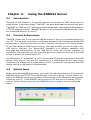
Introduction .................................................................................................... 8
4.2
Connect & Disconnect .................................................................................... 8
4.3
Subnet Issue .................................................................................................... 8
4.4
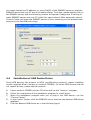
Installation of USB Device Driver .................................................................. 9
4.5
Using the ENNUS2 Server ............................................................................ 11
4.6
Auto-Connect Printer.................................................................................... 12
4.7
Network Scanner ........................................................................................... 14
4.8
USB Storage .................................................................................................. 16
4.9
Request to Connect ....................................................................................... 17
4.10 Limitations .................................................................................................... 17
5.1
Installing Control Center .............................................................................. 18
5.2
Using the Control Center .............................................................................. 19
5.3
Quitting the Control Center .......................................................................... 19
CHAPTER 6: THE ENNUS2 SERVER’S WEB PAGES ...................................................................20
6.1
Introduction .................................................................................................. 20
6.2
Using the ENNUS2 Server’s Web Pages ....................................................... 20
6.2.1 Displaying ENNUS2 Server Status ............................................................... 20
6.2.2 Setting up ENNUS2 Server Configuration ................................................... 21
CHAPTER 7: TROUBLESHOOTING ................................................................................................23
7.1
LED Indicators ............................................................................................. 23
7.2
Firewall ......................................................................................................... 23
CHAPTER 8:
RESTORE FACTORY DEFAULTS ..........................................................................24
8.1
Using the ENNUS2 Server’s Web Pages ....................................................... 24
8.2
Using Init Button........................................................................................... 24
8.3
Default Parameters List ................................................................................ 25
CHAPTER 9:
UPGRADE FIRMWARE ............................................................................................26
CHAPTER 10:
THE INIT BUTTON ...................................................................................................27
1