1
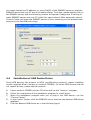
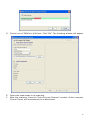
3.2 Assigning an IP Address to the ENNUS2 Server 3.2.1 Preliminary 3.2.2 If you have a DHCP server on your network, your ENNUS2 Server will receive an IP address automatically. The IP address will then appear in the Control Center or on the web page of configuration. If your DHCP server does not give an IP address to the ENNUS2 Server, the ENNUS2 Server will use the Factory IP address: 192.168.1.100. If you are not working in a DHCP network, you need to manually set the ENNUS2 Server’s IP address. IP Address Unless you are assigning an IP address using DHCP, you must obtain an unused IP address from your network administrator. 3.2.3 Methods for Setting the IP Address You can set the IP address of your ENNUS2 Server using one of the following methods, depending on your network operating environment: Automatic IP Address Assignment Manual IP Address Assignment 3.2.4 Server Names and Server Name Rules The default server name of the Server is “ENNUS2”. If you have multiple Servers in your local area network, to avoid using the same server names you have to change the server names by using the Control Center. If your server name is longer than 15 characters, the Server uses only the first 15 characters. 3.2.5 Setting the IP Address 1. Install the Control Center. The Control Center is available on the Product CD. 2. Start the Control Center and Auto-searching Server window will appear. 5