1
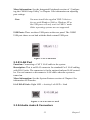
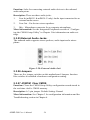
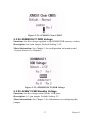
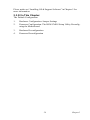
AIMB-540
Socket 478 MicroATX SBC for
Industrial Applications
User’s Manual
Federal Communications Commission (FCC)
Statement
This equipment has been tested and found to comply with the limits for a
Class B digital device, pursuant to Part 15 of the FCC Rules. These limits
are designed to provide reasonable protection against harmful interference in a residential installation. This equipment generates, uses, and can
radiate radio frequency energy and, if not installed and used in accordance with the instructions, may cause harmful interference to radio communications. However, there is no guarantee that interference will not
occur in a particular installation. If this equipment does cause harmful
interference to radio or television reception, which can be determined by
turning the equipment off and on, the user is encouraged to try to correct
the interference by one or more of the following measures:
1.Reorient or relocate the receiving antenna.
2.Increase the separation between the equipment and the receiver.
3.Connect the equipment onto an outlet on a circuit different from that to
which the receiver is connected.
4.Consult the dealer or an experienced radio/TV technician for help.
Shielded interconnect cables and shielded AC power cable must be
employed with this equipment to insure compliance with the pertinent RF
emission limits governing this device. Changes or modifications not
expressly approved by the system’s manufacturer could void the user’s
authority to operate the equipment.
Declaration of Conformity:
This device complies with part 15 of the FCC rules. Operation is subject
to the following conditions:
This device may not cause harmful interference, and his device must
accept any interference received, including interference that may cause
undesired operation.
Disclaimer
The information in this document is subject to change without notice. The
manufacturer makes no representations or warranties with respect to the
contents hereof and specifically disclaims any implied warranties of merchantability or fitness for any particular purpose. Furthermore, the manufacturer reserves the right to revise this publication and to make changes
AIMB-540 User’s Manual
ii
from time to time in the content hereof without obligation of the manufacturer to notify any person of such revision or changes.
Trademark Recognition
Microsoft and Windows are registered trademarks of Microsoft Corp.
Intel and Pentium 4 are registered trademarks of Intel Corporation.
Other product names used in this manual are the properties of their
respective owners and are acknowledged
iii
AIMB-540 User’s Manual
iv
Content
Chapter
1 Introduction ......................................................2
1.1
1.2
1.3
Introduction ....................................................................... 2
Manual Structure ............................................................... 2
Manual Features ................................................................ 3
1.3.1
1.3.2
1.4
1.5
1.6
Chapter
If The Motherboard Is Already Installed ........................ 3
If You Need To Install This Motherboard ...................... 3
Critical Topics:.................................................................. 3
Packing List....................................................................... 4
Pre-Use Checklist.............................................................. 4
2 Key Features & Components ..........................8
2.1
2.2
Introduction ....................................................................... 8
Motherboard Layout.......................................................... 9
Table 2.1:Components ....................................................9
Table 2.2:Connectors ....................................................10
Table 2.3:Smart Panel Connectors ...............................10
Table 2.4:Jumpers ........................................................10
Table 2.5:Rear I/O Panel Ports: ....................................11
2.3
Key Features & Components .......................................... 11
2.3.1
2.3.2
Intel 845GV Chipsets.................................................... 11
CPU Socket................................................................... 12
Figure 2.1:Fan/Heatsink assembly retention mechanism
...........................................................................12
2.3.3 System Memory Sockets .............................................. 12
Figure 2.2:DDR DIMM memory sockets......................13
2.3.4 PCI Expansion Slots ..................................................... 13
Figure 2.3:PCI Expansion slots....................................14
2.3.5 Drive Connectors .......................................................... 14
2.3.6 IDE Drive Connectors .................................................. 14
Figure 2.4:IDE Drive Connector...................................15
2.3.7 Floppy Disk Drive Connector....................................... 15
Figure 2.5:Floppy Drive Connector..............................16
2.3.8 Other Internal Connectors............................................. 16
2.3.9 ATX Power Connectors................................................ 16
Figure 2.6:ATX Power Connector................................17
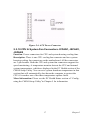
2.3.10 CPU & System Fan Connectors JCFAN1, JSFAN1,
JSFAN2............................................................................17
Figure 2.7:The cooling fan power connectors are 3-pin
connectors..........................................................18
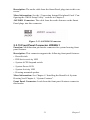
2.3.11 CD-In & AUX Audio Connectors JCDIN1 & JAUX1. 18
Figure 2.8:Audio-In Connector.....................................19
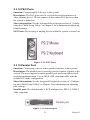
2.3.12 Onboard USB Port Connector JUSB1 & Connector
JUSB3...............................................................................19
Figure 2.9:Other USB Port............................................20
v
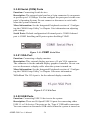
2.3.13 IR Connector JP1 .......................................................... 20
Figure 2.10:IR Connector JP1.......................................20
2.3.14 Smart Panel Audio Connector JAUDIO1..................... 20
Figure 2.11:JAUDIO1 Connector.................................21
2.3.15 Front Panel Connector JPANEL1................................. 21
Figure 2.12:Front Panel Connector...............................22
2.3.16 Battery Housing ............................................................ 22
Figure 2.13:Battery & Housing.....................................22
2.3.17 External I/O Ports ......................................................... 22
2.3.18 PS/2 Ports...................................................................... 23
Figure 2.14:PS/2 Ports...................................................23
2.3.19 Parallel Port................................................................... 23
Figure 2.15:Parallel port................................................23
2.3.20 Serial (COM) Ports ....................................................... 24
Figure 2.16:COM1 Serial Port......................................24
2.3.21 VGA Port ...................................................................... 24
Figure 2.17:VGA Port...................................................24
2.3.22 USB Ports ..................................................................... 24
Figure 2.18:USB Ports...................................................25
2.3.23 LAN Port....................................................................... 25
Figure 2.19:LAN RJ-45 Jack.........................................25
2.3.24 Audio Jacks & Connectors ........................................... 26
2.3.25 External Audio Jacks: ................................................... 26
Figure 2.20:External Audio Jack...................................26
2.3.26 Jumpers ......................................................................... 26
2.3.27 JCMOS1 Clear CMOS.................................................. 26
Figure 2.21:JCMOS1 Clear CMOS...............................27
2.3.28 JDIMMVOLT1 DDR Voltage...................................... 27
Figure 2.22:JDIMMVOLT1 DDR Voltage...................27
2.3.29 JUSBV1 USB Standby Voltage.................................... 27
Figure 2.23:JUSBV1 USB Standby Voltage.................28
2.3.30 JPSKMV1 PS/2 Standby Voltage................................. 28
Figure 2.24:JPSKMV1 PS/2 Standby Voltage..............28
2.3.31 Driver Software............................................................. 28
2.3.32 In This Chapter: ............................................................ 29
Chapter
3 Motherboard Configuration .........................32
3.1
3.2
3.3
3.4
Introduction ..................................................................... 32
The Default Configuration .............................................. 32
Hardware Configuration: Jumper Settings...................... 32
Jumper JCMOS1: Clear CMOS Memory ....................... 32
3.5
3.6
BIOS CMOS Setup Utility - Main Screen ...................... 33
Hardware Configuration Jumpers ................................... 34
Table 3.1:JCMOS1: Clear CMOS Memory .................33
3.6.1
Jumper JDIMMVOLT1: DDR Memory Voltage ......... 34
Table 3.2:JDIMMVOLT1: DDR Memory Voltage ......34
vi
3.6.2
3.7
Firmware Configuration: The CMOS Setup Utility........ 35
3.7.1
3.7.2
3.8
3.9
3.10
Chapter
Using the CMOS Setup Utility ..................................... 35
BIOS CMOS Setup Utility - Main Screen.................... 36
Reconfiguring the Motherboard ...................................... 37
Hardware Reconfiguration .............................................. 37
Firmware Reconfiguration .............................................. 37
4 Installing the Motherboard ...........................40
4.1
4.2
Introduction ..................................................................... 40
Pre-installation Preparation ............................................. 40
4.2.1
4.2.2
4.2.3
4.2.4
4.2.5
4.2.6
4.2.7
4.2.8
4.2.9
4.2.10
4.2.11
4.2.12
4.2.13
4.2.14
4.2.15
Chapter
Jumper JUSBV1: USB Standby Voltage...................... 35
Table 3.3:USB Standby Voltage ...................................35
Installing A CPU........................................................... 40
Processor Selection ....................................................... 41
Installing The Processor................................................ 41
Installing the Heatsink .................................................. 42
Apply Thermal Interface............................................... 42
Install the Fan/Heatsink ................................................ 43
Installing System Memory............................................ 44
Memory Specifications ................................................. 45
Memory Configuration Options.................................... 45
Installing Memory Modules.......................................... 45
System Memory Recognition ....................................... 46
Installing the Motherboard in a System Housing ......... 47
Motherboard Installation Procedure ............................. 47
Connecting Front Panel Components ........................... 48
Completing System Configuration ............................... 48
5 System Configuration ....................................52
5.1
5.2
Introduction ..................................................................... 52
Installing or Connecting Internal Peripherals.................. 52
5.2.1
5.2.2
5.2.3
5.2.4
5.3
Connecting External System Peripherals ........................ 56
5.3.1
5.3.2
5.3.3
5.3.4
5.4
Connecting Internal Devices........................................ 52
Connecting IDE Devices .............................................. 52
IDE Drive Positioning .................................................. 53
Connecting a Floppy Disk Drive .................................. 53
Connecting a Display Monitor...................................... 56
Connecting a Keyboard & Mouse ................................ 56
Connecting PS/2 Devices.............................................. 56
Connecting USB Devices ............................................. 56
Configuring the CMOS Setup Utility.............................. 57
5.4.1
5.4.2
5.4.3
5.4.4
5.4.5
The CMOS Setup Utility User Interface....................... 57
Running the CMOS Setup Utility................................. 58
CMOS Setup Utility Program Sections ........................ 58
Standard CMOS Features ............................................. 59
Advanced Boot Options................................................ 60
vii
5.4.6
5.4.7
5.4.8
5.4.9
5.4.10
5.4.11
5.4.12
5.4.13
5.4.14
5.4.15
5.4.16
5.5
Installing an OS & Support Software.............................. 69
5.5.1
5.5.2
5.5.3
5.5.4
5.5.5
5.5.6
5.5.7
Chapter
Installing an Operating System..................................... 70
Installing the Support Software .................................... 70
Installing Windows Drivers .......................................... 70
Installing the CSI Utility............................................... 72
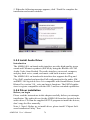
Install Audio Driver ...................................................... 74
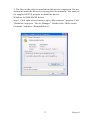
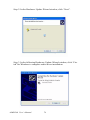
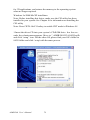
Driver installation ......................................................... 74
VGA Setup.................................................................... 77
6 Using the Motherboard..................................84
6.1
6.2
Introduction ..................................................................... 84
Using System Features .................................................... 84
6.2.1
6.2.2
6.2.3
6.2.4
6.2.5
6.2.6
6.2.7
6.3
6.4
6.5
6.6
Front Panel System Controls & Indicators ................... 84
System Controls............................................................ 84
Power Button ................................................................ 84
Reset Switch ................................................................. 85
Note On Reset & Rebooting: ........................................ 85
Suspend Button ............................................................. 85
Indicator LEDs.............................................................. 85
Installing & Configuring An IR Port............................... 86
Performance Optimization .............................................. 87
6.4.1
6.4.2
6.4.3
System Memory............................................................ 87
Disk Subsystems ........................................................... 88
Processor Upgrades & Adjustments ............................. 88
Troubleshooting .............................................................. 88
Hardware Problems ......................................................... 88
6.6.1
6.6.2
6.6.3
6.6.4
6.6.5
Chapter
Advanced Chipset Features .......................................... 61
Integrated Peripherals ................................................... 62
Power Management Setup ............................................ 63
PnP/PCI Configurations................................................ 64
PC Health Status ........................................................... 65
Frequency/Voltage Setting ........................................... 66
Load Fail-Safe Defaults ................................................ 67
Load Optimized Defaults.............................................. 67
Set Supervisor/User Password ...................................... 68
Save & Exit Setup......................................................... 68
Exit Without Saving...................................................... 68
General Hardware Troubleshooting.............................. 88
Hardware Configuration Problems ............................... 89
Plug and Play Problems ................................................ 90
Replacing the System Configuration Record................ 90
Loading Optimized Defaults......................................... 90
7 Technical Specifications.................................94
7.1
7.2
Introduction ..................................................................... 94
AIMB-540 Motherboard Specifications Processor:........ 94
viii
CHAPTER
1
Introduction
1
Chatper 1
Chapter 1 Introduction
1.1 Introduction
This is the User’s Manual is for the ADVANTECH industrial motherboard AIMB-540. Anything in this manual that only applies to one board
is clearly noted. Please read this chapter before you use your motherboard
and identify which parts of the manual you will need to refer to. Please
pay particular attention to the Critical Topics section.
What’s In This Chapter?
1.
Introduction
2.
Manual Structure
3.
Manual Features
4.
Critical Topics
5.
Packing List
6.
Pre-Use Checklist
1.2 Manual Structure
This manual has seven chapters covering the following topics:
Chapter 1: Introduction
Explains the manual structure and conventions and indicates the most
important topics in the manual. In addition, there is a list of what you
should find in the motherboard package and some pointers on things to do
before you configure or install the board.
Chapter 2: Key Features & Components
Details the motherboard’s hardware features and important components
and indicates their locations. Describes the support software that comes
with the board on the Power Installer support CD-ROM disc.
Chapter 3: Motherboard Configuration
Lists the motherboard’s default configuration and configuration options.
Chapter 4: Installing The Motherboard
Has information on how to prepare and install the motherboard. Includes
installing a CPU and system memory and housing installation considerations.
AIMB-540 User’s Manual
2
Chapter 5: System Configuration
Covers connecting system peripherals to the motherboard, initial BIOS
configuration using the CMOS Setup utility, OS options and software
installation.
Chapter 6: Using The Motherboard
Explains system operation features that derive from the motherboard. Has
information on performance optimization and troubleshooting.
Chapter 7: Technical Information
Lists the motherboard’s technical specifications.
1.3 Manual Features
This User’s Manual is intended to be useful and informative while also
making it easy to quickly find specific information or specifications. The
manual has icons and notes in the sidebar to note important topics, indicate warnings or further explain and illustrate points. We suggest that
most users review the manual to become familiar with the motherboard.
Expert users may want to review topics selectively, as needed.
1.3.1 If The Motherboard Is Already Installed
You may receive the motherboard installed in a working system. If this is
the case, you should still probably review the sections on configuring and
using the board, especially if an Operating System is not installed yet.
1.3.2 If You Need To Install This Motherboard
We recommend that only experienced users and technicians install this
motherboard. Otherwise, we suggest having a qualified computer technician install and configure the system. This service is usually provided at a
nominal fee by better computer stores and service companies.
1.4 Critical Topics:
Many users do not read through the entire User’s Manual. While this may
not be necessary for experienced users or if the motherboard is already
installed, there are some topics that are particularly important and deserve
your specific attention. Some topics cover information critical to the
proper installation and use of the motherboard.
For this motherboard, please review the sections on the following topics:
1.
CPU installation: please see ‘Chapter 4’.
2.
System memory installation please see ‘Chapter 4’.
3
Chatper 1
3.
Required BIOS configuration please see ‘Chapter 5’.
4.
Support software installation please see ‘Chapter 5’.
1.5 Packing List
The motherboard package includes the following items:
AIMB-540 motherboard
1.
Rear I/O panel shield
2.
ATA-66/100 IDE connector cable
3.
Floppy Disk Drive connector cable
4.
3 Jumper Caps (Extra caps in case original caps are lost.)
5.
Utility CD-ROM disc
(Includes support software, drivers and bundled software, utilities.)
6.
Startup Manual
1.6 Pre-Use Checklist
Before you install and use the motherboard, please do the following:
1.
Check Package Contents
Please compare the package contents to the Packing
List on the previous page and confirm that all items are present and
undamaged.
2.
Missing or Damaged Accessories
If anything is missing, please contact your vendor.
3.
Motherboard Damage
If the motherboard has been visibly damaged, return the complete
package to your vendor with proof of purchase.
4.
Prepare Minimum System Components
If you are installing the board in a new system, you’ll need at least
the following internal components.
5.
Intel Pentium 4 478-pin processor
6.
At least one DDR SDRAM memory module
7.
Desired storage devices (hard disk, CD-ROM, etc.)
AIMB-540 User’s Manual
4
You will also need whatever external system peripherals you intend to
use, which will normally include at least a keyboard, a pointing device
and a video display monitor
5
Chatper 1
AIMB-540 User’s Manual
6
CHAPTER
2
Key Features & Components
7
Chapter 2
Chapter 2 Key Features & Components
2.1 Introduction
This chapter explains the location and function of this motherboard’s key
features and components. In addition, it details the software that comes
on the Power Installer support CD-ROM disc. Please review this chapter
if you are installing the motherboard. It is also useful for reference
regarding feature functions after the board is installed in a working system.
Chapter Topics:
1.
Hardware Features
2.
Motherboard Layout
3.
Key Features & Components
4.
Software Features
5.
Driver Software
6.
Utility Software
AIMB-540 User’s Manual
8
2.2 Motherboard Layout
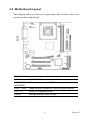
The diagram and key on these two pages shows the location of key components on the motherboard.
Table 2.1: Components
CPU1
mPGA478 CPU socket for Intel Pentium 4 processor
JATXPWR2,
JATXPWR1
Power connectors for ATX power supply
DDR1, DDR2
DIMM memory sockets for DDR SDRAM modules
PCI 1 - 3
32-bit PCI expansion slots
JUSB3
Onboard internal USB 2.0 port
9
Chapter 2
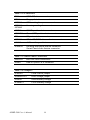
Table 2.2: Connectors
IDE1
IDE2 IDE drive connectors
FDD1
Floppy disk drive connector
JCFAN1
CPU cooling fan power connector
JSFAN1,
JSFAN2
Housing cooling fan connectors
JCOM2
COM2 port bracket connector
JGAME1
Game/MIDI port bracket connector
JP1
IR port module connector
JCDIN1
CD-In CD-ROM drive audio-in connector
JAUX1
AUX-auxiliary audio-in connector
JPANEL1
Housing front panel feature connector
Smart Panel audio feature connector
Table 2.3: Smart Panel Connectors
JAUDIO1
IDE2 IDE drive connectors
JUSB1
USB 2.0 ports 5 & 6 connector
Table 2.4: Jumpers
JCMOS1
Clear CMOS jumper
JDIMMVOLT1
DDR voltage jumper
JUSBV1
USB Standby voltage
JPSKMV1
PS/2 Standby voltage
AIMB-540 User’s Manual
10
Table 2.5: Rear I/O Panel Ports:
This figure show the ports
on the rear I/O panel. The
ports include, from top to
bottom:
PS/2 ports
Serial, Parallel & VGA ports
Three USB ports
LAN port
Audio ports
The ports have standard
color-coding as follows:
PS/2 Keyboard: Purple
PS/2 Mouse: Green
Serial Port: Teal
Parallel Port: Burgundy
VGA Port: Blue
USB Ports: Black
LAN jack: None
Line Out jack: Lime
Line In jack: Light Blue
Mic In jack: Pink
2.3 Key Features & Components
This section explains the function and use of key features and components on the motherboard. It also indicates where to look in the manual
for additional information on configuring and using them. This motherboard uses an Micro ATX form factor PCB in a design that integrates
many features onto the board including several external ports.
2.3.1 Intel 845GV Chipsets
The AIMB-540 motherboard uses the Intel 845GV Chipset, a multi-function chipset for higherend performance and mainstream systems. Intel
845GV chipset includes a high performance onboard display graphics
controller.
11
Chapter 2
The components include the following devices mounted on the board:
AIMB-540 • North Bridge: 82845GVMemory Controller Hub (533MHz FSB)
• South Bridge: 82801DB I/O Controller Hub (ICH4)
2.3.2 CPU Socket
Function: The system CPU installs in this socket.
Description: The mPGA478B CPU socket supports all 478-pin Intel
Pentium 4 CPUs that use this socket. The motherboard comes with a
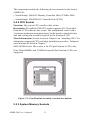
“retention mechanism mounting frame”on the board to attach the heatsink and cooling fan assembly required by the Pentium 4 CPU.
More Information: See the section in Chapter 4 on “Installing CPUs”for
information supported CPUs and their installation procedure. Technical
specifications are listed in Chapter 7.
mPGA478B Socket: This socket is for 478-pin Pentium 4 CPUs only.
Note: Both 400MHz and 533MHz Frontside Bus Pentium 4 CPUs are
supported.
Figure 2.1: Fan/Heatsink assembly retention mechanism
2.3.3 System Memory Sockets
AIMB-540 User’s Manual
12
Function: The DIMM system memory sockets are for installing DDR
SDRAM system memory modules.
Description: There are two DIMM memory module sockets on the motherboard. These sockets are for 200MHz (PC1600) or 266MHz (PC2100)
DDR SDRAM memory modules. The sockets function independently,
allowing a variety of memory configurations up to a total of 2GB.
More Information: See the section on Installing System Memory in
Chapter 4 for configuration specifications and installation instructions.
Technical specifications are listed in Chapter 7.
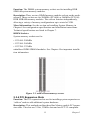
DIMM Sockets:
System memory sockets are for:
• PC1600: 200MHz
• PC2100: 266MHz
• PC2700: 333MHz
unbuffered DDR SDRAM modules. See Chapter 4 for important installation information.
Figure 2.2: DDR DIMM memory sockets
2.3.4 PCI Expansion Slots
Function: The PCI expansion slots are for installing system expansion or
“add-on”cards to add additional system hardware.
Description: This motherboard has three Bus Master capable PCI expansion slots. The slots are 32-bit, 33MHz slots and are PCI 2.2-compliant.
13
Chapter 2
The slots provide a fast high-bandwidth pathway between the motherboard and expansion cards.
More Information: See the section “Connecting & Installing Internal
Peripherals”in Chapter 4. Technical specifications are listed in Chapter 7.
PCI Expansion Slots :All slots are Bus Master capable and PCI 2.2 compliant
Figure 2.3: PCI Expansion slots
2.3.5 Drive Connectors
There are three drive connectors on the motherboard for connecting IDE
and floppy disk drives.
2.3.6 IDE Drive Connectors
Function: The two IDE connectors, marked ‘Primary’and ‘Secondary’,
are for connecting IDE drives to the motherboard.
Description: The IDE controller on the motherboard supports IDE
devices running in all modes up through ATA-100. There are two IDE
drive connectors. Each connector supports two drives, a ‘Master’and a
‘Slave’ which connect to the motherboard with a ribbon cable. The supplied cable supports transfer modes through ATA-100.
More Information: See the section on “Connecting Internal Peripherals”
in Chapter 5 for instructions on connecting IDE drives. Technical specifications are listed in Chapter 7.
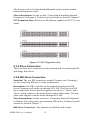
IDE Drive Connectors: The channels are labeled on the board.
AIMB-540 User’s Manual
14
Figure 2.4: IDE Drive Connector
2.3.7 Floppy Disk Drive Connector
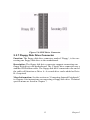
Function: The floppy disk drive connector, marked ‘Floppy’, is for connecting one floppy disk drive to the motherboard.
Description: The floppy disk drive connector supports connecting one
floppy disk drive to the motherboard. The ‘Floppy’drive connector uses a
standard FDD ribbon cable. The floppy disk drive connected to the end of
the cable will function as Drive A. A second drive can be added as Drive
B: if required.
More Information: See the section on “Connecting Internal Peripherals”
in Chapter 4 for instructions on connecting a floppy disk drive. Technical
specifications are listed in Chapter 7.
15
Chapter 2
Figure 2.5: Floppy Drive Connector
2.3.8 Other Internal Connectors
There are several other connectors on the motherboard.
2.3.9 ATX Power Connectors
Function: Connectors for leads from a system ATX power supply.
Description: There are two power connectors on the motherboard for
leads from an ATX power supply. The power supply leads plug into the
connectors. The connector designs prevent incorrect orientation. There
are two connectors, the standard 20-pin ATX connector and the extra
ATX12V 4-pin connector which supplies additional 12-volt current.
More Information: Please refer to Chapter 4, “Installing the Board in a
System Housing”. chapter 7 lists technical specifications.
ATX Power Connectors:An ATX power supply with two power leads is
required for this board.
AIMB-540 User’s Manual
16
Figure 2.6: ATX Power Connector
2.3.10 CPU & System Fan Connectors JCFAN1, JSFAN1,
JSFAN2
Function: Power connectors for CPU and system housing cooling fans.
Description: There is one CPU cooling fan connector and two systemhousing cooling fan connectors on the motherboard. All the connectors
are 3-pin headers. Both the CPU and system fan connectors support fan
speed monitoring. A temperature monitor detects the CPU and internal
system temperatures, which are displayed in the PC Health section of the
CMOS Setup Utility. You can set a system shutdown temperature in that
section that will automatically shut down the computer to protect the
CPU if it reaches one of the three temperature options listed.
More Information: Please see the PC Health Status section of “Configuring the CMOS Setup Utility”in Chapter 5 for information.
17
Chapter 2
Cooling Fan Connectors:
Figure 2.7: The cooling fan power connectors are 3-pin connectors.
2.3.11 CD-In & AUX Audio Connectors JCDIN1 & JAUX1
Function: Connectors for audio-in cables from internal peripherals.
Description: The two audio-in connectors on the motherboard are for
audio cables from optical drives such as a CD-ROM or DVD-ROM drive.
The connectors provide an audio input connection between a device and
the integrated audio subsystem.
More Information: Please see the Connecting internal peripherals section in Chapter 5.
Audio-In Connectors:
The JCDIN1 CD-In connector is for CD-ROM or other optical drives.
Use the JAUX1 AUX connector for an additional drive.
AIMB-540 User’s Manual
18
Figure 2.8: Audio-In Connector
2.3.12 Onboard USB Port Connector JUSB1 & Connector JUSB3
Function: Connector for the additional two USB ports port bracket.
JUSB3 is an onboard internal USB 2.0 port.
Description: Connecting an external 2-port USB port bracket to JUSB1
provides two additional Hi-Speed USB 2.0 ports that have their own Root
Hub. JUSB3 is a port mounted directly on the board for connecting internal USB 2.0 devices.
More Information: See the “Connecting Internal Peripherals” section of
Chapter 5.
Other USB Ports: Connecting a port bracket to JUSB1 provides two
additional USB ports. JUSB3 is a single port for connecting internal
devices.
19
Chapter 2
Figure 2.9: Other USB Port
2.3.13 IR Connector JP1
Function: Connector for an Infrared (IR) port module.
Description: The IR connector supports both IrDA and ASKIR infrared
port modules. Follow the module’s instructions to install it.
More Information: Please see the Integrated Peripherals section of
“Configuring the CMOS Setup Utility”in Chapter 5 for information.:
IR Connector JP1:The IR connector is for both IrDA and ASKIR port
modules. You must use the CMOS Setup Utility to configure the board to
use the IR feature.
Figure 2.10: IR Connector JP1
2.3.14 Smart Panel Audio Connector JAUDIO1
Function: Connector for the audio features on the Smart Panel..
AIMB-540 User’s Manual
20
Description: The audio cable from the Smart Panel plugs into to this connector.
More Information: See the “Connecting Internal Peripherals”and “Configuring the CMOS Setup Utility” sections in Chapter 5.
JAUDIO1 Connector: The cable from the audio features on the Smart
Panel plugs into this connector.
Figure 2.11: JAUDIO1 Connector
2.3.15 Front Panel Connector JPANEL1
Function: Multifunction pin header connector for system housing front
panel features.
Description: This connector supports the following front panel features:
• Reset Switch
• IDE device activity LED
• System ACPI Suspend switch
• System Power LED
• System Activity LED
• Housing-mounted speaker
More Information: See Chapter 4 “Installing the Board In A System
Housing”and Chapter 6, “System Features”.
Front Panel Connector: Leads from the front panel features connect to
this header.
21
Chapter 2
Figure 2.12: Front Panel Connector
2.3.16 Battery Housing
Function: Housing for system support battery.
Description: An external lithium coin-cell battery powers the real-time
clock and CMOS memory. When the computer is not plugged into a wall
socket, the battery has an estimated life of three years. When the computer is plugged in, the standby current from the power supply extends
the life of the battery.
More Information: See the Standard CMOS Features section of “Configuring the CMOS Setup Utility” in Chapter 5 to adjust the real-time
clock settings.
Battery & Housing: The battery is a CR2032 Lithium coin cell.
Figure 2.13: Battery & Housing
2.3.17 External I/O Ports
There are several external Input/Output ports on the rear edge of the
motherboard and connectors for more on the board. Please refer to the
Rear I/O Panel Ports illustration for the port locations. The ports are
color-coded for easy identification.
AIMB-540 User’s Manual
22
2.3.18 PS/2 Ports
Function: Connecting PS/2 devices to the system.
Description: The PS/2 ports are for a system keyboard and mouse or
other pointing device. Do not connect or disconnect PS/2 devices when
the system is turned on.
More Information: See the Advanced Boot Options section of “Configuring the CMOS Setup Utility” in Chapter 5 for information on adjusting,
related settings.
PS/2 Ports: Do not plug or unplug devices when the system is turned on.
Figure 2.14: PS/2 Ports
2.3.19 Parallel Port
Function: Connecting a device with a parallel interface to the system.
Description: The parallel port is generally used to connect a printer to the
system. The port supports common parallel port modes and allows bidirectional communication. Use an IEEE 1284 compliant cable with the
default ECP mode configuration.
More Information: See the Integrated Peripherals section of “Configuring the CMOS Setup Utility” in Chapter 5 for information on adjusting
port settings.
Parallel port: The default mode is ECP, configured as EPP 1.9, DMA 3.
1284 compliant.
Figure 2.15: Parallel port
23
Chapter 2
2.3.20 Serial (COM) Ports
Function: Connecting Serial devices.
Description: The external serial port has a 9-pin connector. It can operate
at speeds up to 115,200bps. You can configure the port speed via the computer’s Operating System. Do not connect or disconnect a serial cable
when the system is turned on.
More Information: See the Integrated Peripherals section of “Configuring the CMOS Setup Utility” in Chapter 5 for information on adjusting
port settings.
Serial Ports: Default configuration ñ External port is COM1 Onboard
port is COM2 Installing an IR port requires disabling COM2.
Figure 2.16: COM1 Serial Port
2.3.21 VGA Port
Function: Connecting a display monitor.
Description: This external display port uses a 15-pin VGA connector.
The connector is for the onboard display graphics controller. Do not connect or disconnect a display cable when the system is turned on.
More Information: See the Integrated Peripherals section of “Configuring the CMOS Setup Utility” in Chapter 5 for more information.
VGA Port: The VGA port is for the onboard display controller.
Figure 2.17: VGA Port
2.3.22 USB Ports
Function: Connecting USB 2.0 devices to the system.
Description: These are Hi-Speed USB 2.0 ports for connecting either
USB 1.1 or 2.0 devices. The ports are for ‘Type A’ USB cable connectors.
You can connect or disconnect USB cables when the system is turned on.
AIMB-540 User’s Manual
24
More Information: See the Integrated Peripherals section of “Configuring the CMOS Setup Utility” in Chapter 5 for information on adjusting
port settings.
Note:
You must install the supplied USB 2.0 drivers
for use with Windows 2000 or Windows XP or
the USB ports will only work in USB1.1 mode.
Other operating systems are not supported.
USB Ports: There are three USB ports on the rear panel. The JUSB3
USB port shares a root hub with the third external USB port.
Figure 2.18: USB Ports
2.3.23 LAN Port
Function: Connecting a CAT 5 LAN cable to the system.
Description: This is an RJ-45 connector for standard Cat 5 LAN cabling
with RJ-45 jacks. The connector is for the optional onboard LAN controller. You can connect or disconnect a LAN cable when the system is
turned on.
More Information: See the System Features section of Chapter 6 for
information LED modes.
LAN RJ-45 Jack: Right LED = Activity Left LED = Link
Figure 2.19: LAN RJ-45 Jack
2.3.24 Audio Jacks & Connectors
25
Chapter 2
Function: Jacks for connecting external audio devices to the onboard
audio subsystem.
Description: There are three audio jacks:
1.
Line In (mP4G-U & mP4GL-U only) Audio input connector for an
external audio source.
2.
Line Out - For the two stereo speakers.
3.
Mic - Microphone connector for a computer microphone.
More Information: See the Integrated Peripherals section of “Configuring the CMOS Setup Utility” in Chapter 5 for information on audio settings.
2.3.25 External Audio Jacks:
The onboard audio supports stereo speakers, audio input and a microphone.
Figure 2.20: External Audio Jack
2.3.26 Jumpers
There are five jumper switches on this motherboard. Jumpers function
like switches to establish a hardware configuration setting.
2.3.27 JCMOS1 Clear CMOS
Function: Clears the CMOS Setup Utility configuration record stored in
the real-time clock’s CMOS memory.
Description: A 3-pin jumper. Default Setting: Normal
More Information: See Chapter 3 for configuration information and the
Troubleshooting section in Chapter 6.
AIMB-540 User’s Manual
26
Figure 2.21: JCMOS1 Clear CMOS
2.3.28 JDIMMVOLT1 DDR Voltage
Function: Sets the voltage supplied to the DIMM DDR memory sockets.
Description: An 8-pin jumper. Default Setting: 2.5V
More Information: See Chapter 3 for configuration information and
“System Features”in Chapter 6.
Figure 2.22: JDIMMVOLT1 DDR Voltage
2.3.29 JUSBV1 USB Standby Voltage
Function: Sets the voltage status for the USB ports.
Description: A 3-pin jumper. Default Setting: 5V
More Information: See Chapter 3 for information on configuring this
jumper.
27
Chapter 2
Figure 2.23: JUSBV1 USB Standby Voltage
2.3.30 JPSKMV1 PS/2 Standby Voltage
Function: Sets the voltage status for the PS/2 ports.
Description: A 3-pin jumper. Default Setting: 5V
More Information: See Chapter 3 for information on configuring
this jumper.
Figure 2.24: JPSKMV1 PS/2 Standby Voltage
2.3.31 Driver Software
This motherboard requires that you install driver software to support the
onboard hardware. You will need to install the following:
1.
Intel 845GV chipset - support software driver that supports the
chipset and the Intel Application Accelerator that enhances system
performance.
2.
Audio driver software - Audio driver and utilities for the onboard
audio subsystem.
3.
Graphic driver software - Driver software for the onboard video
display
4.
LAN driver software - Driver software for the onboard LAN
AIMB-540 User’s Manual
28
Please make out “Installing OS & Support Software” in Chapter 5 for
more information.
2.3.32 In This Chapter:
The Default Configuration
1.
Hardware Configuration: Jumper Settings
2.
Firmware Configuration: The BIOS CMOS Setup Utility Reconfiguring the Motherboard
3.
Hardware Reconfiguration
4.
Firmware Reconfiguration
29
Chapter 2
AIMB-540 User’s Manual
30
CHAPTER
3
Motherboard Configuration
31
Chapter 3
Chapter 3 Motherboard Configuration
3.1 Introduction
This chapter details the motherboard’s default configuration and configuration options. Please review the contents of this chapter to find out information on the default configuration or alternative configuration options to
change the default configuration. The motherboard will operate properly
in the default configuration. Please make certain that any configuration
changes you make will not adversely affect system operation.CMOS
RAM Auto-backup and Restore
3.2 The Default Configuration
The default configuration is set at the time of manufacture. The configuration is comprised of the hardware configuration settings and the default
firmware settings in the BIOS CMOS Setup Utility.
3.3 Hardware Configuration: Jumper Settings
This motherboard is mainly configured in firmware, which simplifies
configuration. There are also a few hardware settings. The hardware settings are configured using standard jumper switches. The motherboard
has three jumper switches. The first section is about the IOS-related
jumper and the second about the two hardware configuration jumpers.
3.4 Jumper JCMOS1: Clear CMOS Memory
JCMOS1 is a jumper switch, but it does not set a hardware configuration
setting. The BIOS CMOS Setup Utility creates a system configuration
record that is stored in CMOS memory in the real-time clock chip. If the
configuration record data becomes corrupted or is destroyed, or if the
CMOS Setup Utility settings are changed to an unusable configuration,
the motherboard may not run properly or at all. JCMOS1 provides a
means to delete the configuration data stored in CMOS memory and reset
the configuration to the CMOS Setup Utility’s Optimized Defaults. Follow this procedure to clear CMOS memory. If necessary, refer to the
motherboard diagram and key in Chapter 2 for the jumper location.
1.
Turn off and unplug the system. Remove the system housing cover
(see documentation if necessary).
AIMB-540 User’s Manual
32
2.
Set JCMOS1 to the Clear CMOS position by placing the jumper
cap over pins 2 and 3 for one minute.
3.
Return the jumper cap to the Normal position.
4.
Replace the system housing cover, plug in the system and turn it on.
5.
Run the CMOS Setup utility and load the Optimized Defaults. You
can then enter any custom settings you require.
6.
Save the settings as you exit the program and restart the computer.
The system should now operate normally.
Table 3.1: JCMOS1: Clear CMOS Memory
Setting
Function
Normal operation(default)
Short1-2
Clear CMOS memory - see instructions
Short2-3
3.5 BIOS CMOS Setup Utility - Main Screen
The main screen of the CMOS Setup Utility has a Load Optimized
Defaults item that loads the default operation settings. After you performthe Clear CMOS procedure, load the defaults as follows:
1.
Select Load Optimized Defaults and press the Enter key.
2.
A message will appear asking you to confirm.
3.
Type a Y to confirm and press the Enter key again.
4.
Make other settings you require.
5.
Select Save & Exit Setup and press the Enter key.
The system will restart and use the new settings. See the section on “Configuring the CMOS Setup Utility” in Chapter 5 for information on how to
use this program.
33
Chapter 3
3.6 Hardware Configuration Jumpers
3.6.1 Jumper JDIMMVOLT1: DDR Memory Voltage
This jumper sets the operating voltage supplied to DDR DIMMs installed
in the board’s DIMM sockets. The default setting is the normal voltage.
The alternate voltage settings are for use in overclocking. If you are not
overclocking the system, you don’t need to change this jumper setting.
Table 3.2: JDIMMVOLT1: DDR Memory Voltage
Setting
AIMB-540 User’s Manual
Function
Open
2.5-Volt[Default]
Short 1-2
2.6-Volt
Short 3-4
2.7-Volt
Short 5-6
2.8-Volt
Short 7-8
2.9-Volt
34
3.6.2 Jumper JUSBV1: USB Standby Voltage
This jumper controls the voltage to the USB ports. The default setting is
for standard 5V operation. The alternate setting configures the USB ports
to also operate with a standby voltage of 5V. This allows the system to
wake up from an S3 Suspend state. If you anitcipate using this Suspend
mode, you should set this jumper to the alternate setting.
Table 3.3: USB Standby Voltage
Setting
Function
Short1-2
USB Voltage 5-Volt[Default]
Short2-3
USB Standby Voltage 5-Volt
3.7 Firmware Configuration: The CMOS Setup Utility
The BIOS CMOS Setup Utility a configuration record of system settings.
This record is based on the “Optimized Defaults” that are stored with the
utility in Flash memory and can be reloaded at any time. Many of these
settings are either recommended or required for the motherboard to operate properly. Other settings are customizable and can be changed to suit
your specific system configuration and operation requirements. A number
of the variable settings, such as CPU and IDE device settings are set to be
automatically detected in the default configuration. While these settings
can also be established manually, automatic detection is more convenient,
safe and reliable. We strongly recommend that you leave all auto-detection settings undisturbed unless you have a specific reason not to and you
are certain of what you are doing. Incorrect configuration of the CMOS
Setup Utility can result in unreliable operation or a failure of the motherboard to work at all.
3.7.1 Using the CMOS Setup Utility
Please refer to the “Configuring the CMOS Setup Utility” section in
Chapter 5 for information on using the utility and some settings you
might want to customize. The utility does not run under an Operating
System. You must load it during the Power On Self Test (POST) while the
computer is starting up by press the Delete key or the Del key on the system keyboard’s numeric keypad.
35
Chapter 3
Load the CMOS Setup Utility during the POST by pressing the Delete or
Del key. The utility interface commands are explained at the bottom of
each screen and “General Help” is available by pressing the F1 key. See
the section on “Configuring the CMOS Setup Utility” in Chapter 5 for
information on how to use this program.
The main screen has a basic list command instructions at the bottom of
the screen and displays a function description of the highlighted item.
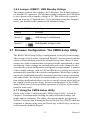
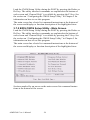
3.7.2 BIOS CMOS Setup Utility - Main Screen
Load the CMOS Setup Utility during the POST by pressing the Delete or
Del key. The utility interface commands are explained at the bottom of
each screen and “General Help” is available by pressing the F1 key. See
the section on “Configuring the CMOS Setup Utility” in Chapter 5 for
information on how to use this program.
The main screen has a basic list command instructions at the bottom of
the screen and displays a function description of the highlighted item.
Sections marked by an arrow on the main screen list command instructions at the bottom of the screen.
AIMB-540 User’s Manual
36
3.8 Reconfiguring the Motherboard
You can change the default configuration (as shipped) of this motherboard as needed. However, since this motherboard has only a few hard
configuration options and the CMOS Setup Utility is configuration is
mostly either required, recommended or automatic, there will probably be
little reason to do so.
3.9 Hardware Reconfiguration
We recommend leaving the jumper settings at the default settings unless
you need to perform the Clear CMOS procedure. It is much more convenient to control the BIOS Flash Protection feature using the CMOS Setup
Utility. If you want to use a sound card instead of the onboard audio, you
should disable the onboard audio. You can also disable the onboard LAN
on the P4D-N if the need arises, though you don’t need to do this to add
another LAN card to the system.
3.10 Firmware Reconfiguration
You can initially specify or customize the CMOS Setup Utility settings
when you first configure the system (as covered in Chapter 5) to meet
your requirements. Other than doing this, there should be no need to
reconfigure the CMOS Setup Utility unless the system configuration
changes or the configuration record stored in CMOS memory becomes
corrupted and unusable, which is not common. If you need to completely
37
Chapter 3
recreate the system configuration record, follow the Clear CMOS procedure described in this chapter.
In This Chapter:
Pre-Installation Preparation
Installing CPUs
Installing System Memory
Installing the Motherboard in a System Housing
Motherboard Installation Procedure
Completing System Configuration
AIMB-540 User’s Manual
38
CHAPTER
4
Installing the Motherboard
39
Chapter 4
Chapter 4 Installing the Motherboard
4.1 Introduction
This chapter covers preparing the motherboard for installation, installing
the board in a system housing or “chassis”and installing or connecting
other internal system components. There are a number of important topics
in this chapter and we strongly urge that you review it before attempting
to install the motherboard.
4.2 Pre-installation Preparation
Before you install the motherboard you will need to do the following:
1.
Install a 478-pin Intel Pentium 4 CPU
2.
Install DDR DIMM system memory modules
Both of these require specific procedures that you must follow precisely
to insure that the components are successfully installed and work properly. Please review the instructions in this section in detail and follow
them carefully. The procedures are not complex.
4.2.1 Installing A CPU
This motherboard uses the 478-pin Intel Pentium 4 processor.
To install an Intel Pentium 4 CPU on the motherboard it is very important
to precisely and entirely follow the procedure for installing both the CPU
and its cooling assembly. Failure to do so can result in either improper
operation or damage to the CPU and possibly the motherboard.
To install an Intel Pentium 4 processor on this motherboard you will need
to do the following:
• Install a Pentium 4 processor in the mPGA478 socket
• Install the Heatsink/Retention Mechanism
Please follow the procedure detailed below to install the Pentium 4 processor on the board. Intel boxed Pentium 4 processors come with full
installation instructions. If you have these, please also read and follow
those instructions carefully.
AIMB-540 User’s Manual
40
4.2.2 Processor Selection
This motherboard supports all 478-pin Pentium 4 processors and the
BIOS automatically detect the required settings and configures the
CMOS Setup Utility accordingly.
4.2.3 Installing The Processor
Installing a Pentium 4 processor in the mPGA478 Socket is the simplest
part of the procedure. It is very important, however, to carefully handle
the processor by the side edges and always fully observe precautions
against electrostatic discharge. We assume here that you are installing an
Intel Pentium 4 boxed processor that comes with a heatsink and Thermal
Interface Material applicator. The illustrations show these. If you are
installing a non-boxed processor, the procedure is the same, but the accessory items may have a different appearance. Please follow the installation
procedure as illustrated on the next two pages. The illustrations are
generic and do not specifically represent this motherboard.
41
Chapter 4
The processor installation procedure is as follows:
1. Raise the locking lever of the
processor locking mechanism
to a perpendicular position.
2. Align the processor to the
socket by matching the Pin 1 corner of the socket to the Pin 1 corner on the socket.
Raise the socket lever to the
vertical position
Match the Pin 1 positions on the
socket and the processor
3. Carefully insert the Pentium
4 processor in the socket
receptacles, taking care not to
bend any pins.
4. Lower the locking mechanism’s
retaining lever and secure it in
place to secure the processor in
the socket.
4.2.4 Installing the Heatsink
Once you have installed the CPU, you must install a Fan/Heatsink. The
Fan/Heatsink clips into to the Retention Mechanism attached to the board
via its integrated retaining clip assembly.
4.2.5 Apply Thermal Interface
Material Before you install the Fan/Heatsink you must apply the Thermal
Interface Material (TIM) that is supplied in an applicator with boxed Intel
Pentium 4 processors (or an exact equivalent) to the top of the installed
AIMB-540 User’s Manual
42
CPU. If the Fan/Heatsink already has a patch of TIM on its underside,
you don’t need to apply any additional TIM to the CPU. We assume here
that you have TIM in an Intel supplied applicator. To apply TIM to the
CPU do as follows:
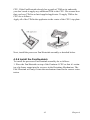
Apply all of the TIM in the applicator to the center of the CPU’s top plate.
Next, install the processor Fan/Heatsink assembly as detailed below.
4.2.6 Install the Fan/Heatsink
To install the processor Fan/Heatsink assembly do as follows:
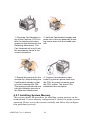
1. Place the Fan/Heatsink on top of the Pentium 4 CPU so that it’s retaining clip frame snaps into the recesses in the Retaining Mechanism. The
Fan/ Heatsink will only fit into the mechanism frame in the correct orientation.
43
Chapter 4
1. Place the Fan/Heatsink on
top of the Pentium 4 CPU so
that it’s retaining clip frame
snaps into the recesses in the
Retaining Mechanism. The
Fan/ Heatsink will only fit into
the mechanism frame in the
correct orientation.
2. Hold the Fan/Heatsink steady and
press one of the clip assembly’s locking levers down into the locked position.
3. Repeat the process for the
second clip. Keep holding the
Fan/Heatsink steady so that
you don’t damage the TIM.
The locking levers should now
hold the heatsink securely in
the Retention Mechanism.
4. Connect Fan/Heatsink Power
Lead Plug the fan power lead onto
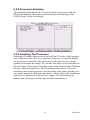
the CPU an power connector near
the CPU socket. The entire CPU
installation then complete.
4.2.7 Installing System Memory
This section details the procedure for installing system memory on the
motherboard. Correct memory configuration is critical for proper system
operation. Please review this section carefully and follow the configuration guidelines precisely.
AIMB-540 User’s Manual
44
4.2.8 Memory Specifications
The motherboard has two DIMM module socketsand uses unbuffered
DDR SDRAM DIMM modules for system memory. The system memory
specifications are:
1.
Unbuffered DDR SDRAM DIMM modules
2.
200MHz PC1600 or 266MHz PC2100 DDR SDRAM
3.
Maximum 2GB total system memory
4.2.9 Memory Configuration Options
This motherboard has flexible memory configuration options. These
include:
1.
Supports 64MB, 128MB, 256MB & 512MB modules
2.
Any capacity DIMM may be used in either socket as long as total
memory does not exceed 2GB.
3.
Modules should be the same speed for best system performance.
DIMM Sockets:
System memory sockets are for:
PC1600: 200MHz
PC2100: 266MHz
PC2700: 333MHz
unbuffered DDR SDRAM modules.
4.2.10 Installing Memory Modules
Installing DIMM modules is simple. The modules insert in the sockets
and are held in place by the socket retaining arms. The edge connectors
on the modules are of different widths and there are key notches in each
module. These ensure that you can not insert a module incorrectly.
Before you install any modules, you should choose a configuration. You
should then prepare the required numberand type of DDR modules.
To install either type of module follow this procedure:
1.
Align the module to the socket so that the edge connectors on the
module match the socket sections.
2.
Hold the module perpendicular to the motherboard and press the
edge connector into the socket.
45
Chapter 4
3.
Press the module fully into the socket so that the socket retaining
arms swing up and engage the retention notches at each end of the
module.
Following the configuration you have chosen, repeat this procedure if
necessary so that all modules are installed. Once the modules are
installed, system memory installation is complete.
Module Installation:
Modules will only
insert in one orientation. The width of the
two edge connector
sections vary slightly
and prevent incorrect
insertion.
Module Installation:
All modules insert in the
DIMM sockets in the same
way:
1. Align the module to the
socket.
2. The socket retaining
arms should rotate up and
engage the module’s
retaining notches as you
press it into the socket.
3. The retaining arms
must engage for the module to be properly
installed.
4.2.11 System Memory Recognition
The BIOS will automatically recognize the installed memory and configure the CMOS Setup Utility. No other action is required to complete system memory installation.
AIMB-540 User’s Manual
46
4.2.12 Installing the Motherboard in a System Housing
This section explains the basic requirements for installing this motherboard in a system housing or “chassis”. Since housing designs vary
widely, you will need to consult the housing documentation for specific
information. This motherboard can be installed in any housing that supports the Micro ATX or ATX form factor. To install the motherboard in a
system housing you will need to do the following:
1.
Install the rear I/O panel shield that comes with the motherboard
2.
Attach the board to the housing
3.
Connect leads from the housing’s front panel
4.
You can then connect other internal system components as
described later in this chapter.
4.2.13 Motherboard Installation Procedure
This section assumes you are installing the board in a suitable housing.
We also assume you have prepared the board for installation as previously
described in this manual. If the housing you are using normally stands
vertically, place the open housing on it’s side before you start installing
the board. Please follow this procedure to install this motherboard:
1.
Review any instructions that came with the system housing and
prepare the necessary mounting hardware that came with it.
2.
Identify the mounting holes on the board and confirm that the housing has standoffs that match them.
3.
Install the rear I/O panel shield that came with the motherboard in
the housing’s I/O panel opening. This should match the ports on the
board.
4.
Insert the board in the housing and align the mounting holes to the
standoffs on the housing’s motherboard mounting plate. Make sure
all of the rear I/O ports are properly aligned with the openings in
the I/O panel shield.
5.
Attach the board to the housing by inserting mounting screws in all
the holes and tightening them snugly.
Required Tool:
47
Chapter 4
Philips-head screwdriver (Crosshead)
Mounting Holes
There are 5 mounting holes on
the motherboard that should correspond to mounting standoffs
on the systemhousing’s motherboard mountingplate.
Mounting holes
4.2.14 Connecting Front Panel Components
After the motherboard is installed in the system housing, you should connect whatever front panel components the housing has to the Front Panel
feature connector on the motherboard.
The figure below indicates the pin assignments of the connector for your
reference.
Front Panel Connector:
Leads from the front panel
features connect to this header.
4.2.15 Completing System Configuration
Once the motherboard is installed in the system housing, you can proceed
to connect or install whatever internal devices you will use to complete
the system. These will at least include an AGP display card and disk
drives and connecting the housing power supply leads. After that, having
replaced the system housing cover, you can connect external peripherals
to complete the process
AIMB-540 User’s Manual
48
of preparing the system for use. These will include at least a video display
and a keyboard and probably a pointing device. Please see the next chapter for information on completing these final hardware installation steps
and installing Operating System and support software.
ATX Power Connectors:
The main power connector from the
system power supply plugs into the
20-pin JATXPWR2 connector on
the board. The ATX12V power lead
plugs into the JATXPWR1 4-pin
connector.
In This Chapter:
Installing or Connecting Internal Peripherals
Connecting Internal Devices
Connecting External System Peripherals
Configuring the CMOS Setup Utility
Installing an OS & Support Software
49
Chapter 4
AIMB-540 User’s Manual
50
CHAPTER
5
System Configuration
51
Chapter 5
Chapter 5 System Configuration
5.1 Introduction
This chapter explains what you need to do to assemble a complete system
after you have installed the motherboard in a system housing. This will
include installing or connecting internal devices, connecting external system components. Once the system is assembled, you’ll need to check and
possibly configure the motherboard’s CMOS Setup Utility, install an
Operating System and install the support software supplied on the Power
Installer support CD-ROM disc.
5.2 Installing or Connecting Internal Peripherals
To complete the assembly of a working system you will need to at least
install an AGP video display card and connect whatever disk drives you
will use in the system. This section covers what you need to know on the
motherboard side to do this. You will also need to consult the documentation that comes with your internal system peripherals for additional
installation instructions and information. This section covers the minimum components you will need to connect to the motherboard to create a
functioning system. You may plan to add other devices as well.
5.2.1 Connecting Internal Devices
To assemble a complete system capable of completing the installation of
this motherboard you will need to install and connect the following internal devices:
1.
Hard Disk Drive
2.
CD-ROM or other optical drive
3.
Floppy disk drive
The floppy disk drive is not strictly necessary, but is a standard system
component and is needed if you will create driver floppy disks from the
Power Installer. We assume here, in the absence of an alternative drive
controller that any hard disk or optical drives will be IDE devices connected to the motherboard’s IDE channels.
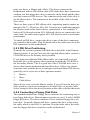
5.2.2 Connecting IDE Devices
This motherboard supports two IDE channels, Primary and Secondary. It
has two IDE device connectors onboard which support IDE devices running in any data transfer mode up to ATA-100. Each IDE connector supAIMB-540 User’s Manual
52
ports two drives, a Master and a Slave. The drives connect to the
motherboard with an IDE ribbon cable. IDE cables have three connectors
on them, one that plugs into a drive connector on the board and the other
two that connect to IDE devices. The connector at the end of the cable is
for the Master drive. The connector in the middle of the cable is for the
Slave drive.
There are three types of IDE ribbon cable, supporting transfer modes up
through ATA-33, ATA-66 or ATA-100. You must use a cable that supports
the transfer mode of the fastest device connected to it. For example, if
both an ATA-66 mode and an ATA-100 mode device are connected to the
same cable, the cable must support ATA-100 mode to achieve maximum
performance.
To install an IDE drive, connect the drive to one of the drive connectors
on a suitable ribbon cable. Plug the board end of the cable into one of the
IDE connectors on the motherboard.
5.2.3 IDE Drive Positioning
Normally the system’s primary hard disk drive should be in the Primary
Master position. If you will use only the supplied ribbon cable, connect a
CD-ROM drive to the Primary Slave position.
If you obtain an additional IDE ribbon cable, you can install a second
hard disk drive in the primary Slave position an install the CD-ROM as
the Secondary Master. This is a good idea if the CD-ROM drive uses a
slower data transfer mode than the hard disk drive. Follow any instructions that come with the drives to configure and install them. IDE devices
generally can be set to one of three operation modes:
1.
Master
2.
Slave
3.
Cable Select
Many drives come set to the Master setting. If you will use the drive in a
Slave position, you must reconfigure it as either Slave or use the Cable
Select setting to allow the drives position on the cable to define the mode.
5.2.4 Connecting a Floppy Disk Drive
This motherboard has one Floppy Drive connector for connecting one or
two floppy disk drives. Most computer systems use one 3.5-inch 1.44MB
floppy disk drive. The drive connector is for a standard floppy drive ribbon cable. To install a floppy disk drive, connect the drive to the end of
the cable, which is the Drive A: position. Plug the other end of the cable
into the floppy disk drive connector on the motherboard.
53
Chapter 5
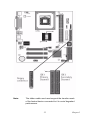
Onboard IDE Connectors
Each channel connector supports one IDE channel with two drives, a
Master and a Slave. The Master drive connects to the connector on the
end of the ribbon cable. The Slave drive connects to the connector in the
middle of the ribbon cable.
Floppy Drive Connector
The floppy drive connector supports two floppy disk drives. The first
drive, Drive A:, connects to the connector on the end of the floppy drive
connector cable. A second drive, Drive B:, would connect to the middle
connector on the cable although systems now commonly only have one
floppy disk drive.
AIMB-540 User’s Manual
54
Note:
The ribbon cable used must support the transfer mode
of the fastest device connected to it to avoid degraded
performance.
55
Chapter 5
5.3 Connecting External System Peripherals
To complete the assembly of functioning system you will need at minimum to connect the following external system components to the system
housing:
1.
Video Display Monitor
2.
Keyboard
3.
Mouse or other Pointing Device
5.3.1 Connecting a Display Monitor
You can connect any display monitor supported by the AGP display card
you installed in the system. This may include either a CRT or LCD monitor, depending on the card’s specifications.
Connect the display monitor cable to the appropriate display connector on
the AGP card according to the instructions that come with the card and
monitor.
5.3.2 Connecting a Keyboard & Mouse
You can use either PS/2 or USB input devices with this motherboard.
5.3.3 Connecting PS/2 Devices
Connect a PS/2 keyboard and mouse to the Keyboard and Mouse PS/2
ports on the rear I/O port panel. Don’t connect or disconnect a device
while the system is turned on. Doing so can damage the board.
5.3.4 Connecting USB Devices
You can use a USB keyboard and mouse with this motherboard. They
plug into two of the USB ports. The Operating System you use must support USB to use any USB devices. You can plug and unplug USB devices
when the system is turned on.
AIMB-540 User’s Manual
56
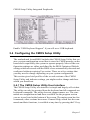
CMOS Setup Utility-Integrated Peripherals
Enable “USB Keyboard Support” if you will use a USB keyboard.
5.4 Configuring the CMOS Setup Utility
The motherboard Award BIOS includes the CMOS Setup Utility that creates a system configuration record that is stored in CMOS memory on the
board and is required by the system to operate properly. Most of the configuration settings are either predefined by the BIOS Optimized Default
settings which are stored with the BIOS or are automatically detected and
configured without requiring User action. There are a few settings that
you may need to change depending on your system configuration.
This section gives brief profiles of the several sections of the CMOS
Setup Utility and indicates settings you might need to change and those
which you should not.
5.4.1 The CMOS Setup Utility User Interface
The CMOS Setup Utility user interface is simple and largely self-evident.
The utility can only be operated from the keyboard and all commands are
keyboard commands. The utility does not support mouse use. The commands are straightforward and those available for the program section
you are in are listed at the bottom of the screen. The main screen has few
commands, other sections have more. General Help, which lists the commands and their functions, is available at any time by pressing the F1 key.
57
Chapter 5
5.4.2 Running the CMOS Setup Utility
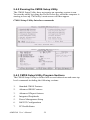
The CMOS Setup Utility does not require an operating system to run.
You run the utility by typing the Del or Delete key when the computer is
starting to boot up. The utility’s main screen will then appear.
CMOS Setup Utility-Interface commands
5.4.3 CMOS Setup Utility Program Sections
The CMOS Setup Utility is divided into several subsections and some top
level commands including the following sections:
1.
Standard CMOS Features
2.
Advanced BIOS Features
3.
Advanced Chipset features
4.
Integrated Peripherals
5.
Power Management Setup
6.
PnP/PCI Configurations
7.
PC Health Status
AIMB-540 User’s Manual
58
8.
Frequency/Voltage Control
The main screen also has these command options:
1.
Load Fail-Safe Defaults
2.
Load Optimized Defaults
3.
Set Supervisor Password
4.
Set User Password
5.
Save & Exit Setup
6.
Exit Without Saving
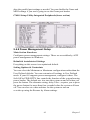
Please see the following sections for a brief profile of what each section
does, information on settings you might want to change and things to
leave alone. To open one of the program sections, highlight the item you
want and press the Enter key. To change a setting, highlight an item and
use the ‘Value’ keys indicated to change the setting. Alternatively, press
the Enter key and all options for that item will display and you can choose
from those listed.
CMOS Setup Utility-Main Screen
5.4.4 Standard CMOS Features
Main Section Functions
This section has the real time clock settings, the IDE and floppy device
settings.
Default & Autodetected Settings
59
Chapter 5
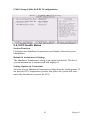
The IDE device settings are autodetected. You shouldn’t need to change
them. The floppy and other settings are standard defaults.
Setting Options & Constraints
You can reset the time and date settings if they are not correct for your
location. You can manually set the IDE device settings if you need to.
CMOS Setup Utility-Standard CMOS Features
In operation, the screen will display the detected IDE devices
5.4.5 Advanced Boot Options
Main Section Functions
This section mainly configures boot options including boot devices and
their boot order and some power functions. There are also some miscellaneous boot configuration settings.
Default & Autodetected Settings
The screen illustration shows the default settings. These do not need to be
changed. You can customize the settings to suit your purposes if necessary and you know what you’re doing.
Setting Options & Constraints
You can change the boot device assignments and order, the boot options
and the power on settings, as you like. If you are using OS/2 set the OS
Select For DRAM>64MB line to the OS2 setting.
CMOS Setup Utility-Standard Advanced Boot Options
AIMB-540 User’s Manual
60
5.4.6 Advanced Chipset Features
Main Section Functions
Configures the chipset, BIOS caching and the AGP Aperture size.
Default & Autodetected Settings
Everything on this screen is an optimized default or is autodetected.
Setting Options & Constraints
We don’t suggest changing anything in this section above the Memory
Hole AT 15M-16M line. You can change the thermal warning timeout
and the AGP Aperture if needed. The default AGP setting will work. You
can also disable to onboard display and change its Frame Buffer (video
memory) size.
CMOS Setup Utility-Standard Advanced Chipset Options
61
Chapter 5
5.4.7 Integrated Peripherals
Main Section Functions
Configures the peripheral features integrated onto the motherboard.
Default & Autodetected Settings
Everything on this screen is an optimized default. The IDE transfer mode
settings are autodetected. The system will work with these defaults. The
port settings are standard PC settings.
Setting Options & Constraints
You can disable onboard devices and change port settings. If you’re going
to use a USB keyboard or mouse, you have to enable support for them
from this screen. You can disable the onboard audio and LAN features if
you need to. The IDE HDD Block Mode feature should work with newer
IDE hard disk drives.
The Power On Function line sets what actions will turn the computer on.
The default is just the power button, and there are several other options.
The KB Power ON Password line lets you enter a password to protect the
Keyboard Power On feature.
CMOS Setup Utility-Integrated Peripherals
You may want to set Onboard Serial Port 2 to Disabled if you aren’t going
to use the onboard COM2 port. If you install an IR port module, you have
to set the UART Mode Select line to the appropriate IR setting. Check the
module instructions for this information. The following four lines will
display the defaults for the IR mode you select and should work. You can
AIMB-540 User’s Manual
62
alter the parallel port settings as needed. You can disable the Game and
MIDI settings if you aren’t going to use the Game port header.
CMOS Setup Utility-Integrated Peripherals(lower section)
5.4.8 Power Management Setup
Main Section Functions
Configures power management settings. These are overridden by ACPI
power management in Windows.
Default & Autodetected Settings
Everything on this screen is an optimized default.
Setting Options & Constraints
You can select the Minimum or Maximum configurations rather than the
User Defined defaults. You can customize all settings in User Defined
mode. If your OS supports power management, configure it there. The
Soft-Off by PWR-BTTN line controls the function of the system housing
power button. The default sets it to turn the system on and off when you
press the button. The alternate setting, delay 4 Sec., requires you to press
the power button for more than four seconds before the system will turn
off. You can also set a date and time for the system to turn on
or wake up using the Resume by Alarm settings.
63
Chapter 5
CMOS Setup Utility-Power Management Setup
5.4.9 PnP/PCI Configurations
Section Function
Configures Plug and Play and other PCI bus settings.
Default & Autodetected Settings
The default is for the BIOS to control these functions.
Setting Options & Constraints
If you have a problem after you install an expansion card, set “Reset Configuration Data” to Enabled to rewrite the ESCD.
Don’t change the resource settings; they’re set to be handled automatically by the BIOS. While you can set them manually, there shouldn’t be
any need to do so. The PCI/VGA Palette Snoop item is for PCI displaycard that has a problem displaying a screen image properly at startup. You
should not need to use this feature since the onboard display is the primary display and if you disable it, the AGP slot will be primary on the
mP4G.
AIMB-540 User’s Manual
64
CMOS Setup Utility-PnP/PCI Configurations
5.4.10 PC Health Status
Section Function
Configures the Shutdown Temperature and displays detected system
information.
Default & Autodetected Settings
The Shutdown Temperature setting is an optimized default. The list of
system information is autodetected and displayed.
Setting Options & Constraints
You can select a Shutdown Temperature setting from the listed options. If
the detected CPU temperature reaches that point, the system will automatically shut down to protect the CPU.
65
Chapter 5
CMOS Setup Utility-PC Health Status
5.4.11 Frequency/Voltage Setting
Section Function
Configures CPU settings.
Default & Autodetected Settings
The default setting is to autodetect the CPU settings. The “Spread Spectrum”setting reduces interference generated by the board circuitry.
Setting Options & Constraints
Don’t change the auto-detected settings unless you really know what you
are doing. You can configure the CPU settings manually. Configuring
CPU settings at variance with Intel’s specifications can damage the CPU
and void the CPU warranty.
CMOS Setup Utility-CPU Smart Setting
AIMB-540 User’s Manual
66
5.4.12 Load Fail-Safe Defaults
This loads a set of minimum configuration defaults. It is used to allow the
system to start and then troubleshoot hardware problems. You shouldn’t
need to use this, it’s mainly for technicians.
5.4.13 Load Optimized Defaults
This loads the Optimized Defaults. Do this if the configuration record has
been corrupted or mistakenly configured or after the Clear CMOS procedure has been performed. See Chapter 3 for more information on this procedure. To load the defaults, select this item, press the Enter key, type a Y
and press Enter again.
67
Chapter 5
5.4.14 Set Supervisor/User Password
These two items set passwords for system access.
Setting a Password
You can install a Supervisor or User Password. The password prevents
access to the CMOS Setup Utility (Supervisor) or the entire system
(User).
To install a password, follow these steps:
1.
Highlight either Set Password item in the main menu and press
Enter.
2.
The password dialog box will appear.
3.
If you are entering a new password, carefully type in the password.
You cannot use more than eight characters or numbers. Passwords
are case-sensitive. Press Enter after you have typed in the password. If you are deleting a password that is already installed just
press Enter when the password dialog box appears.
4.
The system will ask you to confirm the new password by asking
you to type it in a second time. Carefully type the password again
and press Enter, or just press Enter if you are deleting a password
that is already installed.
5.
If you have used the correct format, the password will be installed.
If you decide not to set a password after bringing up the password
entry window, press the Enter key, not Esc to exit the password
entry window.
5.4.15 Save & Exit Setup
This saves the current utility configuration as a new configuration record,
exits the utility and restarts the system using the saved configuration
record.
5.4.16 Exit Without Saving
Exits the utility and restarts the system without changing the saved configuration record. In general, it should not be necessary to use the CMOS
Setup Utility once you have fully configured it. In the event you do need
to change or re-establish the settings, always make sure to save the settings when you exit the utility or the new settings will not be stored.
AIMB-540 User’s Manual
68
5.5 Installing an OS & Support Software
This section covers installing Operating System software and the support
software on the Power Installer support CD-ROM disc. Once you have
configured the CMOS Setup Utility, you should install an OS. If you
install a supported Microsoft OS, you should also install the driver software on the Power Installer disc.
69
Chapter 5
5.5.1 Installing an Operating System
This motherboard is primarily intended for use with the following Operating Systems:
1.
Microsoft Windows 9X
2.
Microsoft Windows NT
3.
Microsoft Windows 2000
4.
Microsoft Windows XP
5.
Linux
6.
Novell Netware
7.
Unix
Prepare the hard disk drive and install an OS according to the instructions
that come with the OS you will use.
5.5.2 Installing the Support Software
The [Advantech Drivers Supporting for Life Automation]CD-ROM disc
comes with required hardware drivers for Microsoft Windows, as noted
in Chapter 2. If you have installed a supported Microsoft OS, you must
install the required drivers. If you have installed Linux, you can create
Linux support disks.
5.5.3 Installing Windows Drivers
Install CSI Utility Before you begin
To facilitate the installation of the enhanced display device drivers andutility software, you should read the instructions in this chapter carefully
before you attempt installation. The device drivers for the AIMB-540
board are located on the software installation CD. The auto-run function
of the driver CD will guide and link you to the utilities and device drivers
under a Windows system. The Intel® Chipset Software Installation Utility
is not required on any systems running Windows NT 4.0. Updates are
provided via Service Packs from Microsoft*.
Before you begin, it is important to note that most display drivers need to
have the relevant software application already installed in the system
prior to installing the enhanced display drivers. In addition, many of the
installation procedures assume that you are familiar with both the relevant software applications and operating system commands. Review the
AIMB-540 User’s Manual
70
relevant operating system commands and the pertinent sections of your
application software.s user.s manual before performing the installation.
Introduction
The Intel®Chipset Software Installation (CSI) utility installs to the target
system the Windows INF files that outline to the operating system how
the chipset components will be configured. This is needed for the proper
functioning of the following features:
• Core PCI and ISA PnP services.
• IDE Ultra ATA 100/66/33 interface support.
• USB 1.1 support (USB 2.0 driver needs to be installed separately)
• Identification of Intel® chipset components in the Device Manager.
Note: The files on the software installation CD are compressed. Do not
attempt to install the drivers by copying the files manually. You must use
the supplied SETUP program to install the drivers.
Windows 98SE
Windows 2000
Windows Me
Windows XP
71
Chapter 5
5.5.4 Installing the CSI Utility
1.CInsert the driver CD into your system’s CD-ROM drive. In a few seconds, the cd main menu appears. Move to
[\\AIMB540\Chipset\IntelInf\Disk1], click “setup” icon.
2. Click “Next” when you see the following message.
AIMB-540 User’s Manual
72
3. Click “Yes” when you see the following message.
4. Click “Next” when you see the following message.
73
Chapter 5
5. When the following message appears, click “Finish”to complete the
installation and restart windows.
5.5.5 Install Audio Driver
Introduction
The AIMB-540’s on-board audio interface provides high-quality stereo
sound and FM music synthesis (ESFM) by using the Realtek ALC202
Audio Codec from Realtek. The audio interface can record, compress,
and play back voice, sound, and music with built-in mixer control.
The AIMB-540’s on board audio interface also supports the Plug and
Play (PnP) standard and provides PnP configuration for the audio, FM,
and MPU-104 logical devices. It is compatible with Sound Blaster; Sound
Blaster Pro version 3.01, voice and music functions. The ESFM synthesizer is register compatible with the OPL3 and has extended capabilities.
5.5.6 Driver installation
Before you begin
Please read the instructions in this chapter carefully before you attemptv
installation. The audio drivers for the AIMB-540 board are located on the
audio driver CD. Run the supplied SETUP program to install the drivers;
don’t copy the files manually.
Note: 1. Note1: Before try to install driver, please install “Chipset Software Installation Utility” first.
AIMB-540 User’s Manual
74
2. The files on the software installation diskette are compressed. Do not
attempt to install the drivers by copying the files manually. You must use
the supplied SETUP program to install the drivers.
Windows 9x/2000/Me/XP drivers
Step 1. Click right mouse botton to open “My computer” property. Find
“Hardware”and open “Device Manager”. Double click “Multi Audio
Controler” and press “Reinstall Driver”.
75
Chapter 5
Step 2. In the Hardware Update Wizard window, click “Next”.
Step 3. In the following Hardware Update Wizard window, click “Finish”for Windows to complete audio driver installation.
AIMB-540 User’s Manual
76
5.5.7 VGA Setup
Introduction
As quoted from “Intel® 845GV chipset Graphics Chipset Controller Hub
(GMCH) Rev. 1.0 May 2002.
The Intel® 845GV Graphics Memory Controller Hub (the 845GV
GMCH) is Intel’s first memory controller hub with integrated graphics
for the Intel Pentium® 4 processor. The 845GV GMCH, with its new
architecture graphics engine, delivers not only high 2D/3D graphics performance, but also provides efficient, high bandwidth communication
channels connecting the processor, the memory, the I/O subsystem, and
other components together to deliver a stable mainstream desktop platform solution. The features include:
• Built-in 2D/3D VGA controller.
• Use Intel® Extreme Graphics Architecture
• Integrated 350MHz RAMDAC that can directly drive a progressive
scan analog monitor up to a resolution of 2048 x 536 at 60 MHz
• Up to 1600 x 1200 x 32 resolution at 85 Hz refresh.
• H/W motion compensation assistance for s/w MPEG 2 decoding.
• Software DVD at 30 fps Full Screen.
Dynamic Video Memory Technology
The following is quoted from “Intel® 845GV Chipset Dynamic Video
Memory Technology” Rev. 1.2 June 2002 Dynamic Video Memory Technology (DVMT) is an enhancement of the
UMA concept, wherein the optimum amount of memory is allocated for
balanced graphics and system performance, through Direct AGP known
as Non-Local Video Memory (NLVM), and a highly efficient memory
utilization scheme. DVMT ensures the most efficient use of available
memory regardless of frame buffer or main memory sizing Q for maximum 2D/3D Graphics performance. DVMT dynamically responds to system requirements, and applications demands, by allocating the proper
amount of display, texturing and buffer memory after the operating system has booted. For example, a 3D application when launched may
require more vertex buffer memory to enhance the complexity of objects,
or more texture memory to enhance the richness of the 3D environment.
The operating system views the integrated graphics driver as an application, which uses Direct AGP to request allocation of additional memory
77
Chapter 5
for 3D applications, and returns the memory to the operating system
when no longer required.
Windows 9x/2000/Me/XP installaton
Note: Before installing this driver, make sure the CSI utility has been
installed in your system. See Chapter 4 for information on installing the
CSI utility
Note: Press CRTL-Alt-F1 hotkey to enable CRT mode in Windows 98
1.Insert the driver CD into your system’s CD-ROM drive. In a few seconds, the cd main menu appears. Move to “ \AIMB\540\VGA\845G\xp2k
and click “setup” icon. For the other OS, please find your OS’s folder in
845G folder and click ‘setup’with the same process.
AIMB-540 User’s Manual
78
2. You will see a welcome window. Please chick on “Next” to continue
the installation.
3. Click “Yes” when you see the following message.
79
Chapter 5
4. Click on “Yes” to continue the installation
5. VGA driver is now installing.
AIMB-540 User’s Manual
80
6. When the following message appears, you can choose to restart thecomputer now or later.
In This Chapter:
Using System Features
Front Panel Controls & Indicators
Additional System Features
Installing & Configuring An IR Port
Performance Optimization
Troubleshooting
81
Chapter 5
AIMB-540 User’s Manual
82
CHAPTER
6
Using the Motherboard
83
Chapter 6
Chapter 6 Using the Motherboard
6.1 Introduction
This chapter covers several topics related to using this motherboard once
it is installed in a working system. These include external system features
that connect to the motherboard, things you can do to optimize the performance of a system based on this board and some troubleshooting tips you
can review in the event any problems arise.
6.2 Using System Features
This section explains the system controls and indicators that connect to
the motherboard. It also explains how the other system level features on
the board work.
6.2.1 Front Panel System Controls & Indicators
The front panel of the system housing will have some or all of the front
panel features that connect to the motherboard. These enable the User to
determine some information on the systems operational status and provide some system controls.
6.2.2 System Controls
The front panel connector on the motherboard supports several system
controls that mount on the front panel of the system housing.
6.2.3 Power Button
Function: Turns the system On and Off.
Use: This button is configured by the CMOS Setup Utility by the “SoftOff Mode by PWR-BTTN” line in the Power Management section.
Depending on the setting, the power button will function in one of two
modes, instant on/off or instant on/4 second delay off. In the delay ode,
when you push the power button for less than 4 seconds when the system
is turned, the system goes into the Suspend power conservation mode. In
this mode, you have to push the button for more than 4 seconds to turn the
system power off.
AIMB-540 User’s Manual
84
6.2.4 Reset Switch
Function: Restarts the system to cold boot.
Use: Press the button to restart the system. This forces a restart under all
conditions. Don’t use the Reset button if you can shut the system down
from within the Operating System.
6.2.5 Note On Reset & Rebooting:
You should always restart or shut down the system by using the OS command for this. This procedure allows the OS to shut down properly, minimizing the possibility of hard disk drive problems or data loss. If the
system crashes or ‘hangs’, you may have to restart the system
at the hardware level. There are two hardware reboot options, a keyboard
command and the Reset button.
You can affect a “warm” reboot with a key command if the OS supports
it. For example, all versions of Microsoft Windows support restarting the
computer with the Ctrl-Alt-Del (Delete) command. You can try this command first if it is supported. Otherwise, you will need to use the Reset
button.
6.2.6 Suspend Button
Function: Toggles system in and out of Suspend mode.
Use: Press the button to cause the system to enter or resume from Suspend mode. Note: The front panel feature connector supports a system
Suspend button (the ACPI connector) but not all system housings have
this button. The same function can be performed at the Operating System
level if the OS supports the feature.
6.2.7 Indicator LEDs
The motherboard front panel features connector supports three-system
status indicator LEDs:
1.
Power Status LED Indicator Lights when the system is turned on.
2.
System Hard Disk Drive Activity LED Indicator Flashes during
hard disk drive access.
3.
Power Conservation Mode LED Indicator Lights to indicate the
system is in a Suspend state power conservation mode. Most system housings will have all of these LEDs mounted in the housing’s
front panel.
USB 2.0:
USB 2.0 support is provided for Windows 2000 and Windows XP. Under
other operating systems the USB ports will function as USB 1.1 ports.
85
Chapter 6
6.3 Installing & Configuring An IR Port
There is a pin header connector for an Infrared communications port
module on the motherboard. An IR port enables wireless communication
between the system and another device with IR capability. Common
examples of such devices are a PDA or notebook computer. Installing an
IR port module requires disabling the COM2 serial port on the rear I/O
panel and reconfiguring it for IR use in the CMOS Setup Utility.
Installing an IR port module requires an expansion slot opening unless
the system housing has a built-in IR port with a cable to connect to the
motherboard. Follow the instructions that come that come with the port
module you want to install. The basic installation procedure is as follows
if the module installs in an expansion slot opening:
1.
Turn off and unplug the system if necessary.
2.
Remove the system housing cover.
3.
Locate the JP1 IR pin header connector on the motherboard. It is
below the FDD connector.
4.
Remove the expansion slot cover in the system housing that corresponds to an open PCI slot. There may be a slot cover retaining
screw to remove and put aside for later use.
5.
Insert the port module in the open expansion slot cover and align
the module’s mounting bracket with the screw hole for the retaining
screw If there is one). Insert the screw and tighten it to secure the
port module in place.
6.
Plug the module’s connector cable on to the IR connector on the
motherboard.
7.
Replace the system housing cover.
8.
Plug in and turn on the computer.
9.
Run the CMOS Setup Utility and pen the Integrated Peripherals
section. Set the “UART Mode Select” to the required mode, IrDA
or ASKIR, and configure the port settings below it if necessary.
Save the settings and reboot.
AIMB-540 User’s Manual
86
CMOS Setup Utility-Integrated Peripherals
UART Mode Select-IR mode selection
The supported Microsoft Operating Systems should automatically detect
and configure the port module after you restart the system. Consult the
OS documentation or online Help for more information if necessary. You
may also need to install support software that came with the IR port module in order to use it. Consult the installation instructions that came with
the module for additional instructions.
6.4 Performance Optimization
This section covers things you can do to increase the performance of a
system based on this motherboard. The topics covered include system
memory, disk subsystems and processor upgrades or adjustments.
6.4.1 System Memory
Adding system memory will increase system performance and capability
under any of the supported Operating System. This motherboard supports
a total of 2GB of unbuffered DDR DRAM system memory. If you have
not installed the maximum, you can consider increasing the amount of
installed system memory. Additional system memory speeds up system
operation and in some cases produce additional stability in the Operating
System.
87
Chapter 6
6.4.2 Disk Subsystems
This motherboard supports IDE drives using data transfer modes up
through ATA-100. If you use IDE drives as the primary disk subsystem,
selecting drives that support ATA-100 and have a high rotation speed (at
least 7,200rpm) will maximize performance. If you need even better performance from a disk subsystem, you can consider adding a SCSI controller card and SCSI disk drive. A SCSI disk controller with highspeed
SCSI hard disk drives will provide a substantial performance enhancement.
6.4.3 Processor Upgrades & Adjustments
Processor speed has a significant effect on overall system performance.
To increase system performance, you can consider using or upgrading to
a faster processor. The Intel Pentium 4 processor used by this motherboard comes in a variety of clock speeds. To maximize performance,
select a processor with the fastest clock speed the system budget or specification allows. The CMOS Setup Utility’s Frequency/Voltage Setting
section will automatically detect and configure whatever processors are
installed. Manual configuration is also available, but setting the Intel Pentium 4 processor to operating parameters outside those specified can
damage the CPU and void the warranty.
6.5 Troubleshooting
This section details some things you can do to evaluate problems that
could possibly occur in the course of using this motherboard. The topics
covered include possible hardware problems and problems with the
CMOS Setup Utility’s system configuration record.
6.6 Hardware Problems
A hardware problem may occur either after you install additional hardware or because some existing hardware has failed or has a disconnected
or loose connection. This section has some pointers on things you can
check before seeking assistance.
6.6.1 General Hardware Troubleshooting
If the motherboard does not operate properly when you first try to use it
in the system, it is likely that it is either configured incorrectly; there are
problems with external connections. It os also possible the board or some
other system component is defective. Always check the most obvious
possibilities first.
AIMB-540 User’s Manual
88
First check the external components:
1.
Make sure the system, the monitor and any other external peripherals are plugged in and turned on. Confirm that the system and the
power LEDs on any external peripherals are on.
2.
Check that the monitor, keyboard and mouse are properly connected.
3.
Run the CMOS Setup Utility and load the Optimized Defaults.
Reset any other custom settings. Remember to “Save & Exit Setup”
to restart the computer.
If there is still a problem, check the internal components. Turn off and
unplug the system before you remove the system housing cover.
1.
Press all installed DIMMs into the module sockets to make sure
they’re fully inserted.
2.
Make sure you used the correct cables to connect the internal
peripherals and that the peripherals are properly connected to the
motherboard. Check the Master/Slave positions on all IDE cables.
If you installed a device that uses ATA-100 mode, make sure it is
connected to the motherboard with an ATA-100 cable to ensure
maximum performance.
3.
Check that all expansion cards are correctly installed and fully
inserted in the expansion slots. Pay particular attention to the AGP
display card if one is installed.
4.
Make sure the processor and its fan/heatsink cooling assembly are
properly installed.
5.
Check all the hardware settings on the motherboard and make sure
they are correct.
6.
When you’re done, reassemble the system and try again. If the
problem persists after you have checked all of the above, there may
be a hardware conflict or bug. See the next section for additional
information.
6.6.2 Hardware Configuration Problems
It is possible for system hardware components to conflict with each other.
While all the components and subsystems on the motherboard are
designed and tested to work together, expansion cards and peripheral
devices can be a problem.
Assuming you have gone through the general troubleshooting procedures
and the system still will not start, if you have just added new hardware to
your system, there may be a hardware conflict or bug or a problem with a
89
Chapter 6
device driver. Try removing the new hardware and see if the system will
start. If it does, consult with the device manufacturer for information on
solving the problem. In some cases, a firmware or driver upgrade may
resolve the problem.
6.6.3 Plug and Play Problems
This motherboard supports the automatic recognition and configuration
of expansion cards that support the Plug and Play (PnP) specification.
Most currently available expansion cards support PnP. PnP simplifies
card installation by allowing the system to handle system resource allocation. If you install an expansion card that is not PnP compliant, you may
still need to configure the card manually. Consult the card’s documentation for instructions or other information.
6.6.4 Replacing the System Configuration Record
As noted previously, the CMOS Setup Utility creates a system configuration record and stores it in CMOS memory on the motherboard. This
record must be correct and uncorrupted for the system to operate properly. It is possible for the system configuration record can become corrupted or lost. If this occurs, the system will not operate properly or at all.
This is not a serious problem.
You can restore a working configuration using the CMOS Setup Utility to
create a new configuration record by loading the Optimized Defaults and
reentering any other settings you had made.
6.6.5 Loading Optimized Defaults
The CMOS Setup Utility does not require an operating system to run.
You run the utility by typing the Del or Delete key while the system is
starting up to brings up the utility’s main screen.
There are two sets of defaults listed, Optimized and Fail-Safe. The FailSafe Defaults are a minimum configuration set for use by technicians
when troubleshooting system problems. The Optimized Defaults are what
the system normally operates on. If a corrupted system configuration
record caused the problem you experienced, once you load the Optimized
Defaults and reboot, the system should function normally. The instructions on the next page illustrate this procedure.
You can easily restore a working system configuration record from the
main screen of the CMOS Setup Utility.
To do so, do as follows:
1.
Select the “Load Optimized Defaults” item.
AIMB-540 User’s Manual
90
2.
Press the Enter Key. A confirmation message will appear on the
screen. Type a ‘Y’ to accept loading the Optimized Default settings. Now make any other settings you need to.
3.
Select “Save & Exit Setup” and press the Enter key. A confirmation
message will appear. Press the Enter key again to confirm.
The CMOS Setup Utility will close and the system will reboot. The system should then start properly and run normally.
91
Chapter 6
AIMB-540 User’s Manual
92
CHAPTER
7
Technical Specifications
93
Chapter 7
Chapter 7 Technical Specifications
7.1 Introduction
This chapter lists some technical information about this motherboard.
7.2 AIMB-540 Motherboard Specifications Processor:
Single processor for Intel 478 Pentium 4
Frontside Bus - 533Mhz
System Bus - 133MHz
Supports Pentium 4 Celeron, Willamette & Northwood processors
Auto detects CPU type, external clock and multiplier
CPU external clock adjustment at 1MHz/step in BIOS CMOS Setup Utility
CPU Power:
Follows VRM 9.0 specification
VRD design
Two phases
Memory:
PC1600/PC2100/PC2700 DDR SDRAM
Unbuffered DDR SDRAM
2 DIMMs up to 2GB
Chip Set:
North Bridge: Intel 845GV
South Bridge: ICH4
Winbond Super I/O: W83637HF
Graphics:
Onboard AGP display with VGA port
PCI:
Three 32-bit PCI/33MHz slots
PCI 2.1/2.2 Compliant
AIM-540 User’s Manual
94
LAN:
RealTek 8100 LAN on board
RJ-45 connector
USB 2.0
Three USB 2.0 external ports on the rear panel
Two USB 2.0 external ports by onboard pin header for front panel
One USB 2.0 onboard internal port
Audio:
AC’97 Codec
Rear panel Line Out/MIC jacks (mP4G-U) or Line Out/Line In/MIC
jacks (mP4G)
Supports Mic/Line Out connectors for Smart Panel
One 4-pin CD-ROM Audio-In header
One 4-pin Audio-In AUX header
General I/O:
2 Bus Master capable IDE connectors support up to Ultra DMA ATA100
IDE drives and
ATAPI-compliant devices
Floppy Controller for up to two drives
Rear I/O Panel: PS/2 Keyboard, PS/2 Mouse, COM1 Serial Port, ECP/
EPP Parallel Port, VGA
Port, 3 USB Ports, LAN Jack, Mic, Line In & Line Out Audio Ports
(mP4G - no Line In on mP4G-U model)
BIOS:
Award BIOS
2MB Flash ROM
Flash Write Protection for BIOS
Write Protection for memory SPD EEPROMs
Supports ACPI S1, S3
Auto configuration for IDE hard disk type
Multiple boot options
95
Chapter 7
Power Supply:
Connectors - ATX & ATX12V
System Management:
Winbond hardware monitor and controller for Monitoring/Alerts
One 3-pin CPU Fan header
Two 3-pin Chassis Fan headers
One CPU temperature sensor
Seven Voltage monitoring (Vcore, +1.5V, +2.5V, +3.3V, +5V, +12V, Battery, 5VSTB)
Form Factor:
uATX
Other:
4 Layer Construction
Certification:
WHQL
Windows 2000
Approval:
FCC class B
CE mark 89/336/ECC(EMV)
AIM-540 User’s Manual
96