1
 INTRODUCTION
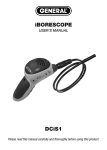
Thank you for purchasing Our iBorescope Camera. Please read this manual carefully and
thoroughly before using the instrument.
iBorescope is a unique instrument that can wirelessly stream high-quality video from a camera
at the tip of a long probe to a nearby iPhone or iPad screen or Android screen.
Typical applications include inspections of hard-to-reach or hard-to-see areas like
crowded engine compartments, equipment enclosures or HVAC ductwork.
KEY FEATURES
•
Generates ad hoc WiFi network (without Internet access) for transmitting transmit probe video to
app-enabled iPhone or iPad
• Long (35 in./900mm), thin (0.39 in./9.8mm diameter) flexible-obedient probe captures VGA (640 x
480 pixel) resolution video. Longer and thinner probes for specific applications are also available.
Please contact us for details.
• Ideal camera depth of field of 1/2 in. to 12 in. (12.7 to 305mm)
• App’s SNAP SHOT soft button captures still .jpg images of live video stream and saves files to
Photos folder on iPhone/iPad. Photos can be viewed immediately, shared immediately by text, or
shared later by e-mail or Skype.
•
Non-replaceable Li-ion battery charges through included USB cable (compatible with
iPhone/iPad Power Adapter and all computers). Full charge is good for three hours of operation.
• Thumbwheel on pistol grip controls camera lighting
• Adjustable video attributes (brightness, contrast, hue, saturation)
• Video Out jack and cable and Low Battery indicator
• includes three useful probe tip accessories (45° mirror, pickup hook, magnetic pickup)
SAFETY INSTRUCTIONS-Warning!
Do not use iBorescope to inspect spaces or enclosures known or suspected to contain live
electrical wiring.
WHAT’S IN THE CASE
The iBorescope’s grip and probe come pre-attached in a protective hard plastic case along with a
USB charging cable (compatible with the iPhone/iPad Power Adapter and all computers), a video
cable, three probe tip accessories (a 45° mirror, a magnetic pickup and a pickup hook) and this user’s
manual.
PRODUCT OVERVIEW
Fig. 1 shows the controls, indicators and physical features of the iBorescope
instrument.
Fig. 2 shows the unit’s standard accessories. Familiarize yourself with the names and functions of all
components before moving on to the Setup Instructions and Operating Instructions.
2