1
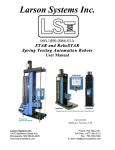
Larson Systems Inc.
Torsion Spring Tester
User Manual
Covering the TST 200 and TST 1300
Larson Systems Inc
10073 Baltimore Street N.E.
Minneapolis, MN 55449-4425
www.larsonsystems.com
TST 200/TST1300 User Manual
Phone:
763-780-2131
Toll Free:
1-877-780-2131
Fax:
763-780-2182
E-mail: [email protected]
Page 1 of 1
060-1000-0040-00D
About This Manual
This manual could contain technical inaccuracies or typographical errors. Changes are
periodically made to the information contained herein. These changes will be incorporated in
new editions of the manual.
Copyright © 2012 Larson Systems Inc.
All rights reserved. No part of this manual may be reproduced by any means without written
permission of the author, except portions necessary for internal use only by the purchaser of
the LSI system.
TST 200/TST1300 User Manual
Page 2 of 2
060-1000-0040-00D
Table of Contents
1 Introduction ......................................................................................................................... 5
1.1 Features ........................................................................................................................................... 6
1.1.1 Absolute Zero ............................................................................................................................ 6
1.1.2 Interchangeable Tooling ............................................................................................................ 6
1.1.3 Rapid Changeovers ................................................................................................................... 6
1.1.4 Digital Control Panel .................................................................................................................. 6
1.1.5 Three Rotational Stops .............................................................................................................. 6
1.1.6 Battery or 115V AC Powered..................................................................................................... 7
1.1.7 Loading Capability ..................................................................................................................... 7
1.1.8 Interchangeable Torque Cartridges ........................................................................................... 7
1.2 Options............................................................................................................................................. 7
1.2.1 Limit Lights / Statistical Analysis................................................................................................ 7
1.2.2 Universal Tooling Assembly ...................................................................................................... 7
1.2.3 Two Point with Rate .................................................................................................................. 7
1.2.4 Automatic Spring Rate Calculation ............................................................................................ 7
1.2.5 Other options ............................................................................................................................. 8
1.2.6 Printer ........................................................................................................................................ 9
1.3 Control Keypad .............................................................................................................................. 10
1.3.1 <On/Clear> .............................................................................................................................. 10
1.3.2 <Units> .................................................................................................................................... 10
1.3.3 <Option> .................................................................................................................................. 10
1.3.4 <Zero Angle> ........................................................................................................................... 10
1.3.5 <Zero Torque>......................................................................................................................... 10
1.3.6 <Mode>.................................................................................................................................... 10
1.3.7 <Store> .................................................................................................................................... 11
1.3.8 <Send> .................................................................................................................................... 11
1.3.9 <F1> and <F2> ........................................................................................................................ 11
1.4 Safety and Use Considerations ..................................................................................................... 11
1.5 Torque/Angle Specifications .......................................................................................................... 12
1.5.1 Torque Specifications—TST 200............................................................................................. 12
1.5.2 Torque Specifications—TST 1300........................................................................................... 12
1.5.3 Angle Specifications—TST 200 ............................................................................................... 12
1.5.4 Angle Specifications—TST 1300 ............................................................................................. 13
2 First Steps ........................................................................................................................... 13
2.1 Unpacking your tester....................................................................................................................... 13
2.2 Setting up your TST.......................................................................................................................... 13
3 How to operate your tester ................................................................................................. 14
3.1 Power on........................................................................................................................................... 14
3.2 Power off........................................................................................................................................... 14
3.3 Torque and Angle Initialization ......................................................................................................... 15
3.3.1 Angle Zeroing ............................................................................................................................ 15
3.3.2 Torque Zeroing .......................................................................................................................... 15
3.3.3 Selecting Units of Measurement................................................................................................ 15
3.4 Mode Selection ................................................................................................................................ 16
3.5 Carriage Lock and Stop .................................................................................................................... 17
3.5.1 Carriage Lock ............................................................................................................................ 17
3.5.2 Carriage Stop............................................................................................................................. 17
3.6 Adjusting Torque and Angle ............................................................................................................. 17
3.6.1 Coarse Adjust ............................................................................................................................ 17
TST 200/TST1300 User Manual
Page 3 of 3
060-1000-0040-00D
3.6.2 Fine Adjust................................................................................................................................. 17
3.7 Setting Rotational Stops ................................................................................................................... 18
3.8 Changing Torque Cartridges ............................................................................................................ 19
3.9 Mounting a Spring for Testing with Universal Tooling ...................................................................... 20
3.10 Storing Test Data............................................................................................................................ 20
3.11 Sending Data Via the RS 232 Port ................................................................................................. 21
3.12 Sending Current Test Data ............................................................................................................. 21
3.13 Sending Stored Test Data .............................................................................................................. 22
4 Testing Examples ................................................................................................................ 22
4.1 Example 1: Measuring a Right-Hand Torsion Spring ....................................................................... 22
4.2 Example 2: Measuring Spring Rate with the Torsion Spring Tester ................................................. 24
4.3 Example 3: Measuring a Left-Hand Torsion Spring with Torque Limit Option.................................. 25
5 Using the Option Menu and F1 and F2 keys ..................................................................... 26
5.1 User Options..................................................................................................................................... 26
5.2 Option--Printing a Summary at the End of Testing (EndPrint).......................................................... 27
5.3 Option--Clearing Stored Data (Store) ............................................................................................... 27
5.4 Option--Load/Angle Limits Option..................................................................................................... 28
5.5 Option--Power off (Power) ................................................................................................................ 29
5.6 Option--Angle and Torque Offset (Offset)......................................................................................... 29
5.7 Option--Calibration Check (Cal Chk) ................................................................................................ 30
5.8 Option—Diagnostics ......................................................................................................................... 31
5.8 Option—Calibration Menus............................................................................................................... 33
5.9 Option—Factory Setup ..................................................................................................................... 33
There are no user-selectable options in this area. Only authorized LSI personnel who have a password
may work in this area. Any factory setup modifications done by unauthorized personnel will void the
warranty. ................................................................................................................................................. 33
6 User Setup........................................................................................................................................... 34
6.1 User Setup—RS232 and Choosing Data/Print Format..................................................................... 35
6.2 User Setup—Setting the Power Timeout.......................................................................................... 37
6.3 User Setup—Adjusting the Torque Dampening................................................................................ 37
6.4 User Setup—Setting Today’s Date and Time................................................................................... 39
6.5 User Setup—Entering Your Company Name and City ..................................................................... 40
6.6 User Setup—Setting the Backlight Timeout and Units of Measurement .......................................... 41
6.7 User Setup—(1st Peak/Filter)............................................................................................................ 42
6.7.1 1st Peak ..................................................................................................................................... 42
6.1.2 Filter ....................................................................................................................................... 42
6.8 User Setup--+/- Rule......................................................................................................................... 43
6.9 User Setup—I/O Polarity .................................................................................................................. 43
6.10 User Setup—Calibration Information .............................................................................................. 44
7 Calibration and factory settings ......................................................................................... 44
8 User setup password .......................................................................................................... 44
9 Torsion tester error codes .................................................................................................. 45
10 Tester Defaults ................................................................................................................... 47
11 Tester Maintenance ........................................................................................................... 47
Warranty .................................................................................................................................. 48
Procedure for warranty service ............................................................................................. 48
TST 200/TST1300 User Manual
Page 4 of 4
060-1000-0040-00D
1 INTRODUCTION
The TST 200 is a manually-operated torque / angle tester available in six force ranges: 0.3, 3,
25, 100 and 200 in-lb. The TST 1300 is available 0.3, 3, 25, 100, 200, 500 and 1,300 in-lb
force ranges. The solid steel base and durable aluminum frame can stand up to many different
testing environments. NIST traceable certificate of calibration is standard on all LSI testers
including the TST.
TST 200/TST1300 User Manual
Page 5 of 5
060-1000-0040-00D
1.1 Features
1.1.1 Absolute Zero
Take the guesswork out of testing with
LSI’s revolutionary absolute zeroing
technique. Used with custom
interchangeable tooling, this technique
improves repeatability of setups and
results during testing. Parts are
measured against the nominal
dimensions according to the drawing or
specifications, not to a relative point
requiring intuition and guesswork.
1.1.2 Interchangeable Tooling
•
•
•
•
•
•
•
•
Machine tooling blanks ready to
mount on our reaction plate
Designed to allow you to do custom tooling quickly and inexpensively without complex
machining.
Custom tooling is used for repeating parts or specific spring "types" or "families."
30-second changeovers without tools from type to type.
Identical setups each time.
Enhanced repeatability.
Pre-machined blanks make tooling inexpensive and standardized.
Standard angle zeroing built into the fixture--setup within ± 0.1° every time.
Better data matching between source and user because of standardized testing and
tooling.
1.1.3 Rapid Changeovers
Change custom and universal tooling in seconds and maintain your repeatability and
reproducibility. Make setups within ± 0.1 degree of accuracy.
1.1.4 Digital Control Panel
The TST has a built-in mean, standard deviation, range, statistical summary and data logger
that can store up to 1,800 test points. It also has automatic deflection compensation, which
corrects for torque windup and always displays accurate angle measurements. Soft keys give
you access to digital calibration, linearization and features such as user-programmable force
filter, programmable length offset, user-customized print headings, automatic calculation of
mean, standard deviation and range of data. Use the standard RS 232 port for statistical
printouts or talking to a PC. It works great with LSI's SSS, a PC-based Statistical &
Spreadsheet Interface Software, which features dynamic data exchange, allowing you to
communicate to spreadsheets such as Excel. Measure torque in in-lb, N-mm, gm-mm, kg-m,
in-oz, ft-lb, N-m, kg-mm and kg-cm.
1.1.5 Three Rotational Stops
For repetitive applications requiring multiple test points on a given spring, the Torsion Spring
Tester comes equipped with three stops that can be preset to a given angle.
TST 200/TST1300 User Manual
Page 6 of 6
060-1000-0040-00D
1.1.6 Battery or 115V AC Powered
Tester includes an internal, rechargeable battery pack (approximately 8-10 hours of continuous
operation), and a 115V AC charger.
1.1.7 Loading Capability
The TST 200 comes standard with two cranking ratios, giving the operator testing flexibility.
Use the 1:1 ratio for light springs or coarse movements. Choose the 40:1 micro adjust feature
to fine-tune measurements.
1.1.8 Interchangeable Torque Cartridges
Switch from one torque cartridge to another in just minutes, allowing you to use a single tester
to test a wide range of capacities quickly and accurately. Lower capacity torque cartridges
have an overload-preventing lock mechanism. Interchangeable Torque Cartridges with
different force ranges are available: 0-.3 in-lb, 0-3 in-lb, 0-25 in-lb, 0-100 in-lb, 0-200 in-lb, 0500 in-lb and 0-1300 in- lb.
1.2 Options
1.2.1 Limit Lights / Statistical Analysis
Offered as an option, these features specify a range or tolerance in load or deflection
angle. With the convenient LED light indicators as a guide, you can determine if the item tests
low, good or high. Print a full statistical analysis clearly showing the results.
1.2.2 Universal Tooling Assembly
Test many parts without special fixtures. Great for unique or one-time job runs with a minimum
of setup time.
• 2", 3" & 4" universal fittings.
• A conventional approach that has good flexibility in making setups.
• Includes chuck, mandrel set to 17/32" diameter, and reaction plate.
1.2.3 Two Point with Rate
Two Point With Rate is a tester software feature that allows you to calculate the rate (or
spring constant) between two points. A PC is not needed to run this software.
1.2.4 Automatic Spring Rate Calculation
Two-point testing with automatic spring rate calculation. Test it, then print out a
statistical summary.
TST 200/TST1300 User Manual
Page 7 of 7
060-1000-0040-00D
1.2.5 Other options
• Custom Tooling Blanks.
• Calibration Core Sets.
• Calibration Weight Sets.
• Vibration Damping Pad.
• Tester dust cover.
• SSS, computer statistical software. Histograms, X-Bar, R-Bar charts via computer.
TST 200/TST1300 User Manual
Page 8 of 8
060-1000-0040-00D
1.2.6 Printer
Epson Stylus C88+ inkjet printer prints single-feed 8.5” x11" paper. Laser sharp text.
Printout example:
Your Company Name
A n y t o w n, U S A
Larson Systems Inc. Tester
Model : Torsion Tester
Version Number : 4.25
Load Cell : 3 in lb
Operator: _______________________
Manual Mode
Test |
Number |
1|
2|
3|
4|
Angle
(degrees)
1.8
3.7
6.0
8.7
Torque
(in lb)
Date
(mm/dd/yyyy)
1.404
1.472
1.582
1.622
04/10/2009
04/10/2009
04/10/2009
04/10/2009
Time
(hh:mm:ss xm)
06:29:28
06:29:32
06:29:34
06:29:36
am
am
am
am
END OF DATA
SUMMARY DATA
Mean
Standard Deviation
High Range
Low Range
Range
Angle
(deg)
Torque
(in lb)
5.05
2.98
8.7
1.8
6.9
0.26635
0.12106
0.4188
0.1380
0.2808
END OF SUMMARY
TST 200/TST1300 User Manual
Page 9 of 9
060-1000-0040-00D
1.3 Control Keypad
The TST has built-in mean, standard
deviation, range, statistical summary
and a data logger that stores up to 1,800
test points. It also has automatic
deflection compensation, which corrects
for torque windup and always displays
accurate angle measurements. Soft
keys give you access to digital
calibration, linearization and features
such as user-programmable force filter,
programmable length offset, usercustomized print headings, automatic
calculation of mean, standard deviation
and range of data.
1.3.1 <On/Clear>
Turn the TST on with this key. It
also resets the tester to clear the
last peak reading.
1.3.2 <Units>
Set the unit of measurement for
your test. Choose from ft-lb, N/M,
Kg/M, mm/N, in-lb or Kg/cm with
degrees or revolutions.
1.3.3 <Option>
Choose the function you’d like to
perform: Store/EndPrint; Limit
On/Off; Offset/Power; Calibration
Check; User Setup; Diagnostic;
Calibration Menus*; Factory
Setup.*
*Calibration Menus and Factory Setup are set at
the factory and require user passwords.
Adjustments made by unauthorized
personnel void the warranty.
1.3.4 <Zero Angle>
Zeroes or initializes the angle at a
reference point before testing.
1.3.5 <Zero Torque>
Zeroes or initializes the torque at
a reference point before testing.
1.3.6 <Mode>
Choose the test mode: Manual,
Peak, Two Point with Rate, or
Two Point with Free Angle.
TST 200/TST1300 User Manual
Page 10 of 10
060-1000-0040-00D
1.3.7 <Store>
Store your test information for
later output.
1.3.8 <Send>
Sends data to your computer,
data logger or printer via the RS
232 interface.
1.3.9 <F1> and <F2>
These keys serve various
functions in different test modes.
1.4 Safety and Use Considerations
Remember that a torsion spring under load has stored potential energy proportional to the
spring constant. Use care, and release this energy in a controlled manner to avoid possible
injury.
Before using your TST, read this manual to gain an understanding of its proper operation to
measure torque/angle relationships of an object and observe the following important
operating considerations.
• Do NOT apply more force than the tester is designed to handle. The tester has overload
stops to protect it, but damage can result from excessive loads. Force readings are not
accurate above the rated limit.
• Be sure the operating location is clean and dry and all springs to be tested are free of oil
and contaminants.
• Keep your equipment away from any source of liquid.
• Keep these instructions handy for reference.
• Follow all instructions and warnings concerned with the use of the TST.
TST 200/TST1300 User Manual
Page 11 of 11
060-1000-0040-00D
1.5 Torque/Angle Specifications
1.5.1 Torque Specifications—TST 200
Part No.
025-0000-0475-00
025-0000-0475-01
025-0000-0475-02
025-0000-0378-05
025-0000-0475-02
Resolution
0-20% FS
0.00002 in-lb
.2 g-mm
0.002 N-mm
0.0002 in-lb
2 g-mm
0.02 N-mm
0.002 in-lb
0.02 kg-mm
0.2 N-mm
0.005 in-lb
0.05 kg-mm
0.5 N-mm
0.01 in-lb
0.1 kg-mm
1 N-mm
Capacity
0.3 in-lb
3 g-mm
34 N-mm
3 in-lb
35 g-mm
339 N-mm
25 in-lb
288 kg-mm
2,825 N-mm
100 in-lb
1,152 kg-mm
11,299 N-mm
200 in-lb
2,304 kg-mm
22,597 N-mm
20-100% FS
0.0002 in-lb
2 g-mm
0.02 N-mm
0.002 in-lb
20 g-mm
0.2 N-mm
0.02 in-lb
0.2 kg-mm
2 N-mm
0.05 in-lb
0.5 kg-mm
5 N-mm
0.1 in-lb
1 kg-mm
10 N-mm
Accuracy = +- Resolution x 2
1.5.2 Torque Specifications—TST 1300
Part No.
025-0000-0475-00
025-0000-0475-01
025-0000-0378-05
025-0000-0378-06
025-0000-0378-07
Capacity
0.3 in-lb
3 g-mm
34 N-mm
3 in-lb
35 g-mm
339 N-mm
100 in-lb
1,152 kg-mm
11,299 N-mm
200 in-lb
2,304 kg-mm
22,597 N-mm
500 in-lb
5,761 kg-mm
56,493 N-mm
025-0000-0378-08
1,300 in-lb
14,978 kg-mm
146,883 N-m
Accuracy = +- Resolution x 2
Resolution
0-20% FS
0.00002 in-lb
.2 g-mm
0.002 N-mm
0.0002 in-lb
2 g-mm
0.02 N-mm
0.005 in-lb
0.05 kg-mm
0.5 N-mm
0.01 in-lb
0.1 kg-mm
1 N-mm
0.05 in-lb
0.5 kg-mm
5 N-mm
20-100% FS
0.0002 in-lb
2 g-mm
0.02 N-mm
0.002 lb-in
20 g-mm
0.2 N-mm
0.05 in-lb
0.05 kg-mm
5 N-mm
0.1 in-lb
1 kg-mm
10 N-mm
0.5 in-lb
5 kg-mm
50 N-mm
0.1 in-lb
1 kg-mm
10 N-mm
1 in-lb
10 kg-mm
100 N-mm
Accuracy (+-)
Deflection Compensation
(5%-95% FS)
.2°/3,600°
<0.2°
1.5.3 Angle Specifications—TST 200
Range
Resolution
<100,000°
>100,000°
100,000°
0.1°
TST 200/TST1300 User Manual
1.0°
Page 12 of 12
060-1000-0040-00D
1.5.4 Angle Specifications—TST 1300
Range
Resolution
Accuracy (+-)
Deflection Compensation
(5%-95% FS)
0.2°/3,600°
<0.2°
<100,000°
>100,000°
100,000°
0.1°
1.0°
2 FIRST STEPS
2.1 Unpacking your tester
Check to make sure you have all the items your ordered:
• Torsion Spring Tester (TST)
• Calibration Report
• User Manual (this book)
• Custom Tooling Blocks, if ordered
• Battery charger
• Additional torque cartridges
• Universal Tooling Assembly, if ordered
2.2 Setting up your TST
•
•
•
Place your tester on a level and stable work area where you can easily perform
tests, remove test items and the display is easy to see and read.
Although the load cells have overload protection, they can be damaged easily if
excessive torque is applied; this is most apt to occur with lighter load cells. Use
care when you remove or replace reaction plates that are mounted to the load cell.
Your TST can be used with a universal tooling assembly or custom tooling. To
change tooling assemblies, remove the Reaction Plate by unscrewing the Tooling
Quick Change Rod on the left side of the tester. Next, remove the Chuck Assembly
by unscrewing the Tooling Quick Change Rod on the right side of the tester.
Replace with the new tooling assembly and re-insert the Tooling Quick Change
Rods on both sides of the tester.
TST 200/TST1300 User Manual
Page 13 of 13
060-1000-0040-00D
3 HOW TO OPERATE YOUR TESTER
3.1 Power on
Turning on your tester is as easy as pushing the <ON> button. When you do this, the LCD
screen displays the name and location of the manufacturer (which you can change to your
company’s name and location –see Section 6.5, p. 34), software version number (in this
case, Torsion Tester 4.25), followed by the tester’s serial number, cartridge type, and
cartridge number. The LED lights flash Low, Good, High, then the tester displays date/time
(which you can set to your time zone and preferences—see Section 6.4, p. 34), mode and
units of measurement.
3.2 Power off
Turn the power off by pressing <Off>. The tester is equipped with a power-off timer and a
backlight timer to conserve battery life. If the tester sits idle for a period of time, a built-in
timer begins. If a backlighting timeout occurs, the backlight on the display panel shuts off
until a button is pushed or there is angle rotation. You may resume testing at this point. If
the tester has shut down, press <On/Clear> to re-initialize the angle and torque.
TST 200/TST1300 User Manual
Page 14 of 14
060-1000-0040-00D
3.3 Torque and Angle Initialization
The torque and angle of the tester must be initialized or zeroed at a reference point prior to
testing. Larson Systems has equipped the TST with an absolute zeroing technique that
improves the repeatability of setups and test results. The following two steps can be
performed in any order.
3.3.1 Angle Zeroing
After pressing <On/Clear>, mount the part to be tested in the tooling assembly. Line it
up at a zero reference point and press <Zero Angle>. The tester will automatically set
this point at zero.
3.3.2 Torque Zeroing
After pressing <On/Clear>, mount the part to be tested in the tooling assembly. Line it
up at a zero reference point and press <Zero Torque>.
3.3.3 Selecting Units of Measurement
The TST displays measurements in the following units, with degrees or revolutions: ft-lb,
N/M, Kg/M, N/mm, in-lb, in-oz or Kg/cm. To select the units you want to work with, press
<Unit> to scroll through the different choices. See Section 6.6 to disable units that you
don’t use in your testing procedures.
Note: Units cannot be changed if there is test data stored in memory, or during printing. See
Section 3.13, “Send Stored Test Data” or “Clearing Stored Data” (also in 3.13) to clear stored
data.
TST 200/TST1300 User Manual
Page 15 of 15
060-1000-0040-00D
3.4 Mode Selection
Your Torsion Spring Tester operates in two standard modes: Manual and Peak. Two
Point with Angle and Two Point with Rate are optional modes which you may purchase.
The tester powers up in Manual Mode. To change modes, press <Mode>.
Standard
Manual
A
T
0.0
0.0000
Peak
deg
in lb
A
P
0.0
0.0000
deg
in lb
The display tracks or follows the current angle The display freezes, showing peak torque and
and torque.
the corresponding angle. Press <On/Clear> to
reset.
Optional
Two Point with Rate
Two Point with Free Angle
A
23o Tp1
T 8.152 *kg M
A 90.0
dg Tp1
T 5.6360
in lb
A
T
A
39o
Tp2
T 14.9 *kg M
120.0 dg Tp2
10.3210
in lb
Rate
0.1562
in lb
/deg
Free Angle
2 o 20’ deg
The tester captures and saves two points and
calculates the rate between these angles.
Press <F1> or <F2> to capture the data and
view the Rate. Press <Store> to save the data
and perform another test, or press <Send> to
send data to a printer, data logger or
computer.
TST 200/TST1300 User Manual
The tester captures and saves two points and
calculates the Free Angle between them.
Press <F1> or <F2> to capture the data and
view the Rate and Free Angle. Press <Store>
to save the data and perform another test.
Press <Send> to send data to a printer, data
logger or computer.
Page 16 of 16
060-1000-0040-00D
3.5 Carriage Lock and Stop
3.5.1 Carriage Lock
To unlock the carriage, turn the carriage lock to the right. Slide the carriage along the
rails until it reaches point at which you want to mount your spring for testing. Lock the
carriage in place by turning the carriage lock to the left.
3.5.2 Carriage Stop
The carriage stop also slides along the front rail
of the tester. For repetitive testing, set the
carriage stop to repeat the exact carriage
position each time you mount or dismount a
spring.
3.6
Adjusting Torque and Angle
Use the two hand wheels for coarse and fine
adjustments. Turn the wheels clockwise for
positive torque and angle readings, and
counterclockwise for negative torque and angle
readings.
3.6.1 Coarse Adjust
1. Initialize torque and angle units as described in Section 3.3.
2. Disengage the Fine Adjust by turning the Fine Adjust Rod, located behind the Fine
Adjust Wheel counterclockwise to the left.
3. Rotate the Coarse Adjust Handle, located on the right-hand side of the tester, to
apply a 1:1 ratio for coarse movements. One turn of the hand wheel equals one
revolution on the chuck mounting plate.
3.6.2 Fine Adjust
1. Engage the Fine Adjust by turning the Fine Adjust Rod, located behind the Fine
Adjust Wheel, clockwise to the right. Rotate the Fine Adjust Hand Wheel, located on
the front of the tester, to apply a 40:1 ratio (80:1 for micro adjustments). In other words,
you will need to turn the Hand Wheel 40 times for the chuck mounting plate to make a
single revolution in the TST 200 and 80 times on the TST 1300.
TST 200/TST1300 User Manual
Page 17 of 17
060-1000-0040-00D
3.7 Setting Rotational Stops
For repetitive applications that require multiple test points on a given spring, three
mechanical stops can be set.
1. Turn the Fine Adjust Hand Wheel, located on the front of the tester, to the desired angle
reading (this could be the zero reference point).
2. Engage the Stop Pin, located below the hand wheel on the front of the tester, by sliding it
to the right.
3. Loosen the set screws on the Stop Plates with a 3/16-inch allen wrench so the Stop
Plates rotate freely.
4. Position the left-hand Stop Plate against the Stop Pin. Tighten the set screw. Disengage
the Stop Pin by moving it to the left.
5. To set another Rotational Stop, rotate the Hand Wheel and repeat the above procedure,
using the right-hand Stop Plate.
6. Repeat these procedures until all the desired stops are set.
Be sure the rotational stops are positioned as close to the tailstock housing as possible, or
they will not contact the top pin correctly.
TST 200/TST1300 User Manual
Page 18 of 18
060-1000-0040-00D
3.8 Changing Torque Cartridges
The Torsion Spring Tester covers a complete array of torque ranges, from 0.3. in-lb to
1,300 in-lb, thanks to an assortment of interchangeable torque cartridges. Lower capacity
torque cartridges have an overload-prevention lock mechanism. Be sure the cells are in a
locked position when changing cartridges, installing custom or universal tooling in the
tester, or mounting springs for a test
1. Turn off power.
2. Unscrew the Tooling Quick Change Rod
on the left side of the tester to remove the
Reaction Plate. Do not apply excessive
force, especially on light torque cartridges.
Be sure they are in “lock mode.”
3. Unscrew the four, #8-32 x .5 socket
head screws and slide the cartridge out of
the flange receiver.
4. Insert the new torque cartridge, making sure the connector on the cartridge lines up with
the connector in the flange receiver.
5. Insert and tighten the four mounting screws.
6. Replace Reaction Plate.
TST 200/TST1300 User Manual
Page 19 of 19
060-1000-0040-00D
3.9 Mounting a Spring for Testing with Universal Tooling
1. Insert the chuck fixture on the right-hand side of the machine, centering it on the Quick
Change Tooling Rod and matching up the grooves on the chuck with the bars on the Chuck
Mounting Plate.
2. Insert a mandrel, appropriately sized to fit the spring you want to test, into the chuck.
Tighten the chuck with the chuck key.
3. Slide a U-shaped clamp spring stop over
one of the stepped jaws on the chuck.
Tighten the screws.
4. Mount a Tooling Block on the Reaction
Plate on the left-hand side of the tester,
making sure it is centered on the Quick
Change Tooling Rod and that the bars on
the Reaction Plate match up with the
grooves on the Tooling Block. If your torque
cell has a locking feature, make sure to lock
the torque cell down! This will prevent
damage to lighter cells.
5. Slide a rectangular stop block into the slot on the Tooling Block. You may need to loosen
the three screws above the slot.
6. Mount the spring on the mandrel and position the carriage so the spring just rests on the
pin on the stop block.
6. Tighten the three screws on the stop block.
7. Move the Carriage Stop into position and lock it. Lock the Carriage and turn the Rotation
lock to lock.
8. Begin testing, following the procedures outlined in Section 4.
3.10 Storing Test Data
Each time you press the <Store> button, Angle, Torque, Time and Date or the last Two
Point with Rate test are stored in memory. You can continue testing and download the test
data at a later time to a printer, computer or data logger.
When you press <Store>, you will see this message:
Storing Test
Number: xxxx
The TST will save up to 1,800 test results for the Manual and Peak modes and up to 500
for the Two Point with Rate mode.
TST 200/TST1300 User Manual
Page 20 of 20
060-1000-0040-00D
3.11 Sending Data Via the RS 232 Port
Before you send data to a computer, printer or data logger, you must first connect the RS
232 port on the TST to the output device.
1. Connect the tester to a printer via a printer cable or a computer/data logger via a
computer cable.
2. Set the company name and city to be printed in the report heading. See Section 6.5.
3. Choose Data Format or Report Format. See User Setup, Section 6.1.
3.12 Sending Current Test Data
Send the data that’s displayed on the tester to a printer, computer or data logger.
Press the <Send> button. The data is
downloaded to the RS232 port. You will see
the message:
Sending
Please wait…
If the printer is not connected, or is busy,
you’ll see this message:
Option
Store EndPrint
When you press F2, you’ll get an error
message and hear a long beep.
If the printer is connected and you want to send additional data, press <Send> again.
Press <Option> to end the test cycle and print a summary of the data.
Press F2. A summary of previous data, which includes Mean, Standard Deviation, Maximum,
Minimum and Range, is transmitted to the printer via the RS232.
Note: The Print Summary Option must be enabled (default enabled). See Section 6.1, p. 29.
TST 200/TST1300 User Manual
Page 21 of 21
060-1000-0040-00D
3.13 Sending Stored Test Data
Send previously stored test data via the RS232 port. You’ll have the option of keeping or
clearing the data from memory.
Press the <Send> button. You’ll see this
message:
Send Stored xxxx
Stored
Present
Press <F1> to send stored data. If the print
summary option is enabled, (Section 6.1), a
summary will be created when the stored data
is sent. If no data is in memory, only current
data will be sent.
If stored data is sent, you’ll see this message:
Press <F1> to clear the test data, or <F2> to
keep the test data.
Keep Data?
Clear
Keep
4 TESTING EXAMPLES
The Torsion Spring Tester tests in positive, negative, peak torque and in two-point with rate
and two-point with angle modes. Following are examples of testing procedures.
4.1 Example 1: Measuring a Right-Hand Torsion Spring
Test a torsion spring in a positive (clockwise) direction to a given torque or angle and
display the result. You can also print a statistical summary.
Press <On/Clear> to turn the TST on.
Manual Mode is the default testing mode.
Press <Mode> until you see this display:
TST 200/TST1300 User Manual
Page 22 of 22
Manual Mode
060-1000-0040-00D
Mount the spring to be tested on a mandrel,
allowing the ends to rest on the Clamp Spring
Stop and the Lug Spring Stop.
Press <Zero Torque> and <Zero Angle> to
initialize the tester.
Torque the spring to the first load or angle by
turning the hand crank in a clockwise
direction. The display shows a positive angle
and torque.
A
n/a deg
T 0.0000 in lb
Note: The effect of hysteresis—a lag in spring
response—should be factored into the test
result.
A
0.0 deg
T 0.0000 in lb
A
T
180.0 deg
5.4320 in lb
Press <Send> to print, or <Store> to save.
After printing, press <Option>, then <F2> to
print a statistical summary.
TST 200/TST1300 User Manual
Page 23 of 23
060-1000-0040-00D
4.2 Example 2: Measuring Spring Rate with the Torsion Spring
Tester
Test a torsion spring in a positive direction (clockwise) to a given torque or angle at two test
points. After capturing the results, a spring rate is displayed. You may print or store the
results.
To Display Only
Press <On/Clear> to turn
on the tester.
To Print or Store Directly
Press <On/Clear> to
turn on the tester.
Mount a spring on a
mandrel, allowing the
ends to rest on the Clamp
Spring Stop and Lug
Spring Stop. Press <Zero
Torque> and <Zero
Angle> to initialize the
machine.
A
T
Press the <Mode> key
until you reach the Two
Point with Rate display.
Torque spring to first load
or angle, then press <F1>
to capture test point 1.
Torque spring to second
load or length. Press
<F1> to capture test point
2.
Press <F1> to view
points, <Send> to print,
<Store> to save, or
<Clear> to reset. To print
a statistical summary,
press <Option>, <F2>.
TST 200/TST1300 User Manual
0.0
0.0000
deg
in lb
Two Point With
Rate Mode
A
T
A
T
90.0
5.6360
Tp1
in lb
120.0
dg Tp2
10.3210
in lb
Rate
0.1562
in lb
/deg
Page 24 of 24
Mount a spring on a
mandrel, allowing the
ends to rest on the
Clamp Spring Stop and
Lug Spring Stop. Press
<Zero Torque> and
<Zero Angle> to
initialize the machine.
Press the <Mode> key
until you reach the Two
Point with Rate display.
Torque spring to first
load or angle, then
press <Send> or
<Store> to capture test
point 1.
Torque spring to
second load or length.
Press <Send> or
<Store> to capture test
point 2. Rate is not
displayed, but is stored.
Press <Option>, then
<F2> to print a
statistical summary.
060-1000-0040-00D
4.3 Example 3: Measuring a Left-Hand Torsion Spring with Torque
Limit Option
Test a torsion spring in a negative direction (counterclockwise) to a given angle with
specified torque limits. A corresponding LED light indicates the test result. In this
example, the low limit is -2 in lb; the upper limit is -5 in lb and the specified angle is -5
degrees.
Press <On/Clear> to turn tester on. Press
<Option> until the display shows:
Limit Option
On
Off
Press <F1> to turn on the limit option.
Limit Option
Torque
Angle
Press <F1> to select Low Torque limit
display.
Press <F2> to select a Negative torque
value. Press <F1> to scroll from left to
right through the digits. Press <F2> to
change the digit to the number you want.
Press <Option> to select High Torque
limit display. Press <F2> to select a
Negative torque value. Press <F2> to
change the digit to the number you want.
Man. Low
in lb
Nxt
- 2.0000
+
Man. High
in lb
Nxt
- 5.0000
+
Press <On/Clear>. The * in front of “in lb”
indicates the Torque Limit selected.
A
T
0.0
0.0000
deg
* in lb
Mount your test spring on a mandrel, allowing the ends to rest on the Clamp Spring Stop and
Lug Spring Stop. Press <Zero Torque> and <Zero Angle> to initialize the tester.
TST 200/TST1300 User Manual
Page 25 of 25
060-1000-0040-00D
Turn the hand crank in a
counterclockwise movement until you
reach the negative angle you specified. If
the torque value is within limits, the
middle “Good” LED light will light. If
torque is above the upper limit, the “High”
light will glow. If torque is below your
chosen lower limit, the “Low” light will be
lit.
Note: You should factor hysteresis—the
length of time it takes a spring to return it
its original state—into your test results.
5 USING THE OPTION MENU AND F1 AND F2 KEYS
The Option menu helps you access commonly-used tester functions: Limit Option menu (if
ordered); Power off; Torque cell calibration check; User setup menu; and Calibration menu.
Press <Option> to advance through the displays. Press <F1> or <F2> to select various
functions. Press any key to exit the Option menu.
5.1 User Options
The Option menu gives you rapid access to tester functions and other menus.
Option
Store EndPrint
TST 200/TST1300 User Manual
Limit Option
On Off
Page 26 of 26
Option
Offset Power
060-1000-0040-00D
Option
Cal Check
Option
User Setup
Option
Calib Menus
Option
Factory Setup
Option
Diagnostic
5.2 Option--Printing a Summary at the End of Testing
(EndPrint)
The EndPrint option allows to you print
summary data such as the mean, standard
deviation, maxium, minimum and range at the
end of testing. Press <F2> to select EndPrint.
Option
Store
EndPrint
If there was no printout, the display will show:
Print-out Not in
progress
If a printout has started, the printer will print
the statistical summary and the display will
show:
Print-out Done
Please wait…
5.3 Option--Clearing Stored Data (Store)
The Clear option lets you see how many
points are saved, clear the last test point
entered, or clear all test points. Press <F1> to
select.
TST 200/TST1300 User Manual
Page 27 of 27
Option
Store
EndPrint
060-1000-0040-00D
If no tests are stored, the display will show:
No information
stored
Press <On/Clear> to continue.
If data is stored, the display will show each
test result. You can scroll through the results
by pressing <F1>.
Clear Mem
Now
If there is a test you don’t want to keep, press
<Option>. The tester displays a screen to
Clear Memory Now. Choose <F1> to clear
that entry.
Clear all the data by pressing <Option>. Press
<F1> to Clear All Memory Now. The tester
will display the “No information stored” screen.
Press <On/Clear> to perform another
operation.
2
Clear All Memory
Now
5.4 Option--Load/Angle Limits Option
The Limit option allows you to enable or disable
the Load/Angle Limits option. The option is
enabled and calibrated for the current mode
selection (manual, peak or two point with rate
mode).
Limit Option
On
Off
Press <F1> to enable the limits; <F2> to turn
them off.
Press <F1> to set limits for Torque; <F2> for
Angle.
TST 200/TST1300 User Manual
Page 28 of 28
Limit Option
Torque
Angle
060-1000-0040-00D
Press <F1> to set the Low limit. Press <F2> to
select a negative or positive value. Press <F1>
again to move the cursor to the next digit to the
right. Press <F2> to change the digit to the next
higher number.
Press <Option> to set the High limit. Press
<F1> to move the cursor to the next digit on the
right. Press <F2> to change the digit to the
next higher number.
Man.
Nxt
Man.
Nxt
Low
0.0000
in lb
+
High in lb
0.0000
+
When finished, press <On/Clear> to return to
normal testing modes.
When testing, observe the LED lights, which indicate the status of the spring:
• Low—below the lower limit
• Good—within the lower and upper limits
• High—above the upper limit
5.5 Option--Power off (Power)
To turn the tester off immediately without
waiting for the display to time out, press
<Option> until the display shows the
Offset/Power screen. Press <F2> to select the
Power off menu. If you press <F1>, the power
will stay on. If you press <F2>, the tester will
shut down. You can also turn off the power by
pressing the <Off> button.
Option
Offset
Power
5.6 Option--Angle and Torque Offset (Offset)
The Angle and Force Offset option allows you to add or subtract a number to the angle
or torque on a display. This helps you set a common zero point and maintain
repeatability in testing.
Press <F1> to select Offset.
Option
Offset
Power
Press <F1> to move the cursor to the right.
Press <Units> to move the cursor to the left.
Press <F2> to increase a digit.
TST 200/TST1300 User Manual
Page 29 of 29
060-1000-0040-00D
Press <Option> to go to the Torque Offset
screen. Press <F1> to move the cursor to the
right. Press <Units> to move the cursor to the
left. Press <F2> to increase a digit.
Tor. Off. (kg M)
Nxt 8.1521 +
When you have adjusted the offsets, press
<On/Clear> to return to normal testing modes.
5.7 Option--Calibration Check (Cal Chk)
The Calibration Check allows you to view a shunt value and a torque value to verify that the
tester is still within torque tolerance. The Load Cell shunt value is derived at calibration and is
recorded in the tester’s memory. The displayed torque value should equal the shunt value
within the accuracy tolerance listed in Section 1.6. To test springs accurately, the zero reading
should display 0.0000.
Press <Option> until you reach the Calibration
Check screen. Press <F1> to select Select
Shunt.
Press <F1> to select Load Cell. (Panel Shunt is
not used with the torsion tester.)
Option
Cal Check
Select Shunt
Load Cell
Panel
The tester will enter the Cal Chk mode.
Cal Chk Mode
TST 200/TST1300 User Manual
Page 30 of 30
060-1000-0040-00D
5.8 Option—Diagnostics
Check out various parts of your Torsion tester to determine if they’re working correctly.
Scroll through the User Setup menu until you
reach the Diagnostic screen. Press <F1> to
enter the Diagnostic menu. Press <Option> to
move forward one screen; press <Mode> to
move backward one screen.
Option
Diagnostic
View and verify battery voltage. Press
<Option> to move to the next screen.
View Batt Volts
- No +
Check out the keypad. Press <F1> to go to
the “Press Any Key” screen. Press any keys
on the keyboard. If you press Option, the
screen should read Option; if you press Mode,
the screen should read Mode. Press <Clear>
to go to the next Diagnostic screen.
Press <F1> to check the screen. The cursor
will automatically move around the screen
and check each “cell” twice. To halt the
checking process, press <Clear> and you will
return to the Perf Screen Chck screen. Press
<Clear>, then <Option> to move to the next
screen.
Some testers require external inputs. This
screen allows you to verify if these inputs are
closed or open (C or O).
Perf Keypad Chck
Now
Perf Screen Chck
Now
External Inputs
COO
Press <Option> to go to the next screen.
Press <F1> to move to the next test. Press
<F2> to toggle Off or On. Press <Option> to
go to the next screen.
TST 200/TST1300 User Manual
Page 31 of 31
Output Diag Test
Nxt 1 Off tgl
060-1000-0040-00D
This screen shows you the printing protocols
you may have chosen—baud rate and delays.
RS232 Protocols
4800, Delay .01
This screen shows that you have chosen to
print a report with a heading. Press <Option> to
bring up the next screen.
RS232—Report On
Heading
Press <F1> to perform this check. The RS232
will send data to the data port and report the
results.
Now
This screen tells you the size of the
microprocessor and the amount of RandomAccess Memory (RAM) contained in the tester.
LSI testers can be equipped with up to 16
different smart load cells. This screen lists the
cells one by one with their serial number and
capacity. If you see a reading that says SMC 2,
for example, it means that smart cell 2 is
currently loaded into the tester.
Perf RS232 Chck
16 MHz processor
with 64 Kb RAM
SM 1
100.0 lb
SN 100 +
Press <F1> to move back one number. Press
<F2> to move to the next higher number. Press
<Option> to go to the next screen.
TST 200/TST1300 User Manual
Page 32 of 32
060-1000-0040-00D
Print information about the smart cells. Press
<F1> to print information for a single cell.
Print Cell Info
One
All
The following screen asks which cell number
you want to print. Press <F1> to move the
cursor from left to right. To the next cell
number, press <F2. Press <Option>, then
<F1> to print information about the chosen
cell immediately.
To print information about the E2 non-volatile
memory (factory settings, calibration, user
settings), press <Option> to go to the next
screen. Press <F1> to print.
Cell to Print
Nxt 08 +
Now
Print E2 Mem
Press <On/Clear> to return to normal testing
mode.
5.8 Option—Calibration Menus
There are no user-selectable options in this area. Only authorized calibration personnel
who have a pass code can perform calibration. Any calibration modifications done by
unauthorized personnel will void the warranty.
5.9 Option—Factory Setup
There are no user-selectable options in this area. Only authorized LSI personnel who
have a password may work in this area. Any factory setup modifications done by
unauthorized personnel will void the warranty.
TST 200/TST1300 User Manual
Page 33 of 33
060-1000-0040-00D
6 User Setup
The User Setup menu allows you to change user functions, setup parameters and tester
configuration to meet your needs. You need to enter a pass code to change these settings.
Once you’ve entered your password, Press <F1> to select the User Setup menu.
Option
User Setup
User Setup
Company
City
User Setup
+/- Rule
TST 200/TST1300 User Manual
User Setup
RS232
Power
User Setup
Backlight
Units
User Setup
I/O Polarity
Page 34 of 34
User Setup
Dampening Date
User Setup
1 Peak Filter
st
User Setup
Cal Info
060-1000-0040-00D
6.1 User Setup—RS232 and Choosing Data/Print Format
The first screen you will see in the User Setup
option is the RS232 Power screen.
While you are in this setup menu, you can press
<Mode> to return to a previous screen.
User Setup
RS232
Power
To choose your output format, Press <F1> to
select RS232. The display will read:
Press <F1> to choose Data Format, or <F2> to
choose Report Format.
If you chose <F2>, the display will look like this:
Push either <F1> or <F2> to choose Yes or No.
Press <Option> to move to the next screen.
The following screen asks if you want to print out
all the test statistics or use a standard format.
Press <F1> or <F2> to toggle between Full Stats
and Standard. Press <Option> to move to the next
screen.
The next screen asks if you want to print a
heading on your report. Press <F1> or <F2>
(- or +) to choose Print Heading or No Heading.
Press <Option> to move to the next screen.
This screen asks if you want to print a summary
of your data. Press <F1> or <F2> to choose
Print Summary or No Summary.
Press <Option> to go to the next screen.
TST 200/TST1300 User Manual
Page 35 of 35
-
Output
Data Output
+
Print Report:
Yes
+
Print Out Format
- Full Stats +
Printer Format :
- Print Heading +
Printer Format:
- Print summary +
060-1000-0040-00D
This screen shows the default printer settings,
which are set for an 80-character line length. By
pressing <F1> or <F2> (- or +), you can change
the space between lines from double to single.
Go to the next screen by pressing <Option>.
This option allows you to choose the
communications method between the tester and
an output device, usually a computer.
Selections include hardware, and software
delays of .01 and .025 seconds. Hardware is
the default setting, especially if you purchased
your printer from LSI. To choose other settings,
use <F1> or <F2> to toggle between None,
Delay .01 or Delay .025. Press <Option> to go
to the next screen.
This screen allows you to set the Printer Baud
Rate. The default is 9600 baud, but you may
select 1200, 19200, 2400, and 4800 baud as
well, simply by pressing <F1> or <F2> until you
reached the desired transmission speed.
Printer ch, width
- 80, Double +
Printer Protocol
- Hardware +
Printer BaudRate
- 9600 +
Press <Option> to move to the next screen.
Use this screen to select the type of paper you
want to use. Press <F1> or <F2> to select
Plain Paper or Roll Feed.
Press <Option> for the next screen.
This Option lets you set the number of lines per
sheet of paper. The default setting is 66 lines
per page for an 8.5” x 11” sheet of paper;
however, you may wish to set more or fewer
lines, depending on paper size. Press <F1> to
move the cursor to the next space to the right.
Press <F2> to increase the digit by one.
Paper Type
- Plain Paper +
Lines per Page
Next
66
+
Press <Option> to move to the next screen.
TST 200/TST1300 User Manual
Page 36 of 36
060-1000-0040-00D
This screen allows you to select your printer.
You have three choices, an Okidata, an Epson,
or other. Press <F1> or <F2> to make your
choice.
Dbl Wdth On/Off
- Oki- 1F/1E +
6.2 User Setup—Setting the Power Timeout
The power timeout feature conserves battery life.
At the RS232 Power screen, press <F2>
to choose Power. This Option allow you to
change the length of time the tester stays
on if it is idle for a period of time. If the
tester remains idle for too long, it
automatically shuts off to conserve battery
life.
Press <F1> to select Next, which moves
the cursor right to the next digit. Press
<Option> to move back to the beginning of
the string of numbers. Press <F2> to
increase the digit to the next higher
number. To decrease a digit, press <Zero
Angle>. Note: The default time-out is 20
minutes. Press <On/Clear> to return to
normal testing mode.
User Setup
RS232
Power
Power Time-out
Next 20:00 +
6.3 User Setup—Adjusting the Torque Dampening
Dampening eliminates noise in the display caused by vibration. It also slows the
measurement process. Set the dampening to the minimum level necessary to achieve a
stable, readable display.
Reach Dampening mode by pressing
<Option> under the User Setup screen until
you see this display:
TST 200/TST1300 User Manual
Page 37 of 37
User Setup
Dampening Date
060-1000-0040-00D
Press <F1> to choose Dampening.
Press <F1> or <F2> (- or +) to choose Low,
Medium, High or None. When finished, press
<On/Clear> to return to normal testing mode.
TST 200/TST1300 User Manual
Page 38 of 38
Peak Dampening
Low +
060-1000-0040-00D
6.4 User Setup—Setting Today’s Date and Time
Set the Date and Time, which are transmitted via the RS232 port and added to printed
reports.
User Setup
Dampening Date
Scroll through the User Setup menu until you
reach this display. Press <F2> to select Date.
The default setting is MM/DD/YY, but you may choose DD/MM/YY or YY/MM/DD by pressing
<F1>. Once you have decided on the format, press <Option> to enter dates.
Date Format
- MM/DD/YY +
Time Format
- 12 Hour a/pm +
DD:MM:YY
Next 05 03 00 +
Press <F1> to move the cursor to the right. Press
<Units> to move the cursor to the left. Press
<F2> to increase the digit. Press <Zero Angle>
to decrease the digit. Press <Option> to go to
the next screen.
You may choose between a 12-hour and a 24-hour
clock. Press either <F1> or <F2> to make your choice, then push <Option> to set the time.
This is the time-setting screen. Press <F1>
to advance the cursor to the right. Press
<Units> to move the cursor to the left. Press
<F2> to increase the digit. Press <Zero
Angle> to decrease the digit. When you have
set the time, press <On/Clear> to return to normal testing mode.
HH:MM a/pm
Next 06:11 a +
TST 200/TST1300 User Manual
Page 39 of 39
060-1000-0040-00D
6.5 User Setup—Entering Your Company Name and City
Entering your company name and city into the tester gives your reports a more finished
appearance and acts as a theft deterrent as well.
When you enter your company name, it will
automatically appear as the second line in
your reports. Press <F1> to select Company.
You may enter a company name as long as
32 characters, typing in 8 characters per line.
There are 4 lines available for entering your
company name.
User Setup
Company
City
Company Name
1/4
Next your com
+
The character set includes:
ABCDEFGHIJKLMNOPQRSTUVWXYZ
Abcdefghijklmnopqrstuvwxuyz
& ‘ () *+,-./
0123456789
An empty space exists between each set of
characters. Place this space between words,
such as Larson Systems.
Press <F1> to move the cursor to the right.
Press <Units> to jump the cursor to the end of
the line or move one space to the left. Press
<F2> to advance to the next letter in the
alphabet. Press <Zero Angle> to back up one
letter. When you complete a line, press
<Option> to move to the next line. There are
four screens in all. When you are finished
entering your company name, place a space
at the end of the line. Then press <On/Clear>
to return to normal testing mode.
Follow the same procedure for entering the
name of your City. Press <F2> to select City.
When you have entered your city, place a
space at the end of the line, then press
<On/Clear> to return to normal testing mode.
TST 200/TST1300 User Manual
Page 40 of 40
City Name
1/4
Next Anytown, +
060-1000-0040-00D
6.6 User Setup—Setting the Backlight Timeout and Units of
Measurement
Scroll through the User Setup Menu until you
find this screen:
User Setup
Backlight
Units
The display backlight is set to turn off after the
tester sits idle for a period of time. This
conserves battery life. The default setting is 20
minutes; however, you can set it to your own
preferences.
Light Time-out
Next
20:00 +
Press <F1> to select the Time-out function for
the tester’s backlit screen.
Press <F1> to advance the cursor one space to the right. Press <Units> to advance it to the left.
Press <F2> to change a number to the next higher number. Press <Zero Angle> to change the
number to a lower number. Press <On/Clear> to return to normal testing mode.
To change the units of measurement, press
<F2> when you see this screen.
User Setup
Backlight
Units
Press <Option> to view the measurement
units available:
Units Used
- in lb used +
In lb used
N mm used
Gm mm used
Kg mm used
In oz used
Ft lb used
N M used
Kg M used
Kg cm used
Deg used
Rev used
DMS used
TST 200/TST1300 User Manual
Page 41 of 41
060-1000-0040-00D
Press <F1> or <F2> to select the units you
want to use. If you do not select N mm, for
example, that unit of measurement will not be
available to you in the Units menu.
-
Units Used
No in lb used +
6.7 User Setup—(1st Peak/Filter)
6.7.1 1st Peak
This setting is not used in torsion spring testing.
6.1.2
Filter
Filtering is the first submenu under Filter [F2]. Using [F1] or
[F2] choose between None, Low, Medium, High, User #1,
User #2, User #3, and User #4. Once the desired selection
is displayed, press [OPTION]. Toggle between Yes and No
using [F1] or [F2] to display filter. Press [OPTION] to select.
The next four submenus are accessed using the [OPTION]
key after each. The directions follow on the next page along
with filtering information.
Dampening (Kd)
Dampen Min (M)
Decay Rate (C)
Recovery (R)
Filtering
None +
Enter % value using [F1] and [F2]
Enter % value using [F1] and [F2]
Enter % value using [F1] and [F2]
Enter value using [F1] and [F2]
To review entries made under Filtering press [OPTION]. Press [SEND] to save and return
to the previous menu. Press [OPTION] to continue to next User Setup menu item.
During normal operation the display shows some number of
discrete force values every second. These values can be
Display Filter
thought of as the value being displayed and the next value to
Yes +
be displayed. When the two values are subtracted from each
other, the result is an error. Filtering works by multiplying this
error by a percentage and then adding that partial error to the
displayed value and displaying that as the new value. The
percentage that the error is multiplied by is Kd. Kd changes over time. While the force is
stable, Kd decreases from the Kd entered in the User Setup menu to the Dampen Min (M)
value at a rate defined by the Decay Rate (C). The Recovery (R) value is used to increase
Kd when the force starts to change based on duration and amount of change. The Kd
value will be shown as it changes over time when Display Filter is chosen.
TST 200/TST1300 User Manual
Page 42 of 42
060-1000-0040-00D
6.8 User Setup--+/- Rule
+ / - Rule
Choose +/- Rule using [F1]. Go to +/- Torque Rule using
[OPTION]. (Angle Rule not active on this model.) Select CW
Positive or CCW Positive using [F1] or [F2]. CW =
Clockwise, CCW = Counterclockwise. This corresponds to
the direction the tool is being tested on the unit and displays
the readings taken in the direction selected as positive
numbers. This setting may need to be changed frequently.
When performing tests to result in a Calibration Certificate for
signature, it is important that the readings are positive
numbers. If performing the test in Clockwise direction, choose
CW Positive - Counterclockwise, CCW positive. If negative
readings are recorded, the Calibration Certificate will always
produce a FAIL test for the torque tool. When done, press
[SEND] to return to the previous menu. Press [SEND] again
to return to the User Setup main menu.
User Setup
+/- Rule
+/- Torque Rule
- CCW Positive +
+/- Angle Rule
- CW Positive +
6.9 User Setup—I/O Polarity
I / O Polarity
The I / O Polarity menu accesses a setup feature for users who
need to use the external inputs and outputs on the tester with
certain auxiliary equipment. To select, press [F1] and the
second display example shown above appears.
Press [F1] to advance through the “H” fields underlined. Press [F2]
to change any “H” to “L”. These 4 fields represent polarities of 2,
3, 4 and 5, respectively, from left to right and define the active
voltage level for those polarities as high or low.
Press [OPTION] to advance to the third display example shown here.
This screen operates the same: Press [F1] to advance through the
“H” fields underlined and press [F2] to change any “H” to “L”.
These eight fields represent polarities of 6, 7, 8, 9, 10, 11, 12 and
13 from left to right.
User Setup
I/O Polarity
Input 2 Pol.
>HHHHXXXXXX+
Output 6 Pol.
>XXXXHHHHHH+
This menu feature is not commonly used. Contact LSI for further
instruction.
TST 200/TST1300 User Manual
Page 43 of 43
060-1000-0040-00D
User Setup
Cal Info
6.10 User Setup—Calibration
Information
There are no user-selectable options in this area. Only
authorized LSI personnel who have a password may work in
this area. Any modifications in this area performed by
unauthorized personnel will void the warranty.
7 CALIBRATION AND FACTORY SETTINGS
Tester calibration is set at Larson Systems. Only trained personnel should adjust calibration.
Adjustment by unauthorized personnel voids the warranty.
There are no user functions in the factory settings. Adjustment by unauthorized personnel
voids the warranty.
8 USER SETUP PASSWORD
You may need a password to get into User Setup to change dates, locations, or time on your
tester. When you see the screen, “Authorized Personnel Only,” type in the following code:
. You are now in the User Setup menu.
TST 200/TST1300 User Manual
Page 44 of 44
060-1000-0040-00D
9 TORSION TESTER ERROR CODES
4: Error 4
Past Full Scale!
Torque cell is torqued beyond full-scale force.
63: Error 63
Peak Only Send to end set
Operator pressed <Store>, but the tester was
not in Peak mode, even though the first test
stored was a Peak mode test. You can store
tests of one mode only.
39: Error 39
Printer Error
External device time-out. The tester tried to
send data to the printer through the printer
port, but it took too long.
65: Error 65
Manual Only
Optn/F2 end form
Operator pressed <Send> while not in Manual
mode, even though the first test was a Manual
mode test. You can send tests of one mode
only. Choose Option, then EndPrint, and
proceed.
40: Error 40
Send PC Error
External device time-out. The tester tried to
send data through the PC port, but it took too
long.
66: Error 66
Peak Only
Optn/F2 end form
Operator pressed <Send> while not in Peak
mode, even though the first test was a Peak
mode test. You can send tests of one mode
only. Choose <Option>, then <EndPrint>, and
proceed.
56: Error 56
No contact results to send
The Store key was pressed but a test has not
been taken.
70: Error 70
key n/a
Operator pressed a key that is not operable in
the current mode.
60: Error 60
Storage Maxed
Operator pressed <Store>, but the maximum
number of tests is already in memory.
86: Error 86
Must use (lb) (in)
Operator changed units of measurement
during the testing cycle, then pressed
<Send>. Operator must complete test cycle
using the same unit of measure.
62: Error 62
Manual Only Send to end set
Operator pressed <Store>, but the tester was
not in Manual mode, even though the first test
stored was a Manual mode test. You can
store tests of one mode only.
87: Error 87
Computer asked for stored result data, but
none is stored.
TST 200/TST1300 User Manual
Page 45 of 45
060-1000-0040-00D
89: Error 89
Must be at least 1 Min.
Operator tried to enter a display sleep time of
less than 1 minute.
92: Error 92
Call LSI
Initialize? No
A power-up check indicates that the E2 prom
memory has a fault. Press <F2>, then call
LSI.
95: Error 95
Call LSI
RAM Error
A power-up check indicates a fault in the RAM
memory on chip 1. Call LSI to find out what is
wrong. Press any key to continue. This error
will also produce a 2-second beep just after
the initial power-on beep.
98: Error 98
Low Battery
Please charge
The battery is getting low and requires a recharge. The tester can be operated with the
charger plugged in.
99: Error 99
Battery Too Low!
Must Charge
The battery level is too low and must be recharged. The tester will not work without
recharging the battery or plugging it into an
electrical outlet.
TST 200/TST1300 User Manual
Page 46 of 46
060-1000-0040-00D
10 TESTER DEFAULTS
The Torsion Spring Tester comes equipped with factory-set default settings. You may wish to
refer to the following:
RS-232 Menu:
Output format: Data
Send results: Yes
Data transfer: No heading
Send count
Send date
Send time
No tab char
Send angle
Send torque
Output format: Report
Print report: No
Print format: Print heading
Print summary
Printer ch width: 80, double
Printer protocol: Hardware
Printer baud rate: 9600
Paper type: Plain paper
Lines per page: 66
Communication protocol: Hardware
Communication baud rate: 9600
Item
Measurement units
Angle offset
Manual dampening
Peak dampening
Default setting
in lb
0.0 (deg)
2
None
Light time-out
Power time-out
00:05:00
00:20:00
Company
City
Your Company Name
Anytime, USA
Calibration
Coarse Gain
Fine Gain
Coarse Offset
Fine Offset
Default Setting
3413
1.0000
2048
0
11 TESTER MAINTENANCE
Routine maintenance is limited to periodic cleaning. Keep linear bearings clean and grease in
six-month intervals to maintain smooth motion. The tester should be calibrated annually.
Contact LSI at (763) 780-2131 for service.
TST 200/TST1300 User Manual
Page 47 of 47
060-1000-0040-00D
WARRANTY
Larson Systems Inc. warrants the Torsion Spring Tester to be free from defects in material and
workmanship for a period of twelve months from the date of purchase. This warranty covers all
parts. It applies only to testers and accessories which have been installed and operated in
accordance with instructions in our operating manual, have not been tampered with in any
way, misused, suffered damage through accident, neglect, or conditions beyond our control
and have been serviced only by authorized personnel.
Larson Systems Inc. is not responsible for loss in operating performance due to environmental
conditions, such as humidity, dust, corrosive chemicals, deposition of oil or other foreign
matter, spillage, or other conditions beyond our control. There are no other warranties
expressed or implied, and Larson Systems Inc. shall not be liable under any circumstances for
incidental or consequential damage.
PROCEDURE FOR WARRANTY SERVICE
1. Request an RMA number from Larson Systems Inc.
2. Ship the tester freight prepaid to:
LARSON SYSTEMS INC.
10073 Baltimore St.
MINNEAPOLIS, MN 55449
PHONE: (763) 780-2131
FAX: (763) 780-2182
Note! Any shipment sent freight collect will be rejected.
3. Warranty determination will be made at the factory. Warranty service will be processed
promptly.
4. The tester will be returned freight collect per LSI’s current shipping procedures.
TST 200/TST1300 User Manual
Page 48 of 48
060-1000-0040-00D
Larson Systems Inc.
10073 Baltimore Street NE
Minneapolis, MN 55449-4425
763-780-2131
Fax: 763-780-2182
1-877-780-2131
www.larsonsystems.com
[email protected]
060-1000-0400-00D .
TST 200/TST1300 User Manual
Page 49 of 49
060-1000-0040-00D