1
GD-463D10U_EN.book Page 8 Monday, June 8, 2009 4:20 PM
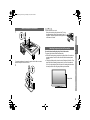
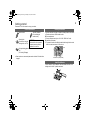
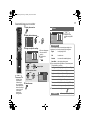
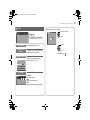
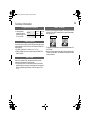
Attach the stand to the monitor
1
Note
Handling the glossy finish of the monitor
2
USE
To prevent scratches on the panel, lay a piece of soft cloth on an even
platform and place the monitor onto it.
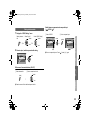
Be careful when handling the glossy finish of the monitor
The glossy finish of the monitor scratches easily.
z Protection films have been pasted onto the glossy finish of the monitor to
prevent scratches. Peel off the films after the monitor has been placed
properly.
z If the glossy finish gets dirty, clear the dust off the glossy finish first. Then
wipe softly with the cleaning cloth provided. If you do not clear the dust
first, or you wipe the glossy finish too hard, or a cleaning cloth other than
the one provided is used, the glossy finish may be scratched.
IMPORTANT PREPARE
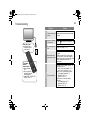
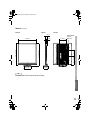
z When the stand is not used:
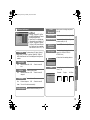
Seal up the two holes at the bottom of the TV using
the plates provided. Peel off the protection films on
the plates. Then peel the plates from the paper and
stick them on the holes.
SETTING
Glossy finish
TROUBLE?
8