1
GD-463D10U_EN.book Page 14 Monday, June 8, 2009 4:20 PM
Useful functions
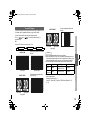
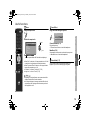
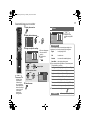
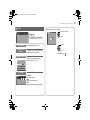
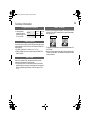
Zoom
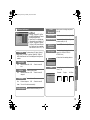
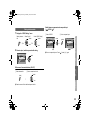
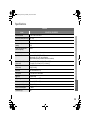
Sound Effect
Change the aspect ratio
Enjoy the sound setting that you like
1
Sound Effect
A select
Zoom
Auto
Regular
Panoramic
14:9 Zoom
16:9 Zoom
16:9 Zoom Subtitle
Full
Full Native
Slim
Panoramic Zoom
CH
3
Panoramic
Cinema Surround
Off
MaxxBass
Off
Cinema Surround (P. 19)
Enjoy ambient sound.
z “Cinema Surround” does not work with headphones.
B set
MaxxBass (P. 19)
Compensates low frequencies to widen the frequency band.
z “MaxxBass” does not work with headphones.
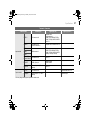
16:9 Zoom
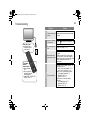
You can select a preset picture setting according to the
brightness of your room or when playing video games.
TROUBLE?
Note
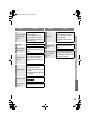
z Depending on the signal formats, some zoom modes will be
displayed in black and will not be selectable.
z If an image is displayed in an aspect ratio that differs from its
original aspect ratio, the image will be distorted or portions of
the image will be cut off.
Picture Mode (P. 17)
SETTING
LCD
z When “Slim” is selected, a 4:3 image stretched out to 16:9 will
revert back to its original aspect ratio with black bands.
z When “Panoramic Zoom” is selected, a 4:3 image with black
bands will be stretched out to 16:9.
z “Full Native” g “What is “Full Native”?” (P. 25)
z Using “Auto” g “Auto in “Zoom”” (P. 25)
USE
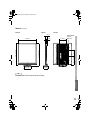
Move the picture with S or T while this bar is displayed
CH
IMPORTANT PREPARE
2 Select the aspect ratio
14