1
4.4 Other Functions
4.4.1 Display Hold
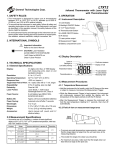
• The instrument will automatically hold the last temperature
reading after the “ON/HOLD” button has been released for
approx. 6 sec..
4.4.2 Display Backlight
• Make sure the the instrument is turn ON, if not press the “ON/
OFF” button.
• Pressing the “BACK LIGHT” button, will alternatibly turn ON
and OFF the display backlight.
• When the backlight is not necessary turn it off, in order to
prolong the battery life.
4.4.3 Laser Pointer
CAUTION: Laser Radiation is emitted - Avoid direct eye
contact
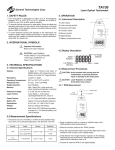
• To turn the laser sight ON or OFF, press the “LASER” button, while
pressing on the “ON/HOLD”. The laser sight indicator will appear
on the display when the laser sight turn ON.
5. MAINTENANCE
5.1 Battery Replacement
• To replace the battery, remove the battery cover in the front of the
handle by sliding it down, and remove the battery.
• Replace with a new 9 V alkaline battery type NEDA 1604 or
IEC6F22 observing the proper polarity when connection to the
battery terminals.
• Reinstall the battery cover.
5.2 Cleaning
5.2.1 Lens cleaning
Debris or dirt on the lens may cause obstruction and reduce the
accuracy of the thermometer. If this occurs, either wipe the lens
with a Q-tip (moistened with water only) or blow off the loose
particles with clean compressed air. Do not use solvent on the
lenses, as it may become damage.
5.2.2 Exterior cleaning
Periodically wipe the case with a soft damp cloth and mild household
cleanser. Do not use abrasives or solvents. Ensure that no water gets
inside the instrument to prevent possible shorts and damage.
6. WARRANTY
One year limited warranty, excluding batteries and fuses. For details see Standard Warranty Information in our webpage or request
a printed copy.
General Technologies Corp.
#121 - 7350 72nd Street
Delta, BC
Canada V4G 1H9
Tel.: (604) 952-6699
Fax: (604) 952-6690
www.generaltechnologies.net
© Copyright 2001 General Technologies