1
Orthomosaic building
2011
1. General info........................................................................................................................................ 4
2. Installation and starting of PHOTOMOD Mosaic ............................................................................ 4
3. Recommended procedure of orthomosaic building...................................................................... 4
4. Main program menu .......................................................................................................................... 5
4.1. Images .......................................................................................................................................... 6
4.2. View .............................................................................................................................................. 8
4.3. Project........................................................................................................................................... 8
4.4. Regions of Interest ....................................................................................................................... 9
4.5. Mosaic .......................................................................................................................................... 9
4.6. Service........................................................................................................................................ 10
4.7. Block scheme ............................................................................................................................. 11
4.8. Window ....................................................................................................................................... 12
4.9. Help ............................................................................................................................................ 12
5. Working with a single image .......................................................................................................... 12
5.1. Loading images .......................................................................................................................... 12
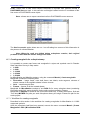
5.2. Creating Regions of Interest....................................................................................................... 12
5.2.1. Regions of Interest by default ............................................................................................................. 12
5.2.2. Cutlines creating rules ....................................................................................................................... 13
5.2.3. Creating and editing Regions of Interest............................................................................................ 13
5.2.4. Regions of Interest load and save....................................................................................................... 15
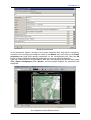
5.3. Single image window.................................................................................................................. 16
5.4. Using images from other projects............................................................................................... 18
6. Parameters and preferences .......................................................................................................... 18
6.1. Type of DTM............................................................................................................................... 18
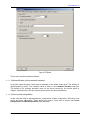
6.1.1. Orthorectification at the constant elevation....................................................................................... 19
6.1.2. Control points interpolation ............................................................................................................... 19
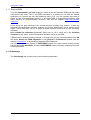
6.1.3. External DEM .................................................................................................................................... 20
6.2. Orthoimage................................................................................................................................. 20
6.2.1. Setting up the channels of the output image ....................................................................................... 22
6.3. Brightness adjustment ................................................................................................................ 23
6.3.1. Global brightness adjustment............................................................................................................. 25
6.3.2. Local brightness adjustment............................................................................................................... 25
6.3.3. Additional recommendations.............................................................................................................. 28
6.3.3.1. Tutorial on setting up brightness adjustment in PHOTOMOD Mosaic ........................................................ 30
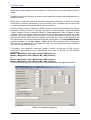
6.4. Splitting into sheets .................................................................................................................... 33
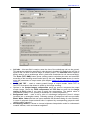
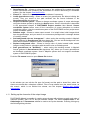
6.5. Preferences ................................................................................................................................ 33
6.5.1. Settings composition of channels for viewing orthoimages................................................................ 37
7. Import of PHOTOMOD Mosaic project .......................................................................................... 37
8. Mosaic preview ................................................................................................................................ 38
9. Splitting mosaic into map sheets .................................................................................................. 40
9.1. Splitting parameters.................................................................................................................... 42
9.2. Splitting preview ......................................................................................................................... 45
9.3. Load sheet coordinates .............................................................................................................. 46
10. DEM with variable resolution ....................................................................................................... 49
11. Orthorectification accuracy control ............................................................................................ 49
11.1. By triangulation points .............................................................................................................. 49
11.2. On cutlines................................................................................................................................ 51
12. Building orthomosaic.................................................................................................................... 52
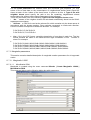
12.1. Building and viewing orthomosaic ............................................................................................ 52
12.2. Building orthomosaic for the block fragment ............................................................................ 56
12.3. Orthomosaic editing in Dust Correct application ...................................................................... 56
©2011
2