1
PHOTOMOD 5.21
Since the orthorectification process works with the regular surface model (DEM) but the
source relief model is TIN (in case of model type Convert TIN to DEM – see the chapter
Type of DTM) the accuracy of the output orthoimage also depends on the accuracy of
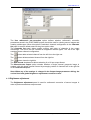
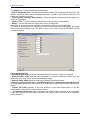
DEM-TIN conversion. To estimate the DEM-TIN conversion errors turn ON the option
Calculate DEM errors on tab Service | Preferences | General (see the chapter
Preferences). The errors are differences between source TIN nodes and corresponding DEM
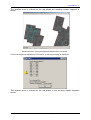
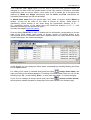
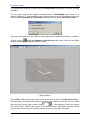
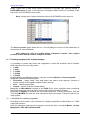
cells in Z coordinate. After DEM creation appears a window, which displays Maximum error,
Average error and RMS. Decreasing a value of Interpolation cell size parameter (see the
chapter Type of DTM) reduces the errors since in this case the DEM “describes” a source
TIN more precisely.
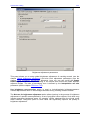
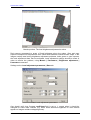
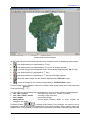
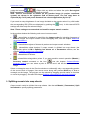
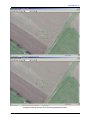
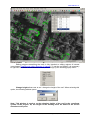
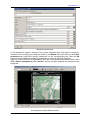
Loading and viewing control vectors or points from a vector resource may be used as an
additional way to control accuracy of created orthphoto. This option is available only when
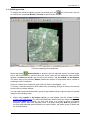
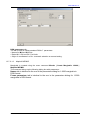
there is an open window with orthophoto. To load e.g. control points, use menu command
Mosaic | Load vectors | XYZ-points. For assessment of orthophoto accuracy it may be
convenient to use the distance measurement tool described in the Measurement over
orthomosaic section.
11.2. On cutlines
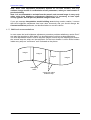
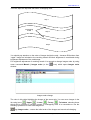
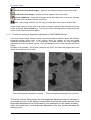
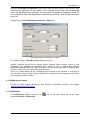
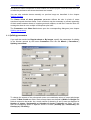
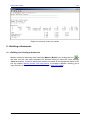
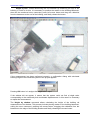
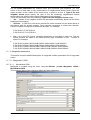
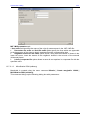
You can create report about accuracy of orthophotomosaic creation not only by triangulation
points but on cutlines either. The operation of accuracy control creates small fragments of
orthophotos of adjacent images along cutlines. Then the program compares them and
calculates mutual discrepancies, then shows them in the report.
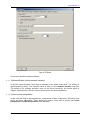
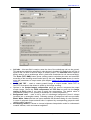
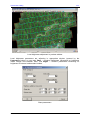
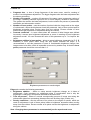
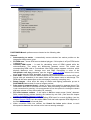
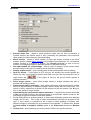
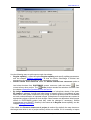
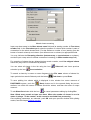
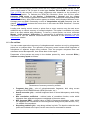
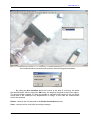
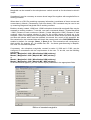
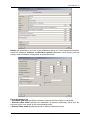
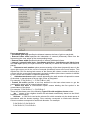
Parameters of the process are setup in the window opened by menu command ROIs |
Cutlines accuracy report as follows.
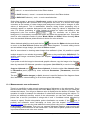
Parameters of accuracy control by cutlines
•
•
•
•
•
51
Fragment size (pix) – size of orthophotomosaic fragments, built using current
settings of PHOTOMOD Mosaic (DEM, pixel size, etc.)
Search area size (pix) – maximal supposed size of mutual discrepancy used during
search.
Min. correlation coefficient – minimal value of correlation function, under which
fragments from adjacent images are considered of the same name.
Min. fragment RMS – minimal value of RMS of fragments brightness, under which
the fragments are considered as nonhomogeneous background (water surface, etc.),
i.e. suitable for comparison.
Step along cutlines (pix) – step along cutlines in pixels. The less the value the more
points are included to the report, but the more time is consumed for search.
RACURS Co., Ul. Yaroslavskaya, 13-A, office 15, 129366, Moscow, Russia