1
(3) Range
According to range value, different color is displayed. In case, this setting is not done,
extended numeric tag is displayed by the text color and back ground color selected at
display tab. And if the value is in the non-specified range, selected color at display tab is
displayed.
1)
2)
3)
4)
6)
5)
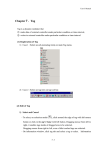
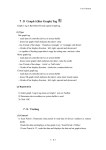
[그림. 확장숫자 태그에서 표시조건 설정 화면]
1) Use Range : Do not select if each different color is not required at each range.
2) Range Number : Minimum one to Maximum 8 is available.
3) Text Color : Specify the text color of displayed data.
4) Back Ground Color : Specify the back ground color of displayed data.
5) Minimum Value : Set the starting value of the range.
6) Maximum Values : Set the ending value of the range.
7) After setting, click [OK].
Caution
There should be no overlapping set in each range.
7.15-5