1
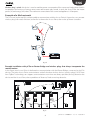
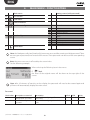
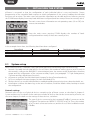
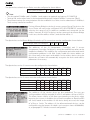
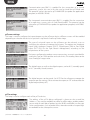
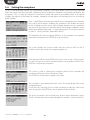
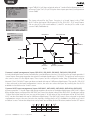
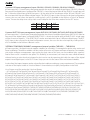
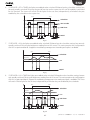
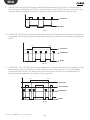
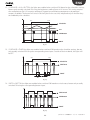
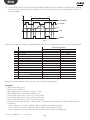
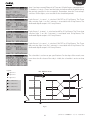
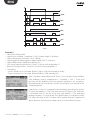
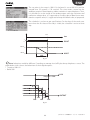
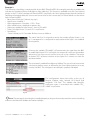
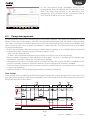
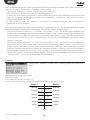
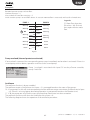
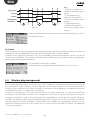
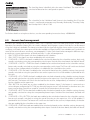
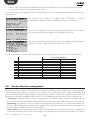
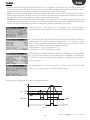
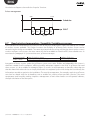
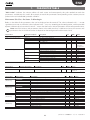
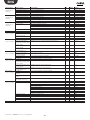
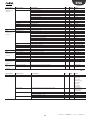
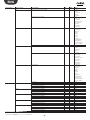
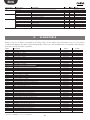
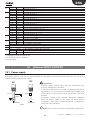
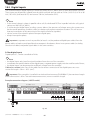
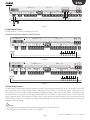
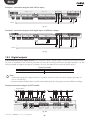
ENG 6. FUNCTIONS As described above, pChrono can manage many types on units and different system requirements. Before configuring pChrono, the unit is recommended OFF. Below is a list of the functions available, with the details for each: • Lights: up to 20 areas, each with up to 4 light fixtures • Pumps: up to 2 groups of pumps, each with 2 ON/OFF pumps • Wireless plugs: up to 10 devices (switches or plugs) • Generic loads: up to 20 generic loads • Generic functions: up to 20 functions (thermostat/modulating/generic alarm/pulses/ WC-Alarm) • Read wireless sensors: 5 SI sensors (T/H/LUX), 3 SA sensors (T/H) 6.1 Special functions Security function (burglar alarm) pChrono can manage the simultaneous activation of more than one area configured using just one digital input with switch function. This function is often requested by security companies when the burglar alarm is activated; simultaneous activation of all the lights helps identify the culprits. The closing of input ID1 on the expansion card with serial address 3, “ID1pCOe3”, will switch on the lights in the configured areas, on the next mask. The current status of input ID1-pCOe3 is ‘Contact Open’. The time parameter will keep the lights ON after the alarm condition back to the normal operation; the DOUT status blink during this time on. Common auxiliary digital inputs function When need to manage a load by more than one digital input is aided by the Auxiliary Inputs. pChrono it offers five different types, each one in number of five. Common 'Timer' management (inputs TMR.AUX1, TMR.AUX2, TMR.AUX3, TMR.AUX4, TMR.AUX5) Management of the Timer can be associated with the use of motion detectors. Often however, more than one detector is needed in a certain area, especially larger areas. For this function, pChrono provides 5 'virtual' inputs that group together the action of multiple digital inputs used as timers (TMR.AUX*). These inputs can be configured under loop "D:Hardware config.\a. Network”. Each “TMR.AUXx” input can be associated with up to 8 different digital inputs. The specific TMR.AUX* is then selected in the load configuration screens; the user can select the input by scrolling the list of I/Os available in the field on the 'Timer' screen. Remember that the logical state of these inputs is the logical "OR" of all the inputs configured on TMR.AUX*: each of the inputs will in fact restart the 'Timer' time count, cancelling the switching (OpenClosed, ClosedOpen) of the previous input. The light will switch OFF when the set time has elapsed. Input TMRAUX1 will depend on the status of inputs ID3-pChrono, ID4pChrono, ID10-pChrono, Id11-pChrono; for further details, see screen Da10. 21 "pChrono" +040000181 - rel. 1.4 - 23.09.2014