1
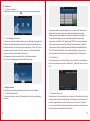
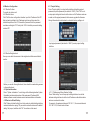
4.3.4 Disarm
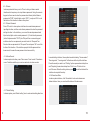
In alarm system interface, press “off” icon to bring out disarm model
interface which requires you to input disarm password. Using the numeric
keypad on the screen to enter the password set disarm (default disarm
password is "0000", default hijack code is "0001"), and press "Ok" icon at
the bottom of the interface to disarm the system.
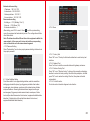
4.3.5 Disarm Password
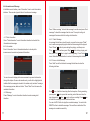
Press “Off code” in alarm system interface to access disarm password
inputting interface, and then enter disarm password to enter the password
setting interface. In the interface, you can set the master password and
hijack code (hijack code is master password +1). Enter the old password
(default old password is "0000") into "Old pwd" bar on numeric keypad,
and then enter the new password you want to set into "New pwd" bar.
Re-enter the new password into "Sure pwd" bar and press “Ok” icon at the
bottom of the interface. If the interface prompts that the password has
been saved, it means the new password is set successfully.
4.3.6 Alarm Record
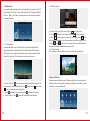
In alarm system interface, press “Alarm record” icon to enter “View alarm
record” interface and then you can view and sort out alarm records.
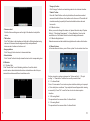
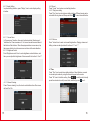
In model setting interface, three optional models including "In home model”,
“Evening model”, “Leaving model" will be shown at the top of the interface.
Press the model you want to set. "Setting" option represents arm delay time
and "Reporting" means alarm delay time. Click “on or off” button to turn
on/off the area. When the setting is done, press
icon at the bottom of the
interface to complete the setup.
4.3.8 Alarm Area State
In alarm system interface, click “Alarm state” icon to enter alarm area
status interface. Here you can check the status of all alarm areas.
4.3.7 Model Setting
In alarm system, press “Model setting” icon to enter model setting interface.
9
10