1
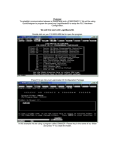
In the next drawing, two buttons have been selected. Pressing button 0 will display legend plate 0, and
button 1 will display legend plate 1. You can customize the title for each legend plate.
VIDEO DISPLAY (0)
OUTLINE COLOR
BACKGROUND COLOR
TITLE
BUTTON(0)
BUTTON(1)
Buttons
Click Buttons to display the Control Button Settings dialog. This dialog is used to setup the buttons that
appear below the video display. The buttons select which video source channel is being displayed. You
can customize the buttons for your application.
The Buttons No. information box displays the assigned button number. The Channel No. list box
selects the video source for the assigned button. Each button can select from CH0, CH1, or CH2.
Although the spin controls allow selection of CH3, it is not used in this product.
Panel Editor, GFK-1855
Video Display • 261