1
Site Sentinel™ 4 Installation and Operation Manual
INTRODUCTION
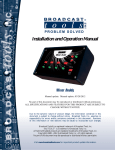
Thank you for your purchase of Broadcast Tools® Site Sentinel™ 4 Web based
Four Channel Site Remote Control System (referred to as the Site Sentinel™ 4 throughout
this manual). We’re confident that this product will give you many years of dependable
service. This manual is intended to give you all the information needed to install and operate the Broadcast Tools® Site Sentinel™ 4.
Broadcast Tools®, Inc., is unable to support NON-Broadcast Tools® hardware/software or NON-Broadcast Tools® computer hardware/software problems. If you
experience these problems, please research your hardware/software instruction manuals or
contact the manufacturer’s technical support department.
SAFETY INFORMATION
Only qualified technical personnel should install the Site Sentinel™ 4. Any attempt
to install this device by a person who is not technically qualified could result in a hazardous
condition to the installer or other personnel, and/or damage to the Site Sentinel™ 4 or other
equipment. Broadcast transmitters can operate at voltages that are potentially lethal. Please
ensure that proper safety precautions have been made before installing this device. If you
are unfamiliar with this type of equipment, please contact a properly qualified engineer to
handle the installation and setup of the Site Sentinel™ 4.
Broadcast Tools® Products, as with any electronic device, can fail without warning.
Do not use this product in applications where a life threatening condition could result due
to failure. Serious injury or death can occur if a command channel is activated while you
are performing maintenance on your equipment. If you are performing maintenance on your
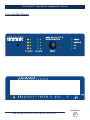
equipment, you should press the “LOCAL” button on the front panel of your Site Sentinel™
4 forcing the unit in to local mode. The “LOCAL” LED will illuminate. Local mode prevents the unit from performing relay commands.
For additional safety, it is strongly recommended that, in addition to setting the Site
Sentinel™ 4 in to “LOCAL” mode, the remote/local switch on any transmitter or high voltage equipment also be set to local mode.
While the Site Sentinel™ 4 relays are physically capable of handling 250 VAC, this
practice is extremely dangerous and should never be attempted. The removable euroblock screw
terminals are not designed to shield humans from potentially dangerous voltages. Contact with
high voltages can cause serious injury or death. The maximum recommended voltage for the
Site Sentinel™ 4 is 30V. Switching of high voltages should only be done external from the Site
Sentinel™ 4 and in a manner that isolates the voltages from accidental contact with humans.
WHO TO CONTACT FOR HELP
CAUTION!
Broadcast Tools®
Products, as with any
electronic device, can
fail without warning.
Do not use this product
in applications where a
life threatening condition
could result due to failure.
NOTE:
This manual should be
read thoroughly before
installation and operation.
Find a contract Broadcast
Engineer in your area?
Check out this link:
http://www.sbe.org/CCE
_List.php
WEBSITE:
Visit our web site for
product updates and
additional information.
If you have any questions regarding your product or you need assistance, please
contact your distributor from whom you purchased this equipment.
For more information about Broadcast Tools® products, you may reach us at:
Broadcast Tools, Inc.
131 State Street
Sedro-Woolley, WA 98284-1540 USA
Voice: 360.854.9559
Fax: 866.783.1742
Internet Home Page: www.broadcasttools.com
E-mail:
[email protected]
THANK YOU FOR CHOOSING
BROADCAST TOOLS® BRAND PRODUCTS!
e-mail: [email protected] voice: 360.854.9559 fax: 866.783.1742
INTRODUCTION
3