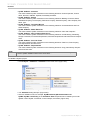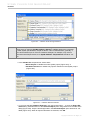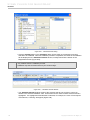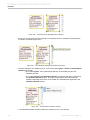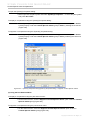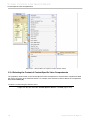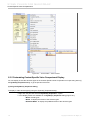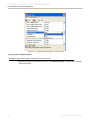
1
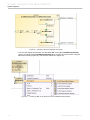
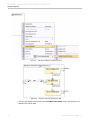
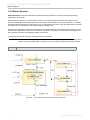
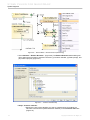
SYSML PLUGIN
version 17.0.1
user guide
No Magic, Inc.
2011
All material contained herein is considered proprietary information owned by No Magic, Inc. and is not to be
shared, copied, or reproduced by any means. All information copyright 2006-2011 by No Magic, Inc. All Rights
Reserved.
CONTENTS
SYSML PLUGIN FOR MAGICDRAW
6
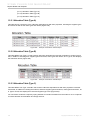
1. Introduction 6
2. Installation 6
3. System Engineer Perspective 6
4. Working with SysML Projects 8
4.1 Creating Blank SysML Project 8
4.2 Creating New SysML Project from Specified Template 9
4.3 Using OMG SysML Style 10
4.4 Using QUDV Model Library 13
4.5 Using Quick Search Dialog 13
5. SysML Diagrams
13
5.1 SysML Block Definition Diagrams (BDD)
14
5.1.1 SysML BDD Metamodel and Elements 14
5.1.2 SysML BDD Toolbar 17
5.1.3 SysML BDD Specific Features 20
5.1.4 Creating Instances of Blocks with Complex Structure 28
5.1.5 Using SysML BDD Elements 45
5.1.6 Converting Data Types to SysML Value Types 47
5.1.7 SysML Callout Box 50
5.2 SysML Internal Block Diagrams (IBD)
53
5.2.1 SysML IBD Metamodel and Elements 53
5.2.2 SysML IBD Toolbar 55
5.2.3 SysML IBD Specific Features 56
5.2.4 Displaying Structures of Blocks in Compartments or in IBDs 73
5.2.5 Extract Structure 77
5.2.6 Using SysML IBD Elements 82
5.3 SysML Package Diagrams
88
5.3.1 SysML Package Diagram Metamodel and Elements 89
5.3.2 SysML Package Diagram Toolbar 90
5.3.3 Using SysML Package Diagram Elements 91
5.4 SysML Parametric Diagrams
93
5.4.1 SysML Parametric Diagram Metamodel and Elements 94
5.4.2 SysML Parametric Diagram Toolbar 95
5.4.3 SysML Parametric Diagram Specific Features 97
5.4.4 Using Parametric Diagram Elements 98
5.5 SysML Requirement Diagrams
99
5.5.1 SysML Requirement Diagram Metamodel and Elements 100
5.5.2 SysML Requirement Diagram Toolbar 103
5.5.3 SysML Requirement Diagram Specific Features 104
5.5.4 Numbering Requirement IDs 106
5.5.5 Using SysML Requirement Diagram Elements 118
5.5.6 SysML Requirements Table 122
5.6 SysML Activity Diagrams
134
5.6.1 SysML Activity Diagram Metamodel and Elements 134
5.6.2 SysML Activity Diagram Toolbar 135
5.6.3 SysML Activity Diagram Specific Features 138
5.6.4 Using Activity Diagram Elements 144
5.7 SysML Use Case Diagrams
149
5.7.1 SysML Use Case Diagram Metamodel and Elements 150
5.7.2 SysML Use Case Diagram Toolbar 152
5.7.3 SysML Use Case Diagram Specific Features 153
5.7.4 Using SysML Use Case Diagram Elements 155
6. Validation
3
156
Copyright © 2006-2011 No Magic, Inc..
CONTENTS
6.1 Active Validation
161
6.1.1 Active Validation Options 164
6.2 SysML Constraints
167
7. Feature-based Compartments
171
7.1 Expanding and Suppressing Feature-based Compartments
7.2 Displaying Options in Feature-based Compartments 175
8. Context-Specific Value Compartments
172
175
8.1 Progressive Reconfiguration 175
8.2 Deep Reconfiguration 176
8.3 Context-Specific Value Compartments
177
8.3.1 Advantages of Context-Specific Value Compartments 177
8.3.2 Using Context-Specific Value Compartments 177
8.3.3 Displaying Context-Specific Value Compartments 178
8.3.4 Selecting the Context of Context-Specific Value Compartments 180
8.3.5 Customizing Context-Specific Value Compartment Display 181
8.3.6 Value Propagation 183
9. Structure Browser
186
9.1 Opening Structure Browser 186
9.2 Customizing Structure Browser Display 187
9.2.1 Structure Browser Shortcut Menu 187
9.2.2 Structure Browser Toolbar 187
9.3 Display Options
188
9.3.1 Display as Plain List 188
9.3.2 Show Inherited Structure 189
9.3.3 Show Full Type in Browser 190
9.3.4 Show Applied Stereotypes in Browser 190
9.3.5 Show Auxiliary Resources 191
9.3.6 Filter 191
9.4 Additional Structure Browser Menus
191
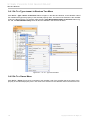
9.4.1 Go To > Type <name> in Structure Tree Menu 192
9.4.2 Go To > Owner Menu 192
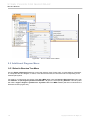
9.5 Additional Diagram Menu
193
9.5.1 Select in Structure Tree Menu 193
10. Dependency Matrix
195
10.1 Opening Dependency Matrix 195
10.2 Working with Dependency Matrix Templates
10.3 SysML Editable Matrices 198
197
10.3.1 SysML Allocation Matrix 198
10.3.2 SysML Satisfy_Requirement Matrix 199
10.3.3 SysML Verify_Requirement Matrix 200
10.3.4 Creating SysML Editable Matrices 201
10.3.5 Building Matrices 204
10.3.6 Editing Matrix 205
11. Teamwork
207
11.1 Working with Teamwork Project
12. Report Wizard and Template
207
208
12.1 Report Wizard 208
12.2 Requirement Report Templates
213
12.2.1 Requirement Diagram 214
12.2.2 Requirement Table (Type A) 214
12.2.3 Requirement Table (Type B) 215
12.2.4 Requirement Report 216
12.2.5 Coverage Analysis 220
4
Copyright © 2006-2011 No Magic, Inc..
CONTENTS
12.2.6 Requirement Dependencies Report 221
12.2.7 Requirements Table Diagram Report 225
12.3 Allocation Report Templates
226
12.3.1 Allocation Table (Type A) 227
12.3.2 Allocation Table (Type B) 227
12.3.3 Allocation Table (Type C) 227
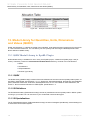
13. Model Library for Quantities, Units, Dimensions and Values (QUDV)
13.1 QUDV Model Library in SysML Plugin
228
228
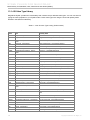
13.1.1 QUDV 228
13.1.2 SI Definitions 228
13.1.3 SI Specializations 228
13.1.4 SI Value Type Library 229
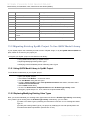
13.2 Migrating Existing SysML Project To Use QUDV Model Library 230
13.2.1 Using QUDV Model Library in SysML Project 230
13.2.2 Replacing/Modifying Existing Value Types 230
13.2.3 Modifying Units and Quantity Kinds of Existing Value Types 231
13.3 Creating New Quantity Kind, Unit or Value Type in QUDV Library 231
13.3.1 Creating New Quantity Kind 231
13.3.2 Creating New Unit 232
13.3.3 Creating New Value Type 232
13.4 Validation Rules for Detecting the Using of Obsoleted Units and Quantities 234
14. Traceability 235
15. Open API 236
15.1 Stereotype Usage
236
15.1.1 SysML Profile 236
15.1.2 MD Customization for SysML Profile 236
A. Glossary 238
B. Index 245
5
Copyright © 2006-2011 No Magic, Inc..
SYSML PLUGIN FOR
MAGICDRAW
1. Introduction
Systems Modeling Language (SysML) is designed to unify the diverse modeling languages currently used by
system engineers, the same way Unified Modeling Language (UML) is used in the software industry to unify
the modeling languages used by software engineers.
SysML supports the specifications, analysis, designs, verifications, and validations of a broad range of complex
systems.
In addition to supporting all SysML diagrams (Block Definition, Internal Block, Package, Parametric, Requirement, Activity, and Use Case diagrams), SysML Plugin also makes it possible for MagicDraw to support additional specifications, analysis, designs, and validations on a broader range of systems and system integrations.
SysML sample projects are available in the <md.install.dir>/samples/SysML directory.
2. Installation
To install SysML Plugin, either (i) follow the manual installation instructions if you have already downloaded the
plugin, or (ii) use Resource/Plugin Manager in MagicDraw to download and install the plugin.
(i) To install SysML Plugin following the manual installation instructions on all platforms:
1. Download the SysML_Plugin_<version number>.zip file.
2. Exit the MagicDraw application currently running.
3. Extract the content of SysML_Plugin_<version number>.zip file to the directory where your
MagicDraw is installed, i.e. <md.install.dir>.
4. Restart the MagicDraw application.
(ii) To install SysML Plugin using Resource/Plugin Manager:
1. Click Help > Resource/Plugin Manager on the MagicDraw main menu. The Resource/
Plugin Manager will appear and prompt you to check for available updates and new resources.
Click Check for Updates > Check.
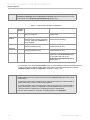
NOTE
Specify HTTP Proxy Settings for connection to start MagicDraw updates and resources.
2. Select the SysML Plugin check box and click Download/Install.
3. Restart the MagicDraw application.
3. System Engineer Perspective
In keeping with SysML unifying purpose, the System Engineer perspective was created to unify the diverse
modeling languages currently used by system engineers. All the features dedicated to SysML are accessible.
What you will have to do to access the System Engineer perspective depends on whether you are:
(i) launching MagicDraw for the first time after SysML Plugin has been installed or,
6
Copyright © 2006-2011 No Magic, Inc.
SYSML PLUGIN FOR MAGICDRAW
System Engineer Perspective
(ii) switching to the System Engineer perspective from any other perspectives.
(i) If you are launching MagicDraw for the first time:
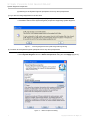
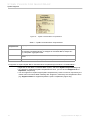
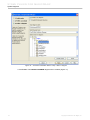
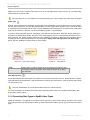
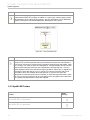
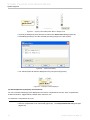
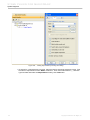
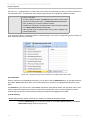
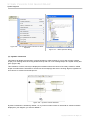
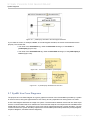
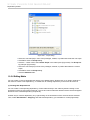
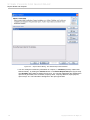
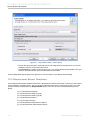
1. The following message dialog will open (Figure 1).
2. Click Yes to switch to the System Engineer perspective supporting SysML diagrams.
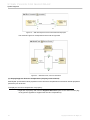
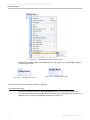
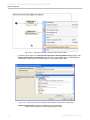
Figure 1 -- Launching MagicDraw with SysML Plugin Message Dialog
(ii) To switch to the System Engineer perspective from any other perspectives:
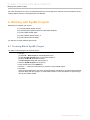
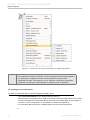
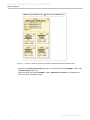
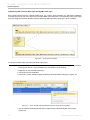
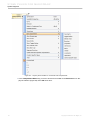
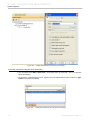
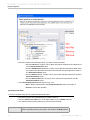
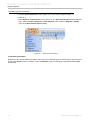
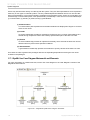
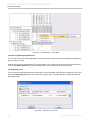
1. Click Options > Perspectives > Perspectives on the MagicDraw main menu.
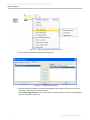
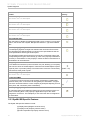
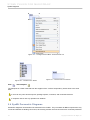
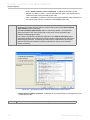
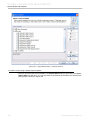
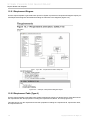
2. Select System Engineer from the Select Perspectives dialog and click Apply (Figure 2).
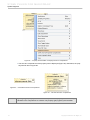
Figure 2 -- Select Perspectives Dialog
7
Copyright © 2006-2011 No Magic, Inc..
SYSML PLUGIN FOR MAGICDRAW
Working with SysML Projects
For more information on how to work with perspectives, see Perspectives Selection and Customization in the
‘Getting Started’ section in the MagicDraw User Manual.
4. Working with SysML Projects
Depending on whether you want to:
(4.1) Creating Blank SysML Project;
(4.2) Creating New SysML Project from Specified Template;
(4.3) Using OMG SysML Style
(4.4) Using QUDV Model Library; or
(4.5) Using Quick Search Dialog,
you will have to follow different procedures.
4.1 Creating Blank SysML Project
To create a new workspace for a blank project:
1. You can;
(i) click File > New Project on the MagicDraw menu,
(ii) click the New Project button on the main toolbar, or
(iii) press CTRL+N (keyboard shortcut).
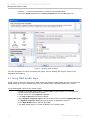
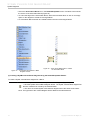
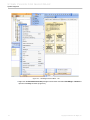
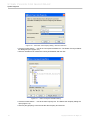
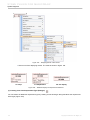
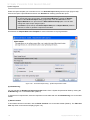
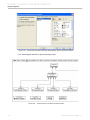
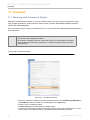
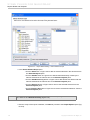
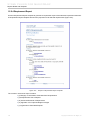
The New Project dialog will open (Figure 3).
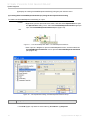
2. Click the SysML Project icon (Figure 3).
3. Enter the file name in the Name box.
4. Click the “...” button to locate where to store the newly-created project.
5. Click OK.
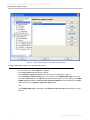
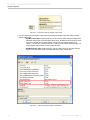
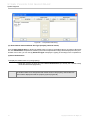
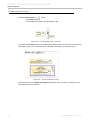
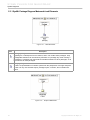
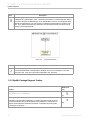
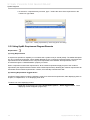
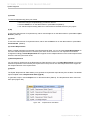
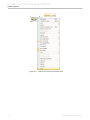
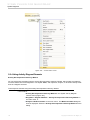
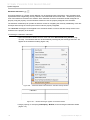
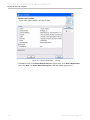
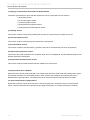
If the current perspective is not set to ‘System Engineer’ perspective, the Open Associated Perspective dialog will open (Figure 4). Select Yes to set the current perspective to System Engineer to start model SysML.
8
Copyright © 2006-2011 No Magic, Inc..
SYSML PLUGIN FOR MAGICDRAW
Working with SysML Projects
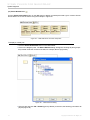
Figure 3 -- New Project Dialog
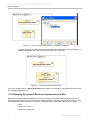
Figure 4 -- Open Associated Perspective dialog
4.2 Creating New SysML Project from Specified Template
To create a new SysML project from a specified template:
1. You can:
(i) click File > New Project on the MagicDraw menu,
(ii) click the New Project button on the main toolbar, or
(iii) press CTRL+N.
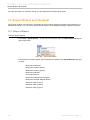
The New Project dialog will open (Figure 5).
2. Click the Project from Template icon (Figure 5).
3. Enter the file name in the Name box.
9
Copyright © 2006-2011 No Magic, Inc..
SYSML PLUGIN FOR MAGICDRAW
Working with SysML Projects
4. Click the “...” button to locate where to store the newly created project.
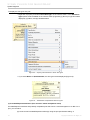
5. Select the SysML template from the Select template tree and click OK (Figure 5).
Figure 5 -- Selecting SysML Template
For more information on how to work with a new project, see the ‘Working with Projects’ section in the
MagicDraw User Manual.
4.3 Using OMG SysML Style
SysML plugin provides the visual style of OMG SysML specifications (OMG SysML style) for using with your
SysML model. Such style is available with every new SysML project created by SysML 16.8 or newer.
To use OMG SysML style in a new SysML project:
1. Create a new SysML project (see 4.1 Creating Blank SysML Project or 4.2 Creating New
SysML Project from Specified Template).
2. On the main menu, select Options > Project.
3. The Project Options dialog will then display.
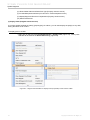
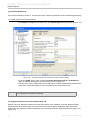
4. Select Symbols properties styles node (on the left), and then select the OMG SysML style in
the Symbols properties styles panel (on the right), as displayed in Figure 6.
5. Press Make Default button, and then press OK.
6. The OMG SysML style is now used as default in your SysML project.
10
Copyright © 2006-2011 No Magic, Inc..
SYSML PLUGIN FOR MAGICDRAW
Working with SysML Projects
Figure 6 -- Project Options Dialog - Set Symbol Properties Style
To apply OMG SysML style to an existing SysML project:
1. Open the SysML project.
2. On the main menu, select Options > Project.
3. The Project Options dialog will then display.
4. Select Symbols properties styles node (on the left), as displayed in Figure 6.
5. In the Symbols properties styles panel (on the right), if the OMG SysML style is not avail-
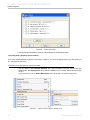
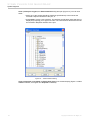
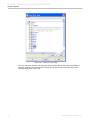
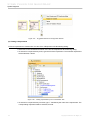
able, press Import button. The Open dialog will then open (Figure 7). In the dialog, select OMG
SysML style.stl located in <md.install.dir>/templates/SysML directory, and then press Open.
Select the style in the Symbols properties styles panel.
OR
If the OMG SysML style is available in the Symbols properties styles panel (Figure 6), just
select it.
11
Copyright © 2006-2011 No Magic, Inc..
SYSML PLUGIN FOR MAGICDRAW
Working with SysML Projects
Figure 7 -- Open Dialog - Importing OMG SysML Style
6. Press Make Default button, and then press OK.
7. The OMG SysML style is now used as default in your SysML project. However, such style will
be applied only to new SysML diagrams yet to be created.
8. If you would like to also apply such style to existing SysML diagram(s), open the Project
Options dialog (Figure 6) again, select the style in the Symbols properties styles panel, and
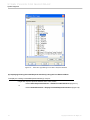
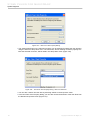
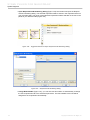
then press Apply button. The Select Diagrams dialog will then display (Figure 8).
Figure 8 -- Select Diagrams Dialog - Applying OMG SysML Style to Diagrams
12
Copyright © 2006-2011 No Magic, Inc..
SYSML PLUGIN FOR MAGICDRAW
SysML Diagrams
9. Select the SysML diagram(s) the OMG SysML style will be applied to, and then press OK. In
the Project Options dialog, press OK.
NOTE
Applying OMG SysML style to existing SysML diagrams might distort the look of those
diagrams. For quick diagram look modification, use the Layout feature in MagicDraw,
available in the main menu.
4.4 Using QUDV Model Library
QUDV model library is introduced in Annex C: Non-normative Extensions, OMG SysML Specifications 1.2. This
model library is designed in such a way that extensions to the ISQ and SI can be represented, as well as any
alternative systems of quantities and units.
See 13. Model Library for Quantities, Units, Dimensions and Values (QUDV) for more detail on the model
library in SysML plugin.
4.5 Using Quick Search Dialog
To open the Quick Search dialog using a keyboard shortcut:
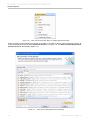
1. Press Crtl + Alt + F to open the Quick Search dialog (Figure 9).
Figure 9 -- Quick Search Dialog
2. Either (i) enter the name of the element or diagram sought or (ii) select the element or diagram
from the drop-down list box.
3. The diagram will open or the corresponding element will open in the Containment Tree.
5. SysML Diagrams
SysML Plugin supports the following SysML diagrams:
• SysML Block Definition Diagrams (BDD)
• SysML Internal Block Diagrams (IBD)
• SysML Package Diagrams
• SysML Parametric Diagrams
• SysML Requirement Diagrams
• SysML Activity Diagrams
• SysML Use Case Diagrams
13
Copyright © 2006-2011 No Magic, Inc..
SYSML PLUGIN FOR MAGICDRAW
SysML Diagrams
• SysML Sequence Diagrams (similar to UML’s one)
• SysML StateMachine Diagrams (similar to UML’s one)
For more information on how to work with SysML diagrams, see the ‘Working with Diagrams’ section in the
MagicDraw User Manual.
5.1 SysML Block Definition Diagrams (BDD)
A Block Definition Diagram defines the features of a block and any relationships between blocks such as associations, generalizations, and dependencies, in terms of properties, operations, and relationships (for example,
a system hierarchy or a system classification tree).
Block Definition Diagrams are based on UML class diagrams and include restrictions and extensions as
defined by SysML. They are generally used to display systems of blocks or show a system dictionary and/or
extensions.
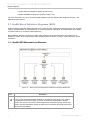
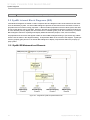
5.1.1 SysML BDD Metamodel and Elements
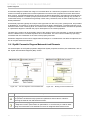
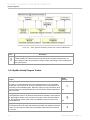
Figure 10 -- Block Element and MagicDraw SysML Block Subtypes Metamodel
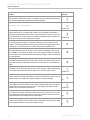
Icon
Description
Block [SysML]:
Blocks provide a general purpose capability to describe the architecture of a system,
and represent the system hierarchy in terms of systems and subsystems. Blocks
describe not only the connectivity relationships within / between a system and its subsystems, but also quantitative values as well as other information about that system (for
example, documentation).
14
Copyright © 2006-2011 No Magic, Inc..
SYSML PLUGIN FOR MAGICDRAW
SysML Diagrams
Icon
Description
Domain:
A Domain block represents an entity, a concept, a location, or a person from the realworld domain. A domain block is part of the system knowledge [1].
External:
An External block is a block that represents an actor. It facilitates a more detailed modeling of actors like ports or internal structures [1].
System:
A System is an artificial artifact consisting of blocks that pursue a common goal which
cannot be achieved by the system's individual elements. A block can be a software,
hardware, a person, or an arbitrary unit [1].
Subsystem:
A Subsystem is a typically large, encapsulated block within a larger system [1].
System Context:
A System context element is a virtual container that includes the entire system and its
actors [1].
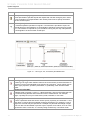
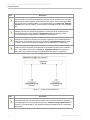
Figure 12 -- Flow Specification Metamodel
Figure 11 -- Constraint Block Metamodel
Icon
Description
Constraint Block [SysML]:
Constraint Blocks provide a mechanism to integrate engineering analysis, such as performance and reliability models, with other SysML models. Constraint Blocks can be
used to specify a network of constraints representing mathematical expressions, which
constrain the physical properties of a system. Constraint Blocks are generally defined
in Block Definition Diagrams, and then used in Parametric diagrams.
15
Copyright © 2006-2011 No Magic, Inc..
SYSML PLUGIN FOR MAGICDRAW
SysML Diagrams
Icon
Description
Flow Specification [SysML]:
A Flow Specification specifies inputs and outputs that can flow through a port in terms
of Flow properties. Flow Specifications are used by Flow Ports to specify what items
can flow via those ports.
Interface [UML]:
An Interface specifies operations or signals. If an Interface is provided to a port, the
external parts may call operations or send signals to the Block owning the port via that
port. If an Interface is required for a port, the Block owning the port may call operations
or send signals to its environment via that port.
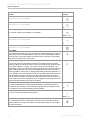
Figure 13 -- Value Type, Unit, and Quantity Kind Metamodels
Icon
Description
Value Type [SysML]:
A Value Type is a type which defines values that can be used to provide information on
a system, but cannot be identified as the target of any reference. These values may be
used to type properties, operation parameters, or, potentially, other elements within
SysML.
Quantity Kind [SysML]:
A Quantity Kind (in SysML 1.0 and 1.1, called ‘Dimension’) is a kind of quantity that can
be measured using defined and unrestricted units of measurement. For example,
length, a quantity kind, may be measured by meter, kilometer, or foot units.
Unit [SysML]:
A Unit is a particular value that can be used to specify a quantity of a dimension. A unit
often relies on precise and reproducible measuring techniques. For example, a unit of
length such as meter may be specified as a multiple of a particular wavelength of light.
A unit can also use less stable or precise ways to express some values, such as costs
expressed in some currencies, or a severity rating measured by a numerical scale.
16
Copyright © 2006-2011 No Magic, Inc..
SYSML PLUGIN FOR MAGICDRAW
SysML Diagrams
Icon
Description
Data Type [UML]:
A Data Type is a type whose instances are identified only by their values. A typical use
of Data Types would be to represent the primitive types of the programming language
used. For example, integer and string types are often treated as data types.
Enumeration [UML]:
An Enumeration is a kind of Data Type whose instances may be any of the user-predefined enumeration literals. It is possible to extend the set of applicable enumeration
literals to other packages or profiles.
5.1.2 SysML BDD Toolbar
Element
Button
(hot key)
Block:
See Section 5.1.1 for description.
(B)
Structured Block [SysML]:
A Structured block is a Block element that contains an Internal Block Diagram
and a hyperlink to it.
(SHIFT + B)
Constraint Block:
See Section 5.1.1 for description.
Domain:
See Section 5.1.1 for description.
External:
See Section 5.1.1 for description.
Subsystem:
See Section 5.1.1 for description.
System:
See Section 5.1.1 for description.
System Context:
See Section 5.1.1 for description.
Value Type:
See Section 5.1.1 for description.
Data Type:
See Section 5.1.1 for description.
Quantity Kind:
See Section 5.1.1 for description.
17
Copyright © 2006-2011 No Magic, Inc..
SYSML PLUGIN FOR MAGICDRAW
SysML Diagrams
Element
Button
(hot key)
Unit:
See Section 5.1.1 for description.
Enumeration:
See Section 5.1.1 for description.
(K)
Instance [UML]:
To create an instance specification of a classifier.
(SHIFT + O)
Interface:
See Section 5.1.1 for description.
(I)
Flow Specification:
See Section 5.1.1 for description.
Port [UML]:
A Port defines an interaction point on a Block or a part, allowing you to specify
what can flow in/out of the Block/part or what services the block/part requires
(expects) from or provides (offers) to its environment. Ports are connected by
connectors to other parts or other ports.
Flow Port [SysML]:
A Flow Port is a port that specifies the input and output items that can flow
between a Block and its environment. Flow Ports are interaction points through
which data, material, or energy “can” enter or leave the owning Block. The
specification of what can flow is achieved by typing the Flow Port with a specification of things that flow. This can include typing an atomic Flow Port with a
single type (Block, Value Type, or Signal) representing the items that flow in or
out, or typing a non-atomic Flow Port with a Flow Specification which lists multiple items that can flow. In general, Flow Ports are intended to be used for
asynchronous, broadcast, or send-and-forget interactions. Note that only nonatomic Flow Ports can be conjugated. Once conjugated, all the directions of the
typing Flow Specification's items will be negated.
Interface Realization [UML]:
An Interface Realization is a specialized Realization relationship between a
Classifier and an Interface. This relationship signifies that the realizing classifier conforms to the contract specified by the Interface.
(R)
Link [UML]:
A Link is a connection between two objects.
(SHIFT + L)
Association Block [SysML]:
An Association Block is an Association Class (a kind of Association) stereotyped by «Block». Like any other Block, an Association Block can own properties and connectors.
18
Copyright © 2006-2011 No Magic, Inc..
SYSML PLUGIN FOR MAGICDRAW
SysML Diagrams
Element
Button
(hot key)
Association [UML]:
An Association represents a semantic relationship between two classifiers. It is
used for referencing two Blocks with one another, thus creating two Reference
Properties at both ends. The aggregation values of the both ends of an Associ- (S)
ation are 'none'.
Directed Association [UML]:
A Directed Association is a one-direction Association which references from a
Block to another Block, thus creating one Reference Property, typed by the target Block, in the source end. The aggregation value of the target end of a
Directed Association is 'none'.
Aggregation [UML]:
An Aggregation is a special form of Association that specifies a part-whole relationship from an ‘aggregate’ (whole / source) to a ‘component part’ (target).
Creating an Aggregation will also create a Shared Property, typed by the ‘com- (A)
ponent part’, in the ‘aggregate’ and a Reference Property, typed by the ‘aggregate’, in the ‘component part’. The aggregation values of the target and source
ends are 'shared' and 'none', respectively.
Directed Aggregation [UML]:
A Directed Aggregation is a one-direction Aggregation relationship which references from a Block ('aggregate') to another Block ('component part'), thus creating one Shared Property, typed by the 'component part', in the 'aggregate'.
The aggregation value of the target end of a Directed Aggregation is 'shared'.
Composition [UML]:
A Composition is a special form of Aggregation which requires that a part of a
Block instance be included in, at most, one composite object at a time. The
composite object is responsible for the creation and destruction of its parts. In (F)
other words, a Composition specifies a 'strong' part-whole relationship from a
‘composite’ (whole / source) to a ‘composite part’ (target). Creating a Composition will also create a Part Property, typed by the ‘composite part’, in the ‘composite’ and a Reference Property, typed by the ‘composite’, in the ‘composite
part’. The aggregation values of the target and source ends are 'composite' and
'none', respectively.
Directed Composition [UML]:
A Directed Composition is a one-direction Composition relationship which references from a Block ('composite') to another Block ('composite part'), thus
creating one Part Property, typed by the 'composite part', in the 'composite'.
The aggregation value of the target end of a Directed Composition is 'composite'.
Generalization [UML]:
A Generalization is a taxonomic relationship between a more general classifier
and a more specific one. Each instance of the specific classifier is also an indirect instance of the general classifier. Thus, the specific classifier indirectly has (G)
the features of the general classifier.
Usage [UML]:
A Usage is a dependency in which one element (the client) requires the presence of another element (the supplier) for its correct functioning or implementation.
(U)
[1] Stereotypes taken from the SYSMOD process: http://www.sysmod.de by Tim Weilkiens, OOSE
19
Copyright © 2006-2011 No Magic, Inc..
SYSML PLUGIN FOR MAGICDRAW
SysML Diagrams
5.1.3 SysML BDD Specific Features
SysML BDD specific features includes:
(i) Inserting a New SysML Property Using One of the Block Menus
(ii) Inserting a New SysML Diagram Using the Block Shortcut Menu
(iii) SysML-Style Compartments
(iv) Creating an Association Block
(v) Creating a SysML Internal Block Diagram Using the Smart Manipulator Button
(i) Inserting a New SysML Property Using One of the Block Menus
You can create a new SysML property from the:
(a) Block shortcut menu (Figure 14)
(b) Block Smart Manipulator menu (Figure 15 and 16)
(a) To create a new SysML property using the Block shortcut menu:
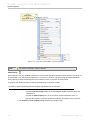
1. Right-click a block and select Insert New SysML Property from the shortcut menu (Figure 14).
2. Select a SysML property that will be created.
3. Enter the name of the newly-created property.
20
Copyright © 2006-2011 No Magic, Inc..
SYSML PLUGIN FOR MAGICDRAW
SysML Diagrams
Figure 14 -- Shortcut Menu for Property and Operation Insertion
(b) To create a new SysML property using the Block Smart Manipulator menu, either:
1. Click the small orange circle on a Block. The sub-menu will open (Figure 15).
2. Select a property type, for example, Part Property.
or
1. Bring your pointer to a Block. The Smart Manipulator menu will open (Figure 16).
2. Select one of the very last six icons (yellow rectangle) on the menu to create a SysML property.
In order for those icons to be displayed on the menu, you must be in the ‘Expert’ mode.
21
Copyright © 2006-2011 No Magic, Inc..
SYSML PLUGIN FOR MAGICDRAW
SysML Diagrams
Figure 15 -- Block Smart Manipulator I for
SysML Property
Figure 16 -- Block Smart Manipulator II for
SysML Property
For further information on SysML properties, see the SysML Internal Block Diagrams (IBD) section.
You can also use the Block shortcut menu to create a new UML property or UML operation. For more information see MagicDraw User Manual.
NOTE
22
If you just create a new stereotype as a subtype of Block (e.g., CustomBlock), and use it
in your model (e.g., “C”). When clicking the small orange button, the block smartmanipulator menu I (Figure 15) will not be displayed unless you save and restart your project
first.
Copyright © 2006-2011 No Magic, Inc..
SYSML PLUGIN FOR MAGICDRAW
SysML Diagrams
(ii) Inserting a New SysML Diagram Using the Block Shortcut Menu
To create a SysML diagram to be owned by a Block:
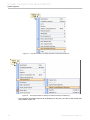
1. Right-click a block and select New Diagram from the shortcut menu.
2. Select one of the diagrams in the expanded sub-menu (Figure 17).
Figure 17 -- Inserting SysML Diagram from the Shortcut Menu
(iii) SysML-Style Compartments
SysML specifications allow Blocks to have multiple compartments. SysML plugin provides five independent,
collpasible block compartments, i.e. ‘parts’, ‘references’, ‘values’, ‘constraints’ and ‘properties’ compartments
(Figure 18).
23
Copyright © 2006-2011 No Magic, Inc..
SYSML PLUGIN FOR MAGICDRAW
SysML Diagrams
Figure 18 -- SysML Block Compartments
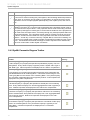
Table 1 -- SysML Block Compartments
SysML
Compartments
Displayed Elements
parts
Part Properties: properties which are typed by Blocks or subtypes of Block,
except Constraint Block, having ‘composite’ aggregation kind.
references
Shared Properties and Reference Properties: properties which are typed by
Blocks or subtypes of Block, except Constraint Block, having ‘shared’ and
‘none’ aggregation kind, respectively.
values
Value Properties: properties which are typed by Value Types or subtypes of
Value Type, always having ‘composite’ aggregation kind.
constraints
Constraints and Constraint Properties. Constraint Properties: properties which
are typed by Constraint Blocks, or subtypes of Constraint Block, always having ‘composite’ aggregation kind.
properties
All other properties which cannot be classified into the previous compartments.
In addition, three SysML compartments are provided for displaying the Constraint Blocks’ properties, i.e. ‘constraints’, ‘others’ and ‘parameters’ compartments (Figure 19).
24
Copyright © 2006-2011 No Magic, Inc..
SYSML PLUGIN FOR MAGICDRAW
SysML Diagrams
Figure 19 -- SysML Constraint Block Compartments
Table 2 -- SysML Constraint Block Compartments
SysML
Compartments
Displayed Elements
constraints
Constraints and Constraint Properties. Constraint Properties: properties which
are typed by Constraint Blocks, or subtypes of Constraint Block, always having ‘composite’ aggregation kind.
others
All other properties which cannot be classified into the previous compartments.
parameters
Constraint Parameters (reusing the ‘ports’ compartment of Class).
To suppress or expand SysML Block / Contraint Block compartment(s) of a Block / Constraint Block :
1. Right-click on the Block / Constraint Block symbol, and select SysML Compartments group.
2. To suppress or expand all SysML compartments at once, you can click on Suppress All or
Expand All, respectively.
3. You can suppress or expand single SysML compartment by check or uncheck, respectively, the
context menu item whose label is starting with “Suppress”, followed by the compartment name
(e.g. Suppress Parts for suppress/expand the ‘parts’ compartment (Figure 20)).
25
Copyright © 2006-2011 No Magic, Inc..
SYSML PLUGIN FOR MAGICDRAW
SysML Diagrams
Figure 20 -- Context menu for suppression/expansion of SysML compartments
NOTE
• Each expanded compartment will be shown when it contains at least one properties. If
the compartment contains no property, it will not be displayed even already expanded.
• The ‘parameters’ compartment of each Constraint Block re-uses the ‘ports’
compartment of Class. Consequently, you can suppress or expand the ‘parameters’
compartment by using the symbol property for suppress ‘ports’ compartment.
(iv) Creating an Association Block
To create an Association Block on a Block Definition Diagram, either:
1. Select Association Block on the diagram toolbar (Figure 21).
2. Select a Block on the diagram to be used as the source of the Association Block to be created.
3. To select the target of the Association Block, either select an existing Block on the diagram to
be used, or click on empty space on the diagram to create such target Block.
4. An Association Block will then be created between the source and target Blocks.
or
26
Copyright © 2006-2011 No Magic, Inc..
SYSML PLUGIN FOR MAGICDRAW
SysML Diagrams
1. Select the Association Block icon in the Smart Manipulator menu of a Block to be used as
the source of the Association Block (Figure 22).
2. To select the target of the Association Block, either select another Block or click on an empty
space on the diagram to create such a target Block.
3. An Association Block will then be created between the source and target Blocks.
Figure 21 -- Association Block Button in BDD
Diagram Toolbar
Figure 22 -- Block Smart Manipulator to Create
an Association Block
(v) Creating a SysML Internal Block Diagram Using the Smart Manipulator Button
To create a SysML Internal Block diagram for a Block:
1. Select the Block symbol. The smart manipulator menu will appear (Figure 23).
2. Click the SysML Internal Block diagram button. The SysML Internal Block diagram will
then be created to be owned by the selected block.
3. The name of created SysML Internal Block diagram will be the same as the owner
block. The hyperlink to the created diagram will be added to the selected block.
27
Copyright © 2006-2011 No Magic, Inc..
SYSML PLUGIN FOR MAGICDRAW
SysML Diagrams
Figure 23 -- Smart Manipulator Menu for Creating IBD
5.1.4 Creating Instances of Blocks with Complex Structure
Creating instances for a complex model can be quite difficult, especially, since instances are frequently used in
SysML (unlike in UML), in particular when assembling systems. Starting with version 16.5, a new feature has
been included: Automatic Instantiation.
The purpose of this feature is to provide a wizard for automatic instantiation of the composite structures of a
system or system parts. Instances are widely used in simulation environments, for example, Paramagic, and
also for defining different system configurations and test cases.
The following two samples will describe how to use the Automatic Instantiation feature.
(i) To automatically instantiate a Block:
1. Right-click a Block and select Create Instance... on the shortcut menu (Figure 24). The Auto-
matic Instantiation Wizard dialog will open (Figure 25). Note that SysML sample projects are
available in the <md.install.dir>/samples/SysML directory. The hybrid sport utility vehicle.mdzip sample is used to demonstrate how this feature works.
28
Copyright © 2006-2011 No Magic, Inc..
SYSML PLUGIN FOR MAGICDRAW
SysML Diagrams
Figure 24 -- Create Instance... Shortcut Menu
Figure 25 -- Automatic Instantiation Wizard - Step 1.Select Parts
29
Copyright © 2006-2011 No Magic, Inc..
SYSML PLUGIN FOR MAGICDRAW
SysML Diagrams
NOTE
The Automatic Instantiation Wizard dialog contains three steps: (i) Select parts, (ii)
Select a package, and (iii) Select a diagram (Figure 25).
2. In Step 1 (Select parts), select a check box in front of a property to assign the value of the slot
representing the property with instance specifications or values. In other words, if the property
has no default value and has a type assigned, an instance specification of the assigned type will
be created and assigned as the value of the slot representing the property.
3. The slot for the property with multiplicity greater than 1 ([0..*], [4], [1..5]), can contain more than
one instance value. You can add more instance values to the slot of this property by right-clicking the property and select Add parallel part (Figure 26). A new node with the index of the
instance value to be created will be listed under the selected property. You can also remove the
instance value by right-clicking the node of the instance value and select Remove parallel part
(Figure 27).
Figure 26 -- Adding More Instance Values
30
Copyright © 2006-2011 No Magic, Inc..
SYSML PLUGIN FOR MAGICDRAW
SysML Diagrams
Figure 27 -- Removing Instance Value
4. You can change the instance specification type to be created for any selected property by
changing the Type property in the Instantiated properties table. Generally, the possible classifiers are subtypes of the type of that particular property, unless the type is an Interface. If the type
is an Interface, the options in the drop-down list will be elements which realize the Interface
(Figure 28).
31
Copyright © 2006-2011 No Magic, Inc..
SYSML PLUGIN FOR MAGICDRAW
SysML Diagrams
Figure 28 -- Selecting Type to Instantiate
NOTE
You cannot select any property typed by an Abstract Class or an Interface. You must first
use the drop-down list to change the type of the instance specification to be created for
that property.
5. For any selected property, you can also directly assign the value to the slot by using Value
property in the Instantiated properties table. For the value properties, you can type the value
into table directly (Figure 29). For the complex structure, you can selected the existing instance
specification to be the instance value. Moreover, any value specification can be created and
assigned to be slot value of selected property by right click on the cell Value in the table then the
context menu for edit, delete and create a various type of value specification will be popped up
(Figure 30).
32
Copyright © 2006-2011 No Magic, Inc..
SYSML PLUGIN FOR MAGICDRAW
SysML Diagrams
Figure 29 -- Assigning Value Property
Figure 30 -- Changing Value Specificaotion Type for Slot Value
33
Copyright © 2006-2011 No Magic, Inc..
SYSML PLUGIN FOR MAGICDRAW
SysML Diagrams
6. Click Next to proceed to the next step once all the required properties have been selected.
7. In step 2 (Select a package), either select an existing package or create a new package to be
used to hold instance specifications, which will be created after you click the Finish button.
Click Next.
• To select an existing package, click on the package.
• To create a new package, select the package owner in the tree and click the Create
button. A list of packages will open. Choose a package (Package, Profile, or
Model) from that list. A package will be created and its specification dialog will open
for you to customize, for example, assigning the package name (Figure 31).
.
Figure 31 -- Automatic Instantiation Wizard - Step 2.Select a package
For example, to create the package named "ICE Type A” owned by HSUV Structure; you need
to:
• Select the HSUV Structure package in the tree and click the Create button. A list of
packages will open.
• Choose a package from the list. The package specification dialog will open.
• Type: ICE Type A in the name attribute and click the Close button. The ICE Type A
package will be available in the tree.
• Select the package and click the Next button to proceed to Step 3 (Figure 32).
34
Copyright © 2006-2011 No Magic, Inc..
SYSML PLUGIN FOR MAGICDRAW
SysML Diagrams
Figure 32 -- Automatic Instantiation Wizard - Step 2.Select a Package
Figure 33 -- Automatic Instantiation Wizard - Step 3.Select a Diagram
8. In Step 3 (Select a diagram), select the Create shape on new diagram check box to create a
new diagram to display instance specifications (Figure 33).
NOTE
Select the Create link between instances check box to also create links among
instances.
9. Type the diagram name and select the type (only static diagrams are allowed to hold instance
specifications), and owner (select one from the tree).
10. Click Finish to create the instance specifications and diagram (Figure 33). The Instance specifications will be created and displayed in the chosen diagram (Figure 34).
35
Copyright © 2006-2011 No Magic, Inc..
SYSML PLUGIN FOR MAGICDRAW
SysML Diagrams
Figure 34 -- Example of Instance Created by Automatic Instantiation Wizard
11. You can reassign some values, for example, if you like to use “SuperFuel” for “fuelReturn”
instead, then reassign the fuelReturn slot in the HSU.internalCombustionEngine : InternalCombustionEngine instance specification (Figure 34) to SuperFuel, a Fuel kind with a specific
fuelPressure (Figure 35). The newly-created diagram will look like the one in Figure 36.
36
Copyright © 2006-2011 No Magic, Inc..
SYSML PLUGIN FOR MAGICDRAW
SysML Diagrams
Figure 35 -- Changing Slot Value of “fuelReturn” Property
37
Copyright © 2006-2011 No Magic, Inc..
SYSML PLUGIN FOR MAGICDRAW
SysML Diagrams
Figure 36 -- Resulting Instances After Changing Slot Value of “fuelReturn” Property
(ii) To automatically instantiate a Block to be used with Paramagic Plugin:
1. Right-click a block and select Create Instance... on the shortcut menu (Figure 37). The Auto-
matic Instantiation Wizard dialog will open (Figure 38). Note that Paramagic sample projects
are available in the <md.install.dir>/samples/ParaMagic directory after you installed
Paramagic Plugin. The Satellite.mdzip sample is used to demonstrate how this feature works.
38
Copyright © 2006-2011 No Magic, Inc..
SYSML PLUGIN FOR MAGICDRAW
SysML Diagrams
Figure 37 -- Create Instance... Shortcut Menu
2. In Step 1 (Select parts), select the required properties as shown in Figure 38 and set the value
for each value property of the instantiate classifier. Click Next.
39
Copyright © 2006-2011 No Magic, Inc..
SYSML PLUGIN FOR MAGICDRAW
SysML Diagrams
Figure 38 -- Automatic Instantiation Wizard - Step 1.Select parts
3. In Step 2 (Select a package), create a new package named SatelliteInstance02 (Figure 39)
and click Next.
40
Copyright © 2006-2011 No Magic, Inc..
SYSML PLUGIN FOR MAGICDRAW
SysML Diagrams
Figure 39 -- Automatic Instantiation Wizard - Step 2.Select a package
4. In Step 3 (Select a diagram), type: SatInstance02BDD in the Type diagram name box, and
select BDD as the diagram type (Figure 40).
41
Copyright © 2006-2011 No Magic, Inc..
SYSML PLUGIN FOR MAGICDRAW
SysML Diagrams
Figure 40 -- Automatic Instantiation Wizard - Step 3.Select a diagram
5. Click Finish. The SatInstance02BDD diagram will be created (Figure 41).
42
Copyright © 2006-2011 No Magic, Inc..
SYSML PLUGIN FOR MAGICDRAW
SysML Diagrams
Figure 41 -- Example of Instance Created by Automatic Instantiation Wizard with Initialized Slots
6. Right-click the SatelliteInstance02 package in the browser and select ParaMagic > Util > Cre-
ate CXI_heading (Figure 42).
7. Right-click again and select ParaMagic > Util > Add default causalities. The package will
then be ready for ParaMagic Plugin.
43
Copyright © 2006-2011 No Magic, Inc..
SYSML PLUGIN FOR MAGICDRAW
SysML Diagrams
Figure 42 -- ParaMagic Shortcut Menu - Util
8. Right-click the SatelliteInstance02 package in the browser and select ParaMagic > Browse to
open the ParaMagic browser (Figure 43).
44
Copyright © 2006-2011 No Magic, Inc..
SYSML PLUGIN FOR MAGICDRAW
SysML Diagrams
Figure 43 -- ParaMagic Browser
9. You can then use this browser to calculate the values of the properties. For more information on
how to use this browser, see Paramagic User Manual.
5.1.5 Using SysML BDD Elements
Block
SysML blocks can be used throughout all phases of system specification and design, and can be applied to
many different kinds of systems. These include modeling either the logical or physical decomposition of a system, and the specification of software, hardware, or human elements.
A Block is a modular unit that describes the structure of a system or an element. It may include both structural
and behavioral features, such as properties and operations, that represent the state of the system and behavior
that the system may exhibit. Some of these properties may hold parts of a system, which can also be described
by blocks. A block may include a structure of connectors between its properties to indicate how its parts or other
properties relate to one another.
Any reusable form of description that may be applied to a system or a set of system characteristics can be
described by a block. Such reusable descriptions, for example, may be applied to purely conceptual aspects of
a system design, such as relationships that hold between parts or properties of a system. Parts (properties) in
these systems can interact by many different means, such as software operations, discrete state transitions,
flows of inputs and outputs, or continuous interactions. Connectors owned by SysML blocks can be used to
define relationships between parts or other properties of the same containing block.
Non-Normative Blocks
MagicDraw SysML proposes five block subtypes:
Domain
A Domain is a set of objects with a specific context and specific elements containing resources
that are relevant to the objects. A domain should be used to manage those resources.
45
Copyright © 2006-2011 No Magic, Inc..
SYSML PLUGIN FOR MAGICDRAW
SysML Diagrams
External
An External is a block that interacts directly with the system to be modeled. It helps the system
modeler identify the system of interest relative to its environment.
System
A System is an artifact created by humans and consisting of blocks that pursue a common goal
that cannot be achieved by the system’s individual elements [1]. SysML supports the specifications, analysis, designs, verifications, and validations of a broad range of complex systems.
These systems may include hardware, software, information, processes, personnel, and facilities.
Subsystem
A Subsystem is a system block that, in turn, represents an independent system. This is often
the case in a large system (Systems of Systems, SoS) [1]. A subsystem is typically represented
by a set of logical or physical parts in a Block Definition Diagram. These parts realize one or
more system operations.
System Context
A System Context is a virtual wrapper around the entire system and its actors [1]. A system
context refers to a defined usage of a block. It describes some of the top-level entities in the
overall enterprise and their relationships by establishing system boundaries and top level use
cases. It depicts each of the constraint blocks or equations that will be used for the analysis and
the key relationships between them. A system context can be seen as an interface between
systems and their external environments.
These block subtypes are generally used to provide more information on the block usage and/or block context.
Constraint Block
Constraint blocks provide a mechanism for integrating engineering analysis such as performance and reliability
models with other SysML models. Constraint blocks can be used to specify a network of constraints that represent mathematical expressions such as {F=m*a} and {a=dv/dt}, which constrain the physical properties of a
system. Such constraints can also be used to identify critical performance parameters and their relationships to
other parameters, which can be tracked throughout the system life cycle. A constraint block includes constraints (such as {F=m*a}) and their parameters (such as F, m, and a). Constraint blocks define generic forms of
constraints that can be used in multiple contexts.
Reusable constraint definitions can be specified on Block Definition Diagrams and packaged into general-purpose or domain-specific model libraries. Such constraints can be arbitrarily complex mathematical or logical
expressions. The constraints can be nested to enable a constraint to be defined in terms of more basic constraints such as primitive mathematical operators.
In general, you should define constraints in constraint blocks in a Block Definition Diagram first, and then use a
Parametric Diagram to bind constraint parameters to properties.
Quantity Kind
A Quantity Kind (formerly ‘Dimension’ in SysML 1.0 and 1.1 specifications) is a kind of quantity that may be
stated by means of defined units. For example, the quantity kind of length can be measured by units of meters,
kilometers, or feet.
The only valid use of a Quantity Kind instance is to be referenced by the “quantity kind” property of a
Value Type or Unit stereotype.
Unit
A Unit is a quantity in terms of which the magnitudes of other quantities that have the same quantity kind can be
stated. A unit often relies on precise and reproducible ways of measuring the unit. For example, a unit of length
such as meter may be specified as a multiple of a particular wavelength of light. A unit may also specify less
46
Copyright © 2006-2011 No Magic, Inc..
SYSML PLUGIN FOR MAGICDRAW
SysML Diagrams
stable or precise ways to express some value, such as a cost expressed in some currency, or a severity rating
measured by a numerical scale.
The only valid use of a Unit instance is to be referenced by the “unit” property of a Value Type stereotype.
Value Type
A Value Type is defined as a stereotype of UML Data Type to establish a more neutral term for system values
that may never be given a concrete data representation. A Value Type adds an ability to carry a unit of measure
of a quantity kind associated with the value. If these additional characteristics are not required, then UML Data
Type may be used (it is, however, not recommended by SysML 1.2 specification).
In general, define quantity kinds first, followed by units and their quantity kinds. After that, define value types
and their units (and quantity kinds). However, users often forget to enter the corresponding quantity kind of a
value type with unit. SysML Plugin provides an active validation constraint for filling the correct quantity kind to
a value type with unspecified quantity kind, by selecting the Apply valid quantity kind to the Value Type
option. See the ‘Validation’ section below for more details.
Figure 44 -- Value Type Example
NOTE
Figure 45 -- Unit Example
SysML Plugin contains a model library that holds more than 80 units
and quantity kinds of SI system, to be used as references of Value
Type elements.
Flow Specification
A Flow Specification specifies inputs and outputs as a set of flow properties. It has a “flowProperties” compartment that lists the flow properties. A flow specification is used to type Flow Ports, in order to specify items which
can flow via the ports.
The only valid attribute of a Flow Specification element is a Flow Property.
For more information on the flow port and the flow properties, please refer to the ‘SysML Internal Block Diagrams (IBD)’ section below.
5.1.6 Converting Data Types to SysML Value Types
SysML specification 1.2 suggests to use Value Type as the type of every value property. Therefore, every Data
Type typing a Value Property should be either (i) replaced by another Value Type or (ii) converted to be a Value
Type.
47
Copyright © 2006-2011 No Magic, Inc..
SYSML PLUGIN FOR MAGICDRAW
SysML Diagrams
(i) Replacing UML Primitive Data Type with SysML Value Type
Every Value Property typed by a Primitive Data Type, e.g., Integer, String, Boolean, etc., will break a validation
constraint (Figure 46). You can replace such Primitive Data Type usage with a corresponding Value Type easily
using the suggested solution “Replace primitive DataType with equivalent ValueType”, when available.
Figure 46 -- Invalid Value Properties
To replace Primitive Data Type with equivalent Value Type:
• In Active Validation Results window, select the property(ies) which is(are) typed by Primitive
Data Type(s). See 6.1 Active Validation for more detail on such window.
• Right-click on the selected element(s).
• The shortcut menu will display.
• In the menu, select “Replace primitive DataType with equivalent ValueType” (Figure 47).
Figure 47 -- Active Validation Results Window Showing Invalid Value Properties
• The the selected property(ies) will then be typed by the equivalent SysML Value Types
(Figure 48).
48
Copyright © 2006-2011 No Magic, Inc..
SYSML PLUGIN FOR MAGICDRAW
SysML Diagrams
Figure 48 -- Valid Value Properties
(ii) Convert Data Type To Value Type
Simply apply the «ValueType» stereotype to the Data Types which type Value Properties in your SysML project.
Figure 49 -- Value Properties Typed By Data Types.
49
Copyright © 2006-2011 No Magic, Inc..
SYSML PLUGIN FOR MAGICDRAW
SysML Diagrams
Figure 50 -- Converted Value Properties
You can specify each Value Type’s Unit and Quantity Kind later, if necessary.
5.1.7 SysML Callout Box
To create a callout box showing the attributes, constraints and tag values of an element:
1. Either:
• Created an the anchored Note to the symbol of element on the diagram using
the anchor button in smart manipulator or
• Create Note by using the diagram toolbar and create anchor line to the
symbol of element.
2. Either :
• Click Edit compartment of anchored Note using the smart manipulator button on
Note (Figure 51) or
• Select the context menu items in Edit Compartment menu group (Figure 52).
Figure 51 -- Edit Compartment Manipulator Button
50
Copyright © 2006-2011 No Magic, Inc..
SYSML PLUGIN FOR MAGICDRAW
SysML Diagrams
Figure 52 -- Edit Compartment Context Menu Group
3. The Compartment Edit dialog will pop up (Figure 53)
Figure 53 -- Compartment Edit dialog
4. Select the element properties, Constraints and tagged values which you want to show in the
callout box. Then click OK to close the dialog.
5. Select Show Tagged Values in the context menu of Note symbol to show the selected tagged
values in callout box (Figure 54).
51
Copyright © 2006-2011 No Magic, Inc..
SYSML PLUGIN FOR MAGICDRAW
SysML Diagrams
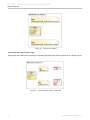
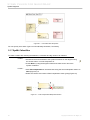
Figure 54 -- Callout Box with the SysML Callout Style
6. You can customize the display of the callout box using Symbol(s) Properties dialog of Note
symbol (Figure 55).
• SysML Callout Style symbol property can be used to switch between MagicDraw
standard callout style and the SysML callout style. By default, this property is set to
true for the SysML project. With SysML callout style, the element types (e.g.
«block», «connector», «atomicFlowPort», «part») will be shown instead of the icon
of the tagged values which are the model elements.
• SysML Element Type symbol property can be used to show or hide the element
types in the callout box when it is displayed with SysML callout style.
Figure 55 -- Symbol Properties Dialog of Callout Box
52
Copyright © 2006-2011 No Magic, Inc..
SYSML PLUGIN FOR MAGICDRAW
SysML Diagrams
NOTE
The new callout notation applies to all types of SysML diagrams.
5.2 SysML Internal Block Diagrams (IBD)
Internal Block Diagrams are based on UML composite structure diagrams and include restrictions and extensions as defined by SysML. An Internal Block Diagram captures the internal structure of a Block in terms of
properties and connections among properties. A Block includes properties so that its values, parts, and references to other blocks can be specified. However, whereas an Internal Block Diagram created for a Block (as
an inner element) will only display the inner elements of a classifier (parts, ports, and connectors), an Internal
Block Diagram created for a package will display additional elements (shapes, notes, and comments).
All properties and connectors that appear inside an Internal Block Diagram belong to (are owned by) a Block
whose name is written in the diagram heading. That particular Block is the context of the diagram. SysML permits any property (part) shown in an Internal Block Diagram to display compartments within the property (or
part) symbol.
5.2.1 SysML IBD Metamodel and Elements
Figure 56 -- MagicDraw SysML Properties Metamodel
53
Copyright © 2006-2011 No Magic, Inc..
SYSML PLUGIN FOR MAGICDRAW
SysML Diagrams
Icon
Description
Part Property [MDSysML]:
A Part Property is a property that specifies a part with strong ownership and coincidental lifetime of its containing Block. It describes a local usage or a role of the typing Block
in the context of the containing Block. Every Part Property has ‘composite’ AggregationKind and is typed by a Block. Part Properties are displayed in the ‘parts’ compartment.
Shared Property [MDSysML]:
A Shared Property is a property that specifies a shared part of its containing block.
Every Shared Property has ‘shared’ Aggregationkind and is typed by a block.
Shared Properties are displayed in the ‘references’ compartment.
Reference Property [MDSysML]:
A Reference Property is a property that specifies a reference of its containing Block to
another Block. Every Reference Property has ‘none’ AggregationKind and is typed
by a block. Reference Properties are displayed in the ‘references’ compartment.
Value Property [MDSysML]:
A Value Property is a property that specifies the quantitative property of its containing
Block. Every Value Property has ‘composite’ AggregationKind and is typed by a
SysML Value Type. Value Properties are displayed in the ‘values’ compartment.
Figure 57 -- SysML Properties Metamodel
Icon
Description
Constraint Property [SysML]:
A Constraint Property is a property that specifies the constraints of other properties in
its containing Block. Every Constraint Property has ‘composite’ AggregationKind and
is typed by a Constraint Block. Constraint Properties are displayed in the ‘constraints’
compartment.
54
Copyright © 2006-2011 No Magic, Inc..
SYSML PLUGIN FOR MAGICDRAW
SysML Diagrams
Icon
Description
Distributed Property [SysML]:
A Distributed Property is a property of a Block or a Value Type, used to apply a probability distribution to the values of the property. Specific distributions can be defined by
applying a subclass of the DistributedProperty stereotype to the property.
Figure 58 -- Flow Port Metamodel
Icon
Description
Flow Port [SysML]:
A Flow Port is a port that specifies the input and output items that can flow between a
Block and its environment. Flow Ports are interactions points through which data, material, or energy “can” enter or leave the owning Block. The specification of what can flow
is achieved by typing the Flow Port with a specification of things that flow. This can
include typing an atomic Flow Port with a single type (Block, Value Type, or Signal) representing the items that flow in or out, or typing a non-atomic Flow Port with a Flow
Specification which lists multiple items that can flow. In general, Flow Ports are
intended to be used for asynchronous, broadcast, or send-and-forget interactions. Note
that only non-atomic Flow Ports can be conjugated. Once conjugated, all the directions
of the typing Flow Specification's items are negated.
5.2.2 SysML IBD Toolbar
Element
Button
(hot key)
Value Property:
See Section 5.2.1 for description.
Part Property:
See Section 5.2.1 for description.
55
Copyright © 2006-2011 No Magic, Inc..
SYSML PLUGIN FOR MAGICDRAW
SysML Diagrams
Button
(hot key)
Element
Shared Property:
See Section 5.2.1 for description.
Reference Property:
See Section 5.2.1 for description.
Constraint Property:
See Section 5.2.1 for description.
Distributed Property:
See Section 5.2.1 for description.
Select Nested Part:
Click this button to display a nested part inside a given context. For more information, see Section 5.2.3 SysML IBD Specific Features: (vii) Select Nested
Part.
Flow Property [SysML]:
A FlowProperty signifies a single flow element that can flow to/from a block.
Flow properties are defined directly on blocks or flow specifications that are
those specifications which type the flow ports.
Flow properties enable item flows across connectors connecting parts of the
corresponding block types, either directly (in case of the property is defined on
the block) or via flowPorts. A flow property’s values are either received from or
transmitted to an external block.
Port [UML]:
A Port defines an interaction point on a Block or a part, allowing you to specify
what can flow in/out of the Block/part or what services the Block/part requires
(expects) from or provides (offers) to its environment. Ports are connected by
connectors to other parts or ports.
(SHIFT + R)
Flow Port [SysML]:
See Section 5.2.1 for description.
Connector [UML]:
A connector is used to bind two ports together, representing a relationship
between those ports. A connector can be typed by an association. A logical
connector can be allocated to a more complex physical path depicting a set of
parts, ports, and connectors (refer to allocation).
(C)
Item Property [SysML]:
An optional property that relates the flowing item to the instances of the connector’s enclosing block. This property is applicable only for item flows
assigned to connectors. The multiplicity is zero if the item flow is assigned to
an Association.
5.2.3 SysML IBD Specific Features
The SysML IBD specific features include:
(i) Display Parts (Diagram shortcut menu)
(ii) Display Ports (Property shortcut menu)
(iii) Edit Compartment (Property shortcut menu)
56
Copyright © 2006-2011 No Magic, Inc..
SYSML PLUGIN FOR MAGICDRAW
SysML Diagrams
(iv) Show Default Value and Show Slot Type (Property shortcut menus)
(v) Provided/Required Interfaces (Port shortcut / smart manipulator menu)
(vi) Display/Suppress Structure Compartment (Property shortcut menu)
(vii) Select Nested Part
(i) Display Parts (Diagram shortcut menu)
If you have already defined the part(s) (property(ies)) of a Block, you can then display the part(s) on any IBD,
having the Block as its context.
To display parts in an IBD:
1. Right-click an IBD and select Related Elements > Display Parts (Figure 59). All the parts
selected will be listed in the Select Parts dialog (Figure 60).
Figure 59 -- Diagram Shortcut Menu to Display Parts (Properties) of the Context of IBD
57
Copyright © 2006-2011 No Magic, Inc..
SYSML PLUGIN FOR MAGICDRAW
SysML Diagrams
Figure 60 -- Select Parts Dialog
2. Select parts and click OK to show the selected parts in the IBD (Figure 60).
(ii) Display Ports (Property shortcut menu)
If you have already defined the port(s) / flow port(s) of a Block, you can then display the port(s) / flow port(s) on
any part typed by the Block.
To display ports / flow ports on a part on an IBD:
1. You can either (i) select Related Elements. If the type (classifier) of the part owns at least one
port/flow port, the Display Ports option will be enabled for you to select. Select this option (Figure 61).
or (ii) click the icon on the Smart Manipulator menu of the part, as shown in Figure 62.
Figure 61 -- Property Shortcut Menu to Display Ports
58
Copyright © 2006-2011 No Magic, Inc..
SYSML PLUGIN FOR MAGICDRAW
SysML Diagrams
Figure 62 -- Property Smart Manipulator Menu to Display Ports
2. All ports (including flow ports) will then be listed in the Select Ports dialog (Figure 63).
3. Click OK (Figure 63) to view the selected (checked) port(s) on the part symbol.
Figure 63 -- Select Ports Dialog
4. The selected ports will then be displayed on the part symbol (Figure 64).
Figure 64 -- Example of Ports Displayed
(iii) Edit Compartment (Property shortcut menu)
You can customize element(s) to be displayed in the various compartments of a part. Such compartments
include Constraints, Tagged Values, Default Value, Structure, etc.
To customize a compartment of a part:
1. Right-click a part and select Edit Compartment on the shortcut menu.
2. Select a compartment to be customized (Figure 65). The Compartment Edit dialog will open
(Figure 66).
59
Copyright © 2006-2011 No Magic, Inc..
SYSML PLUGIN FOR MAGICDRAW
SysML Diagrams
Figure 65 -- Property Shortcut Menu to Customize Part Compartments
3. In the Compartment Edit dialog, move an element from the All: to the Selected: box to dis-
play the element (Figure 66). Click OK when done.
60
Copyright © 2006-2011 No Magic, Inc..
SYSML PLUGIN FOR MAGICDRAW
SysML Diagrams
Figure 66 -- Compartment Edit Dialog
(iv) Show Default Value and Show Slot Type (Property shortcut menus)
Use (a) Show Default Value to display the default value of a part. If the default value is an Instance Specification, the defaultValue compartment containing the Instance Specification slot(s) will be displayed on the part
instead. In this case, you can use (b) Show Slot Type to display the type(s) of the slot(s) in the compartment.
(a) Show Default Value
To display the default value of a part (property):
1. Right-click a part or property and select Show Default Value (if it already has a default value)
on the shortcut menu (Figure 67).
NOTE
61
If the property has no default value, drag an instance with slot(s) to the property symbol.
The instance will then be assigned as the default value for this property, and its slots with
values will be displayed inside the property symbol (Figure 68).
Copyright © 2006-2011 No Magic, Inc..
SYSML PLUGIN FOR MAGICDRAW
SysML Diagrams
Figure 67 -- Property Shortcut Menu to Show Default Value
2. The default value of the property will be displayed. If the default value is an Instance Specifica-
tion, the defaultValue compartment containing the Instance Specification slot(s) will be displayed instead (Figure 68).
Figure 68 -- defaultValue Compartment
(b) Show Slot Type
Use the Show Slot Type shortcut menu to display the slot types in the defaultValue compartment of a property,
having an Instance Specification as its default value:
62
Copyright © 2006-2011 No Magic, Inc..
SYSML PLUGIN FOR MAGICDRAW
SysML Diagrams
To display the slot types of a part:
1. Right-click a property and select Show Slot Type on the shortcut menu. Three Show Slot
Type options will be available on the shortcut menu (Figure 69): (i) None (no type slot will be
displayed), (ii) Name, and (iii) Qualified Name.
Figure 69 -- Property Shortcut Menu to Show Slot Types
2. If you select Name or Qualified Name, the slot types will be displayed (Figure 70).
Figure 70 -- defaultValue Compartment with Slot Types
(v) Provided/Required Interfaces (Port shortcut / smart manipulator menu)
Provided/Required Interfaces help identify compatible ports that can be connected together in an IBD. On a
port, you can either
(a) create a new Provided/Required Interface(s) using the port specification dialog, or
63
Copyright © 2006-2011 No Magic, Inc..
SYSML PLUGIN FOR MAGICDRAW
SysML Diagrams
(b) display an existing Provided/Required Interface(s) using the port shortcut menu.
(a) Creating New Provided/Required Interface(s) Using the Port Specification Dialog
To create new Provided/Required Interface(s) of a port:
1. Either,
• Right-click a port to open its shortcut menu, and then select Specification to open
the Specification dialog. Then, select the Provided/Required Interfaces group to
open the Provided/Required Interfaced pane (Figure 72).
OR
Figure 71 -- Port Smart Manipulator Menu - Provided/Required Interfaces
• Click a port in a diagram to open its smartmanipulator menu, and then select the
Provided/Required interfaces icon to open the Provided/Required Interfaced
pane(Figure 72).
Figure 72 -- Port Specification Dialog, Provided/Required Interfaces Group
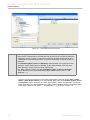
NOTE
Only typed ports can realize / use interfaces.
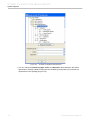
2. Click Add (Figure 72) and then select either (i) Provided or (ii) Required.
64
Copyright © 2006-2011 No Magic, Inc..
SYSML PLUGIN FOR MAGICDRAW
SysML Diagrams
Case 1) If the port is typed, the Select Interface dialog will open (Figure 73). You can then
either:
• select any of the existing interfaces (and flow specifications) to be used as the
Provided / Required Interface of the port, or
• click Create to create a new interface. The interface specification dialog will then be
displayed, prompting you to type in its name. The new interface will then be used as
the Provided / Required Interface of the port.
Figure 73 -- Select Interface Dialog
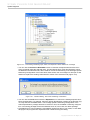
Case 2) If the port is not typed, the Select Port Type menu will then display (Figure 74 if Provided is selected, and Figure 75 if Required is selected).
65
Copyright © 2006-2011 No Magic, Inc..
SYSML PLUGIN FOR MAGICDRAW
SysML Diagrams
Figure 75 -- Select Port Type Menu - Required
Interface
Figure 74 -- Select Port Type Menu - Provided
Interface
You can then select:
• (For Provided Interface only) Set provided interface as port type. The Select
Interface dialog (Figure 73) will then open. In the dialog, you can either choose an
existing interface or create a new one, to be used as the Provided Interface and the
type of the port.
• Create “dummy” port type automatically. The Select Interface dialog (Figure 73)
will then open. In the dialog, you can either choose an existing interface or create a
new one, to be used as the Provided or Required Interface (as selected in
Figure 72) of the port. In addition, a dummy classifier, realizing (for Provided) or
using (for Required) the interface, will be automatically created and used as the
type of the port.
• Select or create port type manually. The Select Port Type dialog (Figure 76) will
then open. You can then choose a classifier to be used as the type of the port. Click
OK, the Select Interface dialog (Figure 73) will then open. In the dialog, you can
either choose an existing interface or create a new one, to be used as the Provided
or Required Interface (as selected in Figure 72) of the port. In addition, a
Realization (or Usage) dependency will be automatically created from the port type
to the Provided (or Required) Interface of the port.
66
Copyright © 2006-2011 No Magic, Inc..
SYSML PLUGIN FOR MAGICDRAW
SysML Diagrams
Figure 76 -- Select Port Type Dialog for Provided / Required Interface
(b) Displaying Existing Provided/Required Interface(s) Using the Port Shortcut Menu
To display the existing Provided/Required Interface(s) of a port:
1. Right-click a port to open its shortcut menu. Then, either;
• select Show Required Interfaces or Show Provided Interfaces (Figure 77),
or
• select Related Elements > Display Provided/Required Interfaces (Figure 78).
67
Copyright © 2006-2011 No Magic, Inc..
SYSML PLUGIN FOR MAGICDRAW
SysML Diagrams
Figure 77 -- Port Shortcut Menu to Display Provided or Required Interface(s)
Figure 78 -- Port Shortcut Menu to Display Provided and Required Interface(s)
2. The Required / Provided Interfaces will be displayed on the port, in the form of ball-socket (lolli-
pop) notation (Figure 79).
68
Copyright © 2006-2011 No Magic, Inc..
SYSML PLUGIN FOR MAGICDRAW
SysML Diagrams
Figure 79 -- IBD with Required and Provided Interfaces Displayed
The model in Figure 79 corresponds to the model in Figure 80.
Figure 80 -- BDD with Parts, Ports and Interfaces
(vi) Display/Suppress Structure Compartment (Property shortcut menu)
OMG SysML specifications allow properties to have structure compartments so that their internal properties
(structures) can be shown.
To display the structure compartment of a property:
1. Right-click a propterty and clear the Suppress Structure option on the shortcut menu (Fig-
ure 81) (do the opposite to suppress the structure compartment).
69
Copyright © 2006-2011 No Magic, Inc..
SYSML PLUGIN FOR MAGICDRAW
SysML Diagrams
Figure 81 -- Property Shortcut Menu to Display Structure Compartment
2. The structure compartment of the property will be displayed (Figure 83). Otherwise, the prop-
erty will look like in Figure 82.
Figure 82 -- Part without Structure Compartment
Figure 83 -- Part with Structure Compartment
NOTE
70
Regarding a typed property with its structure compartment displayed, you can also drag
a classifier to the compartment to create a new property (part) typed by that classifier.
Copyright © 2006-2011 No Magic, Inc..
SYSML PLUGIN FOR MAGICDRAW
SysML Diagrams
(vii) Select Nested Part
Use the Select Nested Part button on the IBD toobar to display a nested part inside a given context. We will
demonstrate how to use the button using the example in Figure 84.
Figure 84 -- BDD with Blocks and Their Properties
To display a nested part:
1. Click the Select Nested Part button on the IBD toolbar.
2. Click on the diagram pane. The Select Element dialog will appear, showing all parts (proper-
ties) nested inside the context of the IBD, for example, Block1 (Figure 85).
Figure 85 -- Select Element Dialog
3. Select a part and click OK. If Part4a (typed by Block5) is selected, the following part will be dis-
played (Figure 86).
71
Copyright © 2006-2011 No Magic, Inc..
SYSML PLUGIN FOR MAGICDRAW
SysML Diagrams
Figure 86 -- IBD of Block1 and the Selected Nested Properties
Figure 87 -- Creating a New Property
4. Here is another example. If a property of Block1 block; part1b (typed by Block3) is placed on
Block1 of the IBD (Figure 87), select the Select Nested Part button on the IBD toolbar and
place it on the part1b : Block3 symbol. The following Select Element dialog will open (Figure 88).
72
Copyright © 2006-2011 No Magic, Inc..
SYSML PLUGIN FOR MAGICDRAW
SysML Diagrams
Figure 88 -- Placing the newly-created Property on the IBD as a Neste Part
5. In this last example, the dialog in Figure 88 shows all parts (properties) nested inside Block3. If
part4a (typed by Block5) is selected, the result will be as in Figure 89.
Figure 89 -- The Selected Nested Part Displayed
As these examples show, the Select Nested Part button allows you to display a deep-nested part, without having to display its parent(s) first.
5.2.4 Displaying Structures of Blocks in Compartments or in IBDs
MagicDraw Composite Structure diagrams will not let you display the already-defined internal structures of
Blocks reused as parts in other structures (deep-nested structures). The same problem exists when you need
to modify/extend existing structures in subtypes. Composite Structure diagrams will only let you display:
• parts
• ports on the frame
• ports on every part;and
73
Copyright © 2006-2011 No Magic, Inc..
SYSML PLUGIN FOR MAGICDRAW
SysML Diagrams
• paths for every part and port.
Thus, to redisplay an internal structure in another structure, you have to recreate the internal structure manually. The graphical layout must also be applied manually, making it a time-consuming activity.
With the Display Internal Structure feature you can copy-and-paste (display) an existing structure diagram
defining a Block (Class) in either:
• the structure compartment of that Block, a subtype of that Block, a part typed by that Block, or a
part typed by a subtype of that Block, or
• another diagram defining either a subtype of that Block or that Block itself.
With this feature, you can now display the already-defined internal structures of Blocks, reused as parts in other
structures (deep nested structures).
To redisplay a Block structure, already-defined in, at least, one structure diagram:
1. Suppose there is the FrontWheelsAssembly IBD, having the FrontWheelsAssembly block
as its context.
2. Right-click the property and select Related Elements > Display Internal Structure from the
shortcut menu (Figure 90). Each IBD having either the type or a supertype of the type of the
property as its context will be available for you to select. For example, in Figure 90, the FrontWheelsAssembly IBD is available. Select it to display the structure of FrontWheelsAssembly
block in the property (Figure 91).
Figure 90 -- Display Structure Block Shortcut Menu
74
Copyright © 2006-2011 No Magic, Inc..
SYSML PLUGIN FOR MAGICDRAW
SysML Diagrams
Figure 91 -- Sample of Structure Displayed in Property
3. You can also display the structure in a new blank IBD, having the FrontWheelsAssembly
block or a subtype of the FrontWheelsAssembly block (Figure 92) as its context, using the
IBD shortcut menu (Figure 93). The structure will be as in Figure 94.
Figure 92 -- Creating an IBD for the Subtype of the FrontWheelsAssembly Block
75
Copyright © 2006-2011 No Magic, Inc..
SYSML PLUGIN FOR MAGICDRAW
SysML Diagrams
Figure 93 -- IBD Shortcut Menu to Display Structure
Figure 94 -- Sample of Structure Displayed in IBD
4. You can also display the structure of the FrontWheelsAssembly block in the structure com-
partment of the block itself.
76
Copyright © 2006-2011 No Magic, Inc..
SYSML PLUGIN FOR MAGICDRAW
SysML Diagrams
5.2.5 Extract Structure
Extract Structure is the first advanced automated refactoring method in our newly-introduced promising
“Refactoring” tools group.
Extract Structure allows you to easily select a portion of an existing system structure and transform it into
another reusable Block (or Subsystem) which may then be used as parts in many other structures. In addition,
this Extract Structure feature can also play a 'move' or 'decompose' role when a structure becomes too complex
and requires to be decomposed into several smaller reusable parts.
Recursive decomposition of structure and behavior is an important aspect of the iterative development process.
This feature is particularly useful for the automotive, aerospace, and defense communities for modeling complex systems-of-systems and building reusable components.
To extract a new structure from an existing structure in a classifier:
1. In an Internal Block Diagram or a structure compartment (Figure 95), right-click a portion of the
internal structure (part(s)) which you want to move or reuse (see the red selection rectangle).
NOTE
These selected symbols must be owned by the same Classifier.
Figure 95 -- Internal Block Diagram Before Extracting a Structure
77
Copyright © 2006-2011 No Magic, Inc..
SYSML PLUGIN FOR MAGICDRAW
SysML Diagrams
Figure 96 -- Shortcut Menu - Extract Structure (Refactoring)
2. Select Refactor > Extract Structure... (Figure 96). The Extract Structure wizard dialog will
open, listing the three steps to extracts a structure: (i) Create a classifier, (ii) Select part(s), and
(iii) Create a property (Figure 97).
Figure 97 -- Create a Classifier Step
3. Step 1: Create a classifier:
• Specify the name of the classifier you want to create and use for holding the
structure to be extracted (called extracted classifier) in the Classifier name box
(Figure 97).
78
Copyright © 2006-2011 No Magic, Inc..
SYSML PLUGIN FOR MAGICDRAW
SysML Diagrams
• Select the kind of extracted classifier from the Classifier kind box by clicking the
arrow button. The classifier kind can be a Class, Block, or Subtype of Block
(Figure 97).
• Specify the owner of the extracted classifier by selecting a Package, Model, or
Profile in the Classifier owner tree. You can also click the Create button to create a
new Package, Model, or Profile, or click the Clone button to clone the selected
Package, Model, or Profile (Figure 97).
• Select the diagram type that will show the internal structure of the extracted
classifier from the Diagram Type box by clicking the arrow button. The diagram type
can be a SysML Internal Block Diagram, SysML Parametric Diagram, or Composite
Structure Diagram. If you do not want to create any diagram, select None.
• Click either Next to proceed to the next step or Finish to finish extracting a structure
(Figure 97).
Figure 98 -- Step 2 - Select port(s) Pane
4. Step 2: Select port(s):
All the ports available to be defined on the Classifier to be created are listed in the table as
shown in Figure 98. If you do not need a port, remove it by clearing the check box in front of
the port name. If you clear any of the ports’ check boxes, the connectors will be directly connected to the structure inside the extracted classifier.
• In the first column, select the ports which you want to create for the connectors that
are connected to the elements outside the extracted classifier. The connectors
which are shown in the Connector column will be reconnected to these ports
instead of being connected to the selected structures (Figure 98).
• You can change the port name in the Name column (Figure 98).
• You can change the port type using the drop-down list in the Type column
(Figure 98).
• The Connector column shows the name of the connector which is connected to the
created port after a structure has been extracted (Figure 98).
• The Client and Supplier columns show the client and supplier elements of the
connectors defined in the Connector column (Figure 98).
79
Copyright © 2006-2011 No Magic, Inc..
SYSML PLUGIN FOR MAGICDRAW
SysML Diagrams
• Click either Next to proceed to the next step or Finish to finish extracting a structure
(Figure 98).
Figure 99 -- Step 3 - Create a property Pane
5. Step 3: Create a property:
• The selected parts will be replaced by a new property which is typed by the classifier
in Step 1. Enter the name, visibility, and aggregation of the new property
(Figure 99).
• Specify the name of the new property in the Name box (Figure 99).
• Select the visibility of the new property from the Visibility box (Figure 99).
• Select the aggregation kind of the new property from the Aggregation box
(Figure 99).
• Click Finish to finish extracting a structure (Figure 99).
6. Figure 100 shows the IBD after the structure was extracted. Since it preserves the diagram
space of the previous structure, the original diagram will have minimal distortion and the existing layout will remain.
80
Copyright © 2006-2011 No Magic, Inc..
SYSML PLUGIN FOR MAGICDRAW
SysML Diagrams
Figure 100 -- Internal Block Diagram After Extracting a Structure
7. You can check how the automatically-created new Block looks like by right-clicking the part and
select Go To > Type <name> to select the Block in the browser (Figure 101).
Figure 101 -- Go To > Type Function
8. Open the created IBD to display the structure which was recently extracted (Figure 102). The
structure view will be ready (Figure 103).
81
Copyright © 2006-2011 No Magic, Inc..
SYSML PLUGIN FOR MAGICDRAW
SysML Diagrams
Figure 102 -- The Created IBD of Extracted Classifier
Figure 103 -- Displayed Extracted Structure
5.2.6 Using SysML IBD Elements
Flow Port
In general, a port / flow port should be defined in a BDD. However, you can also create a flow port on a part in
an IBD by using the IBD toolbar button.
82
Copyright © 2006-2011 No Magic, Inc..
SYSML PLUGIN FOR MAGICDRAW
SysML Diagrams
To create a flow port on a part:
1. Click the Flow Port button
either:
• on the IBD toolbar, or
• in the smart manipulator of the part (Figure 104).
Figure 104 -- Part Smart Manipulator - Flow Port
2. If you click the Flow Port button on the IBD toolbar, select a part where the flow port will be cre-
ated (Figure 105). If you clicked the smart manipulator of the part, go directly to step 3.
Figure 105 -- Flow Port Created on a Part
3. Select a port type in the Select Port Type dialog (Figure 106). The flow port will then be cre-
ated, having an ‘inout’ direction.
83
Copyright © 2006-2011 No Magic, Inc..
SYSML PLUGIN FOR MAGICDRAW
SysML Diagrams
Figure 106 -- Select Port Type Dialog
4. You can change its direction using the port shortcut menu (Figure 107). Note that, without a
direction, the flow port will be just like a normal port (it will not enforce any direction on the
item(s) flowing in/out of the port).
84
Copyright © 2006-2011 No Magic, Inc..
SYSML PLUGIN FOR MAGICDRAW
SysML Diagrams
Figure 107 -- Flow Port Shortcut Menu - Flow Port Direction
The Flow Port direction must be defined.
NOTE
ItemProperty
Item Property is the only attribute of Item Flow. An Item Flow describes the flow of items across a connector or
an association. If an Item Flow is assigned to a connector, in general, you can specify this optional attribute,
Item Property, to relate the flowing item to the instances of the connectors’ enclosing block.
In general, Item Flows (and Item Property) are defined on connectors in IBDs.
To create an Item Flow having the Item Property tag initialized on a connector:
1. Either:
• (i) click the Item Property button on the IBD diagram toolbar, and then select the
connector, or
• (ii) click the Item Property icon on the connector smart manipulator menu, or
• (iii) drag the property to be used as the item property, and drop it to the connector.
2. The Item Flow / Item Property dialog will then open (Figure 108).
85
Copyright © 2006-2011 No Magic, Inc..
SYSML PLUGIN FOR MAGICDRAW
SysML Diagrams
Figure 108 -- Item Flow / Item Property Dialog
3. The existing item flows on the selected connector can be selected for setting the item property
using the Item Flow drop-down menu. The item flows, whose realizing connector property contains the selected connector, will be listed in this drop-down menu (Figure 109).
Figure 109 -- Item Flow / Item Property Dialog - Item Flow Selection
4. You can also create a new item flow by selecting <NEW> in the drop-down menu.
5. In the Item Flow / Item Property dialog, you can also choose the direction of the Item Flow from
the Direction drop-down menu (Figure 110).
86
Copyright © 2006-2011 No Magic, Inc..
SYSML PLUGIN FOR MAGICDRAW
SysML Diagrams
Figure 110 -- Item Flow / Item Property Dialog - Direction Selection
6. Click the browse button … next to the Conveyed Classifiers box. The Select Conveyed Classi-
fier dialog will open (Figure 111).
7. Select a classifier to be used as the Conveyed Classifier and click OK.
Figure 111 -- Select Conveyed Classifiers Dialog
8. Click the browse button … next to the Item Property box. The Select Item Property dialog will
open (Figure 112).
9. Select a part (property) to be used as the Item Property and click OK.
87
Copyright © 2006-2011 No Magic, Inc..
SYSML PLUGIN FOR MAGICDRAW
SysML Diagrams
Figure 112 -- Select Item Property Dialog
10. Click OK in the Item Flow / Item Property dialog. An Item Flow having the selected property as
its Item Property will then be created on the connector.
NOTE
You can create a new conveyed classifier on either a new item flow or on the existing
item flow by dragging a classifier and dropping it to the connector or association. The
dropped classifier will be a conveyed classifier of the item flow.
5.3 SysML Package Diagrams
Package diagrams typically enable you to organize models by partitioning model elements into packageable
elements and establishing dependencies between packages and/or model elements within these packages.
Since Package diagrams are used to organize models in packages and views, they can include a wide array of
packageable elements.
A package is a construct that enables you to organize model elements, such as use cases or classes, into
groups. Packages define namespaces for packageable elements. Model elements from one package can be
imported and/or accessed by another package. This organizational principle is intended to help establish
unique naming of the model elements and avoid overloading a particular model element's name. Packages
can also be shown on Block Definition diagrams or Requirements diagrams.
88
Copyright © 2006-2011 No Magic, Inc..
SYSML PLUGIN FOR MAGICDRAW
SysML Diagrams
5.3.1 SysML Package Diagram Metamodel and Elements
Figure 113 -- View Metamodel
Icon
Description
Package [UML]:
A package is a namespace for its members, and it can contain other packages. Only
packageable elements can be owned by members of a package. By virtue of being a
namespace, a package can import either individual members of other packages, or all
the members of other packages.
View [SysML]:
A view is a representation of a whole system from the perspective of a single viewpoint.
A view can only own element import, package import, comment, and constraint elements.
Figure 114 -- Viewpoint Metamodel
89
Copyright © 2006-2011 No Magic, Inc..
SYSML PLUGIN FOR MAGICDRAW
SysML Diagrams
Icon
Description
ViewPoint [SysML]:
A viewpoint is a specification of the conventions and rules for constructing and using a
view for the purpose of addressing a set of stakeholder concerns. The languages and
methods for specifying a view can reference methods and languages in another viewpoint. They specify the elements expected to be represented in the view that may be
formally or informally defined.
Figure 115 -- Conform Metamodel
Icon
Description
Conform [SysML]:
A Conform relationship is a dependency between a view and a viewpoint. The view
conforms to the rules and conventions specified in the viewpoint.
5.3.2 SysML Package Diagram Toolbar
Element
Button (hot
key)
Package:
See Section 5.3.1 for description.
(P)
Model [UML]:
A Model is a special kind of Package. It contains a (hierarchical) set of elements that describe the physical system being modeled. A model owns or
imports all the elements needed to represent a complete physical system
according to its purpose.
90
(M)
Copyright © 2006-2011 No Magic, Inc..
SYSML PLUGIN FOR MAGICDRAW
SysML Diagrams
Button (hot
key)
Element
View:
See Section 5.3.1 for description.
ViewPoint:
See Section 5.3.1 for description.
Conform:
See Section 5.3.1 for description.
Package Import [UML]:
A Package Import is defined as a directed relationship that identifies a package whose members are to be imported by a namespace.
Element Import [UML]:
An Element Import is defined as a directed relationship between an importing
namespace and a packageable element. The name of the packageable element or its alias are to be added to the namespace of the importing
namespace.
5.3.3 Using SysML Package Diagram Elements
Package
You can display the name of a package either on top of it or on its tab.
To display a package name:
1. Right-click a package and select Header Position on the shortcut menu (Figure 116).
91
Copyright © 2006-2011 No Magic, Inc..
SYSML PLUGIN FOR MAGICDRAW
SysML Diagrams
Figure 116 -- Package Shortcut Menu: Header Position
2. Select either (i) Top to display the package name on top (Figure 117) or (ii) In Tab to display it
in the tab (Figure 118).
Figure 117 -- Package Name on Top
Figure 118 -- Package Name in Tab
You can also show a list of elements owned by a package.
To show an element list:
1. Right-click a package and select Show Elements List on the shortcut menu (Figure 119).
2. The element(s) owned by the package will then be displayed in the package (Figure 120). If the
package owns no element, the package will look like in Figure 121.
92
Copyright © 2006-2011 No Magic, Inc..
SYSML PLUGIN FOR MAGICDRAW
SysML Diagrams
Figure 119 -- Package Shortcut Menu: Show Elements List
Figure 121 -- Element List is not Shown
Figure 120 -- Element List is Shown
View
and Viewpoint
The Viewpoint of a View is derived from the supplier of the "conform" dependency whose client is the View
itself.
A view can only own element imports, package imports, comments, and constraint elements.
A viewpoint cannot own any operation nor attribute.
5.4 SysML Parametric Diagrams
Parametric diagrams can be defined as restricted forms of IBDs. They are similar to IBDs except that the only
connectors allowed are binding connectors, each having at least one end connected to a constraint parameter.
93
Copyright © 2006-2011 No Magic, Inc..
SYSML PLUGIN FOR MAGICDRAW
SysML Diagrams
A Parametric diagram includes the usage of a constraint block to constrain the properties of another block. It
contains constraint properties and constraint parameters as well as other properties from within that internal
block context. All properties displayed, other than the constraints themselves, must either be bound directly to
a constraint parameter or contain a property that is bound to a constraint parameter (through any number of
containment levels). A constraint block generally contain many constraints, each of them containing many constraint parameters.
Constrained properties typically have simple value types that can also carry units, quantity kinds, and probability distributions. This allows for a value property that may be deeply nested within a containing hierarchy to be
referenced at the outer containing level. The context for the usages of constraint blocks must also be specified
in a parametric diagram to maintain the proper namespaces for the nested properties.
The state of the system can be specified in terms of the values of some of its properties. A change in state will
result in a different set of constraint equations to be recalculated. This can be accommodated by specifying
constraints that are conditioned on the value of the property with state.
Parametric diagrams can be used to support trade-off analysis. A constraint block can define an objective function to compare alternative solutions.
5.4.1 SysML Parametric Diagram Metamodel and Elements
For the description of the SysML properties, MagicDraw SysML properties, and flow port metamodels, refer to
the ‘SysML Internal Block Diagrams (IBD)’ section.
Figure 122 -- moe and Objective Function Metamodel
Icon
Figure 123 -- Binding Connector Metamodel
Description
Moe [SysML]:
moe (measure of effectiveness) represents a parameter whose value is critical for
achieving the desired cost effectiveness mission.
Objective Function [SysML]:
An Objective Function (also known as 'optimization' or 'cost function') is used for determining the overall value of an alternative in terms of weighted criteria and/or moe's.
94
Copyright © 2006-2011 No Magic, Inc..
SYSML PLUGIN FOR MAGICDRAW
SysML Diagrams
Icon
Description
Connector [UML]:
A connector is used for binding two ports together, demonstrating relationship between
those ports. A connector can be typed by an association. A logical connector can be
allocated to a more complex physical path depicting a set of parts, ports, and connectors.
Binding Connector [SysML]:
A Binding Connector is a connector which specifies that the properties at both ends of
the connector have equal values. If the properties at both ends of a binding connector
are typed by DataTypes or ValueTypes, it means that the instances of the properties at
both ends must hold equal values, recursively through any nested properties within the
connected properties. If the properties at both ends of a binding connector are typed
by Blocks, it means that the instances of the properties must refer to the same block
instance. As with any connector owned by a SysML Block, each end of a binding connector may be nested within a multi-level path of properties accessible from the owning
Block. The NestedConnectorEnd stereotype is used to represent such nested ends,
just as for nested ends of other SysML connectors.
5.4.2 SysML Parametric Diagram Toolbar
Element
Button
(hot key)
Value Property [MDSysML]:
A Value Property is a property that specifies a quantitative property of its containing Block. Every Value Property is typed by either a SysML Value Type or
UML Data Type. Value Properties are displayed in the ‘values’ compartment.
Part Property [MDSysML]:
A Part Property is a property that specifies a part with strong ownership and
coincidental lifetime of its containing Block. It describes a local usage or role
of the typing Block in the context of the containing Block. Every Part Property
has ‘composite’ AggregationKind and is typed by a Block. Part Properties are
displayed in the ‘parts’ compartment.
Shared Property [MDSysML]:
A Shared Property is a property that specifies a shared part of its containing
block. Every Shared Property has ‘shared’ Aggregationkind and is typed by a
block. Shared Properties are displayed in the ‘references’ compartment.
Reference Property [MDSysML]:
A Reference Property is a property that specifies a reference of its containing
Block to another Block. Every Reference Property has ‘none’ AggregationKind
and is typed by a block. Reference Properties are displayed in the ‘references’ compartment.
Constraint Property [SysML]:
A Constraint Property is a property that specifies the constraints of other properties in its containing Block. Every Constraint Property is typed by a Constraint Block. Constraint Properties are displayed in the ‘constraints’
compartment.
95
Copyright © 2006-2011 No Magic, Inc..
SYSML PLUGIN FOR MAGICDRAW
SysML Diagrams
Element
Button
(hot key)
Distributed Property [SysML]:
A Distributed Property is a property of a Block or a Value Type, used for applying a probability distribution to the values of the property. Specific distributions
can be defined by applying a subclass of the DistributedProperty stereotype to
the property.
Select Nested Part:
Click this button to display a nested part inside a given context. For more information, see Section 5.2.3 SysML IBD Specific Features: (vii) Select Nested
Part.
Flow Property [SysML]:
A FlowProperty signifies a single flow element that can flow to/from a block.
Flow properties are defined directly on blocks or flow specifications that are
those specifications which type the flow ports.
Flow properties enable item flows across connectors connecting parts of the
corresponding block types, either directly (in case of the property is defined on
the block) or via flowPorts. A flow property’s values are either received from or
transmitted to an external block.
Moe:
See Section 5.4.1 for description.
Objective Function:
See Section 5.4.1 for description.
Port [UML]:
A Port defines an interaction point on a Block or a part, allowing you to specify
what can flow in/out of the Block/part or what services the block/part requires
(expects) from or provides (offers) to its environment. Ports are connected by
connectors to other parts or ports.
Flow Port [SysML]:
A Flow Port is a port that specifies the input and output items that can flow
between a Block and its environment. Flow Ports are interactions points
through which data, material, or energy “can” enter or leave the owning Block.
The specification of what can flow is achieved by typing the Flow Port with a
specification of things that flow. This can include typing an atomic Flow Port
with a single type (Block, Value Type or Signal) representing the items that
flow in or out, or typing a non-atomic Flow Port with a Flow Specification which
lists multiple items that can flow. In general, Flow Ports are intended to be
used for asynchronous, broadcast, or send-and-forget interactions. Note that
only non-atomic Flow Ports can be conjugated. Once conjugated, all the directions of the typing Flow Specification's items are negated.
Connector:
See Section 5.4.1 for description.
(C)
Binding Connector:
See Section 5.4.1 for description.
96
Copyright © 2006-2011 No Magic, Inc..
SYSML PLUGIN FOR MAGICDRAW
SysML Diagrams
Button
(hot key)
Element
Item Property [SysML]:
An optional property that relates the flowing item to the instances of the connector’s enclosing block. This property is applicable only for item flows
assigned to connectors. The multiplicity is zero if the item flow is assigned to
an Association.
5.4.3 SysML Parametric Diagram Specific Features
SysML Parametric Diagram features include Display Parameters and the other seven specific features similar
to IBD. These are:
(i) Display Parts (Diagram shortcut menu)
(ii) Display Ports (Property shortcut menu)
(iii) Edit Compartment (Property shortcut menu)
(iv) Show Default Value and Show Slot Type (Property shortcut menus)
(v) Provided/Required Interfaces (Port shortcut / smart manipulator menu)
(vi) Display/Suppress Structure Compartment (Property shortcut menu)
(vii) Select Nested Part
For more information on these features, see the ‘SysML IBD Specific Features’ section.
(i) Display Parameters (Property shortcut menu)
This feature enables you to display the constraint parameters of a constraint block on a Constraint Property
typed by the Constraint Block.
To display constraint parameters:
1. Either (i) select Display Parameters on the property shortcut menu (Figure 124) or (ii) click the
Display Parameters icon on the property smart manipulator (Figure 125).
Figure 124 -- Shortcut Menu for Displaying Constraint Parameters
97
Copyright © 2006-2011 No Magic, Inc..
SYSML PLUGIN FOR MAGICDRAW
SysML Diagrams
Figure 125 -- Smart Manipulator for Displaying Constraint Parameters
2. The Select Parameters dialog will open and the constraint parameter(s) owned by the type of
the constraint property will be listed in the dialog (Figure 126).
3. Select constraint parameters to be shown on the constraint property symbol. The selected constraint parameters will be displayed as small square boxes (Figure 127).
Figure 126 -- Select Parameters Dialog
Figure 127 -- Constraint Property with its Constraint Parameters
5.4.4 Using Parametric Diagram Elements
Constraint Blocks
Constraint blocks can only be defined on a BDD or a package diagram. A constraint block typically contains
one or more constraint parameters, which are bound to properties of other blocks in a surrounding context
where the constraint is used.
98
Copyright © 2006-2011 No Magic, Inc..
SYSML PLUGIN FOR MAGICDRAW
SysML Diagrams
All properties of a constraint block are constraint parameters, with the exception of constraint properties that
hold the internally-nested usages of other constraint blocks. Constraints are specified only in an informal language, but a more formal language such as OCL or MathML could also be used.
Constraint blocks can only be defined on a BDD or a SysML package diagram.
Binding Connectors
Binding connectors enable you to bind each constraint block parameter to the property of another block in the
surrounding context of that constraint block. Binding connectors are the only connectors allowed to bind constraint parameters to the properties of other blocks.
To create a binding connector:
1. Click either (i) the Binding Connector button on the Parametric diagram toolbar or (ii) the
Binding Connector icon on the smart manipulator of a constraint parameter or a part (property) (Figure 128 and Figure 129, respectively).
Figure 128 -- Constraint parameter smart manipulator
Figure 129 -- Smart manipulator of a part
2. If you have clicked (i) the Binding Connector button on the toolbar, select a part as the con-
nector’s origin, but if you clicked (ii) the Binding Connector icon from the smart manipulator,
go directly to step 3.
3. Select a part / constraint parameter as the connector’s destination.
5.5 SysML Requirement Diagrams
SysML Requirement Diagrams provide modeling constructs to represent text-based requirements and relate
them to other modeling elements. These requirement modeling constructs are intended to provide a bridge
between traditional requirement management tools and other SysML models.
Requirement diagrams display requirements, packages, other classifiers, test cases, rationales, and relationships. Possible relationships available for Requirement diagrams are containments, deriveReqt and requirement dependencies (‘Copy’, ‘Refine’, ‘Satisfy’, ‘Trace’, and ‘Verify’). The callout notation can also be used to
reflect the relationships of other models.
Requirements can also be shown on other diagrams to illustrate their relationships to other modeling elements.
99
Copyright © 2006-2011 No Magic, Inc..
SYSML PLUGIN FOR MAGICDRAW
SysML Diagrams
5.5.1 SysML Requirement Diagram Metamodel and Elements
Figure 130 -- Requirement Metamodel
Icon
Description
Requirement [SysML]:
A Requirement specifies a capability or a condition that must (or should) be satisfied.
Requirements are used to establish a contract between the customer (or other stakeholders) and those responsible for designing and implementing the system. A requirement can also appear on other diagrams to show its relationship to other modeling
elements.
Extended Requirement [SysML]:
An Extended Requirement adds some properties to the requirement element. These
properties are important for requirement management. Specific projects should add
their own properties.
Functional Requirement [SysML]:
A Functional Requirement is a requirement that specifies a behavior that a system or
part of a system must perform.
Interface Requirement [SysML]:
An Interface Requirement is a requirement that specifies the ports for connecting systems and parts of a system. Optionally, it may include the items that flow across the
connector and/or the Interface constraints.
Performance Requirement [SysML]:
A Performance Requirement refers to a requirement that quantitatively measures the
extent to which a system or a system part satisfy a required capability or condition.
100
Copyright © 2006-2011 No Magic, Inc..
SYSML PLUGIN FOR MAGICDRAW
SysML Diagrams
Icon
Description
Physical Requirement [SysML]:
A Physical Requirement specifies the physical characteristics and/or physical constraints of a system, or a system part.
Design Constraint [SysML]:
A Design Constraint is a requirement that specifies a constraint on the implementation
of a system or on part of it.
Business Requirement [MDSysML]:
A Business Requirement is a requirement that specifies characteristics of the business
process that must be satisfied by the system.
Usability Requirement [MDSysML]:
A Usability Requirement specifies the fitness for use of a system for its users and other
actors.
Figure 131 -- Test Case Metamodel
Figure 132 -- Requirement-related Metamodel
Icon
Description
Test Case (Activity / StateMachine / Interaction) [SysML]:
A test case is a method for verifying a requirement.
101
Copyright © 2006-2011 No Magic, Inc..
SYSML PLUGIN FOR MAGICDRAW
SysML Diagrams
Figure 133 -- Requirement Relationship Metamodel
Icon
Description
Trace [UML]:
A ‘Trace’ relationship is a dependency that provides a general purpose relationship
between a requirement and any other model elements.
Satisfy [SysML]:
A 'Satisfy' relationship is a dependency between a requirement and a model element
that fulfills that requirement. As with other dependencies, the arrow direction points
from the satisfying (client) model element to the (supplier) requirement that is satisfied.
Verify [SysML]:
A 'Verfiy' relationship is a dependency between a requirement and a test case or a
model element that can determine whether the system fulfills the requirement. As with
other dependencies, the arrow direction points from the (client) test case to the (supplier) requirement.
Derive [SysML]:
A 'Derive' relationship is a dependency between two requirements (a derived requirement and a source requirement), where the derived requirement is generated or
inferred from the source requirement.
Copy [SysML]:
A 'Copy' relationship is a dependency between a supplier requirement (master) and a
client requirement (slave), specifying that the client requirement text is a read-only copy
of the supplier requirement text.
102
Copyright © 2006-2011 No Magic, Inc..
SYSML PLUGIN FOR MAGICDRAW
SysML Diagrams
5.5.2 SysML Requirement Diagram Toolbar
Element
Button
(hot key)
Requirement:
See Section 5.5.1 for description.
Extended Requirement:
See Section 5.5.1 for description.
Business Requirement:
See Section 5.5.1 for description.
Usability Requirement:
See Section 5.5.1 for description.
Functional Requirement:
See Section 5.5.1 for description.
Interface Requirement:
See Section 5.5.1 for description.
Performance Requirement:
See Section 5.5.1 for description.
Physical Requirement:
See Section 5.5.1 for description.
Design Constraint:
See Section 5.5.1 for description.
Satisfy:
See Section 5.5.1 for description.
Derive:
See Section 5.5.1 for description.
Copy:
See Section 5.5.1 for description.
Trace:
See Section 5.5.1 for description.
Verify:
See Section 5.5.1 for description.
Refine [UML]:
A 'Refine' relationship is a dependency intended to describe how a model element or a set of elements are used to further refine a requirement. Alternatively, it can be used to show how a text-based requirement refines a model
element.
103
Copyright © 2006-2011 No Magic, Inc..
SYSML PLUGIN FOR MAGICDRAW
SysML Diagrams
Button
(hot key)
Element
Test Case (Activity / StateMachine / Interaction):
See Section 5.5.1 for description.
5.5.3 SysML Requirement Diagram Specific Features
(i) Changing the Requirement Type
Use this feature to change one or several requirement types to another requirement type.
To change one or more requirement types to another requirement type:
1. Right-click a requirement(s) whose type(s) you would like to change and select Refactor >
Convert To (Figure 134).
Figure 134 -- Change Requirement Type Shortcut Menu - More Specific
104
Copyright © 2006-2011 No Magic, Inc..
SYSML PLUGIN FOR MAGICDRAW
SysML Diagrams
Figure 135 -- Change Requirement Type Shortcut Menu - More General
2. Select More Specific (Figure 134), More General (Figure 135), or Other. The requirement
type options will be displayed.
3. Select a new requirement type from the options. The type(s) of the selected requirement(s) will
then be changed.
(ii) Creating a SysML Requirement Diagram for Sub-requirements
MagicDraw SysML provides an easy way to create a SysML requirement diagram for sub-requirements of the
selected requirement symbol.
To create SysML requirement diagram for sub-requirements:
1. Click on the requirement symbol in which you want to create the SysML requirement diagram
for its sub-requirements.
2. Click the Create diagram for sub-requirements button from the smart manipulator
(Figure 136).
Figure 136 -- Smart Manipulator Buttons on the Requirement Symbol
3. The new SysML requirement diagram for the sub-requirements will then be created (Fig-
ure 137) with the same name as that of the selected requirement.
105
Copyright © 2006-2011 No Magic, Inc..
SYSML PLUGIN FOR MAGICDRAW
SysML Diagrams
Figure 137 -- SysML Requirement Diagram for Sub-requirements
5.5.4 Numbering Requirement IDs
Numbering requirements’ IDs is a trivial, time-consuming task, in particular, when working with a large SysML
project. Starting with version 16.5, SysML Plugin provides an additional feature to facilitate such a task:
Requirement ID Numbering. This feature consists of three functionalities: (i) Manual Numbering, (ii) Automatic Numbering and (iii) Suggested Solutions for Invalid Requirement's ID.
(i) Manual Numbering
This functionality refers to the use of the Requirement ID Numbering dialog to number requirements’ IDs.
To number requirements’ IDs manually using the Requirement ID Numbering dialog:
1. Open the Requirement ID Numbering dialog by selecting the Requirement ID Numbering
option on:
• the diagram shortcut menu of the package containing the requirement(s), for example, the
HSUV Specification package in Figure 138, or of the requirement you would like to number;
or
• the browser shortcut menu of the package containing the requirement(s) or of the
requirement you would like to number; or
• the diagram shortcut menu.
106
Copyright © 2006-2011 No Magic, Inc..
SYSML PLUGIN FOR MAGICDRAW
SysML Diagrams
Figure 138 -- Requirement ID Numbering Shortcut Menu
2. The Requirement ID Numbering dialog will open (Figure 139). Select, for example, the HSUV
Specification package in the browser on the left-hand side of the dialog. The requirements
owned by the package will appear in the Requirements pane on the right-hand side of the dialog (Figure 139).
Figure 139 -- Requirement ID Numbering Dialog
3. In the Requirements pane, select the requirement(s). Use the Edit, Create/Remove,
Increase, Decrease, or Renumber button to number the selected requirements’ IDs.
107
Copyright © 2006-2011 No Magic, Inc..
SYSML PLUGIN FOR MAGICDRAW
SysML Diagrams
NOTE
These five buttons are used to add / edit / remove the IDs of the requirements directly
owned by the package or the requirement of interest (selected in the browser on the
left-hand side of the Requirement ID Numbering dialog) only.
Table 3 -- Requirement ID Numbering Buttons
Button
Multiple
Selection
Support
Enable Criteria
Function
Edit
N
Enabled when select a requirement
with non-empty ID.
To arbitrarily number the ID of a
requirement.
Create/
Remove
Y
Create button is enabled when all
selected requirement(s) has(have)
no ID(s). Otherwise, Remove button is enabled.
To assign or unassign ID(s) to the
selected requirement(s).
Increase
Y
Enabled when all selected requirement(s) has(have) ID(s).
To increase the ID(s) of the selected
requirement(s) by one.
Decrease
Y
Enabled when all selected requirement(s) has(have) ID(s).
To decrease the ID(s) of the selected
requirement(s) by one.
Renumber
n/a
Always enabled.
To renumber all the requirements
appeared in the Requirements pane
on the right-hand side of the
Requirement ID Numbering dialog,
starting from ‘1’.
4. For example, if you select the Renumber button, the requirements under the package selected
in the browser on the left-hand side of the dialog will be renumbered using the pre-defined
Numbering Style, Prefix and Separator, as shown in Figure 140.
NOTE
• SysML Plugin provides two numbering styles to number requirement IDs: (i)
Consecutive (previously called normal style) and (ii) Multi-Levels (previously called
nested style).
(i) Using the Consecutive numbering style, each requirement ID is numbered with a
prefix, followed by numbers, without any separator.
(ii) Using the Multi-Levels numbering style, each requirement ID is numbered with a
prefix, followed by numbers. A separator is used to separate each level of number.
The level will be increased by the containing level of the requirement.
• You can use a character or a symbol, excluding number, as a Separator.
108
Copyright © 2006-2011 No Magic, Inc..
SYSML PLUGIN FOR MAGICDRAW
SysML Diagrams
Figure 140 -- Renumbering Requirements IDs
NOTE
• Numbering Style, Prefix and Separator can be defined at a package or a top-level
requirement. A requirement is considered to be top-level only if it is directly owned by
a package, model, or profile. A requirement owned by another requirement is NOT
considered as a top-level requirement. A top-level requirement ID cannot contain any
separator.
• The Numbering Style, Prefix and Separator values defined in an upper-level node
(package, model, profile) will be overridden by the values defined in a lower-level
node (package, model, profile, top-level requirement).
• The ‘Data’ package contains the default Numbering Style, Prefix and Separator
values defined for your project (Numbering Style = Multi-Levels, Prefix = ‘’, and
Separator = ‘.’).
5. In Figure 140, the requirements in the ‘HSUV Specification’ package (under ‘Data > HSUV-
Model > HSUV Requirements’) were renumbered. Since there is no Numbering Style, Prefix
and Separator values defined in the ‘HSUV Specification’, ‘HSUV Requirements’ and ‘HSUVModel’ packages, the values defined in the ‘Data’ package (default) will be used instead (Numbering Style = Multi-Levels, Prefix = ‘’, and Separator = ‘.’), as shown in Figure 141.
109
Copyright © 2006-2011 No Magic, Inc..
SYSML PLUGIN FOR MAGICDRAW
SysML Diagrams
Figure 141 -- Example of Numbered Requirements
6. You can change the Numbering Style, Prefix and Separator values defined in the ‘HSUV
Specification’ package (called Package-specific Numbering Configuration) to renumber the
requirements in this package (Figure 142).
110
Copyright © 2006-2011 No Magic, Inc..
SYSML PLUGIN FOR MAGICDRAW
SysML Diagrams
Figure 142 -- Customizing Numbering Style, Prefix, and Separator Values Defined for a Package
7. You can click the Recursive Renumber button to renumber all requirements that are recur-
sively contained inside the selected node. The Numbering Style, Prefix and Separator, which
are defined in the selected node, will be used for recursive renumbering. If the Package-specific
Numbering Configuration of the lower-level nodes exists, then a message box will open to ask
whether to replace the existing values with the values of the selected node (Figure 143).
Figure 143 -- Question Dialog - Recursive Numbering Confirmation
8. You can click the Clear button under the Separator box to remove the Package-specific Num-
bering Configuration. For example, select the ‘HSUV Specification’ package in the browser (Figure 142) and click the Clear button. The Package-specific Numbering Configuration of the
‘HSUV Specification’ package will then be removed. Thus, the available ‘numbering configuration’ in an owning package will be used instead, which is, in this case, the ‘Data’ package.
9. Click OK (Figure 140) to update the renumbered requirement IDs to your model, or click Cancel (Figure 140) to ignore the requirement IDs numbered using this dialog.
111
Copyright © 2006-2011 No Magic, Inc..
SYSML PLUGIN FOR MAGICDRAW
SysML Diagrams
(ii) Automatic Numbering
Once this functionality is turned on, the IDs of the newly-created requirements will be numbered automatically.
To number requirement IDs automatically:
1. Click Options > Project on the main menu. The Project Options dialog will open (Figure 144).
Figure 144 -- Automatic Requirement Numbering in Project Options Dialog
2. Under the SysML group, make sure that the Enable Auto Requirement’s ID Numbering
option is selected (selecting the check box means ‘true’) (Figure 144).
3. The IDs of any newly-created requirements will now be numbered automatically with the Num-
bering Style, Prefix and Separator which are defined in the requirement owner.
NOTE
Automatic Numbering will NOT modify any existing ID. Thus, requirements with IDs will
NOT participate in Automatic Numbering.
(iii) Suggested Solutions for Invalid Requirement's ID
When the ID of an requirement element is invalid with respect to the validation constraint ‘Requirement[A]’
(Requirement's ID must be unique), the requirement with invalid ID will be highlighted. When select such
requirement, the requirement smart manipulator menu will also propose the suggested solutions (Figure 145,
Figure 147):
112
Copyright © 2006-2011 No Magic, Inc..
SYSML PLUGIN FOR MAGICDRAW
SysML Diagrams
1. Open Requirement ID Numbering dialog (Figure 145): this solution will open the Require-
ment ID numbering dialog. The selected requirement will be shown in the requirements list on
your right hand side. The owner of the selected requirement will be selected on the tree in the
panel on your left hand side (Figure 146)
Figure 145 -- Suggested Solution for Open Requirement ID Numbering Dialog
Figure 146 -- Requirement ID Numbering Dialog
2. Assign New Number (Figure 147): you can also use this solution to automatically re-assign
the new requirement's ID to the selected requirement. The first available correct ID will be
assigned to the requirement automatically.
113
Copyright © 2006-2011 No Magic, Inc..
SYSML PLUGIN FOR MAGICDRAW
SysML Diagrams
Figure 147 -- Suggested Solution for Assign New Number
(iv) Finding a Requirement
To find a requirement in Containment Tree and Tree of Requirement ID Numbering dialog:
• Select tree in the containment browser or the tree in Requirement ID Numbering dialog.
• To search for a requirement by its ID, type the ID of the requirement. The matched requirement
will be selected, if found.
Figure 148 -- Finding requirement by ID in Containment Tree
• To search for a requirement by its name, type “*” followed by the name of the requirement. The
corresponding requirement will be selected, if found.
114
Copyright © 2006-2011 No Magic, Inc..
SYSML PLUGIN FOR MAGICDRAW
SysML Diagrams
Figure 149 -- Finding requirement by name in Containment Tree
NOTE
This type of search cannot find an element if the element is not shown in browser when
searching.
To find the requirement using the Find dialog:
• You can either select Edit > Find... in the main menu, or press Ctrl + F to open the Find dialog.
• To search for a requirement by its ID, select the tab for searching element by tag value in the
Find dialog. In Name combo box, type “Id” and then type the ID of the requirement into the
Value combo box. Click Find button.
115
Copyright © 2006-2011 No Magic, Inc..
SYSML PLUGIN FOR MAGICDRAW
SysML Diagrams
Figure 150 -- Finding requirement by ID using Find dialog
• To search for a requirement by its name, select the tab for searching element by name. Type
the name of requirement into the Name combo box. Then click browse button (…) after the
Type text field and select the Requirement. Finally, click Find button.
116
Copyright © 2006-2011 No Magic, Inc..
SYSML PLUGIN FOR MAGICDRAW
SysML Diagrams
Figure 151 -- Finding requirement by name using Find dialog
To find the requirement using the Quick Find dialog:
• You can either select Edit > Quick Find... in the main menu or press Ctrl + Alt + F to open the
Quick Find dialog.
• To search for a requirement by its ID, type the ID of the requirement into the combo box Type
Name in the Quick Find dialog.
Figure 152 -- Finding requirement by ID using Quick Find dialog
117
Copyright © 2006-2011 No Magic, Inc..
SYSML PLUGIN FOR MAGICDRAW
SysML Diagrams
• To search for a requirement by its name, type “*” before the name of the requirement in the
combo box Type Name.
Figure 153 -- Finding requirement by name using Quick Find dialog
5.5.5 Using SysML Requirement Diagram Elements
Requirement
(a) Using Requirements
A requirement specifies a capability or a condition that a system must (or should) satisfy. The default interpretation of a compound requirement, unless stated differently by the compound requirement itself, is that all its subrequirements must be satisfied for the compound requirement to be satisfied. Subrequirements can be
accessed through the "nestedClassifier" property of a class.
When a requirement nests other requirements, all the nested requirements apply as part of the container
requirement (the requirement that contains all the nested requirements). Deleting the container requirement will
thus delete all the nested requirements it contains; a functionality inherited from UML.
(b) Showing Requirement Tagged Values
Use Show Tagged Values to select a displaying mode for a text and ID requirements; either displaying them on
shapes, in compartments, or not displaying them at all.
To select one of the displaying modes:
1. Right-click a requirement and select Presentation Options > Show Tagged Values. The 3
displaying modes will appear (Figure 154).
118
Copyright © 2006-2011 No Magic, Inc..
SYSML PLUGIN FOR MAGICDRAW
SysML Diagrams
Figure 154 -- Displaying Mode of text and ID
2. Select one of the displaying modes. The result is shown in Figure 155.
On shape
In compartment
Do not display
Figure 155 -- Different Displays of Requirement Elements
(c) Creating Your Own Requirement Type (Subtype)
You can define an additional requirement type by creating a new stereotype that generalizes the requirement
stereotype (Figure 156).
119
Copyright © 2006-2011 No Magic, Inc..
SYSML PLUGIN FOR MAGICDRAW
SysML Diagrams
Figure 156 -- New Requirement Type
Requirement Subtypes
A Functional Requirement
is satisfied by an operation or a behavior.
An Interface Requirement
is satisfied by a port, connector, item flow, and/or a constraint property.
A Performance Requirement
A Physical Requirement
A Design Constraint
is satisfied by a value property.
is satisfied by a structural element.
is satisfied by a block or a part.
The following table provides the definitions of the non-normative enumerations that are used to type the properties of the requirement subtypes.
Table 4 -- Non-normative Enumeration for Requirements
Enumeration
Enumeration Literals
Function
RiskKind
High
To indicate an unacceptable level of risk.
Medium
To indicate an acceptable level of risk.
Low
To indicate a minimal level of risk or no risk.
Analysis
To indicate that verification will be performed by technical evaluation using mathematical representations,
charts, graphs, circuit diagrams, data reduction, or
other representative data. Analysis also includes the
requirement verification under conditions, which are
simulated or modeled; where results are derived from
the analysis of the results produced by the model.
VerificationMethodKind
120
Copyright © 2006-2011 No Magic, Inc..
SYSML PLUGIN FOR MAGICDRAW
SysML Diagrams
Enumeration
Enumeration Literals
Function
Demonstration
To indicate that verification will be performed by the
operation, movement, or adjustment of the item under
specific conditions to perform the design functions without the record of quantitative data. Demonstration is
typically considered the least restrictive verification
type.
Inspection
To indicate that verification will be performed by examining the item, reviewing descriptive documentation,
and comparing the appropriate characteristics with a
predetermined standard to determine conformance to
the requirements without the use of special laboratory
equipment or procedures.
Test
To indicate that verification will be performed through
systematic exercising of the applicable item under
appropriate conditions with instrumentation to measure
the required parameters and the collection, analysis,
and evaluation of quantitative data to show that the
measured parameters are equal to or exceed the specified requirements.
Test Cases
The type of return parameter (Direction = return) of a Test Case element must be VerdictKind (an enumeration).
Figure 157 -- VerdictKind Enumeration
Requirement Relationships
Derive Relationship (Dependency)
As with other dependencies, the arrow direction points from the derived (client) requirement to
the (supplier) requirement from which it is derived.
The supplier and the client of a Derive dependency must be requirement elements or
requirement subtype elements.
Satisfy Relationship (Dependency)
The supplier must be a requirement element or one requirement subtype.
121
Copyright © 2006-2011 No Magic, Inc..
SYSML PLUGIN FOR MAGICDRAW
SysML Diagrams
Copy Relationship (Dependency)
A Copy dependency created between two requirements maintains a master/slave relationship
between the two elements for the purpose of requirements reuse in different contexts. When a
Copy dependency exists between two requirements, the requirement text of the client
requirement is a copy of the requirement text of the requirement at the supplier end of the
dependency.
The supplier and the client of a Copy dependency must be requirement elements or
requirement subtype elements.
5.5.6 SysML Requirements Table
As requirements are text-based, it is more convenient to enter text using spreadsheet-like tabular format, i.e.
SysML Requirements Table, instead of limited-size boxes in a diagram. This table is consistent with OMG
SysML specifications.
SysML Requirements Table contains requirements. Each row in the table represents a requirement. When creating such table, it will consist of 9 columns, 4 of them visible, representing the properties of each requirement
in the table. Table 5 below lists the name and description of each column. With this table, you can:
• Create new requirements directly in the table, or import the existing ones from your model to the
table.
• Directly edit the properties of the requirements in the table.
• Directly generate requirement reports, renumber requirements’ IDs, or export the table into
CSV or HTML format.
Table 5 -- SysML Requirements Table Default Columns
Column Name
Visible by
default
Description
#
Y
Row number.
ID
Y
Requirement ID.
Name
Y
Requirement name.
Text
Y
Requirement text.
Requirement Type
N
Type of requirement, e.g., business requirement, design constraint,
etc.
Owner
N
Requirement owner.
Source
N
(For extendedRequirement and its subtypes only) source of the
requirement.
Risk
N
(For extendedRequirement and its subtypes only) level of risk of the
requirement. See Table 4 for more information.
Verify Method
N
(For extendedRequirement and its subtypes only) method to verify
a requirement. See Table 4 for more information.
122
Copyright © 2006-2011 No Magic, Inc..
SYSML PLUGIN FOR MAGICDRAW
SysML Diagrams
Figure 158 -- SysML Requirements Table
(i) Creating a SysML Requirements Table
You can create a SysML Requirements Table using the (a) main toolbar, (b) main menu, or (c) Containment
Tree.
(a) To create a SysML Requirements Table using the main toolbar:
1. Click the SysML Requirements Table icon on the main toolbar (Figure 159). The Create Dia-
gram dialog will open (Figure 160).
Figure 159 -- Main Toolbar
123
Copyright © 2006-2011 No Magic, Inc..
SYSML PLUGIN FOR MAGICDRAW
SysML Diagrams
Figure 160 -- Create Diagram Dialog
2. Type in the name for the SysML Requirements Table to be created, and select its owner in the
element tree (Figure 160).
3. Click OK.
Figure 161 -- Blank SysML Requirements Table
124
Copyright © 2006-2011 No Magic, Inc..
SYSML PLUGIN FOR MAGICDRAW
SysML Diagrams
(b) To create a SysML Requirements table using the main menu:
1. Click Diagram > SysML Diagrams > SysML Requirements Table... on the main menu (Fig-
ure 162). The SysML Requirements Table dialog (Figure 163) will open.
Figure 162 -- Creating SysML Requirements Table Using Main Menu
125
Copyright © 2006-2011 No Magic, Inc..
SYSML PLUGIN FOR MAGICDRAW
SysML Diagrams
Figure 163 -- SysML Requirements Table Dialog
2. Click the Add button. The Create Diagram dialog (Figure 160) will open.
3. Type in the name for the SysML Requirements Table to be created, and select its owner in the
element tree (Figure 160).
4. Click OK.
(c) To create a SysML Requirements table using the Containment Tree:
1. Right-click the element, which will be the owner of the SysML Requirements table, in the Con-
tainment Tree.
Figure 164 -- Creating SysML Requirements Table Using Containment Tree
2. Click New Diagram > SysML Diagrams > SysML Requirements Table (Figure 164).
3. Type in the name for the SysML Requirements Table in the Containment Tree, and then press
Enter.
126
Copyright © 2006-2011 No Magic, Inc..
SYSML PLUGIN FOR MAGICDRAW
SysML Diagrams
(ii) SysML Requirements Table Toolbar
Figure 165 -- SysML Requirements Table Toolbar
The SysML Requirements table toolbar (Figure 165) is located on the main toolbar. There are 13 Requirements
table icons on the Requirements table toolbar: (a) Add New, (b) Add Nested, (c) Add Existing, (d) Delete From
Table, (e) Delete, (f) Up, (g) Down, (h) Unnest Requirement, (i) Nest Requirement, (j) Report, (k) ID Numbering,
(m) Export, and (l) Show Columns.
127
Copyright © 2006-2011 No Magic, Inc..
SYSML PLUGIN FOR MAGICDRAW
SysML Diagrams
Table 6 -- SysML Requirements Table Toolbar Icons
Icon
Name
Keyboard Shortcut
Insert
Add New
Ctrl + I (on MAC)
Alt + Insert
Add Nested
Alt + I (on MAC)
Ctrl + Insert
Add Existing
Ctrl + E (on MAC)
Delete From Table
Delete
Delete
Ctrl + D
Up
Ctrl + Open Bracket
Down
Ctrl + Close Bracket
Unnest Requirement
n/a
Nest Requirement
n/a
Report
n/a
ID Numbering
n/a
Show Columns
n/a
Export
n/a
(a) Add New
You can either click the Add New icon on the table toolbar or press Insert (Table 6) to add a new requirement
which will then be automatically added to the table.
If you click the icon, the available requirement types will be listed in the drop-down menu (Figure 166). If you
have created your own custom requirement types, they will appear under the Custom Requirements group in
128
Copyright © 2006-2011 No Magic, Inc..
SYSML PLUGIN FOR MAGICDRAW
SysML Diagrams
the menu, e.g., “myRequirement” in Figure 166. Then, select a requirement type that you want to create from
the drop-down menu. A requirement of the selected type will then be created and added to the table.
• The owner of the newly-created requirement will be similar to the
NOTE
owner of the table.
• To select a different owner, hold Shift and then select a requirement
type from the drop-down menu. The Select Owner dialog will then
open, enabling you to choose a different owner.
• If a table row is selected, the requirement in that row will be selected
in the Select Owner dialog automatically.
• If the selected owner is a requirement, then you are creating a new
nested requirement.
If you press the buttons, a requirement will be created promptly. You can then change the type of the newly-created requirement directly in the table.
Figure 166 -- Requirement Type Drop Down Menu for SysML Requirements Table
(b) Add Nested
When a requirement is highlighted in the table, you can either click the Add Nested icon on the table toolbar or
press Alt + Insert (Table 6) to add a new nested requirement, owned by the highlighted requirement, to the
table.
Like Add New, if you click the icon, the available requirement types will be listed in the drop-down menu. Then,
select a requirement type that you want to create from the drop-down menu. A nested requirement of the
selected type will then be created, being owned by the requirement highlighted in the table.
(c) Add Existing
To add requirement(s) already existed in your model to a SysML Requirements Table:
1. Click the Add Existing icon on the table toolbar or press Ctrl + Insert (Table 6). The Select
Requirement dialog will open (Figure 167).
129
Copyright © 2006-2011 No Magic, Inc..
SYSML PLUGIN FOR MAGICDRAW
SysML Diagrams
Figure 167 -- Select Requirement Dialog - Add Existing Requirements to Table
2. Select the requirement element(s) which you want to add to the table.
• Use the Add button in Figure 167 to add a requirement selected in the element tree
to the Selected elements: pane.
• Use the Add Recursively button in Figure 167 to add all requirements listed under
the requirement selected in the element tree and the selected requirement itself to
the Selected elements: pane.
• Use the Remove button in Figure 167 to remove the selected requirement from the
Selected elements: pane.
• Use the Remove All button in Figure 167 to remove all requirements from the
Selected elements: pane.
3. In the Select Requirement dialog (Figure 167), click
• OK to add all requirements in the Selected elements: pane to the table, or
• Cancel to cancel the operation.
(d) Delete From Table
To remove requirement(s) from a SysML Requirements Table:
1. Select the row(s) of the requirement(s) you want to remove.
2. Click the Delete From Table icon on the table toolbar or press Delete (Table 6).
3. The selected requirement(s) will then be removed from the table.
NOTE
130
Requirement(s) removed from the table still exist(s) in your model. To
remove requirements from your project, see Section (e) Delete below.
Copyright © 2006-2011 No Magic, Inc..
SYSML PLUGIN FOR MAGICDRAW
SysML Diagrams
(e) Delete
To remove requirement(s) from your model:
1. Select the row(s) of requirement(s) you want to remove.
2. Click the Delete icon on the table toolbar or press Ctrl + D (Table 6).
3. The selected requirement(s) will then be removed from the table and from your project.
(f) Up
To move the selected row of requirement up, either click the Up icon on the table toolbar or press Ctrl + Open
Bracket (Table 6).
(g) Down
To move the selected row of requirement down, either click the Down icon on the table toolbar or press Ctrl +
Close Bracket (Table 6).
(h) Unnest Requirement
When a nested requirement is selected in the Requirements Table, you can click the Unnest Requirement to
move the selected requirement to be owned by the owner of the current one. The requirement's id will be
changed accordingly. Unnest Requirement also supports for the multiple selection of the nested requirements
which are owned by the same owner.
(i) Nest Requirement
You can select a requirement in the Requirements Table and then click on the Nest Requirement to move the
selected requirement to be owned by the requirement in the previous row. Nest Requirement also support for
the multiple selection of the requirements.
(j) Report
The SysML Requirements Table allows you to generate a requirement report directly from the table. The default
report template used is Requirement Table (Type A).
To generate a report, click the Report icon on the table toolbar (Table 6). The template drow-down menu will
then open (Figure 168).
Figure 168 -- Template Drow-down Menu
131
Copyright © 2006-2011 No Magic, Inc..
SYSML PLUGIN FOR MAGICDRAW
SysML Diagrams
Select the report template you would like to use. The Generate Report dialog will then open (Figure 169).
Choose the report output filename and then click Generate to instantly generate the report.
NOTE
• All requirements in the table will be used as the scope of the generated report.
• To change the scope of the report, activate Report Wizard by clicking the Wizard
button in the Generate Report dialog (Figure 169). Click the Next button in the
Report Wizard twice to proceed to the Select Element Scope pane. You can then
change the report scope using this pane.
• The Built-in report data (in the Select Report Data pane of Report Wizard) must be
selected, in order to generate a report from this table.
See Section 12. Report Wizard and Template for more information on report generation.
Figure 169 -- Generate Report Dialog - SysML Requirements Table
(k) ID Numbering
You can activate the Numbering Requirement IDs feature from a SysML Requirements Table by clicking the
ID Numbering icon on the table toolbar (Table 6).
To edit the ID of a requirement, select the requirement in the table and click the ID Numbering icon on the table
toolbar.
(l) Show Columns
To show/hide columns in the table, click the Show Columns icon on the table toolbar (Table 6). The Table Column drop down menu will then display (Figure 170).
132
Copyright © 2006-2011 No Magic, Inc..
SYSML PLUGIN FOR MAGICDRAW
SysML Diagrams
Figure 170 -- Table Column Drop Down Menu for SysML Requirements Table
Check a column name to display that column on the table (or uncheck a column name to hide that column). To
customize displayed columns, select Customize Column... in Figure 170. The Select Custom Requirement
Columns dialog will then display (Figure 171).
Figure 171 -- Select Custom Requirement Columns Dialog
133
Copyright © 2006-2011 No Magic, Inc..
SYSML PLUGIN FOR MAGICDRAW
SysML Diagrams
Select a property / tag to be displayed as a new column of the Requirement Table, and then press OK. The new
column will then display on the table. To be able to select multiple properties / tags to be displayed, use the
Multiple Selection button (Figure 171).
(m) Export
You can also export a SysML Requirements Table to an HTML or CSV file by clicking the Export icon on the
table toolbar (Table 6). All requirements in the table will be exported to a file of the selected file format.
5.6 SysML Activity Diagrams
Activity diagrams describe control, input, and output flows among actions. They represent the system business
and operational work flows. They capture actions and display their results. They are typically used for business
process modeling and used in situations where all or most of the events represent the completion of internallygenerated actions.
Though Activity diagrams are often classified alongside interaction diagrams, they actually focus on the flows
driven by internal processes (as opposed to external events).
SysML extends control in Activity diagrams and provides extensions that might be very loosely grouped under
the term "continuous," but are generally applicable to any distributed flow of information and physical items
through a system. It also introduces probability concepts to activities.
5.6.1 SysML Activity Diagram Metamodel and Elements
For more information on notation elements, see the Activity Diagram in the ‘UML Diagrams’ section of the
MagicDraw User Manual.
Figure 172 -- Control Operator Metamodel
134
Figure 173 -- No Buffer and Overwrite Metamodel
Copyright © 2006-2011 No Magic, Inc..
SYSML PLUGIN FOR MAGICDRAW
SysML Diagrams
Figure 174 -- Rate, Optional, Probability, Discrete and Continuous Metamodel
Icon
Description
Object Node [UML]:
An Object Node is an abstract activity node that is part of defining object flow in an
activity. Object nodes can be used in a variety of ways, depending on where objects are
flowing from and to.
5.6.2 SysML Activity Diagram Toolbar
Element
Button
(hot key)
Action [UML]:
An action is a named element that is the fundamental unit of an executable
functionality. The execution of an action represents some transformations or
processing in the modeled system. When the action is to be executed or what
its actual inputs are is determined by the concrete action and the behaviors in
which it is used.
(B)
Call Operation Action [UML]:
A Call Operation Action is an action that transmits an operation call request to
the target object, where it may cause the invocation of the associated behavior. The argument values of the action are available to the execution of the
invoked behavior.
(O)
Opaque Action [UML]:
An Opaque Action is an action that introduces discipline to implement specific
actions or to be used as a temporary placeholder before some other actions
are chosen.
135
Copyright © 2006-2011 No Magic, Inc..
SYSML PLUGIN FOR MAGICDRAW
SysML Diagrams
Element
Button
(hot key)
Any Action [UML]:
This element is introduced in order to maintain any other desirable action element with an appropriate metaclass stereotype applied.
Object Node:
See Section 5.6.1 for description.
(SHIFT+B)
Data Store [UML]:
A Data Store node is a central buffer node for a non-transient information. A
data store keeps all tokens that enter it, copies them when they are chosen to
move downstream. Incoming tokens containing a particular object replace any
tokens in the object node containing that object.
(SHIFT+D)
Activity Parameter Node [UML]:
An Activity Parameter Node is an object node for inputs and outputs to the
activities. The Activity parameters are object nodes at the beginning and end
of the flows, to accept inputs to an activity and provide outputs from it.
Input Expansion Node [UML]:
An Input Expansion Node is an object node used for indicating a flow across
the boundary of an expansion region. A flow into a region contains a collection
that is broken into its individual elements inside the region, which is executed
once per element.
Output Expansion Node [UML]:
An Output Expansion Node is an object node used for indicating a flow out of a
region that combines individual elements into a collection for use outside the
region.
Object Flow [UML]:
An Object Flow is an activity edge that can have objects or data passing along
it. An object flow models the flow of values to or from the object nodes.
(SHIFT+F)
Control Flow [UML]:
A Control Flow is an edge that starts an activity node after the previous one is
finished. Objects and data cannot pass along the control flow edge.
(F)
Send Signal Action [UML]:
A Send Signal Action is an action that creates a signal instance from its inputs,
and transmits it to the target object, where it may trigger the state machine
transition or the execution of an activity.
(SHIFT+S)
Accept Event Action [UML]:
An Accept Event Action is an action that waits for the occurrence of an event
that meets the conditions specified. Accept event actions handle event occurrences detected by the object owning the behavior.
(E)
Time Event [UML]:
A Time Event specifies a point of time with an expression, which may be absolute or might be relative to some other points of time.
136
(I)
Copyright © 2006-2011 No Magic, Inc..
SYSML PLUGIN FOR MAGICDRAW
SysML Diagrams
Element
Button
(hot key)
Initial Node [UML]:
An Initial Node is a starting point for executing an activity. It has no incoming
edges.
(T)
Activity Final [UML]:
An Activity Final is a node that stops all flows in an activity.
(D)
Flow Final [UML]:
A Flow Final refers to the final node that terminates a flow and destroys all
tokens that arrive at it. It has no impact on other flows in the activity.
(L)
Decision [UML]:
A Decision is a control node that chooses between outgoing flows. A decision
node has one incoming edge and multiple outgoing activity edges.
(G)
Merge [UML]:
A Merge is a control node that brings together multiple alternate flows. It is not
used to synchronize concurrent flows, but to accept one among several alternate flows.
(G)
Fork/Join Horizontal [UML]:
To help control parallel actions.
(K)
Fork/Join Vertical [UML]:
To help control parallel actions.
(SHIFT+K)
Exception Handler [UML]:
An Exception Handler is an element that specifies a body to execute in case
the specified exception occurs during the execution of the protected node.
(P)
Structured Activity Node [UML]:
A Structured Activity Node is an executable activity node that may have an
expansion into the subordinate nodes. The structured activity node represents
a structured portion of the activity that is not shared with any other structured
node, except for nesting.
Expansion Region [UML]:
An Expansion Region is a structured activity region that executes multiple
times corresponding to the elements of an input collection.
Conditional Node [UML]:
A Conditional Node is a structured activity node that represents an exclusive
choice among alternatives.
Loop Node [UML]:
A Loop Node is a structured activity node that represents a loop with the
setup, test, and body sections.
137
Copyright © 2006-2011 No Magic, Inc..
SYSML PLUGIN FOR MAGICDRAW
SysML Diagrams
Button
(hot key)
Element
Sequence Node [UML]:
A Sequence Node is a structured activity node that executes its actions in
order.
Input Pin [UML]:
An Input Pin is a pin that holds input values to be consumed by an action.
Input pins are object nodes that receive values from other actions through
object flows.
(SHIFT+I)
Output Pin [UML]:
An Output Pin is a pin that holds output values produced by an action. Output
pins are object nodes that deliver values to other actions through object flows.
(SHIFT+O)
Value Pin [UML]:
A Value Pin is an input pin that provides a value to an action that does not
come from an incoming object flow edge.
Swimlanes [UML]:
Swimlanes are used to organize actions and sub-activities according to the
class allocated to each swimlane header and partition an activity diagram.
(SHIFT+ V)
(SHIFT + W)
5.6.3 SysML Activity Diagram Specific Features
SysML Activity Diagram specific features include:
(i) Name Display Mode (Action shortcut menu)
(ii) Behavior (Action shortcut menu)
(iii) Select Operation (Call Operation Action shortcut menu)
(iv) Dynamic Centerlines
(v) Streaming Parameter
(i) Name Display Mode (Action shortcut menu)
Select Name Display Mode on the action shortcut menu (Figure 175) to show (a) the name of the action, (b)
the behavior name of the action, or (c) both (Figure 176).
138
Copyright © 2006-2011 No Magic, Inc..
SYSML PLUGIN FOR MAGICDRAW
SysML Diagrams
Figure 175 -- Action Shortcut Menu for Name Display Mode
Show Action name
Show Behavior name
Show both
Figure 176 -- Name Display Modes
NOTE
You can also change the Name Display Mode of an action in the action Symbol Properties dialog.
(ii) Behavior (Action shortcut menu)
Select Behavior from the action shortcut menu to choose the Behavior of the action (Figure 177).
139
Copyright © 2006-2011 No Magic, Inc..
SYSML PLUGIN FOR MAGICDRAW
SysML Diagrams
.
Figure 177 -- Action Shortcut Menu for Behavior Selection
NOTE
You can also change the behavior of an action in the action Specification dialog.
(iii) Select Operation (Call Operation Action shortcut menu)
Click Select Operation on the Call Operation Action shortcut menu (Figure 178) to select an operation for that
Call Operation Action (Figure 179).
140
Copyright © 2006-2011 No Magic, Inc..
SYSML PLUGIN FOR MAGICDRAW
SysML Diagrams
Figure 178 -- Call Operation Action Shortcut for Select
Operation
Figure 179 -- Select Operation Dialog
(iv) Dynamic Centerlines
This feature will display a horizontal or vertical centerline to make it easier for you to align a newly-created
shape (or an existing one that is being shifted around) with one or two existing shapes in a SysML Activity Diagram (Figure 180).
This centerline, however, will only be displayed in situations where the center of the newly-created or shifted
shape coincides with the horizontal or vertical axis of the shape(s) with which it is being aligned, regardless of
how close to or remote from that shape it is.
Figure 180 -- Dynamic Vertical Centerline
Dynamic Centerlines is enabled by default, So, if you do not want to have an horizontal or vertical centerline
displayed in your diagram, you need to disable it.
141
Copyright © 2006-2011 No Magic, Inc..
SYSML PLUGIN FOR MAGICDRAW
SysML Diagrams
To disable Dynamic Centerlines:
• Click the Show Centerlines button (Figure 181) on the activity diagram toolbar; or
• Press C; or
• Select Options > Environment on the main menu. The Environment Options dialog will then
open. Clear the Show centerlines in flow diagrams option under the Diagram > Display
group of the Environment Options dialog.
Figure 181 -- Show Centerlines Button
(v) Streaming Parameter
Right click on the Activity Parameter Node or Pin which has a parameter (Figure 182 and Figure 183). Check or
uncheck the Stream menu for setting the value of isStream of the corresponding parameter to true or false
respectively.
142
Copyright © 2006-2011 No Magic, Inc..
SYSML PLUGIN FOR MAGICDRAW
SysML Diagrams
Figure 182 -- Context menu of Activity Parameter Node
143
Copyright © 2006-2011 No Magic, Inc..
SYSML PLUGIN FOR MAGICDRAW
SysML Diagrams
Figure 183 -- Context menu on Pin
5.6.4 Using Activity Diagram Elements
Activity Decomposition Hierarchy Wizard
You can decompose activities using the Activity Decomposition Hierarchy Wizard, which makes it possible to
convert activities into Class Diagrams or into SysML BDDs, and represent, analyze, or document activity hierarchies in a diagram structure.
To decompose activities using the Activity Decomposition Hierarchy Wizard:
1. Select either:
• Activity Decomposition Hierarchy Wizard on the SysML Activity Diagram
shortcut menu (Figure 184),
• Diagrams > Diagram Wizards > Activity Decomposition Hierarchy Wizard on
the main menu, or
• Analyze > Model Visualizer on the main menu. The Model Visualizer dialog will
then be displayed. Select the Activity Decomposition Hierarchy Wizard from the
dialog.
144
Copyright © 2006-2011 No Magic, Inc..
SYSML PLUGIN FOR MAGICDRAW
SysML Diagrams
Figure 184 -- Activity Decomposition Hierarchy Wizard Shortcut Menu
2. Follow the three steps in the Activity Decomposition Hierarchy Wizard dialog (Figure 185).
3. Step 1 Specify name and package. Enter the name, type (SysML BDD or Class Diagram),
and select or create the owner of the diagram to be created (Figure 185).
Figure 185 -- Activity Decomposition Hierarchy Wizard Dialog: Specify Name and Package
4. Step 2 Select structure. Select the activities to be decomposed:
• Mark the activity(ies) to be decomposed (Figure 186).
145
Copyright © 2006-2011 No Magic, Inc..
SYSML PLUGIN FOR MAGICDRAW
SysML Diagrams
• Select Add all structures into one diagram to add all the activities into the
diagram you want to create. If you do not select this option, one diagram will be
created for each activity selected (Figure 186).
• Then, click Next if you want to customize the symbol properties of the diagram(s) to
be created (step 3 below). Otherwise, click Finish (Figure 186).
NOTE
• The Children Count column (Figure 186, upper right-hand side) shows the number
of behaviors included (plus the number of object nodes owned if the Add contained
Object Nodes option is selected).
• The Add contained Object Nodes option is selected by default. This option will
display the types of the object nodes and connect them to the composition with
activities containing object nodes.
• The number of behaviors included also depends on the Search recursively option
(selected by default). If not selected, the search will be conducted at only one level of
the activity(ies) selected. If selected, the search will be conducted for each activity
selected and for those activities invoked by call behavior actions in the selected
activity, recursively.
Figure 186 -- Activity Decomposition Hierarchy Wizard Dialog: Select Structure
5. Step 3 Specify symbols properties. Customize the symbol properties of the diagram(s) to be
created (Figure 187).
NOTE
146
If you clicked Finish in Step 2, Step 3 will be skipped.
Copyright © 2006-2011 No Magic, Inc..
SYSML PLUGIN FOR MAGICDRAW
SysML Diagrams
Figure 187 -- Activity Decomposition Hierarchy Wizard Dialog: Specify Symbols Properties
6. The Class Diagram will then be generated (Figure 188).
Figure 188 -- Class Diagram of the Decomposed Activities
147
Copyright © 2006-2011 No Magic, Inc..
SYSML PLUGIN FOR MAGICDRAW
SysML Diagrams
Swimlane Allocations
An Activity Diagram or a SysML Activity Diagram can be organized using "swimlanes", each swimlane being
separated from the neighboring ones by vertical or horizontal solid lines on both sides. Swimlanes provide a
view of the behaviors invoked in the activities. Each swimlane must have a swimlane header assigned to a
property. Drag the property over the swimlane header to have the property assigned to the swimlane.
The Allocation relationship can provide an effective means for navigating the model by establishing cross relationships and ensuring the various parts of the model are properly integrated.
The <allocate> stereotype can be applied to the swimlane header in order to allocate activity actions in the
swimlane to the property in the header.
To stereotype a swimlane <allocate>:
1. Open the Swimlane Header shortcut menu and select Allocated Activity Partition (Fig-
ure 189). The swimlane will then be automatically stereotyped (the stereotype 'allocate' will
appear as the swimlane header) (Figure 190).
Figure 189 -- Swimlane Header Shortcut Menu: Allocated Activity Partition
Figure 190 -- Allocate Stereotype Applied on Swimlane Header
2. Drag a property, for example, partProperty : BLOCK, to the stereotyped swimlane header
(Figure 191).
148
Copyright © 2006-2011 No Magic, Inc..
SYSML PLUGIN FOR MAGICDRAW
SysML Diagrams
Figure 191 -- partProperty Allocated to the Stereotyped Swimlane
If you create an action, for example, Action, in the stereotyped swimlane, the action will be allocated to the
property. This means that:
• The value of the allocatedTo tag, under the Allocated stereotype, of the Action is
partProperty (Figure 192).
• The value of the allocatedFrom tag, under the Allocated stereotype, of the partProperty is
Action (Figure 193).
Figure 192 -- An Action allocated to a partProperty
Figure 193 -- A partProperty Allocated from an Action
5.7 SysML Use Case Diagrams
The purpose of a Use Case Diagram is to give a graphical overview of the functionalities provided by a system
in terms of actors, their goals (represented as use cases), and any dependencies among those use cases.
A Use Case Diagram describes the usage of a system. The associations between actors and use cases represent the communications that occur between the actors and the subjects to accomplish the functionalities associated with the use cases. The subject of a use case can be represented through a system boundary. The use
cases enclosed in the system boundary represent the functionalities performed by behaviors (activity diagrams,
sequence diagrams, and state machine diagrams).
149
Copyright © 2006-2011 No Magic, Inc..
SYSML PLUGIN FOR MAGICDRAW
SysML Diagrams
Actors may interact either directly or indirectly with the system. They are often specialized so as to represent a
taxonomy of user types or external systems. The only relationship allowed between actors in a use case diagram is generalization. This is useful in defining overlapping roles between actors. Actors are connected to use
cases through communication paths, each represented by a relationship. There are four use case relationships:
(i) communication, (ii) include, (iii) extend, and (iv) generalization.
(i) Communication
A communication path represents an association between two Deployment Targets. It connects
actors to use cases.
(ii) Include
An include relationship provides a mechanism for factoring out a common functionality that is
shared among multiple use cases and is always performed as part of the base use case.
(iii) Extend
An extend relationship provides an optional functionality, which extends the base use case at
defined extension points under specified conditions.
(iv) Generalization
A generalization relationship provides a mechanism to specify variants of the base use case.
Use cases are often organized into packages with the corresponding dependencies among the use cases
included in the packages.
5.7.1 SysML Use Case Diagram Metamodel and Elements
For more information on notation elements, see the Use Case Diagram in the ‘UML Diagrams’ section of the
MagicDraw User Manual.
Figure 194 -- MagicDraw SysML Actor subtypes metamodel
150
Copyright © 2006-2011 No Magic, Inc..
SYSML PLUGIN FOR MAGICDRAW
SysML Diagrams
Icon
Description
Actor [UML]:
Actors represent roles played by human users, external hardware, and other subjects.
An actor does not necessarily represent a specific physical entity but merely a particular facet (i.e. the "role") of some entities that are relevant to the specifications of its
associated use cases.
External System:
An External System is a system that interacts with the system under development. For
example, Information server or Monitoring system [1].
Sensor:
A Sensor is a special external system that forwards information from the environment
to the system under development. For example, Temperature sensor [1].
Boundary System:
A Boundary System is a special external system that serves as medium between
another system and the system under development without having its own interests in
the communication. For example, Bus system or Communication system [1].
User System:
An User System is a special external system that serves as medium between a user
and the system without having its own interests in the communication. For example,
Input Device or Display [1].
Actuator:
An Actuator is a special external system that influences the environment of the system
under development. For example, Heater assembly or Central locking system of a
car [1].
Environmental Effect:
An Environmental Effect is an influence on the system from the environment without
communicating with it directly. For example, Temperature or Humidity [1].
151
Copyright © 2006-2011 No Magic, Inc..
SYSML PLUGIN FOR MAGICDRAW
SysML Diagrams
5.7.2 SysML Use Case Diagram Toolbar
Element
Button
(hot key)
Actor:
See Section 5.7.1 for description.
(A)
Actuator:
See Section 5.7.1 for description.
Boundary System:
See Section 5.7.1 for description.
Environmental Effect:
See Section 5.7.1 for description.
External System:
See Section 5.7.1 for description.
Sensor:
See Section 5.7.1 for description.
User System:
See Section 5.7.1 for description.
Use Case [UML]:
A Use Case is a kind of behavior-related classifier that represents a declaration of an offered behavior. Each use case specifies a particular behavior, possibly including the variants that the subject can perform in collaboration with
(U)
one or more actors. The subject of a use case could be a physical system or
any other element that may initiate a behavior, such as a component, a subsystem, or a class.
Package [UML]:
A Package is a namespace for its members, and it can contain other packages. Only packageable elements can be owned by members of a package.
By virtue of being a namespace, a package can import either individual members of other packages or all the members of other packages.
(P)
System Boundary [UML]:
A System Boundary is another kind of representation of a package. A system
boundary element consists of use cases related by Exclude or Include (uses)
relationships, which are visually located inside the system boundary rectangle. (B)
Subsystem [UML]:
A Subsystem is treated as an abstract single unit. It groups model elements by
representing the behavioral unit in a physical system.
Include [UML]:
An Include (uses) relationship from use case A to use case B indicates that an
instance of the use case A will also contain the behavior as specified by B.
152
(C)
Copyright © 2006-2011 No Magic, Inc..
SYSML PLUGIN FOR MAGICDRAW
SysML Diagrams
Button
(hot key)
Element
Extend [UML]:
An Extend is a relationship from an extending use case to an extended use
case, specifying how and when the behavior defined in the extending use
case can be inserted into the behavior defined in the extended use case. The
extension takes place at one or more specific extension points defined in the
extended use case.
Choose a different Extend direction from the toolbar to draw a line with an
opposite arrow end.
(E)
Association [UML]
An Association represents a semantic relationship between two classifiers. It
is used for referencing two Blocks with one another, thus creating two Reference Properties at both ends. The aggregation values of both ends of an
Association are 'none'.
(S)
Generalization [UML]
A Generalization is a taxonomic relationship between a more general classifier
and a more specific one. Each Instance of the specific classifier is also an
indirect Instance of the general classifier. Thus, the specific classifier indirectly
has the features of the general classifier.
(G)
[1] Stereotypes taken from the SYSMOD process: http://www.sysmod.de by Tim Weilkiens, oose Innovative Informatic GmbH.
5.7.3 SysML Use Case Diagram Specific Features
The SysML Use Case diagram specific features include:
(i) Use Case Numbering
(ii) Use Case Dependency Matrix Template
(i) Use Case Numbering
To number the use cases in a Use Case diagram:
1. Select Use Case Numbering... on the diagram shortcut menu (Figure 195). A Question dialog
will open, indicating that this feature requires UseCase Description Profile, and ask if you
would like to use it.
NOTE
You can also select Use Case Numbering... on:
• Use Case shortcut menu
• Package shortcut menu
153
Copyright © 2006-2011 No Magic, Inc..
SYSML PLUGIN FOR MAGICDRAW
SysML Diagrams
Figure 195 -- Use Case Diagram Shortcut Menu: Numbering
2. Click Yes. The Change Use Cases Numbering dialog will open (Figure 196).
Figure 196 -- Change Use Cases Numbering Dialog
3. Click Create to automatically number the selected use case. Each use case number will be
increased by increments of one. For example, if the Operate theVehicle use case is numbered
'1' (Figure 196), select the Insure theVehicle use case, and then click the Create button to
number the use case to ‘2’ (Figure 197).
154
Copyright © 2006-2011 No Magic, Inc..
SYSML PLUGIN FOR MAGICDRAW
SysML Diagrams
Figure 197 -- Example of Use Case Numbers
4. Click Remove, Increase, or Decrease to subsequently remove, increase-by-one, or decrease-
by-one a use case number previously ascribed.
5. Click Edit to arbitrarily create a new number or change an existing number to another number.
Once selected, the Type Number dialog will open (Figure 198).
Figure 198 -- Type Number Dialog for Editing Use Case Number
(ii) Use Case Dependency Matrix Template
MagicDraw provides a use case dependency matrix template. This template shows Use Case implementations
with behavioral diagrams (state, activity, sequence and communication). Behavior diagrams are grouped by
Behaviors: State Machine, Activity, and Interaction.
For more information on this feature, see the Dependency matrix in the ‘Model Analysis’ section of the
MagicDraw User Manual, and the ‘Dependency Matrix’ section in this manual.
5.7.4 Using SysML Use Case Diagram Elements
Inserting New Extension Points
Use Insert New Extension Point to insert new extension points in a SysML Use Case diagram.
To insert a new extension, select any of the following:
• Select Insert New Extension Point on the Use Case smart manipulator (Figure 199);
• Select Insert New Extension Point on the Use Case shortcut menu (Figure 200); or
• Press Ctrl + Alt + E.
155
Copyright © 2006-2011 No Magic, Inc..
SYSML PLUGIN FOR MAGICDRAW
Validation
Figure 199 -- Use Case Smart Manipulator
Figure 200 -- Use Case Shortcut Menu
6. Validation
MagicDraw provides the Validation functionality to validate user-created models against a set of constraints.
Use SysML validation suite (SysML ValSuite) in SysML Plugin with this MagicDraw functionality to validate
SysML models.
See MagicDraw User Manual for more information on this MagicDraw functionality.
SysML ValSuite includes seven validation suites:
156
Copyright © 2006-2011 No Magic, Inc..
SYSML PLUGIN FOR MAGICDRAW
Validation
1. SysML ValSuite - Activities
This suite contains SysML constraints on the following elements: Control Operator, Control
Value, Discrete, noBuffer, Optional, Probability and Rate.
2. SysML ValSuite - Blocks
This suite contains SysML constraints on the following elements: Binding Connector, Block,
Distributed Property, Part Property, Reference Property, Shared Property, Value Property and
Value Type.
3. SysML ValSuite - Constraint Blocks
This suite contains SysML constraints on the following elements: Constraint Block and Constraint Property.
4. SysML ValSuite - Model Elements
This suite contains SysML constraints on the following elements: View and Viewpoint.
5. SysML ValSuite - Non-normative Extensions
This suite contains SysML constraints on the following elements: nonStreaming, Streaming,
Design Constraint, Functional Requirement, Interface Requirement and Performance Requirement.
6. SysML ValSuite - Port and Flows
This suite contains SysML constraints on the following elements: Flow Port, Flow Property,
Flow Specification and Item Flow.
7. SysML ValSuite - Requirements
This suite contains SysML constraints on the following elements: Copy, DeriveReqt, Requirement and Test Case.
NOTE
If you use SysML ValSuite as the validation criteria, your model will be validated against
all seven SysML validation suites at the same time.
To validate a SysML project:
1. Click Analyze > Validation > Validation on the main menu (Figure 201).
Figure 201 -- Validation Menu
2. The Validation dialog will open (Figure 202).
3. Select a validation suite, for example, SysML ValSuite [MD Customization for
SysML::SysML constraints], in the Validation Suite drop-down list to validate your model
against a set of SysML constraints, in this example, all of them (Figure 202).
157
Copyright © 2006-2011 No Magic, Inc..
SYSML PLUGIN FOR MAGICDRAW
Validation
Figure 202 -- validation Suite Package Selection
NOTE
To limit the scope of the constraints to be validated against, select another smaller validation suite, for example, SysML ValSuite - Blocks to validate against the constraints
in OMG SysML specifications, chapter 8: Blocks. This is useful because, generally, a
user has a limited scope of concerns. Business Analysts, for example, only concern
themselves with Requirements, thus SysML ValSuite - Requirements should be chosen.
4. In the Validate For drop-down list, select either:
• Whole Project to validate the entire SysML project (Figure 203), or
• Validation Selection to validate only specific elements in that SysML project
(Figure 203).
Figure 203 -- Validation Element Selection
5. If you have selected Validation Selection, click the browse button ... to open the Select Ele-
ments dialog. Add elements to to the Selected objects pane using buttons in the middle of the
dialog (Figure 204). Only the element(s) listed in the Selected objects pane will then be validated (Figure 204). When all required elements are selected, click OK.
158
Copyright © 2006-2011 No Magic, Inc..
SYSML PLUGIN FOR MAGICDRAW
Validation
Figure 204 -- Select Elements Dialog
6. Click the Validate button in the Validation dialog (Figure 203) once elements have been
selected to be validated. When the validation process is completed, the results of the validation
will be displayed in the Validation Results window, usually located at the bottom of the
MagicDraw window (Figure 205).
NOTE
• Mark Exclude elements from read-only modules to ignore the elements in read-
only modules from the validation process.
• Validation may take several minutes if your model is large.
Figure 205 -- Validation Results Window
7. The Validation Results window will show the elements that do not conform to some con-
straints in the selected validation suite. These elements are called "invalid" elements and are
highlighted. If a highlighted invalid element is selected, for example, the Loss of Fluid requirement element, a warning will appear (Figure 206).
159
Copyright © 2006-2011 No Magic, Inc..
SYSML PLUGIN FOR MAGICDRAW
Validation
Figure 206 -- Invalid Elements Highlighted after Validation
8. Place your mouse pointer on the warning icon to display the error message corresponding to
the broken constraint (Figure 207).
Figure 207 -- Error Message Displayed by the Warning Symbol
9. Click the warning icon to display a menu. Then, select either Ignore or Select in the Validation
Results (Figure 208).
• If you select Ignore, the invalid element will then be excluded from the next
validation process.
• If you select Select in the Validation Results, the element will then be selected in
the Validation Results window. This option helps identify the invalid element
instantly, especially when there are a number of invalid elements displayed in the
Validation Results window.
Figure 208 -- Invalid Element Validation Options
10. The Validation Results window includes the following icons. If you click the:
160
Copyright © 2006-2011 No Magic, Inc..
SYSML PLUGIN FOR MAGICDRAW
Validation
NOTE
•
icon (Select in Containment Tree), you will be redirected to the selected invalid
element in the Containment Tree.
•
icon (Select Rule in the Containment Tree), you will be redirected to the
broken constraint of the selected invalid element in the Containment Tree.
•
icon (Open all diagrams containing the selected element), any diagram
containing the selected invalid element will then be displayed.
•
icon (Solve), you can either ignore the selected element (which will thus not
be considered in the next validation process), or select one of the solutions provided
to resolve the invalidity.
•
icon (Run validation with current settings), the validation process will be
executed immediately, using the previous setting.
•
icon (Run validation with a new settings), the Validation Suite Packages
Selection dialog will open. You can then change the settings and re-validate your
model again.
Additional validation rules / constraints can be added and grouped into a validation suite
(either in a newly-created one or in an existing one).
For more information on the Validation feature, see the Model Analysis in the ‘Validation’ section in the
MagicDraw User Manual.
6.1 Active Validation
This feature enables you to check at once if a model is correct and complete. Unlike the regular Validation feature in the ‘Validation’ section above, Active Validation will instantly display any errors in the model and suggest
appropriate solutions.
To validate a SysML model, SysML ActiveValSuite package contains six active validation suites:
1. SysML_activeValSuite - Activities
This suite contains SysML constraints on the following elements: Discrete and noBuffer.
2. SysML_activeValSuite - Blocks
This suite contains SysML constraints on the following elements: Binding Connector, Block,
Distributed Property and Value Type.
3. SysML_activeValSuite - Constraint Blocks
This suite contains SysML constraints on the following elements: Constraint Block and Constraint Property.
4. SysML_activeValSuite - Non-normative Extensions
This suite contains SysML constraints on the following elements: nonStreaming, Streaming,
Design Constraint, Functional Requirement, Interface Requirement and Performance Requirement.
5. SysML_activeValSuite - Port and Flows
This suite contains SysML constraints on the following elements: Flow Port, Flow Property,
Flow Specification and Item Flow.
6. SysML_activeValSuite - Requirements
This suite contains SysML constraints on the following elements: Copy, Requirement and Test
Case.
To turn on the Active Validation feature:
1. Click Analyze > Validation > Enable Active Validation, making sure that Enable Active Vali-
dation is selected (Figure 209). The Active Validation engine will validate in real time the model
161
Copyright © 2006-2011 No Magic, Inc..
SYSML PLUGIN FOR MAGICDRAW
Validation
you are working on whenever the need arises, for example, when a project is loaded or an element of a model changed.
Figure 209 -- Enable Active Validation Menu
The following example, a simple SysML project with three requirements and a Copy dependency, illustrates how this Active Validation feature works (Figure 210).
Figure 210 -- Invalid Elements Detected by the Active Validation
The model in this project was designed so that Requirement 1 copies Requirement 2 and
Requirement 3 at the same time. However, one of the constraints of a ‘Copy’ dependency is
that a requirement cannot copy more than one requirement at a time. Thus, this model is invalid
since some elements are invalid against the constraint.
2. Whenever an element is invalid, it will be highlighted in the diagram («copy» in the example,
Figure 210). On the status bar at the bottom of the screen (Figure 211 and 212),
• a notification symbol (info
, warning
or error
), and
• number(s) and severity(ies) of invalid element(s),
will be displayed. For example,
•
4 W in Figure 211 means that there are 4 invalid elements violating constraint(s)
of the ‘warning’ severity.
•
1 E, 7 W, 92 I in Figure 212 means that there are 1, 7 and 92 invalid elements
violating constraint(s) of the ‘error’, ‘warning’ and ‘info’ severities, respectively.
Figure 211 -- Status Bar with Warning Symbol
162
Figure 212 -- Status Bar with Error Symbol
Copyright © 2006-2011 No Magic, Inc..
SYSML PLUGIN FOR MAGICDRAW
Validation
3. To find out the reason why an element is invalid, you can either:
• Click the warning symbol on the status bar (Figure 211). The Active Validation
Results window will then open (usually at the bottom of the screen), displaying the
element(s) that does not conform to some constraint(s) in the active validation
suite(s) and the reason for the invalidity (Figure 213).
.
Figure 213 -- Active Validation Results
Or
• Select a highlighted invalid element in the diagram («copy» in the example,
Figure 210). Once a highlighted invalid element has been selected in the diagram,
a warning symbol will appear (Figure 214). Place your pointer on the warning
symbol to see the error message related to the constraint, for instance, A
requirement can't copy more than one requirement (Figure 214).
Figure 214 -- Invalid Copy Dependency Usage
4. Unlike the Validation feature in the Validation section, this Active Validation feature will, in most
cases, also suggest solution(s) to fix model invalidity problem(s). To see the list of appropriate
solution(s) for an invalid element, you can either:
• Right-click the invalid element in the Active Validation Results window
(Figure 213) if you have open this window before.
Or
• Click the warning symbol after you have clicked the invalid element in the diagram
(Figure 214). After clicking, for example, solutions will then be displayed
(Figure 215).
Figure 215 -- Proposed Solutions for the Invalid Copy Dependency
163
Copyright © 2006-2011 No Magic, Inc..
SYSML PLUGIN FOR MAGICDRAW
Validation
5. The Active Validation Results window includes the following icons. If you click the:
•
icon (Select in Containment Tree), you will be redirected to the selected invalid
element in the Containment Tree.
•
icon (Select Rule in the Containment Tree), you will be redirected to the
broken constraint of the selected invalid element in the Containment Tree.
•
icon (Open all diagrams containing the selected element), any diagram
containing the selected invalid element will then be displayed.
•
icon (Solve), you can either ignore the selected element (which will thus not
be considered in the next validation process), or select one of the solutions provided
to resolve the invalidity.
•
icon (Active Validation Options), the Project Options dialog will then open for
you to customize all the options listed under Active Validation.
6. In the example below (Figure 216), a constraint, referenced as “Copy[A]”, is broken. If the solu-
tion suggested by the Active Validation feature, in this case, Remove all other redundant Copy
dependency(s), is selected, the correctness of the model will be satisfied as shown in Figure 217.
Figure 216 -- Selection of the First Solution
Figure 217 -- Valid Elements
NOTE
Each implemented constraint has its own appropriate solutions. The Active Validation
feature ensures that SysML modeling is consistent with OMG SysML Specifications.
6.1.1 Active Validation Options
You can customize the Active Validation feature using the five options in Figure 218:
164
Copyright © 2006-2011 No Magic, Inc..
SYSML PLUGIN FOR MAGICDRAW
Validation
Figure 218 -- Project Option Dialog
1. Validation scope (default = data): use this option to limit the scope of elements to be actively
validated.
2. Exclude elements from read-only modules (default = true): if this option is selected (selecting the check box means ‘true’), read-only modules, for example read-only profiles, will not be
actively validated.
3. Mark in tree and diagrams (default = true): if this option is selected (selecting the check box
means ‘true’), invalid elements will be marked with small icons in the Containment Tree and
highlighted in the diagrams.
4. Ignored validation suites: you can enter the active validation suite(s) you would like to
exclude from the Active Validation process.
5. Minimal severity: you can specify the minimal severity level of the constraints to be validated
against. There are five levels of severities:
• >=debug: All constraints will be included in the active validation.
• >=info: Constraints with infos, warnings, errors, or fatal severities will be included.
• >=warning (default): Constraints with warnings, errors, or fatal severities will be
included.
• >=error: Constraints with error or fatal severities will be included.
• Fatal: Only constraints with fatal severities will be included.
To open the Active Validation Options dialog:
1. Click Analyze > Validation > Active Validation Options (Figure 219). The Project Options
dialog will open (Figure 218).
165
Copyright © 2006-2011 No Magic, Inc..
SYSML PLUGIN FOR MAGICDRAW
Validation
Figure 219 -- Active Validation Options
2. Go to the General project options pane and select Active Validation > Ignored validation
suites (Figure 218).
To ignore some unused or unimportant active validation suites:
1. Click the Browse
button. The Select Suites dialog will open (Figure 220).
Figure 220 -- Select Suites Dialog
2. Select the check boxes in order to ignore the active validation suites, and then click Apply. In
this example, three validation suites will be excluded from the validation process (Figure 220).
NOTE
Additional validation rules / constraints can be added and grouped into an active validation suite (in a newly-created one or in an existing one).
For more information on the Active Validation feature, see the Model Analysis in the ‘Validation’ section in the
MagicDraw User Manual.
166
Copyright © 2006-2011 No Magic, Inc..
SYSML PLUGIN FOR MAGICDRAW
Validation
6.2 SysML Constraints
SysML constraints implementation for SysML validation suites and active validation suites include:
Constraint
Constraint Description
(Description excerpts have been taken from the OMG
SysML Specifications 1.2 with permission.)
Directly
specified
in OMG
SysML
spec
Binding Connector
1
The two ends of a Binding Connector must
have either the same type or types that are
compatible, so that equality of their values can
be defined.
8.3.2.1
Block
7
Within an instance of a SysML Block, the
instances of properties with composite aggregation must form an acyclic graph.
8.3.2.2
Block
8
Any classifier which specializes a Block must
also have the «Block» stereotype applied.
8.3.2.2
Block
A If isEncapsulated of a block is true, then the
block is treated as a black box. A part typed by
this black box can only be connected to its
ports or directly to its outer boundary.
BlockProperty
A The block’s properties must be applied with the
matching stereotype.
Derived
from OMG
SysML
spec
8.3.2.2
• Part property, which is the property that is
typed by Block and has composite
aggregation, must be applied with
«PartProperty».
• Shared property, which is the property that is
typed by Block and has shared aggregation,
must be applied with «SharedProperty».
• Reference property, which is the property that
is typed by Block and has none aggregation,
must be applied with «ReferenceProperty».
• Value property, which is the property that is
typed by value type, must be applied with
«ValueProperty».
167
ValueProperty
A The type of a value property must be a value
type.
8.3.2.2
DistributedProperty
1
The «DistributedProperty» stereotype may be
applied only to properties of classifiers stereotyped by Block or Value Type.
8.3.2.4
ValueType
1
Any classifier which specializes a ValueType
must also have the «ValueType» stereotype
applied.
8.3.2.10
ValueType
A If a value is present for the ‘unit’ attribute, the
‘quantity kind’ attribute must be equal to the
value of the ‘quantity kind’ attribute of the referenced unit.
FlowPort
1
8.3.2.10
A FlowPort must be typed by a Flow Specifica- 9.3.2.3
tion, Block, Signal, or Value Type
Copyright © 2006-2011 No Magic, Inc..
SYSML PLUGIN FOR MAGICDRAW
Validation
Constraint
Constraint Description
(Description excerpts have been taken from the OMG
SysML Specifications 1.2 with permission.)
Directly
specified
in OMG
SysML
spec
FlowPort
2
If the FlowPort is atomic (isAtomic=True), the
direction must be specified (has a value) and
isConjugated must not specified (has no
value).
9.3.2.3
FlowPort
3
If the FlowPort is nonatomic and if all of the
Flow Properties of the Flow Specification typing
the port have ‘in’ direction, the FlowPort direction will be ‘in’ (or ‘out’ if isConjugated=true). If
all the Flow Properties are ‘out’, the FlowPort
direction will be ‘out’ (or ‘in’ if isConjugated=true). If the Flow Properties are both ‘in’
and ‘out’, the direction will be ‘inout’.
9.3.2.3
FlowPort
4
A FlowPort can be connected (via connectors)
to one or more flow ports that have matching
Flow Properties. There are three options in
matching Flow Properties:
9.3.2.3
Derived
from OMG
SysML
spec
• 1. Type Matching: The type being sent is the
same type or a sub-type of the type being
received.
• 2. Direction Matching: If the connector
connects two parts that are external to one
another, then the direction of the Flow
Properties must be opposite, or at least one
of the ends should be ‘inout’. If the connector
is internal to the owner of one of the flow
ports, then the direction should be the same
or at least one of the ends should be ‘inout’.
• 3. Name Matching: If the type and direction
match several Flow Properties at the other
end, the property that has the same name at
the other end is selected. If there is no such
property, then the connection will then be
ambiguous (ill-formed).
A The default direction of the atomic FlowPort
should be set to ‘inout’ when creating a new
atomic FlowPort or changing nonatomic to
atomic type.
9.3.2.3
FlowPort
B A FlowPort can only be applied to a port which
is owned by a Block or its subtype.
9.3.2.3
FlowProperty
1
FlowProperty
B A Flow Property must have its direction specified and the default value of the direction
should be ‘inout’.
9.3.2.4
FlowSpecification
A A FlowSpecification can be used as a type of a
FlowPort only.
9.3.2.5
ItemFlow
2
FlowPort
(non-active)
168
FlowProperties must be typed by a ValueType,
Block, or a Signal.
An ItemFlow itemProperty must be typed by a
Block or by a ValueType.
9.3.2.4
9.3.2.6
Copyright © 2006-2011 No Magic, Inc..
SYSML PLUGIN FOR MAGICDRAW
Validation
Constraint
Constraint Description
(Description excerpts have been taken from the OMG
SysML Specifications 1.2 with permission.)
Directly
specified
in OMG
SysML
spec
ItemFlow
3
An ItemProperty must be a property of the
block that owns the source and the target.
9.3.2.6
ItemFlow
4
The type of itemProperty should be the same
or a subtype of the conveyedClassifier.
9.3.2.6
ItemFlow
5
An Item property cannot have a value if there is
only one association between the source and
the target of the InformationFlow.
9.3.2.6
ItemFlow
7
If an ItemFlow has an itemProperty, its name
should be the same as the name of the item
flow.
9.3.2.6
ItemFlow
A The conveyed classifiers must be the same or
subtype of classifier that type flow property of
flow specification.
ConstraintBlock
1
A ConstraintBlock cannot own any structural or
behavioral elements beyond:
Derived
from OMG
SysML
spec
9.3.2.6
10.3.2.1
• constraint parameters.
• constraint properties that hold internal
usages of constraint blocks.
• binding connectors between its internally
nested constraint parameters.
• constraint expressions that define an
interpretation for the constraint block.
• general purpose model management and
crosscutting elements.
ConstraintBlock
2
ConstraintBlock
A Binding connectors are used to bind each
parameter of the constraint block to a property
in the surrounding context.
ConstraintProperty
1
A property to which the «ConstraintProperty»
stereotype is applied, must be owned by a
SysML Block.
10.3.2.2
Discrete
1
The «discrete» and «continuous» stereotypes
cannot be applied to the same element at the
same time.
11.3.2.3
NoBuffer
1
The «nobuffer» and «overwrite» stereotypes
cannot be applied to the same element at the
same time.
11.3.2.4
Overwrite
1
The «overwrite» and «nobuffer» stereotypes
cannot be applied to the same element at the
same time.
11.3.2.5
(non-active)
Any classifier which specializes a ConstraintBlock must also have the «ConstraintBlock»
stereotype applied.
AllocateActivityParti- A The represented element of the activity partition
tion which is applied with «AllocateActivityPartition» stereotype, should be the Property.
169
10.3.2.1
10.3.2.1
15.3.2.3
Copyright © 2006-2011 No Magic, Inc..
SYSML PLUGIN FOR MAGICDRAW
Validation
Constraint
Constraint Description
(Description excerpts have been taken from the OMG
SysML Specifications 1.2 with permission.)
Directly
specified
in OMG
SysML
spec
15.3.2.3
AllocateActivityParti- B An Action appearing in an AllocateActivityPartition
tion will be the /client (from) end of an allocate
dependency. The element that represents the
AllocateActivityPartition will be the /supplier
(to) end of the same allocate dependency.
170
Derived
from OMG
SysML
spec
Copy
1
16.3.2.1
A ‘Copy’ dependency may only be created
between two classes that have the «requirement» stereotype, or a subtype of the «requirement» stereotype applied.
Copy
2
The text property of the client requirement is
constrained to be a copy of the text property of
the supplier requirement.
Copy
A A requirement cannot copy more than one
requirement.
16.3.2.1
Copy
B ‘Copy’ dependencies should not form a cyclic
graph.
16.3.2.1
Copy
C If the supplier requirement has sub requirements, copies of the sub requirements are
made recursively in the context of the client
requirement. ‘Copy’ dependencies are created
between each sub requirement and the associated copy.
16.3.2.1
Requirement
5
Requirement
A A Requirement ID must be unique.
TestCase
1
The type of return parameter of the stereotyped model element must be VerdictKind.
(Note this is consistent with the UML Testing
Profile.)
16.3.2.5
streaming
1
The activity has at least one streaming parameter.
C.1.2
streaming/nonStreaming
A The «streaming» and «nonstreaming» stereotypes cannot be applied to the same element at
the same time.
nonStreaming
1
The activity has no streaming parameter.
functionalRequirement
1
Must be satisfied by an operation or a behavior. C.2.2
interfaceRequirement
1
Must be satisfied by a port, connector, item
flow, and/or a constraint property.
C.2.2
performanceRequirement
1
Must be satisfied by a value property.
C.2.2
designConstraint
1
Must be satisfied by a block or a part.
C.2.2
A nested classifier of a class that is stereotyped by «requirement» must also be stereotyped by «requirement».
16.3.2.1
16.3.2.3
16.3.2.3
C.1.2
C.1.2
Copyright © 2006-2011 No Magic, Inc..
SYSML PLUGIN FOR MAGICDRAW
Feature-based Compartments
Constraint
Constraint Description
(Description excerpts have been taken from the OMG
SysML Specifications 1.2 with permission.)
PropertySpecificType
1
A classifier to which the «PropertySpecificType» stereotype is applied must be referenced as the type of one and only one
property.
8.3.2.7
2
The name of a classifier to which a «PropertySpecificType» is applied must be missing
(The "name" attribute of the NamedElement
metaclass must be empty).
8.3.2.7
(non-active)
PropertySpecificType
(non-active)
PropertySpecificType
(non-active)
PropertySpecificType
(non-active)
Directly
specified
in OMG
SysML
spec
Derived
from OMG
SysML
spec
A Classifiers with the «PropertySpecificType»
stereotype are owned by the block which owns
the property which has the property-specific
type.
8.3.2.7
B Property which is typed by the «PropertySpecificType» should be owned by block or subtypes
of block.
8.3.2.7
7. Feature-based Compartments
SysML Plugin feature-based compartments allow you to display additional compartments in internal properties.
There are six feature-based compartments:
• :values
• :parts
• :references
• :constraints
• :properties (formerly :UML properties)
• :operations
For any given property, these compartments will show information from the classifier of the property (Figure 221, right-hand side) in conformity with SysML specifications outlined in the ‘Compartment on Internal
Properties’ section.
171
Copyright © 2006-2011 No Magic, Inc..
SYSML PLUGIN FOR MAGICDRAW
Feature-based Compartments
Figure 221 -- Compartments in a Block vs. Feature-based Compartments in an Internal Property
For any property typed by a Block, feature-based compartments will contain the same information as that of the
compartments on the Block symbol, such as values, parts, references, constraints, UML properties, and operations compartments.
7.1 Expanding and Suppressing Feature-based Compartments
You can expand or suppress feature-based compartments using either (i) the Symbols Properties dialog or (ii)
the property shortcut menu.
(i) Using the Symbol(s) Properties Dialog of an Internal Property
To expand or suppress a feature-based compartment(s) using the Symbol(s) Properties dialog:
1. Either right-click the property symbol and select Symbol(s) Properties… (Figure 222) or select
the property and press Alt + Enter. The Properties dialog will open.
Figure 222 -- Symbol(s) Properties… Shortcut Menu
172
Copyright © 2006-2011 No Magic, Inc..
SYSML PLUGIN FOR MAGICDRAW
Feature-based Compartments
2. The symbol properties for expanding or suppressing feature-based compartments will be listed
under SysML Internal Properties Compartments (Figure 223).
Figure 223 -- Symbol(s) Properties Dialog - SysML Internal Properties Compartments
To expand a feature-based compartment:
• Set the value of the corresponding symbol property to false by clearing the check box. For
example, to show :values and :parts compartments, clear the Suppress :values and
Suppress :parts check boxes.
To suppress a feature-based compartment:
• Set the value of the corresponding symbol property to true by selecting the check box. For
example, to hide :properties and :operations compartment, select the Suppress
:properties and Suppress :operations check boxes.
173
Copyright © 2006-2011 No Magic, Inc..
SYSML PLUGIN FOR MAGICDRAW
Feature-based Compartments
(ii) Using the Property Shortcut Menu
The submenus for suppressing or expanding feature-based compartments are listed inside the SysML Internal
Properties Compartments option on the property shortcut menu (Figure 224).
Figure 224 -- SysML Internal Properties Compartments Shortcut Menu
To suppress a feature-based compartment:
• Select the submenu for that compartment.
To expand a feature-based compartment:
• Clear the submenu for that compartment.
To suppress all feature-based compartments:
• Select Suppress All.
To expand all feature-based compartments:
• Select Expand All.
174
Copyright © 2006-2011 No Magic, Inc..
SYSML PLUGIN FOR MAGICDRAW
Context-Specific Value Compartments
7.2 Displaying Options in Feature-based Compartments
Elements displayed in the feature-based compartments of a property can be customized using the symbol
properties listed under SysML Internal Attributes and SysML Internal Operations in the Symbol(s) Properties dialog of each property (Figure 225).
To customize the display of the elements in the feature-based compartments:
• Select or clear any of the check boxes as shown in Figure 225.
Figure 225 -- Symbol(s) Properties Dialog: SysML Internal Attributes and Operations
8. Context-Specific Value Compartments
8.1 Progressive Reconfiguration
Progressive Reconfiguration enables MagicDraw SysML to handle a wide range of systems engineering configuration tasks. Progressive Reconfiguration continuously applies the following values:
175
Copyright © 2006-2011 No Magic, Inc..
SYSML PLUGIN FOR MAGICDRAW
Context-Specific Value Compartments
• Static class-level default values.
• Inherited Property-specific initial values.
• Redefined Property-specific initial values.
• Property-specific initial values.
Property-specific initial values are specific to the usage of a Block as a Part Property in a higher context (i.e.
another structured block or "assembly"). If there are many Part Properties of the same type, these Part Properties may have different property-specific default values and will then be initialized differently.
Property-specific initial values are managed by the higher-context structured block, which owns the Part Properties that initialize or configure their (possibly different) values on instantiation. For example, the generic
capacity of a FuelTank (not any particular one) is 40 liters (class-level default value). For a vehicle, however,
the generic capacity of its FuelTank is 46 liters. An abstract Vehicle block will thus configure its tank:FuelTank
part property by initializing it with a new capacity value. This can be done with Progressive Reconfiguration that
will assign the instance specification tank:FuelTank to the property tank:FuelTank of the Vehicle block (Figure 226).
Figure 226 -- Progressive Reconfiguration
For more information on Progressive Reconfiguration, see http://training.nomagic.com .
8.2 Deep Reconfiguration
Deep Reconfiguration enables you to configure deep-nested part(s) with context-specific value(s). Consider, for
example, the case of a truck reusing a complex WheelHubAssembly for three pairs of wheels, each with different characteristics. Although the basic WheelHubAssembly might be suitable for a range of vehicles (a car,
touring car, and minivan), it is not nearly suitable for a large truck. Some of the WheelHubAssembly parts and
subparts required for a truck are larger and must be stronger to handle heavy loads. They include:
• the diameter of the Tire, TireBead, and Rim will be larger.
• the inflationPressure value of the WheelAssembly will be higher.
• the LugBoltJoint will be subject to greater torque and boltTension.
176
Copyright © 2006-2011 No Magic, Inc..
SYSML PLUGIN FOR MAGICDRAW
Context-Specific Value Compartments
• the LugBoltThreadedHole will have larger lugBoltSize and threadSize.
In this case, Progressive Reconfiguration will fail because the new configuration requirements "cascade"
throughout the entire complex WheelHubAssembly from the outermost context to the deepest part. Since no
Progressive Reconfiguration approach can handle this deep reconfiguration of complex assemblies, you need
to use Deep Reconfiguration.
You can start with a completely new TruckWheelHubAssembly that configures a completely new TruckWheelAssembly, right down to a TruckLugBoltJoint.
However, you could use, instead, SysML PropertySpecificType strategy, which is a set of "on-the-fly" extensions (subtypes) of each Block used in a complex assembly hierarchy, to afford a point of redefinition of the Part
Properties and their Value Properties as required. See the ‘PropertySpecificType‘ section in OMG SysML specifications.
For more information on Deep Reconfiguration, see http://training.nomagic.com .
8.3 Context-Specific Value Compartments
The purpose of Context-specific Value Compartments is to show various values as a result of a reconfigured
selected context. In the FuelTank example [see (8.1) Progressive Reconfiguration above], the capacity of a
FuelTank in a Vehicle context is reconfigured to 46 litres. In the WheelHubAssembly example, [see (8.2)
Deep Reconfiguration above], the diameter of the Tire, Tire Bead and Rim, the inflationPressure of the
WheelAssembly, etc., in a Truck context will be reconfigured to suit the truck.
This section contains the following subsections:
(8.3.1) Advantages of Context-Specific Value Compartments.
(8.3.2) Using Context-Specific Value Compartments.
(8.3.3) Displaying Context-Specific Value Compartments.
(8.3.4) Selecting the Context of Context-Specific Value Compartments.
(8.3.5) Customizing Context-Specific Value Compartment Display.
(8.3.6) Value Propagation.
You can see a sample of a Deep Reconfiguration project by opening context specific values.mdzip in the
<md.install.dir>/samples/SysML directory.
8.3.1 Advantages of Context-Specific Value Compartments
Context-Specific Value Compartments allow you to:
• create different configurations for the same structure and display them directly in IBD
diagram(s)
• have different values for the same part in different contexts
• assign a different initial value to an inherited property
8.3.2 Using Context-Specific Value Compartments
A Context-Specific Value Compartment is a part symbol compartment. Only part symbols can have ContextSpecific Value compartments. A Context-Specific Value compartment displays the values of the properties
(parts) reconfigured in a selected context (Progressive or Deep Reconfiguration).
An example of Progressive Reconfiguration is when the values of y and z of a Location are reconfigured to
1 in the Thing context. Thus, the “values (Thing)” compartment in the l:Location part (in the Thing package)
will display 1 as the values of y and z (Figure 227).
177
Copyright © 2006-2011 No Magic, Inc..
SYSML PLUGIN FOR MAGICDRAW
Context-Specific Value Compartments
An example of Deep Reconfiguration is when the value of x of a Location in the UniverseContext package is
reconfigured to 3 in the UniverseContext context. Thus, the “values (UniverseContext)” compartment in the
l:Location part (in the t1:Thing part in the UniverseContext package) will display 3 as the value of x. If UniverseContext is selected, the value of z, instead of x, will be reconfigured to 2 (Figure 227).
Figure 227 -- Block Definition Diagram
8.3.3 Displaying Context-Specific Value Compartments
You can display (or suppress) the Context-Specific Value Compartment of a part using either (i) the Symbol(s)
Properties dialog or (ii) the part shortcut menu.
(i) Using the Symbols Properties Dialog
178
Copyright © 2006-2011 No Magic, Inc..
SYSML PLUGIN FOR MAGICDRAW
Context-Specific Value Compartments
To open the Symbol(s) Properties dialog:
• Either right-click the part symbol and select Symbol(s) Properties… or select the part symbol
and press Alt + Enter.
To display a compartment using the Symbol(s) Properties dialog:
• In the Symbol(s) Properties dialog, set the value of the Suppress Context Specific Values
symbol property under the Context Specific Values group to false by clearing the check box
(Figure 228).
To suppress a compartment using the Symbol(s) Properties dialog:
• In the Symbol(s) Properties dialog, set the value of the Suppress Context Specific Values
symbol property under the Context Specific Values group to true by selecting the check box
(Figure 228).
Figure 228 -- Symbol(s) Properties DialogSymbol(s) Properties Dialog - Suppress Context Specific Values
(ii) Using the Part Shortcut Menu
To display a compartment using the part shortcut menu:
• On the shortcut menu, clear the Suppress Context Specific Values option under the Context
Specific Values group (Figure 229).
To suppress a compartment using the part shortcut menu:
• On the shortcut menu, select the Suppress Context Specific Values option under the
Context Specific Values group (Figure 229).
179
Copyright © 2006-2011 No Magic, Inc..
SYSML PLUGIN FOR MAGICDRAW
Context-Specific Value Compartments
Figure 229 -- Shortcut Menu for Suppress Context Specific Values
8.3.4 Selecting the Context of Context-Specific Value Compartments
The properties’ values shown in the Context-Specific Value Compartment of a part and the compartment label
will change according to the selected context. For example, if the selected context is A then the compartment
label will be values (A).
To select a context using the shortcut menu:
• Right-click the part and select Context Specific Values > Context (Figure 230).
180
Copyright © 2006-2011 No Magic, Inc..
SYSML PLUGIN FOR MAGICDRAW
Context-Specific Value Compartments
Figure 230 -- Shortcut Menu - Select Context
8.3.5 Customizing Context-Specific Value Compartment Display
You can display or hide the elements types in the Context-Specific Value Compartment of a part using either (i)
the Symbol(s) Properties dialog or (ii) the part shortcut menu.
(i) Using the Symbol(s) Properties Dialog
To display or hide element type(s) using the Symbol(s) Properties dialog:
1. Right-click the part and select the Symbol(s) Properties... option.
2. Three display modes are available in the Symbol(s) Properties dialog (Figure 231):
• None: to hide types
• Name: to display the names of the element types
• Qualified Name: to display the qualified names of the element types
181
Copyright © 2006-2011 No Magic, Inc..
SYSML PLUGIN FOR MAGICDRAW
Context-Specific Value Compartments
Figure 231 -- Symbol(s) Properties Dialog - Show Slot Type
(ii) Using the Part Shortcut Menu
To display or hide element type(s) using the part shortcut menu:
• Right-click the part to open its shortcut menu, select Show Slot Type, and then select a display
mode (Figure 232).
182
Copyright © 2006-2011 No Magic, Inc..
SYSML PLUGIN FOR MAGICDRAW
Context-Specific Value Compartments
Figure 232 -- Shortcut Menu - Show Slot Type
8.3.6 Value Propagation
The Value Propagation mechanism enables values that are not overridden by the values from the selected context in a Context-Specific Value Compartment to be displayed.
Assuming the property and the Value Propagation options are enabled, the value available in the next context
will be used to reconfigure the property if there is no value in the selected context to reconfigure the property.
However, if there is no value available in any context, the class-level default value will be displayed in the Context-Specific Value Compartment, indicating that the property is not reconfigured at all.
See Figure 233 for an example of the Context-specific Values Compartments having the Value Propagation
enabled.
183
Copyright © 2006-2011 No Magic, Inc..
SYSML PLUGIN FOR MAGICDRAW
Context-Specific Value Compartments
Figure 233 -- BDD Value Propagate
In the UniverseContext package, only the value of x of a Location is reconfigured to 3 in the UniverseContext context. The values of y and z are not set by the selected context. Since the value propagation is enabled,
the next context, Universe, is considered. In the Universe context, the value of z is set to 2. However, the
value of y is still missing; therefore, the next context, Thing, is considered.
In the Thing context, the value of y is set to 1. Now, all attributes of the Location are set as follows:
•x=3
•y=1
•z=2
For more information on Value Propagation, see http://training.nomagic.com .
184
Copyright © 2006-2011 No Magic, Inc..
SYSML PLUGIN FOR MAGICDRAW
Context-Specific Value Compartments
To enable the value propagation mechanism:
1. Click Options > Project on the main menu (Figure 234) to open the Project Options dialog
(Figure 235).
Figure 234 -- Project Options Menu
2. Select General project options > SysML.
3. Select the Propagate SysML Values check box and click OK (Figure 235).
Figure 235 -- Project Options - Propagate SysML Values
NOTE
185
Clear the Propagate SysML Values check box to disable the Value Propagation mechanism.
Copyright © 2006-2011 No Magic, Inc..
SYSML PLUGIN FOR MAGICDRAW
Structure Browser
9. Structure Browser
The Structure browser allows you to browse for deep nested structures of the structure classifier in your model.
The property nodes, which are shown inside the property node (the parent property node), are the properties of
the classifier that type the parent property node. In Figure 236, the node: diameter:m represents the property:
diameter:m of the classifier: Cylinder Liner and also the property: cylinderLiner : Cylinder Liner is the property of the classifier: Engine.
Figure 236 -- Structure Browser
9.1 Opening Structure Browser
You can open the Structure browser by clicking Window > Structure on the main menu (Figure 237).
186
Copyright © 2006-2011 No Magic, Inc..
SYSML PLUGIN FOR MAGICDRAW
Structure Browser
Figure 237 -- Opening Structure Browser from Main Menu
9.2 Customizing Structure Browser Display
You can customize the display of the Structure browser by using:
(9.2.1) Structure Browser Shortcut Menu
(9.2.2) Structure Browser Toolbar
9.2.1 Structure Browser Shortcut Menu
You can customize the display of the Structure browser by right-clicking its background to open its shortcut
menu, and then mark/clear display option(s) on the menu.
Figure 238 -- Opening Structure Browser from Context Menu
9.2.2 Structure Browser Toolbar
You can also customize the display of the Structure browser by clicking the icons on its toolbar.
Figure 239 -- Structure Browser Toolbar
187
Copyright © 2006-2011 No Magic, Inc..
SYSML PLUGIN FOR MAGICDRAW
Structure Browser
Table 7 -- The Structure Browser Toolbar Icons
Icons
Function
To display the browser as a plain list of classifiers.
To show inherited structures.
To show full type in the browser.
To show applied stereotypes in the browser.
To show auxiliary resources in the browser.
To filter type(s) of elements to be shown in the
browser.
9.3 Display Options
You can select to customize the Structure browser in six display options:
(9.3.1) Display as Plain List
(9.3.2) Show Inherited Structure
(9.3.3) Show Full Type in Browser
(9.3.4) Show Applied Stereotypes in Browser
(9.3.5) Show Auxiliary Resources
(9.3.6) Filter
9.3.1 Display as Plain List
The classifiers of structure in your model will be normally displayed in a Package, Model, or Profile hierarchy.
Use the Display as Plain List option to show all classifiers of the structure in the model in the same level with-
188
Copyright © 2006-2011 No Magic, Inc..
SYSML PLUGIN FOR MAGICDRAW
Structure Browser
out consideration of their owner. When you select the Display in Plain List option, the classifiers will be sorted
by their name.
Figure 240 -- Structure Browser Normal Display
Figure 241 -- Structure Browser Plain List Display
9.3.2 Show Inherited Structure
The Structure browser can show the properties that are inherited from the generalization classifier.
Figure 242 -- Four Specialization Classifiers of Blocks
189
Copyright © 2006-2011 No Magic, Inc..
SYSML PLUGIN FOR MAGICDRAW
Structure Browser
Figure 243 -- Inherited Structures of Blocks
9.3.3 Show Full Type in Browser
You can also see the full type of the classifiers that type the properties of the classifier in the Structure browser.
Figure 244 -- Structure Browser Displaying Full Type of Classifiers
9.3.4 Show Applied Stereotypes in Browser
Use the Show Applied Stereotypes in Browser option to show (or hide) the applied stereotypes of the elements
in the browser.
190
Copyright © 2006-2011 No Magic, Inc..
SYSML PLUGIN FOR MAGICDRAW
Structure Browser
9.3.5 Show Auxiliary Resources
Use the Show Auxiliary Resources option to show or hide auxiliary resources, e.g., SysML Profile, in the Structure browser.
9.3.6 Filter
Use the Filter option to customize the display of elements in the Structure browser. Mark the check box in front
of the element you would like to display. Clear the checkbox to hide the element.
Figure 245 -- Items Filter Dialog for Customizing Elements Display in Structure Browser
9.4 Additional Structure Browser Menus
The Structure browser provides two menus to perform some additional actions.
(9.4.1) Go To > Type <name> in Structure Tree Menu
(9.4.2) Go To > Owner Menu
To open the Go To menu in the Structure browser:
1. Right-click a property in the Structure browser.
2. Click Go To and select the option you want from the submenu.
191
Copyright © 2006-2011 No Magic, Inc..
SYSML PLUGIN FOR MAGICDRAW
Structure Browser
9.4.1 Go To > Type <name> in Structure Tree Menu
Click Go To > Type <name> in Structure Tree to navigate, in the Structure browser, to the classifier node of
the classifier that types the property of the selected property node. The result of the selection is the classifier
node in the Structure tree. For example, after selecting Type WheelHubAssembly in Structure Tree in Figure 246, the WheelHubAssembly block will then be selected in the Structure browser.
Figure 246 -- Go To > Type Shortcut Menu
9.4.2 Go To > Owner Menu
Click Go To > Owner (Figure 247) to navigate to the classifier node of the classifier that is the owner of the
property of the selected property node. The result of the selection is the classifier node in the Structure tree.
192
Copyright © 2006-2011 No Magic, Inc..
SYSML PLUGIN FOR MAGICDRAW
Structure Browser
Figure 247 -- Go To > Owner Shortcut Menu
9.5 Additional Diagram Menu
9.5.1 Select in Structure Tree Menu
Use the Select in Structure Tree menu on the part shortcut menu (Figure 248), on Internal Block, Parametric,
or Composite Structure diagram, to select, in the Structure browser, the structure node corresponding to the
selected part symbol.
For instance, in Figure 248, the context of the IBD is MEP. When using the Select in Structure Tree menu with
the diameter : m (car.engine.cylinderLiner.diameter : m) part, the corresponding diameter : m node (under
car : Car > engine : Engine > cylinderLiner : Cylinder Liner of the MEP classifier) will then be selected in the
Structure browser (Figure 249).
193
Copyright © 2006-2011 No Magic, Inc..
SYSML PLUGIN FOR MAGICDRAW
Structure Browser
Figure 248 -- Select in Structure Tree Menu
Figure 249 -- Select in Structure Tree Menu - Example of Result
194
Copyright © 2006-2011 No Magic, Inc..
SYSML PLUGIN FOR MAGICDRAW
Dependency Matrix
10. Dependency Matrix
Dependency Matrix enables you to visualize and represent your particular model in a tabular form, depending
on the scopes and dependency criteria you have selected.
• Scope: there are two types of scope: (i) row scope and (ii) column scope. You can select
diagrams, UML elements, and/or SysML elements as a scope.
• Dependency criteria: include UML relationships, SysML relationships, semantic dependencies
(dependency through property), and relationships through tags.
Cells in a dependency matrix show where the elements in the selected scope are associated with or related to
one another. A dependency matrix allows you to visualize the many-to-many traceability of elements from different diagrams, particularly for elements interconnected in a large system.
A dependency matrix helps you:
• Quickly visualize dependency criteria.
• Compactly visualize the relationships of a large system, which cannot be easily represented by
a diagram on a single sheet of paper because of the diagram complexity.
• Visualize domain-specific relationships through your own matrix templates for such domains.
• Understand relationships from a particular scope by filtering the unimportant kinds of model
elements.
• Display relationships that cannot be represented in diagrams, such as representations (classes
by lifeline), behavior representations in other diagrams, operation representations by Call
Behavior Actions, etc.
10.1 Opening Dependency Matrix
A matrix element in a model is similar to a diagram element. When created, the new matrix will appear in the
Browser as a model element. To open the matrix pane, double-click the matrix name in the Browser. All functions that can be performed with diagrams can also be performed with matrices.
You can open a Dependency matrix from any of the following:
• Diagrams main menu (Figure 250)
• Analyze main menu (Figure 251)
• Package shortcut menu in the browser (Figure 252)
• Custom Diagrams toolbar (Figure 253)
195
Copyright © 2006-2011 No Magic, Inc..
SYSML PLUGIN FOR MAGICDRAW
Dependency Matrix
Figure 250 -- Opening Dependency Matrix from Diagrams Main Menu
Figure 251 -- Opening Dependency Matrix from the Analyze Main Menu
Figure 252 -- Opening Dependency Matrix from the Package Shortcut Menu in the Browser
196
Copyright © 2006-2011 No Magic, Inc..
SYSML PLUGIN FOR MAGICDRAW
Dependency Matrix
Figure 253 -- Dependency Matrix Button on the Custom Diagram Toolbar
10.2 Working with Dependency Matrix Templates
Figure 254 -- Dependency Matrix View
Matrix properties and filter configurations are stored in MagicDraw. The matrix configuration is called a matrix
template. It is used for storing the configuration of a dependency matrix (filters and matrix properties) independently of a project. The configuration stored in a matrix template can then be used later or shared with your colleagues.
NOTE
• To create a new matrix template, it is easier for you to start with a pre-defined
template.
• The matrix template can be imported and exported as a file.
You can open a built-in matrix template by using either (i) the Analyze menu in the main menu, or (ii) the Load
Matrix Template button in a dependency matrix view.
(i) To open a built-in matrix using the Analyze menu on the main menu:
1. Click Analyze > Dependency Matrix > Matrix Templates on the main menu. The Depen-
dency Matrix Templates dialog will open.
2. Select a built-in matrix template, and then click OK.
(ii) To open a built-in matrix using the Load Matrix Template button in a dependency matrix view:
1. You must have a dependency matrix open.
2. Click the Load Matrix Template button
in the dependency matrix view. The Load Matrix
Template dialog will open.
3. Select a built-in matrix template, and then click OK.
SysML Plugin provides four different dependency matrix templates:
• SysML Allocation Matrix template
This template is used for creating a matrix to show ‘Allocation’ dependencies between clients in
rows and suppliers in columns. Allocations can be used early in a design as precursors to more
197
Copyright © 2006-2011 No Magic, Inc..
SYSML PLUGIN FOR MAGICDRAW
Dependency Matrix
detailed rigorous specifications and implementations. Allocation dependencies provide effective
means for navigating your model by establishing cross relationships and ensuring the various
parts of your model are properly integrated.
• SysML Refine_Requirement Matrix template
This template is used for creating a matrix to show ‘Refine’ dependencies describing how a
model element or a set of elements refine a requirement. For example, a use case or activity
diagram may be used to refine a text-based functional requirement. Alternatively, it may be
used to show how a text-based requirement refines a model element. In this case, some elaborated text could be used to refine a less fine-grained model element.
• SysML Satisfy_Requirement Matrix template
This template is used for creating a matrix to show ‘Satisfy’ dependencies between requirements and model elements that fulfill the requirements. Each arrow direction points from the
satisfying (client) model element to the satisfied (supplier) requirement.
• SysML Verify_Requirement Matrix template
This template is used for creating a matrix to show ‘Verify’ dependencies between requirements
and named elements that can determine whether the systems fulfill the requirements. Each
arrow direction points from the (client) named element to the (supplier) requirement.
For more information on the Dependency Matrix feature, see the Model Analysis in the ‘Dependency Matrix’
section in the MagicDraw User Manual.
10.3 SysML Editable Matrices
Starting from version 16.6 of SysML Plugin, three of SysML matrix templates are editable. Beside display of
dependencies between elements, you can add / delete dependency(ies) directly in the editable matrices.Therefore, SysML provides three different matrices: SysML Allocation Matrix, SysML Satisfy_Requirement Matrix
and SysML Verify_Requirement Matrix.
10.3.1 SysML Allocation Matrix
The SysML Allocation Matrix consists of:
• Row: a named element that can be the client element of the Allocate dependency.
• Column: a named element that can be the supplier element of the Allocate dependency.
198
Copyright © 2006-2011 No Magic, Inc..
SYSML PLUGIN FOR MAGICDRAW
Dependency Matrix
Figure 255 -- SysML Allocation Matrix
10.3.2 SysML Satisfy_Requirement Matrix
SysML Satisfy_Requirement Matrix consists of:
• Row: a named element that can be the client element of the Satisfy dependency.
• Column: a Requirement Element that can be the supplier element of the Satisfy dependency.
199
Copyright © 2006-2011 No Magic, Inc..
SYSML PLUGIN FOR MAGICDRAW
Dependency Matrix
Figure 256 -- SysML Satisfy_Requirement Matrix
10.3.3 SysML Verify_Requirement Matrix
The SysML Verify_Requirement matrix consists of:
• Row: Named element which can be the client element of Verify dependency.
• Column: Requirement Element which can be the supplier element of Verify dependency.
200
Copyright © 2006-2011 No Magic, Inc..
SYSML PLUGIN FOR MAGICDRAW
Dependency Matrix
Figure 257 -- SysML Verify_Requirement Matrix
10.3.4 Creating SysML Editable Matrices
You can create SysML matrices by using either the (i) main toolbar, (ii) main menu, or (iii) Containment Tree.
(i) To create a SysML Editable Matrix using the main toolbar:
1. Click the icon of the editable matrix that you want to create on the main toobar (Figure 258):
•
SysML Allocation Matrix
•
SysML Satisfy_Requirement Matrix
•
SysML Verify_Requirement Matrix
The Create Diagram dialog will open (Figure 259).
Figure 258 -- SysML Matrices Toolbar
201
Copyright © 2006-2011 No Magic, Inc..
SYSML PLUGIN FOR MAGICDRAW
Dependency Matrix
Figure 259 -- Create Diagram Dialog
2. Type the name of the editable matrix you want to create, and select its owner from the element
tree.
3. Click OK.
(ii) To create a SysML Edtiable Matrix using the main menu:
1. Click Diagram > SysML Matrices on the main menu (Figure 260).
2. Select a SysML Edtiable Matrix that you want to create from the submenu (Figure 260).
202
Copyright © 2006-2011 No Magic, Inc..
SYSML PLUGIN FOR MAGICDRAW
Dependency Matrix
Figure 260 -- SysML Matrices Menu
3. A dialog of the selected matrix will open. For example, select SysML Allocation Matrices...,
the SysML Allocation Matrix dialog will then open (Figure 261). Click the Add button in the
dialog.
Figure 261 -- SysML Allocation Matrix Dialog
203
Copyright © 2006-2011 No Magic, Inc..
SYSML PLUGIN FOR MAGICDRAW
Dependency Matrix
4. The Create Diagram dialog will open (Figure 259). Type the name of the editable matrix you
want to create, and select its owner from the element tree.
5. Click OK.
(iii) To create a SysML Editable Matrix using the Containment Tree:
1. Right-click the element, which will be the owner of the SysML Editable Matrix, in the Contain-
ment Tree. The element shortcut menu will then display (Figure 262).
Figure 262 -- SysML Matrices Menu in Browser
2. In the shortcut menu, select New Diagram > SysML Matrices, and select a SysML Editable
Matrix that you want to create on the submenu.
3. Type the name of the matrix in the Containment Tree.
4. Press Enter to finish.
10.3.5 Building Matrices
The matrices you have created in Section 10.3.4 (Creating SysML Editable Matrices) are empty matrices. To
build a complete matrix, you must also provide the row and column scopes of the matrix. All valid elements in
the selected scope will be used to build the matrix.
To select the row and column scopes of a matrix:
1. Click the ... button next to the Row Scope in the matrix pane (Figure 263). The Scope dialog
will open (Figure 264).
Figure 263 -- Scope Button
204
Copyright © 2006-2011 No Magic, Inc..
SYSML PLUGIN FOR MAGICDRAW
Dependency Matrix
Figure 264 -- Scope Dialog
2. Select the check box(es) in front of the packages, models, or profiles that will be the row scope.
3. Click OK to close the Scope dialog.
4. Click the ... button next to the Column Scope in the matrix pane (Figure 263). The Scope dia-
log will open (Figure 264).
5. Select the check box(es) in front of the packages, models, or profiles that will be the column
scope.
6. Click OK to close the Scope dialog.
7. Click the Rebuild button.
10.3.6 Editing Matrix
You can create or remove dependencies directly in an editable matrix. Double-click on an empty rectangle in
the matrix to create a new dependency, or double-click an existing dependency in the matrix to remove it.
(i) Creating New Dependencies
You can create a corresponding dependency of each matrix directly in the matrix by double-clicking on the
intersection of the row and column elements. The row and column elements will become the client and supplier
elements of the created dependency respectively.
Another way to create a dependency is by right-clicking on the intersection of the row and column elements.
Then, select New Relation > Outgoing, and select the dependency you would like to create (Figure 265).
205
Copyright © 2006-2011 No Magic, Inc..
SYSML PLUGIN FOR MAGICDRAW
Dependency Matrix
Figure 265 -- Editable Matrix Context Menu
(ii) Removing Existing Dependencies
You can also remove an existing dependency of each matrix by double-clicking on that particular dependency
that you want to remove.
Another way to remove a dependency is by right-clicking on the intersection of the row and column elements.
Then, select Delete Relation, and select the dependency you would like to delete (Figure 265).
(iii) Dependency List
You can view a list of dependencies associated with a cell in an editable matrix by right-clicking on the cell, and
then select Dependency List from the context menu (Figure 265). The Dependency List dialog will then display (Figure 266).
Figure 266 -- Dependency List Dialog
206
Copyright © 2006-2011 No Magic, Inc..
SYSML PLUGIN FOR MAGICDRAW
Teamwork
11. Teamwork
11.1 Working with Teamwork Project
MagicDraw Teamwork Server allows you to work simultaneously on the same project (a teamwork project)
using multiple workstations. Teamwork Server also provides you with a user access control mechanism,
together with versioning ability.
Once a teamwork project is stored on Teamwork Server, it can be shared with multiple MagicDraw applications
at the same time.
NOTE
• To use Teamwork Server with MagicDraw SysML, the Teamwork Server version must
be the same as the MagicDraw version.
• To be able to completely work with a teamwork project, you must obtain a permission;
either System-level 'Edit model' permission, or Project-level 'Edit model' permission
for that project.
To work with a Teamwork project:
1. Select Login on the Teamwork main menu to log in to Teamwork Server (Figure 267).
Figure 267 -- TeamWork Main Menu
2. Enter your Username, Password, and the Teamwork Server name (IPaddress:portNumber or
just IPaddress if the port number is 1100 (default)) in the Login dialog.
3. Create or open a Teamwork project.
4. Lock for edit elements before editing or deleting them.
5. Commit the changed project. Before committing a project, select the locked elements to com-
mit the change. The elements that are committed will be automatically unlocked.
207
Copyright © 2006-2011 No Magic, Inc..
SYSML PLUGIN FOR MAGICDRAW
Report Wizard and Template
For more information on Teamwork Server, see the MagicDraw TeamWork User Guide.
12. Report Wizard and Template
This section contains only introductory information about the Report Wizard and SysML report templates. For
detailed information on how to use the Report Wizard engine, see the MagicDraw Report Wizard user guide.
12.1 Report Wizard
To launch Report Wizard:
1. Click Tools > Report Wizard… on the main menu (Figure 268). The Report Wizard dialog will
open (Figure 269).
Figure 268 -- Report Wizard Menu
2. The following nine built-in SysML report templates will appear in the Report Wizard dialog (Fig-
ure 269):
• Requirement Diagram
• Requirement Table (Type A)
• Requirement Table (Type B)
• Requirement Report
• Coverage Analysis
• Requirement Dependencies Report
• Requirements Table Diagram Report
• Allocation Table (Type A)
• Allocation Table (Type B)
• Allocation Table (Type C)
208
Copyright © 2006-2011 No Magic, Inc..
SYSML PLUGIN FOR MAGICDRAW
Report Wizard and Template
Figure 269 -- Report Wizard Dialog - Template Selection
To create a report using a SysML report template:
1. Select a report template and click Next in the Report Wizard dialog (Figure 269). The Select
Report Data pane will open. You can then select a pre-defined report data for the selected template (default = Built-in) in Figure 270.
209
Copyright © 2006-2011 No Magic, Inc..
SYSML PLUGIN FOR MAGICDRAW
Report Wizard and Template
Figure 270 -- Report Wizard Dialog - Pre-defined Report Data Selection
2. You can modify the introductory information of a report, i.e. Variables (formerly called “User
Defined Fields”), by clicking the Variable button on the Select Report Data pane (Figure 270).
The Variables dialog will then display (Figure 271). You can then add/modify the variableof the
report to be generated, such as author, company name, company address, report purpose,
report scope, etc. This information will appear in the report generated.
210
Copyright © 2006-2011 No Magic, Inc..
SYSML PLUGIN FOR MAGICDRAW
Report Wizard and Template
Figure 271 -- Report Wizard Dialog - Variable
3. Click OK to return to the Select Report Data pane (Figure 270). In the Select Report Data
pane, click Next. The Select Element Scope pane will then display (Figure 272).
211
Copyright © 2006-2011 No Magic, Inc..
SYSML PLUGIN FOR MAGICDRAW
Report Wizard and Template
Figure 272 -- Report Wizard Dialog - Select Element Scope
4. In the Select Element Scope pane:
• Use the Add button in Figure 272 to add an element selected in the element tree to
the Selected objects pane.
• Use the Add All button in Figure 272 to add all elements directly owned by the
element selected in the element tree to the Selected objects pane.
• Use the Add Recursively button in Figure 272 to add all elements listed under the
element selected in the element tree to the Selected objects pane.
• Use the Remove button in Figure 272 to remove the selected element from the
Selected objects pane.
• Use the Remove All button in Figure 272 to remove all selected elements from the
Selected objects pane.
NOTE
To add all elements under a package to the report, select the package in the element
tree, and then click Add Recursively (Figure 272).
5. After the scope of the report is defined, click Next to proceed to the Output Options pane (Fig-
ure 273).
212
Copyright © 2006-2011 No Magic, Inc..
SYSML PLUGIN FOR MAGICDRAW
Report Wizard and Template
Figure 273 -- Report Wizard Dialog - Output Options
6. Specify the report file name, report file format, and image file format (Figure 273). It is recom-
mended to use RTF as the report file format.
7. Click Generate to create the report (Figure 273). Your report will then be generated. Once generated, it will automatically open in the default document editor.
See the MagicDraw Report Wizard user guide for more information on this Report Wizard dialog.
12.2 Requirement Report Templates
Use a Requirement Report template to generate a Requirement report that provides a summary of the requirement modeling in a SysML project. You can generate a Requirement report on the whole project or on some
specific elements selected from the Report Wizard dialog. There are six built-in Requirement Report templates:
(12.2.1) Requirement Diagram
(12.2.2) Requirement Table (Type A)
(12.2.3) Requirement Table (Type B)
(12.2.4) Requirement Report
(12.2.5) Coverage Analysis
(12.2.6) Requirement Dependencies Report
(12.2.7) Requirements Table Diagram Report
213
Copyright © 2006-2011 No Magic, Inc..
SYSML PLUGIN FOR MAGICDRAW
Report Wizard and Template
12.2.1 Requirement Diagram
Use this report template to generate basic reports for SysML requirements. Requirement Diagram reports provide Requirement diagrams and tables describing the elements in the diagrams (Figure 274).
Figure 274 -- Example of Requirement Diagram Report
12.2.2 Requirement Table (Type A)
Use this report template to generate basic SysML Requirement reports in a tabular format. Each table shows
the requirements with their properties including the requirement ID, Name, and Text (Figure 275).
This table shows only the requirements with their properties including the requirement ID, requirement name,
and requirement text.
214
Copyright © 2006-2011 No Magic, Inc..
SYSML PLUGIN FOR MAGICDRAW
Report Wizard and Template
Figure 275 -- Example of Requirement Table A Report
12.2.3 Requirement Table (Type B)
Use this report template to generate SysML Requirement reports in another specific tabular format. Each table
shows the requirements and their dependency relationships with other requirements (Figure 276).
This table is similar to the one in OMG SysML specifications.
Figure 276 -- Example of Requirement Table B Report
215
Copyright © 2006-2011 No Magic, Inc..
SYSML PLUGIN FOR MAGICDRAW
Report Wizard and Template
12.2.4 Requirement Report
Use the Requirement Report template to generate a requirement report of the selected requirement elements.
A Requirement Report template will show the properties of all selected requirements (Figure 277).
Figure 277 -- Sample of Requirement Report Template
The content in this kind of report contains:
• (i) Category of Information Generated from Requirements
• (ii) Requirements Sort in Reports
• (iii) Anchored Elements of Requirement
• (iv) Appendix A for Captured Diagram Images
• (v) Hyperlinks in Generated Reports
216
Copyright © 2006-2011 No Magic, Inc..
SYSML PLUGIN FOR MAGICDRAW
Report Wizard and Template
(i) Category of Information Generated from Requirements
Information generated from each selected requirement can be categorized into five sections:
• (a) Heading section
• (b) Text description section
• (c) Documentation section
• (d) Requirement properties section
• (e) Requirement related element section
(a) Heading section
This section contains a requirement heading that consists of a requirement ID number and name.
(b) Text description section
This section contains a text property that describes the requirement.
(c) Documentation section
This section consists of documentation, hyperlinks, and texts of anchored elements to the requirement.
(d) Requirement properties section
This section will contain properties such as Master, Risk, Source, VerifyMethod, and also additional tags of user
defined requirement stereotypes.
(e) Requirement related element section
This section will show model elements that are related to the requirement.
(ii) Requirements Sort in Reports
Requirements in reports will be arranged in the requirements hierarchy starting with the package that contains
the selected requirements. The heading section, which contains sub packages and requirements, will be
labeled with the package name. The requirements in the same level will be sorted by their ID numbers.
(iii) Anchored Elements of Requirement
Notes and comments, which are anchored to a selected requirement, will also be shown in the generated
report. Comment elements will be grouped by the applied stereotype, for example, Rationale or Problem.
217
Copyright © 2006-2011 No Magic, Inc..
SYSML PLUGIN FOR MAGICDRAW
Report Wizard and Template
Figure 278 -- Fuel Economy Requirement Anchored by Problem Element
Figure 279 -- Generated Text of Problem Element in the Report
An image object, which is anchored to the anchored comment element of the requirement, will be captured into
the report document under the anchored comment element text.
Figure 280 -- Image Object Anchored to the Comment Element of Requirement
218
Copyright © 2006-2011 No Magic, Inc..
SYSML PLUGIN FOR MAGICDRAW
Report Wizard and Template
Figure 281 -- Generated Report with Generated Image Object
(iv) Appendix A for Captured Diagram Images
If the elements generated in the document have hyperlinks to diagrams, the diagrams will be captured and
given in Appendix A: Diagrams.
219
Copyright © 2006-2011 No Magic, Inc..
SYSML PLUGIN FOR MAGICDRAW
Report Wizard and Template
Figure 282 -- Sample of Appendix A: Diagrams
(v) Hyperlinks in Generated Reports
If the text of related elements generated in the document is a requirement element, a hyperlink will be created
for navigating to the section that contains the information of the related requirement. For a non-requirement element that has an active hyperlink to a diagram, a hyperlink text will be generated for the element and will navigate to the captured image of the diagram in the appendix.
As for the generated text of an hyperlink that links to a diagram, the diagram will be captured as an image and
given in the appendix of the generated document. Then the hyperlink text is then generated to navigate to the
captured image of the diagram.
12.2.5 Coverage Analysis
This report lists the elements for coverage analysis at higher and lower levels of abstraction. Coverage analysis
is indicated by traceability properties pointing to higher level of abstraction (Specification) and lower level of
abstraction (Realization) elements, providing visibility of other related elements. This section allows you to visualize and verify that Analysis, Design, and Implementation model elements are well covered.
220
Copyright © 2006-2011 No Magic, Inc..
SYSML PLUGIN FOR MAGICDRAW
Report Wizard and Template
Figure 283 -- Sample of Appendix B: Coverage Analysis
12.2.6 Requirement Dependencies Report
Use the Requirement Dependencies template to generate reports showing the properties of the related requirement elements in a specific scope. The properties are Master, Derived From, Refined By, Satisfied By, Traced
To, and Verified By. The content in this kind of report contains:
(i) Dependency Table
(ii) Appendix for Requirements Text Table
221
Copyright © 2006-2011 No Magic, Inc..
SYSML PLUGIN FOR MAGICDRAW
Report Wizard and Template
(iii) Appendix for Captured Diagram Images
(iv) Hyperlinks in Generated Reports
(i) Dependency Table
They will be categorized in the table of related dependencies. The requirement Dependencies template can
generate six tables:
(a) Copy Table
(b) Derive Table
(c) Refine Table
(d) Satisfy Table
(e) Trace Table
(f) Verify Table
(a) Copy Table
The Copy table shows the requirement and its master requirement. The table consists of three columns: (a) ID,
(b) Name, and (c) Master respectively. Requirements in this table will be sorted by the requirement ID.
• (a) ID: This column shows the requirement ID of the copied requirement, which is the client of
the Copy dependency.
• (b) Name: This column shows the name of the copied requirement (the client of the Copy
dependency).
• (c) Master: This column shows the requirement that is the supplier of the Copy dependency.
Figure 284 -- Copy Table
(b) Derive Table
The Derive table shows the relationship between the requirements that are related and the deriveReqt dependency. There are three columns in this table: (a) ID, (b) Name, and (c) Derived From respectively. Requirements in this table will be sorted by the requirement ID.
• (a) ID: This column shows the requirement ID of the derived requirement, which is the client of
the deriveReqt dependency.
• (b) Name: This column shows the name of the derived requirement (the client of the
deriveReqt dependency).
• (c) Derived From: This column shows the requirements that are the suppliers of the deriveReqt
dependency whose client is the derived requirement represented by the requirement ID and
name.
222
Copyright © 2006-2011 No Magic, Inc..
SYSML PLUGIN FOR MAGICDRAW
Report Wizard and Template
Figure 285 -- Derive Table
(c) Refine Table
The Refine table shows requirements and the elements that refine them. The requirements in this table will be
sorted by the requirement ID. There are three columns in this table: (a) ID, (b) Name, and (c) Refined By
respectively.
• (a) ID: This column shows the ID of the requirement, which is the supplier of the Refine
dependency.
• (b) Name: This column shows the name of the requirement (the supplier of the Refine
dependency).
• (c) Refined By: This column shows the elements that refine the requirement (the client of the
Refine dependency).
Figure 286 -- Refine Table
(d) Satisfy Table
The Satisfy table shows requirements and the elements which satisfy them. The requirements in this table will
be sorted by the requirement ID. There are three columns in this table: (a) ID, (b) Name, and (c) Satisfied By
respectively.
• (a) ID: This column shows the ID of the requirement, which is the supplier of the Satisfy
dependency.
• (b) Name: This column shows the name of the requirement (the supplier of the Satisfy
dependency).
• (c) Satisfied By: This column shows the elements that satisfy the requirement (the client of the
Satisfy dependency).
223
Copyright © 2006-2011 No Magic, Inc..
SYSML PLUGIN FOR MAGICDRAW
Report Wizard and Template
Figure 287 -- Satisfy Table
(e) Trace Table
The Trace table shows requirements and the elements to which they trace. The requirements in this table will
be sorted by the requirement ID in the first column. There are three columns in this table: (a) ID, (b) Name, and
(c) Traced To respectively.
• (a) ID: This column shows the ID of the requirement, which is the supplier of the Trace
dependency.
• (b) Name: This column shows the name of the requirement (the supplier of the Trace
dependency).
• (c) Traced To: This column shows the elements to which the requirement is traced (the client of
the Trace dependency).
Figure 288 -- Trace Table
(f) Verify Table
The verify table shows the requirements and the elements which verify them. The requirements in this table will
be sorted by the requirement ID. There are three columns in this table: (a) ID, (b) Name, and (c) Verified By
respectively.
• (a) ID: This column shows theID of the requirement, which is the supplier of the Verify
dependency.
• (b) Name: The column shows the name of the requirement (the supplier of the Verify
dependency).
• (c) Verified By: The column shows the elements which verify the requirement (the client of the
Verify dependency).
Figure 289 -- Verify Table
224
Copyright © 2006-2011 No Magic, Inc..
SYSML PLUGIN FOR MAGICDRAW
Report Wizard and Template
(ii) Appendix for Requirements Text Table
All requirements shown in the table of requriement dependencies will be given in the requirement table in
Appendix A: Requirement. The table will contain text that describes each requirement.
Figure 290 -- Appendix A: Requirement Text Table
(iii) Appendix for Captured Diagram Images
If the elements generated in the document have hyperlinks to the diagrams, the diagrams will be captured and
given in Appendix B: Diagrams.
(iv) Hyperlinks in Generated Reports
If the text of a related element generated in the document is a requirement element, a hyperlink for navigating
to the section that contains the information of the related requirement in Appendix A will be created. In the
appendix, if the requirement has an active hyperlink to the diagram, the hyperlink text will be generated and will
navigate to the captured image of the diagram in Appendix B of the document.
12.2.7 Requirements Table Diagram Report
Use the Requirements Table Diagram template to generate a requirement report document in the tabular style
of the SysML Requirements Table diagram. The generated table will consist of 8 columns:
(a) ID,
(b) Name,
(c) Text,
(d) Requirement Type,
(e) Owner,
225
Copyright © 2006-2011 No Magic, Inc..
SYSML PLUGIN FOR MAGICDRAW
Report Wizard and Template
(f) Risk,
(g) Source, and
(h) Verify Method.
Requirements in the table will be sorted by the requirement ID. This template will be used to generate requirement reports from the Requirements Table diagrams.
Figure 291 -- Report Generated Using SysML Requirements Table Diagram Template
(i) Appendix for Captured Diagram Images
If the requirements generated in the document have active hyperlinks to the diagrams, the diagrams will be
captured and given in Appendix A: Diagrams.
(ii) Hyperlinks in Generated Reports
For a requirement that has an active hyperlink to the diagram, a hyperlink text will be generated for the name of
the requirement in the Name column. The hyperlink will navigate to the captured image of the diagram in
Appendix A of the document.
12.3 Allocation Report Templates
Use Allocation Report Templates to generate Allocation reports, each report providing a summary of the «allocate» dependency in a SysML project.
OMG SysML Specifications recommend Allocation dependencies to be depicted in tables, which facilitate automated verification and validation (V&V) and gap analysis. The tables generally contain information on «allocate» dependencies, their clients, and suppliers, and also on the types of the clients and suppliers. You can
generate an Allocation report using the whole project or some elements selected from the Report Wizard dialog.
There are three available template styles:
226
Copyright © 2006-2011 No Magic, Inc..
SYSML PLUGIN FOR MAGICDRAW
Report Wizard and Template
(12.3.1) Allocation Table (Type A)
(12.3.2) Allocation Table (Type B)
(12.3.3) Allocation Table (Type C)
12.3.1 Allocation Table (Type A)
This table shows a summary of the «allocate» dependencies with their properties, including the supplier types
and names as well as the client types and names (Figure 292).
Figure 292 -- Example of Allocation Table A Report
12.3.2 Allocation Table (Type B)
This table differs from Type A in that it shows «allocate» dependencies with their properties in another format
that, in addtion to including their supplier types and names, client types and names, as in Type A, also displays
the Allocation names (Figure 293).
Figure 293 -- Example of Allocation Table B Report
12.3.3 Allocation Table (Type C)
This table differs from Type A and B in that it shows «allocate» dependencies with their properties in another
format that, in addtion to including their names, and their supplier types and names, client types and names , as
in Type A and B, also display their client and supplier type icons (Figure 294).
You can further customize a report by opting whether to include information from the model or not. It is optional
to include element documentation and empty sections.
227
Copyright © 2006-2011 No Magic, Inc..
SYSML PLUGIN FOR MAGICDRAW
Model Library for Quantities, Units, Dimensions and Values (QUDV)
Figure 294 -- Example of Allocation Table C Report
13. Model Library for Quantities, Units, Dimensions
and Values (QUDV)
SysML specifications v.1.2 define the model of the quantities, units and dimensions (quantity kind) in the Annex
C : Non-normative Extensions. You can define your own quantity and unit using the QuantityKind and Unit
blocks defined in QUDV Library.
13.1 QUDV Model Library in SysML Plugin
QUDV Model Library is available for use in every new SysML project, created from SysML plugin 16.8 (or
newer). The library, located in <md.install.dir>/modelLibraries directory, consists of four sub-libraries:
• QUDV
• SI Definitions
• SI Specializations
• SI Value Type Library
13.1.1 QUDV
The QUDV library (QUDV.mdzip) consists of the main definitions of the new units and quantity kinds system, as
specified in OMG SysML specifications 1.2, e.g., SimpleUnit, SimpleQuantityKind, DerivedUnit, DerivedQuantityKind, AffineConversionUnit, UnitFactor, QuantityKindFactor, etc. For more detail on these definitions, see
Annex C : Non-normative Extensions in OMG SysML specifications 1.2.
13.1.2 SI Definitions
The SI Definitions library (SIDefinitions.mdzip) consists of predefined units and quantity kinds in QUDV system
for using in your model. You can use them in your customized units and value types.
13.1.3 SI Specializations
The SI Specializations library (SISpecializations.mdzip) consists of a diagram (and Blocks), demonstrating how
to extend the current QUDV system.
228
Copyright © 2006-2011 No Magic, Inc..
SYSML PLUGIN FOR MAGICDRAW
Model Library for Quantities, Units, Dimensions and Values (QUDV)
13.1.4 SI Value Type Library
MagicDraw SysML provides the model library that contains the pre-defined value types. You can use them for
typing the value properties in your SysML model. These value types are using the units and quantity kinds
defined in the QUDV model library.
Table 8 -- New SI Value Type Library (QUDV-based)
Name
Unit
Quantity Kind
A
ampere : SimpleUnit
electricCurrentQK : SimpleQuantityKind
A/m
amperePerMeter : DerivedUnit
magneticFieldStrength : DerivedQuantityKind
A/m²
amperePerSquareMeter : DerivedUnit
currentDensity : DerivedQuantityKind
Bq
becquerel : DerivedUnit
radionuclideActivity : DerivedQuantityKind
C
coulomb : DerivedUnit
electricChargeQK : DerivedQuantityKind
cd
candela : SimpleUnit
luminousIntensityQK : SimpleQuantityKind
cd/m²
candelaPerSquareMeter : DerivedUnit
luminance : DerivedQuantityKind
F
farad : DerivedUnit
capacitance : DerivedQuantityKind
Gy
gray : DerivedUnit
absorbedDoseQK : DerivedQuantityKind
H
henry : DerivedUnit
inductanceQK : DerivedQuantityKind
Hz
hertz : DerivedUnit
frequency : DerivedQuantityKind
J
joule : DerivedUnit
energyQK : DerivedQuantityKind
K
kelvin : SimpleUnit
thermodynamicTemperatureQK : SimpleQuantityKind
kat
katal : DerivedUnit
catalyticActivityQK : DerivedQuantityKind
kg
kilogram : SimpleUnit
massQK : SimpleQuantityKind
kg/m³
kilogramPerCubicMeter : DerivedUnit
massDensityQK : DerivedQuantityKind
lm
lumen : DerivedUnit
luminousFluxQK : DerivedQuantityKind
lx
lux : DerivedUnit
illuminanceQK : DerivedQuantityKind
m
meter : SimpleUnit
lengthQK : SimpleQuantityKind
m/s
meterPerSecond : DerivedUnit
velocityQK : DerivedQuantityKind
m/s²
meterPerSecondSquared : DerivedUnit
accelerationQK : DerivedQuantityKind
mol
mole : SimpleUnit
amountOfSubstanceQK : SimpleQuantityKind
mol/m³
molePerCubicMeter : DerivedUnit
amountOfSubstanceConcentration : DerivedQuantityKind
m²
squareMeter : DerivedUnit
areaQK : DerivedQuantityKind
m³
cubicMeter : DerivedUnit
volumeQK : DerivedQuantityKind
m³/kg
cubicMeterPerKilogram : DerivedUnit
specificVolumeQK : DerivedQuantityKind
m־¹
reciprocalMeter : DerivedUnit
waveNumberQK : DerivedQuantityKind
N
newton : DerivedUnit
forceQK : DerivedQuantityKind
Pa
pascal : DerivedUnit
pressureQK : DerivedQuantityKind
rad
radian : DerivedUnit
planeAngle : DerivedQuantityKind
229
Copyright © 2006-2011 No Magic, Inc..
SYSML PLUGIN FOR MAGICDRAW
Model Library for Quantities, Units, Dimensions and Values (QUDV)
Name
Unit
Quantity Kind
s
second : SimpleUnit
timeQK : SimpleUnit
S
siemens : DerivedUnit
electricConductanceQK : DerivedQuantityKind
sr
steradian : DerivedUnit
solidAngle : DerivedQuantityKind
Sv
sievert : DerivedUnit
doseEquivalentQK : DerivedQuantityKind
T
tesla : DerivedUnit
magneticFluxDensityQK : DerivedQuantityKind
V
volt : DerivedUnit
electricPotentialDifferenceQK : DerivedQuantityKind
W
watt : DerivedUnit
powerQK : DerivedQuantityKind
Wb
weber : DerivedUnit
magneticFluxQK : DerivedQuantityKind
°C
celciusTemperature : AffineConversionUnit
celciusTemperatureQK : DerivedQuantityKind
Ω
ohm : DerivedUnit
electricResistanceQK : DerivedQuantityKind
13.2 Migrating Existing SysML Project To Use QUDV Model Library
If your SysML project was created by an older version of SysML Plugin, or by the SysML without QUDV template, QUDV is not used in your project yet.
To migrate your SysML project to use QUDV model library:
• Using QUDV Model Library in SysML Project
• Replacing/Modifying Existing Value Types
• Modifying Units and Quantity Kinds of Existing Value Types
13.2.1 Using QUDV Model Library in SysML Project
To use QUDV model library in your SysML project:
1. Open your SysML project.
2. Select File > Use Module... on the main menu.
3. The Use Module dialog will then open.
4. In step 1. Select module, select From predefined location radio button, and then select
<install.root>/modelLibraries.
5. Select QUDV model library.
6. To also use SI Definitions, SI Specializations and/or SI Value Type Library model
library(ies), repeat step 2 to 4. Then, select the required model library.
13.2.2 Replacing/Modifying Existing Value Types
Next, you should substitute your existing Value Types with ones from the SI Value Type Library model library.
If any Value Type is missing from the SI Value Type Library model library, you can either
(i) create a new Value Type by following the instructions in Section 13.3.3 Creating New Value
Type, or
(ii) modify the existing Value Type in your project by modifying its unit and quantity kind to be
consistent with QUDV specification (see Section 13.2.3).
230
Copyright © 2006-2011 No Magic, Inc..
SYSML PLUGIN FOR MAGICDRAW
Model Library for Quantities, Units, Dimensions and Values (QUDV)
13.2.3 Modifying Units and Quantity Kinds of Existing Value Types
Since SysML plugin version 16.6, units and quantity kinds’ base classes can be either DataType (standard
style) or InstanceSpecification (QUDV style). To adopt QUDV in your SysML project, user-defined units and
quantity kinds should be changed from DataType to InstanceSpecification. To do that, you must replace each
existing unit and quantity kind defined as a DataType with a new one defined as an InstanceSpecification. See
section “13.3.2 Creating New Unit” and “13.3.1 Creating New Quantity Kind” on how to create a new InstanceSpecification-based unit and quantity kind, respectively.
See Annex “C.5 Model Library for Quantities, Units, Dimensions and Values (QUDV)” in OMG SysML specifications 1.2 for more detail.
13.3 Creating New Quantity Kind, Unit or Value Type in QUDV
Library
13.3.1 Creating New Quantity Kind
For the quantity kind, you can create a new quantity kind by creating an InstanceSpecification whose classifier
is one of QuantityKind subtype, i.e. SimpleQuantityKind, DerivedQuantityKind and SpecializedQuantityKind.
You can create a quantity kind using either Browser Shortcut Menu or Diagram Toolbar (of BDD). Open the
quantity kind’s specification dialog, and then change its slot value(s) according to the QUDV specification.
To create, for example, the “celsiusTemperatureQK” quantity kind in the SI Definitions model library:
1. Create a Quantity Kind using either Browser Shortcut Menu or Diagram Toolbar (of BDD).
2. Since there is another temperature quantity kind “thermodynamicTemperatureQK” already
defined in the SI Definitions model library, the newly-created quantity kind can be derived from
such quantity kind. Thus, choose the DerivedQuantityKind to be the base classifier of the
newly-created quantity kind.
3. If not already exist, create a new InstanceSpecification “thermodynamicTemperature^1QKF”,
having “QuantityKindFactor” as its base classifier, in order to define the quantity kind factor to
be used in the newly-created quantity kind. Open the InstanceSpecification specification dialog,
and then assign the following values to its slots:
• quantityKind : QuantityKind = thermodynamicTemperatureQK
• exponent : Rational = “1,1” (means “1/1” or “1”)
where Rational is of the format “numerator : Integer, denominator : Integer” which refers to a
rational number: numerator / denominator.
A quantity kind using such factor (thermodynamicTemperature^1QKF) actually refers to the
same dimension as thermodynamicTemperatureQK quantity kind.
4. Open the newly-created quantity kind specfication dialog.
5. Assign the name of the quantity kind to be “celsiusTemperatureQK”.
6. Select the Slots property group, and then assign the corresponding slot values:
• name : String (mandatory) = “Celsius temperature”
• factor : QuantityKindFactor = “thermodynamicTemperature^1QKF”
See Annex “C.5 Model Library for Quantities, Units, Dimensions and Values (QUDV)” in OMG SysML specifications 1.2 for more detail.
231
Copyright © 2006-2011 No Magic, Inc..
SYSML PLUGIN FOR MAGICDRAW
Model Library for Quantities, Units, Dimensions and Values (QUDV)
13.3.2 Creating New Unit
To create a new unit, you have to create an InstanceSpecification whose classifier is one of Unit subtype, i.e.
SimpleUnit, DerivedUnit, GeneralConversionUnit, AffineConversionUnit, LinearConversionUnit and PrefixUnit.
You can create a unit using either Browser Shortcut Menu or Diagram Toolbar (of BDD). Open the unit’s specification dialog, and then change its slot value(s) according to the QUDV specification.
To create, for example, the “celsiusTemperature” unit in the SI Definitions model library:
1. Create a Unit using either Browser Shortcut Menu or Diagram Toolbar (of BDD).
2. Since there is another temperature unit already defined in the SI Definitions model library, i.e.
“kelvin”, and the conversion from “kelvin” to “celsius” is of the format defined in Annex 3.5.2.1
AffineConversionUnit in OMG SysML specifications 1.2; choose the AffineConversionUnit to be
the base classifier of the newly-created unit.
3. Open the unit specfication dialog.
4. Assign the name of the unit to be “celsiusTemperature”.
5. Select the corresponding Quantity Kind, e.g., “celsiusTemperatureQK” or “thermodynamicTemperatureQK”.
6. Select the Slots property group, and then assign the corresponding slot values:
• name : String (mandatory) = “celsius temperature”
• quantityKind : QuantityKind (mandatory) = celsiusTemperatureQK
• isInvertible : Boolean = true (always true for AffineConversionUnit)
• symbol : String = “\degree C”
• referenceUnit : Unit = kelvin
• factor : Rational = “1,1” (means “1/1” or “1”)
• offset : Rational = “273.15,1” (means “273.15/1” or “273.15”)
where Rational is of the format “numerator : Integer, denominator : Integer” which refers to a
rational number: numerator / denominator.
See Annex “C.5 Model Library for Quantities, Units, Dimensions and Values (QUDV)” in OMG SysML specifications 1.2 for more detail.
13.3.3 Creating New Value Type
13.3.3.1 Create a new Value Type using existing Unit and Quantity Kind in the SIDefinition model library
1. Create a new Value Type using diagram toolbar of SysML Block Definition Diagram or Contain-
ment browser context menu New Elements > SysML Values > ValueType.
2. Specify the Unit and Quantity Kind attributes of this Value Type with a Unit and the corresponding Quantity Kind in SIDefinition model library.
3. Optional: Create a new Value Type specializing another Value Type, e.g. Quantity, Real, Complex, etc.
232
Copyright © 2006-2011 No Magic, Inc..
SYSML PLUGIN FOR MAGICDRAW
Model Library for Quantities, Units, Dimensions and Values (QUDV)
Figure 295 -- Value Type with the Existing Unit and QuantityKind in SIDefiniton Model Library
13.3.3.2 Create a new Value Type using a new Unit and an existing Quantity Kind in the SIDefinition
model library
1. Create a new Unit from the diagram toolbar of Block Definition Diagram. Then, assign a Quan-
tity Kind in the SIDefinition model library to the newly-create Unit.
2. Create a new Value Type, and specify the unit and quantity kind attributes with the Unit and
Quantity Kind in step 1.
Figure 296 -- Value Type with the New Unit and the Existing QuantityKind in SIDefiniton Model Library
13.3.3.3 Create a new Value Type using new Unit and Quantity Kind
1. Create a new Quantity Kind from the diagram toolbar of Block Definition Diagram.
2. Create a new Unit from the diagram toolbar of Block Definition Diagram. Then, assign the
Quantity Kind in step 1 to the newly-create Unit.
3. Create a new Value Type, and specify the unit and quantity kind attributes with the Unit and
Quantity Kind from step 2 and step 1, respectively.
233
Copyright © 2006-2011 No Magic, Inc..
SYSML PLUGIN FOR MAGICDRAW
Model Library for Quantities, Units, Dimensions and Values (QUDV)
Figure 297 -- Value Type with the New Unit and QuantityKind
13.3.3.4 Create a new ValueType which is specialized the Quantity value type in QUDV
1. Create a new ValueType with one of the steps described above without any generalization rela-
tionship.
2. Make the newly-created ValueType to be specialized of the Quantity by creating a generaliza-
tion relationship from the newly-created ValueType to the Quantity [QUDV Library::QUDV]
3. Create a new property of the newly-created ValueType. It will be redefined property of the
Quantity::value. This property will be named 'value' and typed by the subtype of Number (Real,
Complex, Integer).
4. Create a new static property of the created ValueType. It will be redefined property of Quantity::unit. The created property will be named 'unit' and typed by a Unit. The multiplicity of this
static property is [0..1] and the default value of this property will be set to the InstanceSpecification which is the unit of the created ValueType.
5. Create a new static property of the created ValueType. It will be redefined property of Quantity::quantityKind. The created property will be named 'quantityKind' and typed by QuantityKind.
The multiplicity of this static property is [0..1] and the default value of this property will be set to
the InstanceSpecification which is the quantity kind of the created ValueType.
13.4 Validation Rules for Detecting the Using of Obsoleted Units and
Quantities
Since MagicDraw SysML plugin version 17.0.1, the validation rules for detecting the using of unit and quantities
which are data types are added. These validation rules detect the units and quantities which are data type, as
the invalid elements (as obsoleted unit and quantity). The suggested solutions will be provided to help you solving the problems.
Suggested solutions for obsoleted unit
1. Replace with a new QUDV simple unit: When this suggested solution is selected, a new
QUDV simple unit will be created. It is an InstanceSpecification whose classifier is the SimpleUnit that defined in QUDV library. This instance will be applied with the <<unit>> stereotype. The
name and the quantity kind of the newly created QUDV simple unit will be the same as the
name and the quantity kind of the obsoleted unit. After create a new QUDV simple unit for
replacing the obsoleted one, the unit attribute of all value types which are defined with this
obsoleted unit, will be replaced with the new one.
234
Copyright © 2006-2011 No Magic, Inc..
SYSML PLUGIN FOR MAGICDRAW
Traceability
2. Replace with a new QUDV derived unit: This suggested solution is similar to the previous
suggested solution except, the classifier of the created InstanceSpecification is the DerivedUnit
instead of SimpleUnit.
3. Replace with the selected QUDV unit: This suggested solution allows you to selected the
existing QUDV unit for replacing the obsoleted one.
Suggested solutions for obsoleted quantity
1. Replace with a new QUDV simple quantity: This suggested solution will create a new QUDV
simple quantity which is an InstanceSpecification whose classifier is the SimpleQuantity that
defined in QUDV library. This instance will be applied with the <<quantity>> stereotype. The
name of the new QUDV simple quantity will be the same as the name of the obsoleted quantity.
After create a new QUDV simple quantity, the quantity kind attribute of all value types and units
which are defined with this obsoleted quantity, will be replaced with the new one.
2. Replace with a new QUDV derived quantity: This suggested solution is similar to the previous suggested solution except, the classifier of the created InstanceSpecification is the
DerivedQuantity instead of SimpleQuantity.
3. Replace with the selected QUDV quantity: This suggested solution allows you to selected
the existing QUDV quantity for replacing the obsoleted one.
Suggested solutions for value types that use obsoleted units and quantities.
There are two validation rules detects the value types that have defined units or quantities with the obsolted
units and quantities defined in the SI Value Type Library model library (one for detecting the using of obsoleted
unit and another for detecting the using of obsoleted quantity). When the value type is detected, the following
suggested solution will be provided for solving the problem:
1. Replace with recommend unit: This suggested solution will replace the using of the obsoleted
unit, which are defined in SI Value Type Library, with the equivalent QUDV unit defined in SIDefinition library.
2. Replace with reccomment quantity: This suggested solution will replace the obsoleted quantity with the equivalent QUDV quantity that defined in SIDefinition library.
14. Traceability
Traceability includes new derived properties, Relation Map, etc. Relation Map is a very powerful tool for visualizing traceability (select Analyze > Create Relation Map in the main menu).
The main feature of this feature is traceability between different levels of abstraction which makes it possible to
find more specific and realizing elements, usually not from the same view. This allows for handy specification
and realization discovery, and navigation. The effectiveness of traceability across a whole project is supported
by the following MagicDraw capabilities:
• Relation Maps (for the analysis of traces among multiple levels of abstraction) - see
“Introduction to SysML.mdzip” located in <md.install.dir>/samples/SysML directory for
sample use.
• Traceability Reports (for coverage analysis) - see Coverage Analysis.
• Dependency Matrices (for the analysis of traces between any two levels of abstraction) - two
matrices for traceability are provided: “SysML Traceability Requirement All Specifying Elements
Matrix” and “SysML Traceability Requirement All Realizing Elements Matrix”. See section 10.
Dependency Matrix for more detail on how to use such matrices.
235
Copyright © 2006-2011 No Magic, Inc..
SYSML PLUGIN FOR MAGICDRAW
Open API
Traceability solution is based on recent DSL improvements in MagicDraw for extendable metamodels with
derived properties and two-level properties groups.
For more detail on the Traceability feature, visit http://www.magicdraw.com/newandnoteworthy/sysml.
15. Open API
15.1 Stereotype Usage
Standard stereotypes in SysML plugin are defined in SysML Profile and MD Customization for SysML Profile.
Both profiles have their corresponding API classes: com.nomagic.magicdraw.sysml.util.SysMLProfile and
com.nomagic.magicdraw.sysml.util.MDCustomizationForSysMLProfile, respectively. Each class allows you to:
• Get a string constant for each property of stereotype (tag).
• Get a stereotype element.
• Check if an element is stereotyped.
See index.html in SysMLProfileJavaDoc.zip, located at “plugins/com.nomagic.magicdraw.sysml/openapi/
docs”, for the JavaDoc for the two API classes.
15.1.1 SysML Profile
You need to import com.nomagic.magicdraw.sysml.util.SysMLProfile to use this API class.
a) Get a string constant for each property of stereotype (tag)
Usage includes “SysMLProfile.STEREOTYPE_PROPERTY_NAME”.
For example, SysMLProfile.ALLOCATED_ALLOCATEDFROM_PROPERTY returns a string of “allocatedFrom”.
b) Get a stereotype element
Usage includes:
• “SysMLProfile.getInstance(project).getStereotype()” - where project refers to the project which
uses SysML Profile.
• “SysMLProfile.getInstance(element).getStereotype()” - where element refers to the element in
the project which uses SysML Profile.
For example, SysMLProfile.getInstance(project).getBlock() returns the reference to the <<Block>> stereotype
object.
c) Check if an element is stereotyped
Usage includes “SysMLProfile.isStereotype(Elem)” - where Elem is the element you would like to check.
For example, given an element “Elem”, SysMLProfile.isBlock(Elem) returns True if the element “Elem” has
<<Block>> stereotype applied, and returns false otherwise.
15.1.2 MD Customization for SysML Profile
You need to import com.nomagic.magicdraw.sysml.util.MDCustomizationForSysMLProfile to use this API class.
236
Copyright © 2006-2011 No Magic, Inc..
SYSML PLUGIN FOR MAGICDRAW
Open API
a) Get a string constant for each property of stereotype (tag)
Usage includes “MDCustomizationForSysMLProfile.STEREOTYPE_PROPERTY_NAME”.
For example, MDCustomizationForSysMLProfile.NUMBEROWNER_PREFIX_PROPERTY returns a string of “prefix”.
b) Get a stereotype element
Usage includes:
• “MDCustomizationForSysMLProfile.getInstance(project).getStereotype()” - where project refers
to the project which uses MD Customization for SysML Profile.
• “MDCustomizationForSysMLProfile.getInstance(element).getStereotype()” - where element
refers to the element in the project which uses MD Customization for SysML Profile.
For example, MDCustomizationForSysMLProfile.getInstance(project).getPartProperty() returns the reference to
the <<PartProperty>> stereotype object.
c) Check if an element is stereotyped
Usage includes “MDCustomizationForSysMLProfile.isStereotype(Elem)” - where Elem is the element you would
like to check.
For example, given an element “Elem”, MDCustomizationForSysMLProfile.isValueProperty(Elem) returns True if
the element “Elem” has <<ValueProperty>> stereotype applied, and returns false otherwise.
237
Copyright © 2006-2011 No Magic, Inc..
GLOSSARY
A. Glossary
Accept Event Action [UML]: An Accept Event Action is an action that waits for the occurrence of an event that meets the
conditions specified. Accept event actions handle event occurrences detected by the object owning the behavior. 136
Action [UML]: An action is a named element that is the fundamental unit of an executable functionality. The execution of an
action represents some transformations or processing in the modeled system. When the action is to be executed or what its
actual inputs are is determined by the concrete action and the behaviors in which it is used. 135
Activity Final [UML]: An Activity Final is a node that stops all flows in an activity. 137
Activity Parameter Node [UML]: An Activity Parameter Node is an object node for inputs and outputs to the activities. The
Activity parameters are object nodes at the beginning and end of the flows, to accept inputs to an activity and provide outputs from it. 136
Actor [UML]: Actors represent roles played by human users, external hardware, and other subjects. An actor does not necessarily represent a specific physical entity but merely a particular facet (i.e. the "role") of some entities that are relevant to
the specifications of its associated use cases. 151
Actuator: An Actuator is a special external system that influences the environment of the system under development. For
example, Heater assembly or Central locking system of a car [1]. 151
Aggregation [UML]: An Aggregation is a special form of Association that specifies a part-whole relationship from an ‘aggregate’ (whole / source) to a ‘component part’ (target). Creating an Aggregation will also create a Shared Property, typed by
the ‘component part’, in the ‘aggregate’ and a Reference Property, typed by the ‘aggregate’, in the ‘component part’. The
aggregation values of the target and source ends are 'shared' and 'none', respectively. 19
Any Action [UML]: This element is introduced in order to maintain any other desirable action element with an appropriate
metaclass stereotype applied. 136
Association [UML]: An Association represents a semantic relationship between two classifiers. It is used for referencing two
Blocks with one another, thus creating two Reference Properties at both ends. The aggregation values of the both ends of
an Association are 'none'. 19
Association Block [SysML]: An Association Block is an Association Class (a kind of Association) stereotyped by «Block».
Like any other Block, an Association Block can own properties and connectors. 18
Binding Connector [SysML]: A Binding Connector is a connector which specifies that the properties at both ends of the connector have equal values. If the properties at both ends of a binding connector are typed by DataTypes or ValueTypes, it
means that the instances of the properties at both ends must hold equal values, recursively through any nested properties
within the connected properties. If the properties at both ends of a binding connector are typed by Blocks, it means that the
instances of the properties must refer to the same block instance. As with any connector owned by a SysML Block, each
end of a binding connector may be nested within a multi-level path of properties accessible from the owning Block. The
NestedConnectorEnd stereotype is used to represent such nested ends, just as for nested ends of other SysML connectors.
95
Block [SysML]: Blocks provide a general purpose capability to describe the architecture of a system, and represent the system hierarchy in terms of systems and subsystems. Blocks describe not only the connectivity relationships within / between
a system and its subsystems, but also quantitative values as well as other information about that system (for example, documentation). 14
Boundary System: A Boundary System is a special external system that serves as medium between another system and
the system under development without having its own interests in the communication. For example, Bus system or Communication system [1]. 151
Business Requirement [MDSysML]: A Business Requirement is a requirement that specifies characteristics of the business
process that must be satisfied by the system. 101
Call Operation Action [UML]: A Call Operation Action is an action that transmits an operation call request to the target
object, where it may cause the invocation of the associated behavior. The argument values of the action are available to the
execution of the invoked behavior. 135
238
Copyright © 2006-2011 No Magic, Inc..
GLOSSARY
Composition [UML]: A Composition is a special form of Aggregation which requires that a part of a Block instance be
included in, at most, one composite object at a time. The composite object is responsible for the creation and destruction of
its parts. In other words, a Composition specifies a 'strong' part-whole relationship from a ‘composite’ (whole / source) to a
‘composite part’ (target). Creating a Composition will also create a Part Property, typed by the ‘composite part’, in the ‘composite’ and a Reference Property, typed by the ‘composite’, in the ‘composite part’. The aggregation values of the target and
source ends are 'composite' and 'none', respectively. 19
Conditional Node [UML]: A Conditional Node is a structured activity node that represents an exclusive choice among alternatives. 137
Conform [SysML]: A Conform relationship is a dependency between a view and a viewpoint. The view conforms to the rules
and conventions specified in the viewpoint. 90
Connector [UML]: A connector is used to bind two ports together, representing a relationship between those ports. A connector can be typed by an association. A logical connector can be allocated to a more complex physical path depicting a set
of parts, ports, and connectors (refer to allocation). 56
Constraint Block [SysML]: Constraint Blocks provide a mechanism to integrate engineering analysis, such as performance
and reliability models, with other SysML models. Constraint Blocks can be used to specify a network of constraints representing mathematical expressions, which constrain the physical properties of a system. Constraint Blocks are generally
defined in Block Definition Diagrams and then used in Parametric diagrams. 15
Constraint Property [SysML]: A Constraint Property is a property that specifies the constraints of other properties in its containing Block. Every Constraint Property is typed by a Constraint Block. Constraint Properties are displayed in the ‘constraints’ compartment. 54
Control Flow [UML]: A Control Flow is an edge that starts an activity node after the previous one is finished. Objects and
data cannot pass along the control flow edge. 136
Copy [SysML]: A 'Copy' relationship is a dependency between a supplier requirement (master) and a client requirement
(slave), specifying that the client requirement text is a read-only copy of the supplier requirement text. 102
Data Store [UML]: A Data Store node is a central buffer node for a non-transient information. A data store keeps all tokens
that enter it, copies them when they are chosen to move downstream. Incoming tokens containing a particular object
replace any tokens in the object node containing that object. 136
Data Type [UML]: A Data Type is a type whose instances are identified only by their values. A typical use of Data Types
would be to represent the primitive types of the programming language used. For example, integer and string types are
often treated as data types. 17
Decision [UML]: A Decision is a control node that chooses between outgoing flows. A decision node has one incoming edge
and multiple outgoing activity edges. 137
Derive [SysML]: A 'Derive' relationship is a dependency between two requirements (a derived requirement and a source
requirement), where the derived requirement is generated or inferred from the source requirement. 102
Design Constraint [SysML]: A Design Constraint is a requirement that specifies a constraint on the implementation of a system or on part of it. 101
Directed Aggregation [UML]: A Directed Aggregation is a one-direction Aggregation relationship which references from a
Block ('aggregate') to another Block ('component part'), thus creating one Shared Property, typed by the 'component part', in
the 'aggregate'. The aggregation value of the target end of a Directed Aggregation is 'shared'. 19
Directed Association [UML]: A Directed Association is a one-direction Association which references from a Block to another
Block, thus creating one Reference Property, typed by the target Block, in the source end. The aggregation value of the target end of a Directed Association is 'none'. 19
Directed Composition [UML]: A Directed Composition is a one-direction Composition relationship which references from a
Block ('composite') to another Block ('composite part'), thus creating one Part Property, typed by the 'composite part', in the
'composite'. The aggregation value of the target end of a Directed Composition is 'composite'. 19
Distributed Property [SysML]: A Distributed Property is a property of a Block or a Value Type, used to apply a probability distribution to the values of the property. Specific distributions can be defined by applying a subclass of the DistributedProperty
stereotype to the property. 55
239
Copyright © 2006-2011 No Magic, Inc..
GLOSSARY
Domain: A Domain block represents an entity, a concept, a location, or a person from the real-world domain. A domain block
is part of the system knowledge [1]. 15
Element Import [UML]: An Element Import is defined as a directed relationship between an importing namespace and a
packageable element. The name of the packageable element or its alias are to be added to the namespace of the importing
namespace. 91
Enumeration [UML]: An Enumeration is a kind of Data Type whose instances may be any of the user-predefined enumeration literals. It is possible to extend the set of applicable enumeration literals to other packages or profiles. 17
Environmental Effect: An Environmental Effect is an influence on the system from the environment without communicating
with it directly. For example, Temperature or Humidity [1]. 151
Exception Handler [UML]: An Exception Handler is an element that specifies a body to execute in case the specified exception occurs during the execution of the protected node. 137
Expansion Region [UML]: An Expansion Region is a structured activity region that executes multiple times corresponding to
the elements of an input collection. 137
Extend [UML]: An Extend is a relationship from an extending use case to an extended use case, specifying how and when
the behavior defined in the extending use case can be inserted into the behavior defined in the extended use case. The
extension takes place at one or more specific extension points defined in the extended use case. Choose a different Extend
direction from the toolbar to draw a line with an opposite arrow end. 153
Extended Requirement [SysML]: An Extended Requirement adds some properties to the requirement element. These properties are important for requirement management. Specific projects should add their own properties. 100
External System: An External System is a system that interacts with the system under development. For example, Information server or Monitoring system [1]. 151
External: An External block is a block that represents an actor. It facilitates a more detailed modeling of actors like ports or
internal structures [1]. 15
Flow Final [UML]: A Flow Final refers to the final node that terminates a flow and destroys all tokens that arrive at it. It has
no impact on other flows in the activity. 137
Flow Port [SysML]: A Flow Port is a port that specifies the input and output items that can flow between a Block and its environment. Flow Ports are interaction points through which data, material, or energy “can” enter or leave the owning Block.
The specification of what can flow is achieved by typing the Flow Port with a specification of things that flow. This can
include typing an atomic Flow Port with a single type (Block, Value Type, Data Type, or Signal) representing the items that
flow in or out, or typing a non-atomic Flow Port with a Flow Specification which lists multiple items that can flow. In general,
Flow Ports are intended to be used for asynchronous, broadcast, or send-and-forget interactions. Note that only non-atomic
Flow Ports can be conjugated. Once conjugated, all the directions of the typing Flow Specification’s items will be negated.
18
Flow Property: A FlowProperty signifies a single flow element that can flow to/from a block. Flow properties are defined
directly on blocks or flow specifications that are those specifications which type the flow ports. Flow properties enable item
flows across connectors connecting parts of the corresponding block types, either directly (in case of the property is defined
on the block) or via flowPorts. A flow property’s values are either received from or transmitted to an external block. 56
Flow Specification [SysML]: A Flow Specification specifies inputs and outputs that can flow through a port in terms of Flow
properties. Flow Specifications are used by Flow Ports to specify what items can flow via those ports. 16
Fork/Join Horizontal [UML]: To help control parallel actions. 137
Fork/Join Vertical [UML]: To help control parallel actions. 137
Functional Requirement [SysML]: A Functional Requirement is a requirement that specifies a behavior that a system or part
of a system must perform. 100
Generalization [UML]: A Generalization is a taxonomic relationship between a more general classifier and a more specific
one. Each instance of the specific classifier is also an indirect instance of the general classifier. Thus, the specific classifier
indirectly has the features of the general classifier. 19
240
Copyright © 2006-2011 No Magic, Inc..
GLOSSARY
Include [UML]: An Include (uses) relationship from use case A to use case B indicates that an instance of the use case A will
also contain the behavior as specified by B. 152
Initial Node [UML]: An Initial Node is a starting point for executing an activity. It has no incoming edges. 137
Input Expansion Node [UML]: An Input Expansion Node is an object node used for indicating a flow across the boundary of
an expansion region. A flow into a region contains a collection that is broken into its individual elements inside the region,
which is executed once per element. 136
Input Pin [UML]: An Input Pin is a pin that holds input values to be consumed by an action. Input pins are object nodes that
receive values from other actions through object flows. 138
Instance [UML]: To create an instance specification of a classifier. 18
Interface [UML]: An Interface specifies operations or signals. If an Interface is provided to a port, the external parts may call
operations or send signals to the Block owning the port via that port. If an Interface is required for a port, the Block owning
the port may call operations or send signals to its environment via that port. 16
Interface Realization [UML]: An Interface Realization is a specialized Realization relationship between a Classifier and an
Interface. This relationship signifies that the realizing classifier conforms to the contract specified by the Interface. 18
Interface Requirement [SysML]: An Interface Requirement is a requirement that specifies the ports for connecting systems
and parts of a system. Optionally, it may include the items that flow across the connector and/or the Interface constraints.
100
Item Property [SysML]: An optional property that relates the flowing item to the instances of the connector’s enclosing block.
This property is applicable only for item flows assigned to connectors. The multiplicity is zero if the item flow is assigned to
an Association. 56
Link [UML]: A Link is a connection between two objects. 18
Loop Node [UML]: A Loop Node is a structured activity node that represents a loop with the setup, test, and body sections.
137
Merge [UML]: A Merge is a control node that brings together multiple alternate flows. It is not used to synchronize concurrent flows, but to accept one among several alternate flows. 137
Model [UML]: A Model is a special kind of Package. It contains a (hierarchical) set of elements that describe the physical
system being modeled. A model owns or imports all the elements needed to represent a complete physical system according to its purpose. 90
moe [SysML]: moe (measure of effectiveness) represents a parameter whose value is critical for achieving the desired cost
effectiveness mission. 94
Object Flow [UML]: An Object Flow is an activity edge that can have objects or data passing along it. An object flow models
the flow of values to or from the object nodes. 136
Object Node [UML]: An Object Node is an abstract activity node that is part of defining object flow in an activity. Object
nodes can be used in a variety of ways, depending on where objects are flowing from and to. 135
Objective Function [SysML]: An Objective Function (also known as 'optimization' or 'cost function') is used for determining
the overall value of an alternative in terms of weighted criteria and/or moe's. 94
Opaque Action [UML]: An Opaque Action is an action that introduces discipline to implement specific actions or to be used
as a temporary placeholder before some other actions are chosen. 135
Output Expansion Node [UML]: An Output Expansion Node is an object node used for indicating a flow out of a region that
combines individual elements into a collection for use outside the region. 136
Output Pin [UML]: An Output Pin is a pin that holds output values produced by an action. Output pins are object nodes that
deliver values to other actions through object flows. 138
241
Copyright © 2006-2011 No Magic, Inc..
GLOSSARY
Package [UML]: A package is a namespace for its members, and it can contain other packages. Only packageable elements can be owned by members of a package. By virtue of being a namespace, a package can import either individual
members of other packages, or all the members of other packages. 89
Package Import [UML]: A Package Import is defined as a directed relationship that identifies a package whose members are
to be imported by a namespace. 91
Part Property [MDSysML]: A Part Property is a property that specifies a part with strong ownership and coincidental lifetime
of its containing Block. It describes a local usage or a role of the typing Block in the context of the containing Block. Every
Part Property has ‘composite’ AggregationKind and is typed by a Block. Part Properties are displayed in the ‘parts’ compartment. 54
Performance Requirement [SysML]: A Performance Requirement refers to a requirement that quantitatively measures the
extent to which a system or a system part satisfy a required capability or condition. 100
Physical Requirement [SysML]: A Physical Requirement specifies the physical characteristics and/or physical constraints of
a system, or a system part. 101
Port [UML]: A Port defines an interaction point on a Block or a part, allowing you to specify what can flow in/out of the Block/
part or what services the block/part requires (expects) from or provides (offers) to its environment. Ports are connected by
connectors to other parts or other ports. 18
Quantity Kind [SysML]: A Quantity Kind (in SysML 1.0 and 1.1, called ‘Dimension’) is a kind of quantity that can be measured using defined and unrestricted units of measurement. For example, length, a quantity kind, may be measured by
meter, kilometer, or foot units. 16
Reference Property [MDSysML]: A Reference Property is a property that specifies a reference of its containing Block to
another Block. Every Reference Property has ‘none’ AggregationKind and is typed by a block. Reference Properties are displayed in the ‘references’ compartment. 54
Refine [UML]: A 'Refine' relationship is a dependency intended to describe how a model element or a set of elements are
used to further refine a requirement. Alternatively, it can be used to show how a text-based requirement refines a model element. 103
Requirement [SysML]: A Requirement specifies a capability or a condition that must (or should) be satisfied. Requirements
are used to establish a contract between the customer (or other stakeholders) and those responsible for designing and
implementing the system. A requirement can also appear on other diagrams to show its relationship to other modeling elements. 100
Satisfy [SysML]: A 'Satisfy' relationship is a dependency between a requirement and a model element that fulfills that
requirement. As with other dependencies, the arrow direction points from the satisfying (client) model element to the (supplier) requirement that is satisfied. 102
Select Nested Part: Click this button to display a nested part inside a given context. For more information, see Section 5.2.3
SysML IBD Specific Features: (vii) Select Nested Part. 56
Send Signal Action [UML]: A Send Signal Action is an action that creates a signal instance from its inputs, and transmits it to
the target object, where it may trigger the state machine transition or the execution of an activity. 136
Sensor: A Sensor is a special external system that forwards information from the environment to the system under development. For example, Temperature sensor [1]. 151
Sequence Node [UML]: A Sequence Node is a structured activity node that executes its actions in order. 138
Shared Property [MDSysML]: A Shared Property is a property that specifies a shared part of its containing block. Every
Shared Property has ‘shared’ Aggregationkind and is typed by a block. Shared Properties are displayed in the ‘references’
compartment. 54
Structured Activity Node [UML]: A Structured Activity Node is an executable activity node that may have an expansion into
the subordinate nodes. The structured activity node represents a structured portion of the activity that is not shared with any
other structured node, except for nesting. 137
Structured Block [SysML]: A Structured block is a Block element that contains an Internal Block Diagram and a hyperlink to
it. 17
242
Copyright © 2006-2011 No Magic, Inc..
GLOSSARY
Subsystem [UML]: A Subsystem is treated as an abstract single unit. It groups model elements by representing the behavioral unit in a physical system. 152
Subsystem: A Subsystem is a typically large, encapsulated block within a larger system [1]. 15
Swimlanes [UML]: Swimlanes are used to organize actions and sub-activities according to the class allocated to each swimlane header and partition an activity diagram. 138
System Boundary [UML]: A System Boundary is another kind of representation of a package. A system boundary element
consists of use cases related by Exclude or Include (uses) relationships, which are visually located inside the system
boundary rectangle. 152
System Context: A System context element is a virtual container that includes the entire system and its actors [1]. 15
System: A System is an artificial artifact consisting of blocks that pursue a common goal which cannot be achieved by the
system's individual elements. A block can be a software, hardware, a person, or an arbitrary unit [1]. 15
Test Case (Activity / StateMachine / Interaction) [SysML]: A test case is a method for verifying a requirement. 101
Time Event [UML]: A Time Event specifies a point of time with an expression, which may be absolute or might be relative to
some other points of time. 136
Trace [UML]: A ‘Trace’ relationship is a dependency that provides a general purpose relationship between a requirement
and any other model elements. 102
Unit [SysML]: A Unit is a particular value that can be used to specify a quantity of a dimension. A unit often relies on precise
and reproducible measuring techniques. For example, a unit of length such as meter may be specified as a multiple of a
particular wavelength of light. A unit can also use less stable or precise ways to express some values, such as costs
expressed in some currencies, or a severity rating measured by a numerical scale. 16
Usability Requirement [MDSysML]: A Usability Requirement specifies the fitness for use of a system for its users and other
actors. 101
Usage [UML]: A Usage is a dependency in which one element (the client) requires the presence of another element (the
supplier) for its correct functioning or implementation. 19
Use Case [UML]: A Use Case is a kind of behavior-related classifier that represents a declaration of an offered behavior.
Each use case specifies a particular behavior, possibly including the variants that the subject can perform in collaboration
with one or more actors. The subject of a use case could be a physical system or any other element that may initiate a
behavior, such as a component, a subsystem, or a class. 152
User System: An User System is a special external system that serves as medium between a user and the system without
having its own interests in the communication. For example, Input Device or Display [1]. 151
Value Pin [UML]: A Value Pin is an input pin that provides a value to an action that does not come from an incoming object
flow edge. 138
Value Property [MDSysML]: A Value Property is a property that specifies the quantitative property of its containing Block.
Every Value Property is typed by either a SysML Value Type or UML Data Type. Value Properties are displayed in the ‘values’ compartment. 54
Value Type [SysML]: A Value Type is a type which defines values that can be used to provide information on a system, but
cannot be identified as the target of any reference. These values may be used to type properties, operation parameters, or,
potentially, other elements within SysML. 16
Verify [SysML]: A 'Verfiy' relationship is a dependency between a requirement and a test case or a model element that can
determine whether the system fulfills the requirement. As with other dependencies, the arrow direction points from the (client) test case to the (supplier) requirement. 102
View [SysML]: A view is a representation of a whole system from the perspective of a single viewpoint. A view can only own
element import, package import, comment, and constraint elements. 89
ViewPoint [SysML]: A viewpoint is a specification of the conventions and rules for constructing and using a view for the purpose of addressing a set of stakeholder concerns. The languages and methods for specifying a view can reference methods
243
Copyright © 2006-2011 No Magic, Inc..
GLOSSARY
and languages in another viewpoint. They specify the elements expected to be represented in the view that may be formally
or informally defined. 90
244
Copyright © 2006-2011 No Magic, Inc..
INDEX
B. Index
A
Accept Event Action 136
Action 135
Accept Event Action 136
Any Action 136
Behavior 139
Call Operation Action 135
Name Display Mode 138
Opaque Action 135
Send Signal Action 136
Active Validation 161
Options 164
SysML Constraints 167
Activity Decomposition Hierarchy Wizard 144
Activity Final 137
Activity Parameter Node 136
Actor 151, 152
Actuator 151
Boundary System 151
Environmental Effect 151
External System 151
Sensor 151
User System 151
Actuator 151
Aggregation 19
Directed Aggregation 19
Any Action 136
Association 19, 153
Aggregation 19
Association Block 18
Composition 19
Directed Aggregation 19
Directed Association 19
Directed Composition 19
Association Block 18
Creating an Association Block 26
Automatic Block Structure Display 73
Automatic Instantiation 28
B
BDD 14
Binding Connector 95
Using Binding Connector 99
Block 14, 17
Association Block 18
Constraint Block 15
Context-Specific Value Compartments 175
Creating Instances 28
Display Parts 57
Display Ports 58
Displaying Structure 73
Domain 15
External 15
Feature-based Compartments 171
Inserting a New SysML Diagram 23
Inserting a New SysML Property 20
Sorting properties into SysML-style Compartments 23
Structured Block 17
Subsystem 15
System 15
System Context 15
Using Block 45
Boundary System 151
Browser
Structure Browser 186
Business Requirement 101
245
C
Call Operation Action 135
Select Operation 140
Component
Subsystem 152
Composition 19
Directed Composition 19
Conditional Node 137
Conform 90
Connector 56, 95, 96
Binding Connector 95
Constraint Block 15
Display Parameters 97
Objective Function 94
Using Constraint Block 46, 98
Constraint Parameter
Binding Connector 95
Constraint Property 54, 95
Display Parameters 97
Objective Function 94
Context-Specific Value Compartments 175
Value Propagation 183
Control Flow 136
Copy 102
Using Copy 122
D
Data Store 136
Data Type 17
Enumeration 17
Quantity Kind 16
Unit 16
Value Type 16
Decision 137
Dependency Matrix 195
SysML Dependency Matrices 197
SysML Allocation Matrix 197
SysML Editable Matrices 198
SysML Allocation Matrix 198
SysML Satisfy_Requirement Matrix 199
SysML Verify_Requirement Matrix 200
SysML Refine_Requirement Matrix 198
SysML Satisfy_Requirement Matrix 198
SysML Verify_Requirement Matrix 198
Use Case 155
Derive 102
Using Derive 121
Design Constraint 101
diagrams 13, 14, 53, 88, 93, 99, 134, 149
sysml 13
SysML Activity Diagram 134
SysML Block Definition Diagram 14
SysML Internal Block Diagram 53
SysML Package Diagram 88
SysML Parametric Diagram 93
SysML Requirement Diagram 99
SysML Use Case Diagram 149
Directed Aggregation 19
Directed Association 19
Directed Composition 19
Distributed Property 55, 96
Domain 15
Using Domain 45
Dynamic Centerlines 141
E
Element Import 91
Enumeration 17, 18
Environmental Effect 151
Exception Handler 137
Copyright © 2006-2011 No Magic, Inc..
INDEX
Expansion Region 137
Extend 153
Extended Requirement 100
External 15
Using External 46
External System 151
Extract Structure 77
Input Expansion Node 136
Loop Node 137
Object Node 135
Output Expansion Node 136
Sequence Node 138
Structured Activity Node 137
Numbering Requirement IDs 106
F
Feature-based Compartments 171
Flow Final 137
Flow Port 18, 55, 96
Using Flow Port 82
Flow Property 56, 96
Flow Specification 16
Using Flow Specification 47
Fork/Join
Fork/Join Horizontal 137
Fork/Join Vertical 137
Fork/Join Horizontal 137
Fork/Join Vertical 137
Functional Requirement 100
O
Object Flow 136
Object Node 135, 136
Objective Function 94
Opaque Action 135
Output Expansion Node 136
Output Pin 138
G
Generalization 19, 153
I
IBD 53
Include 152
Initial Node 137
Input Expansion Node 136
Input Pin 138
installation 6
Instance 18
Link 18
Quantity Kind 16
Unit 16
Interface 16, 18
Creating a New Provided/Required Interface(s) 64
Displaying a Provided/Required Interface(s) 67
Flow Specification 16
Interface Realization 18
Interface Realization 18
Interface Requirement 100
Item Property 56, 97
L
Link 18
Loop Node 137
M
Measure of Effectiveness 94
Merge 137
Migrating Old project 207
Model 90
System Boundary 152
modeling language
SysML 6
UML 6
moe 94
N
Nested Part 56
Node
Activity Final 137
Activity Parameter Node 136
Conditional Node 137
Data Store 136
Flow Final 137
Initial Node 137
246
P
Package 89, 90, 152
Element Import 91
Model 90
Package Import 91
System Boundary 152
View 89
Package Import 91
Part Property 54, 95
Performance Requirement 100
perspective 6
system engineer 6
Physical Requirement 101
Pin
Input Pin 138
Output Pin 138
Value Pin 138
Port 18, 56, 96
Creating a New Provided/Required Interface(s) 64
Displaying a Provided/Required Interface(s) 67
Flow Port 18, 55
Projects
Specified Template 9
SysML 8
Property
Constraint Property 54
Context-Specific Value Compartments 175
Display Ports 58
Display/Suppress Structure Compartment 69
Distributed Property 55
Edit Compartment 59
Extract Structure 77
Feature-based Compartments 171
moe 94
Nested Part 56
Part Property 54
Reference Property 54
Shared Property 54
Show Default Value 61
Show Slot Type 62
Value Property 54
Q
Quantity Kind 16
R
Refactor
Changing Requirement Type 104
Extract Structure 77
Reference Property 54, 95
Refine 103
Report Wizard 208
Allocation Report Templates 226
Requirement Report Templates 213
Copyright © 2006-2011 No Magic, Inc..
INDEX
Requirement Dependencies Report 221
Requirement Diagram 214
Requirement Report 216
Requirement Table (Type A) 214
Requirement Table (Type B) 215
Requirement Table Diagram Report 225
Templates 208
Requirement 100
Business Requirement 101
Changing Requirement Type 104
Copy 102
Derive 102
Design Constraint 101
Extended Requirement 100
Functional Requirement 100
Interface Requirement 100
Numbering Requirement IDs 106
Performance Requirement 100
Physical Requirement 101
Refine 103
Requirements Table 122
Satisfy 102
Tabular Diagram 122
Test Case 101
Trace 102
Usability Requirement 101
Using Requirement 118
Using Requirement Subtypes 120
Verify 102
Requirements Table 122
S
sample 6
Satisfy 102
Using Satisfy 121
search 13
Select Nested Part 56, 71, 96
Send Signal Action 136
Sensor 151
Sequence Node 138
Shared Property 54, 95
Structure Browser 186
Structured Activity Node 137
Structured Block 17
Subsystem 15, 152
Using Subsystem 46
Swimlanes 138
Swimlane Allocations 148
SysML 6
SysML project 8
System 15
Using System 46
System Boundary 152
System Context 15
Using System Context 46
Requirement Table Diagram Report 225
SysML Dependency Matrices 197
SysML project 9
Use Case Dependency Matrix Template 155
Test Case 101
Using Test Case 121
Time Event 136
Trace 102
U
UML 6
Unit 16
Using Unit 46
Usability Requirement 101
Usage 19
Use Case 152
Dependency Matrix Template 155
Extend 153
Include 152
Inserting New Extension Points 155
Use Case Numbering 153
Use Case Numbering 153
User System 151
V
Validation
Active Validation 161
Validation 156
Value Pin 138
Value Propagation 183
Value Property 54, 95
Value Type 16
Using Value Type 47
Verify 102
View 89
Conform 90
Using View 93
ViewPoint 90
ViewPoint 90
Conform 90
Using ViewPoint 93
W
Working with Teamwork Project 207
T
Teamwork 207
Migrating Old project 207
Working with Teamwork Project 207
Templates
Report Wizard 208
Allocation Report Templates 226
Requirement Report Templates 213
Requirement Dependencies Report 221
Requirement Diagram 214
Requirement Report 216
Requirement Table (Type A) 214
Requirement Table (Type B) 215
247
Copyright © 2006-2011 No Magic, Inc..