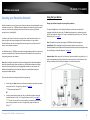
1
TRENDnet User’s Guide
Cover Page
TRENDnet User’s Guide
Contents
Product Overview ...........................................................................1
Package Contents .......................................................................................................... 1
Features ......................................................................................................................... 1
Product Hardware Features........................................................................................... 2
TPL-410AP ............................................................................................................ 2
TPL-406E .............................................................................................................. 4
Application Diagram ...................................................................................................... 5
Expanding a Home Network ............................................................6
Basic Installation ............................................................................................................ 7
Connect additional wired devices to your network....................................................... 8
Configure your Wireless Access Point ..............................................9
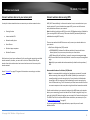
Access your access point management page ................................................................ 9
Setup Wizard ............................................................................................................... 10
Table of Contents
Access Point Maintenance & Monitoring ....................................... 24
Reset your Access Point to factory defaults ................................................................ 24
Access Point Default Settings ...................................................................................... 24
Backup and restore your access point configuration settings ..................................... 25
Reboot your access point ............................................................................................ 25
Upgrade your access point firmware .......................................................................... 26
Check the access point system information ................................................................ 27
Wireless Client List ...................................................................................................... 28
Powerline Device List ................................................................................................... 28
View your access point log .......................................................................................... 28
Installing your Powerline Adapters................................................ 29
Before you Install......................................................................................................... 29
Connect a Powerline adapter to your router .............................................................. 29
Add adapters to your network .................................................................................... 30
Wireless Networking and Security............................................................................... 11
Securing your Powerline Network ................................................. 31
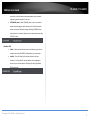
How to choose the type of security for your wireless network ........................ 11
Secure your wireless network ........................................................................... 12
Using the Powerline Utility ........................................................... 36
Using the Sync button ................................................................................................. 31
Connect wireless devices to your access point............................................................ 14
Powerline Utility System Requirements ...................................................................... 36
Connect wireless devices using WPS ........................................................................... 14
Software Installation ................................................................................................... 36
Basic Wireless Settings ................................................................................................ 16
Using the Utility ........................................................................................................... 40
Steps to improve wireless connectivity ....................................................................... 18
Upgrade Powerline Firmware ...................................................................................... 49
Advanced Wireless Settings ......................................................................................... 19
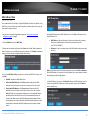
MAC Address Filters..................................................................................................... 20
Change your access point login username and password ........................................... 21
Set your access point date and time............................................................................ 21
Change your access point IP address ........................................................................... 22
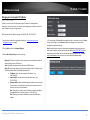
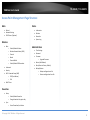
Access Point Management Page Structure..................................... 51
Technical Specifications ................................................................ 52
Troubleshooting ........................................................................... 54
Appendix ...................................................................................... 56
Set up the DHCP server on your access point.............................................................. 23
© Copyright 2014 TRENDnet. All Rights Reserved.
i
TPL-410AP / TPL-410APK
TRENDnet User’s Guide
Product Overview
Features
Powerline 500 AV Wireless Access Point (TPL-410AP)
TRENDnet’s Powerline 500 AV Wireless Access Point, model TPL-410AP, uses an
electrical outlet to create or expand a wireless network. Two Powerline adapters are
needed to start a network. Connect one adapter to a router and plug in the TPL-410AP
on your electrical system to create or expand a high performance wireless network.
Powerline 500 Wireless Kit (TPL-410APK)
TPL-410AP
TPL-410APK
Package Contents
TPL-410AP package includes:
•
•
•
•
1 x TPL-410AP Powerline 500 AV Wireless Access Point
Quick Installation Guide
CD-ROM (Utility & User’s Guide)
Network cable (1.5 m / 5 ft.)
TPL-410APK package includes:
• 1 x TPL-410AP Powerline 500 AV Wireless Access Point
• 1 x TPL-406E Powerline 500 AV Nano Adapter
• Quick Installation Guide
• CD-ROM (Utility & User’s Guide)
• 2 x network cables (1.5 m / 5 ft.)
If any package contents are missing or damaged, please contact the retail store, online
retailer, or reseller/distributor from which the product was purchased.
TRENDnet’s Powerline 500 Wireless Kit, model TPL-410APK, uses electrical outlets to
create a hybrid Powerline-Wireless network. The included TRENDnet Powerline
adapters (TPL-406E + TPL-410AP) auto-connect out of the box. Network the TPL-406E to
a router and plug the TPL-410AP into an outlet on the electrical system to extend a high
performance wireless network. Hardwire a smart TV, gaming console, or media player to
the two Ethernet ports on the TPL-410AP.
Powerline
Auto-Connect Powerline
Simply plug in the Powerline adapters—all TRENDnet adapters autoconnect out of the box
Sync Button
Press the Sync button to change existing Powerline encryption keys
Pre-Encrypted
For your security the Powerline signal is pre-encrypted
Powerline 500
High speed Powerline networking over existing electrical lines
Ethernet Ports
Two convenient Ethernet ports to hardwire computers, smart TVs, and
other network enabled devices
Cross Compatible
TRENDnet Powerline 500 and 200 adapters work together
© Copyright 2014 TRENDnet. All Rights Reserved.
1
TPL-410AP / TPL-410APK
TRENDnet User’s Guide
Whole Home Coverage
Connects over electrical lines for houses up to 5000 square foot home
(300 m/984 ft. linear distance over electrical lines)
Wireless
Quick Setup
Get up and running in minutes with the intuitive guided setup
N300 Wireless
Proven 300 Mbps Wireless N
Wireless Coverage
Expanded wireless coverage with MIMO antenna technology
Pre-Encrypted
For your security the wireless is pre-encrypted with a unique password
One Touch Connection
Securely connect wireless devices at the touch of the Wi-Fi Protected
Setup (WPS) button
Compatibility
Compatible with legacy 2.4 GHz Wireless devices
* Maximum wireless signal rates are referenced from IEEE 802.11 theoretical
specifications. Actual data throughput and coverage will vary depending on
interference, network traffic, building materials and other conditions
Product Hardware Features
TPL-410AP
Device Label
Product Model
Serial Number
MAC Address
Hardware Version
Wi-Fi Network Name (SSID)
Wi-Fi Security Key
Device Management URL
Default User Name
Default Password
Powerline Device Password
Front View
10/100Mbps Ethernet
LAN Ports 1-2
Power (PWR) LED
Wireless (WIFI) LED
Powerline (PL) LED
LAN Ports 1-2 LEDs
** 500 Mbps is the maximum physical Powerline data rate. Data throughput may vary
by circuit wire condition overheads. Maximum of 8 adapters (nodes) recommended for
streaming video across your network.
*** Powerline networking is limited to the same electrical system. Power strips, GFCI
outlets, and AFCI circuit breakers may degrade Powerline signals.
© Copyright 2014 TRENDnet. All Rights Reserved.
2
TPL-410AP / TPL-410APK
TRENDnet User’s Guide
Side View
LED
WPS Button
On/Off Power
Switch (Powers
device on or
off.)
Sync/Reset
Button
PWR (Power)
WIFI (Wireless)
Power Prong
Color
Sequence
Definition
Green
Solid
Device powered on
Green
Blinking
WPS is activated
N/A
Off
Device powered off
Green
Blinking
Wireless enabled, data transmitting/receiving
N/A
Off
Wireless disabled
Solid
Powerline connected (Connection quality is Best)
Blinking
Syncing or Powerline data transmitting/receiving
(Connection quality is Best)
Solid
Powerline connected (Connection quality is Better)
Blinking
Powerline data transmitting/receiving (Connection
quality is Better)
Solid
Powerline connected (Connection quality is Good)
Blinking
Powerline data transmitting/receiving (Connection
quality is Good)
Off
Powerline is not synced or connected
Green
PL (Powerline)
Amber
Red
N/A
Button
Sync /
Reset
(see the
section
Using the
Sync Button
for
instructions)
Action
Function
Sync
Initiate Sync/Connection and generate random network
name/key (PL LED will start blinking).
Push/hold for 3
seconds,
then release
Reset
Push/Hold for 10
seconds,
then release
WPS
WPS
Push/Hold for 3
seconds, then release
Note: The secondary or additional Powerline adapter’s
Sync button must also be pushed within 2 minutes (120
sec) of pushing the Sync button on the first adapter in
order to establish connectivity.
Reset device to factory defaults (PWR, PL, and WIFI LEDs
will turn off and turn back on to indicate reset).
Note: Will reset to the factory default private network
name “HomePlug AV”.
Activates WPS (Wi-Fi Protected Setup). The PWR
(Power) LED will blink to indicate WPS has been
successfully activated.
Solid
LAN Ports 1-2
(Ethernet
Connection)
Green
Blinking
N/A
Off
10/20 Mbps , 100/200Mbps
(Half/Full Duplex) connected
10/20 Mbps , 100/200Mbps
(Half/Full Duplex) data transmitting/receiving
Port disconnected/no Ethernet link
Note: Powerline (PL) LED color indicates the strength and quality of the Powerline
connection through the electrical system.
Note: The following factors may affect the Powerline network’s connection quality:
• Noise – Generated by appliances which use your electrical system (e.g.
Microwaves, ovens, blow dryer, iron, dishwasher, etc.). The quality of your
household electrical wiring may also cause additional noise on your electrical
system.
Distance – Long lengths of electrical wiring through your electrical system between
connected Powerline adapters.
© Copyright 2014 TRENDnet. All Rights Reserved.
3
TPL-410AP / TPL-410APK
TRENDnet User’s Guide
TPL-406E
Side View
Important Note: Please note that the TPL-406E powerline adapter will only be
included when purchasing the Powerline 500 Wireless Kit, model TPL-410APK.
Power Prong
Device Label
Product Model
Serial Number
MAC Address
Powerline Device Password
Hardware & Firmware Version
Front View
Button
Power (PWR) LED
Powerline (PL) LED
Ethernet Connection (ETH) LED
Action
Function
Sync
Initiate Sync/Connection and generate random
network name/key (PWR LED will start blinking).
Sync /
Reset
Push/hold for 3
seconds,
(see the
section
Using the
Sync Button
for
instructions)
then release
Reset
Push/Hold for 20
seconds,
then release
Note: The secondary or additional Powerline
adapter’s Sync button must also be pushed within 2
minutes (120 sec) of pushing the Sync button on the
first adapter in order to establish connectivity.
Reset device to factory defaults (All LEDs will turn off
and turn back on).
Note: Will reset to the factory default private
network name “HomePlug AV”.
Sync/Reset Button
Ethernet Port
© Copyright 2014 TRENDnet. All Rights Reserved.
4
TPL-410AP / TPL-410APK
TRENDnet User’s Guide
LED
Color
Sequence
Definition
Power Saving (TPL-406E): The device will automatically reduce power usage when the
PWR
(Power)
Green
Solid
Device powered on
connected device via Ethernet is powered off, unplugged or inactive for more than 5
N/A
Off
Device powered off
minutes. The device will return to active mode when the connected device via Ethernet
Solid
Powerline connected (Connection quality is
Best)
is powered on and the link is active.
Blinking
Syncing or Powerline data
transmitting/receiving (Connection quality is
Best)
off the device, unplug it from the power outlet.
Solid
Powerline connected (Connection quality is
Better)
the device, push the power switch into the off position.
Blinking
Powerline data transmitting/receiving
(Connection quality is Better)
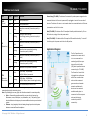
Application Diagram
Solid
Powerline connected (Connection quality is
Good)
Blinking
Powerline data transmitting/receiving
(Connection quality is Good)
Off
Powerline is not synced or connected
Green
PL
(Powerline)
Amber
Red
N/A
Solid
ETH
(Ethernet
Connection)
Green
Blinking
N/A
Off
10/20 Mbps , 100/200Mbps
(Half/Full Duplex) connected
10/20 Mbps , 100/200Mbps
(Half/Full Duplex) data transmitting/receiving
Port disconnected/no Ethernet link
Note: Powerline (PL) LED color indicates the strength and quality of the Powerline
connection through the electrical system.
Note: The following factors may affect the Powerline network’s connection quality:
• Noise – Generated by appliances which use your electrical system (e.g.
Microwaves, ovens, blow dryer, iron, dishwasher, etc.). The quality of your
household electrical wiring may also cause additional noise on your electrical
system.
• Distance – Long lengths of electrical wiring through your electrical system
between connected Powerline adapters.
Note (TPL-406E): This device offers EU compliant Standby mode functionality. To turn
Note (TPL-410AP): This device offers EU compliant Off mode functionality. To turn off
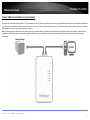
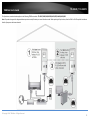
The first Powerline unit is
networked to a router which
is in turn connected to a
modem (typically from your
Internet Service Provider
(ISP)) which provides Internet
connectivity (ex. TPL-406E).
The Powerline Access Point
is plugged into a wall power
outlet near a media center
and can allow a network
game console and another
network enabled media
device such as a network
enabled media player to
connect to the Ethernet ports
and provide Internet
connectivity and WiFi
connectivity.
© Copyright 2014 TRENDnet. All Rights Reserved.
5
TRENDnet User’s Guide
TPL-410AP / TPL-410APK
Expanding a Home Network
What is a network?
A network is a group of computers or devices that can communicate with each other. A
home network of more than one computer or device also typically includes Internet
access, which requires a router.
A typical home network may include multiple computers, a media player/server, a
printer, a modem, and a router. A large home network may also have a switch,
additional routers, access points, and many Internet-capable media devices such as TVs,
game consoles, and Internet cameras.
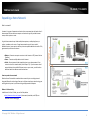
• Modem – Connects a computer or router to the Internet or ISP (Internet Service
Provider).
• Router – Connects multiple devices to the Internet.
• Switch –Connect several wired network devices to your home network. Your
router has a built-in network switch (the LAN port 1-4). If you have more wired
network devices than available Ethernet ports on your router, you will need an
additional switch to add more wired connections.
How to expand a home network
Wireless Access Points add or extend wireless connectivity to an existing network.
Integrated Powerline technology allows you to further extend your network using your
existing electrical system in your home using multiple powerline adapters.
Where to find more help
In addition to this User’s Guide, you can find help below:
• http://www.trendnet.com/support (documents, downloads, and FAQs are
available from this Web page)
© Copyright 2014 TRENDnet. All Rights Reserved.
6
TRENDnet User’s Guide
Basic Installation
Note: It is recommended to plug the adapters into nearby outlets before installing the
devices to the desired locations.
Note: If you are connecting the adapters to a third party powerline device other than
TRENDnet and encounter issues, please refer to the manufacturer’s documentation for
the appropriate sync button procedure.
Note: The sync button procedure steps below demonstrate using TRENDnet powerline
model TPL-406E (included with the Powerline 500 Wireless Kit only) but the same
procedure applies to TRENDnet powerline models TPL-303E/304E/308E/4052E
407E/408E/420E.
TPL-410AP / TPL-410APK
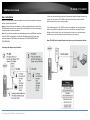
5. Once you have successfully connected the powerline adapters through the electrical
system, you can move the TPL-410AP to the desired location to create or extend
wireless connectivity to your existing network.
6. For added security the TPL-410AP has been pre-configured with a unique wireless
network name (SSID) and wireless key which can be found on the Preset Wireless
Settings sticker or device label. Use these settings to connect your wireless laptops,
mobile devices, and other wireless network devices to your network.
Move TPL-410AP to the desired location and connect your wireless network devices
Connecting the adapters using Powerline
© Copyright 2014 TRENDnet. All Rights Reserved.
7
TRENDnet User’s Guide
TPL-410AP / TPL-410APK
Connect additional wired devices to your network
Connect one of the available LAN ports labeled 1 & 2, on the access point to your router using an Ethernet cable. You can connect additional computers or other network enabled devices
to your network by using Ethernet cables to connect them to your access point. Check the status of the LED indicators (1, 2) on the front panel of your access point to ensure the physical
cable connection from your router and your computers or devices.
Note: If you encounter issues connecting to your network, there may be a problem with your computer or device network settings. Please ensure that your computer or device network
settings (also called TCP/IP settings) are configured to obtain IP address settings automatically (also called dynamic IP address or DHCP) and to Obtain DNS Server address settings
automatically.
© Copyright 2014 TRENDnet. All Rights Reserved.
8
TRENDnet User’s Guide
Configure your Wireless Access Point
Access your access point management page
Note: Your access point management page default IP address http://192.168.10.100 is
accessed through the use of your Internet web browser (e.g. Internet Explorer®, Firefox®,
Chrome™, Safari®, Opera™) and will be referenced frequently in this User’s Guide.
If you have changed the default IP address, you will need to ensure that your computer is
configured with IP address settings in the same subnet as the as the access point in order
to access the access point management page. (Ex. Access Point IP address changed to
192.168.0.100 / 255.255.255.0, example computer address 192.168.0.25 /
255.255.255.0).
1. Plug the wireless access point into an available wall power outlet within reach of your
computer’s network cable.
2. Connect a network cable from your wireless access point network port into your
computer’s network port.
TPL-410AP / TPL-410APK
3. Assign a static IP address to your computer’s network adapter in the subnet of
192.168.10.x (ex. 192.168.10.25) and a subnet mask of 255.255.255.0. (Please refer to
the Appendix on page 55 on how to assign static IP address to your computer)
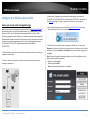
4. Open your web browser and go to IP address http://192.168.10.100. Your access
point will prompt you for a user name and password.
5. By default, the user name is admin and password is admin. You can also find the
Password on a sticker on the side of the access point and on the label on the back of the
access point. Enter your Username and Password, select your preferred language, then
click Login.
Note: If you have changed the password already such as in the Setup Wizard, you will
need to login using the new password.
Default User Name: admin
Default Password: admin
Note: User Name and Password are case sensitive.
© Copyright 2014 TRENDnet. All Rights Reserved.
9
TRENDnet User’s Guide
Setup Wizard
TPL-410AP / TPL-410APK
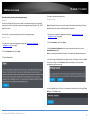
click Wizard. For security purposes, you are required to change the admin password
during the initial setup.
1. Log into your access point management page (see “Access your access point
management page” on page 9).
3. For added security, the Wi-Fi Name (SSID) and WiFi Key or encryption key have been
preconfigured with unique settings. The wizard will list your preconfigured Wi-Fi settings
in the confirmation window. You can also find these preconfigured settings on the
“Preset Wireless Settings” sticker or on the device label on the back on the device. You
will need to use this information to connect your wireless devices to your access point.
To change the Wi-Fi key, please refer to the section Secure your Wireless Network on
page 11. If the access point is reset to factory defaults, the Wi-Fi Key and Wi-Fi Name
will reset to the preconfigured default settings.
2. Enter a new password and verify the password by entering a second in in the
“Confirmed Password” field. Click Next.
Note: If this is the first time accessing the access point configuration, the wizard should
automatically appear. If the wizard does not appear automatically, click Main and then
© Copyright 2014 TRENDnet. All Rights Reserved.
10
TPL-410AP / TPL-410APK
TRENDnet User’s Guide
Wireless Networking and Security
How to choose the type of security for your wireless network
Setting up wireless security is very important. Leaving your wireless network open and
unsecure could expose your entire network and personal files to outsiders. TRENDnet
recommends reading through this entire section and setting up wireless security on your
new access point.
There are a few different wireless security types supported in wireless networking each
having its own characteristics which may be more suitable for your wireless network
taking into consideration compatibility, performance, as well as the security strength
along with using older wireless networking hardware (also called legacy hardware).
It is strongly recommended to enable wireless security to prevent unwanted users from
accessing your network and network resources (personal documents, media, etc.).
In general, it is recommended that you choose the security type with the highest
strength and performance supported by the wireless computers and devices in your
network. Please review the security types to determine which one you should use for
your network.
Wireless Encryption Types
• WEP: Legacy encryption method supported by older 802.11b/g hardware. This is
the oldest and least secure type of wireless encryption. It is generally not
recommended to use this encryption standard, however if you have old 802.11 b or
802.11g wireless adapters or computers with old embedded wireless cards(wireless
clients), you may have to set your access point to WEP to allow the old adapters to
connect to the access point.
Note: This encryption standard will limit connection speeds to 54Mbps.
• WPA: This encryption is significantly more robust than the WEP technology. Much
of the older 802.11g hardware was been upgraded (with firmware/driver upgrades)
to support this encryption standard. Total wireless speeds under this encryption
type however are limited to 54Mbps.
• WPA-Auto: This setting provides the access point with the ability to detect
wireless devices using either WPA or WPA2 encryption. Your wireless network will
automatically change the encryption setting based on the first wireless device
connected. For example, if the first wireless client that connects to your wireless
network uses WPA encryption your wireless network will use WPA encryption. Only
when all wireless clients disconnect to the network and a wireless client with WPA2
encryption connects your wireless network will then change to WPA2 encryption.
Note: WPA2 encryption supports 802.11n speeds and WPA encryption will limit
your connection speeds to 54Mbps
• WPA2: This is the most secure wireless encryption available today, similar to WPA
encryption but more robust. This encryption standard also supports the highest
connection speeds. TRENDnet recommends setting your access point to this
encryption standard. If you find that one of your wireless network devices does not
support WPA2 encryption, then set your access point to either WPA or WPA-Auto
encryption.
Note: Check the specifications of your wireless network adapters and wireless
appliances to verify the highest level of encryption supported. Below is brief
comparison chart of the wireless security types and the recommended
configuration depending on which type you choose for your wireless network.
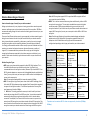
Security Standard
Compatible
Wireless
Standards
Highest
Performance
Under This
Setting
Encryption
Strength
Additional
Options
Recommended
Configuration
WEP
IEEE 802.11b/g
(802.11n devices
will operate at
802.11g to connect
using this standard)
WPA
IEEE 802.11b/g
(802.11n devices
will operate at
802.11g to connect
using this
standard)
IEEE 802.11b/g/n
Up to 54Mbps
Up to 54Mbps
Up to 300Mbps
Low
Open System or
Shared Key,
HEX or ASCII,
Different key sizes
Medium
High
TKIP or AES,
Preshared Key or
RADIUS
TKIP or AES,
Preshared Key or
RADIUS
TKIP
Preshared Key
8-63 characters
AES
Preshared Key
8-63 characters
Open System ASCII
13 characters
WPA2
*Dependent on the maximum 802.11n data rate supported by the device (150Mbps,
300Mbps)
© Copyright 2014 TRENDnet. All Rights Reserved.
11
TPL-410AP / TPL-410APK
TRENDnet User’s Guide
Secure your wireless network
Wireless > Security
After you have determined which security type to use for your wireless network (see
“How to choose the security type for your wireless network” on page 11), you can set up
wireless security.
Note: By default, your access point is configured with a predefined wireless network
name (SSID) and security key using WPA2-Personal. The predefined wireless network
name and security can be found on the sticker on the side of the access point or on the
device label at the bottom of the access point.
1. Log into your access point management page (see “Access your access point
management page” on page 9).
2. Click on Wireless, and click on Security.
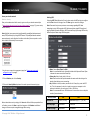
3. Click on the Security Mode drop-down list to select your wireless security type.
Selecting WEP:
If selecting WEP (Wired Equivalent Privacy), please review the WEP settings to configure
and click Save to save the changes, then click Save again to commit the changes.
Note: Please note that you may receive an error message regarding WPS when
attempting to set to WEP encryption. WPS will not work when using WEP security and
must be disabled first under Wireless > Wi-Fi Protected Setup, before using WEP security.
WPS will only work when using WPA2 encryption.
• Mode: Choose Open, Shared, or Both.
Note: It is recommended to use Auto which includes both Open and Shared. Open
is known to be more secure than Shared Key.
• Primary Key: Select the key index 1-4 to use.
Note: Please note that the key index number also must match the setting on the
wireless client devices you are connecting.
• Key 1-4: Next to the Key number you select for the Primary Key, enter the WEP
key. This is the password or key that is used to connect your computer to this
access point wirelessly. You can enter a 64-bit or 128-bit key.
Note: It is recommended to use 128-bit because it is more secure to use a key that
consists of more characters.
WEP Key Format
Review the wireless security settings, click Save when finished. When prompted to Save
or Continue, you can click Save to apply the changes or click Continue to additional
changes in the access point management page before saving.
HEX
ASCII
Character set
0-9 & A-F, a-f only
Alphanumeric (a,b,C,?,*, /,1,2, etc.)
64-bit key length
10 characters
5 characters
128-bit key length
26 characters
13 characters
© Copyright 2014 TRENDnet. All Rights Reserved.
12
TRENDnet User’s Guide
TPL-410AP / TPL-410APK
Selecting WPA/WPA2/Auto-Personal Shared Key (WPA2 AES recommended):
Selecting WPA /WPA2/Auto-Enterprise/RADIUS Support:
Note: Please note that WPS will only work when using WPA2 encryption. If using WPA
encryption, you must disable WPS feature first under Wireless > Wi-Fi Protected Setup.
The following section outlines options when selecting WPA-Enterprise (EAP or RADIUS).
This security type is also known as EAP (Extensible Authentication Protocol) or Remote
Authentication Dial-In User Service or RADIUS.
Note: This security type requires an external RADIUS server, Pre-Shared Key only requires
you to create a passphrase.
First, in the Security Mode drop-down list, select WPA.
In the Type drop-down list, select either Personal Shared Key or Enterprise/RADIUS
support.
• Personal Shared Key – Create your own personal security key. (Recommended)
• Enterprise – Also called RADIUS (Remote Dial-In User Service). Requires an
external RADIUS server to authenticate clients.
The following section outlines options when selecting Personal Shared Key
(WPA/WPA2/Auto)
Then, in the Mode section, select WPA, WPA2, or Auto (WPA2 Recommended)
Finally, in the Encryption section, select TKIP, AES, or Auto.
o When selecting WPA mode, it is recommended to use TKIP encryption.
o When selecting WPA2 mode, it is recommended to use AES encryption.
o When selecting Auto mode, it is recommended to use AES encryption.
Create your WiFi Security Key (PSK)
• PSK Key – Enter the key or passphrase
• Note: This is the key that is used to connect your computer and other wireless
client devices to your router
Note: 8-63 alphanumeric characters (a,b,C,?,*,/,1,2, etc.)
• RSN Preauth – Enable this feature only if your external RADIUS server and wireless
client support RSN (Robust Security Network) Pre-authentication used more
commonly for wireless client roaming between multiple access points.
• EAP Reauth Period – Set the time in seconds when the wireless access point will
request for re-authentication from the wireless client.
• Server: Enter the IP address of the RADIUS server. (e.g. 192.168.10.250)
• Port: Enter the port your RADIUS server is configured to use for RADIUS
authentication.
Note: It is recommended to use port 1812 which is typical default RADIUS port.
• Secret: Enter the shared secret used to authorize your access point with your
RADIUS server.
© Copyright 2014 TRENDnet. All Rights Reserved.
13
TRENDnet User’s Guide
TPL-410AP / TPL-410APK
Connect wireless devices to your access point
Connect wireless devices using WPS
A variety of wireless network devices can connect to your wireless network such as:
WPS (Wi-Fi Protected Setup) is a feature that makes it easy to connect devices to your
wireless network. If your wireless devices support WPS, you can use this feature to
easily add wireless devices to your network.
•
Gaming Consoles
•
Internet enabled TVs
•
Network media players
•
Smart Phones
•
Wireless Laptop computers
•
Wireless IP cameras
Each device may have its own software utility for searching and connecting to available
wireless networks, therefore, you must refer to the User’s Manual/Guide of your
wireless client device to determine how to search and connect to this access point’s
wireless network.
See the “Appendix” on page 55 for general information on connecting to a wireless
network.
Note: You will not be able to use WPS if you set the SSID Broadcast setting to Disabled or
if you are using WEP or WPA security. Please note that WPS functionality will only be
available when using WPA2 security.
There are two methods the WPS feature can easily connect your wireless devices to
your network.
• Push Button Configuration (PBC) method
• (RECOMMENDED) Hardware Push Button method–with an external button
located physically on your access point and on your client device
• WPS Software/Virtual Push Button - located in access point management page
• PIN (Personal Identification Number) Method - located in access point management
page
Note: Refer to your wireless device documentation for details on the operation of
WPS.
Recommended Hardware Push Button (PBC) Method
• Note: It is recommended that a wireless key (passphrase or password) is created
before connecting clients using the PBC method. By default your access point is
preconfigured with a wireless encryption key. If no wireless key is defined when
connecting via PBC, the access point will automatically create an encryption key
that is 64 characters long. This 64 character key will then have to be used if one has
to connect computers to the access point using the traditional connection method.
To add a wireless device to your network, simply push the WPS button on the wireless
device you are connecting (consult client device User’s Guide for length of time), then
push and hold the WPS button located on your access point for 3 seconds and release it.
The PWR LED will blink to indicate WPS has been activated on your access point. (See
“Product Hardware Features” on page 2)
For connecting additional WPS supported devices, repeat this process for each
additional device.
© Copyright 2014 TRENDnet. All Rights Reserved.
14
TPL-410AP / TPL-410APK
TRENDnet User’s Guide
PBC (Software/Virtual Push Button)
PIN (Personal Identification Number)
Wireless > Wi-Fi Protected Setup
Wireless > Wi-Fi Protected Setup
In addition to the hardware push button located physically on your access point, the
access point management page also has push button which is a software or virtual push
button you can click to activate WPS on your access point.
If your wireless device has WPS PIN (typically an 8-digit code printed on the wireless
device product label or located in the wireless device wireless software utility), you can
use this method.
1. Log into your access point management page (see “Access your access point
management page” on page 9).
1. Log into your access point management page (see “Access your access point
management page” on page 9).
2. Click on Wireless, and click on Wi-Fi Protected Setup.
2. Click on Wireless, and click on Wi-Fi Protected Setup.
3. To add a wireless device to your network, under the section Add Wireless Device, next
to Virtual Push Button, click Start PBC in the access point management page.
3. To add a wireless device to your network, under the section Add Wireless Device, next
to Client PIN, enter the wireless device’s 8-digit numeric PIN in the field and click Start
PIN in the access point management page.
Note: You may need to initiate the WPS PIN on your wireless device first when using
this method. Refer to your wireless device documentation for details on the operation
of WPS.
5. Within 2 minutes, push the WPS button on the wireless device (consult wireless
device’s User’s Guide for length of time) you are connecting. The wireless connection
between the wireless client device and you r access point will automatically be
established.
5. Within 2 minutes, initiate the WPS PIN method on the wireless device (consult
wireless device’s User’s Guide for how to initiate the WPS method) you are connecting.
he wireless connection between the wireless client device and you r access point will
automatically be established.
© Copyright 2014 TRENDnet. All Rights Reserved.
15
TRENDnet User’s Guide
Basic Wireless Settings
Wireless > Basic
This section outlines available management options under basic wireless sub tab.
TPL-410AP / TPL-410APK
• Channel – Selecting the Auto option will set your access point to scan for which
wireless channel(s) to use automatically. Otherwise, you to manually set the
channel on which the access point will broadcast. Click the drop-down list and
select the desired Channel for wireless communication. The goal is to select the
Channel that is least used by neighboring wireless networks.
1. Log into your access point management page (see “Access your access point
management page” on page 9).
2. Click on Wireless and click on Basic.
3. Review the basic wireless settings and click Save when finished. When prompted to
Save or Continue, you can click Save to apply the changes or click Continue to additional
changes in the access point management page before saving.
When applying the Mode setting, please keep in mind the following:
• Wireless devices that support 802.11n are backwards compatible and can connect
wirelessly at 802.11g or 802.11b.
• Connecting at 802.11b or 802.11g will limit the capability of your 802.11n
supported wireless devices from obtaining higher performance and data rates.
• Allowing 802.11b or 802.11g devices to connect to an 802.11n capable wireless
network may degrade the wireless network performance below the higher
performance and data rates of 802.11n.
• Wireless devices that only support 802.11b or 802.11g will not be able to connect
to a wireless network that is set to 802.11n only mode.
• Wireless devices that only support 802.11b will not be able to connect to a wireless
network that is set to 802.11g only mode.
• Enable Wireless LAN Interface – Check the option to enable the wireless
network/band or uncheck to disable. Note: It is recommended to leave this setting
checked.
• Wireless Network Name (SSID): Enter the wireless name (SSID) for your wireless
network. This acronym stands for Service Set Identifier and is the name of your
wireless network. It differentiates your wireless network from others around you.
By default, the access point’s wireless name is unique to the device. If you choose
to change the SSID, change it to a name that you can easily remember.
• Channel Width: Select the appropriate channel width for your wireless network.
This setting only applies to 802.11n. For greater 802.11n performance, select
20/40MHz (Auto) (Options: 20MHz or 20/40MHz (Auto)). It is recommended to use
the default channel bandwidth settings.
Note: Please note that this setting may provide more stability than the higher
channel bandwidth settings such as 20/40MHz (Auto) for connectivity in busy
wireless environments where there are several wireless networks in the area.
• HT20 MHz – This mode operates using a single 20MHz channel for
wireless devices connecting at 802.11n on both 2.4GHz and 5GHz. This
setting may provide more stability than 20/40MHz (Auto) for
© Copyright 2014 TRENDnet. All Rights Reserved.
16
TRENDnet User’s Guide
TPL-410AP / TPL-410APK
connectivity in busy wireless environments where there are several
neighboring wireless networks in the area.
•
HT20/40MHz (Auto) –When 20/40MHz (Auto) is active, this mode is
capable of providing higher performance only if the wireless devices
support the channel bandwidth settings. Enabling 20/40MHz (Auto)
typically results in substantial performance increases when connecting
an 802.11n client.
• Broadcast SSID
•
Enable - Allows wireless devices to search and discover your wireless
network name (also called SSID) broadcasted by your access point.
•
Invisible - Turns off the ability for wireless devices to find your
network. It is still possible for wireless devices to be configured to
connect to your wireless network. Disabling this setting will disable
WPS functionality.
© Copyright 2014 TRENDnet. All Rights Reserved.
17
TPL-410AP / TPL-410APK
TRENDnet User’s Guide
Steps to improve wireless connectivity
There are a number of factors that can impact the range of wireless devices. Follow
these tips to help improve your wireless connectivity:
1.
Keep the number of obstructions to a minimum. Each obstruction can reduce
the range of a wireless device. Position the wireless devices in a manner that
will minimize the amount of obstructions between them.
a.
b.
For the widest coverage area, install your access point near the center
of your home, and near the ceiling, if possible.
Avoid placing the access point on or near metal objects (such as file
cabinets and metal furniture), reflective surfaces (such as glass or
mirrors), and masonry walls.
c.
Any obstruction can weaken the wireless signal (even non-metallic
objects), so the fewer obstructions between the access point and the
wireless device, the better.
d.
Place the access point in a location away from other electronics,
motors, and fluorescent lighting.
e.
Many environmental variables can affect the access point’s
performance, so if your wireless signal is weak, place the access point
in several locations and test the signal strength to determine the ideal
position.
2.
Building materials can have a large impact on your wireless signal. In an indoor
environment, try to position the wireless devices so that the signal passes
through less dense material such as dry wall. Dense materials like metal, solid
wood, glass or even furniture may block or degrade the signal.
3.
Antenna orientation can also have a large impact on your wireless signal. Use
the wireless adapter’s site survey tool to determine the best antenna
orientation for your wireless devices.
4.
Interference from devices that produce RF (radio frequency) noise can also
impact your signal. Position your wireless devices away from anything that
generates RF noise, such as microwaves, radios and baby monitors.
If possible, upgrade wireless network interfaces (such as wireless cards in computers)
from older wireless standards to 802.11n or 802.11ac. If a wirelessly networked device
uses an older standard, the performance of the entire wireless network may be slower.
If you are still experiencing low or no signal consider repositioning the wireless devices,
installing additional access points or wireless extenders.
© Copyright 2014 TRENDnet. All Rights Reserved.
18
TRENDnet User’s Guide
Advanced Wireless Settings
Wireless > Advanced
These settings are advanced options that can be configured to change advanced
wireless broadcast specifications. It is recommended that these settings remain set to
their default values unless you are knowledgeable about the effects of changing these
values. Changing these settings incorrectly can degrade performance.
•
•
Gating Index: Select the option that works best for your installation. It may be
best to keep this option at its default setting.
o
Half - Using this setting can increase throughput. However, it can also
increase error rate in some installations, due to increased sensitivity to
radio-frequency reflections.
o
Full – Using this setting can help to decrease the error rate in wireless
data transmission and receiving.
TPL-410AP / TPL-410APK
• WMM: Wi-Fi Multimedia is a Quality of Service (QoS) feature which prioritizes
audio and video data packets. This feature requires the wireless device to also
support WMM. Click Enabled (recommended) or Disabled to turn this feature on
or off on your access point.
• Coexistence: If set to Enable, will not allow legacy devices such as 802.11b/g to
connect wireless. This will ensure that access point will provide the best possible
performance rate available. If set to Disable, will allow all wireless clients to
connect including 802.11b/g.
Aggregation: This setting allows you to enable the aggregation feature to
increase overall wireless throughput by sending more frames in a single
wireless transmission and decreasing the frame overhead. Enabling this feature
may increase performance, however, in busy wireless environments, this may
decrease your overall performance as the percentage of data loss may increase
in busy environment. It may be best to keep this option at its default setting.
o
Enable – Enables or turns on the aggregation feature.
o
Disable – Disables or turns off the aggregation feature.
•
Aggregation Frames: Allows you to specify the maximum number of
aggregation frames that can be sent in a single wireless transmission.
•
Aggregation Size: Allows you to specify the maximum size of each aggregation
frame (Bytes) to be sent in a single wireless transmission.
•
Aggregation Min Size: Allows you to specify the minimum size of each
aggregation frame to be sent in a single wireless transmission.
© Copyright 2014 TRENDnet. All Rights Reserved.
19
TPL-410AP / TPL-410APK
TRENDnet User’s Guide
MAC Address Filters
Wireless > MAC Filters
Every network device has a unique, 12-digit MAC (Media Access Control) address. Using
MAC filters, you can allow or deny specific computers and other devices from using this
access point’s wireless network.
1. Log into your access point management page (see “Access your access point
management page” on page 9).
Add the MAC addresses to the MAC Address List first. Click Save to add each entry to
the MAC Address List.
•
2. Click on Wireless and click on MAC Filters.
3. Review the basic wireless settings and click Save when finished. When prompted to
Save or Continue, you can click Save to apply the changes or click Continue to additional
changes in the access point management page before saving.
First, click the MAC Filter Policy drop-down list to choose the MAC filter function, then
click Save.
•
Disabled – disables the MAC address filter.
•
Allow Listed MAC Addresses - Only Allow computers/devices with MAC
addresses listed to wirelessly connect to the access point. Deny all others.
•
Deny Listed MAC Addresses - Only Deny computers/devices with MAC
addresses listed to wirelessly connect to the access point. Allow all others.
MAC Address – Check the box next to the entry to enable and in the empty
field, enter the MAC address of the devices you would like to filter.
(e.g. 00:11:22:AA:BB:CC)
•
Comment – Enter a short description of the MAC address to help you to easily
identify it.
Note: If you wireless clients are currently connected, you can check Status > Wireless to
find the MAC address. If you device is not listed, please refer to your computer or device
documentation to find the MAC address.
In the MAC Address List, you can click Delete All to delete all MAC addresses in the list
or select the specific MAC address entry under the Select column and click Delete to
delete a specific entry.
Note: MAC filter can be configured to allow access to the listed MAC address
and deny all others unlisted or vice versa. The recommended function is to
choose to only allow access to the MAC addresses listed and deny all others
unlisted because it is easier to determine the MAC addresses of devices in your
network then to determine which MAC addresses you do not want to allow
access.
© Copyright 2014 TRENDnet. All Rights Reserved.
20
TPL-410AP / TPL-410APK
TRENDnet User’s Guide
Change your access point login username and password
Set your access point date and time
Administration > Password
Administration> Time Settings
1. Log into your access point management page (see “Access your access point
management page” on page 9).
1. Log into your access point management page (see “Access your access point
management page” on page 9).
2. Click on Administration, and click on Password.
2. Click on Administration, and click on Time Settings.
3. In the User Name field, enter the new user name and in the Password field, enter the
new password. Then enter the password again in the Confirmed Password field to
verify.
3. Review the Time settings. Click Save to save settings. When prompted to Save or
Continue, you can click Save to apply the changes or click Continue to additional
changes in the access point management page before saving.
• Current Time: Displays the current device time and date information. You can
click Sync with host to force the device to check for updated date and time
information with the NTP server configured in the NTP server setting.
• Location (Time Zone) – Click the drop-down list and select your time zone.
3. To save changes, click Save. When prompted to Save or Continue, you can click Save
to apply the changes or click Continue to additional changes in the access point
management page before saving.
• NTP Server – Your access point will update the date and time settings by
synchronizing with an NTP (Network Time Protocol) server address (e.g.
pool.ntp.org). Enter the NTP server address next to Default NTP server, (e.g.
pool.ntp.org).
Note: NTP servers are used for computers and other network devices to
synchronize time across an entire network.
• NTP Sync Cycle – You can set the interval in hours when you access point will
synchronize with the NTP server.
Note: If you change the access point login password, you will need to access the access
point management page using the User Name “admin” and the new password.
© Copyright 2014 TRENDnet. All Rights Reserved.
21
TRENDnet User’s Guide
TPL-410AP / TPL-410APK
Change your access point IP address
Main > Network Settings
Typically, the access point IP address settings only needs to be changed when
connecting the access point to your network and configuring to the device to be in the
same IP network as your existing network.
Default Access Point IP Address Settings: 192.168.10.100 / 255.255.255.0
1. Log into your access point management page (see “Access your access point
management page” on page 9).
4. To save changes, click Save. When prompted to Save or Continue, you can click Save
to apply the changes or click Continue to additional changes in the access point
management page before saving.
2. Click on Main, and click on Network Settings.
Note: You will need to access your access point management page using your new
access point IP address. (e.g. Instead of using the default http://192.168.10.100 your
new access point IP address will use the following format using your new IP address
http://(new.ipaddress.here) to access your access point management page.
3. Under LAN Interface Setup, review the settings.
• Dynamic IP : Check this option to set the access point to automatically obtain IP
address settings from a DHCP server .
Note: Typically, your network router has a built-in DHCP server.
• Static IP: Uncheck the Dynamic IP option to manually specify an IP address in the
IP Address, Subnet Mask, and Default Gateway fields.
• IP Address: Enter the new access point IP address. (e.g.
192.168.0.100)
• Subnet Mask: Enter the new access point subnet mask. (e.g.
255.255.255.0)
• Gateway Address: Enter the default gateway address of your network.
This parameter is required for the access point to access Internet for
functions such as e-mail notifications.
Note: Typically, your network router IP address is used as the default
gateway address to access the Internet e.g. 192.168.10.1)
Note: Typically, your network IP address is used as the DNS server
address.
© Copyright 2014 TRENDnet. All Rights Reserved.
22
TRENDnet User’s Guide
TPL-410AP / TPL-410APK
Set up the DHCP server on your access point
Main > DHCP Server
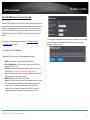
Your access point can be used as a DHCP (Dynamic Host Configuration Protocol) server
to automatically assign an IP address to each computer or device on your network. The
DHCP server is disabled by default on your access point. In most cases your network
router has a built-in DHCP server that is typically enabled and used as your network
DHCP server. If you already have a DHCP server on your network, leave this settings
disabled.
1. Log into your access point management page (see “Access your access point
management page” on page 9).
4. To save changes, click Save. When prompted to Save or Continue, you can click Save
to apply the changes or click Continue to additional changes in the access point
management page before saving.
2. Click on Main, and click on DHCP Server.
3. Review the DHCP Server settings. Click Save Settings to save settings.
• Enable: Check to enable or uncheck to disable the DHCP server.
• IP Pool Starting Address – Enter the starting IP address for the DHCP server
range. (e.g.192.168.10.200)
• Pool Size – Enter the maximum number of address the DHCP server is able to
distribute. (e.g. 50, the DHCP server will issue 192.168.10.200-250 )
Note: The Start IP and End IP specify the range of IP addresses to automatically
assign to computers or devices on your network.
• Release Time – Enter the DHCP lease time in seconds.
Note: The DHCP lease time is the amount of time a computer or device can keep
an IP address assigned by the DHCP server. When the lease time expires, the
computer or device will renew the IP address lease with the DHCP server,
otherwise, if there is no attempt to renew the lease, the DHCP server will
reallocate the IP address to be assigned to another computer or device.
© Copyright 2014 TRENDnet. All Rights Reserved.
23
TPL-410AP / TPL-410APK
TRENDnet User’s Guide
Access Point Maintenance & Monitoring
Access Point Default Settings
Administrator User Name
admin
Administrator Password
admin
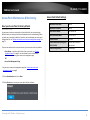
You may want to reset your access point to factory defaults if you are encountering
difficulties with your access point and have attempted all other troubleshooting. Before
you reset your access point to defaults, if possible, you should backup your access point
configuration first, see “Backup and restore your access point configuration settings” on
page 25.
Access Point IP Address
192.168.10.100
Access Point Subnet Mask
255.255.255.0
Wireless Interface
Enabled
Wireless Network Name/Encryption
(WPA2-PSK AES)
Please refer to sticker or
device label
There are two methods that can be used to reset your access point to factory defaults.
Powerline Encryption Key
HomePlugAV
Reset your Access Point to factory defaults
Administration > Reset
• Reset Button – Located on the left side of your access point, see “Product
Hardware Features” on page 2. Use this method if you are encountering
difficulties with accessing your access point management page.
OR
• Access Point Management Page
1. Log into your access point management page (see “Access your access point
management page” on page 9).
2. Click on Administration and click on Reset.
3. Click the Reset button to reset your access point to factory defaults.
© Copyright 2014 TRENDnet. All Rights Reserved.
24
TPL-410AP / TPL-410APK
TRENDnet User’s Guide
Backup and restore your access point configuration settings
Reboot your access point
Administration > Backup/Restore
Administration >Restart
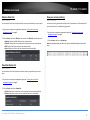
You may have added many customized settings to your access point and in the case that
you need to reset your access point to default, all your customized settings would be
lost and would require you to manually reconfigure all of your access point settings
instead of simply restoring from a backed up access point configuration file.
You may want to restart your access point if you are encountering difficulties with your
access point and have attempted all other troubleshooting.
To backup your access point configuration:
1. Log into your access point management page (see “Access your access point
management page” on page 9).
2. Click on Administration and click on Backup/Restore.
3. Next to Save Settings to Local Hard Drive section, click Save Configuration.
There are two methods that can be used to restart your access point.
• Turn the access point off for 10 seconds using the access point On/Off switch
located on the right side of your access point or unplugging the device from the
power source, see “Product Hardware Features” on page 2. Then turn the device
back on either using the On/Off switch or plugging the device back into the
power source.
Use this method if you are encountering difficulties with accessing your access
point management page. This is also known as a hard reboot or power cycle.
OR
• Access Point Management Page – This is also known as a soft reboot or restart.
4. Depending on your web browser settings, you may be prompted to save a file (specify
the location) or the file may be downloaded automatically to the web browser
settings default download folder. (Default Filename: tpl410cfg(#).dat)
1. Log into your access point management page (see “Access your access point
management page” on page 9).
To restore your access point configuration:
2. Click on Administration and click on Restart.
1. Log into your access point management page (see “Access your access point
management page” on page 9).
3. Click Restart. Wait for the device to reboot.
2. Click on Administration and click on Backup/Restore.
3. Next to Load Settings From Local Hard Drive, depending on your web browser, click
on Browse or Choose File.
4. A separate file navigation window should open.
5. Select the access point configuration file to restore and click Restore. (Default
Filename: tpl410cfg(#).dat). If prompted, click Yes or OK. Wait for the access point to
restore settings.
© Copyright 2014 TRENDnet. All Rights Reserved.
25
TPL-410AP / TPL-410APK
TRENDnet User’s Guide
Upgrade your access point firmware
Administration > Firmware
TRENDnet may periodically release firmware upgrades that may add features or fix
problems associated with your TRENDnet access point model and version. To check if
there is a firmware upgrade available for your device, please check your TRENDnet
model and version using the link. http://www.trendnet.com/downloads/
In addition, it is also important to verify if the latest firmware version is newer than the
one your access point is currently running. To identify the firmware that is currently
loaded on your access point, log in to the access point, click on the Administrator
section and then on the Status. The firmware used by the access point is listed at the
top of this page. If there is a newer version available, also review the release notes to
check if there were any new features you may want or if any problems were fixed that
you may have been experiencing.
Note: When upgrading through the access point management page of the TPL-410AP,
both wireless access point and powerline firmware functionality can be updated using
the firmware .bin file. This is the recommended method. If you would like to upgrade the
powerline firmware only, you can upgrade the powerline functionality using the
Powerline Utility. If you have the TPL-410APK which includes the TPL-406E adapter, the
powerline firmware can only be updated using the Powerline Utility.
1. If a firmware upgrade is available, download the firmware to your computer.
1. Log into your access point management page (see “Access your access point
management page” on page 9).
2. Click on Administration and click on Firmware.
3. Depending on your web browser, next to Select File, click Browse or Choose File.
Note: In addition, this page displays the access point current firmware version and build
date.
4. Navigate to the folder on your computer where the unzipped firmware file (.bin) is
located and select it.
5. Click Upload. If prompted, click Yes or OK.
2. Unzip the file to a folder on your computer.
Please note the following:
• Do not interrupt the firmware upgrade process. Do not turn off the device or
press the Reset button during the upgrade.
• If you are upgrade the firmware using a laptop computer, ensure that the laptop
is connected to a power source or ensure that the battery is fully charged.
• Disable sleep mode on your computer as this may interrupt the firmware upgrade
process.
• Do not upgrade the firmware using a wireless connection, only using a wired
network connection.
• Any interruptions during the firmware upgrade process may permanently
damage your access point.
© Copyright 2014 TRENDnet. All Rights Reserved.
26
TPL-410AP / TPL-410APK
TRENDnet User’s Guide
Check the access point system information
Status > Information
You may want to check the system information of your access point such as IP address
settings, access point mode, wireless and wired network settings, access point wireless
MAC addresses, and firmware version.
Ethernet Information
•
•
•
•
IP Address – The current IP address settings assigned to your access point.
Subnet Mask - The current subnet mask assigned to your access point.
Default Gateway – The current gateway assigned to your access point.
MAC Address: Displays the current Ethernet wired interface MAC address.
1. Log into your access point management page (see “Access your access point
management page” on page 9).
2. Click on Status and click on Information.
System Information
• Firmware Version – The current firmware version your access point is running.
• Build Day - The build day and time of the current firmware version your access
point is running.
• System Up Time – The duration your access point has been running continuously
without a restart/power cycle (hard or soft reboot) or reset.
Wireless LAN
• Wireless OP Mode: Displays the current wireless mode.
• Name (SSID): Displays the current wireless network name assigned to your access
point.
• Channel – Displays the current wireless channel your access point is operating.
• Security Mode: Displays the wireless security type applied.
• MAC Address: The MAC address of your access point’s wireless LAN or interface
configuration.
Powerline Interface
• MAC Address: The MAC address of your access point’s powerline interface
configuration.
© Copyright 2014 TRENDnet. All Rights Reserved.
27
TPL-410AP / TPL-410APK
TRENDnet User’s Guide
Wireless Client List
View your access point log
Status > Wireless
Status > System Log
You can view the list of active wireless devices currently connected to your access point.
Your access point log can be used to obtain activity information on the functionality of
your access point or for troubleshooting purposes.
1. Log into your access point management page (see “Access your access point
management page” on page 9).
2. Click on Status, and click on Wireless. You can also click Refresh to refresh the status.
•
•
•
•
Address: Displays the MAC address of your wireless client.
Channel: Displays the current channel that the wireless client is connectioned.
RSSI: Displays the signal strength of your wireless client.
Rate: Displays the current rate your wireless client has established.
1. Log into your access point management page (see “Access your access point
management page” on page 9).
2. Click on Status, and click on System Log.
Note: Log messages display the date, time, type, and additional information for each
entry.
Powerline Device List
Status > Wireless
You can view the list of active powerline devices currently connected to your access
point.
1. Log into your access point management page (see “Access your access point
management page” on page 9).
2. Click on Status, and click on Powerline.
• Tx Rate: Displays the transmission rate your powerline device has established.
• Rx Rate: Displays the receive rate your powerline device has established.
© Copyright 2014 TRENDnet. All Rights Reserved.
28
TRENDnet User’s Guide
Installing your Powerline Adapters
Before you Install
TPL-410AP / TPL-410APK
Connect a Powerline adapter to your router
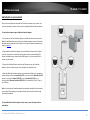
1. Plug the Powerline adapter into an available wall power outlet near your router.
Note: This will allow devices connected to your Powerline network to access the Internet
and other devices connected to your network.
1. Before you proceed with the installation, verify the following:
•
You already have a router already installed.
•
You already have Internet access through your existing network.
•
An Ethernet port (also called LAN port) is available on your router.
•
Verify that you have at least two Powerline adapters. You will need at least
two Powerline adapters to create a Powerline network.
Note: The TPL-410AP package only includes a single Powerline adapter. The
TPL-410APK package includes TPL-406E and TPL-410AP to create your
Powerline network. Please ensure that your other Powerline adapter is
HomePlug® AV or IEEE 1901 compliant (e.g. TRENDnet models TPL-303E, TPL304E, TPL-305E, TPL-306E, TPL-307E, TPL-308E, TPL-310AP, TPL-401E, TPL-402E,
TPL-405E,TPL-4052E, TPL-406E, TPL-407E, TPL-408E, TPL-420E, or another TPL410AP.)
2. Connect the included Ethernet cable (also called network cable) from the Ethernet
port (also called network port) of your Powerline adapter to an available Ethernet port
(also called LAN port) on your router.
3. Once the Powerline adapter is installed and connected to your router, verify that the
Power (PWR) LED is on or blinking and the Ethernet Connection (ETH) LED (or if
multiple ports LEDs 1,2,3,etc.) is on or blinking.
2. Plan the location of where you will install your Powerline adapters.
•
Avoid plugging the adapters into power strips, extension cords, or surge
protectors as this may prevent the adapter from functioning correctly or
degrade performance.
•
Avoid plugging the adapters into wall power outlets that are controlled by a
light switch to prevent the Powerline adapter from being turned off
accidentally.
•
Avoid plugging the adapters into wall power outlets that are located near
appliances that consume a lot of power (e.g. refrigerators, washers, dryers) as
this may degrade performance.
•
Make sure there is an available wall power outlet in the room where the router
is installed and also near the router.
•
Make sure there is an available wall power outlet in the room where you want
to extend network connectivity.
© Copyright 2014 TRENDnet. All Rights Reserved.
29
TRENDnet User’s Guide
TPL-410AP / TPL-410APK
Add adapters to your network
Once you have installed and connected the first Powerline adapter to your router, you
can easily extend your network to other rooms by adding additional Powerline adapters.
To extend your network using an additional Powerline adapter:
1. First, make sure the first Powerline adapter is installed and connected to your router.
Note: This will allow devices connected to your Powerline network to access the Internet
and other devices connected to your network. See “Connect a Powerline adapter to your
router” on page 29.
2. Plug the additional Powerline adapter into an available wall power outlet in another
room near a computer or network device (e.g. game consoles, network-enabled TVs,
network attached storage, network media server/players, etc.) that you would like to
connect to your network.
3. Connect the included Ethernet cable from the Ethernet port on your Powerline
adapter to the to the Ethernet port of your computers or network devices.
4. After the additional Powerline adapter is connected and installed to your computer or
network device, wait for the Powerline (PL) LED to turn on. After the Powerline (PL) LED
turns on, verify that the Power (PWR) LED is on, the Powerline (PL) LED is on or
blinking, and the Ethernet Connection (ETH) LED (or if multiple ports LEDs 1,2,3,etc.) is
on or blinking.
Note: To verify that your Powerline adapters are connected successfully to your network,
you can check if the computer(s) or network device(s) can access the Internet through
your Powerline network.
To install additional Powerline adapters in other rooms, repeat the steps above for
each adapter.
© Copyright 2014 TRENDnet. All Rights Reserved.
30
TPL-410AP / TPL-410APK
TRENDnet User’s Guide
Securing your Powerline Network
Powerline networks consist of two or more Powerline devices connected together using
the same encryption key. TRENDnet Powerline adapters automatically connect to each
other over a secure encrypted signal and share the same encryption key (Default
encryption key: HomePlugAV).
In order for your Powerline devices to connect to the same Powerline network, the
same encryption key must be assigned to all Powerline devices in that network.
Powerline devices that are not assigned the same encryption key will not be able to
connect to the Powerline network.
For additional security, TRENDnet recommends changing adapter default encryption key
to prevent a neighbor with a Powerline adapter and the same default encryption key
from gaining access to your network.
Note: After the default encryption key has been changed and the Powerline adapters
have been connected using a new encryption key, the Powerline adapters will retain
their security settings when they are unplugged and moved to a new location. No
additional reconfiguration of the Powerline adapters is needed after the default
encryption has been changed.
Using the Sync button
Change your default encryption key using the Sync button
The physical Sync button on the Powerline adapter provides an easy method of
changing the default encryption key. The Sync button generates a random encryption
key for your Powerline network. To create a customized encryption key, see “Using the
Powerline Utility” on page 35.
Note: The default encryption key assigned to TRENDnet Powerline adapters is
HomePlugAV. Before changing the default encryption, please ensure that your
Powerline adapters are already installed and connected using the default encryption key.
See “Installing your Powerline Adapters” on page 29.
Important Note: When using the Sync Button to change the default encryption key, it is
highly recommended to plug the adapters into nearby outlets first and follow the Sync
button procedure before installing the adapters in the desired locations.
There are two methods to change the default encryption key:
•
Use the physical Sync button on your Powerline adapter to generate a random
encryption key. See “Using the Sync Button” on page 31.
****Recommended method****
OR
•
Create a customized encryption key for your Powerline network using the
included Powerline Utility. See “Using the Powerline Utility” on page 35.
*****If users first use the Sync button method, the adapters will need to be
reset to factory defaults in order to change setting using the Powerline
Utility****
© Copyright 2014 TRENDnet. All Rights Reserved.
31
TRENDnet User’s Guide
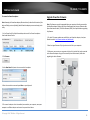
TPL-410AP / TPL-410APK
The Sync button procedure below applies to the following TRENDnet models: TPL-303E/304E/308E/4052E/406E/407E/410AP/408E/420E
Note: The product images in the diagram below may not accurately illustrate your exact Powerline model. When pushing the Sync button, either the PWR or PL LED may blink to indicate
that the Sync process has been activated.
© Copyright 2014 TRENDnet. All Rights Reserved.
32
TRENDnet User’s Guide
TPL-410AP / TPL-410APK
Add adapters using the Sync button
If you have changed the default encryption key assigned to your adapters, additional adapters will not automatically connect to your Powerline network after they are plugged into a wall
power outlet. For any additional adapters, you will need to use the Sync button to connect any additional adapters to use the same encryption key of your existing Powerline network.
Use the procedure (Adapter C) below to connect additional adapters. Repeat the procedure (Adapter C) below for each additional adapter you add to your network.
The Sync button procedure below applies to the following TRENDnet models: TPL-303E/304E/308E/4052E/406E/407E/410AP/408E/420E
Note: The product images in the diagram below may not accurately illustrate your exact Powerline model. When pushing the Sync button, either the PWR or PL LED may blink to indicate
that the Sync process has been activated.
© Copyright 2014 TRENDnet. All Rights Reserved.
33
TRENDnet User’s Guide
TPL-410AP / TPL-410APK
If adding a TRENDnet adapter models (Adapter C) not listed in the previous page, please follow the Alternative Sync button procedure below.
The Alternative Sync button procedure applies to the following TRENDnet Models: TPL-305E/306E/307E/310AP/401E/402E/405E
Use the procedure (Adapter C) below to connect additional adapters. Repeat the procedure (Adapter C) below for each additional adapter you add to your network.
Note: The product images in the diagram below may not accurately illustrate your exact Powerline model. When pushing the Sync button, either the PWR or PL LED may blink to indicate
that the Sync process has been activated.
© Copyright 2014 TRENDnet. All Rights Reserved.
34
TPL-410AP / TPL-410APK
TRENDnet User’s Guide
Powerline settings in access point management page
To assign a customized encryption key,
Powerline
Powerline > Setup
You can also initiate the Sync process or assign a customized encryption key (instead of
using Powerline Utility) using the access point management page. (Applies to TPL-410AP
Access Point only)
Note: Please note that you must use the same customized encryption key for all other
powerline devices in order to establish powerline connection.
To initiate the Sync process using the access point management page,
Powerline > Sync
1. Log into your access point management page (see “Access your access point
management page” on page 9).
2. Click on Powerline, and click on Sync.
3. Click the Sync button.
1. Log into your access point management page (see “Access your access point
management page” on page 9).
2. Click on Powerline, and click on Setup.
3. Under Powerline Configuration, enter your customized encryption key in the
Network Name/key field.
Note: It is strongly recommended to keep the CCo mode at the default settings Auto.
4. To save changes, click Save. When prompted to Save or Continue, you can click Save
to apply the changes or click Continue to additional changes in the access point
management page before saving.
You can completely turn off or turn on the powerline functionality by clicking the Turn
Off button or Turn On button.
© Copyright 2014 TRENDnet. All Rights Reserved.
35
TPL-410AP / TPL-410APK
TRENDnet User’s Guide
Using the Powerline Utility
The Powerline Utility allows you to do the following:
•
Create a customized encryption key for your Powerline network and apply it to
multiple Powerline adapters at the same time.
•
View the Powerline adapters connected to your network (using the MAC
address) and the approximate connection quality and speed of each Powerline
adapter.
•
View and upgrade Powerline adapter firmware.
Software Installation
1. Insert the included CD-ROM into your computer’s CD-ROM drive.
2. At the CD Autorun Prompt window, click Run Autorun.exe .
Note: If the Autorun prompt does not appear automatically, open the CD contents and
double-click Autorun.exe.
3. At the CD-ROM main menu, click Install Utility.
Note: Link speed displayed in the utility of your Powerline adapters to another
through your electrical system is estimated. Actual link speed may vary.
Before installing and using the utility, please ensure the following:
•
Write down the Device Password (DPW) (16-digit characters A-Z only) and
MAC Address (12-digit characters a-f, A-F, 0-9) of each Powerline adapter as
this will be required to change the encryption key for multiple Powerline
adapters. See “Product Hardware Features” on page 2.
•
Make sure your computer in which you are installing the utility is connected to
your network and your Powerline adapters are also connected to your network.
•
If you have changed your encryption key using the Sync button and you are
creating a customized encryption key, it is required to reset all Powerline
devices to factory defaults using the physical Reset button on your Powerline
adapter first before using the utility. See “Product Hardware Features” on page
2.
•
Please ensure that your Powerline adapters are already installed and connected
and the Ethernet port on each adapter is connected to a device powered on.
4. You may receive the following prompt about WinPcap. Click OK to continue the
installation.
Note: The Powerline Configuration Utility requires the use of the WinPcap application. If
you are prompted to install the WinPcap application, continue through the following
steps to complete the installation. Otherwise, if you are not prompted to install WinPcap,
reboot your computer to complete the installation.
Powerline Utility System Requirements
•
Windows® 8.1 (32/64-bit), 8 (32/64-bit), Windows 7 (32/64-bit), Vista (32/64bit), or XP (32/64-bit)
•
Microsoft® .NET Framework 2.0 installed (Included with CD installation)
Software Installation
© Copyright 2014 TRENDnet. All Rights Reserved.
36
TPL-410AP / TPL-410APK
TRENDnet User’s Guide
5. At the WinPcap installer window, click Next.
6. In the License Agreement window, click I Agree.
7. In the Install Options window, leave the option Automatically start the WinPcap
driver at boot time checked and click Install. Wait for the installation to complete.
7. After the process is completed, click Finish.
© Copyright 2014 TRENDnet. All Rights Reserved.
37
TPL-410AP / TPL-410APK
TRENDnet User’s Guide
8. At the Powerline Configuration Utility installation window, click Next.
10. At the Confirm installation window, click Next.
9. At the License Agreement window, select I Agree to accept the terms and click Next.
11. At the Install Location window, click Next. Wait for the installation to complete.
© Copyright 2014 TRENDnet. All Rights Reserved.
38
TRENDnet User’s Guide
TPL-410AP / TPL-410APK
12. In the Completion window, click Close.
© Copyright 2014 TRENDnet. All Rights Reserved.
39
TRENDnet User’s Guide
TPL-410AP / TPL-410APK
Using the Utility
Before using the utility, please ensure the following:
•
Write down the Device Password (DPW) (16-digit characters A-Z only) and MAC Address (12-digit characters a-f, A-F, 0-9) of each Powerline adapter as this will be required to
change the encryption key for multiple Powerline adapters. See “Product Hardware Features” on page 2.
•
Make sure your computer in which you are installing the utility is connected to your network and your Powerline adapters are also connected to your network.
•
If you have changed your encryption key using the Sync button and you are creating a customized encryption key, it is required to reset all Powerline devices to defaults using the
physical Reset button on your Powerline adapter first before using the utility. See “Product Hardware Features” on page 2.
•
Please ensure that your Powerline adapters are already installed and connected and the Ethernet port on each adapter is connected to a device powered on.
Upon completing the software installation, a desktop shortcut is automatically created.
Double-click the icon to start the utility or open the utility if it is already running. Closing the utility will exit the application.
You can also launch the utility from the Start Menu programs.
Start > Programs (or All Programs) > TRENDnet > TRENDnet Powerline Utility
© Copyright 2014 TRENDnet. All Rights Reserved.
40
TPL-410AP / TPL-410APK
TRENDnet User’s Guide
Powerline Utility Overview
MAC Address (Local Device)
Map View Window
Firmware Version
Map View Section
(Local Device)
Local Device
The Powerline adapter
connected to your
router.
Note: If your computer
is connected directly to
your Powerline
adapter, the Local
Device listed will be the
Powerline adapter your
computer is directly
connected to.
Device
Name
Remote Devices
(DPW)
Powerline adapters in
remote locations that are
connected to the selected
Powerline adapter (Local
Device) across the electrical
system.
Note: If all of your
Powerline adapters are
already connected to your
Powerline network, they will
automatically detected and
appear in the list. If not, you
will need to add them
manually.
Device Connection
Password Quality
Rename
Renames the
listed Powerline
adapter
(Remote Device).
Speed or
Link Rate
MAC
Address
Enter Password
Add Device
Scan
***Allows you to enter the DPW
for the listed Powerline
adapter(Remote Device)
Allows you to add a
Powerline adapter to
your Powerline
network that is not
listed (Remote Device).
Rescans the Powerline
adapters that are
connected to your
Powerline network
***THIS MUST BE ENTERED FOR
ALL DEVICES TO CHANGE THE
ENCRYPTION CODE***
(Remote Device).
© Copyright 2014 TRENDnet. All Rights Reserved.
41
TPL-410AP / TPL-410APK
TRENDnet User’s Guide
Powerline Utility Overview
Detailed View Window
Detailed View Section
System Information
Displays the device and
other related information
such as firmware version,
MAC address, and
encryption key (also
called network
password).
You can vertically scroll
the window to view all of
the system information.
Remote Device History (Log)
Displays Powerline adapters or
other Powerline devices
(Remote Device) that have
been previously connected to
or discovered on your
Powerline Network.
Delete
Save Report
Print Report
Show Active Device(s) Only
Deletes or removes
the selected entry
listed in the Remote
Device History (Log)
Saves the
information
contained in the
System Information
window to a text file
on your computer.
Prints the
information
contained in the
System Information
window.
Check this option to display only
the currently connected
powerline adapters. Uncheck to
display all previously connected
powerline adapters.
(Remote Device).
© Copyright 2014 TRENDnet. All Rights Reserved.
42
TPL-410AP / TPL-410APK
TRENDnet User’s Guide
Powerline Utility Overview
Device Setup Window
Use Default (Public Network)
Device Setup Section
Replaces the current
encryption key value with the
default HomePlugAV.
Note: You will still need to
apply the settings to your
Powerline adapters by
clicking Set Local Device Only
or Set All Devices.
Set Local Device
Changes the encryption key for
the Powerline adapter listed as
the Local Device on the adapter
on the Main window.
Encryption Key
Encryption key for your
Powerline network.
Note: If you change the
encryption key for the Powerline
adapter (Local Device), this will
disconnect the Local Device
Powerline adapter from the
Powerline network.
Note: The default
encryption key is
HomePlugAV. If you have
used the Sync button to
change and generate a
random encryption key,
Unknown Networkname
will be displayed.
Set Remote Device(s)
Changes the encryption key for all or
multiple Powerline adapters connected
to your Powerline network.
Multicast Address
Click Set to synchronize
the multicast address on
all adapters in the same
powerline network.
Note: Please make sure you have added
and entered the DPW for all Powerline
adapters in your Powerline network
before applying this setting. If you do
not, the encryption key will not change
for any Powerline adapters without the
DPW entered.
© Copyright 2014 TRENDnet. All Rights Reserved.
43
TPL-410AP / TPL-410APK
TRENDnet User’s Guide
Powerline Utility Overview
Advanced Window
Upgrade Firmware
Advanced Section
Allows you to upgrade
the local device
powerline firmware.
Reset Device
Reboots the local
device.
Factory Defaults
Resets the local device
powerline configuration
to factory default.
Set VLAN Tags
Set VLAN Tag for stream identity.
Set TOS Bits
Set Type of Service
(ToS) bits to
differentiate packets.
© Copyright 2014 TRENDnet. All Rights Reserved.
44
TPL-410AP / TPL-410APK
TRENDnet User’s Guide
Powerline Utility Overview
Options Window
Auto Scan
Options Section
Check this option to
automatically
detect/scan for
powerline devices.
Scan Interval
Click the up and down
arrows to set amount of
time in seconds
between each auto scan
for powerline devices.
© Copyright 2014 TRENDnet. All Rights Reserved.
45
TPL-410AP / TPL-410APK
TRENDnet User’s Guide
Powerline Utility Overview
About Window
© Copyright 2014 TRENDnet. All Rights Reserved.
46
TPL-410AP / TPL-410APK
TRENDnet User’s Guide
Add adapters in the utility and create a customized encryption key
If you have not written down the Device Password (DPW) and MAC address for each of
your Powerline adapters, please do so as it is required to applying the customized
encryption key for all of your Powerline adapters using the utility. This information is on
the sticker on the inside face of each adapter.
2. In the Powerline Utility Map View window, wait for the utility to automatically scan
for Powerline adapters already connected to your Powerline network. If your Powerline
adapters have already been installed and connected using the same encryption key,
they should appear in the Remote Device list.
Note: Write down the Device Password (DPW) (16-digit characters A-Z only)
and MAC Address (12-digit characters a-f,A-F,0-9) of each Powerline adapter
first before proceeding.
Example:
Location of Powerline Adapter
Device Password (DPW)
MAC Address
At Router
ZAYB-VIMV-YFAQ-ZFPA
EC:F0:0E:13:45:A7
John’s Room
WECC-ZZYC-WJVY-GZRS
00:20:16:2A:16:06
Jane ‘s Room
UXMA-UOUP-IQXJ-UTYN
00:14:D1:A3:85:37
Note: It is recommended to ensure that your Powerline adapters are already installed
and connected and the Ethernet port on each adapter is connected to a device powered
on.
First, add all of the Powerline adapters to the utility and enter the Device Password
(DPW) for each Powerline adapter to ensure you can change the encryption key for
multiple adapters. This is required when using the Powerline utility to change the
encryption key for multiple Powerline adapters.
To add automatically detected Powerline adapters to the Powerline Utility
1. Launch the Powerline Utility.
3. Select one of the Powerline adapters listed under Remote Device.
© Copyright 2014 TRENDnet. All Rights Reserved.
47
TPL-410AP / TPL-410APK
TRENDnet User’s Guide
4. Click Enter Password.
To create a customized encryption key
1. In the Powerline Utility Device Setup window, under Private Network Name, enter
the new encryption key for your Powerline network.
5. Enter the Device Password (DPW) and click OK.
Note: Match the Device Password (DPW) to the corresponding MAC address.
2. After you have entered your new Powerline encryption key, click Set Remote
Device(s).
6. If successful, you will receive a message indicating that the password is correct.
Click OK.
3. Click OK. If successful, you will receive a message indicating that all Powerline
adapters were added to your network verifying that the encryption key was changed for
all Powerline adapters. Click OK. Note: The field will not display your customized
encryption key. For security purposes, the field will display UnknownNetworkname.
Repeat steps 2-6 for each additional Powerline adapter listed in Remote Device until
you have added all of your remaining Powerline adapters before continuing to the
next step “To create a customized encryption key”.
© Copyright 2014 TRENDnet. All Rights Reserved.
48
TPL-410AP / TPL-410APK
TRENDnet User’s Guide
To rename the Powerline adapters
Note: Renaming the Powerline adapters (Remote devices) to describe the location of the
device will help you to easily identify which Powerline adapter you are monitoring in the
utility.
1. In the Powerline Utility Map View window, select one of the Powerline adapters
listed under Remote Device.
Upgrade Powerline Firmware
Note: The firmware can only be upgraded when your computer is directly connected to
the Powerline adapter Ethernet port (also called network port) using an Ethernet cable
(also called network cable). The Device Password (DPW) is not required when upgrading
the firmware.
1. To check if firmware updates are available for your Powerline adapter, check your
Powerline model. http://www.trendnet.com/downloads/
2. Save the zipped firmware file (.zip) and extract the file to your computer.
2. Click Rename.
3. Make sure you connect your computer with the utility installed is directly connected
to the Powerline adapter using an Ethernet cable (also called network) cable when
upgrading the device firmware.
3. In the New Name field, enter the new name for the adapter.
4. Enter the new device name and press Enter on your keyboard.
5. To rename the adapter that is immediately connected to your computer, move your
computer to a different adapter and restart the process listed above.
© Copyright 2014 TRENDnet. All Rights Reserved.
49
TPL-410AP / TPL-410APK
TRENDnet User’s Guide
4. Launch the Powerline Utility by double-clicking the icon.
6. Navigate to the unzipped folder with the firmware files and select the NVM file.
(Ex. TPL-410AP-NVM-v1.1.1.1190-01-X-FINAL.nvm)
Important Note: Please make sure to select the correct firmware file.
7. Navigate to the unzipped folder with the firmware files and select the PIB file.
(Ex. TPL-410AP-PIB- v1.1.1.1190-01.pib)
5. Click on the Advanced section in the left hand panel and in the Upgrade Firmware
section, click Upgrade.
Important Note: Please make sure to select the correct firmware file.
Wait until the firmware upload completed and the device reboot
Important! Do not turn off the device or press the reset button while this procedure is
in progress.
© Copyright 2014 TRENDnet. All Rights Reserved.
50
TPL-410AP / TPL-410APK
TRENDnet User’s Guide
Access Point Management Page Structure
Main
•
•
•
Status
Wizard
Network Settings
DHCP Server (Optional)
•
Information
•
Wireless
•
Powerline
•
System Log
Wireless
•
Basic
o
Enable/Disable Wireless
o
Wireless Network Name (SSID)
o
Channel
o
Mode
o
Channel Width
o
Enable/Disable SSID Broadcast
•
Advanced
•
Security
•
Wi-Fi Protected Setup (WPS)
•
o
PBC (Push Button)
o
PIN
Administration
•
Time Settings
•
Password
•
Firmware
•
Restart (Soft Reboot)
•
Reset (Reset to Factory Default)
•
Backup/Restore
o
Upgrade Firmware
o
Backup configuration to file
o
Restore configuration from file
MAC Filters
Powerline
•
•
Setup
o
Enable/Disable Powerline
o
Change Powerline Encryption Key
Sync
o
Virtual Powerline Sync Button
© Copyright 2014 TRENDnet. All Rights Reserved.
51
TPL-410AP / TPL-410APK
TRENDnet User’s Guide
Technical Specifications
TPL-410AP
Standards
•
•
•
•
•
•
•
•
IEEE 802.3
IEEE 802.3u
IEEE 802.3x
IEEE 802.3az
IEEE 802.11b
IEEE 802.11g
IEEE 802.11n (up to 300 Mbps)
IEEE 1901 / HomePlug® AV
Device Interface
•
•
•
•
•
•
2 x 10/100 Mbps ports
Sync/reset button
WPS button
Power switch
LED indicators
Power Plug (A: North America Type B (NEMA 5–15); EU: European Type C (CEE 7/16);
UK : United Kingdom Type G (BS 1363))
Frequency Band
•
2 - 68 MHz
Networking Distance
•
Powerline: 5,000 sq. ft. home or 300 m (980 ft.) linear distance over electrical power
lines**
Special Features
•
•
Auto-connects to other TRENDnet Powerline adapters
Additional Ethernet port for wired connectivity
Antenna Gain
•
2.4 GHz: 2 x 3 dBi
Wireless Output Power/Receiving Sensitivity
•
•
•
802.11b: 17 dBm (typical)/-76 dBm (typical) @ 11 Mbps
802.11g: 14 dBm (typical)/-65 dBm (typical) @ 54 Mbps
802.11n: 14 dBm (typical)/-61 dBm (typical) @ 300 Mbps
Power
•
•
Input: 100 - 240 V AC, 50 - 60 Hz, 0.2 A
Consumption: 8 Watts Max.
Operating Temperature
•
0 - 40° C (32 – 104° F)
Operating Humidity
•
Max. 90% non-condensing
Certifications
•
•
CE
FCC
Dimensions
•
•
•
A: 65 x 100 x 55 mm (2.56 x 3.94 x 1.97 in.)
EU: 65 x 100 x 77 mm (2.56 x 3.94 x 3.03 in.)
UK: 65 x 100 x 70 mm (2.56 x 3.94 x 2.76 in.)
Security
•
•
Wireless encryption: up to WPA2
Powerline encryption: 128-bit AES (Advanced Encryption Standard)
Utility OS Compatibility (optional)
•
Windows® 8.1, 8, 7, Vista, XP
Weight
•
A: 153 g (5.4 oz.)
•
EU: 164 g (5.8 oz.)
•
UK: 168 g (5.9 oz.)
Warranty: 3 year limited
© Copyright 2014 TRENDnet. All Rights Reserved.
52
TPL-410AP / TPL-410APK
TRENDnet User’s Guide
TPL-406E
Operating Humidity
•
Standards
•
•
•
•
IEEE 802.3
IEEE 802.3u
IEEE 802.3x
IEEE 1901 / HomePlug® AV
Device Interfaces
•
•
•
•
1 x 10/100 Mbps port
Sync/reset button
LED indicators
Power Plug (A: North America Type B (NEMA 5–15); EU: European Type C (CEE 7/16);
UK : United Kingdom Type G (BS 1363))
Frequency Band
•
2 - 68 MHz
Max. 95 % non-condensing
Certifications
•
•
CE
FCC
Dimensions
•
•
•
A: 70 x 50 x 43 mm (2.76 x 1.97 x 1.69 in.)
EU: 70 x 50 x 63 mm (2.76 x 1.97 x 2.48 in.)
UK: 70 x 50 x 58 mm (2.76 x 1.97 x 2.28 in.)
Weight
•
•
•
A: 51 g (1.8 oz.)
EU: 56.7 g (2.0 oz.)
UK: 68 g (2.4 oz.)
Warranty: 3 year limited
Networking Distance
•
5,000 sq. ft. home or 300 m (980 ft.) linear distance over electrical power lines**
Security
•
128-Bit AES (Advanced Encryption Standard)
Utility OS Compatibility
•
Windows® 8.1, 8, 7, Vista, XP
*Maximum wireless signal rates are referenced from IEEE 802.11 theoretical specifications. Actual
data throughput and coverage will vary depending on interference, network traffic, building
materials and other conditions.
** 500 Mbps is the maximum physical Powerline data rate. Data throughput may vary by circuit
wire condition. Maximum of 8 adapters (nodes) recommended for streaming video across your
network.
Special Features
•
Auto-connects to other TRENDnet Powerline adapters
*** Powerline networking is limited to the same electrical system. Power strips, GFCI outlets, and
AFCI circuit breakers may degrade Powerline signals.
Power
•
Input: 100 - 240 V AC, 50 /60 Hz, 0.1 A
o Consumption: Active mode: 3 Watts (max.); Standby mode: 0.5 Watts (max.)
Operating Temperature
•
0 – 40° C (32 – 104° F)
© Copyright 2014 TRENDnet. All Rights Reserved.
53
TRENDnet User’s Guide
Troubleshooting
Q: I typed http://TPL-410AP in my Internet Browser Address Bar, but an error message
says “The page cannot be displayed.” How can I access the access point management
page?
Answer:
Assign your computer a static IP address in the subnet of 192.168.10.x (ex.
192.168.10.25) and access the access point using the default IP address 192.168.10.100.
http://192.168.10.100
Q: I typed http://192.168.10.100 in my Internet Browser Address Bar, but an error
message says “The page cannot be displayed.” How can I access the access point
management page?
Answer:
1. Check your hardware settings again. See “Basic Installation” on page 7.
2. Make sure the LAN port you are connected to is on.
3. Make sure your network adapter TCP/IP settings are set to Obtain an IP address
automatically or DHCP (see the steps below).
4. Make sure your computer is connected to one of the access point’s LAN ports
5. Press on the factory reset button for 15 seconds, the release.
Windows 7
a. Go into the Control Panel, click Network and Sharing Center.
TPL-410AP / TPL-410APK
Note: If you are experiencing difficulties, please contact your computer or
operating system manufacturer for assistance.
Q: The Wizard does not appear when I access the access point. What should I do?
Answer:
1. Click on Main and Wizard on the left hand side.
2. Near the top of the browser, “Pop-up blocked” message may appear. Right click on
the message and select Always Allow Pop-ups from This Site.
3. Disable your browser's pop up blocker.
Q: I cannot connect wirelessly to the access point. What should I do?
Answer:
1. Double check that the Wireless LED on the access point is on.
2. Power cycle the router. Unplug the power to the access point. Wait 15 seconds, then
plug the power back in to the access point.
3. Contact the manufacturer of your wireless network adapter and make sure the
wireless network adapter is configured with the proper SSID. The default predefined
SSID is printed on the device label on the bottom or on the sticker on the side of the
unit.
4. To verify whether or not wireless is enabled, login to the access point management
page, click on Basic and Wireless.
5. Please see “Steps to improve wireless connectivity” on page 18 if you continue to
have wireless connectivity problems.
b. Click Change Adapter Settings, right-click the Local Area Connection icon.
c. Then click Properties and click Internet Protocol Version 4 (TCP/IPv4).
d. Then click Obtain an IP address automatically and click OK.
Windows Vista
a. Go into the Control Panel, click Network and Internet.
b. Click Manage Network Connections, right-click the Local Area Connection
icon and click Properties.
c. Click Internet Protocol Version (TCP/IPv4) and then click Properties.
d. Then click Obtain an IP address automatically and click OK.
Windows XP/2000
a. Go into the Control Panel, double-click the Network Connections icon
b. Right-click the Local Area Connection icon and the click Properties.
c. Click Internet Protocol (TCP/IP) and click Properties.
d. Then click Obtain an IP address automatically and click OK.
© Copyright 2014 TRENDnet. All Rights Reserved.
54
TPL-410AP / TPL-410APK
TRENDnet User’s Guide
Please reference the items below if you continue to experience difficulty with installing
•
and using your Powerline adapters.
•
Do not plug the Powerline adapters into a power strip. Make sure to plug the
adapters directly into a power outlet and not through power strip. Using
adapters through a power strip may negatively affect Powerline connectivity
and performance.
•
•
•
Avoid using the Powerline adapters on GFI protected outlets and electrical
systems with AFCI circuit breakers. They may degrade or block Powerline
signals.
The Powerline adapters should not be used in areas with excessive heat.
Florescent and incandescent lighting can generate significant Powerline
interference.
If your building has more than one circuit breaker box, the Powerline adapter
may not be able to establish connectivity between them. In this case, connect a
Powerline adapter into a power outlet located on each of the circuit breaker
boxes. Then connect an Ethernet cable between the Powerline adapters to
bridge the two circuits together.
In addition to this User’s Guide, you can find help below:
•
•
•
•
•
•
Do not use the Sync button for more than 2 Powerline adapters to connect
simultaneously. Wait for each Powerline adapter to connect to your Powerline
network one at a time before connecting the next adapter. Using more than
one adapter to Sync simultaneously may cause some of your adapters not to
Sync and establish connection to your Powerline network.
•
http://www.trendnet.com/support
(documentation, downloads, FAQs, how to contact technical support)
•
Autorun CD (Quick Installation Guide)
Power-cycle the Powerline adapters by disconnecting them from their power
outlets for 15 seconds and then reconnect them.
If the Powerline (PL) LED is red, try plugging the Powerline adapter into another
available power outlet. The quality of the connection may be better in a
different power outlet.
If you are having issues connecting the Powerline adapters after changing the
encryption key using the Sync button or Powerline utility, reset the Powerline
adapters to defaults using the physical Reset button.
Using a pin or paperclip; press and hold the Reset button for 1 second on each
Powerline adapter. All LEDs will turn off then turn back on. This will reset the
Powerline adapters to their default settings. The default encryption key is
HomePlugAV.
The Powerline adapters can provide better connectivity and performance when
plugged directly into a power outlet. Connecting the Powerline adapters to a
power strip or surge protector may degrade or block Powerline signals.
© Copyright 2014 TRENDnet. All Rights Reserved.
55
TPL-410AP / TPL-410APK
TRENDnet User’s Guide
Appendix
Note: If you are experiencing difficulties, please contact your computer or operating
system manufacturer for assistance.
How to find your IP address?
Note: Please note that although the following procedures provided to follow for your
operating system on configuring your network settings can be used as general
guidelines, however, it is strongly recommended that you consult your computer or
operating system manufacturer directly for assistance on the proper procedure for
configuring network settings.
Command Prompt Method
Windows® 2000/XP/Vista/7/8/8.1
1. On your keyboard, press Windows Logo+R keys simultaneously to bring up the Run
dialog box.
2. In the dialog box, type cmd to bring up the command prompt.
3. In the command prompt, type ipconfig /all to display your IP address settings.
MAC OS® X
1. Navigate to your Applications folder and open Utilities.
2. Double-click on Terminal to launch the command prompt.
3. In the command prompt, type ipconfig getifaddr <en0 or en1> to display the wired
or wireless IP address settings.
Note: en0 is typically the wired Ethernet and en1 is typically the wireless Airport
interface.
Graphical Method
MAC OS® 10.6/10.5
1. From the Apple menu, select System Preferences.
2. In System Preferences, from the View menu, select Network.
3. In the Network preference window, click a network port (e.g., Ethernet, AirPort,
modem). If you are connected, you'll see your IP address settings under "Status:"
MAC OS® 10.4
1. From the Apple menu, select Location, and then Network Preferences.
2. In the Network Preference window, next to "Show:", select Network Status. You'll see
your network status and your IP address settings displayed.
How to configure your network settings to obtain an IP address automatically or use
DHCP?
Note: Please note that although the following procedures provided to follow for your
operating system on configuring your network settings can be used as general
guidelines, however, it is strongly recommended that you consult your computer or
operating system manufacturer directly for assistance on the proper procedure for
configuring network settings.
Windows® 7/8/8.1
a. Go into the Control Panel, click Network and Sharing Center.
b. Click Change Adapter Settings, right-click the Local Area Connection icon.
c. Then click Properties and click Internet Protocol Version 4 (TCP/IPv4).
d. Then click Obtain an IP address automatically and click OK.
Windows® Vista
a. Go into the Control Panel, click Network and Internet.
b. Click Manage Network Connections, right-click the Local Area Connection
icon and click Properties.
c. Click Internet Protocol Version (TCP/IPv4) and then click Properties.
d. Then click Obtain an IP address automatically and click OK.
Windows® XP/2000
a. Go into the Control Panel, double-click the Network Connections icon
b. Right-click the Local Area Connection icon and the click Properties.
c. Click Internet Protocol (TCP/IP) and click Properties.
d. Then click Obtain an IP address automatically and click OK.
MAC OS 10.4/10.5/10.6
a. From the Apple, drop-down list, select System Preferences.
b. Click the Network icon.
c. From the Location drop-down list, select Automatic.
d. Select and view your Ethernet connection.
In MAC OS 10.4, from the Show drop-down list, select Built-in
Ethernet and select the TCP/IP tab.
In MAC OS 10.5/10.6, in the left column, select Ethernet.
e. Configure TCP/IP to use DHCP.
© Copyright 2014 TRENDnet. All Rights Reserved.
56
TPL-410AP / TPL-410APK
TRENDnet User’s Guide
In MAC 10.4, from the Configure IPv4, drop-down list, select Using
DHCP and click the Apply Now button.
In MAC 10.5, from the Configure drop-down list, select Using DHCP
and click the Apply button.
In MAC 10.6, from the Configure drop-down list, select Using DHCP
and click the Apply button.
f. Restart your computer.
d. Then click Use the following IP address, and assign your network adapter a
static IP address. Click OK
MAC OS® 10.4/10.5/10.6
a. From the Apple, drop-down list, select System Preferences.
b. Click the Network icon.
c. From the Location drop-down list, select Automatic.
d. Select and view your Ethernet connection.
Note: If you are experiencing difficulties, please contact your computer or operating
system manufacturer for assistance.
How to find your MAC address?
How to configure your network settings to use a static IP address?
Your computer MAC addresses are also displayed in this window, however, you can type
getmac –v to display the MAC addresses only.
Note: Please note that although the following procedures provided to follow for your
operating system on configuring your network settings can be used as general
guidelines, however, it is strongly recommended that you consult your computer or
operating system manufacturer directly for assistance on the proper procedure for
configuring network settings.
Windows® 7/8/8.1
a. Go into the Control Panel, click Network and Sharing Center.
b. Click Change Adapter Settings, right-click the Local Area Connection icon.
c. Then click Properties and click Internet Protocol Version 4 (TCP/IPv4).
d. Then click Use the following IP address, and assign your network adapter a
static IP address. Click OK
Windows® Vista
In Windows 2000/XP/Vista/7/8,
In MAC OS 10.4,
1. Apple Menu > System Preferences > Network
2. From the Show menu, select Built-in Ethernet.
3. On the Ethernet tab, the Ethernet ID is your MAC Address.
In MAC OS 10.5/10.6,
1. Apple Menu > System Preferences > Network
2. Select Ethernet from the list on the left.
3. Click the Advanced button.
3. On the Ethernet tab, the Ethernet ID is your MAC Address.
a. Go into the Control Panel, click Network and Internet.
b. Click Manage Network Connections, right-click the Local Area Connection
icon and click Properties.
c. Click Internet Protocol Version (TCP/IPv4) and then click Properties.
d. Then click Use the following IP address, and assign your network adapter a
static IP address. Click OK
Windows® XP/2000
a. Go into the Control Panel, double-click the Network Connections icon
b. Right-click the Local Area Connection icon and the click Properties.
c. Click Internet Protocol (TCP/IP) and click Properties.
© Copyright 2014 TRENDnet. All Rights Reserved.
57
TPL-410AP / TPL-410APK
TRENDnet User’s Guide
How to connect to a wireless network using the built-in Windows utility?
Note: Please note that although the following procedures provided to follow for your
operating system on configuring your network settings can be used as general
guidelines, however, it is strongly recommended that you consult your computer or
operating system manufacturer directly for assistance on the proper procedure for
connecting to a wireless network using the built-in utility.
Windows® 7/8/8.1
1. Open Connect to a Network by clicking the network icon (
area.
or
) in the notification
2. In the list of available wireless networks, click the wireless network you would like to
connect to, then click Connect.
4. You may be prompted to enter a security key in order to connect to the network.
Overlapping Powerline networks
It is possible to create multiple Powerline networks on the same electrical system
separated and grouped by different network encryption keys. The Powerline networks
will work and communicate independently of each other which can provide security
between different groups of Powerline adapters. For example, if you have five
powerline adapters (Adapter A, Adapter B, Adapter C, Adapter D, Adapter E), you can
group Adapters A,B, and C together on one powerline network and group Adapters D
and E on a different Powerline network. Each group will use a different encryption key.
Note: It is recommended that only a maximum of up to 4 Powerline networks can be
created per electrical system. Any additional Powerline networks above the
recommended may result in significant degradation in Powerline performance.
5. Enter in the security key corresponding to the wireless network, and click OK.
Windows® Vista
1. Open Connect to a Network by clicking the Start Button.
To.
and then click Connect
2. In the Show list, click Wireless.
3. In the list of available wireless networks, click the wireless network you would like to
connect to, then click Connect.
4. You may be prompted to enter a security key in order to connect to the network.
5. Enter in the security key corresponding to the wireless network, and click OK.
Windows® XP
1. Right-click the network icon in the notification area, then click View Available
Wireless Networks.
2. In Connect to a Network, under Available Networks, click the wireless network you
would like to connect to.
3. You may be prompted to enter a security key in order to connect to the network.
4. Enter in the security key corresponding to the wireless network, and click Connect.
© Copyright 2014 TRENDnet. All Rights Reserved.
58
TPL-410AP / TPL-410APK
TRENDnet User’s Guide
Federal Communication Commission Interference Statement
Europe – EU Declaration of Conformity
This equipment has been tested and found to comply with the limits for a Class B digital
device, pursuant to Part 15 of the FCC Rules. These limits are designed to provide reasonable
protection against harmful interference in a residential installation. This equipment
generates, uses and can radiate radio frequency energy and, if not installed and used in
accordance with the instructions, may cause harmful interference to radio communications.
However, there is no guarantee that interference will not occur in a particular installation. If
this equipment does cause harmful interference to radio or television reception, which can
be determined by turning the equipment off and on, the user is encouraged to try to correct
the interference by one of the following measures:
This device complies with the essential requirements of the R&TTE Directive 1999/5/EC,
2004/108/EC, 2006/95/EC and 2009/125/EC.
Regulation (EC) No. 1275/2008
EN 55022: 2010/AC: 2011 Class B
EN 55024: 2010
EN 61000-3-2: 2006/A2: 2009
EN 61000-3-3: 2008
CISPR/IXX/CDV Opt B
EN 50412-2-1: 2005/AC: 2009
EN 62311: 2008
EN60950-1: 2006 + A11 : 2009 + A1: 2010 + A12: 2011
•
•
•
•
Reorient or relocate the receiving antenna.
Increase the separation between the equipment and receiver.
Connect the equipment into an outlet on a circuit different from that to which the
receiver is connected.
Consult the dealer or an experienced radio/TV technician for help.
FCC Caution: Any changes or modifications not expressly approved by the party
responsible for compliance could void the user’s authority to operate this equipment.
This device complies with Part 15 of the FCC Rules. Operation is subject to the following two
conditions: (1) This device may not cause harmful interference, and (2) this device must
accept any interference received, including interference that may cause undesired
operation.
For product available in the USA/Canada market, only channel 1~11 can be operated.
Selection of other channels is not possible.
This device and it's antennas(s) must not be co-located or operating in conjunction with any
other antenna or transmitter except in accordance with FCC multi-transmitter product
procedures.
IMPORTANT NOTE:
FCC Radiation Exposure Statement:
This equipment complies with FCC radiation exposure limits set forth for an uncontrolled
environment. This equipment should be installed and operated with minimum distance
20cm between the radiator & your body.
RoHS
This product is RoHS compliant.
Safety of Information Technology Equipment
EN 50385: 2002
Product standard to demonstrate the compliance of radio base stations and fixed terminal
stations for wireless telecommunication systems with the basic restrictions or the reference
levels related to human exposure to radio frequency electromagnetic fields (110MHz - 40
GHz) - General public
EN 300 328 V1.7.1: (2006-10)
Electromagnetic compatibility and Radio spectrum Matters (ERM); Wideband Transmission
systems; Data transmission equipment operating in the 2,4 GHz ISM band and using spread
spectrum modulation techniques; Harmonized EN covering essential requirements under
article 3.2 of the R&TTE Directive
EN 301 489-1 V1.9.2: (2011-09)
Electromagnetic compatibility and Radio Spectrum Matters (ERM); ElectroMagnetic
Compatibility (EMC) standard for radio equipment and services; Part 1: Common technical
requirements
EN 301 489-17 V2.2.1: (2012-09)
Electromagnetic compatibility and Radio spectrum Matters (ERM); ElectroMagnetic
Compatibility (EMC) standard for radio equipment; Part 17: Specific conditions for 2,4 GHz
wideband transmission systems, 5 GHz high performance RLAN equipment and 5,8 GHz
Broadband Data Transmitting Systems
In Italy the end-user should apply for a license at the national spectrum authorities in order
to obtain authorization to use the device for setting up outdoor radio links and/or for
supplying public access to telecommunications and/or network services.
This device may not be used for setting up outdoor radio links in France and in some areas
the RF output power may be limited to 10 mW EIRP in the frequency range of 2454 – 2483.5
MHz. For detailed information the end-user should contact the national spectrum authority
in France.
© Copyright 2014 TRENDnet. All Rights Reserved.
59
TPL-410AP / TPL-410APK
TRENDnet User’s Guide
Česky [Czech]
TRENDnet tímto prohlašuje, že tento TPL-410AP je ve shodě se
základními požadavky a dalšími příslušnými ustanoveními směrnice
1999/5/ES, 2004/108/ES, 2006/95/ES, a 2009/125/ES.
Lietuvių
[Lithuanian]
Šiuo TRENDnet deklaruoja, kad šis TPL-410AP atitinka esminius
reikalavimus ir kitas 1999/5/EB, 2004/108/EB, 2006/95/EB ir
2009/125/EB Direktyvos nuostatas.
Dansk [Danish]
Undertegnede TRENDnet erklærer herved, at følgende udstyr TEWTPL-410AP overholder de væsentlige krav og øvrige relevante krav i
direktiv 1999/5/EF, 2004/108/EF, 2006/95/EF, og 2009/125/EF.
Nederlands
[Dutch]
Hierbij verklaart TRENDnet dat het toestel TPL-410AP in
overeenstemming is met de essentiële eisen en de andere relevante
bepalingen van richtlijn 1999/5/EG, 2004/108/EG, 2006/95/EG, en
2009/125/EG.
Deutsch
[German]
Hiermit erklärt TRENDnet, dass sich das Gerät TPL-410AP in
Übereinstimmung mit den grundlegenden Anforderungen und den
übrigen einschlägigen Bestimmungen der Richtlinie 1999/5/EG,
2004/108/EG, 2006/95/EG und 2009/125/EG befindet.
Eesti [Estonian]
Käesolevaga kinnitab TRENDnet seadme TPL-410AP vastavust
direktiivi 1999/5/EÜ, 2004/108/EÜ, 2006/95/EÜ ja 2009/125/EÜ
põhinõuetele ja nimetatud direktiivist tulenevatele teistele
asjakohastele sätetele.
English
Hereby, TRENDnet, declares that this TPL-410AP is in compliance
with the essential requirements and other relevant provisions of
Directive 1999/5/EC, 2004/108/EC, 2006/95/EC, and 2009/125/EC.
Español
[Spanish]
Por medio de la presente TRENDnet declara que el TPL-410AP
cumple con los requisitos esenciales y cualesquiera otras
disposiciones aplicables o exigibles de la Directiva 1999/5/CE,
2004/108/CE, 2006/95/CE, 2009/125/CE y.
Ελληνική
[Greek]
ΜΕ ΤΗΝ ΠΑΡΟΥΣΑTRENDnet ΔΗΛΩΝΕΙ ΟΤΙ TPL-410AP
ΣΥΜΜΟΡΦΩΝΕΤΑΙ ΠΡΟΣ ΤΙΣ ΟΥΣΙΩΔΕΙΣ ΑΠΑΙΤΗΣΕΙΣ ΚΑΙ ΤΙΣ ΛΟΙΠΕΣ
ΣΧΕΤΙΚΕΣ ΔΙΑΤΑΞΕΙΣ ΤΗΣ ΟΔΗΓΙΑΣ 1999/5/ΕΚ, 2004/108/EK,
2006/95/ΕΚ, 2009/125/ΕΚ και.
Français
[French]
Par la présente TRENDnet déclare que l'appareil TPL-410AP est
conforme aux exigences essentielles et aux autres dispositions
pertinentes de la directive 1999/5/CE, 2004/108/CE, 2006/95/CE,
2009/125/CE et.
Italiano[Italian]
Latviski [Latvian]
Con la presente TRENDnet dichiara che questo TPL-410AP è
conforme ai requisiti essenziali ed alle altre disposizioni pertinenti
stabilite dalla direttiva 1999/5/CE, 2004/108/CE, 2006/95/CE e
2009/125/CE.
AršoTRENDnetdeklarē, ka TPL-410AP atbilstDirektīvas 1999/5/EK,
2004/108/EK, 2006/95/EK, un 2009/125/EK būtiskajāmprasībām un
citiemar to saistītajiemnoteikumiem.
Malti [Maltese]
Magyar
[Hungarian]
Polski [Polish]
Hawnhekk, TRENDnet, jiddikjara li dan TPL-410AP jikkonforma malħtiġijiet essenzjali u ma provvedimenti oħrajn relevanti li hemm fidDirrettiva 1999/5/KE, 2004/108/KE, 2006/95/KE, u 2009/125/KE.
Alulírott, TRENDnet nyilatkozom, hogy a TPL-410AP megfelel a
vonatkozó alapvetõ követelményeknek és az 1999/5/EK irányelv, a
2004/108/EK a 2006/95/EK és a 2009/125/EK irányelv egyéb
elõírásainak.
Niniejszym TRENDnet oświadcza, że TPL-410AP jest zgodny z
zasadniczymi wymogami oraz pozostałymi stosownymi
postanowieniami Dyrektywy 1999/5/WE, 2004/108/WE,
2006/95/WE i 2009/125/WE.
Português
[Portuguese]
TRENDnet declara que este TPL-410AP está conforme com os
requisitos essenciais e outras disposições da Directiva 1999/5/CE,
2004/108/CE, 2006/95/CE e 2009/125/CE.
Slovensko
[Slovenian]
TRENDnet izjavlja, da je ta TPL-410AP v skladu z bistvenimi zahtevami
in ostalimi relevantnimi določili direktive 1999/5/ES, 2004/108/ES,
2006/95/ES in 2009/125/ES.
Slovensky
[Slovak]
TRENDnettýmtovyhlasuje, že TPL-410AP spĺňazákladnépožiadavky a
všetkypríslušnéustanoveniaSmernice 1999/5/ES, 2004/108/ES,
2006/95/ES, a 2009/125/ES.
Suomi [Finnish]
Svenska
[Swedish]
TRENDnet vakuuttaa täten että TPL-410AP tyyppinen laite on
direktiivin 1999/5/EY, 2004/108/EY, 2006/95/EY ja 2009/125/EY
oleellisten vaatimusten ja sitä koskevien direktiivin muiden ehtojen
mukainen.
Härmed intygar TRENDnet att denna TPL-410AP står I
överensstämmelse med de väsentliga egenskapskrav och övriga
relevanta bestämmelser som framgår av direktiv 1999/5/EG,
2004/108/EG, 2006/95/EG och 2009/125/EG.
© Copyright 2014 TRENDnet. All Rights Reserved.
60
TPL-410AP / TPL-410APK
TRENDnet User’s Guide
Česky
[Czech]
TRENDnet tímto prohlašuje, že tento TPL-406E je ve shodě se základními
požadavky a dalšími příslušnými ustanoveními směrnice 2004/108/ES.
Malti
[Maltese]
Dansk
[Danish]
Undertegnede TRENDnet erklærer herved, at følgende udstyr TPL-406E
overholder de væsentlige krav og øvrige relevante krav i direktiv
2004/108/EF.
Hawnhekk, TRENDnet, jiddikjara li dan TPL-406E jikkonforma mal-ħtiġijiet
essenzjali u ma provvedimenti oħrajn relevanti li hemm fid-Dirrettiva
2004/108/EC.
Magyar
[Hungarian]
Deutsch
[German]
Hiermit erklärt TRENDnet, dass sich das Gerät TPL-406E in
Übereinstimmung mit den grundlegenden Anforderungen und den
übrigen einschlägigen Bestimmungen der Richtlinie 2004/108/EG
befindet.
Alulírott, TRENDnet nyilatkozom, hogy a TPL-406E megfelel a vonatkozó
alapvetõ követelményeknek és az 2004/108/EC irányelv egyéb
elõírásainak.
Polski
[Polish]
Niniejszym TRENDnet oświadcza, że TPL-406E jest zgodny z zasadniczymi
wymogami oraz pozostałymi stosownymi postanowieniami Dyrektywy
2004/108/EC.
Eesti
[Estonian]
Käesolevaga kinnitab TRENDnet seadme TPL-406E vastavust direktiivi
2004/108/EÜ põhinõuetele ja nimetatud direktiivist tulenevatele teistele
asjakohastele sätetele.
Português
[Portuguese]
TRENDnet declara que este TPL-406E está conforme com os requisitos
essenciais e outras disposições da Directiva 2004/108/CE.
English
Hereby, TRENDnet, declares that this TPL-406E is in compliance with the
essential requirements and other relevant provisions of Directive
2004/108/EC.
Slovensko
[Slovenian]
TRENDnet izjavlja, da je ta TPL-406E v skladu z bistvenimi zahtevami in
ostalimi relevantnimi določili direktive 2004/108/ES.
Slovensky
[Slovak]
TRENDnet týmto vyhlasuje, že TPL-406E spĺňa základné požiadavky a
všetky príslušné ustanovenia Smernice 2004/108/ES.
Suomi
[Finnish]
TRENDnet vakuuttaa täten että TPL-406E tyyppinen laite on direktiivin
2004/108/EY oleellisten vaatimusten ja sitä koskevien direktiivin muiden
ehtojen mukainen.
Svenska
[Swedish]
Härmed intygar TRENDnet att denna TPL-406E står I överensstämmelse
med de väsentliga egenskapskrav och övriga relevanta bestämmelser
som framgår av direktiv 2004/108/EG.
Español
[Spanish]
Por medio de la presente TRENDnet declara que el TPL-406E cumple con
los requisitos esenciales y cualesquiera otras disposiciones aplicables o
exigibles de la Directiva 2004/108/CE.
Ελληνική
[Greek]
ΜΕ ΤΗΝ ΠΑΡΟΥΣΑ TRENDnet ΔΗΛΩΝΕΙ ΟΤΙ TPL-406E ΣΥΜΜΟΡΦΩΝΕΤΑΙ
ΠΡΟΣ ΤΙΣ ΟΥΣΙΩΔΕΙΣ ΑΠΑΙΤΗΣΕΙΣ ΚΑΙ ΤΙΣ ΛΟΙΠΕΣ ΣΧΕΤΙΚΕΣ ΔΙΑΤΑΞΕΙΣ ΤΗΣ
ΟΔΗΓΙΑΣ 2004/108/ΕΚ.
Français
[French]
Par la présente TRENDnet déclare que l'appareil TPL-406E est conforme
aux exigences essentielles et aux autres dispositions pertinentes de la
directive 2004/108/CE.
Italiano
[Italian]
Con la presente TRENDnet dichiara che questo TPL-406E è conforme ai
requisiti essenziali ed alle altre disposizioni pertinenti stabilite dalla
direttiva 2004/108/CE.
Latviski
[Latvian]
Ar šo TRENDnet deklarē, ka TPL-406E atbilst Direktīvas 2004/108/EK
būtiskajām prasībām un citiem ar to saistītajiem noteikumiem.
Lietuvių
[Lithuanian]
Šiuo TRENDnet deklaruoja, kad šis TPL-406E atitinka esminius
reikalavimus ir kitas 2004/108/EB Direktyvos nuostatas.
Nederlands
[Dutch]
Hierbij verklaart TRENDnet dat het toestel TPL-406E in overeenstemming
is met de essentiële eisen en de andere relevante bepalingen van richtlijn
2004/108/EG.
© Copyright 2014 TRENDnet. All Rights Reserved.
61
Limited Warranty
TRENDnet User’s Guide
Limited Warranty
TRENDnet warrants its products against defects in material and workmanship, under
normal use and service, for the following lengths of time from the date of purchase.
TPL-410AP / TPL-410APK – 3 Years Warranty
AC/DC Power Adapter, Cooling Fan, and Power Supply carry 1 year warranty.
If a product does not operate as warranted during the applicable warranty period,
TRENDnet shall reserve the right, at its expense, to repair or replace the defective
product or part and deliver an equivalent product or part to the customer. The
repair/replacement unit’s warranty continues from the original date of purchase. All
products that are replaced become the property of TRENDnet. Replacement products
may be new or reconditioned. TRENDnet does not issue refunds or credit. Please
contact the point-of-purchase for their return policies.
TRENDnet shall not be responsible for any software, firmware, information, or memory
data of customer contained in, stored on, or integrated with any products returned to
TRENDnet pursuant to any warranty.
There are no user serviceable parts inside the product. Do not remove or attempt to
service the product by any unauthorized service center. This warranty is voided if (i) the
product has been modified or repaired by any unauthorized service center, (ii) the
product was subject to accident, abuse, or improper use (iii) the product was subject to
conditions more severe than those specified in the manual.
Warranty service may be obtained by contacting TRENDnet within the applicable
warranty period and providing a copy of the dated proof of the purchase. Upon proper
submission of required documentation a Return Material Authorization (RMA) number
will be issued. An RMA number is required in order to initiate warranty service support
for all TRENDnet products. Products that are sent to TRENDnet for RMA service must
have the RMA number marked on the outside of return packages and sent to TRENDnet
prepaid, insured and packaged appropriately for safe shipment. Customers shipping
from outside of the USA and Canada are responsible for return shipping fees. Customers
shipping from outside of the USA are responsible for custom charges, including but not
limited to, duty, tax, and other fees.
WARRANTIES EXCLUSIVE: IF THE TRENDNET PRODUCT DOES NOT OPERATE AS
WARRANTED ABOVE, THE CUSTOMER’S SOLE REMEDY SHALL BE, AT TRENDNET’S
OPTION, REPAIR OR REPLACE. THE FOREGOING WARRANTIES AND REMEDIES ARE
EXCLUSIVE AND ARE IN LIEU OF ALL OTHER WARRANTIES, EXPRESSED OR IMPLIED,
EITHER IN FACT OR BY OPERATION OF LAW, STATUTORY OR OTHERWISE, INCLUDING
WARRANTIES OF MERCHANTABILITY AND FITNESS FOR A PARTICULAR PURPOSE.
TRENDNET NEITHER ASSUMES NOR AUTHORIZES ANY OTHER PERSON TO ASSUME FOR
IT ANY OTHER LIABILITY IN CONNECTION WITH THE SALE, INSTALLATION MAINTENANCE
OR USE OF TRENDNET’S PRODUCTS.
TRENDNET SHALL NOT BE LIABLE UNDER THIS WARRANTY IF ITS TESTING AND
EXAMINATION DISCLOSE THAT THE ALLEGED DEFECT IN THE PRODUCT DOES NOT EXIST
OR WAS CAUSED BY CUSTOMER’S OR ANY THIRD PERSON’S MISUSE, NEGLECT,
IMPROPER INSTALLATION OR TESTING, UNAUTHORIZED ATTEMPTS TO REPAIR OR
MODIFY, OR ANY OTHER CAUSE BEYOND THE RANGE OF THE INTENDED USE, OR BY
ACCIDENT, FIRE, LIGHTNING, OR OTHER HAZARD.
LIMITATION OF LIABILITY: TO THE FULL EXTENT ALLOWED BY LAW TRENDNET ALSO
EXCLUDES FOR ITSELF AND ITS SUPPLIERS ANY LIABILITY, WHETHER BASED IN
CONTRACT OR TORT (INCLUDING NEGLIGENCE), FOR INCIDENTAL, CONSEQUENTIAL,
INDIRECT, SPECIAL, OR PUNITIVE DAMAGES OF ANY KIND, OR FOR LOSS OF REVENUE OR
PROFITS, LOSS OF BUSINESS, LOSS OF INFORMATION OR DATE, OR OTHER FINANCIAL
LOSS ARISING OUT OF OR IN CONNECTION WITH THE SALE, INSTALLATION,
MAINTENANCE, USE, PERFORMANCE, FAILURE, OR INTERRUPTION OF THE POSSIBILITY
OF SUCH DAMAGES, AND LIMITS ITS LIABILITY TO REPAIR, REPLACEMENT, OR REFUND
OF THE PURCHASE PRICE PAID, AT TRENDNET’S OPTION. THIS DISCLAIMER OF LIABILITY
FOR DAMAGES WILL NOT BE AFFECTED IF ANY REMEDY PROVIDED HEREIN SHALL FAIL
OF ITS ESSENTIAL PURPOSE.
Governing Law: This Limited Warranty shall be governed by the laws of the state of
California.
Some TRENDnet products include software code written by third party developers.
These codes are subject to the GNU General Public License ("GPL") or GNU Lesser
General Public License ("LGPL").
Go to http://www.trendnet.com/gpl or http://www.trendnet.com Download section
and look for the desired TRENDnet product to access to the GPL Code or LGPL Code.
These codes are distributed WITHOUT WARRANTY and are subject to the copyrights of
the developers. TRENDnet does not provide technical support for these codes. Please go
to http://www.gnu.org/licenses/gpl.txt or http://www.gnu.org/licenses/lgpl.txt for
specific terms of each license.
PWP05202009v2
2013/12/18
© Copyright 2014 TRENDnet. All Rights Reserved.
62