1
TPL-410AP / TPL-410APK
TRENDnet User’s Guide
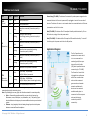
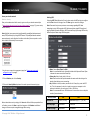
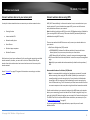
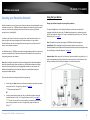
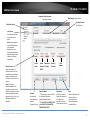
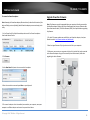
Powerline Utility Overview
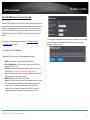
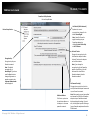
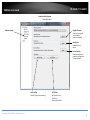
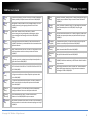
MAC Address (Local Device)
Map View Window
Firmware Version
Map View Section
(Local Device)
Local Device
The Powerline adapter
connected to your
router.
Note: If your computer
is connected directly to
your Powerline
adapter, the Local
Device listed will be the
Powerline adapter your
computer is directly
connected to.
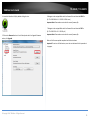
Device
Name
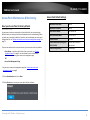
Remote Devices
(DPW)
Powerline adapters in
remote locations that are
connected to the selected
Powerline adapter (Local
Device) across the electrical
system.
Note: If all of your
Powerline adapters are
already connected to your
Powerline network, they will
automatically detected and
appear in the list. If not, you
will need to add them
manually.
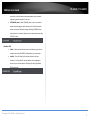
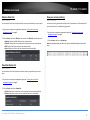
Device Connection
Password Quality
Rename
Renames the
listed Powerline
adapter
(Remote Device).
Speed or
Link Rate
MAC
Address
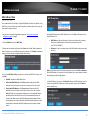
Enter Password
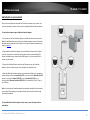
Add Device
Scan
***Allows you to enter the DPW
for the listed Powerline
adapter(Remote Device)
Allows you to add a
Powerline adapter to
your Powerline
network that is not
listed (Remote Device).
Rescans the Powerline
adapters that are
connected to your
Powerline network
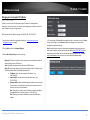
***THIS MUST BE ENTERED FOR
ALL DEVICES TO CHANGE THE
ENCRYPTION CODE***
(Remote Device).
© Copyright 2014 TRENDnet. All Rights Reserved.
41